

I build AI setters for my own clients. Those setups are powerful, but they also take days to build.
SetSmart claims you can do it in minutes. It is an AI appointment setter for your Instagram, WhatsApp and Messenger DMs. It qualifies your leads, and when someone is a good fit, it books the sales call for you.
Sounds great, but does it actually work?
I personally tested SetSmart for this review. I looked at how easy it is to set up, the AI features, pricing, channels and integrations, and whether you should use it for your business.
Our Verdict
Our Verdict
SetSmart is one of the easiest ways to set up an AI setter for your DMs. It just does one thing: it qualifies your leads with AI, and when they are a good fit, it books a sales call with them. But it does that one thing very well.
You answer a seven-step list of questions about your business, and SetSmart creates the whole AI setup for you. You can even improve the AI afterwards by simply chatting with it.
That makes it a great fit for coaches, creators and agencies that want an AI setter fast.
Plans start at $25/month. There is no free plan, but the bigger plans come with a 7-day free trial.


Pros
- Super easy to get started with
- Train the AI on your own business, files and qualification questions
- Improve your AI by simply chatting with it
- Automatic follow-ups when leads stop responding
- Built-in live chat to take over conversations yourself
- Connects to Calendly, Cal.com, GoHighLevel and iClosed
Cons
- Can be expensive for small creators ($97/month for 1,000 AI messages)
- You cannot connect AI assistants to each other, so it is not built for setups with many marketing funnels
- No direct calendar connection: Google Calendar and Outlook only work through tools like Calendly
- You cannot give the AI ongoing knowledge from your website, like an FAQ that updates automatically
What is SetSmart?
SetSmart is an AI tool that you can use to create AI appointment setters in your DMs.
You can set up an AI setter for your Instagram, WhatsApp or Messenger DMs. It asks leads your qualification questions, and when someone is a good fit, it books a sales call through tools like Calendly.
This is what SetSmart looks like:
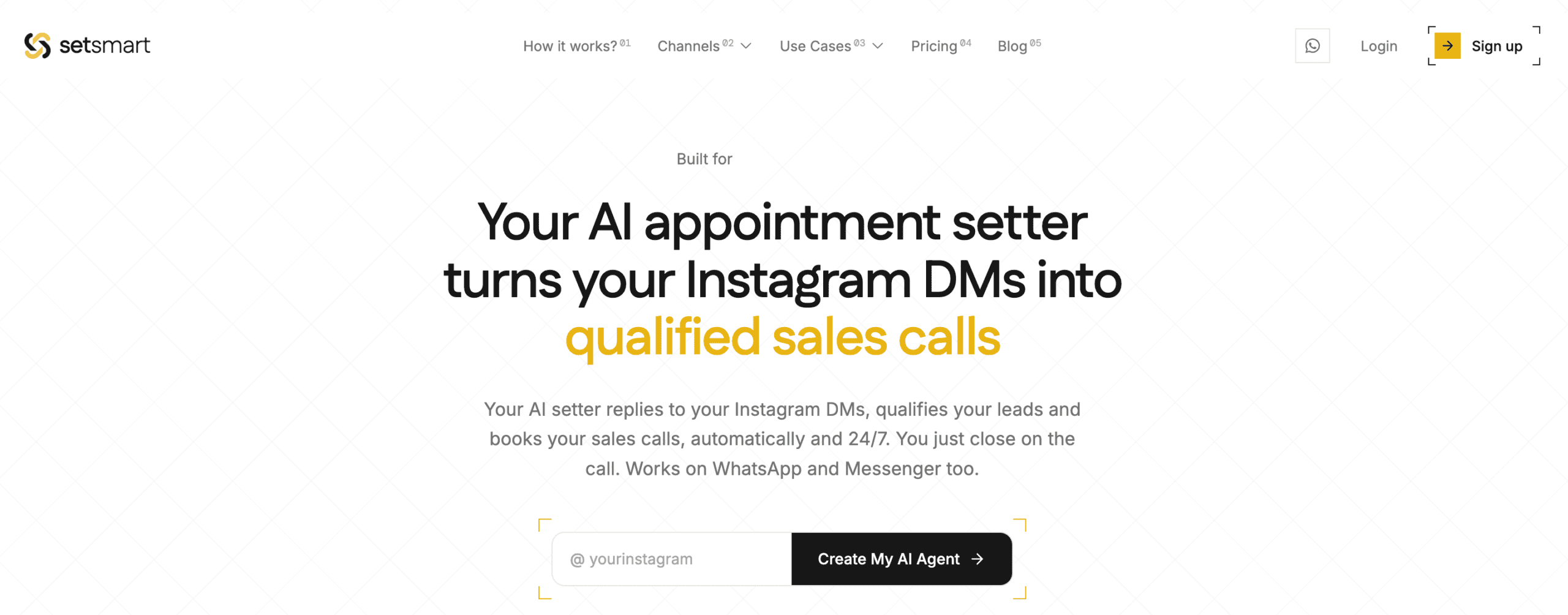
Everything runs on AI. There are no flows to build: you answer questions about your business, and SetSmart creates the whole setup for you.
SetSmart at a Glance
Before diving into the details, here’s a quick look at what SetSmart can do:
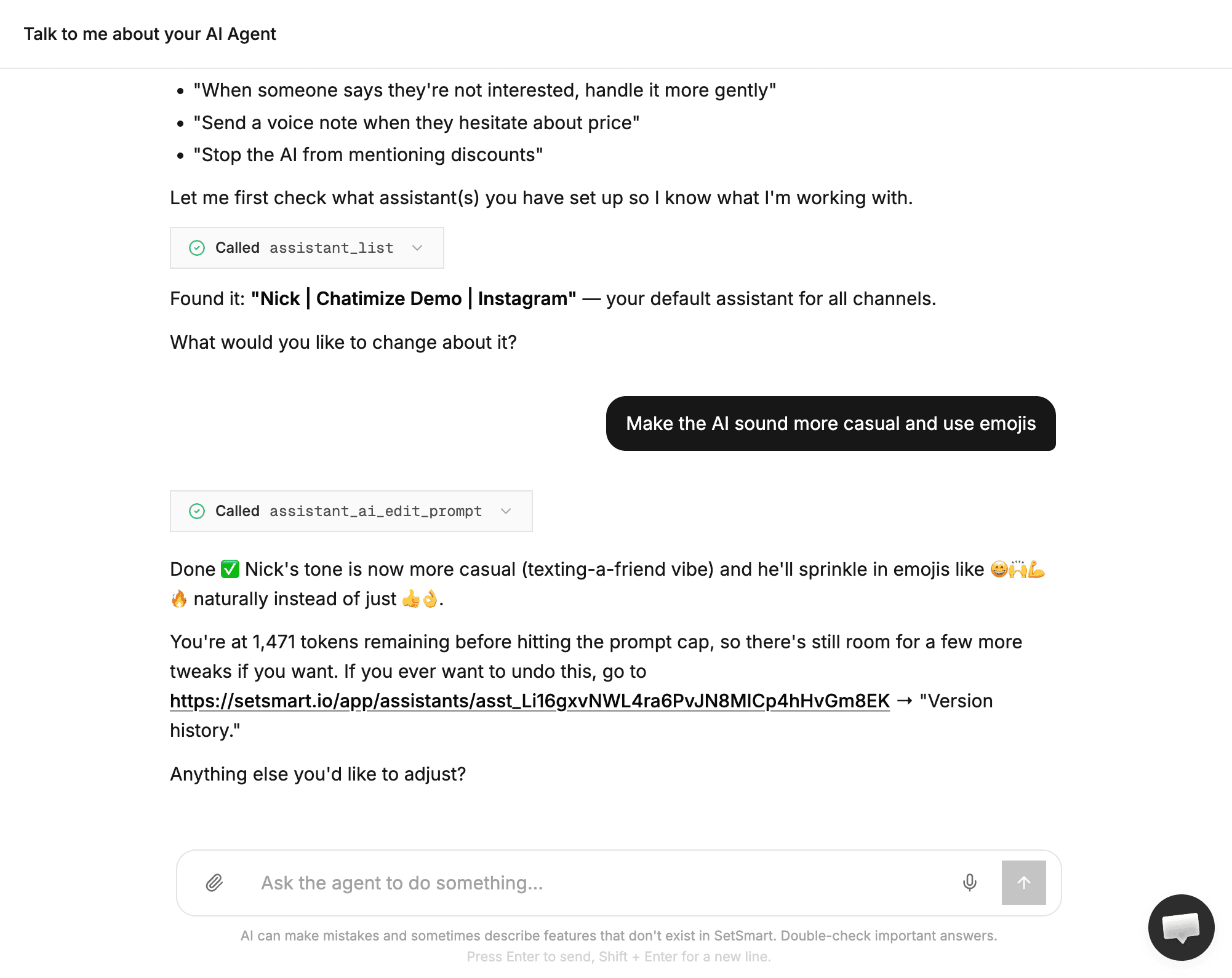
- The SetSmart AI agent: you can just talk to an AI to improve your AI DM setter, like telling it to make the AI sound more casual, and it updates the AI for you:
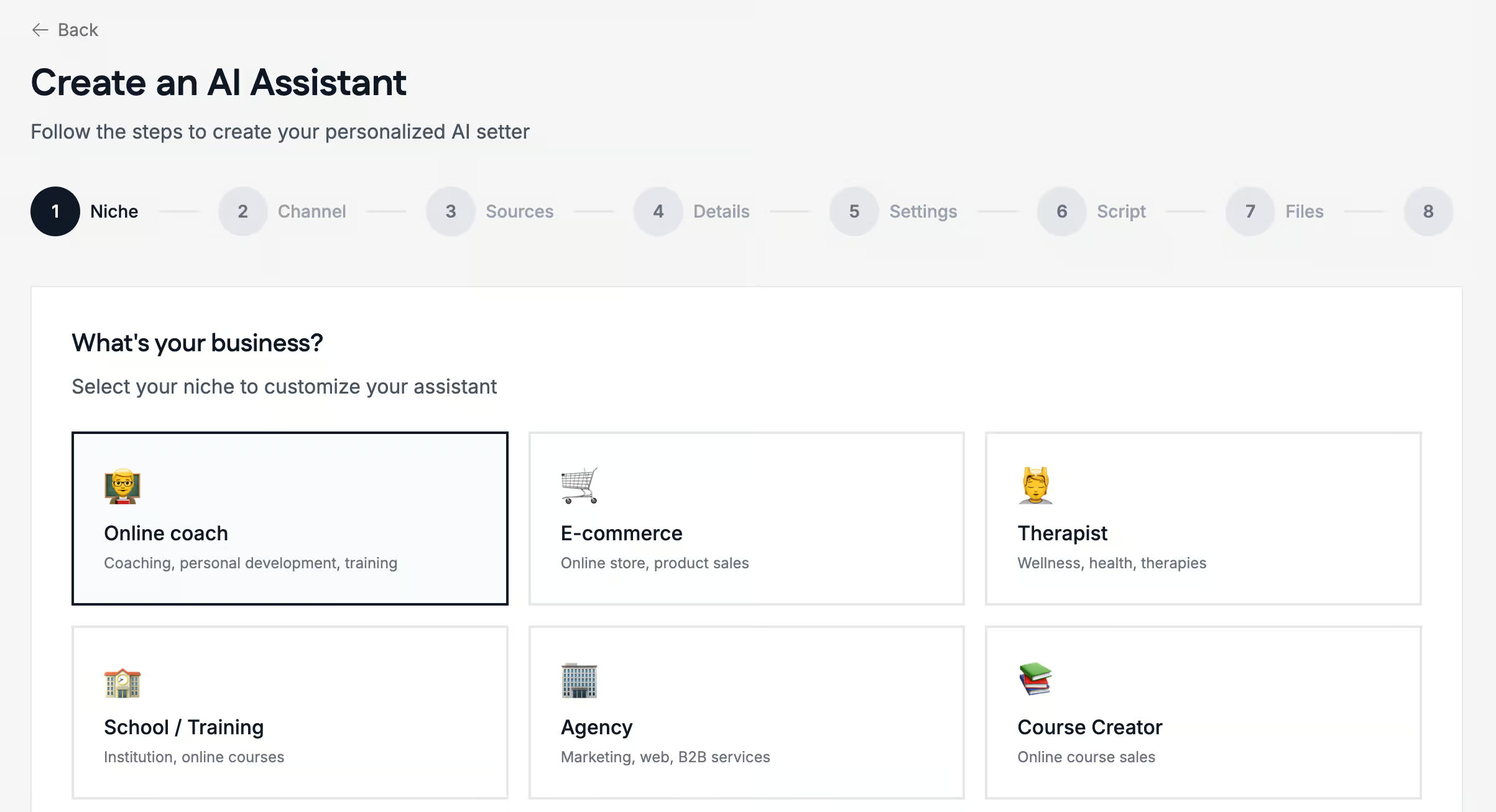
- Seven-step setup: you just follow seven steps, and SetSmart creates the AI system for you:
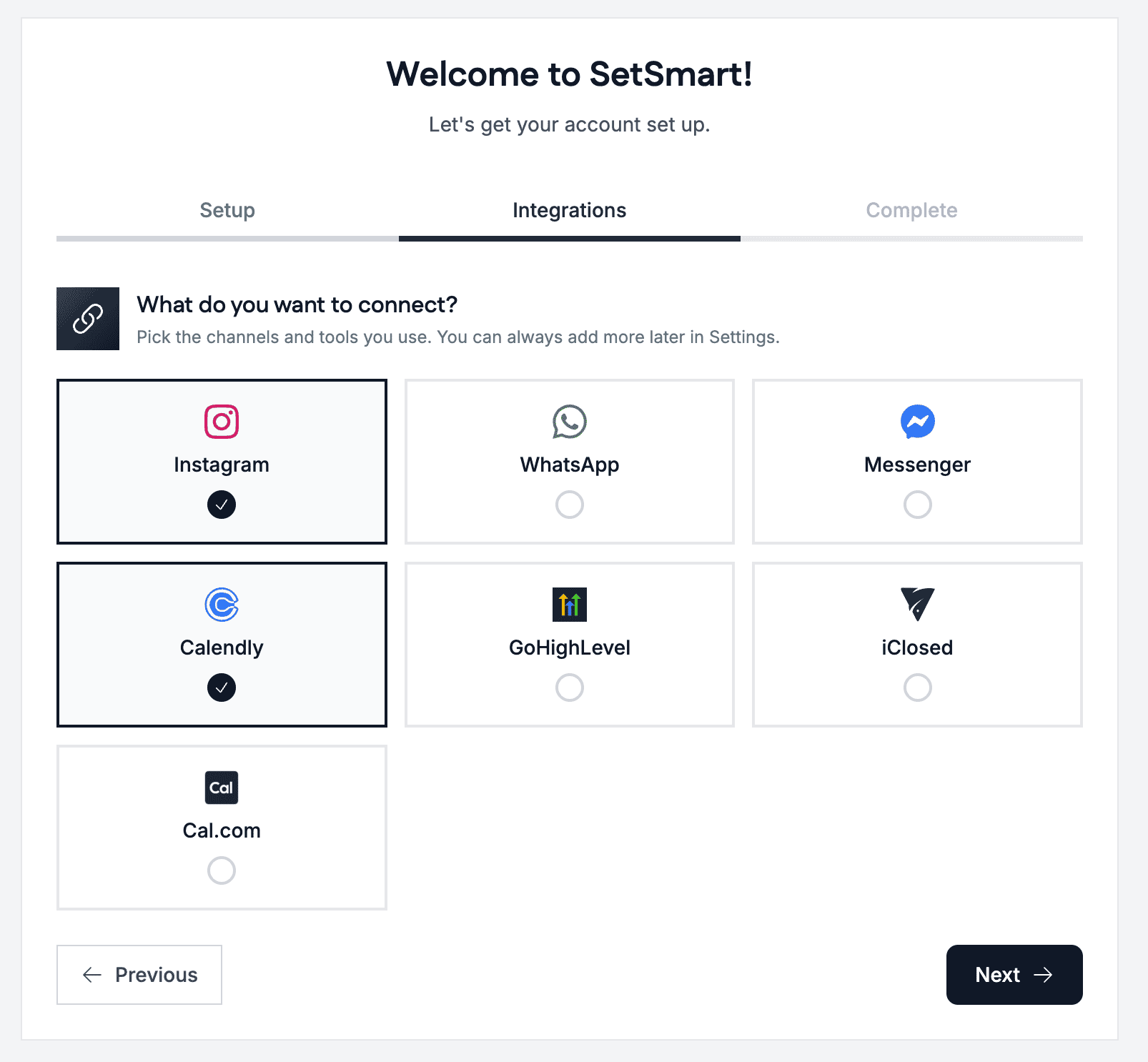
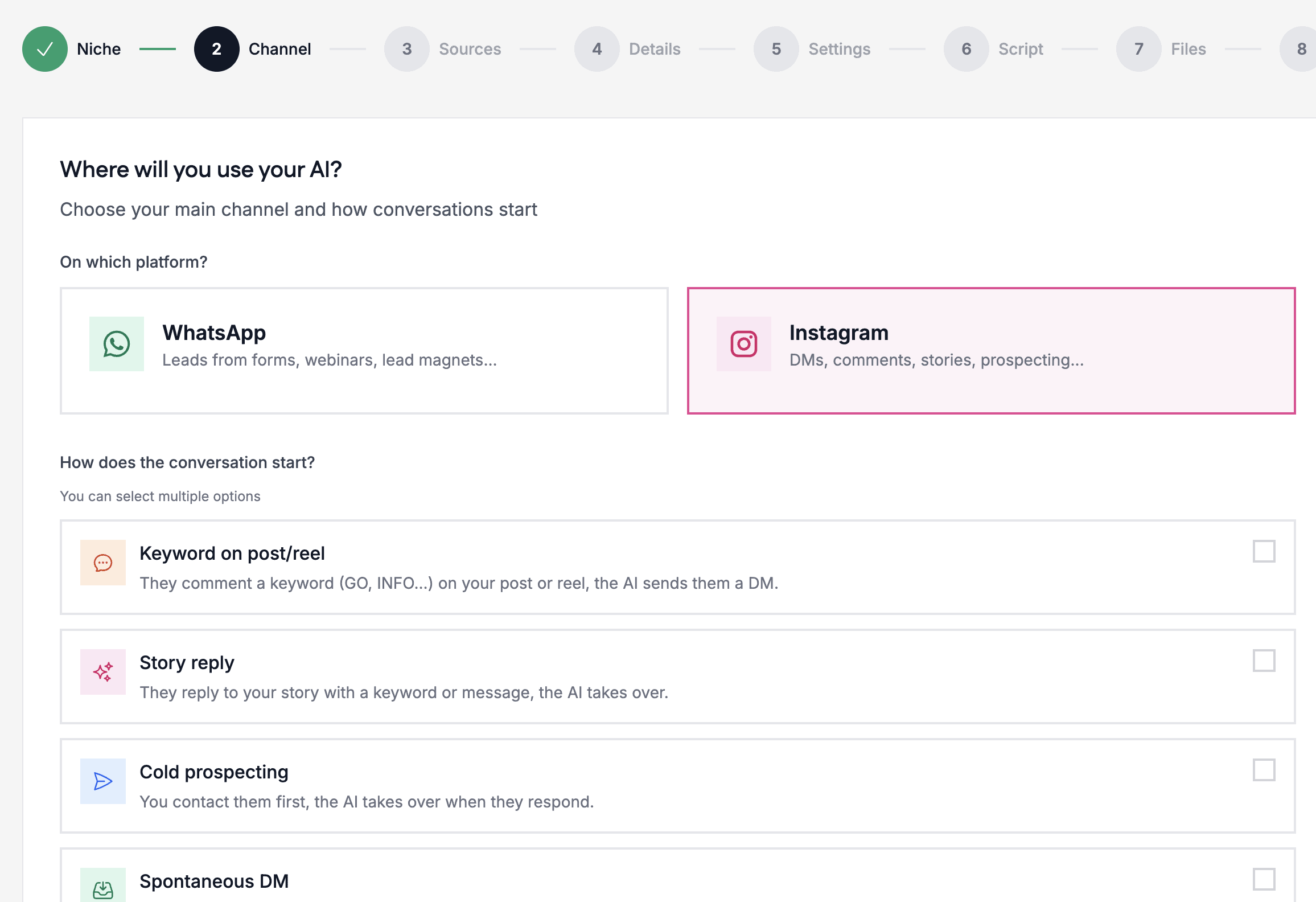
- Three channels: it works on Instagram, WhatsApp and Messenger, and you pick your channels inside the setup:
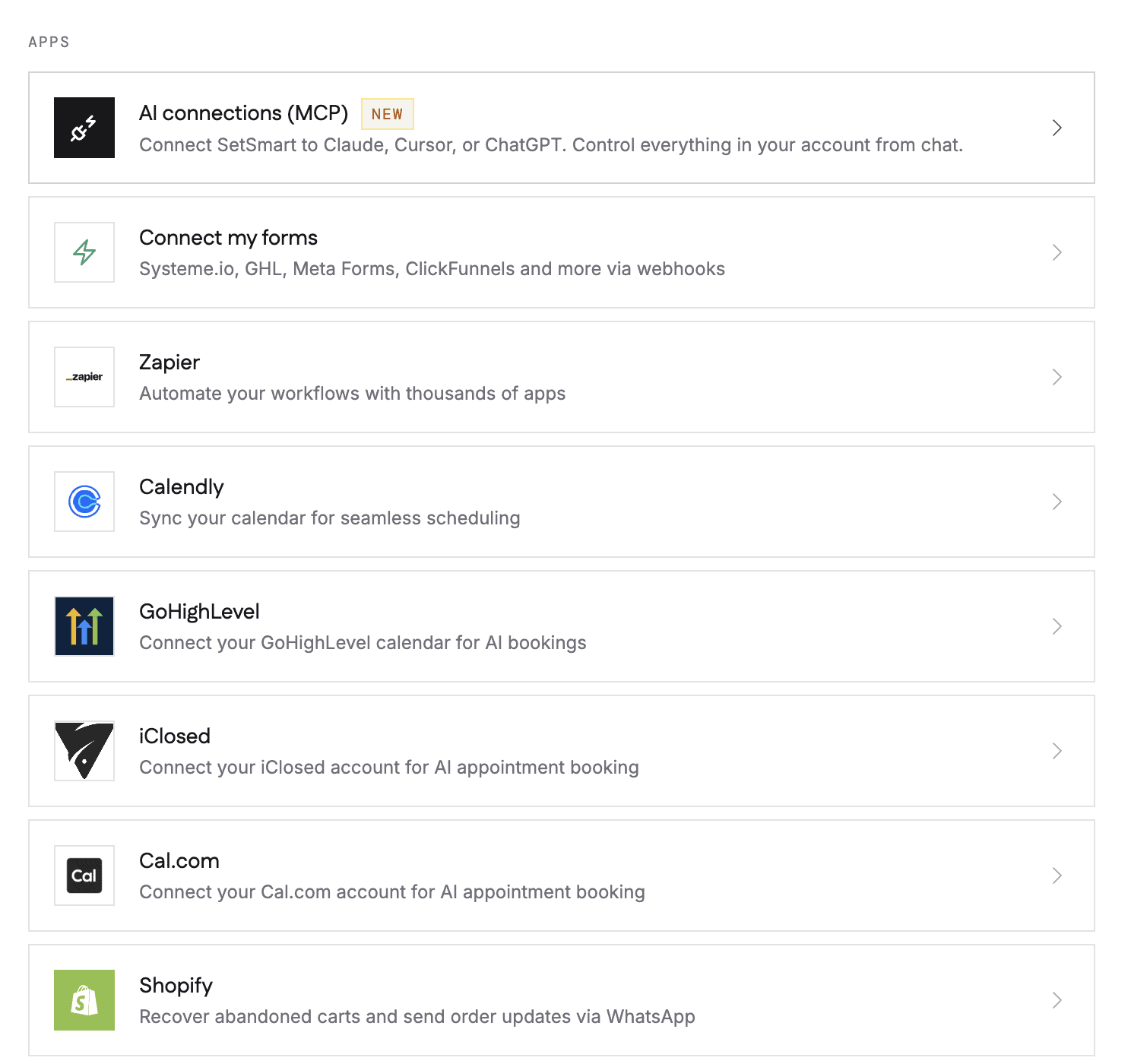
- Integrations: it connects to other tools, like Calendly, Make, Zapier and Shopify:
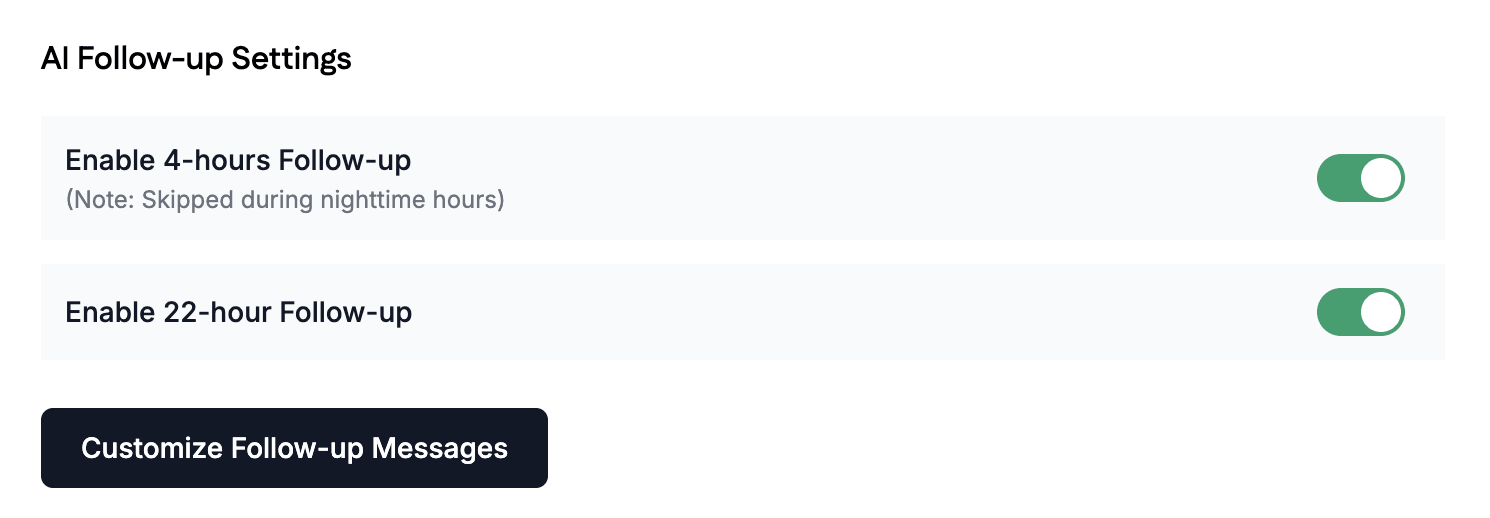
- Automatic follow-ups: when leads stop responding, SetSmart follows up with them automatically:
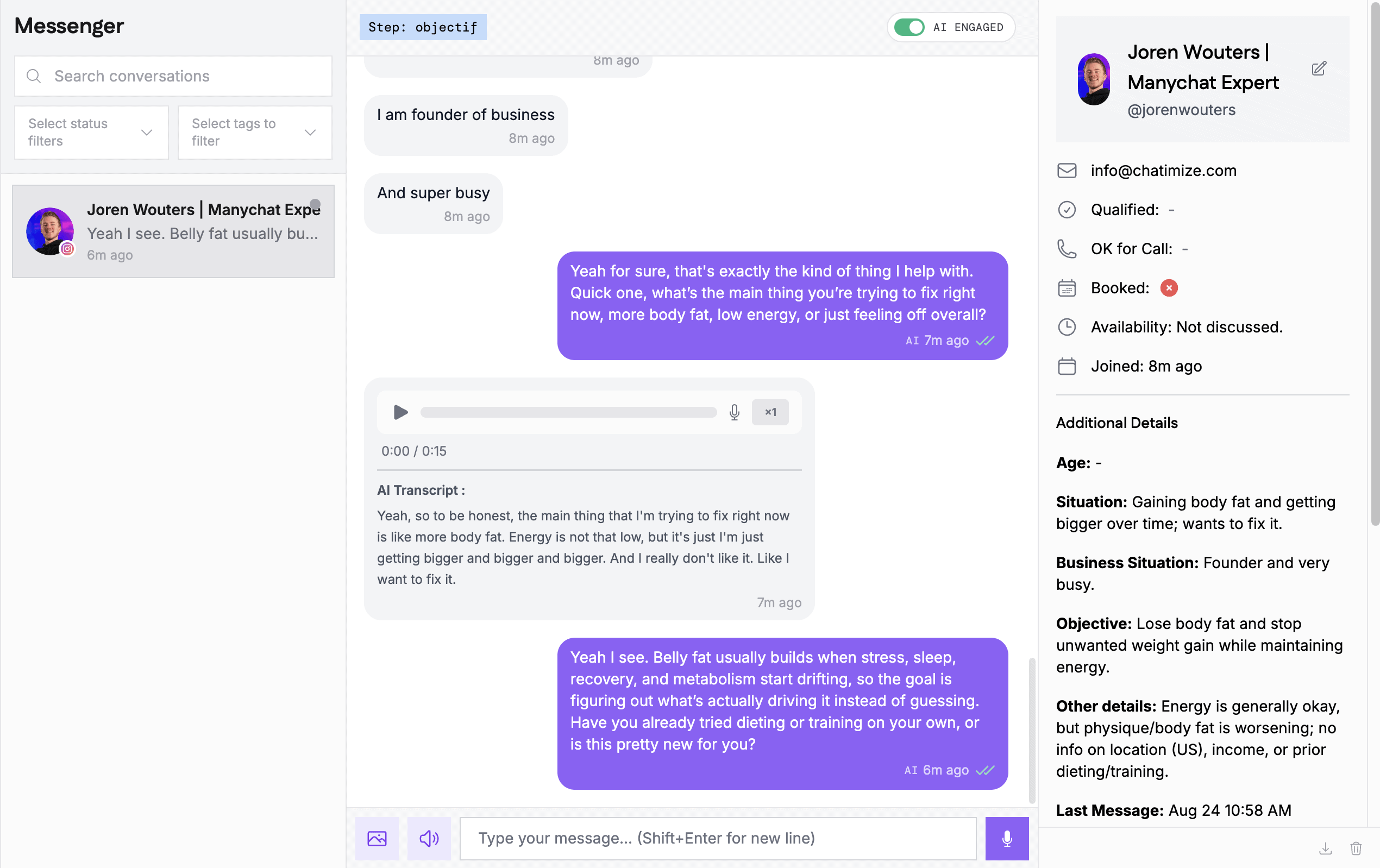
- Live chat: you can take over the conversation yourself whenever you need to:
How to get started with SetSmart
Getting started with SetSmart is super easy. You don’t build any flows. Instead, you answer a seven-step list of questions, and SetSmart creates your AI setter for you.
First, you pick your niche, like online coach, agency or course creator.
Then, you choose where you will use the AI, and how the conversation starts. That can be a keyword on a post or reel, a story reply, or a spontaneous DM:
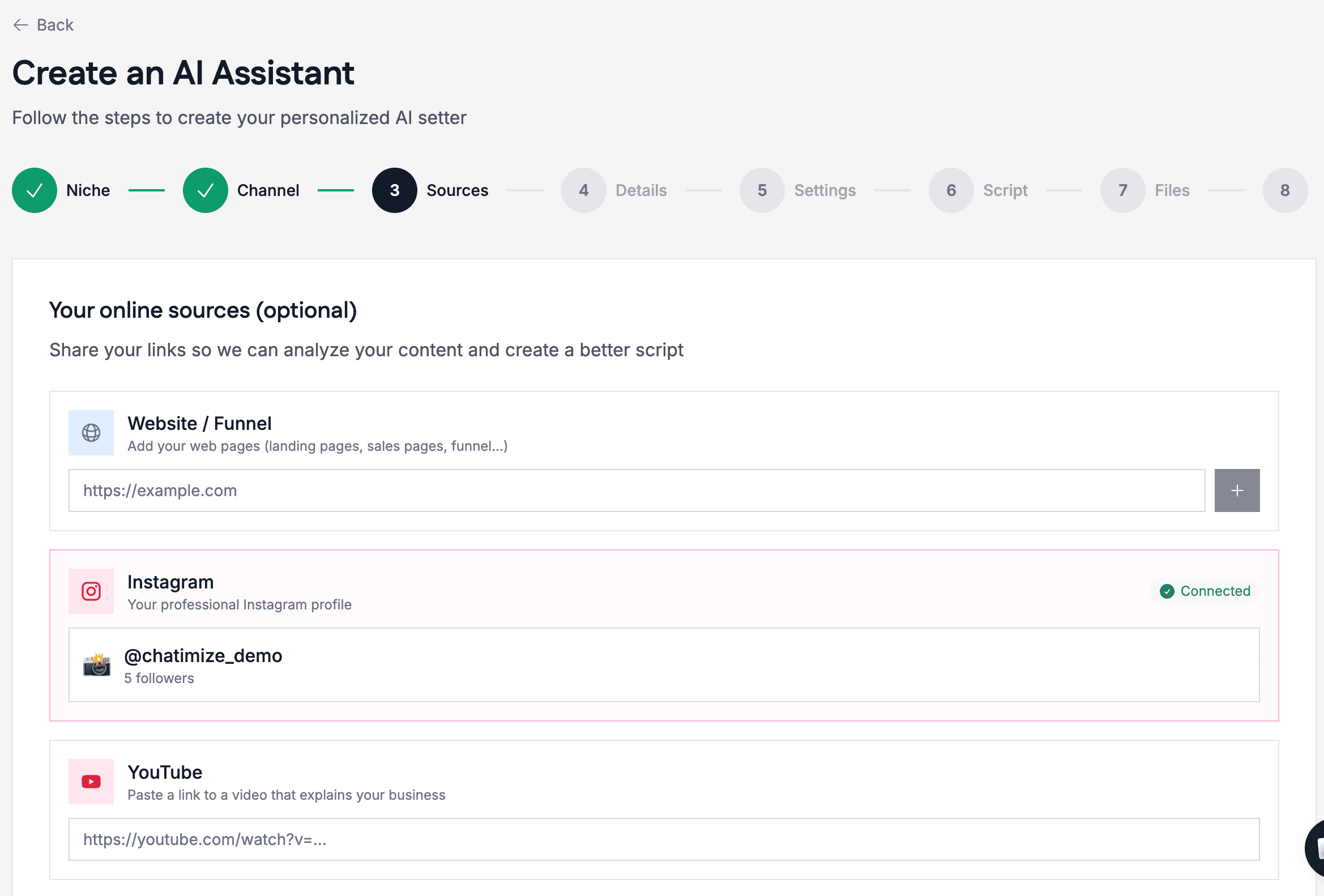
Next, you add your online sources, so the AI can train on them automatically:
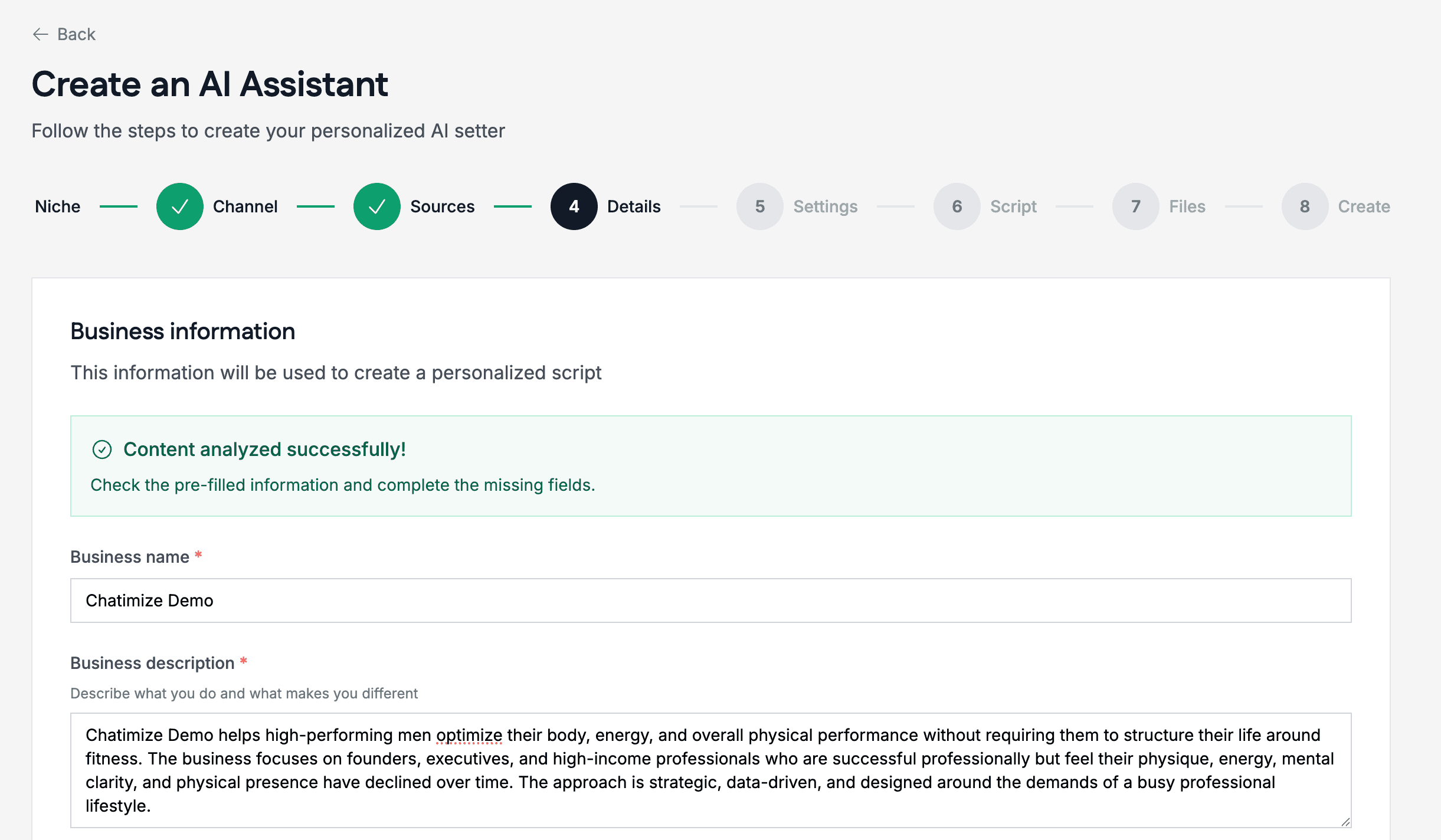
After that, SetSmart asks about your business: your description, your main offer, your ideal clients, and the goal of the conversation, like booking a call:
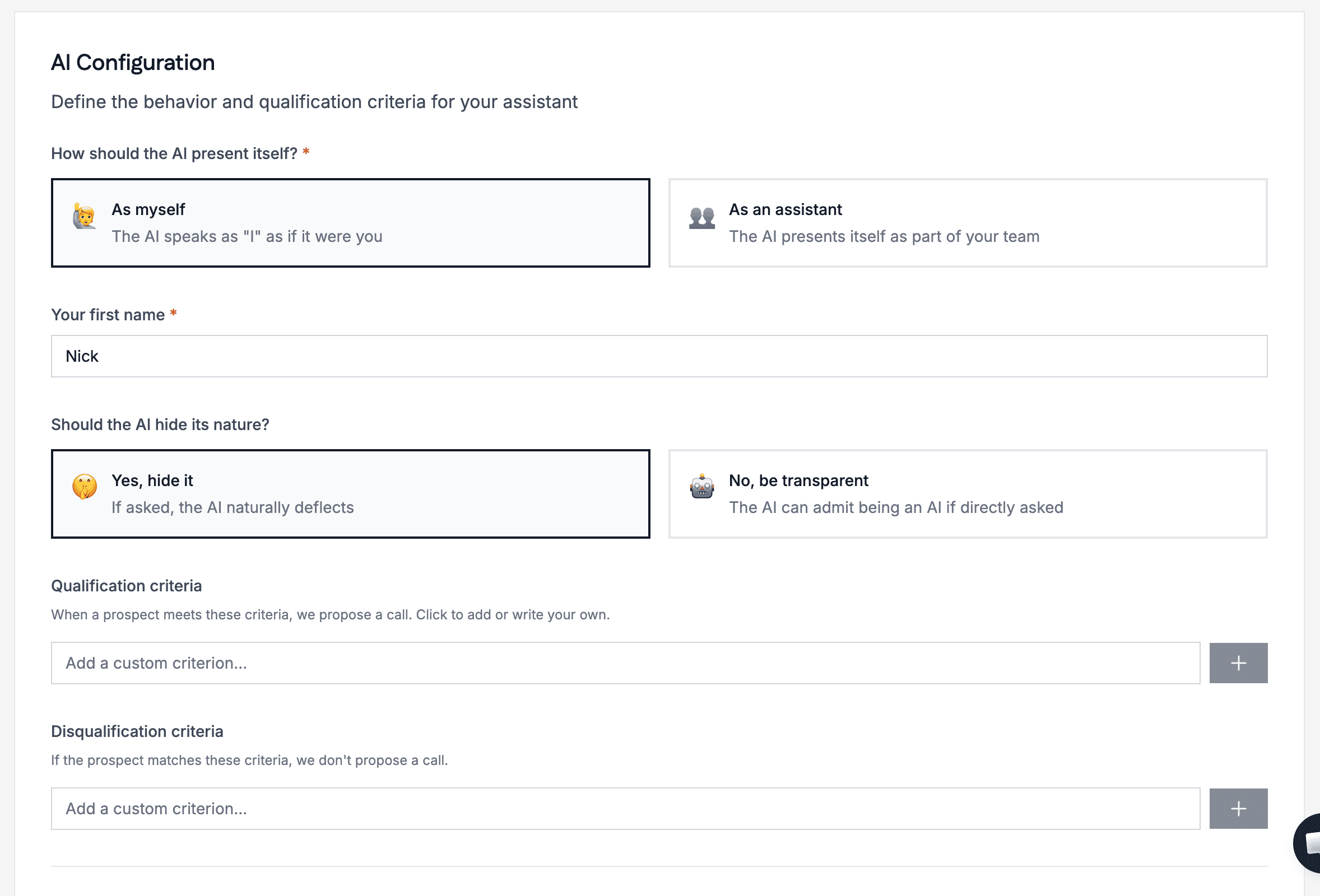
Now you set up how the AI should talk. Should it talk like you, or introduce itself as an assistant? This is also where you add your qualification criteria:
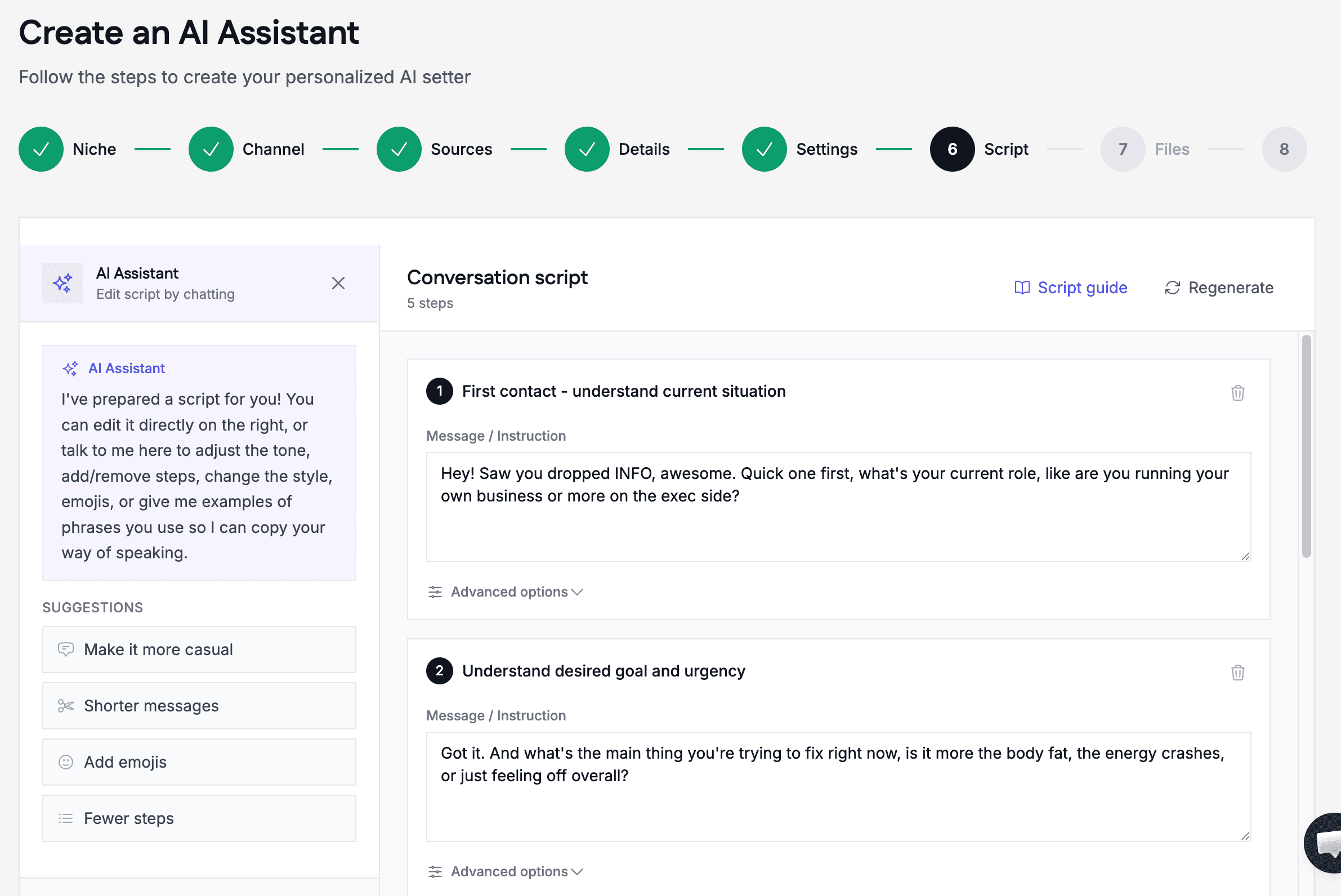
Based on all your answers, SetSmart writes the whole conversation script for you. You can check every step and change what you don’t like:
You can even add conditions to each step of the script, so a step is only used when it should be:
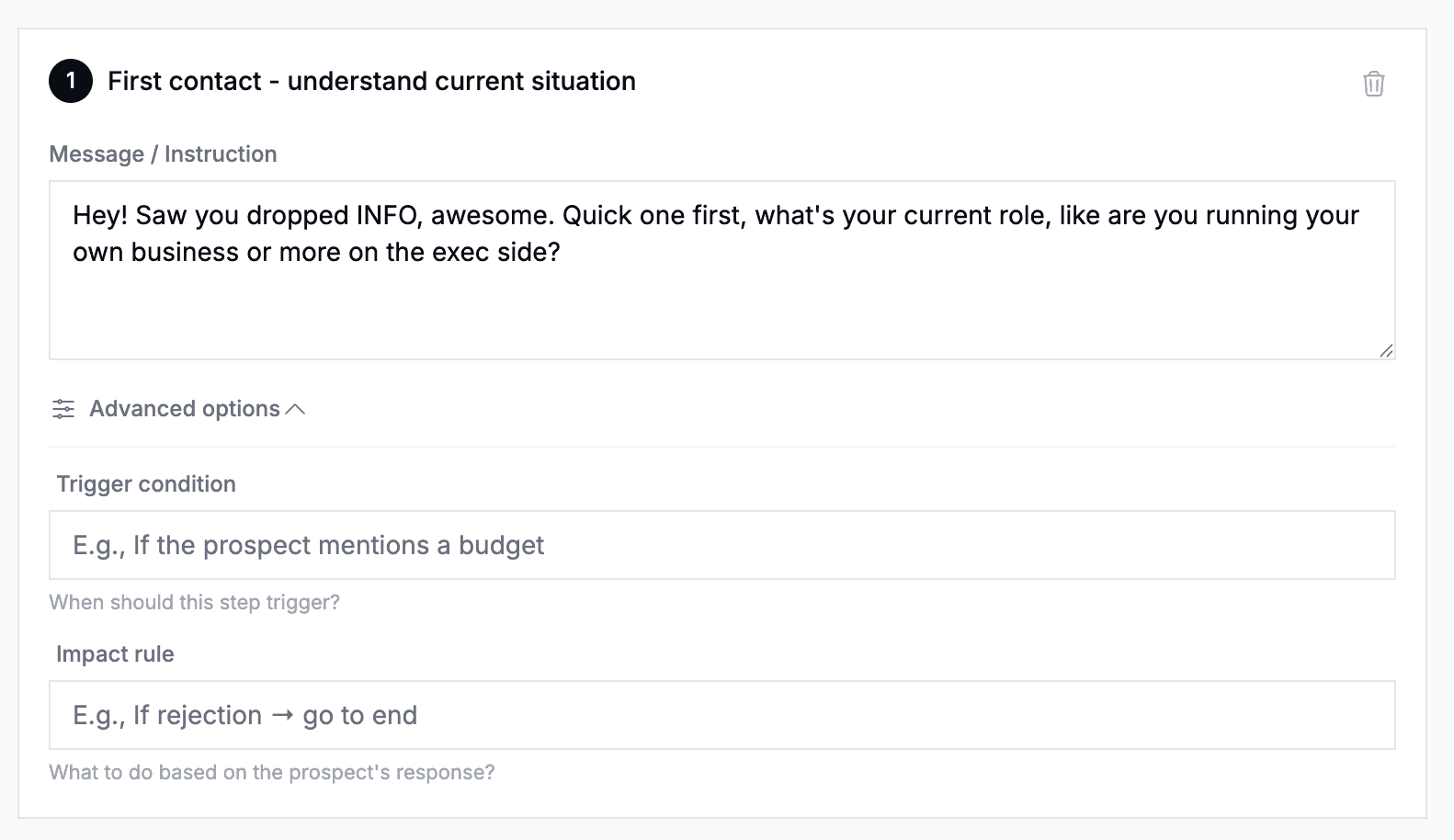
Finally, you can upload documents for your AI, like your frequently asked questions. The AI then uses those documents to answer questions from your leads:
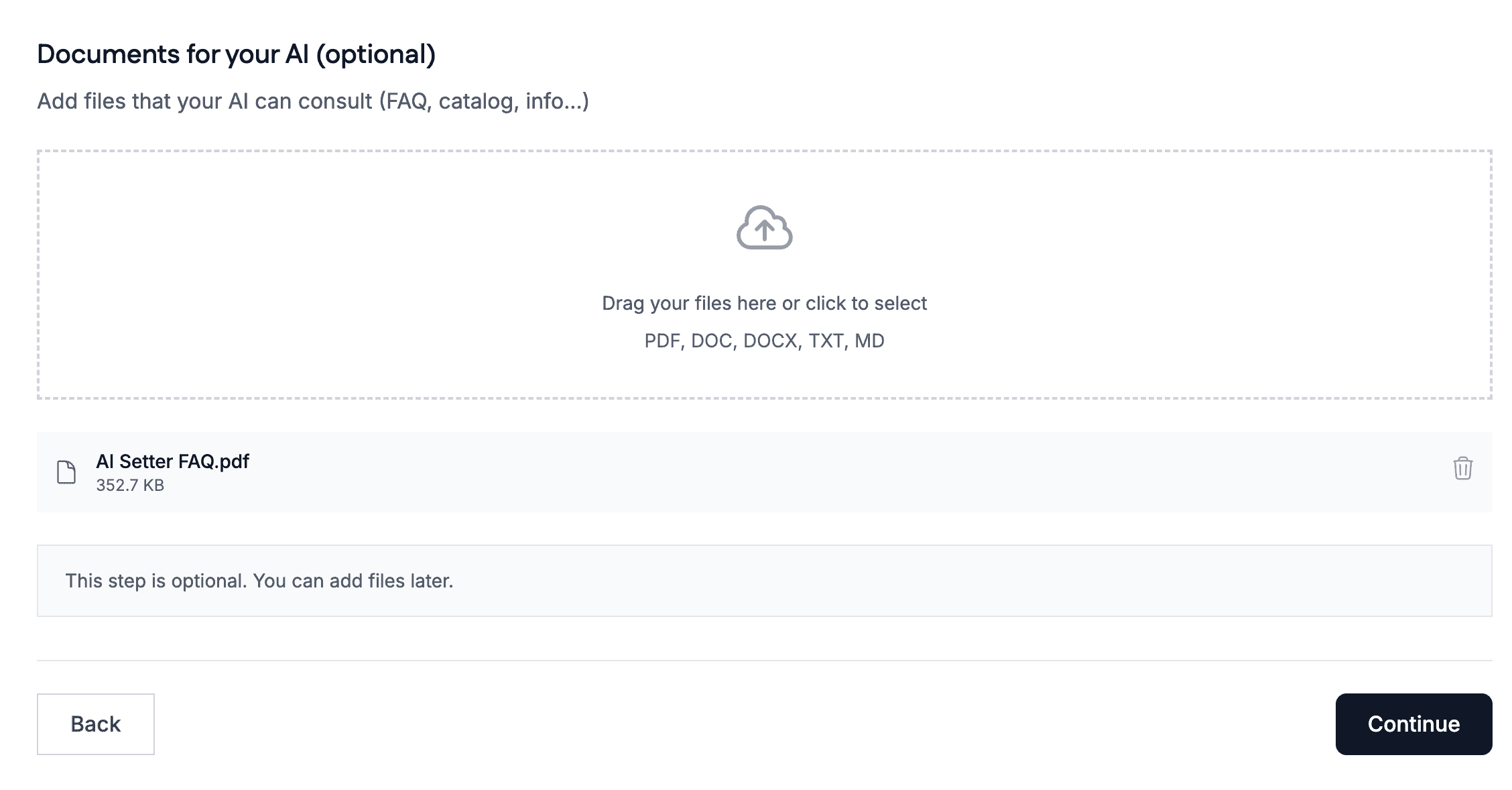
Once everything is created, you can test your AI setter directly in SetSmart:
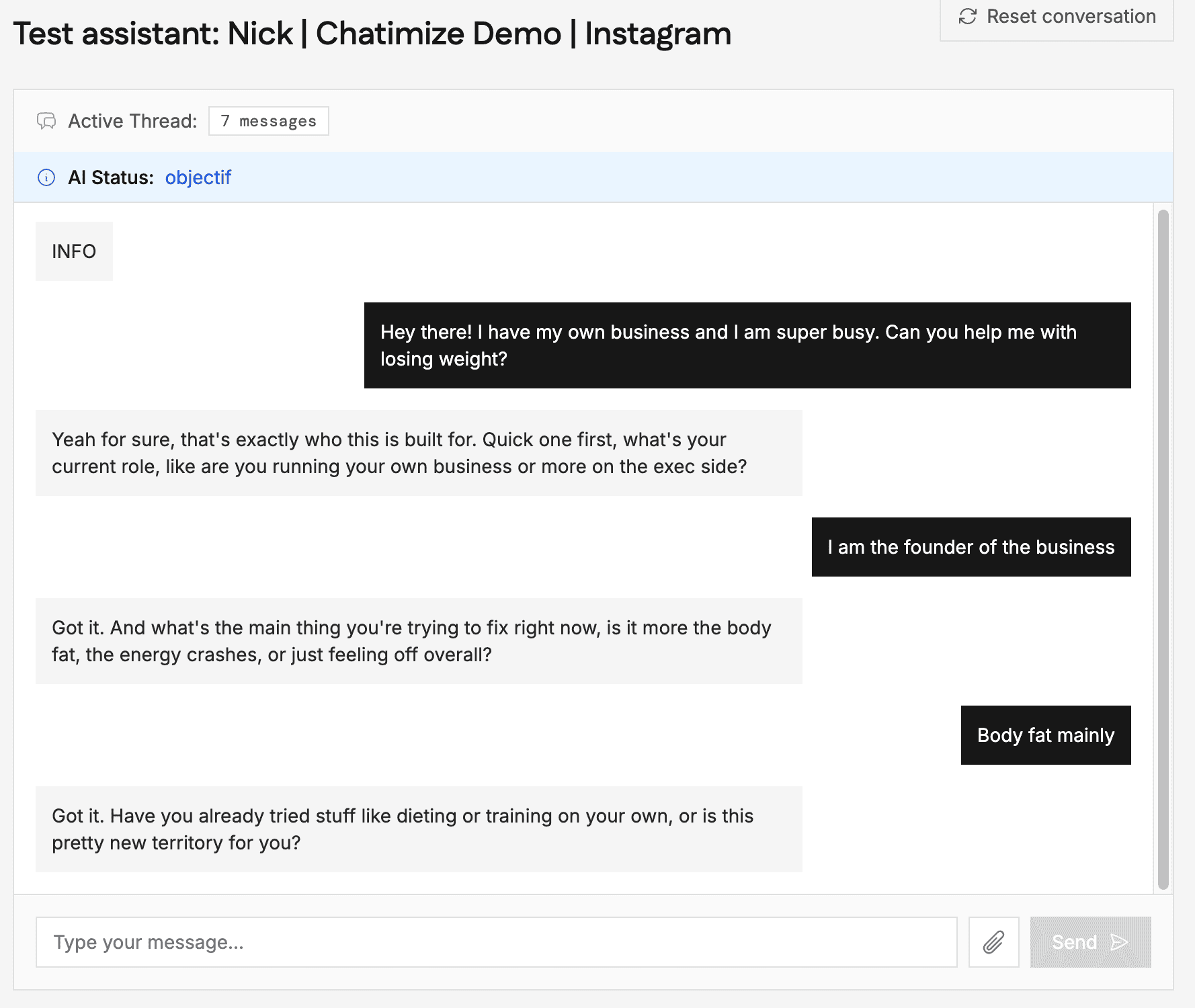
And that’s it. You now have a working AI setter. If you compare that to the setups I build for my own clients: those are way more advanced, but also way harder to set up.
Ease of use How easy it is to build and change things once you’re set up? On a scale of 1 to 5. How easy it is to build and change things once you’re set up? On a scale of 1 to 5. | 5 |
| Setup difficultyHow much technical work it takes to get going. | Easy |
| Average setup timeHow long until your first bot or AI agent is live. | 1 hour |
| Set up with AIDescribe what you want in a chat, and an AI builds the bot or agent for you. | |
| Test before going liveYou can try the bot or agent yourself before customers see it. |
Want to compare SetSmart with 33 other chatbot platforms? Compare them here →
SetSmart AI Features
SetSmart’s AI does more than reply to messages, and there are three features I want to highlight:
- The SetSmart AI agent
- Waiting time before responding
- Automatic follow-ups
The SetSmart AI agent
This is my favorite part of the platform. Inside SetSmart, there is an AI agent that you can ask to do anything.
You can ask for your analytics, ask for the data of your last bookings, or even ask the AI to improve itself:
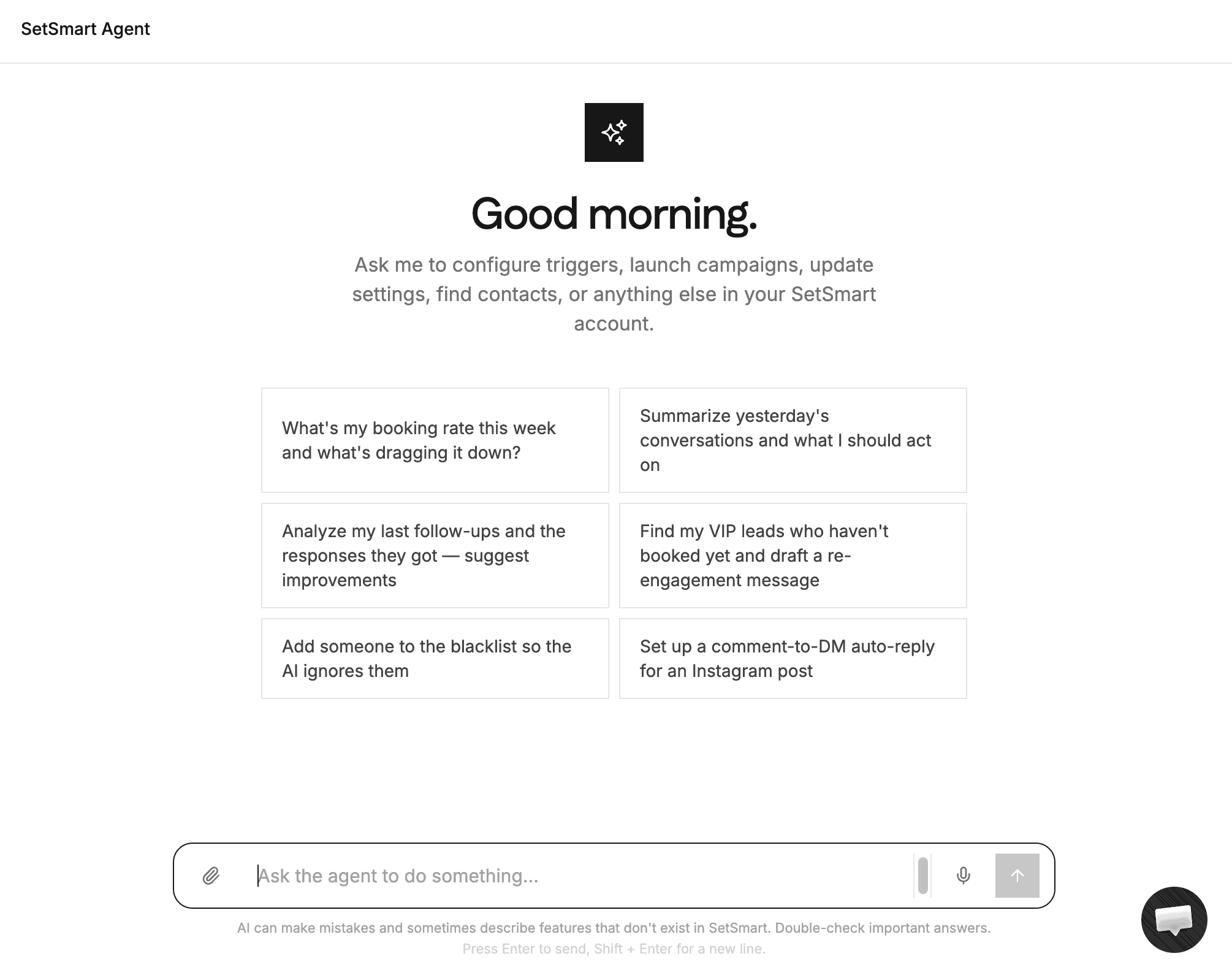
You just describe what you want to change, and it changes it. That is exactly what makes SetSmart so easy to use.
Waiting time before responding
Most AI tools reply within one second. But no real person answers a DM that fast, so instant replies give away that a bot is talking.
SetSmart lets you set a waiting time before the AI responds:
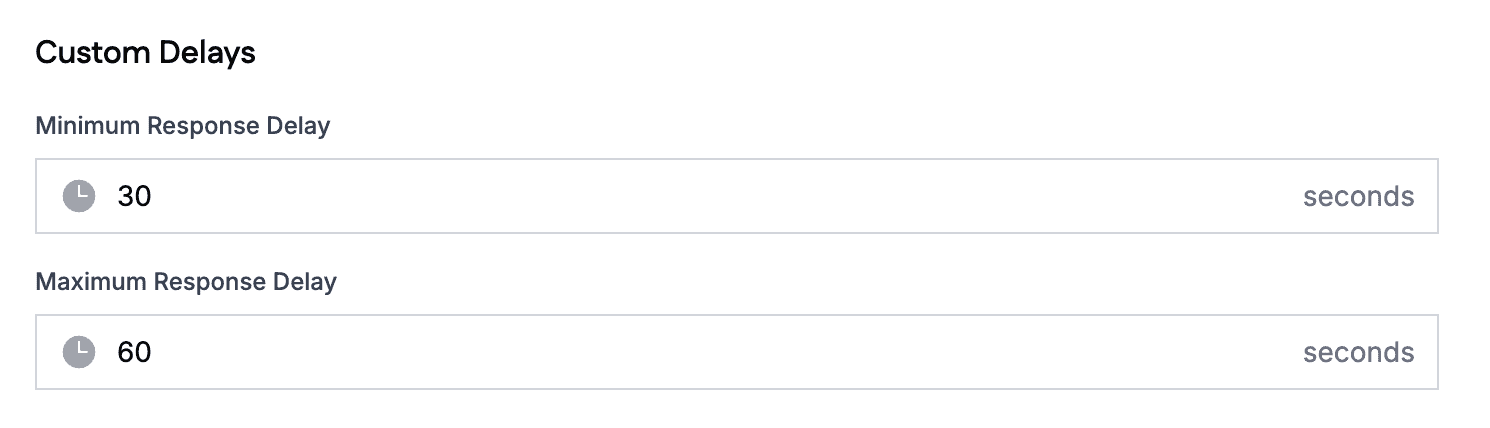
I think this is pretty important, and a lot of AI tools don’t have it.
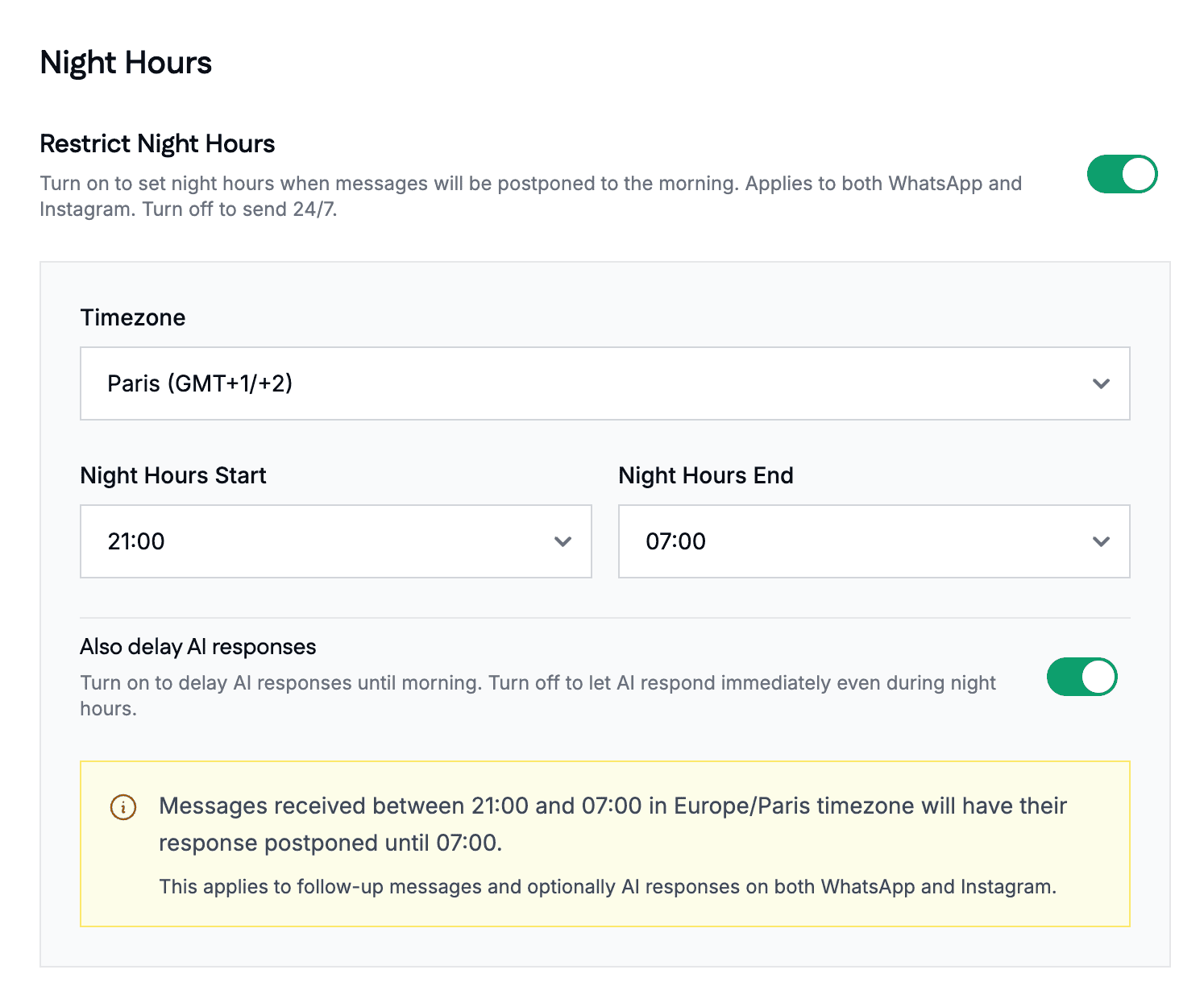
You can also postpone messages during night hours, so your AI doesn’t message leads at 3 AM:
Automatic follow-ups
Most leads don’t stop replying because they are not interested. They just get distracted.
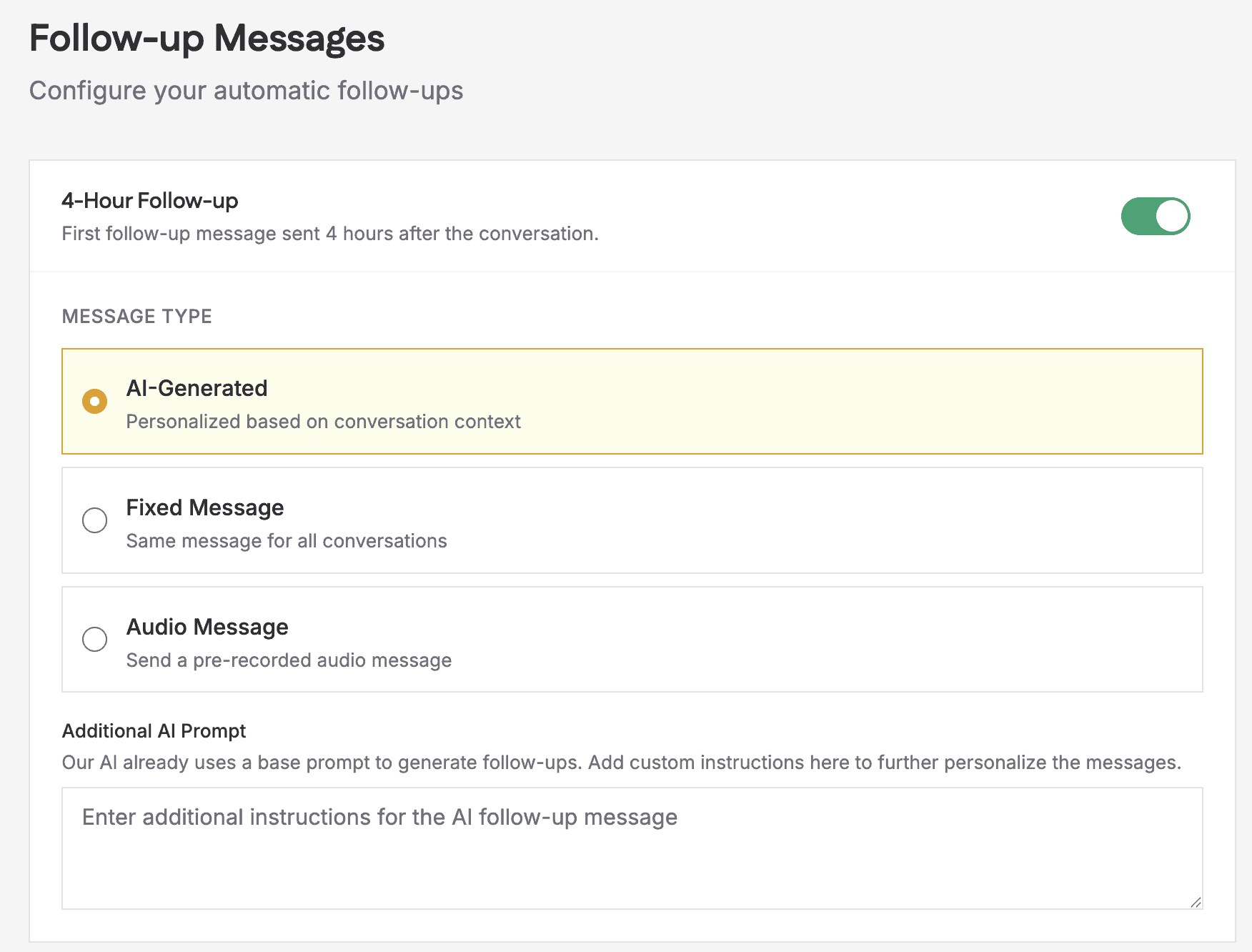
That is why SetSmart can follow up with them automatically. You can enable a follow-up after 4 hours and another one after 22 hours.
And you decide what those follow-ups look like. Each one can be AI-generated, a fixed message, or even an audio message, and you can give the AI custom instructions for it:
SetSmart Pricing
SetSmart offers three plans, starting at $25/month. And every plan includes the full AI setter: all three channels, qualification, booking, follow-ups, voice notes and image understanding.
Pro tip: You get a 10% discount for your first 2 months on any plan through my SetSmart discount link.
Unfortunately, there is no free plan. But on the paid plans you can test it out for free: the Pro and Scale plans come with a 7-day free trial.
Is that expensive? It depends.
$97/month for 1,000 AI messages can be a lot for a small creator. But if your sales calls are worth hundreds of dollars, one extra booked call pays for months of SetSmart.
And if you pay yearly, you get 2 months free on any plan.
| Starting priceThe lowest price you can start with per month, including seat minimums (in US dollars). | $25 per month |
| Free planDoes the chatbot platform provide a free plan? | |
| Free trialDoes the chatbot platform provide a free trial? |
SetSmart Channels & Integrations
SetSmart works on three channels: Instagram, WhatsApp and Messenger.
Those are exactly the channels where an AI setter belongs, because that is where your leads DM you.
For booking calls, SetSmart connects to Calendly, Cal.com, GoHighLevel and iClosed. You pick your calendar tool right inside the setup:
But there is one small drawback here: you cannot connect your calendar directly. Google Calendar and Outlook only work through one of those booking tools.
Beyond that, SetSmart connects to Make, Zapier, Shopify and webhook forms. There are also AI connections, which let you plug other AI tools into SetSmart:
And if you need a custom connection, developers can build one through the API.
| Direct integrationsHow many built-in connections to other tools does it have? | 1-10 |
| ZapierDirect integration with Zapier, one of the largest integration platforms in the world. | |
| MakeDirect integration with Make (formerly Integromat), one of the largest integration platforms in the world. | |
| API CallsSend data to or get data from another tool’s API, for example inside a flow. |
Is SetSmart Worth it?
So, should you use SetSmart?
Yes. If you want an AI setter that qualifies your leads and books your sales calls, SetSmart is one of the easiest ways to get there. It fits coaches, creators and agencies best.
And if you’re ready to get started, you get a 10% discount when you use the button below:
But no platform is perfect, so you should also consider these drawbacks:
- It can be expensive for small creators: $97/month for 1,000 AI messages
- You cannot connect AI assistants to each other, so it is not built for setups with many marketing automations
- You cannot connect your calendar directly: Google Calendar and Outlook only work through tools like Calendly
- The AI cannot keep learning from your website
The second one deserves a bit more explanation.
For my own clients, I combine Manychat with AI. We first capture a lead’s name and email in the DMs, and the AI only takes over after that. And we often run ten or more of those funnels next to each other all going into one AI Setter.
You can rebuild one or two of those funnels in SetSmart. But you cannot run ten of them, because then you need to give one AI setter too many instructions and it could start making things up (this is called AI hallucination).
So here’s my honest answer. If you want one AI channel that qualifies leads and books calls, use SetSmart. If you want to build out many marketing funnels and combine them with AI, my Manychat and Relevance AI setup might be a better fit.
Note: Want to see that setup in action? Watch my video on how to create an AI appointment setter on Instagram. It comes with a free template.
And about the last drawback: SetSmart can use your website as a source during setup. But after setup, you cannot keep feeding it knowledge from your website. Think of an FAQ that updates every week. I tested exactly that, and SetSmart cannot do it.
