
Looking for a customer support platform that combines live chat, ticketing, and AI chatbots?
Zendesk is one of the most well-known helpdesk tools out there. But how well does it actually work when you use it for AI-powered chat?
In this Zendesk review, I’ll cover how it works, what it costs, and whether it’s worth using for your business.
Let’s get started!
Our Verdict
Our Verdict
Zendesk is an all-in-one platform that combines live chat, ticketing and AI chatbots.
Right now, I wouldn’t use it for AI chatbots because I couldn’t get the AI chatbot to work. But you can still test it out yourself.
Zendesk pricing starts at €19/month for basic email support, and goes up to €55/month for multi-channel support with AI agents.
Pros
- Built-in AI
- Many channels
- Build in Livechat
- Integrations with Salesforce, Shopify, Slack, Jira, and Microsoft tools
Cons
- Hard to set up, need to get used to how everything works together
- No marketing possibilities on Facebook and Instagram
- AI Agent doesn't work


How to get started with Zendesk Chatbot
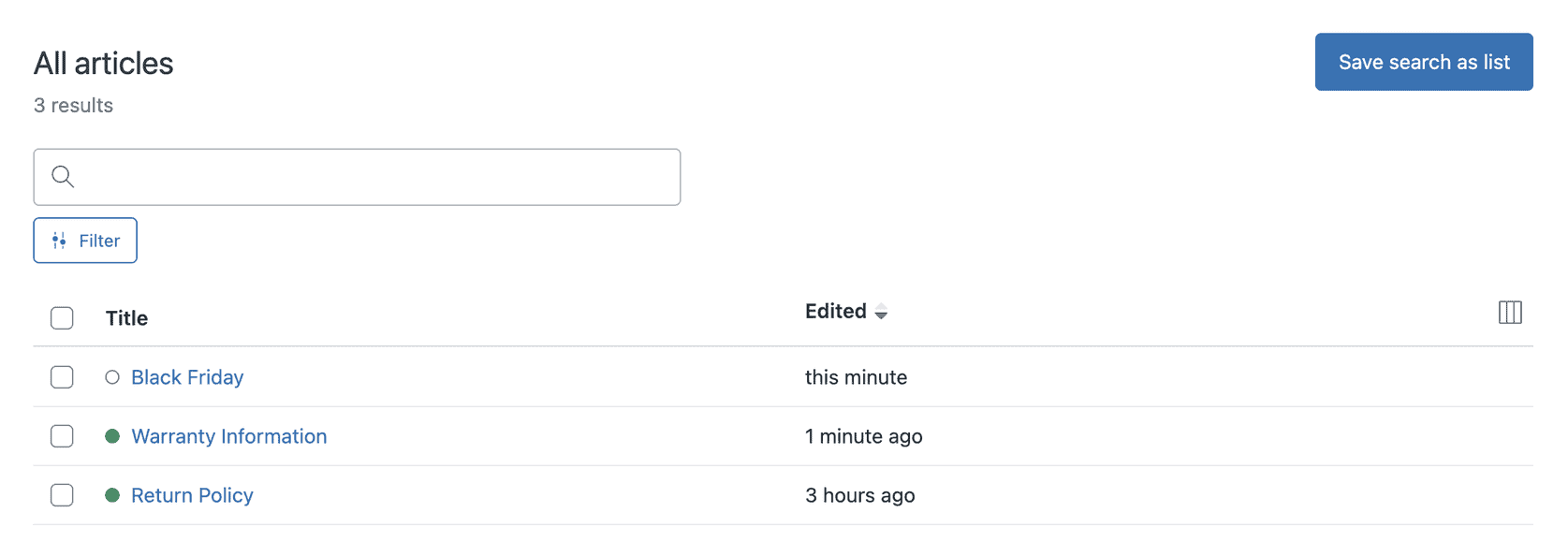
If you want to use Zendesk for an AI chatbot, the setup starts with your knowledge base. The first thing you need to do is add help desk articles, so that you can train you AI agent on that:
You can also train the AI using a website crawler. This lets Zendesk scan your site and pull content from your pages. However, I couldn’t get the crawler to crawl my website, even after several hours:

Once your knowledge sources are ready, you can create an AI agent. This is where you choose things like the agent’s name, tone of voice, brand, and which Help Center it should use:
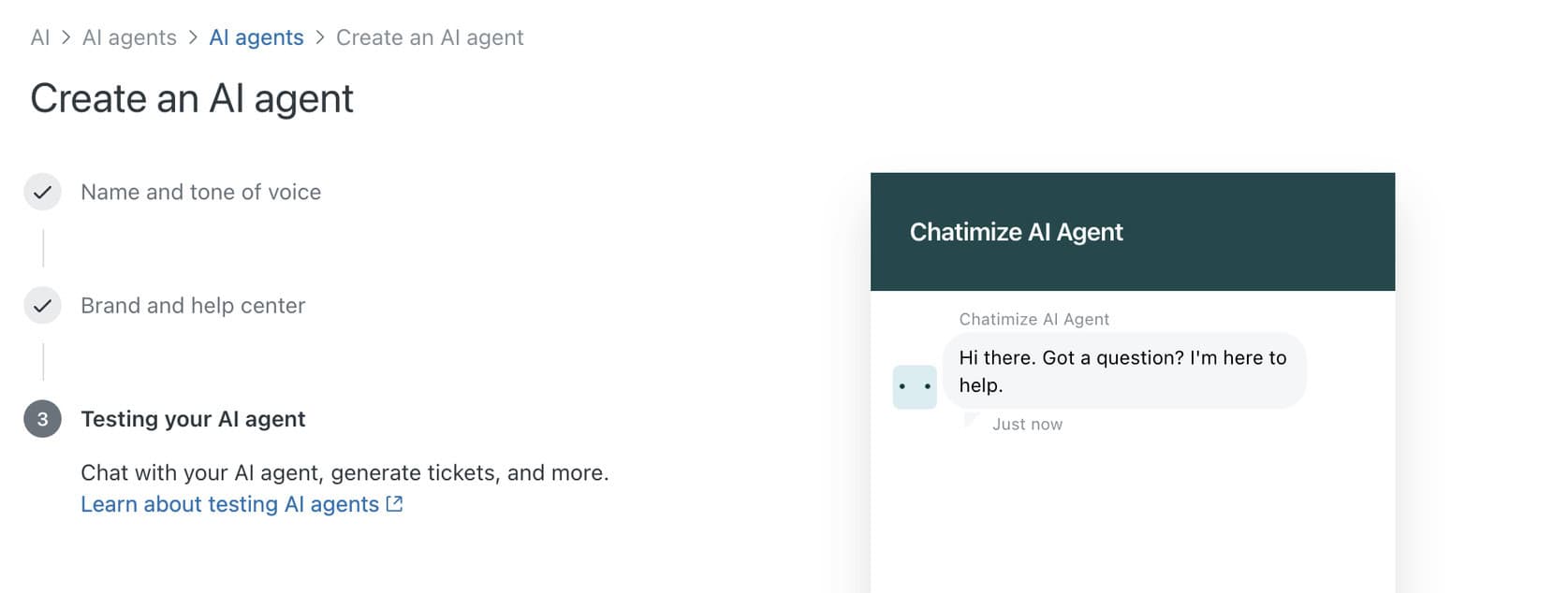
When you’ve done that and created your AI agent, you can immediately start talking to it.
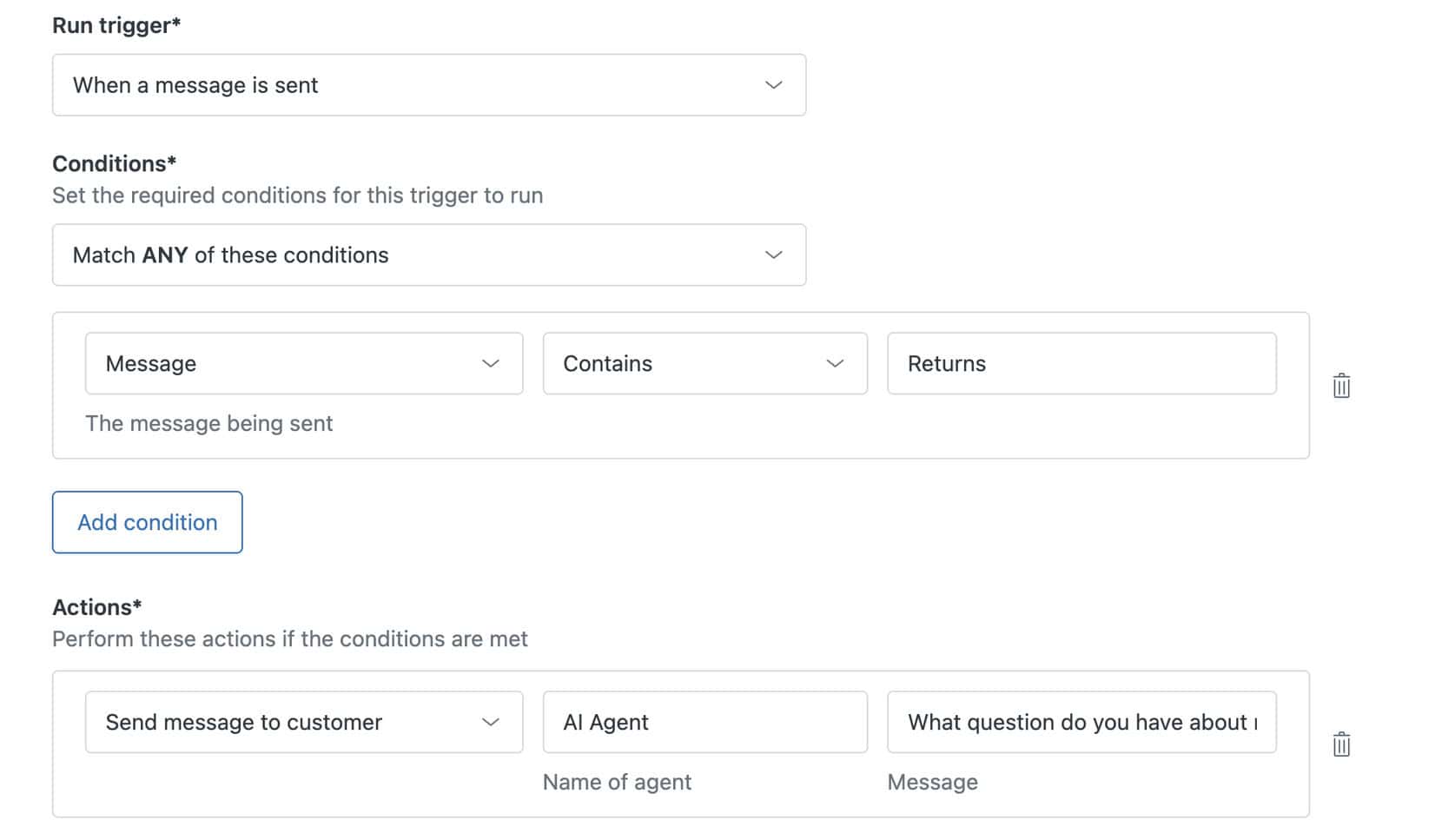
Additionally, you can also set up messaging triggers. These are rule-based automations that send a message when certain conditions are met. For example, they trigger if a message contains the word “returns”:
There are two big issues.
It’s not that easy to get started with Zendesk. Everything is all over the place.
The first one is that all of this is spread across different sections of Zendesk. Help Center content lives under Knowledge. AI agents have their own area. Messaging triggers sit elsewhere in the admin settings.
The second issue is that I couldn’t get the AI to work. I’ll talk more about this in the AI Features section.
So while Zendesk becomes easy to use once everything is set up, getting started with the chatbot can feel confusing at first.
Flow Builder Create chatbot dialogs with a visual flow builder. Create chatbot dialogs with a visual flow builder. | |
| Ease of useHow easy is it to use the platform? On a scale of 1 to 5. | 4 |
| Ease of setupHow easy is it to set up your chatbot? On a scale of 1 to 5. | 3 |
| Test chatbotIs it possible to test the chatbot before putting your new flows or changes live? |
Zendesk Pricing
Zendesk pricing starts at €19/month for basic email support, and goes up to €55/month for multi-channel support with AI agents. Both of these refer to annual billing, which is 20% cheaper than monthly billing:
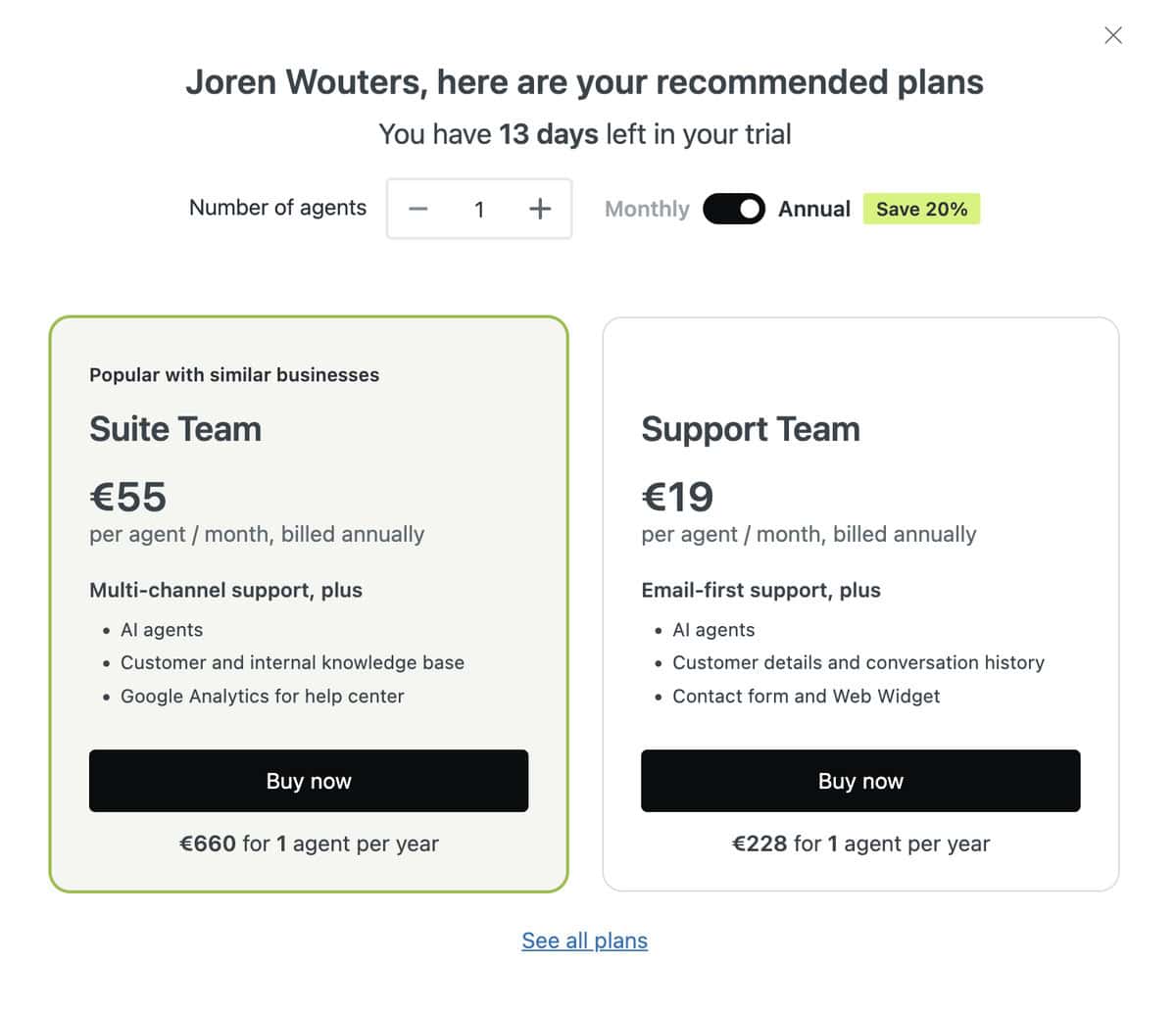
The €19 plan is limited to email-first support and a website widget, which won’t be enough for most businesses.
If you want support across channels like WhatsApp, Facebook, or Instagram, you’ll need the €55 per agent plan. This is the one most teams end up using.
Because pricing is per agent, costs increase quickly as your team grows.
Zendesk also offers more advanced AI features, but those usually require higher plans or a sales-assisted upgrade.
Overall, Zendesk is on the expensive side, especially if you’re mainly looking for AI chatbots, and not a full helpdesk suite.
Zendesk AI Features
With Zendesk, you can create your own AI agent. And you get a lot of control over how its AI agent behaves.
You can:
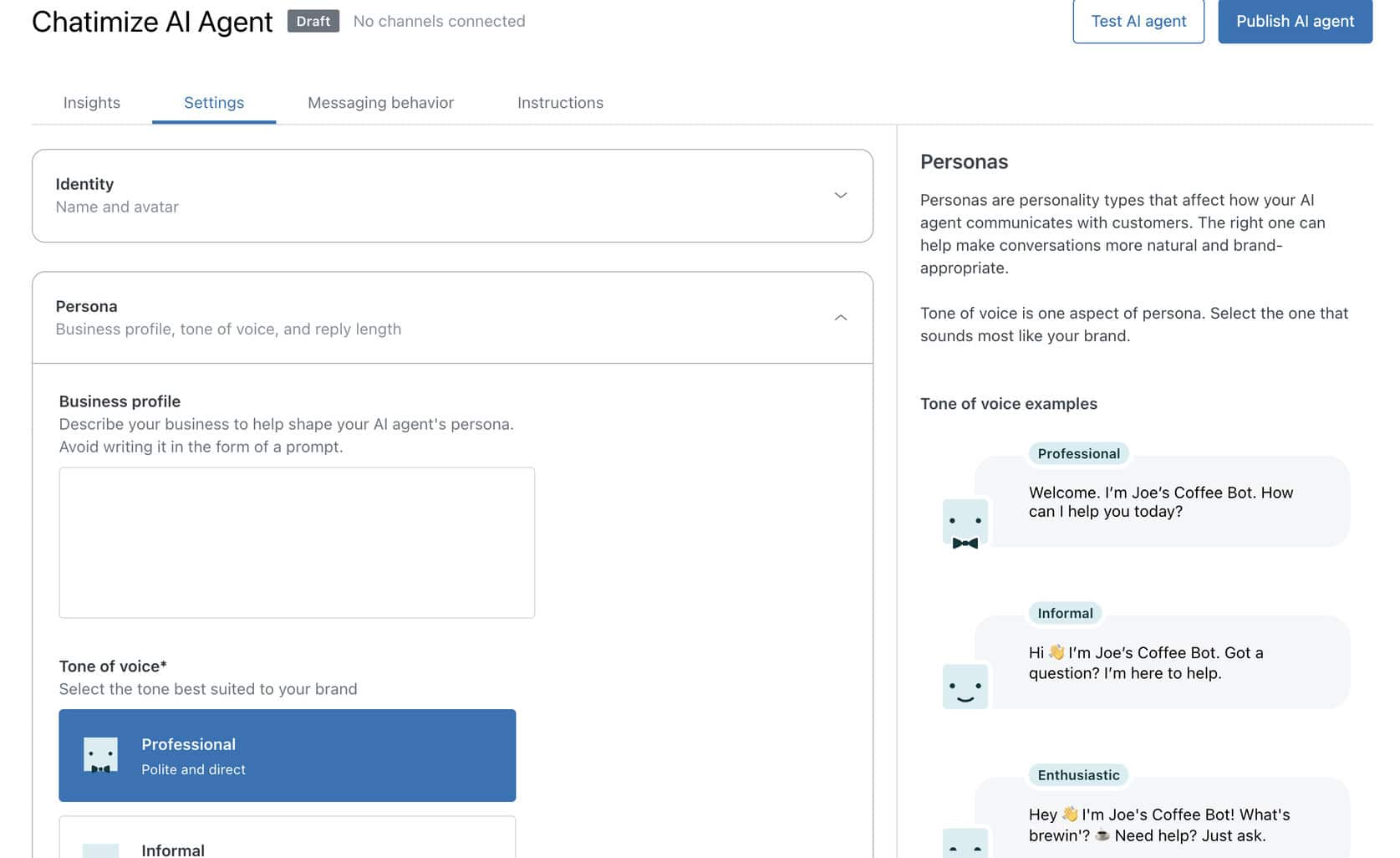
- Define a persona and tone of voice
- Set the agent’s identity
- Decide how long or short its replies should be
This helps the AI sound more professional, informal, or enthusiastic depending on your brand:
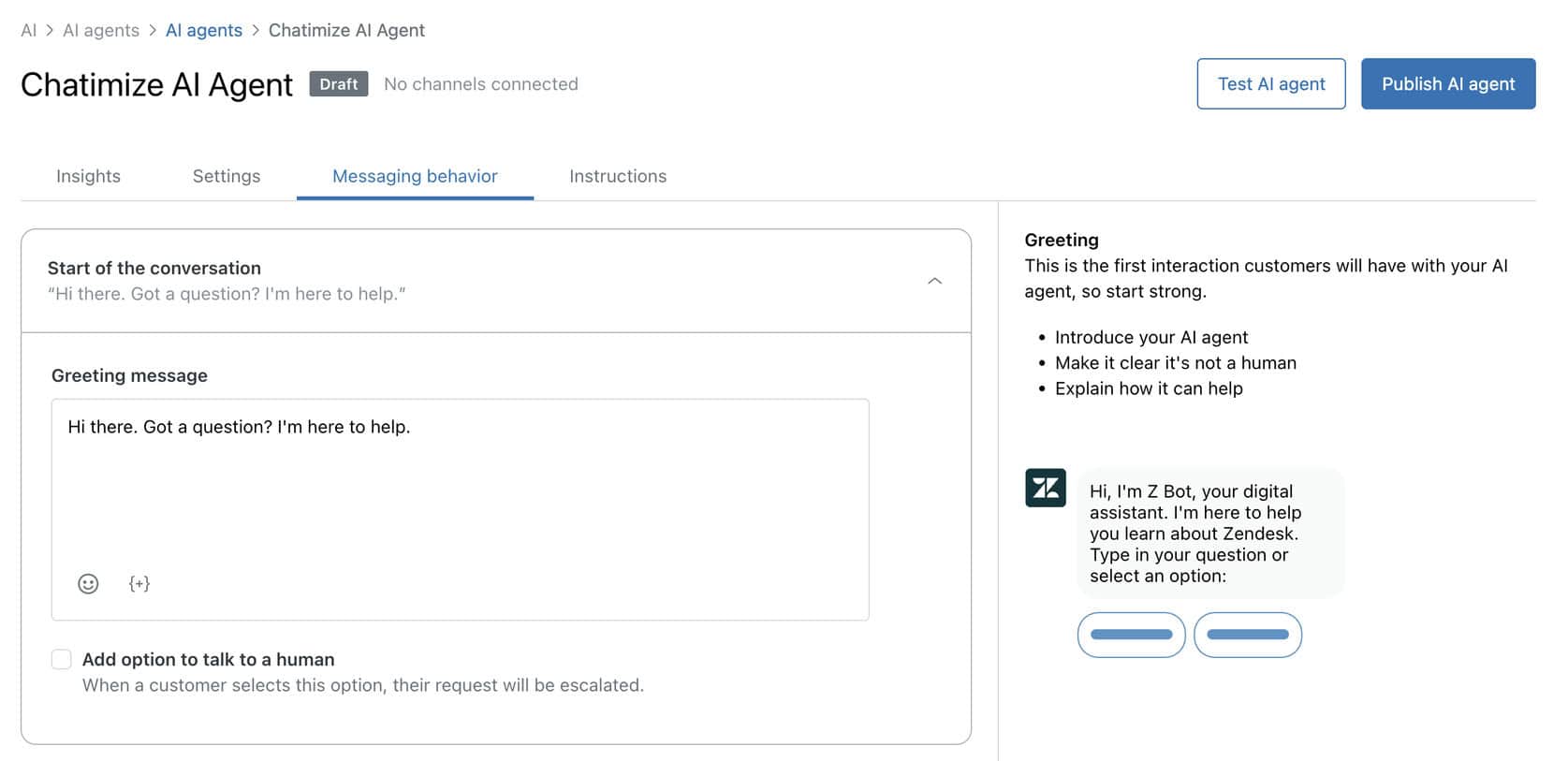
You can trait it on your own data, and also configure the messaging behavior. This includes:
- What the AI says at the start of a conversation
- How it should respond when it doesn’t know an answer
- Whether it should offer an option to talk to a human
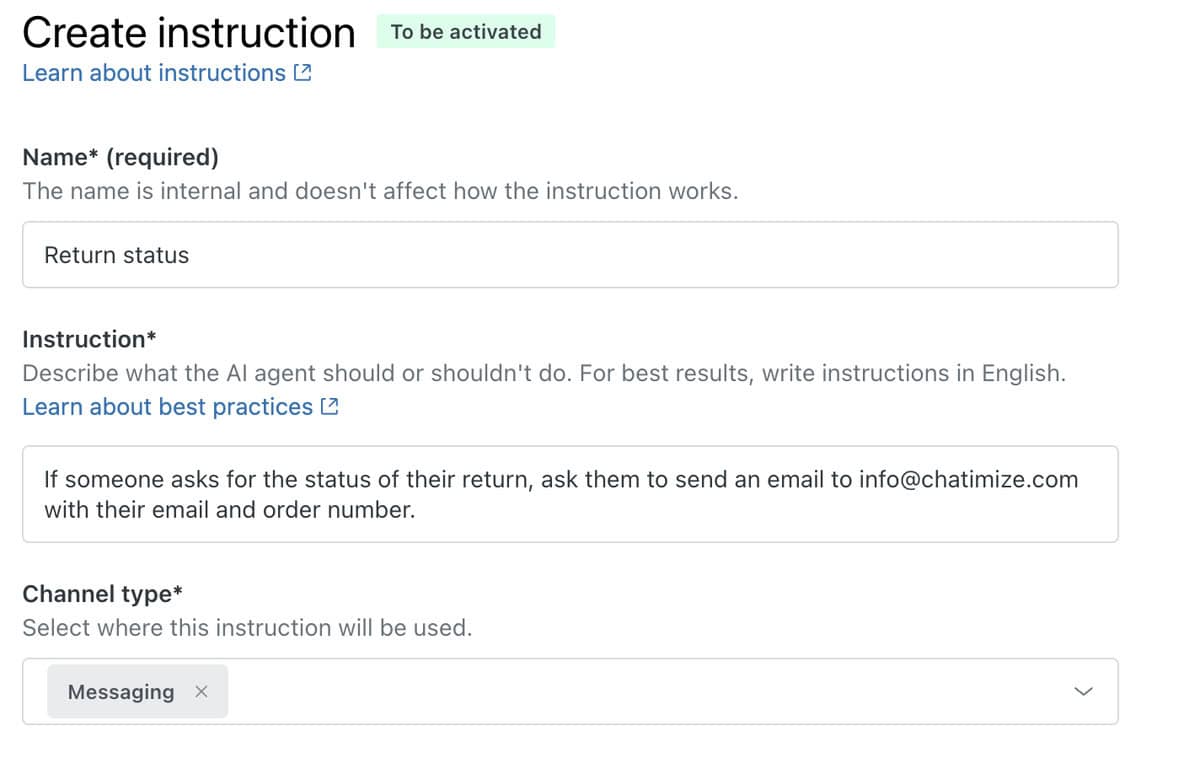
You can also add agent instructions. It gives you more control over what AI agent does in specific situations. For example, you can tell it what to do when someone asks about return status or order issues:
On paper, all of this looks solid. But in practice, the biggest problem I ran into was that the AI didn’t answer basic questions. Even when the information was clearly available in the Help Center, it didn’t help:
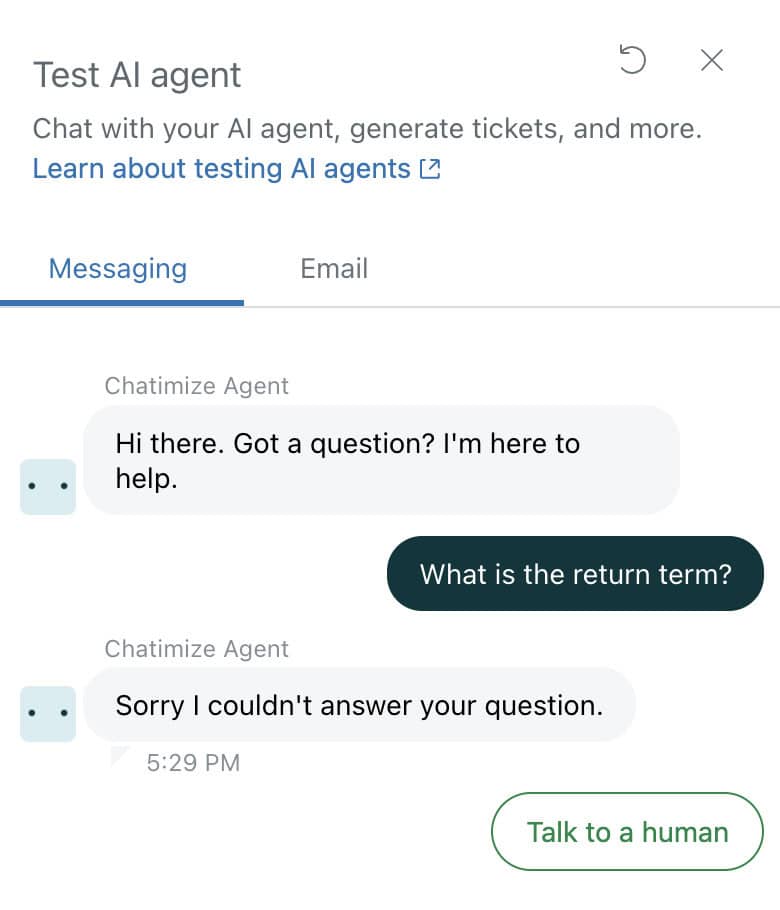
For instance, after training the AI on a basic return policy article, it still couldn’t answer a simple question about return terms.
That’s a major drawback, especially if AI automation is the main reason you’re considering Zendesk.
Also, be aware that Zendesk’s AI relies heavily on having a large, well-structured Help Center. And it doesn’t perform well with smaller or simpler knowledge bases.
Zendesk does offer more advanced AI agents. But those require a sales call and higher-tier plans. And I couldn’t get on a sales call because they don’t accept my email address.
This makes it harder to test or experiment upfront.
Channels & Integrations
Zendesk supports a wide range of messaging channels:
- Facebook Messenger
- Instagram Direct
- Android
- LINE
- Slack
- Websites
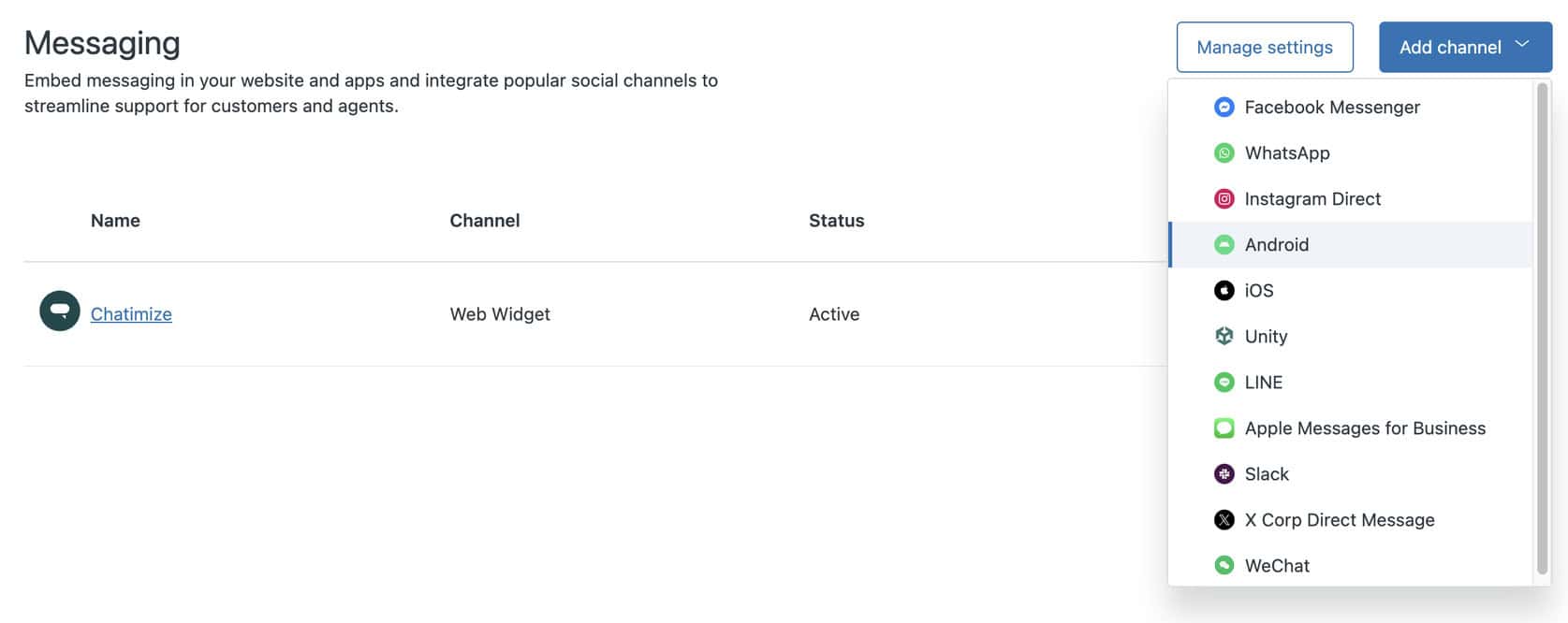
This makes Zendesk a solid option if your customers contact you across many different platforms. Plus, you want everything managed from one inbox.
That said, when it comes to integrations, Zendesk was a bit disappointing.
You do get some core integrations like Salesforce, Shopify, Slack, Jira, and Microsoft tools. But the list seemed short, especially considering that Zendesk focuses on medium to large businesses:
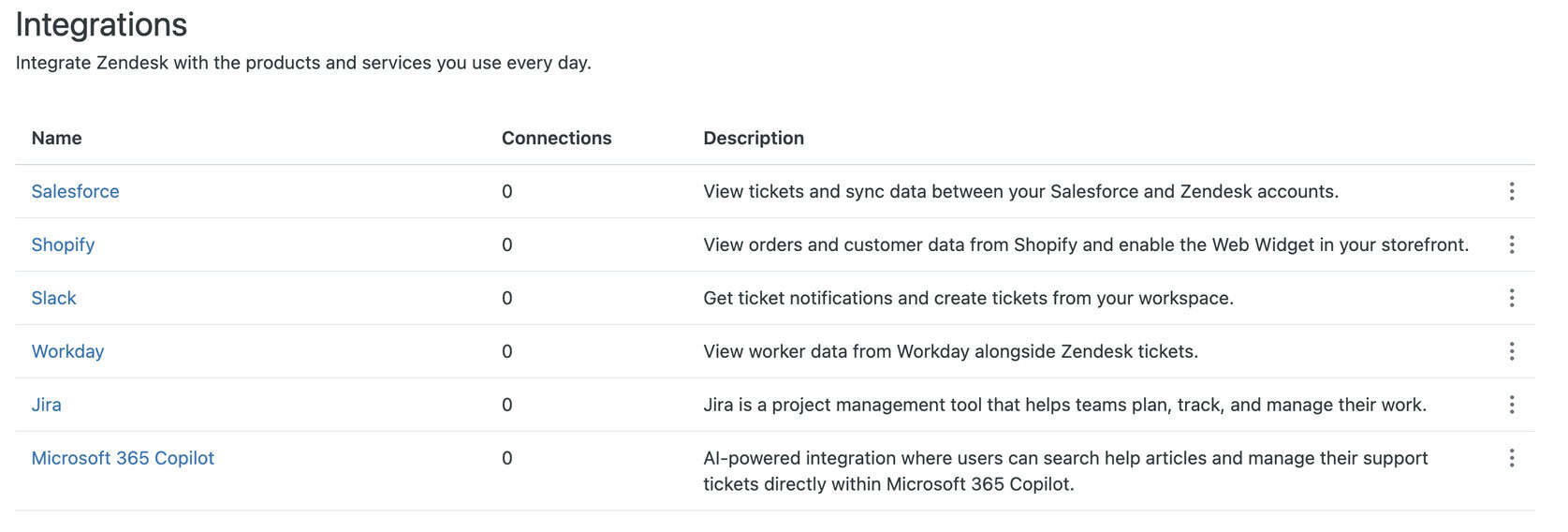
Many integrations require additional setup or rely on Zendesk’s marketplace. This adds extra complexity. Compared to other platforms, the number of easy plug-and-play integrations could be higher.
Overall, Zendesk does very well on channels. But its integrations don’t feel as extensive as you’d assume for a platform of this size.
Zendesk Live Chat & Ticketing
Zendesk originally started as a customer support and ticketing platform. That’s still its core strength today.
Any conversation that requires a human automatically becomes a ticket:
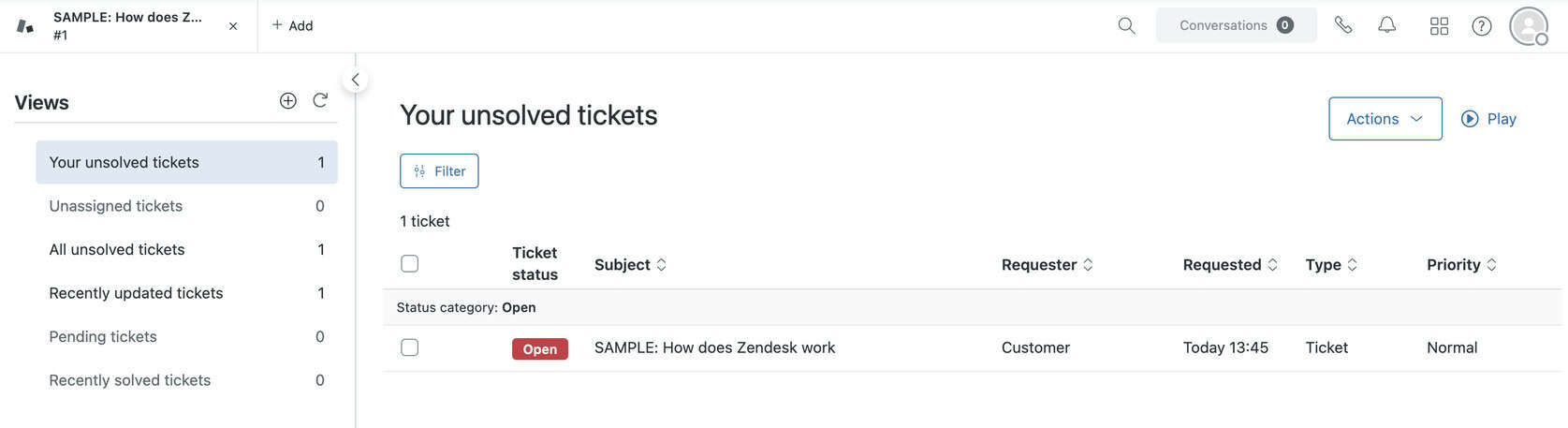
This makes it easy to track, assign, and manage support requests.
Inside the ticket, you can see all the relevant information.
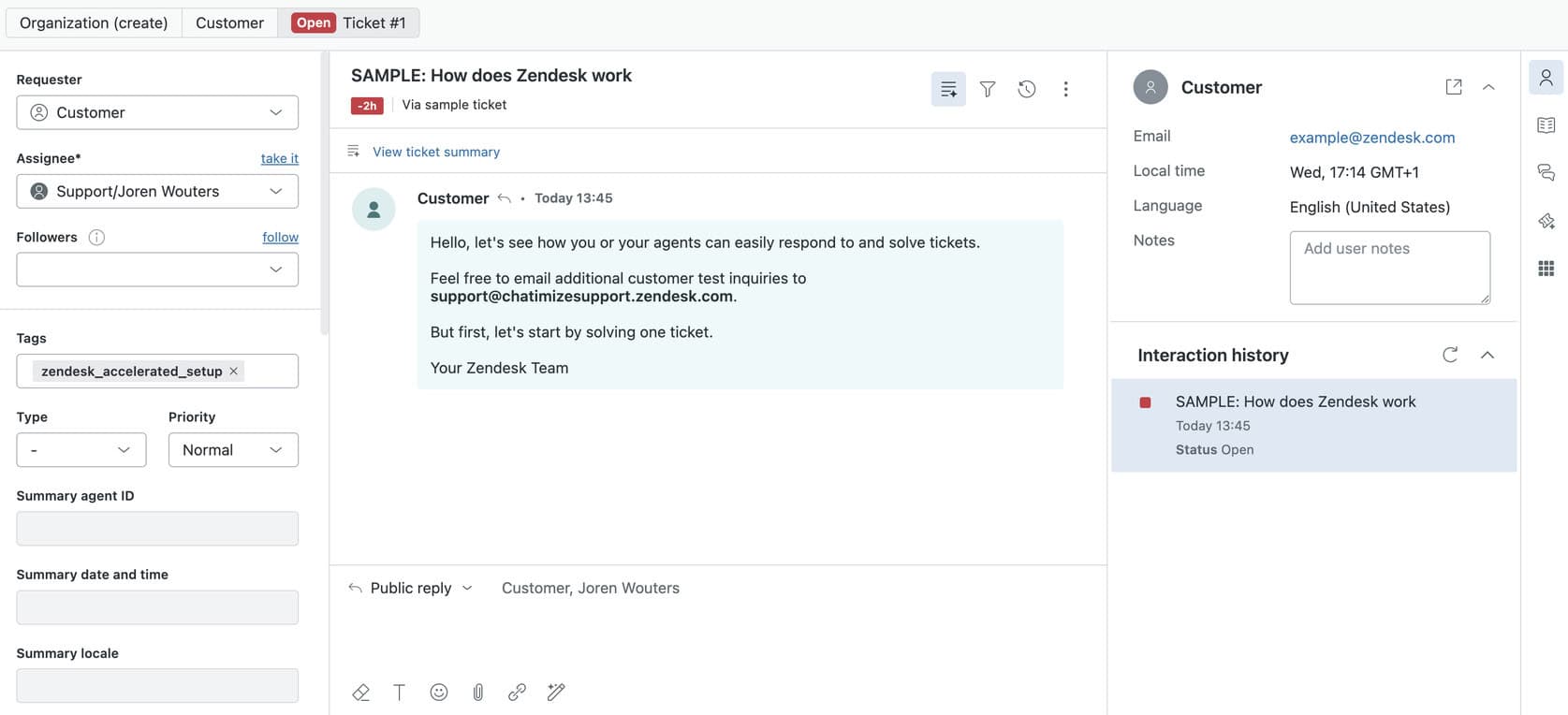
Website Widget & Marketing Features
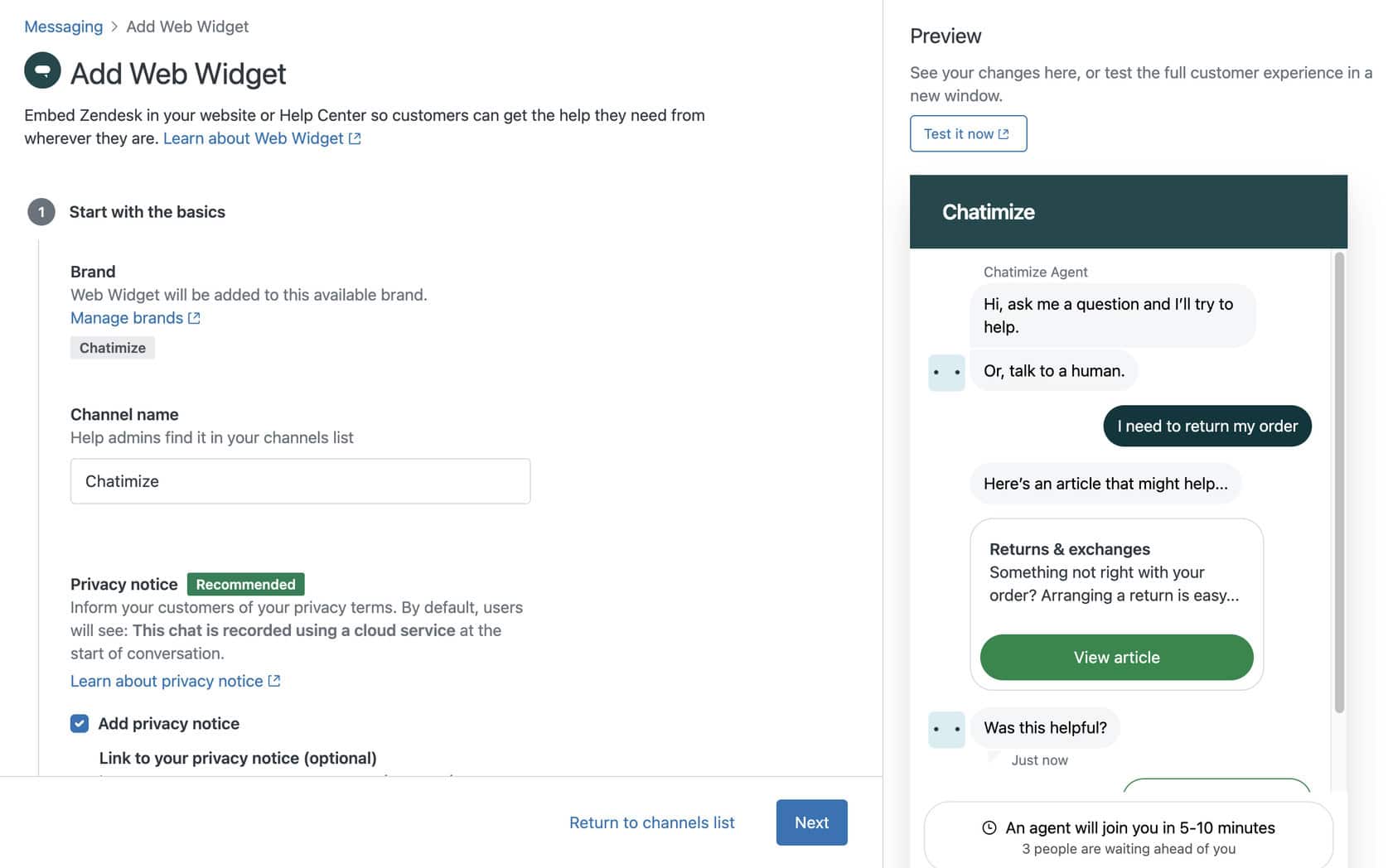
Zendesk does offer some marketing features. They do have a website widget that’s pretty decent. You can customize it to your own liking:
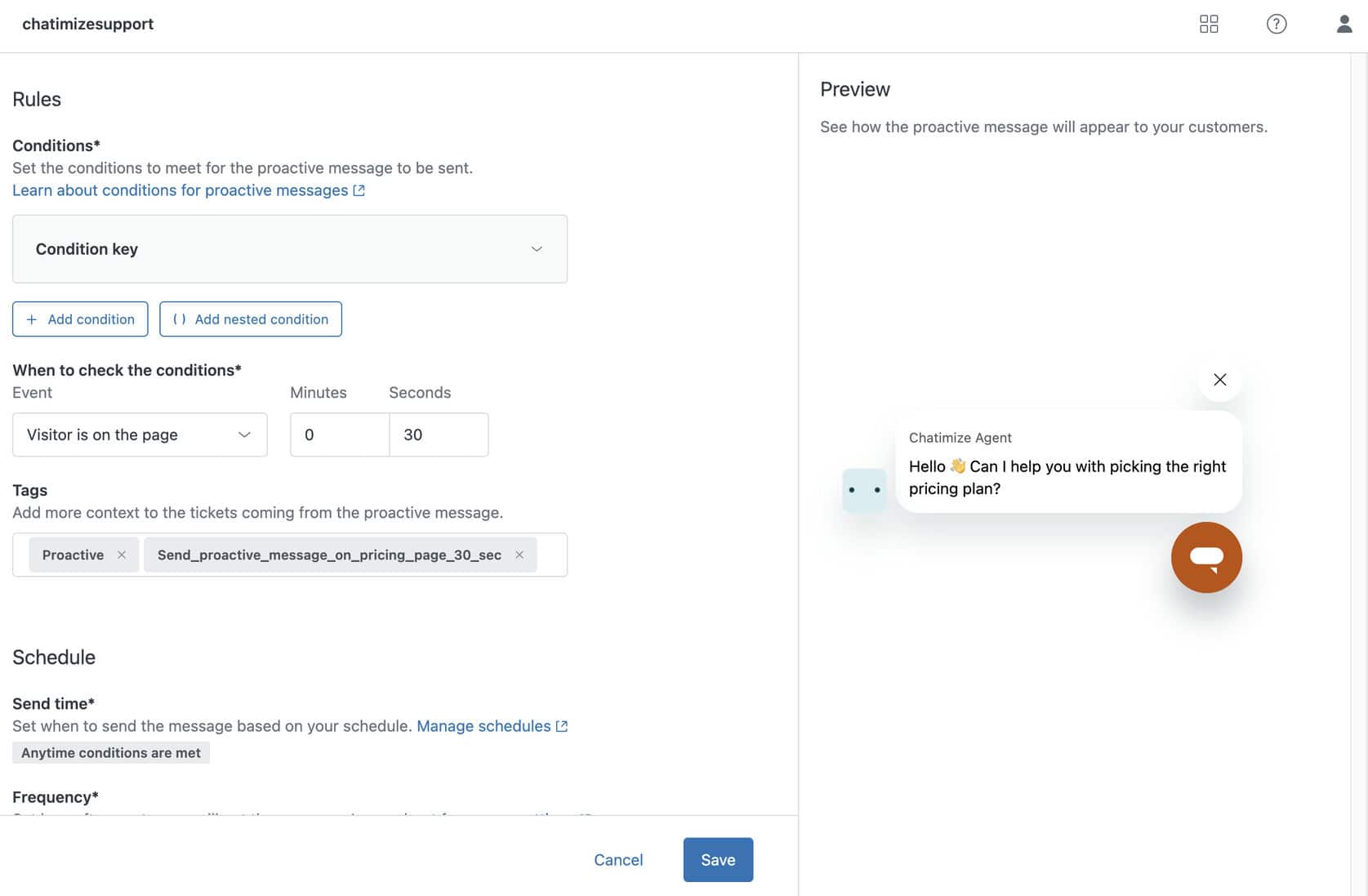
You can also send proactive messages, which is great. For example, if a visitor is on the same page for 30+ seconds, you can send them a customized message:
Plus, you can set up automated rules. For example, you can give instructions what to do if someone gives their email.
But they don’t have any marketing possibilities for Facebook and Instagram. For example, you can’t do things like auto-reply to comments, which is a drawback.
Is Zendesk Worth It?
So, should you use Zendesk for your chatbot?
The short answer is – no.
I just couldn’t get the AI to work properly, even with a very basic setup.
It’s also quite expensive for small businesses, at €55/month (annual billing).
Zendesk is very popular, and I suspect it can be quite powerful when set up correctly. But setting it up correctly isn’t easy.
So, at this point, I wouldn’t recommend it for chatbots.
If you want to see platforms that I actually do recommend you use, please check out my best chatbot platforms tutorial
