

Zendesk is one of the best-known help desks, and it combines AI agents, the Action Builder and a full ticketing system in one platform.
But how well does it actually work when you use it for AI-powered chat?
I built an AI agent in Zendesk, trained it on a returns article and connected it to a Shopify store so it could look up orders.
Below I’ll show you what worked, how long the setup took, and who Zendesk is really worth it for.
Our Verdict
Our Verdict
Zendesk is one of the most complete customer support platforms for the support teams of medium and large businesses.
You get AI agents that you train on your knowledge and connect to your other tools, so they can answer questions and look up orders.
On top of that, Zendesk has a built-in help desk with tickets and live chat across many channels.
The catch is the setup: it’s hard to get started, especially if you don’t have technical people on your team.
But once it’s built out, it’s a really powerful platform, which is why so many companies use it.


Pros
- Built-in AI agents
- Train the AI on your knowledge base
- Connect the AI to other tools with the Action Builder
- Built-in help desk, ticketing and live chat
- Many channels, like WhatsApp, Instagram and Facebook Messenger
- Many integrations, like Shopify, WooCommerce, Klaviyo and Calendly
- Analytics suite
Cons
- Hard to set up, especially if you’re not technical
- No marketing possibilities on Facebook and Instagram
- AI resolutions cost $2 each after the 5 to 10 included per agent per month
What is Zendesk?
Zendesk is a customer support platform for businesses that get a lot of customer questions. It puts AI agents, ticketing and live chat on every channel your customers use into one platform.
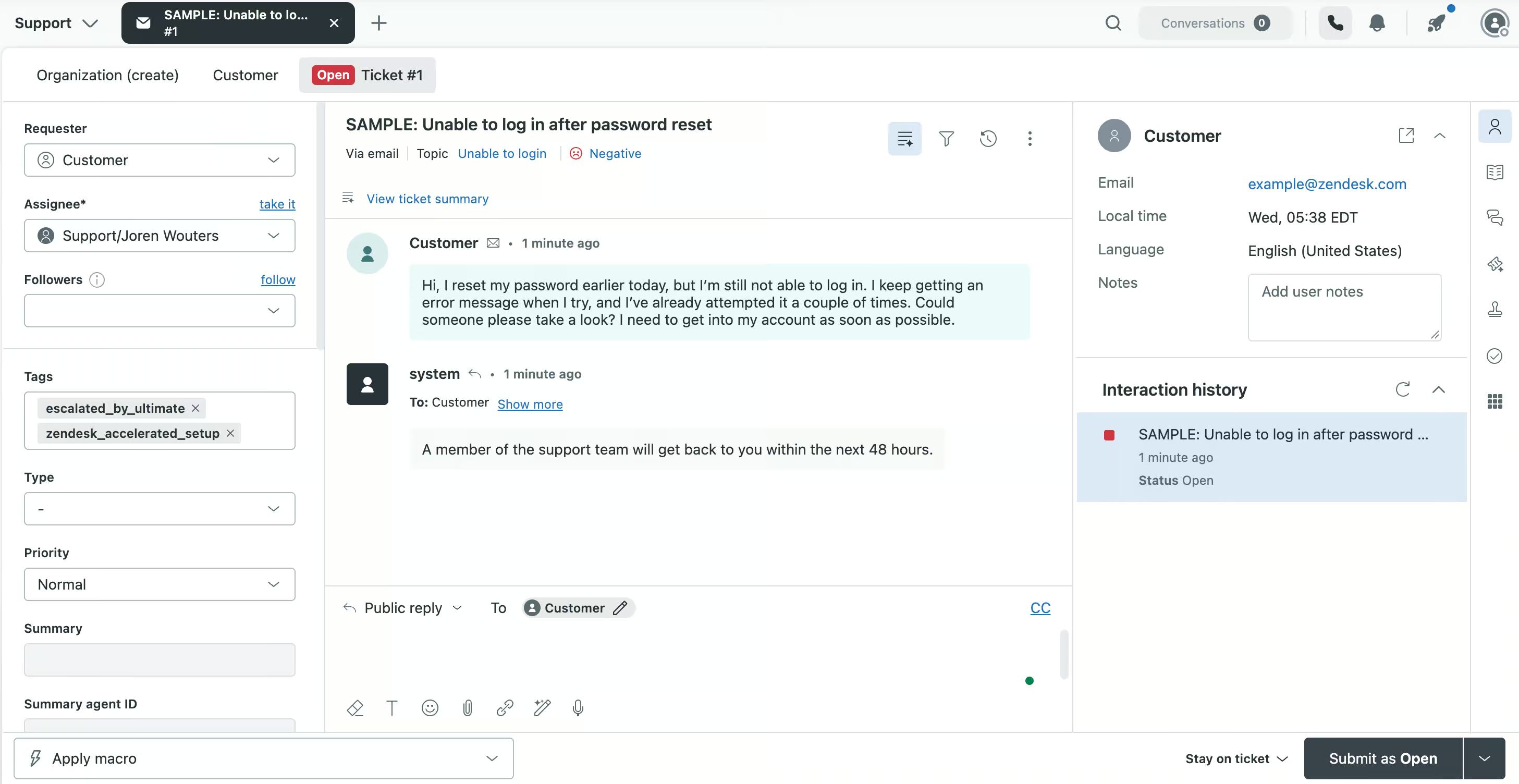
Your support team works from the back end, where they pick up tickets and reply to customers:
Zendesk at a Glance
Here are the most interesting features that I found in Zendesk while testing it:
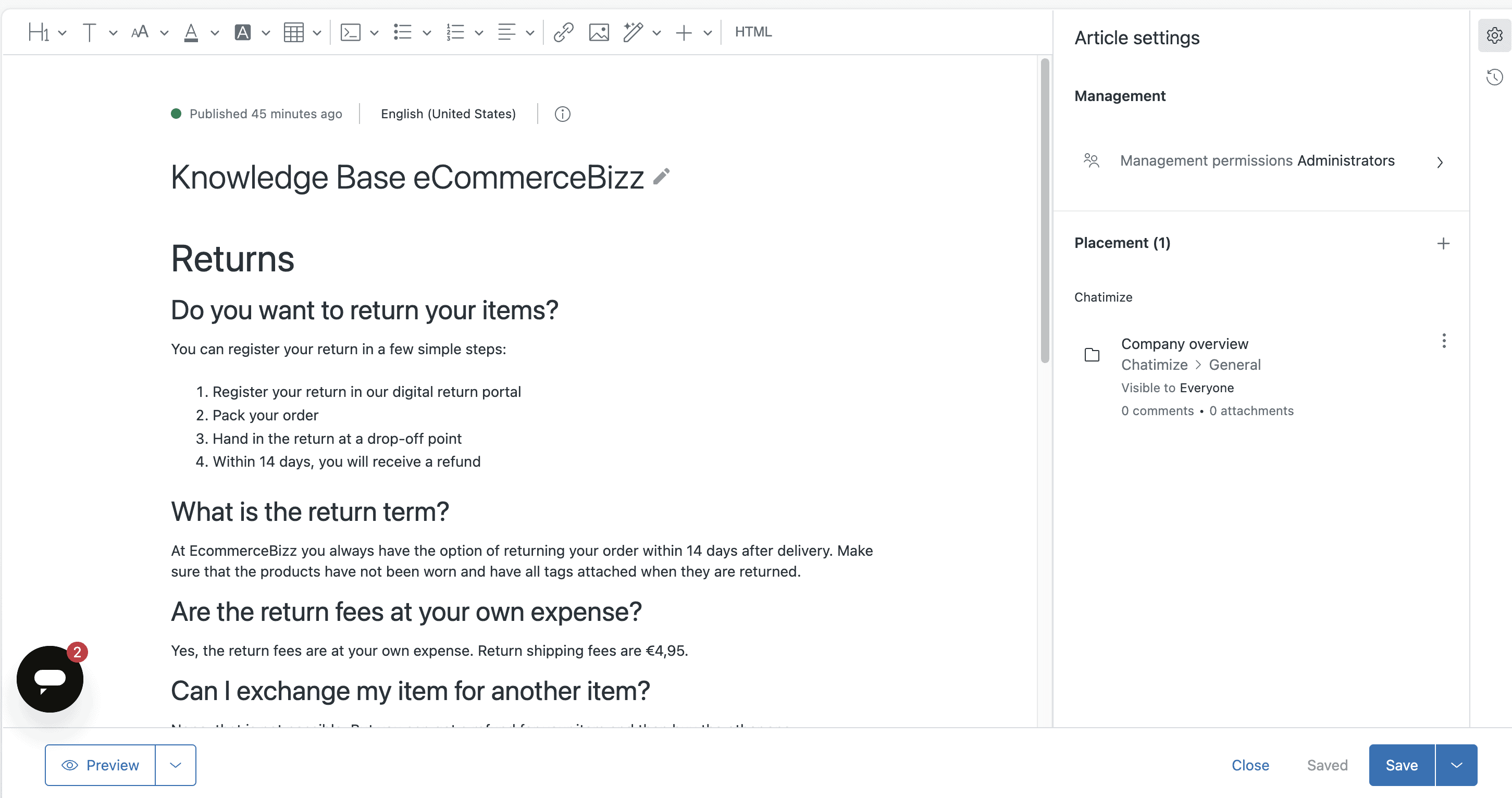
- You can train an AI agent on your knowledge base, like an article that explains how customers return their items:
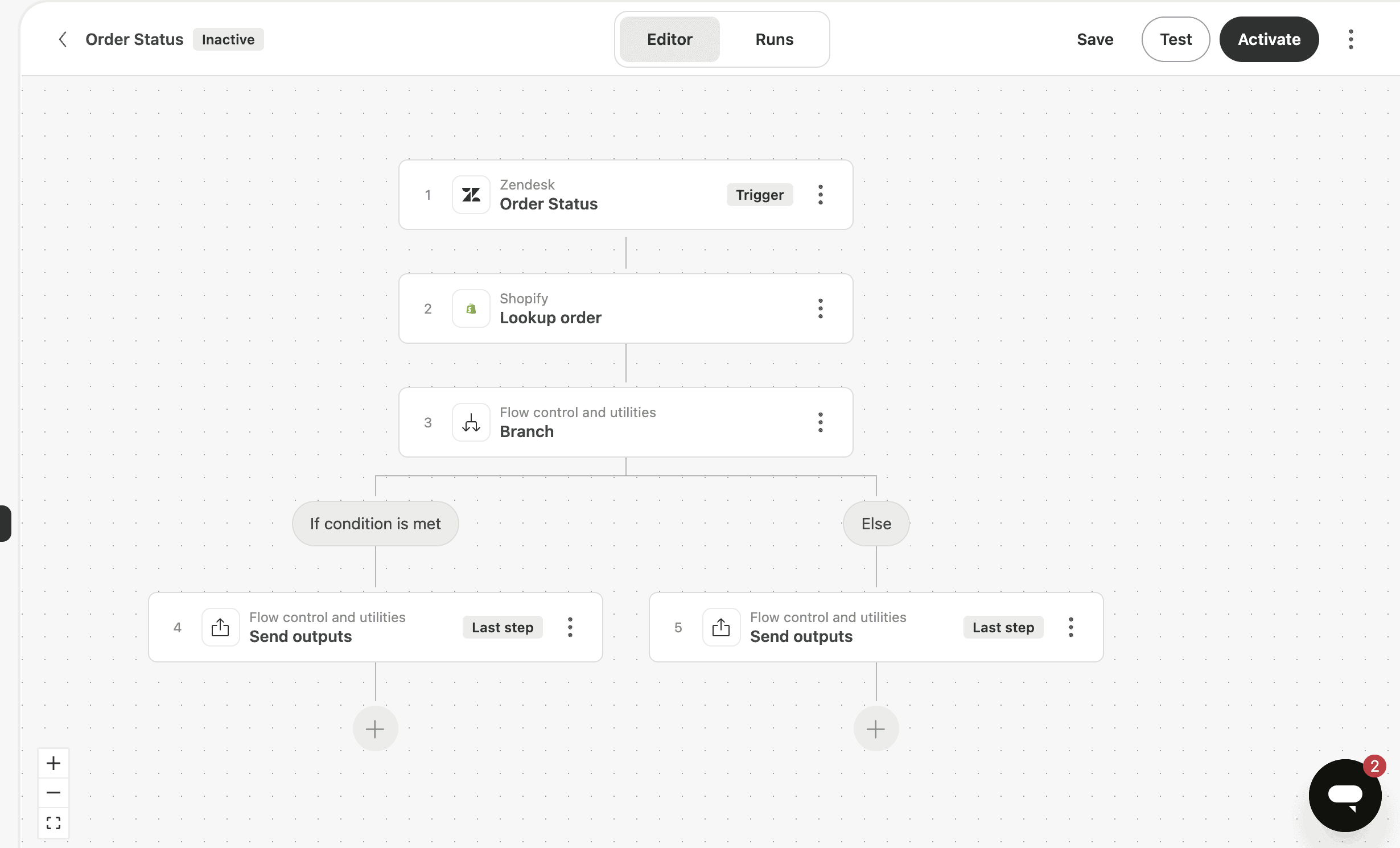
- With the Action Builder, the AI agent connects to your other tools, so it can look up an order in Shopify, for example:
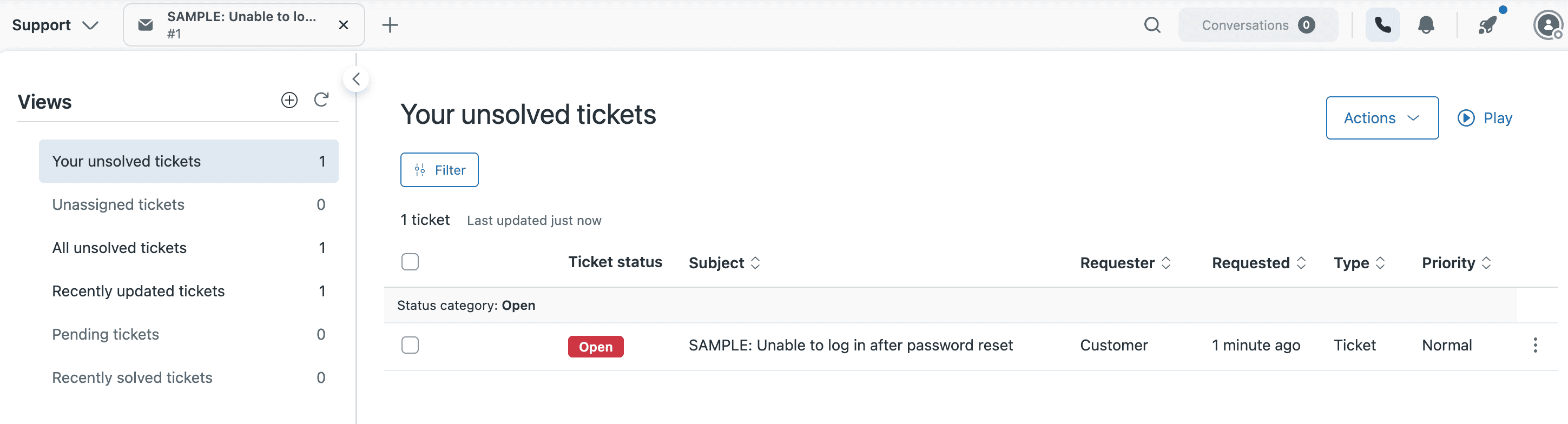
- When a customer needs a human, the conversation lands in the built-in help desk as a ticket or a live chat:
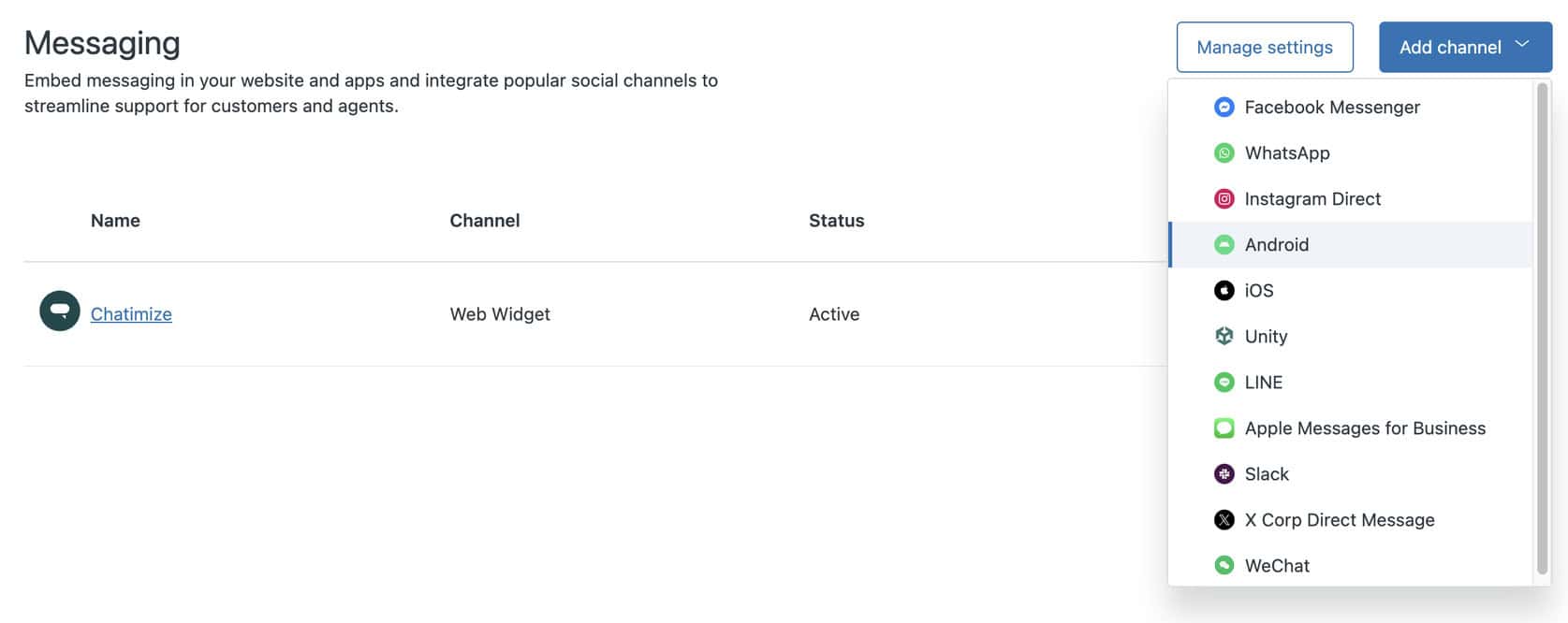
- Customers can reach you on many channels, like WhatsApp, Instagram, Facebook Messenger and your website:
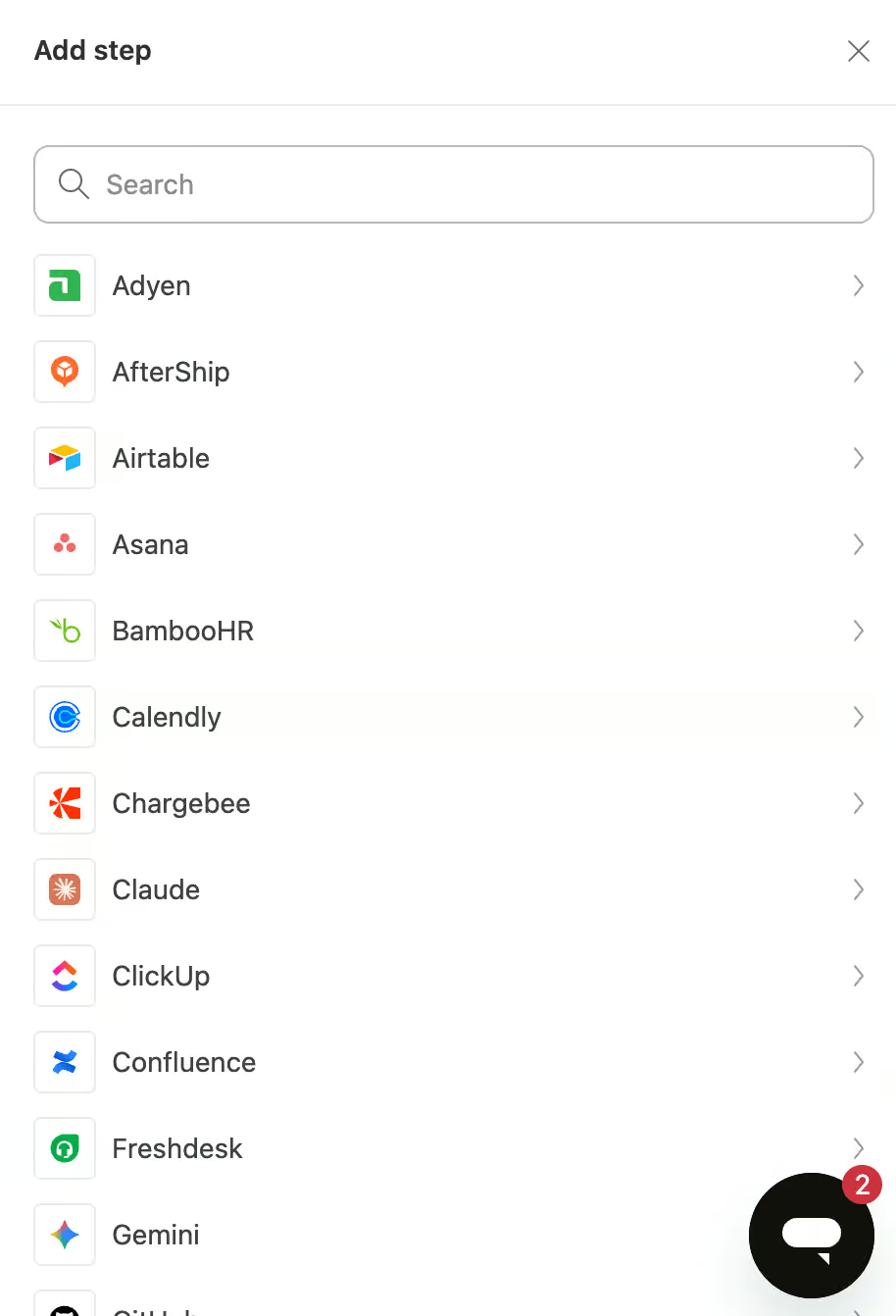
- Zendesk connects with lots of other tools, from payments with Adyen to booking appointments with Calendly:
- There’s also an analytics suite where you can follow how your customer support is doing
How to Use Zendesk
Zendesk has everything you need to automate your customer support, but setting it up takes work. The settings are spread over different parts of Zendesk, so you’ll jump between them a lot while you build.
It gets easier once you see how the pieces fit together. Everything in Zendesk comes down to three parts:
- Knowledge
- AI agents
- Help desk
The first part is knowledge. That’s where all your business information lives, in knowledge base articles. For example, I wrote an article that explains how customers return their items:
Those same articles also become a help center website that goes live right away. So you can send customers there to find answers themselves.
You can also train the AI using a website crawler. This lets Zendesk scan your site and pull content from your pages. But I couldn’t get the crawler to crawl my website, even after several hours.
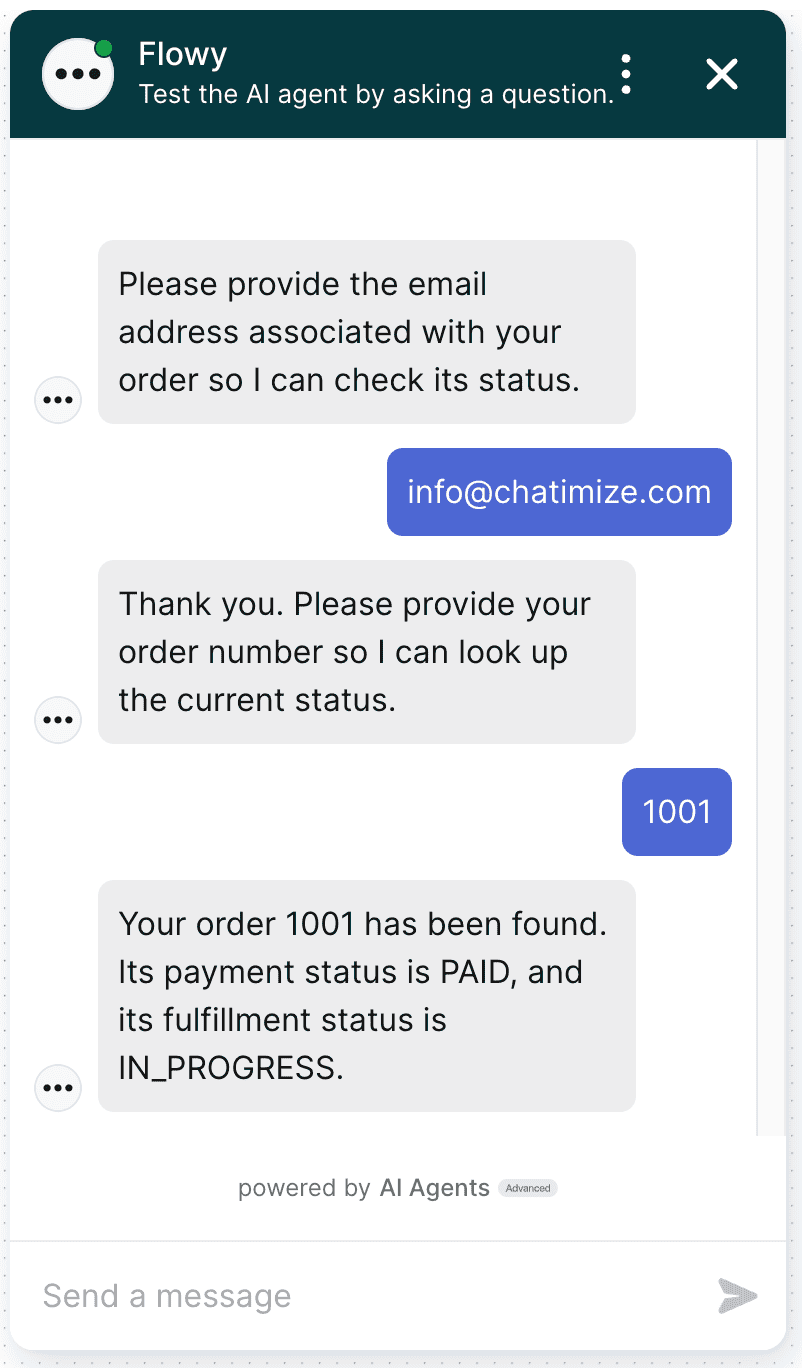
The second part is the AI agent. You train it on your knowledge, connect it to your other tools, and then test it right inside Zendesk. Here I asked my AI agent for the status of an order, and it found the order in Shopify:
The third part is the help desk. When the AI agent doesn’t know an answer, or a customer asks for a human, the conversation turns into a live chat or a ticket. Then someone from your team takes it over:
Most of the setup work goes into the AI agent, so I’ll walk you through that part in the next section.
Ease of use How easy it is to build and change things once you’re set up? On a scale of 1 to 5. How easy it is to build and change things once you’re set up? On a scale of 1 to 5. | 3 |
| Setup difficultyHow much technical work it takes to get going. | Complex |
| Average setup timeHow long until your first bot or AI agent is live. | 2 months |
| Set up with AIDescribe what you want in a chat, and an AI builds the bot or agent for you. | |
| Test before going liveYou can try the bot or agent yourself before customers see it. |
Want to compare Zendesk with 33 other chatbot platforms? Compare them here →
Zendesk AI Features
You can build a really capable AI agent in Zendesk. But it takes work, because you set up every part of it yourself.
It starts with the knowledge base from the previous section. Your AI agent answers questions based on the articles you write there.
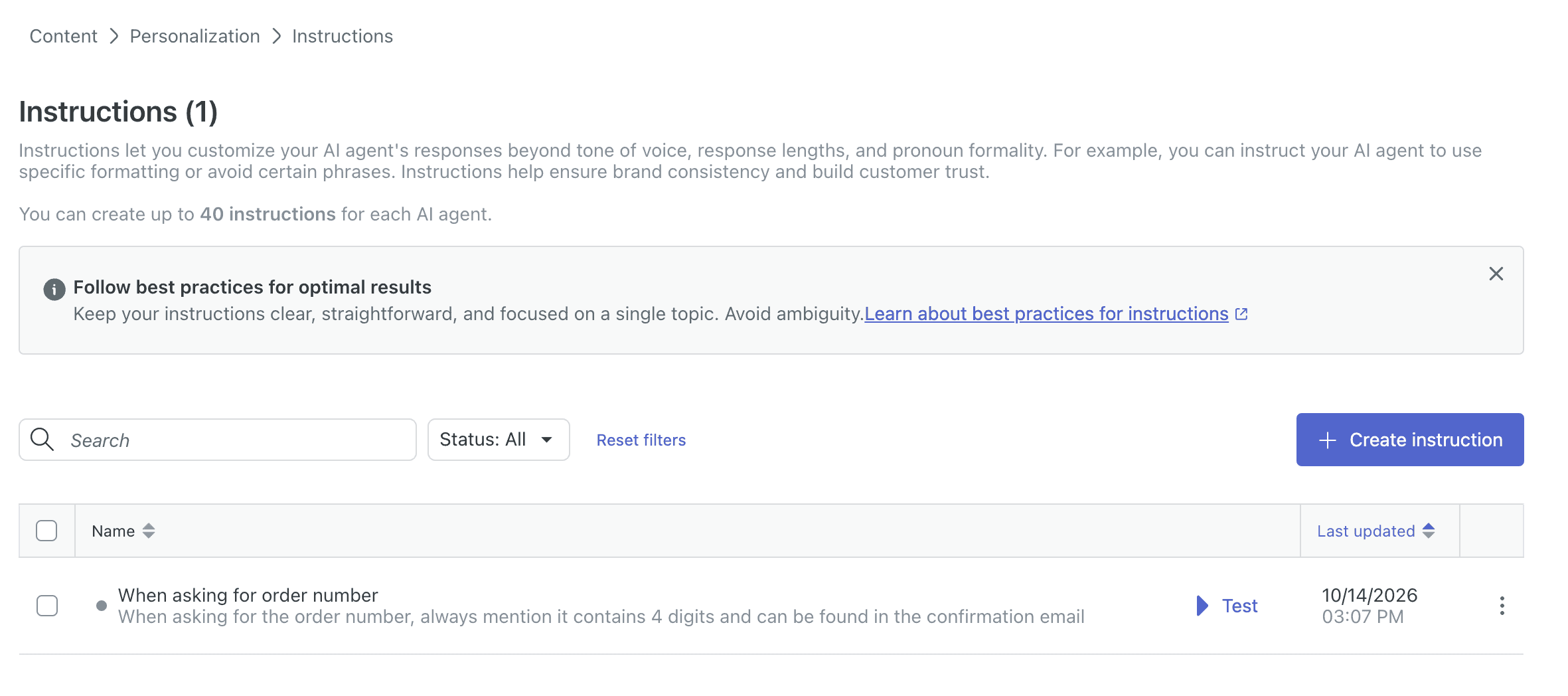
On top of that, you can give it instructions, up to 40 per AI agent. For example, I told mine to always mention that an order number has 4 digits and can be found in the confirmation email:
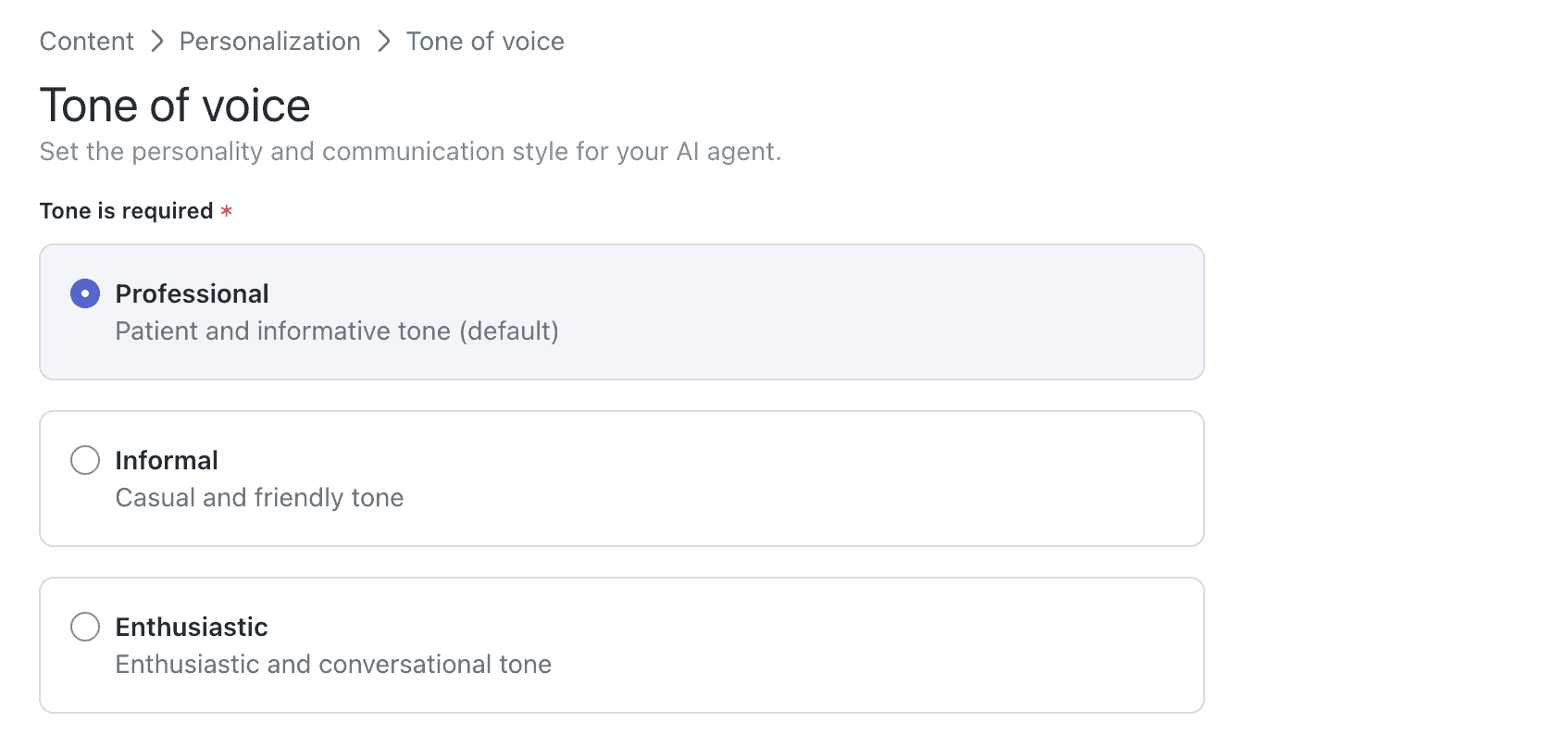
You also choose its tone of voice. There are three options, Professional, Informal and Enthusiastic, so it fits the way your brand talks to customers:
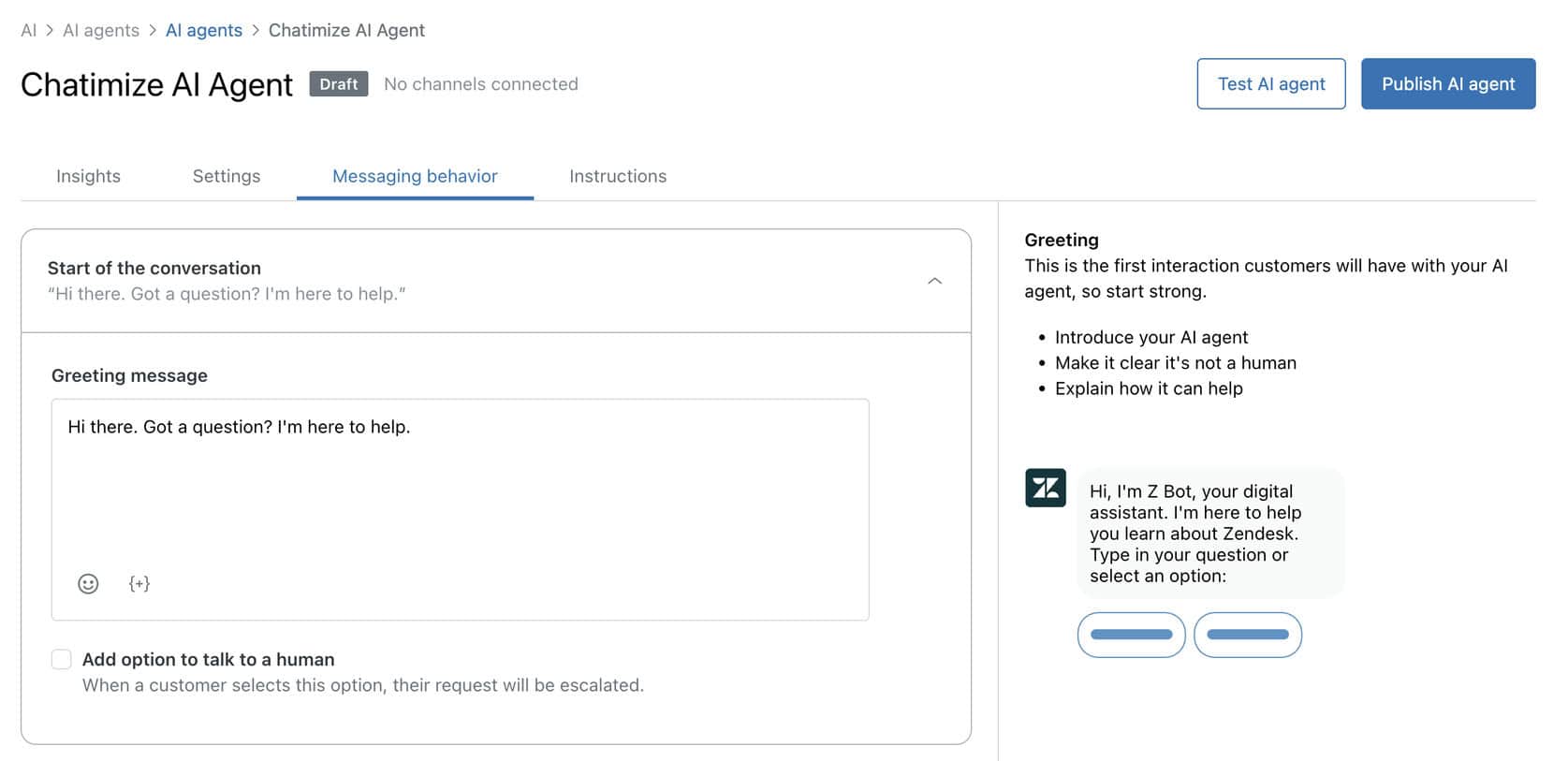
You can also set up how your AI agent behaves in a conversation. This includes:
- What the AI says at the start of a conversation
- How it should respond when it doesn’t know an answer
- Whether it should offer an option to talk to a human
This is where you set all of that up:
The most powerful feature is the Action Builder. It connects your AI agent to other tools, so it can do things for your customers instead of only answering questions. I built an action that gets the status of an order from Shopify:
That matters, because “Where’s my order?” is one of the most common questions an online store gets. With this action, the AI agent answers it without anyone on your team stepping in.
But the Action Builder isn’t plug and play. You have to figure out yourself how it works, and it took me an hour to build this one action.
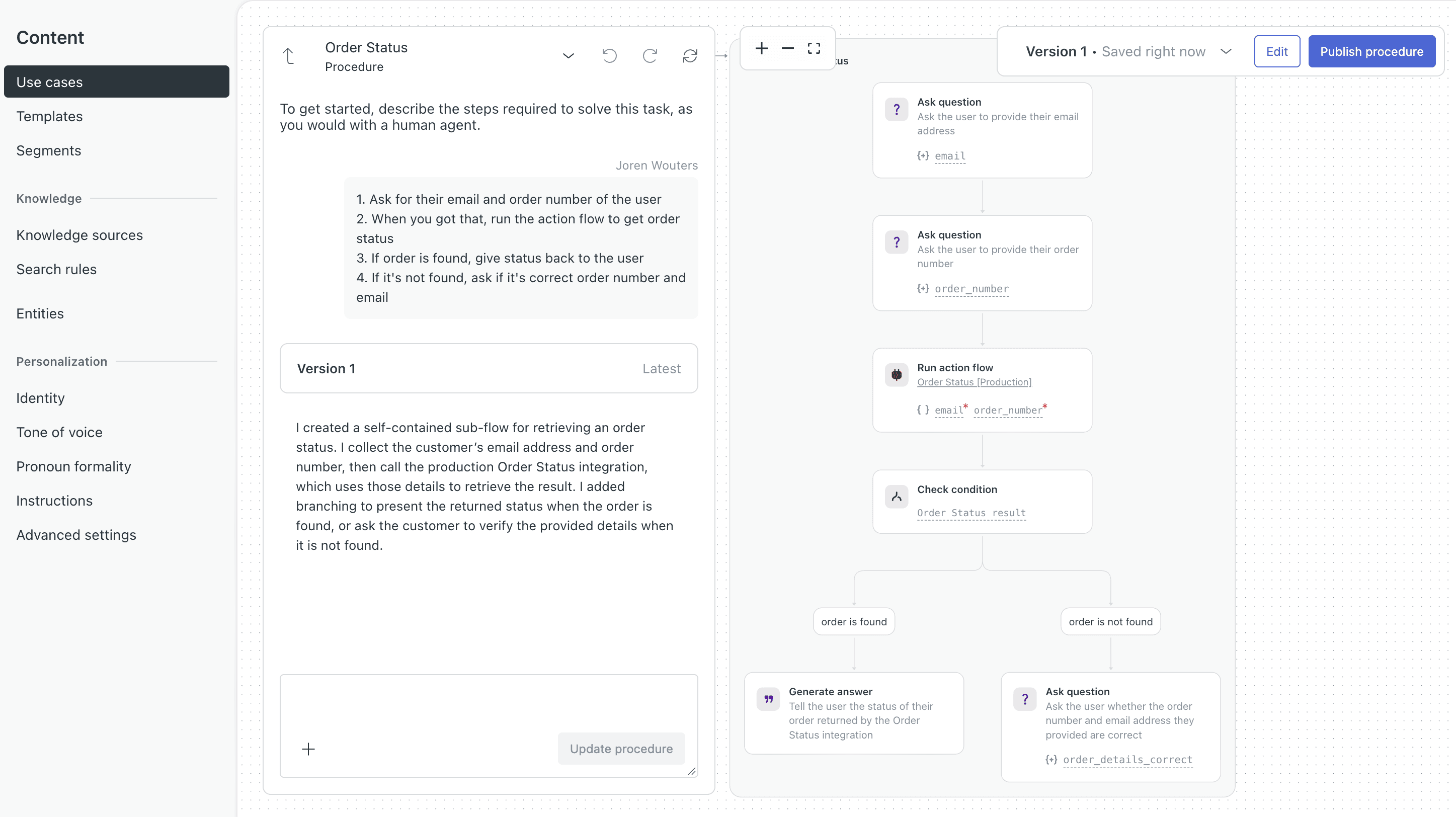
Then there are use cases. That’s Zendesk’s name for step-by-step procedures, which is confusing at first. A use case tells your AI agent exactly what to do in a specific situation.
My order status use case tells the AI agent to ask for the customer’s email and order number, run the action, and give the status back. If it can’t find the order, it asks the customer to check their details:
You can also set up a use case that creates a ticket when the AI agent doesn’t know the answer. And when it all works together, you get the test from the previous section: the AI agent found order 1001 and told me its payment and delivery status:
| Build an AI agentYou can build an AI agent that replies on its own. | |
| Train the AI on your contentThe AI learns from your website, documents or files. | |
| AI rulesTell the AI what it may and may not do, and which steps to follow. Also called guidance, guardrails or procedures. | |
| Let the AI perform actionsThe AI can do things in other tools, like book a meeting or update your CRM. | |
| Connect the AI to MCP serversThe AI agent can use any tool that has an MCP server, without a custom setup per tool. |
Zendesk Pricing
Zendesk pricing starts at $25/agent/month. You pay less if you pay yearly, for example $19 instead of $25 per agent per month on the cheapest plan.
There are four plans, but the fourth one, Suite Enterprise, is only available through sales. These are the three you can sign up for yourself:
The Support Team plan only covers email and tickets. For AI agents, the knowledge base and the Action Builder, you need Suite Team at $69 per agent per month.
Support Team and Suite Team include 5 AI resolutions per agent per month, and Suite Professional includes 10. An AI resolution is a conversation that your AI agent solves without a human stepping in, and that’s very low.
After that, you pay $2 per AI resolution, or $1.50 if you commit to a fixed volume. That’s the most expensive price per AI resolution I’ve ever seen on a chatbot platform.
And because you pay per agent, your costs add up quickly as your team grows.
| Starting priceThe lowest price you can start with per month, including seat minimums (in US dollars). | $19 per seat per month + $2 per AI conversation |
| Free planDoes the chatbot platform provide a free plan? | |
| Free trialDoes the chatbot platform provide a free trial? |
Channels & Integrations
Zendesk supports a wide range of messaging channels:
- Facebook Messenger
- Instagram Direct
- Android
- LINE
- Slack
- Websites
This makes Zendesk a solid option if your customers contact you across many different platforms. Plus, you want everything managed from one inbox.
Zendesk also connects directly with more than 60 tools through the Action Builder. You’ll find:
- Payment tools like Adyen
- Appointment tools like Calendly
- Help desks and CRMs like Freshdesk and Intercom
- Email tools like Gmail, Klaviyo and Mailchimp:
For ecommerce, it connects with Shopify, Magento and WooCommerce. And because these integrations live in the Action Builder, your AI agent can use them to look things up for your customers.
Zendesk Live Chat & Ticketing
Zendesk originally started as a customer support and ticketing platform. That’s still its core strength today.
Any conversation that requires a human automatically becomes a ticket:
This makes it easy to track, assign, and manage support requests.
Inside the ticket, you see the whole conversation and the customer’s details, and you reply right from there:
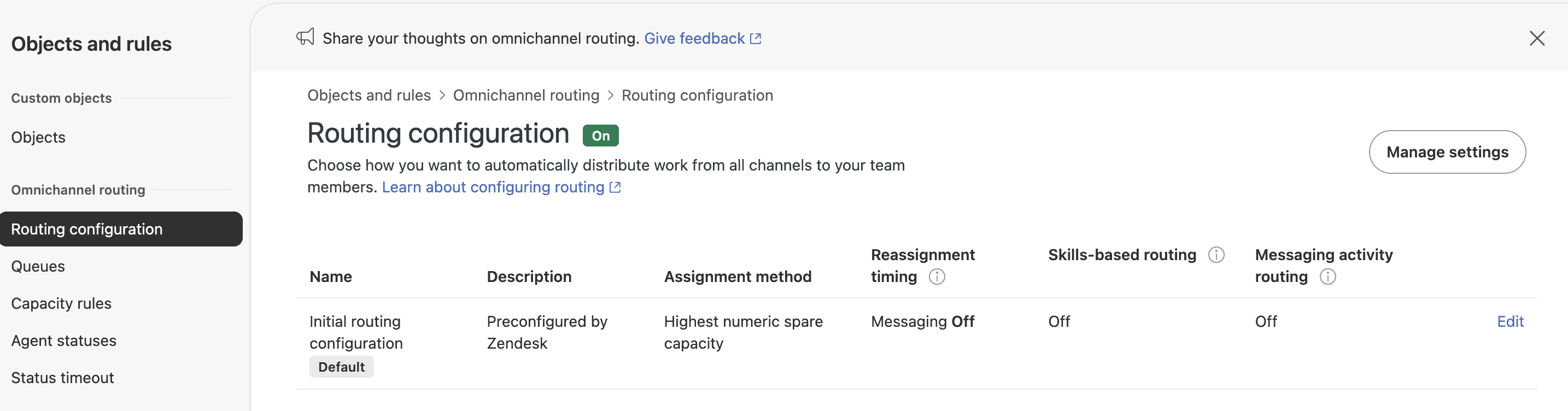
For larger support teams, you can set up a lot more in the admin center. You can group customers into organizations, and route every ticket to the right agent automatically:
You can also set up triggers and automations, like an alert when a ticket sits unanswered for too long. And on Suite Professional, you can add service level agreements, meaning how fast your team has promised to reply. So Zendesk tracks every ticket against them.
That’s exactly what larger customer support teams need. When hundreds of tickets come in every day, nobody can sort them by hand.
Website Widget & Marketing Features
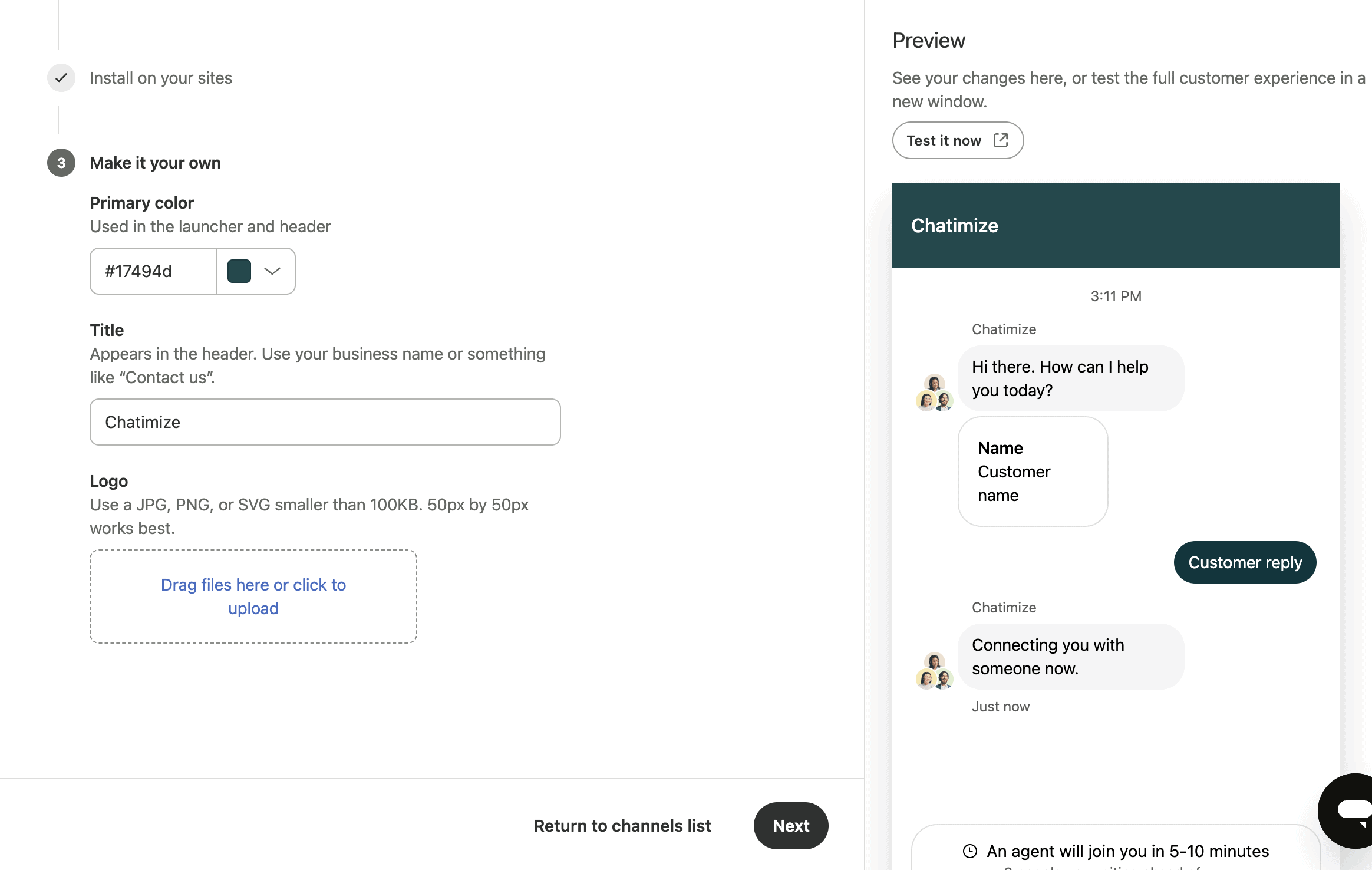
Zendesk does offer some marketing features. They do have a website widget that’s pretty decent. You can customize it to your own liking:
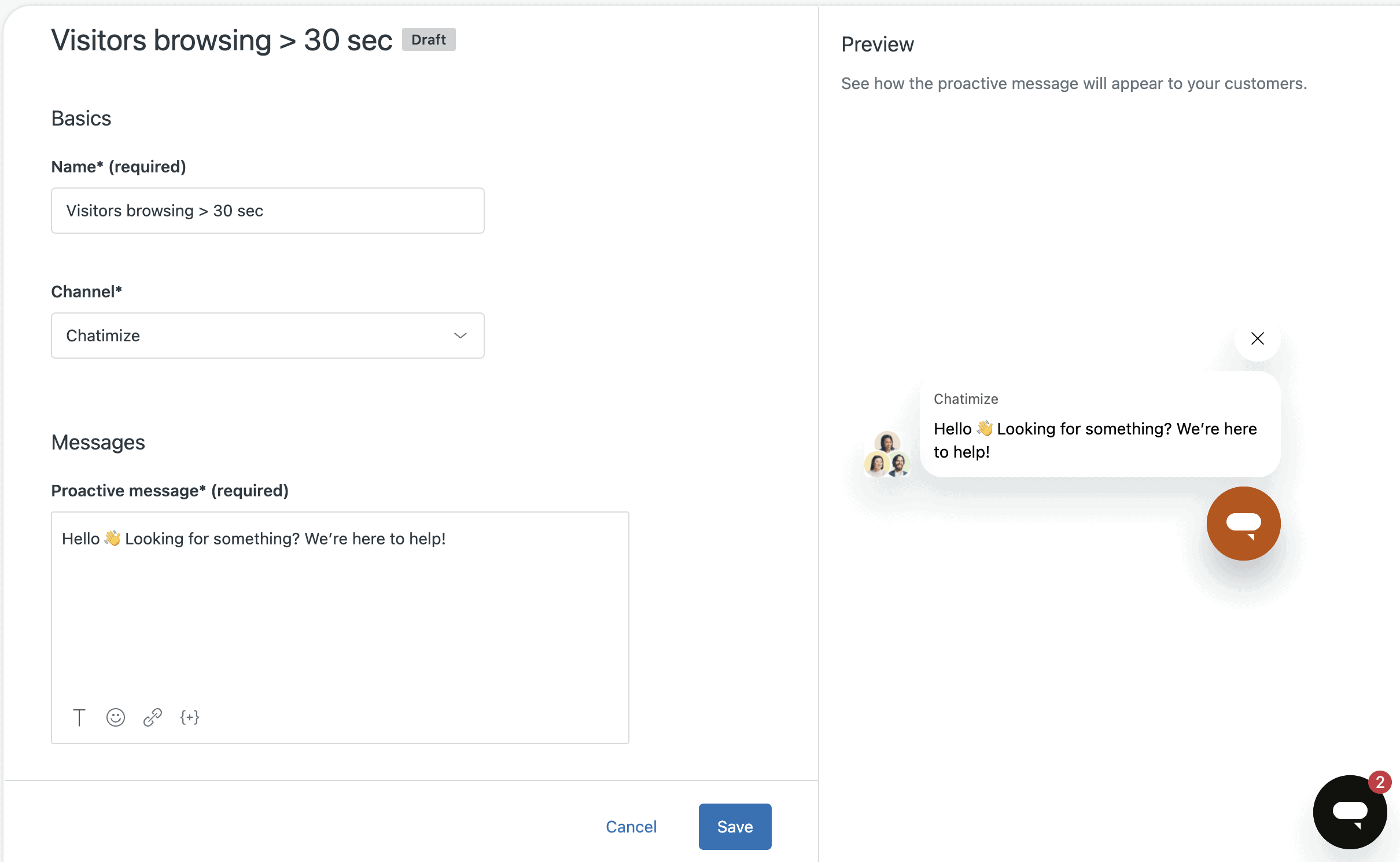
You can also send proactive messages, which is great. For example, if a visitor is on the same page for 30+ seconds, you can send them a customized message:
Plus, you can set up automated rules. For example, you can give instructions what to do if someone gives their email.
But they don’t have any marketing possibilities for Facebook and Instagram. For example, you can’t do things like auto-reply to comments, which is a drawback.
What G2 and Shopify Users Say About Zendesk
Zendesk is one of the biggest helpdesks out there, so thousands of support teams have reviewed it. Their reviews are a good check on my own test, because many of them have used Zendesk every day for years.
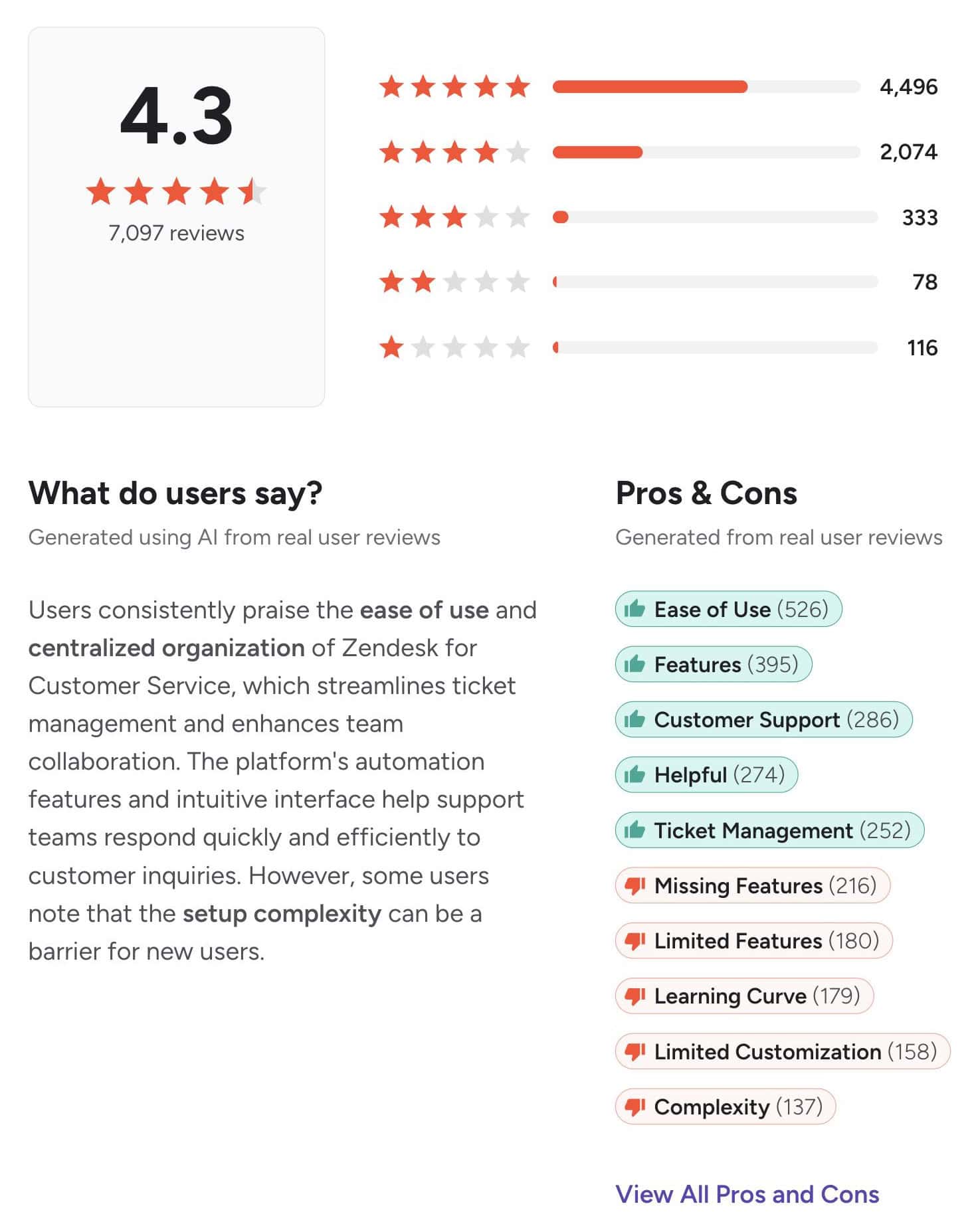
On G2, Zendesk scores 4.3 out of 5 from 7,097 reviews. G2 also sums up what those reviewers like and dislike most:
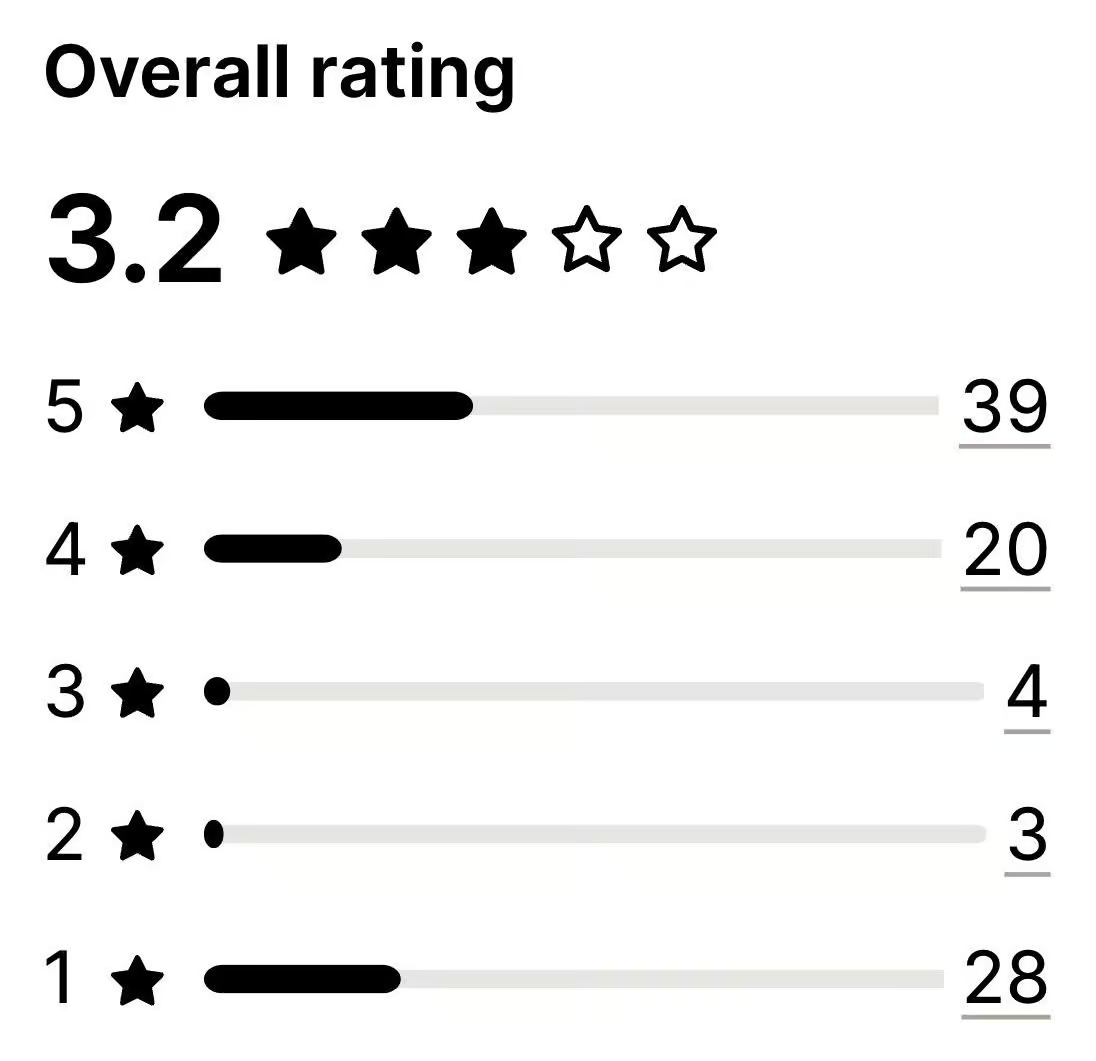
Shopify store owners are a lot less positive. On the Shopify App Store, Zendesk scores 3.2 out of 5 from 94 reviews, and almost a third of those reviews give one star:
What users praise
On G2, the tags that come back most in positive reviews are ease of use (526 reviews), features (395), customer support (286), helpful (274) and ticket management (252).
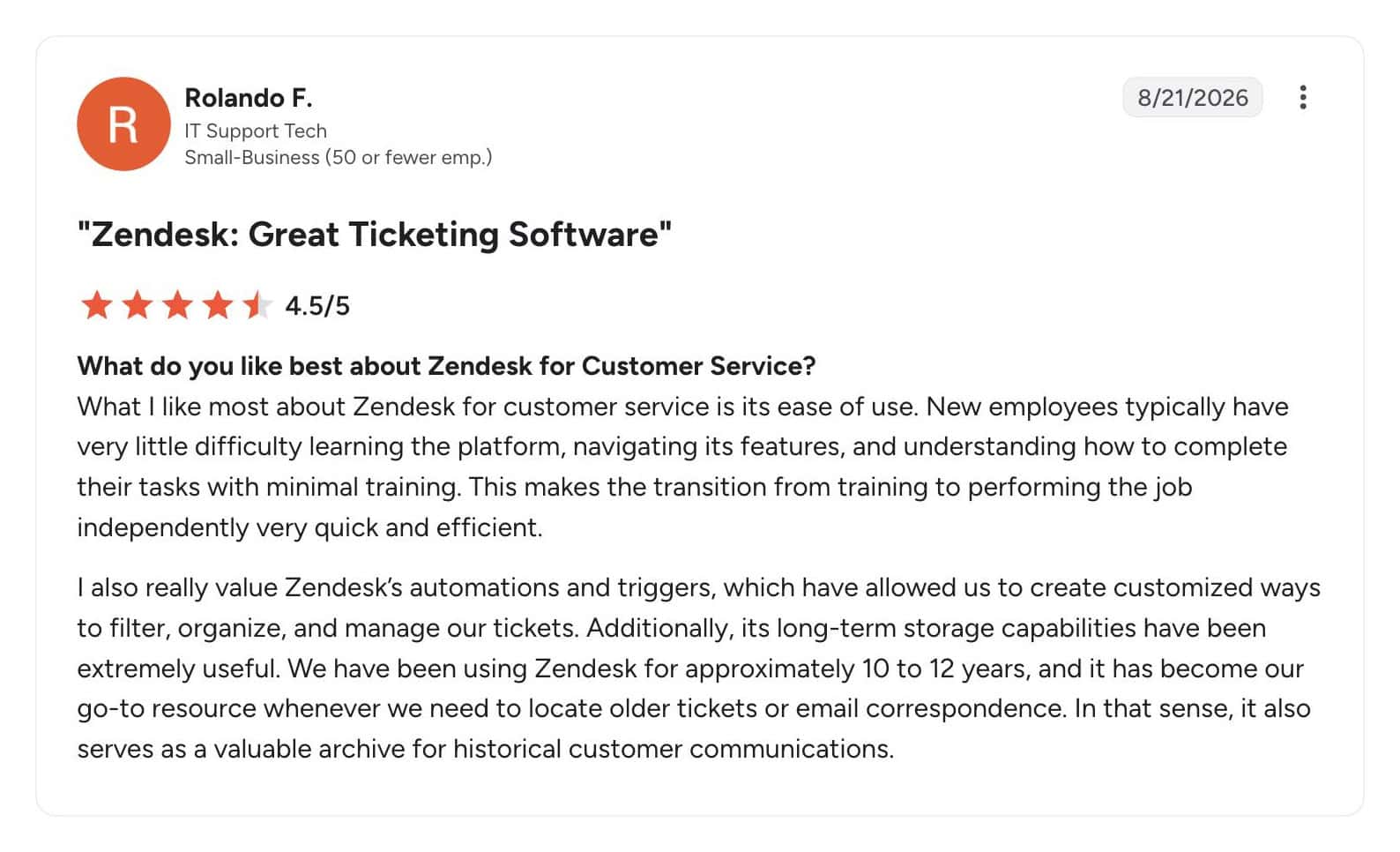
Reviewers mean ease of use in daily work. Once Zendesk is set up, new agents pick it up fast, and the automations keep every ticket organized. This IT support tech has used Zendesk for 10 to 12 years and says new employees learn it with very little training:
Shopify stores that got the integration working like it for a similar reason. One store has used the app for about six years. They like seeing each customer’s orders right inside the ticket, so they don’t need Shopify open in another window.
What users complain about
The most common complaints on G2 are missing features (216 reviews), limited features (180), the learning curve (179), limited customization (158) and complexity (137). G2’s own summary says the same thing: the setup can be a barrier for new users.
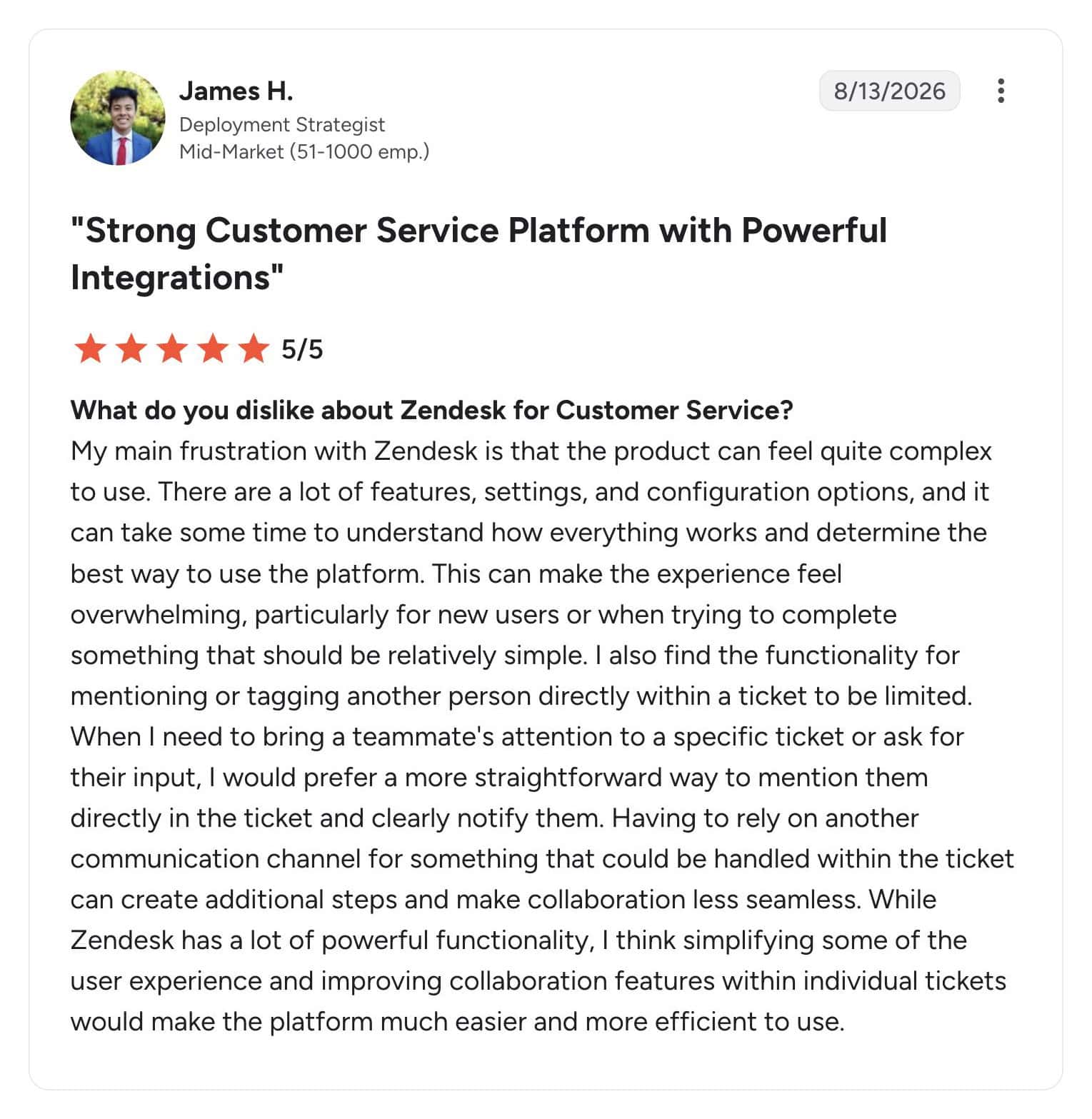
This reviewer explains it well. Zendesk has so many features and settings that even a simple task can feel overwhelming when you’re new to it:
On the Shopify App Store, the complaints are about getting started. The newest review is from a store owner who gave up during the trial, because the official Shopify integration kept failing to install:
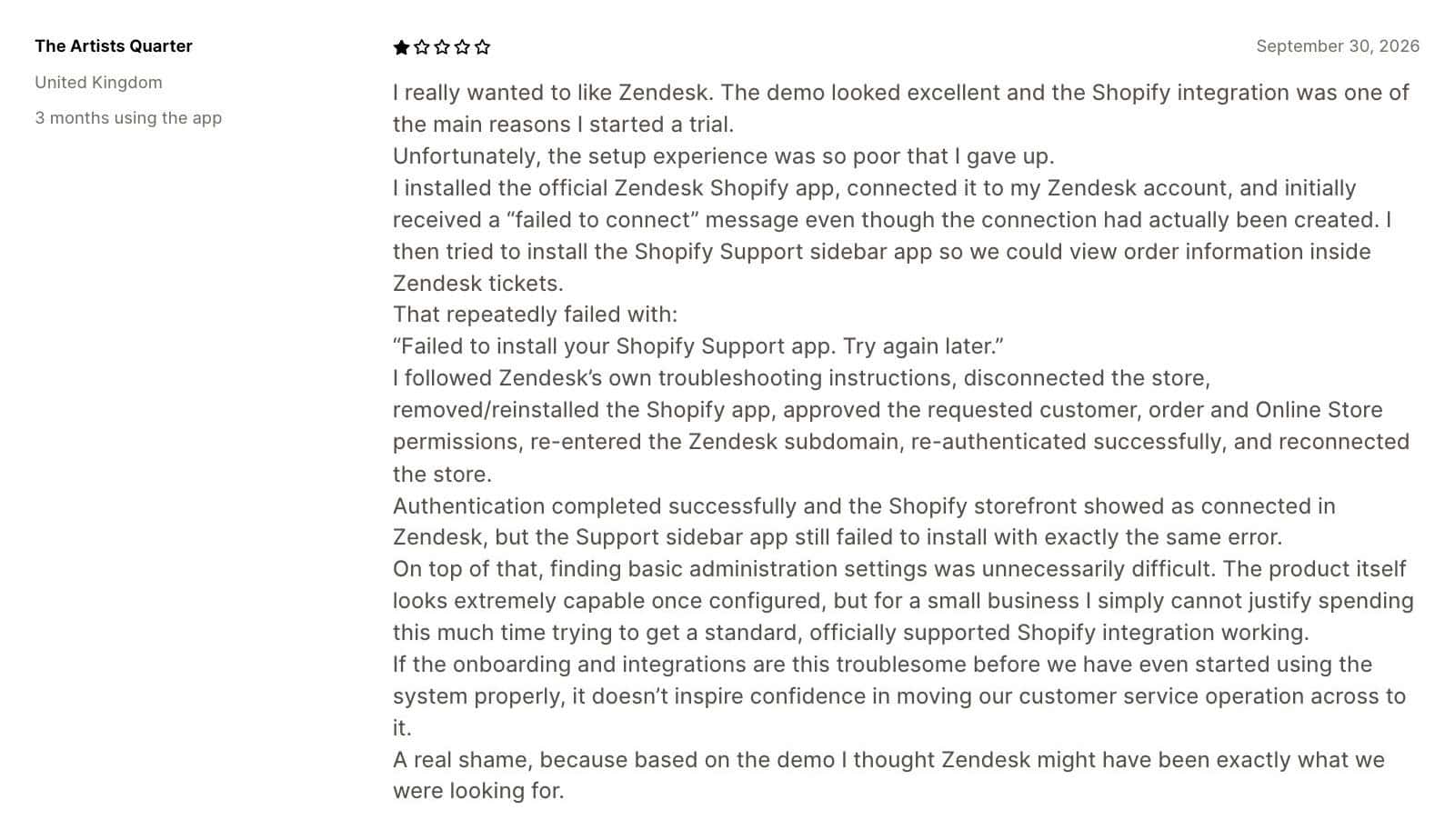
That matches my own test. The AI agent works, but setting it up was hard: the settings are spread across different parts of Zendesk, and it took me an hour to build the action that gets an order status from Shopify. The Shopify reviewer says it in almost the same words: Zendesk looks very capable once it’s configured, but getting there takes a lot of time.
So plan for a real setup period before Zendesk saves you any time. The teams who made it through that are positive, because the daily work is where Zendesk is strong.
Is Zendesk Worth It?
So, should you use Zendesk for your customer support?
Yes, if you have the time (or the help) to set it up.
Once it’s set up, Zendesk can run most of your customer support from one place. You get AI agents that answer questions from your knowledge base and look up orders in your other tools. And your team gets a full help desk, with tickets, live chat and automatic routing.
On top of that, it works on many channels and connects with lots of tools. And the reviewers on G2 who use it every day say new team members pick it up fast.
But setting it up is the hardest part. Your AI agent’s settings sit in several different places, and connecting it to your other tools takes real work. Without technical people on your team, you’ll probably need a consultant to build it for you.
It’s also expensive. You need Suite Team at $69 per agent per month for the AI agent, and after the 5 included AI resolutions per agent, every AI resolution costs $2.
So if you run a small business and want an AI agent running this week, Zendesk isn’t the right pick, and my guide to chatbots for small businesses shows what works instead. If you run a medium or large support team and can invest in the setup, it’s worth it.
