Chatling is one of the most affordable AI chatbot platforms I’ve tested. But is it actually worth using for your business?
I gave it my website, let it build an AI agent from it, set up a workflow and handed a test chat over to its help desk.
Below I’ll share what Chatling can do, who it’s for, what it costs and whether I recommend it.

Our Verdict
Chatling is one of the easiest and most affordable platforms to build an AI agent for customer support.
You give it your website, and within about 10 minutes you have an agent that answers your customers’ questions.
It can also take AI actions, like booking a meeting in Calendly, and your team takes over from the built-in help desk when the AI can’t help. One agent covers your website, WhatsApp, Instagram, Messenger and Telegram.
This makes it a great fit for small businesses that want AI support live quickly, without a big budget.
It has a free plan, and paid plans start at $25/month.
Pros
- Set up an AI agent in about 10 minutes
- Easy to use and change later
- One AI agent for website, WhatsApp, Instagram, Messenger and Telegram
- Train the AI on your own content, and it can take AI actions
- Integrations with Zapier, HubSpot, Calendly, Google Sheets, Google Calendar and more
- The best first paid plan I've seen
- Built-in help desk
Cons
- No analytics that show where to improve the AI agent
- No marketing features on any channel
- Few direct integrations
Want to compare Chatling with 33 other chatbot platforms? Compare them here →
Chatling at a Glance
Here are the most interesting features that I found in Chatling while testing it:
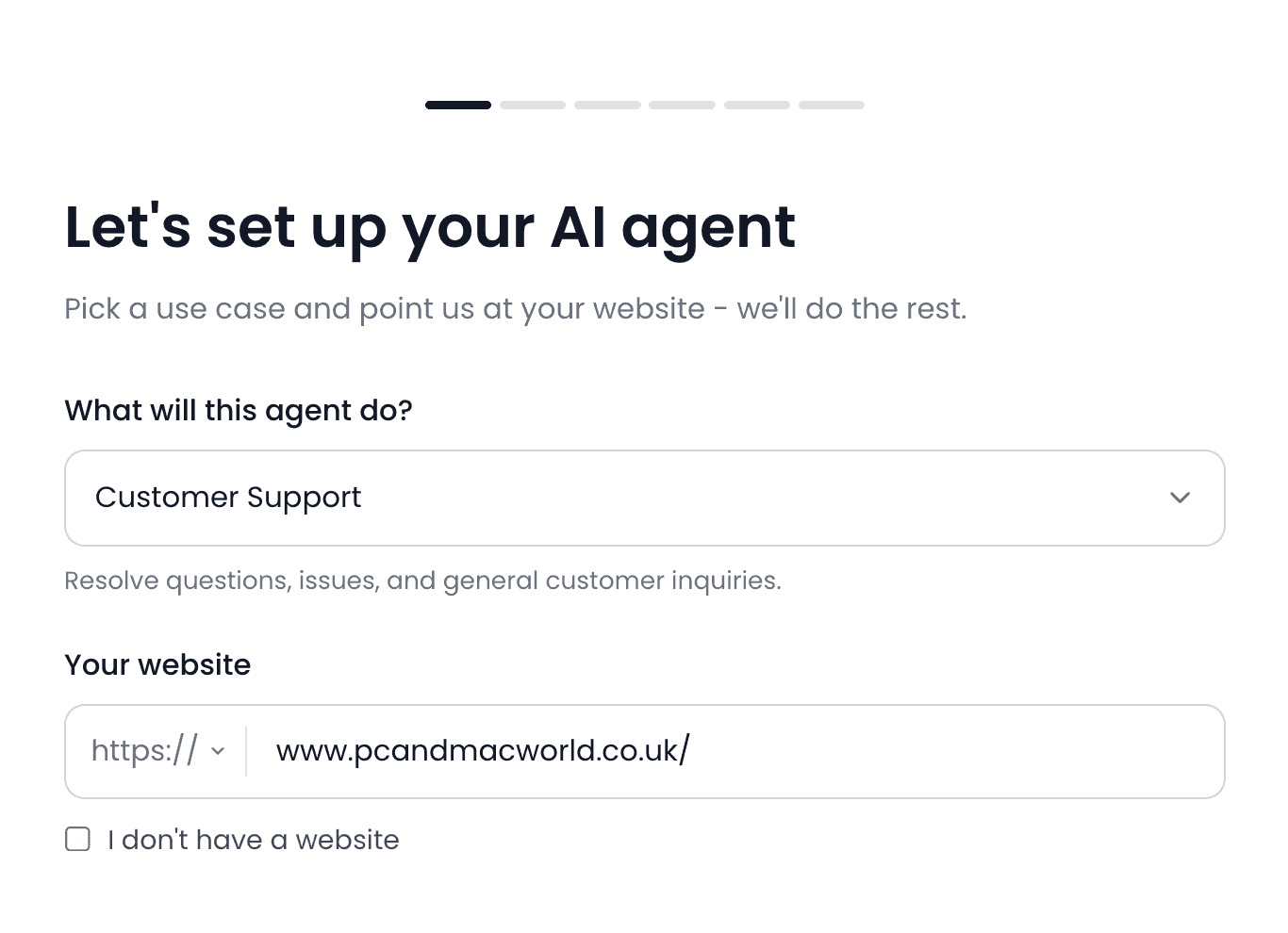
- You give Chatling your website, and it builds an AI agent from it in a few minutes:
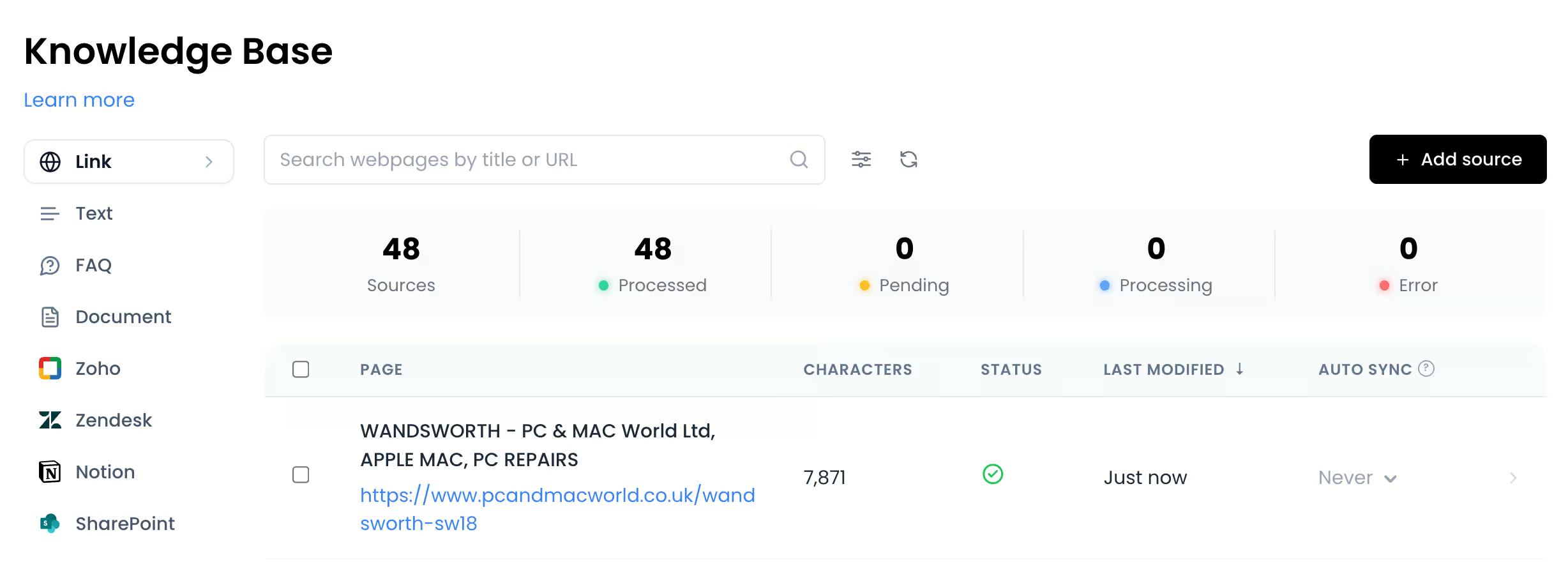
- Besides your website, the agent learns from text, frequently asked questions, documents and articles from tools like Zendesk and Notion:
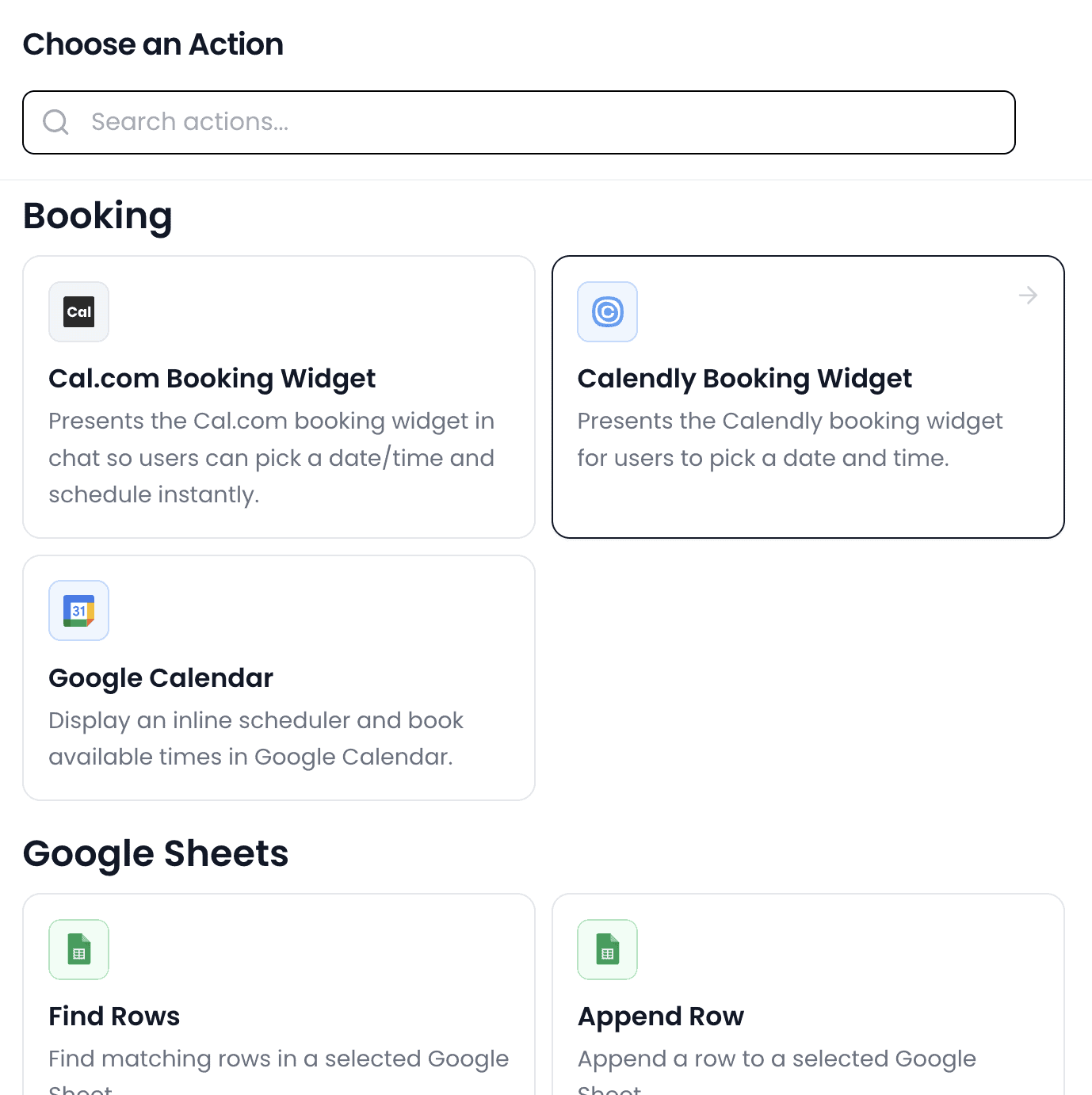
- With AI actions, your agent can also do things for your customers, like booking a meeting or adding a row to Google Sheets:
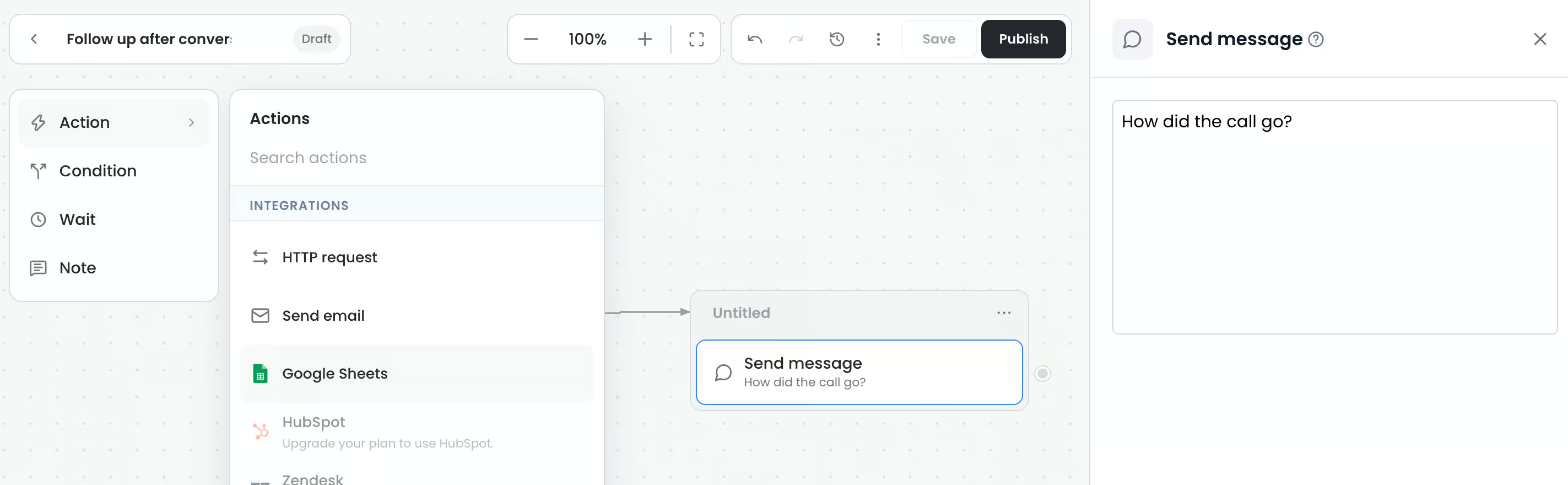
- Workflows let you add fixed steps and messages around the AI, wherever you want more control:
- Before it goes live, you can test the AI agent right inside Chatling:
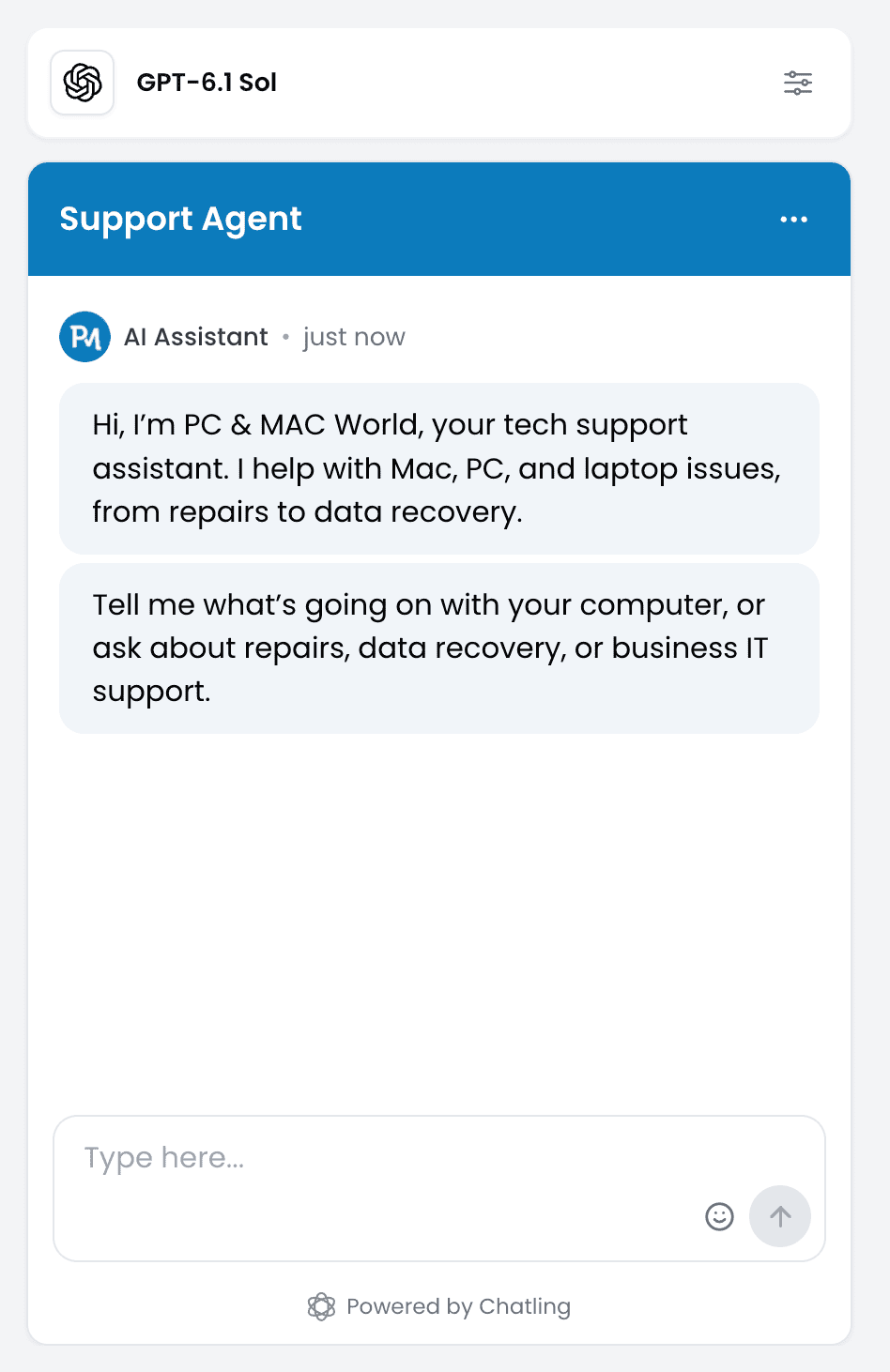
- When the AI can’t help, your team replies to the customer from the built-in help desk:
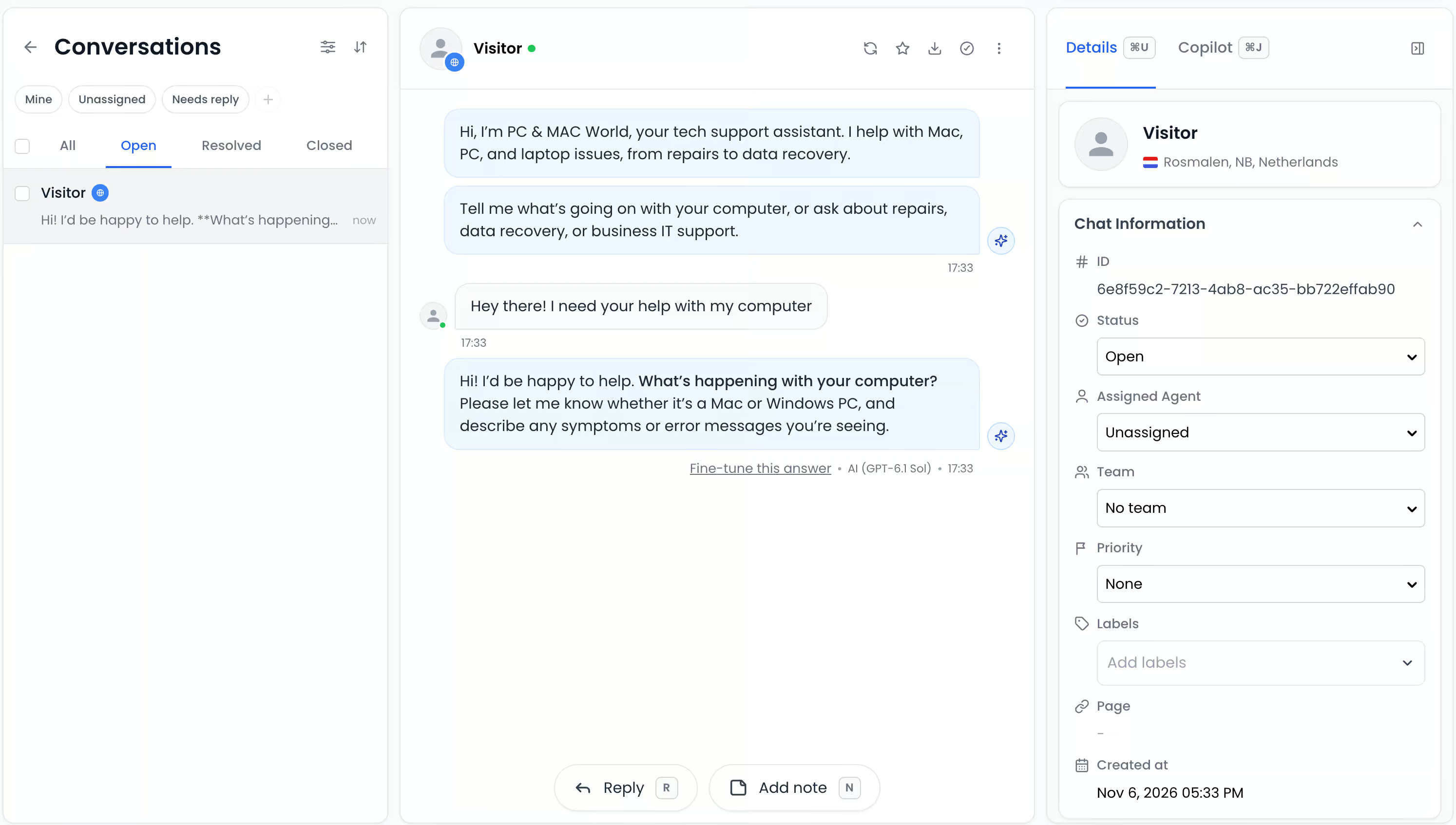
- An AI performance dashboard shows how many conversations the AI solved on its own:
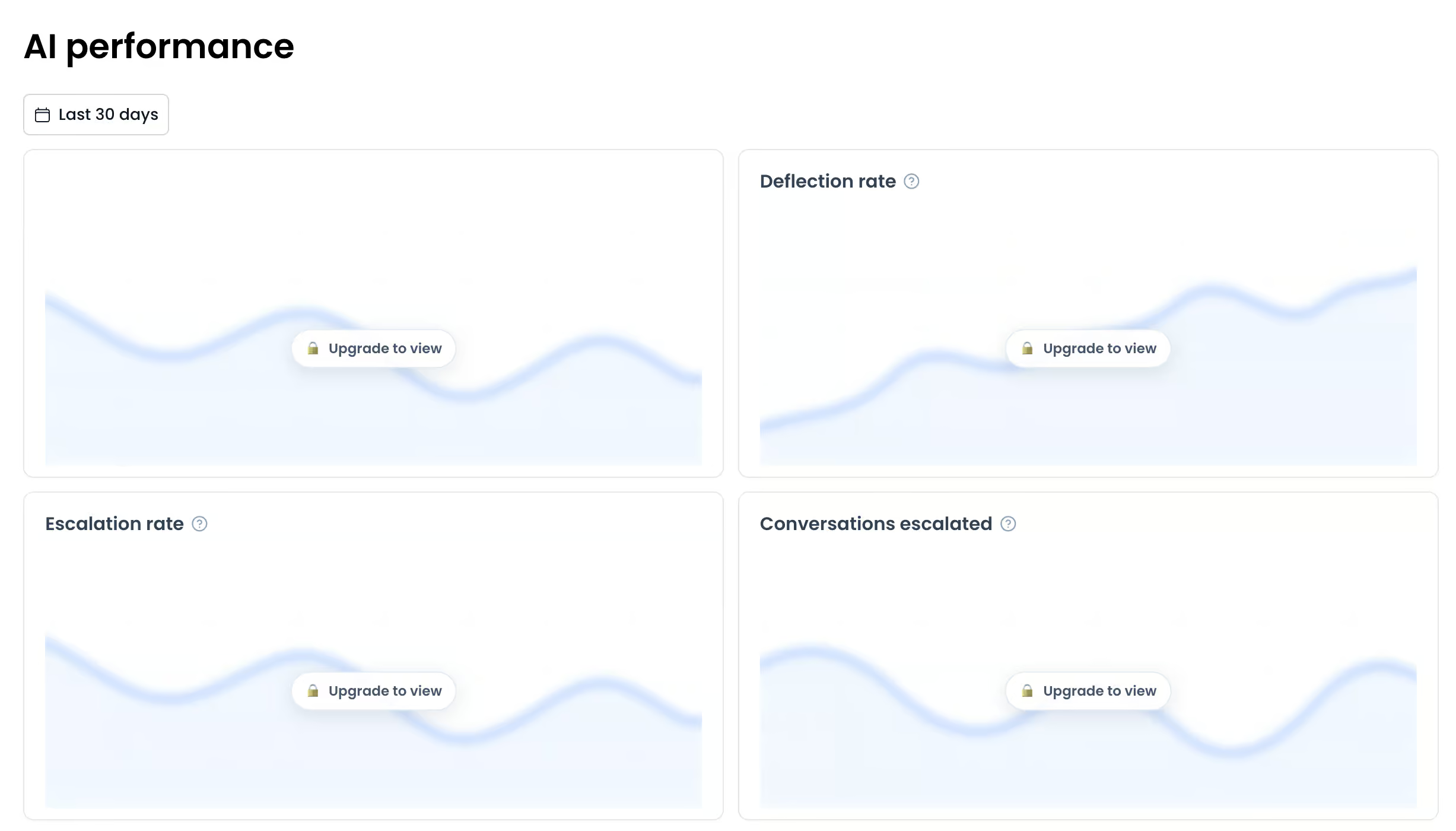
Who Chatling Is For
Chatling is a great fit for small businesses that want to:
- Launch an AI agent quickly: Give Chatling your website, and your agent can be live in about 10 minutes.
- Automate support on a small budget: Start for free, or get 1,750 AI replies a month for $25 on a model that uses 1 credit per reply.
- Answer repetitive questions automatically: Train the agent on your website, documents and frequently asked questions, and let it book meetings or add rows to Google Sheets with AI actions.
- Set up AI without technical experience: Answer a few simple questions, and test the agent inside Chatling before any customer sees it.
Who Chatling Is Not For
Chatling isn’t the best choice if you:
- Run a large support team: The built-in help desk is basic and has no SLAs, so a platform like Zendesk or Gorgias suits bigger teams better.
- Need lots of integrations: Chatling connects directly with only a few tools, so for anything else you need Zapier or API calls.
- Want complex automations: Each agent gets 4 AI actions on the $25/month Starter plan and 12 on the $295/month Scale plan, which gets limiting when you automate across several systems.
- Focus on marketing automation: Chatling is built for customer support. So for Instagram comment-to-DM flows or WhatsApp broadcasts, Manychat is a better fit.
What is Chatling?
Chatling is an AI chatbot platform for customer support. You train an AI agent on your own content, and it answers your customers’ questions on:
- Your website
- Messenger
- Telegram
And when a customer needs a real person, your team takes the chat over from Chatling’s built-in help desk:
How to use Chatling
Chatling is one of the easiest platforms I’ve used to set up an AI agent. You answer a few questions, and you can have a working agent on your website in about 10 minutes.
You start by picking what your agent is for, like customer support, and giving Chatling your website:
Chatling then reads your site and pulls in your business details, like your business name and what your business does. You check them and fix anything it got wrong:
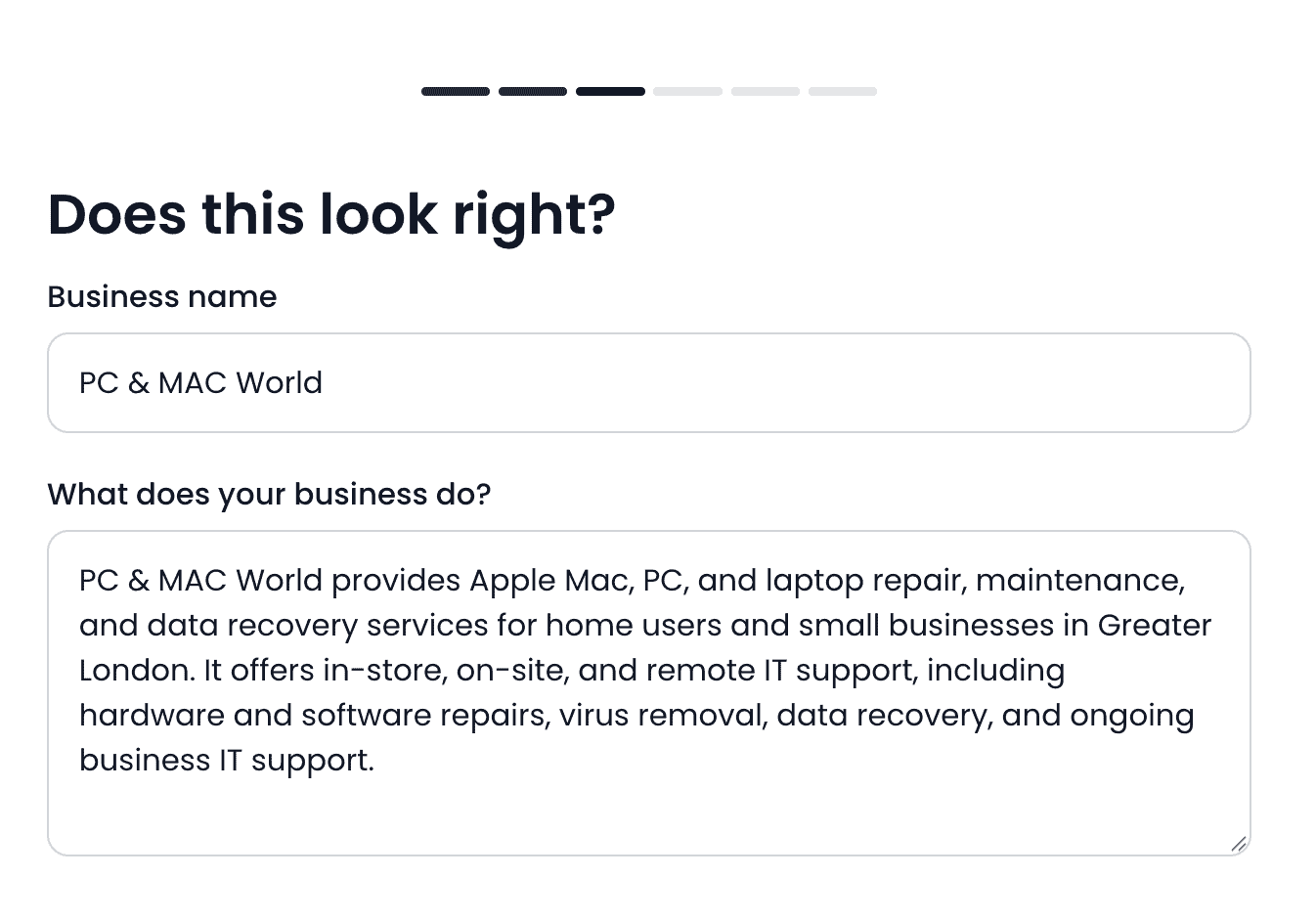
After that, it fetches the pages of your website and trains your agent on them. So by the time you finish the setup, your agent already knows your business.
The last step is the chat widget. Chatling already matches it to your brand, but you can still change how it looks:
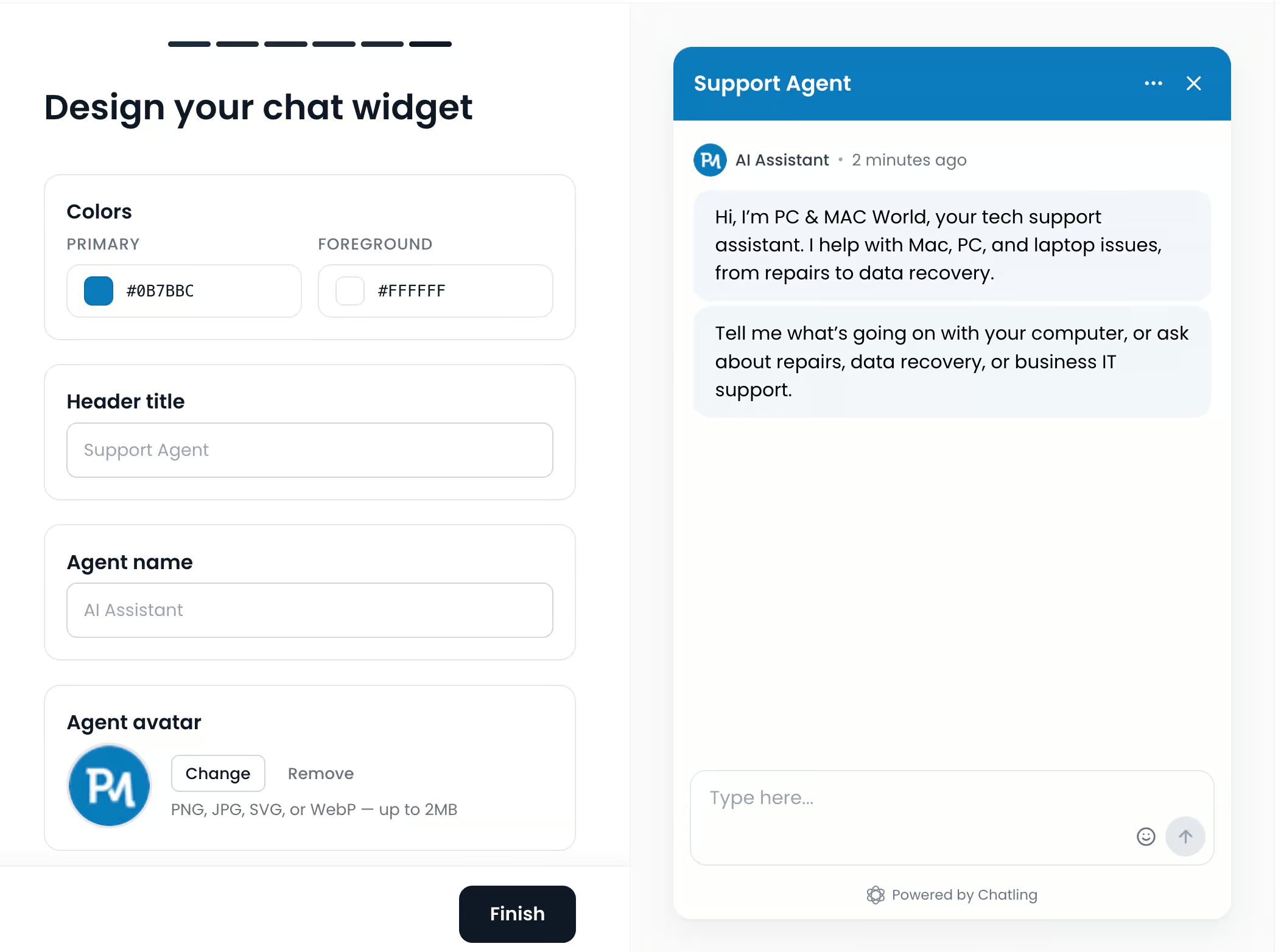
And that’s it. You give Chatling your website, it pulls in your business details, and you have an AI agent running, which is pretty impressive.
Before any customer sees it, you can test the agent inside Chatling. Ask it the questions your customers usually ask and check whether the answers are right:
Changing your agent later is just as easy. The only thing that takes longer is a custom integration, because tools that Chatling doesn’t connect with directly need API calls.
Ease of use How easy it is to build and change things once you’re set up? On a scale of 1 to 5. | 4.5 |
| Setup difficultyHow much technical work it takes to get going. | Easy |
| Average setup timeHow long until your first bot or AI agent is live. | 1 hour |
| Set up with AIDescribe what you want in a chat, and an AI builds the bot or agent for you. | |
| Test before going liveYou can try the bot or agent yourself before customers see it. |
Chatling AI features
Chatling’s AI agent does two things: it answers questions from your own knowledge, and it takes actions for your customers. On top of that, you can connect it to workflows when you want a fixed path.
Knowledge base
The knowledge base is what your agent learns from. Besides your website, you can train it on these sources:
- Links to any page
- Text
- Frequently asked questions
- Documents
- Zoho tickets and articles
- Zendesk articles
- Notion pages
- SharePoint
This is what the sources look like inside Chatling:
That matters because your customers get answers about your products, prices and policies at any time of day. And they don’t have to wait until your team is back online.
AI actions
AI actions let your agent do things for your customers, not just answer them. For example, it can book a meeting in Cal.com when a customer asks for a call, or add a new lead to Google Sheets.
Chatling has built-in AI actions for booking tools like Calendly, Cal.com and Google Calendar, and for Google Sheets. The HubSpot and Zendesk actions come with the $75/month Growth plan. There’s also a lead form and a custom form:
Workflows
You can also build classic chatbot flows with buttons and messages, and Chatling calls these workflows. Each workflow starts with a trigger, like a conversation being updated, and then runs the actions and messages you add.
For example, I built one that asks the customer how their call went:
I like that you can combine the two. The AI handles the open questions, and you use a workflow only where you want every customer to get the same steps.
| Build an AI agentYou can build an AI agent that replies on its own. | |
| Train the AI on your contentThe AI learns from your website, documents or files. | |
| AI rulesTell the AI what it may and may not do, and which steps to follow. Also called guidance, guardrails or procedures. | |
| Let the AI perform actionsThe AI can do things in other tools, like book a meeting or update your CRM. | |
| Connect the AI to MCP serversThe AI agent can use any tool that has an MCP server, without a custom setup per tool. |
Chatling live chat and help desk
Chatling has a built-in help desk, so your team can take over whenever the AI can’t help. The chat shows up in the help desk, and you reply to the customer from there:
You can split your people into teams, like support and sales. And from the Growth plan, Chatling shares new chats out across your team automatically with round-robin routing.
The Growth plan also adds Copilot. It’s an AI assistant inside each conversation that drafts replies from your knowledge base and summarizes the chat. That way, your team answers faster.
It’s a basic help desk, though. There are no SLAs, so you can’t set how fast your team has to reply, which is fine for a small business but not for a big support team.
Chatling channels and integrations
Chatling works on 5 channels: your website, WhatsApp, Instagram, Messenger and Telegram. And one agent covers all of them, so you don’t have to build a separate chatbot for each channel.
The free plan works on your website only, and the other four channels start on the $25/month Starter plan.
For integrations, Chatling connects directly with 10 tools:
- Zapier
- HubSpot
- Calendly
- Cal.com
- Google Calendar
- Google Sheets
- Zendesk
- Slack
- Airtable
- Zoho
You can also add the widget to website builders like WordPress, Shopify, Wix and Webflow.
For any other tool, you go through Zapier or use API calls. That’s also how you connect Chatling to Make, since there’s no direct Make integration.
What Chatling doesn’t have is marketing features. You can’t send WhatsApp broadcasts, reply to Instagram comments or show pop-up offers on your website. But that’s not what it’s built for: Chatling is made to automate customer support, not to bring in new customers.
| Direct integrationsHow many built-in connections to other tools does it have? | 1-10 |
| ZapierDirect integration with Zapier, one of the largest integration platforms in the world. | |
| MakeDirect integration with Make (formerly Integromat), one of the largest integration platforms in the world. | |
| API CallsSend data to or get data from another tool’s API, for example inside a flow. |
Chatling analytics
Chatling gives you two dashboards. The Chats dashboard shows your new conversations, unique users and new contacts:
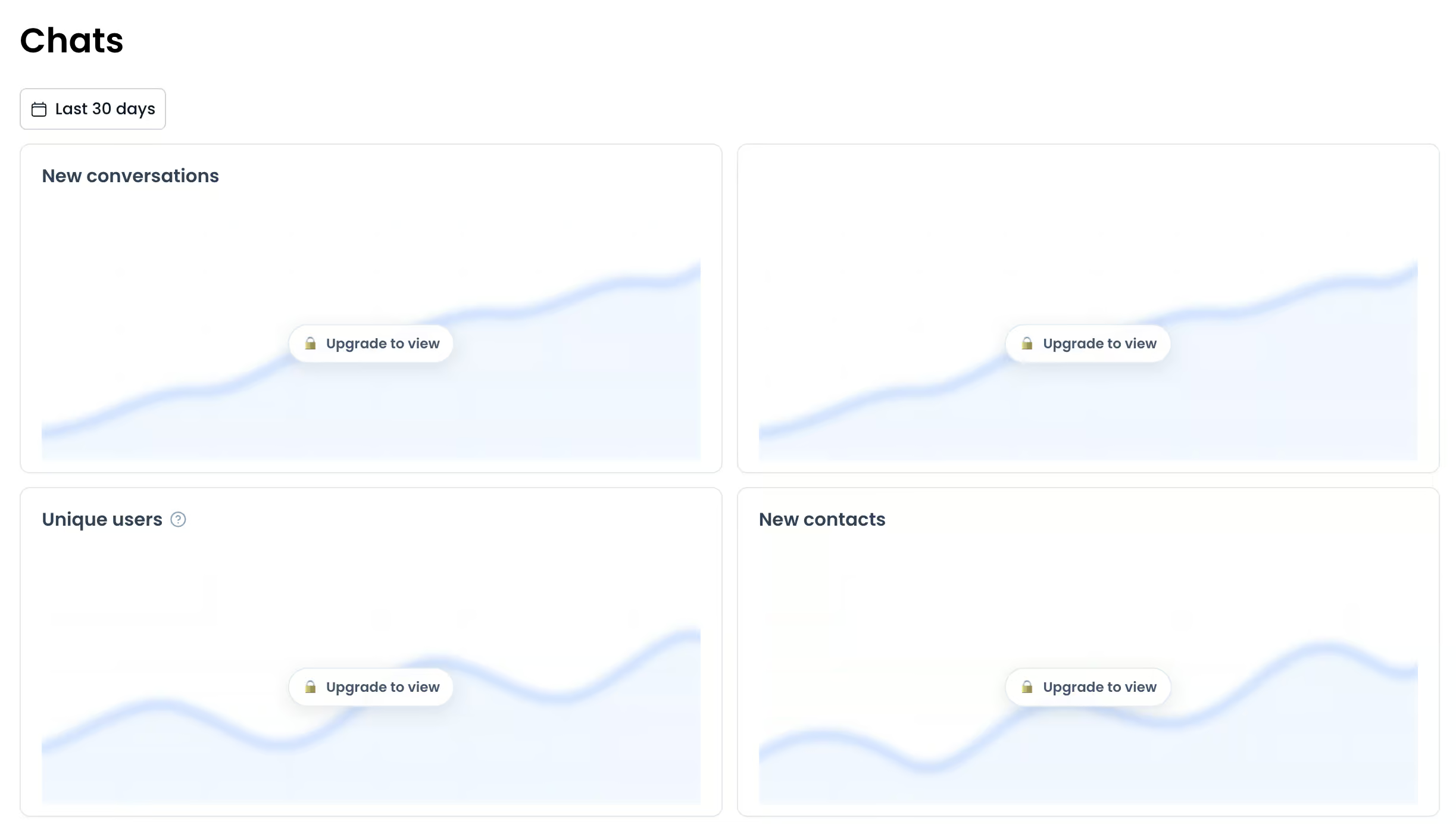
The AI performance dashboard is more useful. It shows your deflection rate, which is the share of chats the AI solved without your team. You can also see your escalation rate, which is the share it handed over to a person:
The drawback is that neither dashboard shows which questions customers still don’t get an answer to. So you know the AI misses some questions, but not which ones, and that’s exactly what you need to know to improve it.
| DashboardAn overview of conversations and contacts. | |
| Ask AI about your dataAsk questions about your analytics in a chat and get the answer from an AI. | |
| Flow analyticsSee how people move through each flow and where they drop off. | |
| AI Resolution rateHow many conversations the chatbot resolved on its own, and how often it had to fall back or hand over. | |
| Knowledge gapsShows questions the AI couldn’t answer, so you know what to add to its knowledge. Also called suggestions. | |
| Conversion trackingTracks sales, bookings or sign-ups that come from conversations. | |
| Team performanceResponse times and workload per teammate. | |
| Custom reportsBuild your own reports or dashboards. |
Chatling pricing
Pricing is Chatling’s biggest strength. I haven’t seen another platform with a first paid plan this good.
Everything runs on AI credits, and every reply from your agent uses some of them. How many depends on the AI model you pick. It goes from half a credit for the cheapest models to 25 credits for the most advanced ones.
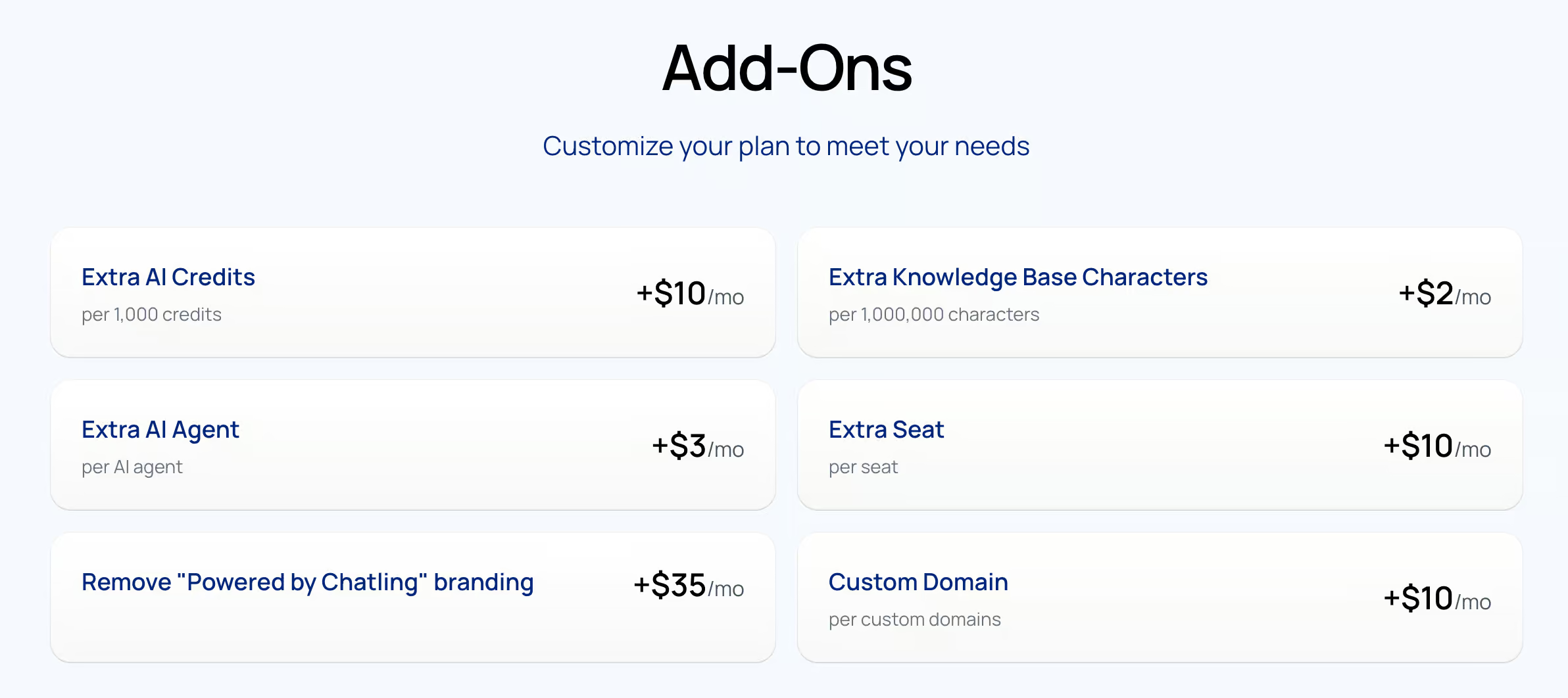
You don’t always have to upgrade, though. Chatling sells add-ons on top of any plan:
- Extra AI credits: $10 per month for every 1,000 credits
- Extra seat: $10 per month
- Extra AI agent: $3 per month
- Extra knowledge base space: $2 per month for every 1 million characters
- Custom domain: $10 per month
- Removing the “Powered by Chatling” branding: $35 per month
This is what the add-ons look like on the pricing page:
| Starting priceThe lowest price you can start with per month, including seat minimums (in US dollars). | $25 per month |
| Free planDoes the chatbot platform provide a free plan? | |
| Free trialDoes the chatbot platform provide a free trial? |
What customers say about Chatling
Chatling’s users are very positive. It scores 4.7 out of 5 from 81 reviews on G2, and 79 of those reviews give it 4 or 5 stars.
What reviewers praise most is how easy Chatling is to set up, even without any technical knowledge. Others praise the price and a support team that answers quickly.
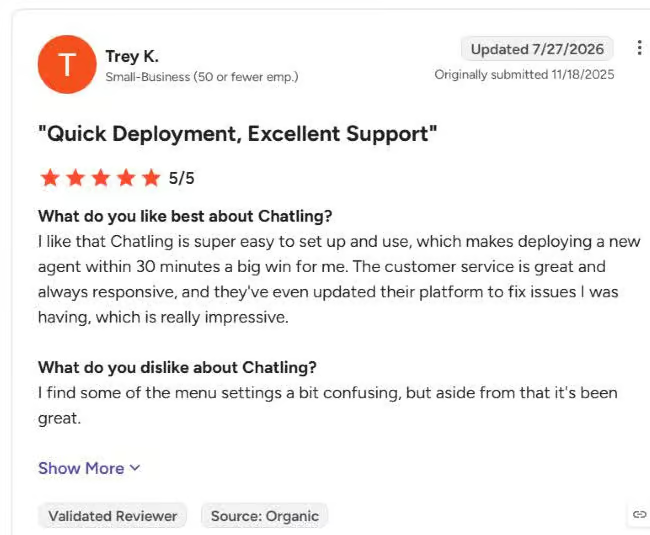
This reviewer had a new agent live within 30 minutes, and liked how fast support helped:
The complaints are smaller, but they’re there:
- The AI sometimes misses an answer that is in its knowledge base.
- Some users want more control over the AI, like “if this, then that” rules in its instructions.
- A few find the free plan’s credits too low to really use.
- One user said support can be slow when you need an answer quickly.
This school set it up in about twenty minutes, but the agent couldn’t always find dates from the calendar they uploaded:
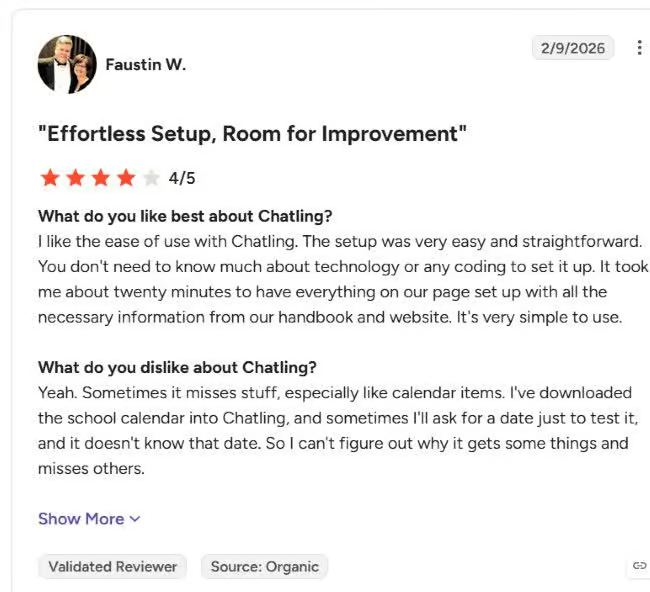
That matches what I found. Setup is fast and the price is great, but you get few tools to spot where your AI agent goes wrong.
Is Chatling worth it?
Yes, if you want an affordable AI agent for customer support, and you want it live today.
Setting it up takes about 10 minutes, because Chatling reads your website, fills in your business details and trains the agent for you. Once it’s live, the agent can also book meetings or add leads to Google Sheets, and anything it can’t handle goes to your team in the built-in help desk.
On top of that, one agent works on your website, WhatsApp, Instagram, Messenger and Telegram. And the $25 Starter plan gives you more AI replies than any other first plan I’ve seen.
But Chatling does have a few drawbacks you should know about:
- Its analytics don’t show which questions your AI agent couldn’t answer
- It has no marketing features on any channel
- It connects directly with only a few tools
- Its help desk is basic, with no SLAs
So if you run a big support team, need lots of integrations or want marketing automation on Instagram and WhatsApp, I’d look at another platform.
Frequently Asked Questions
Is Chatling free?
Yes, Chatling has a free plan with 200 AI credits per month, for one AI agent on your website. Because the free plan uses a model that costs 5 credits per reply, that’s about 40 AI replies a month. Paid plans start at $25 per month.
What is Chatling used for?
Businesses use Chatling to automate customer support. Its AI agent:
- Answers questions from your website and documents
- Takes actions like booking meetings
- Hands chats over to your team when needed
What are the alternatives to Chatling?
The main alternatives are Chatbase, Tidio and Intercom. Of these, Chatbase is the closest match: it’s also built to get an AI agent trained on your website live quickly. You can read more about it in my Chatbase review.
Does Chatling integrate with other tools?
Yes. Chatling connects directly with tools like Zapier, HubSpot, Calendly, Google Sheets and Zendesk. For other tools, you can use Zapier or API calls.
Does Chatling have live chat?
Yes. Chatling has a built-in help desk where your team can take over a chat from the AI and reply to the customer directly.