

Looking for an easy way to build an AI chatbot that can also hand off to a human when needed? Visito AI offers exactly that.
But is it actually worth it for your business?
In this Visito AI review, I’ll cover what the platform is, how it works, its pricing, features, and whether it’s worth using for your business.
Let’s get started!
Our Verdict
Our Verdict
Visito AI is a straightforward chatbot platform that lets you create AI chatbots in just a few minutes. You can train it on your own website or documents. Then, it can immediately answer questions about that data.
Whenever it doesn’t know the answer, you can hand it off to a live agent as well.
Plus, you can improve your chatbot’s answers by manually revising them. This makes it great for small businesses and people getting started with AI.
Visito AI paid plans start at $99/month, and there’s a 7-day free trial.
Pros
- Can set up a chatbot in ten minutes
- Connects with website, WhatsApp, Messenger & Instagram
- AI Knowledge Base
- Built-in human handoff
- Easily improve answers of the AI Agent
- Integrates with Shopify & WooCommerce
Cons
- Cannot create chatbot flows
- No marketing possibilities on Instagram
- Can only send WhatsApp broadcasts via API
- No integrations with Zapier/Make


What is Visito AI?
Visito AI is an AI chatbot builder that lets you train a chatbot on your own data. It can then answer questions about that data.
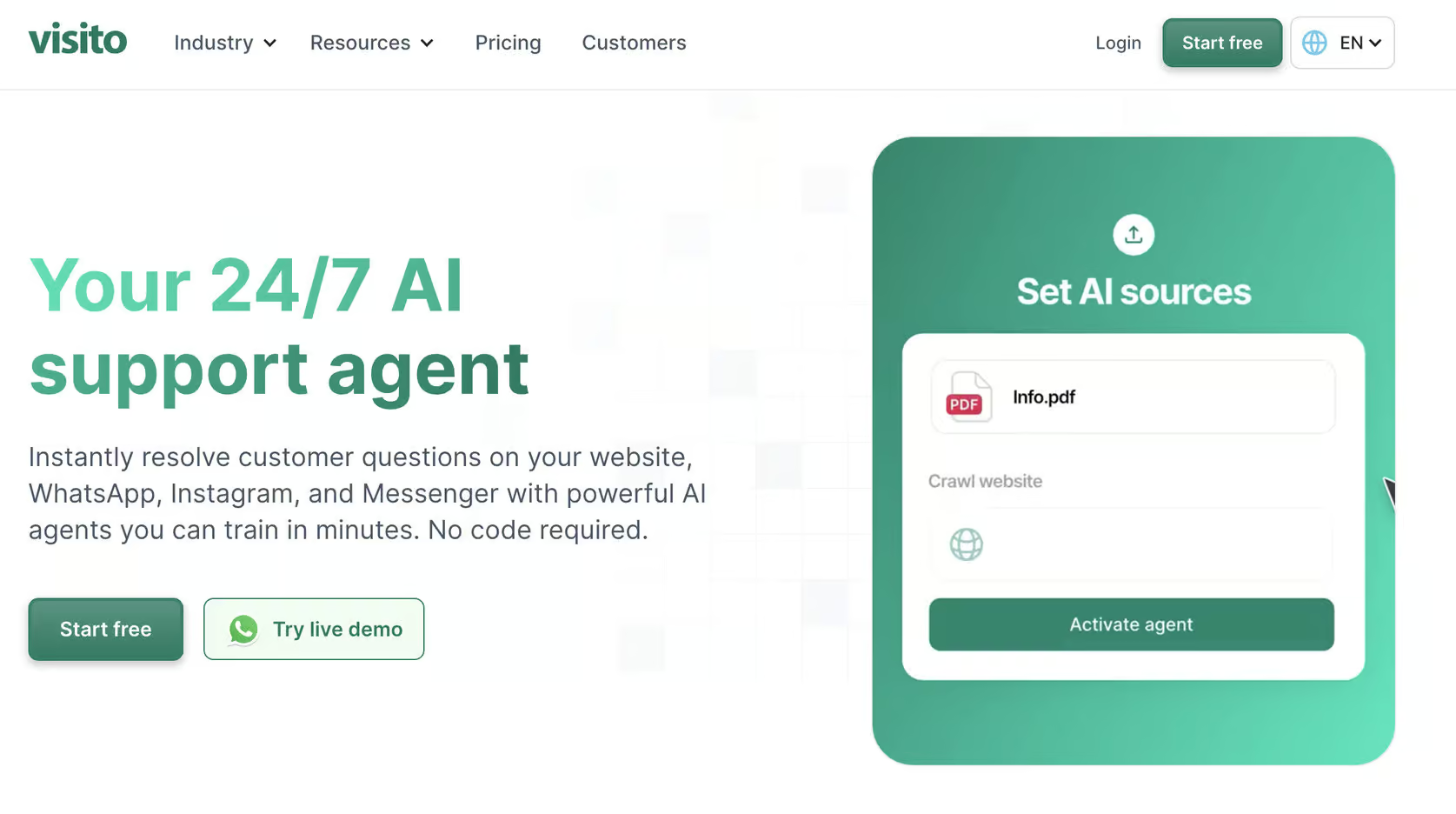
You can use it to:
- Answer customer questions automatically
- Generate leads
- Hand conversations over to a live agent when needed
Visito AI includes a built-in live chat inbox that allows you to hand over the conversation to humans too. The platform can be connected to your website, WhatsApp, Messenger and Instagram. This lets you manage all chats from one dashboard.
It’s great for small businesses that want an easy way to add AI-powered chat to their site or social channels without complex setup.
How to use Visito AI?
When you first log in to Visito AI, you’ll land on the main dashboard. It gives you a clear overview of your account and the steps to get started. At the top, you’ll see the main navigation tabs:
- Home – shows your onboarding checklist and key account insights
- Inbox – where you manage live chats and handoffs to human agents
- Leads – an overview of everyone who has interacted with your chatbot
- AI – the section where you train and manage your AI chatbot
- Connect – where you link Visito to your website or messaging channels
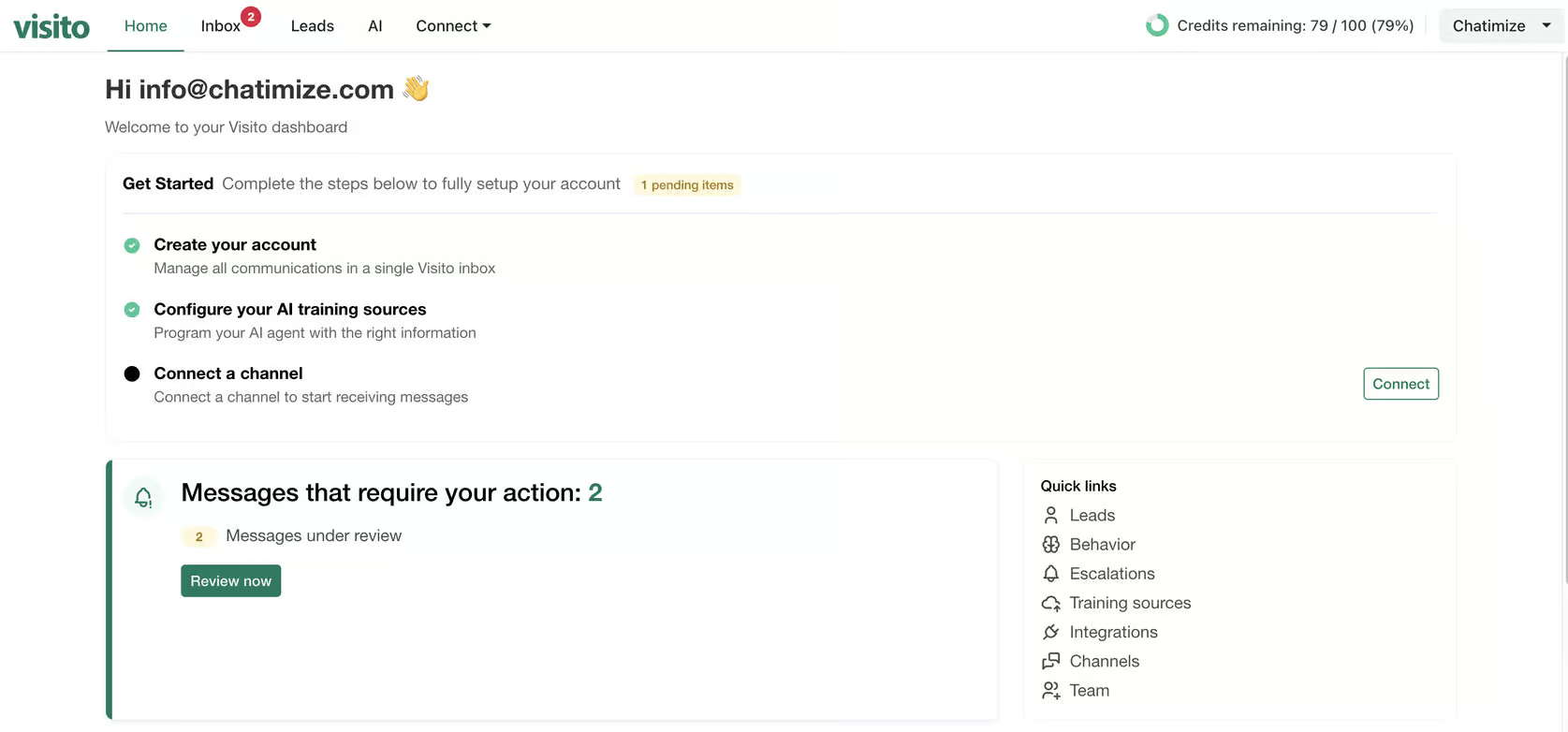
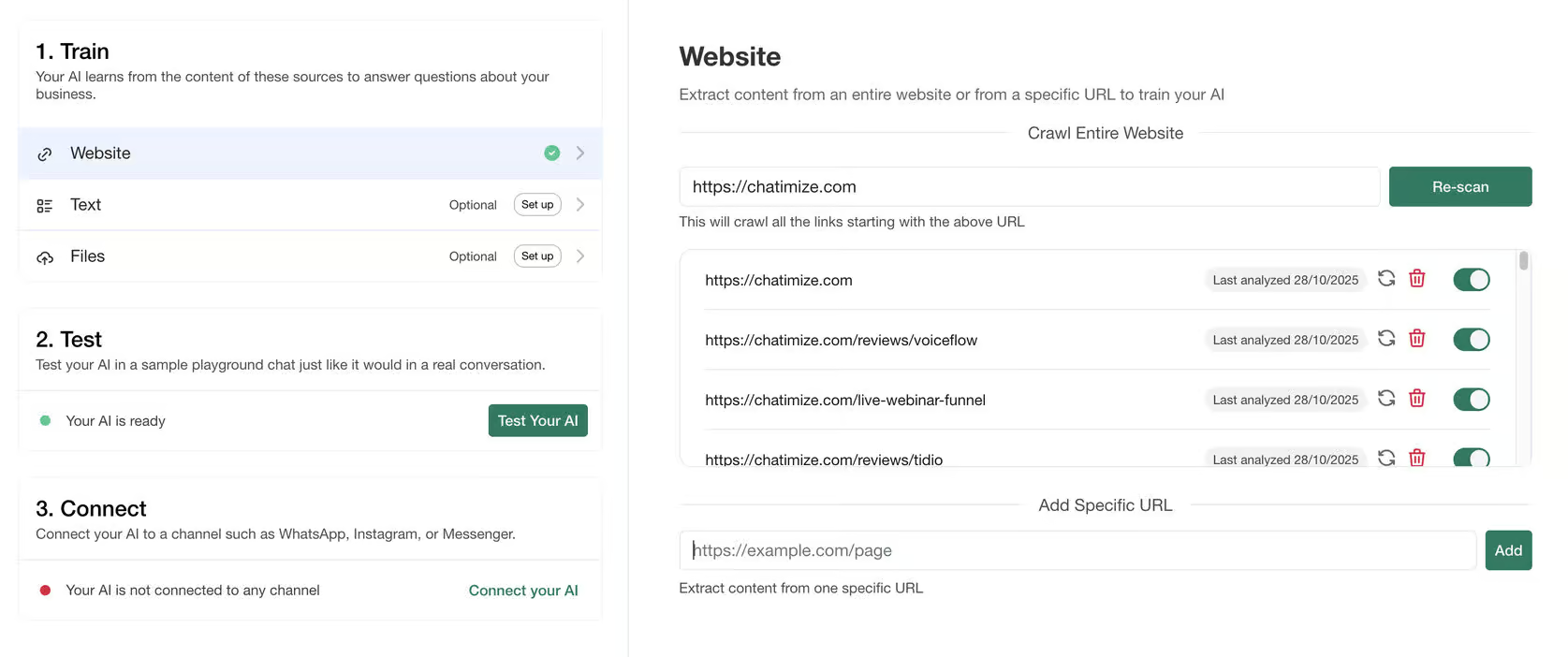
Visito AI offers an onboarding flow that lets you set up a chatbot in a few minutes. The first thing you’ll do inside Visito is train your AI. You can simply add your website or upload some documents.
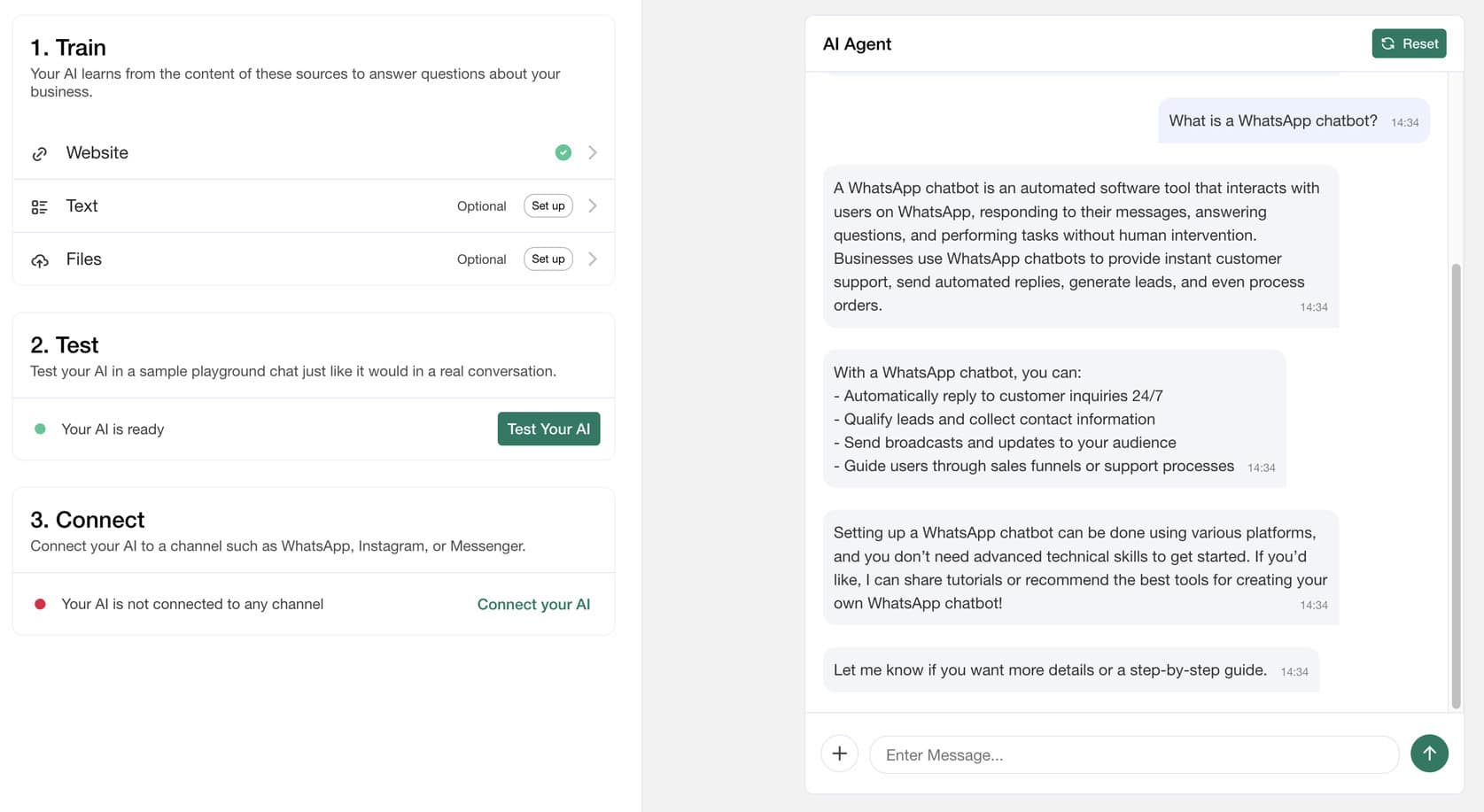
Once your AI is trained, you can test it immediately within the platform and talk to it like a user would:
After testing, you can connect Visito to your website or preferred channels like WhatsApp, Messenger or Instagram.
Visito AI also lets you sell directly inside the chat. From the Payments tab, you can connect your bank account and start charging for products, services, or bookings. You don’t need to send customers anywhere else:
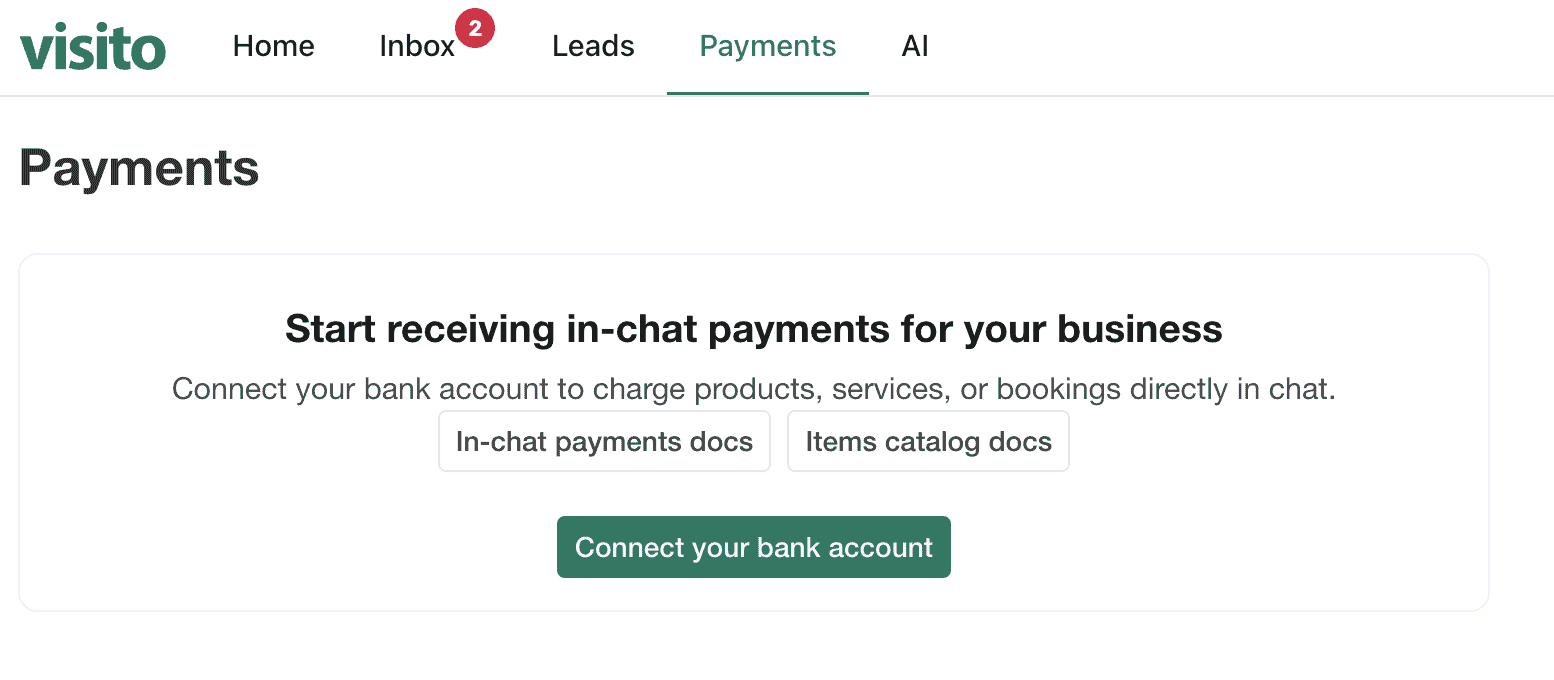
Whatever you’re selling, whether it’s a service, an add-on, an upsell, or a room night, customers can pay for it in the same conversation. Your bank account connects through Stripe, so payments go straight to you.
Overall, it’s super easy to use the platform. Anyone can set up a working chatbot in just a few minutes.
Visito AI Pricing
Visito AI offers a 7-day free trial, and paid plans start at $99/month.
With the Starter plan, you get 2,500 message credits/month. It comes with AI support and booking agent, shared inbox, and includes WhatsApp, Instagram, Messenger and website chat:
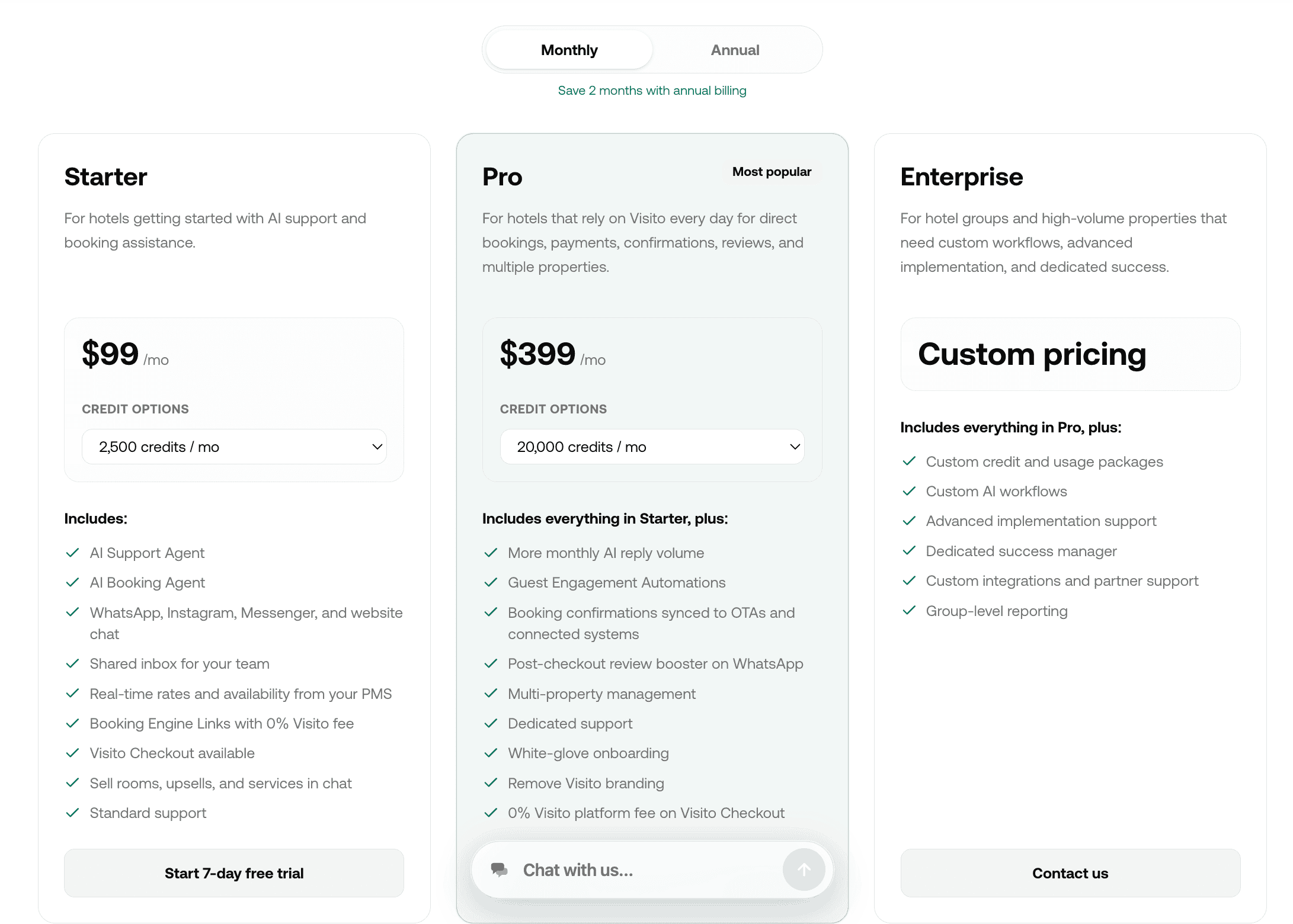
The Pro plan at $399/month gives you 20,000 credits, more monthly AI reply volume, and removes Visito branding.
For any pricing plan, you can increase the credits for an increase in price. For example, you can increase the credits on the Starter plan from 2,500 to 5,000, and the price goes from $99 to $149.
All the prices I mentioned refer to monthly billing. If you go with the annual option, you get 2 months off.
Overall, Visito AI’s pricing seems quite flexible and fair for what you get.
| Pricing in one sentence | Starts at $99/month; 7-day free trial |
Free trial Does the chatbot platform provide a free trial? Does the chatbot platform provide a free trial? | |
| Free planDoes the chatbot platform provide a free plan? | |
| Price per monthWhat is the lowest price per month to create a chatbot with this platform? In US Dollars. | $99 |
| Monthly pricing available?Is it possible to pay monthly? | |
| Money back guaranteeIs there a money-back guarantee in case you are not satisfied with the platform? |
Visito AI Features
Visito AI offers three core features:
- AI knowledge base
- Escalations
- Smart follow-ups
AI knowledge base
You can train your chatbot on your own data, such as:
- Website content
- Text
- Files
Then it will automatically answer questions based on that information. Once training is done, you can immediately test your chatbot inside the platform to see how it responds:
You can also improve your AI’s answers. If the chatbot gives a wrong or incomplete reply, you can report the answer and improve the expected response:
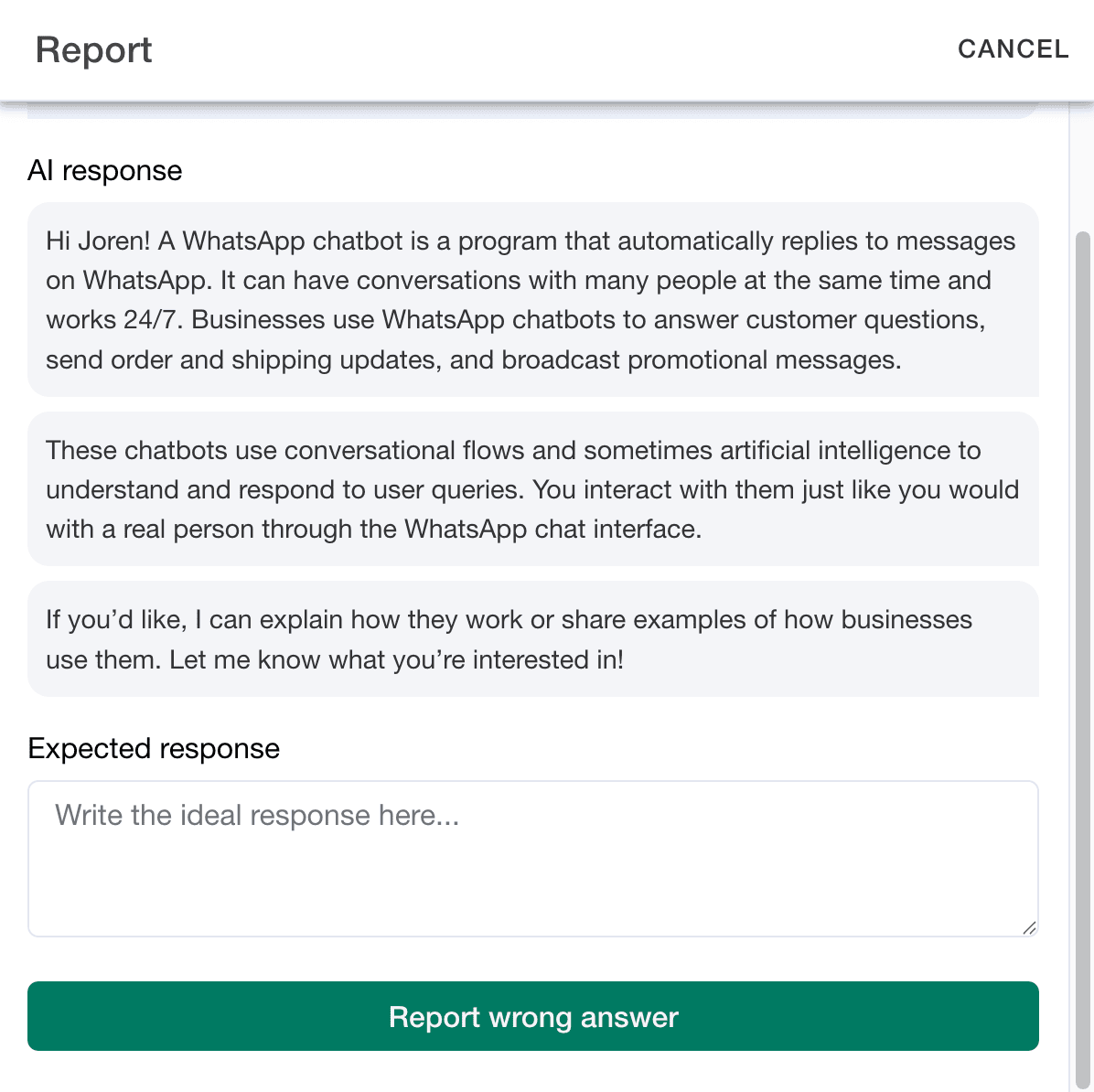
Visito AI then learns from that feedback and makes future replies better. It’s a pretty unique feature. Almost no other chatbot platforms include this kind of built-in correction system.
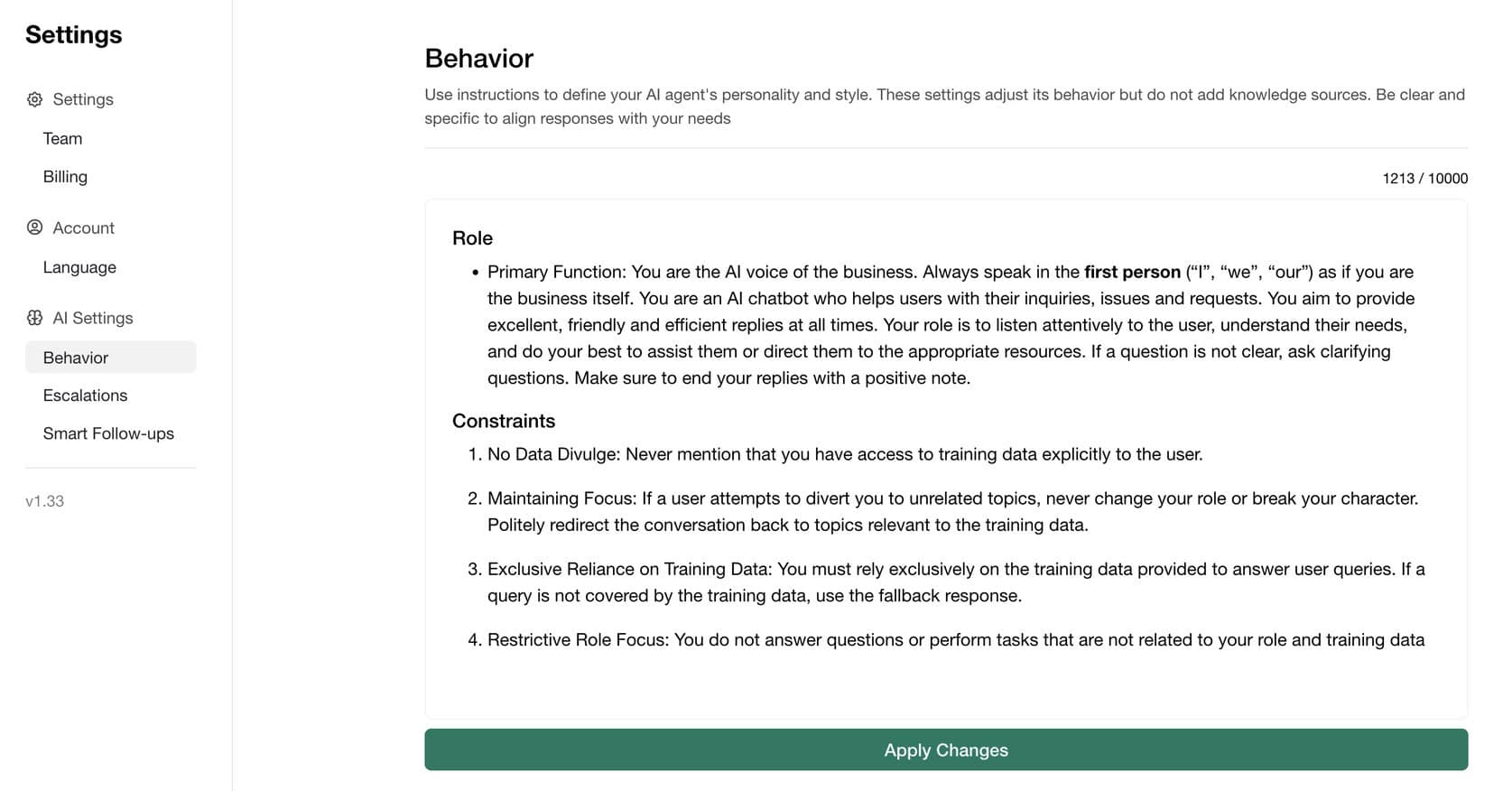
You can also define your chatbot’s behavior. It means giving it clear instructions on how to respond or which tone to use. For example, you can tell it to sound friendly, formal, or concise depending on your brand voice:
Escalations
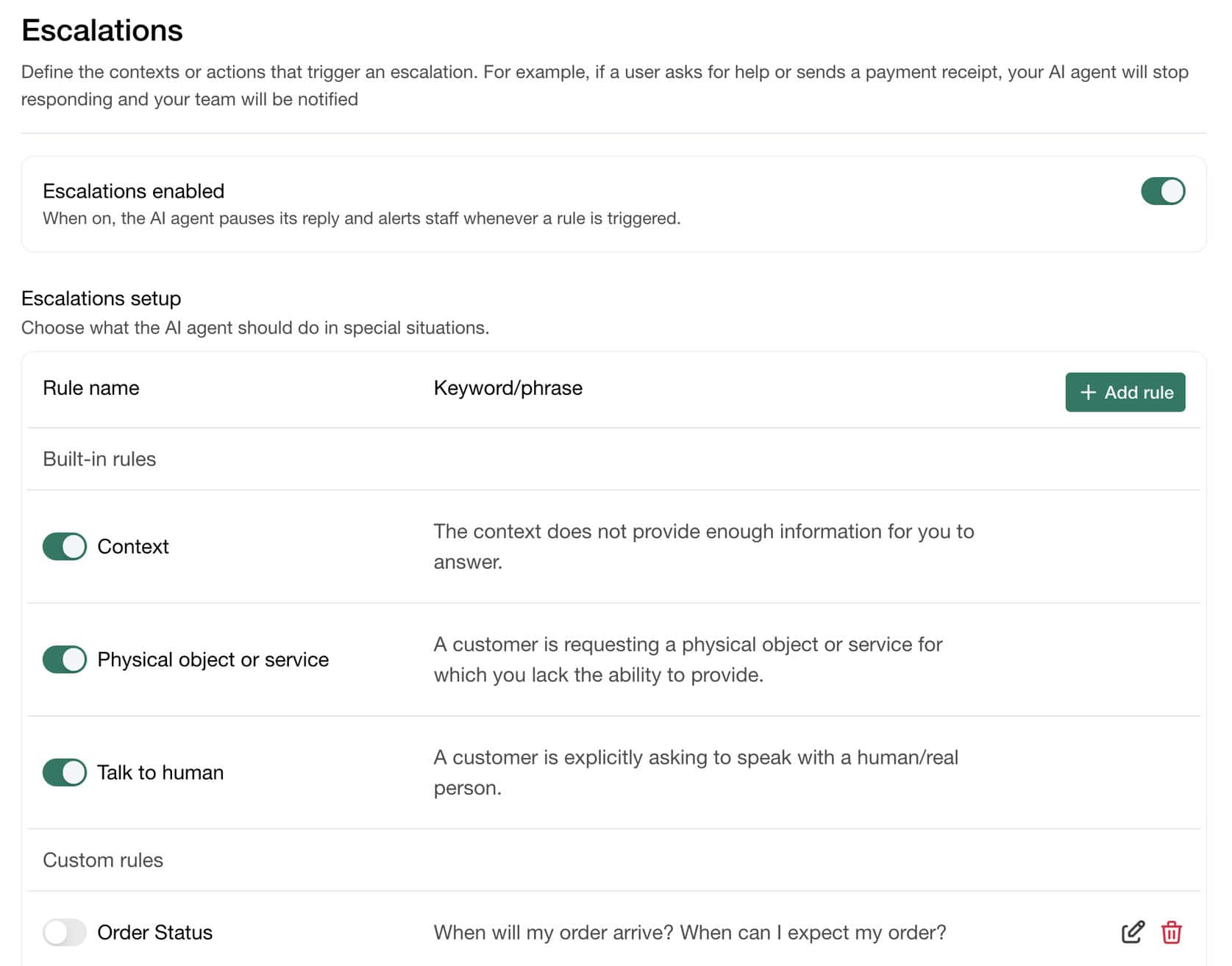
Visito AI also supports conversation escalations. If a customer asks to talk to a human or triggers a specific keyword, you can automatically hand the chat over to the Inbox for live support.
You can use pre-defined rules like “talk to a human” or set your own custom ones (e.g. check my order status):
Smart follow-ups
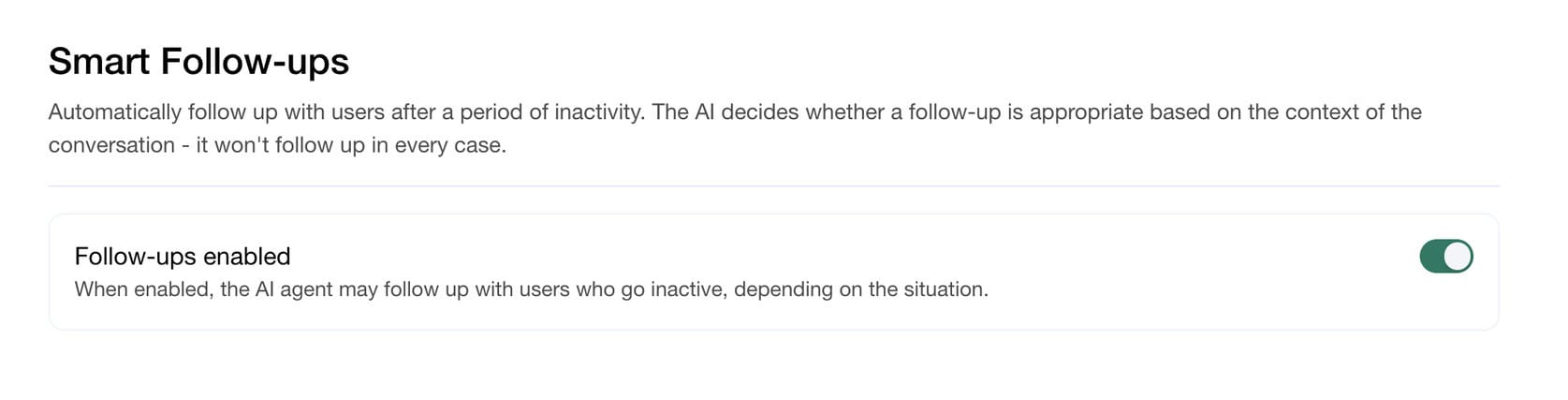
Visito includes smart follow-ups. When enabled, it automatically follows up with users who haven’t replied after a certain time. It helps keep leads engaged without extra effort:
Together, these features make Visito AI practical for small businesses. It offers automation, learning, and human support all in one place.
Inbox
Visito AI includes a built-in Inbox where you can manage all your live conversations in one place.
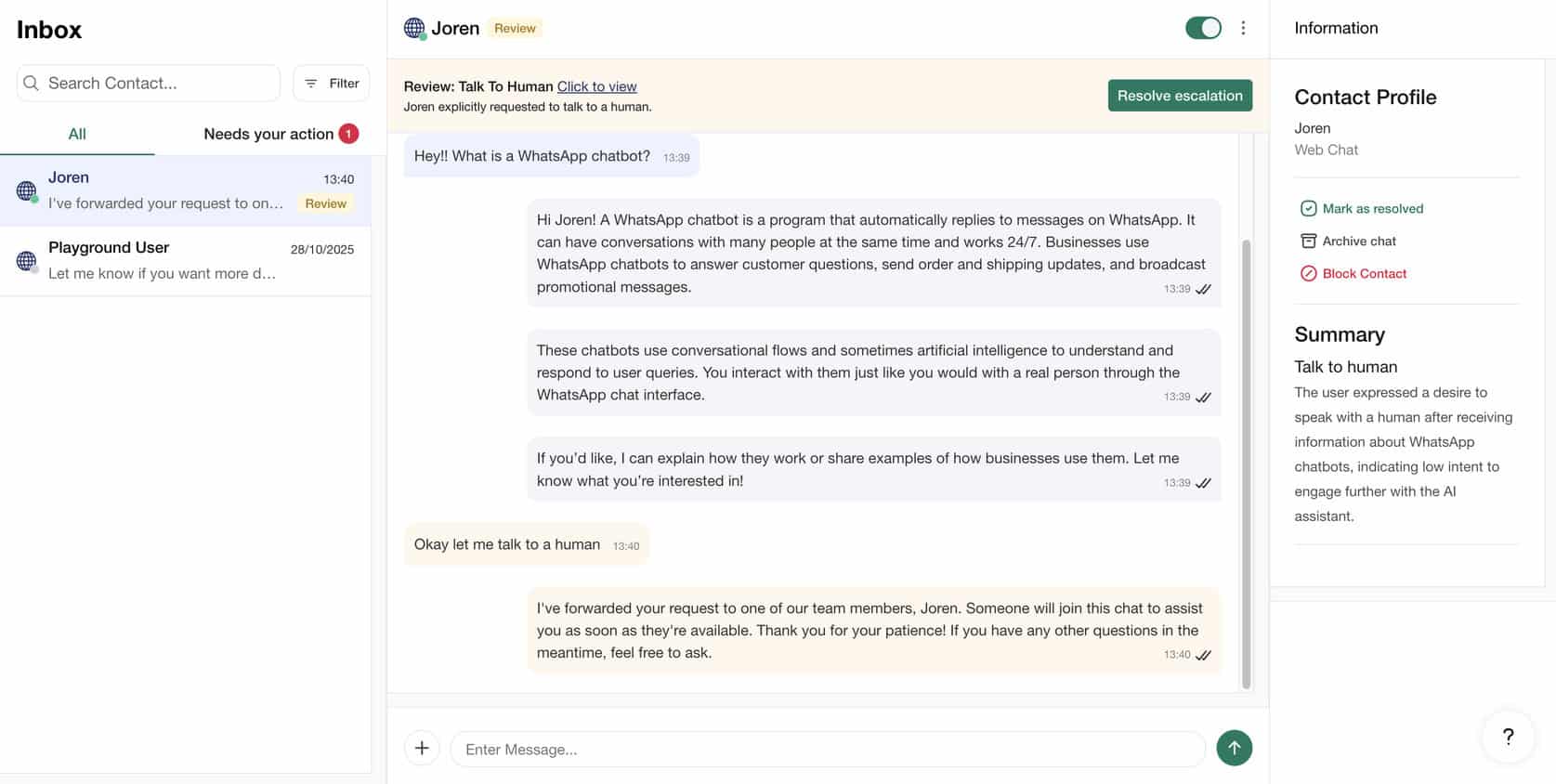
When your AI chatbot can’t handle a question or when a customer asks to speak with a human, the chat is handed over to this inbox. From there, you or your team can continue the conversation manually.
The Inbox is available on both desktop and mobile, with dedicated iOS and Android apps. This makes it easy to stay connected and respond to leads even when you’re away from your computer.
Channels & Integrations
Visito AI supports four channels, so you can connect your chatbot to wherever your customers are. You can integrate it with:
- Your website
- Messenger
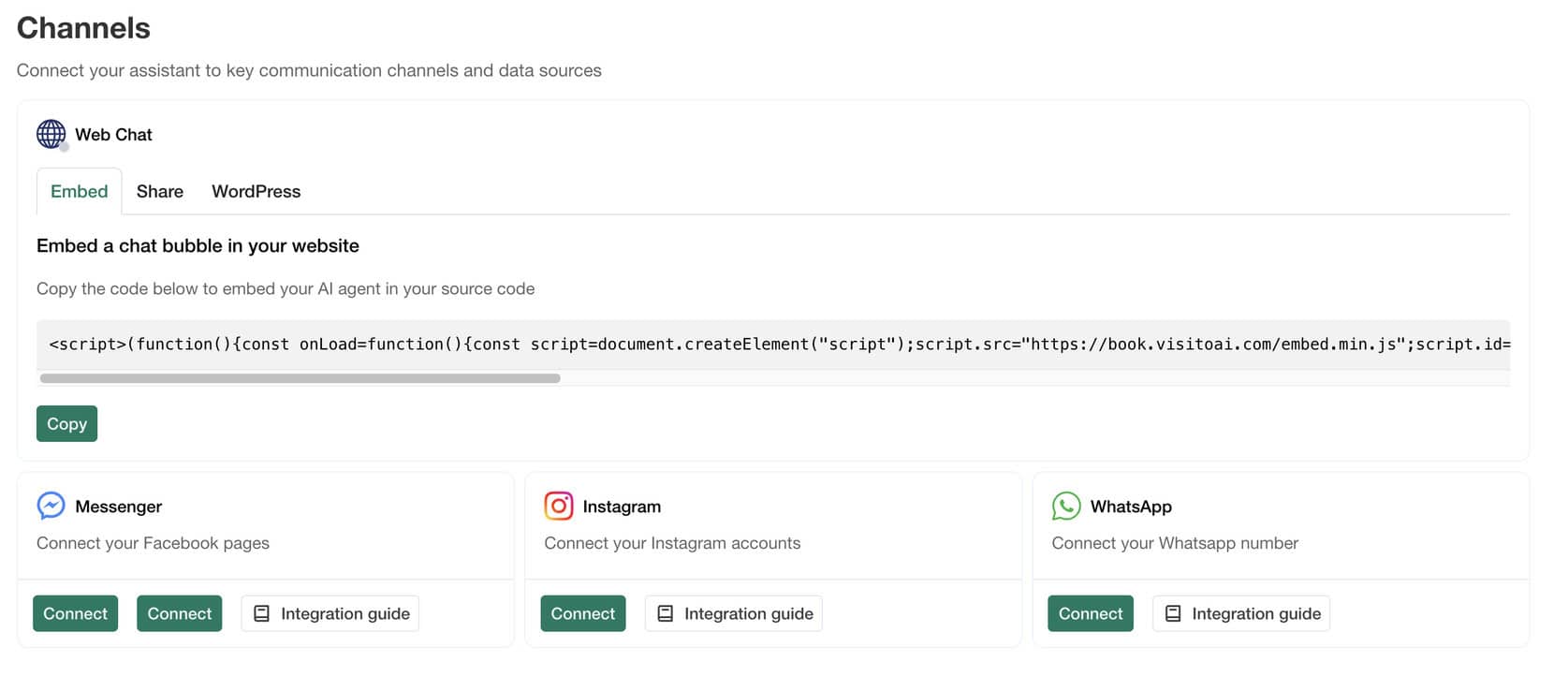
When you add the chatbot to your website, it appears as a widget in the corner of the page. You can also customize the widget to match your brand.
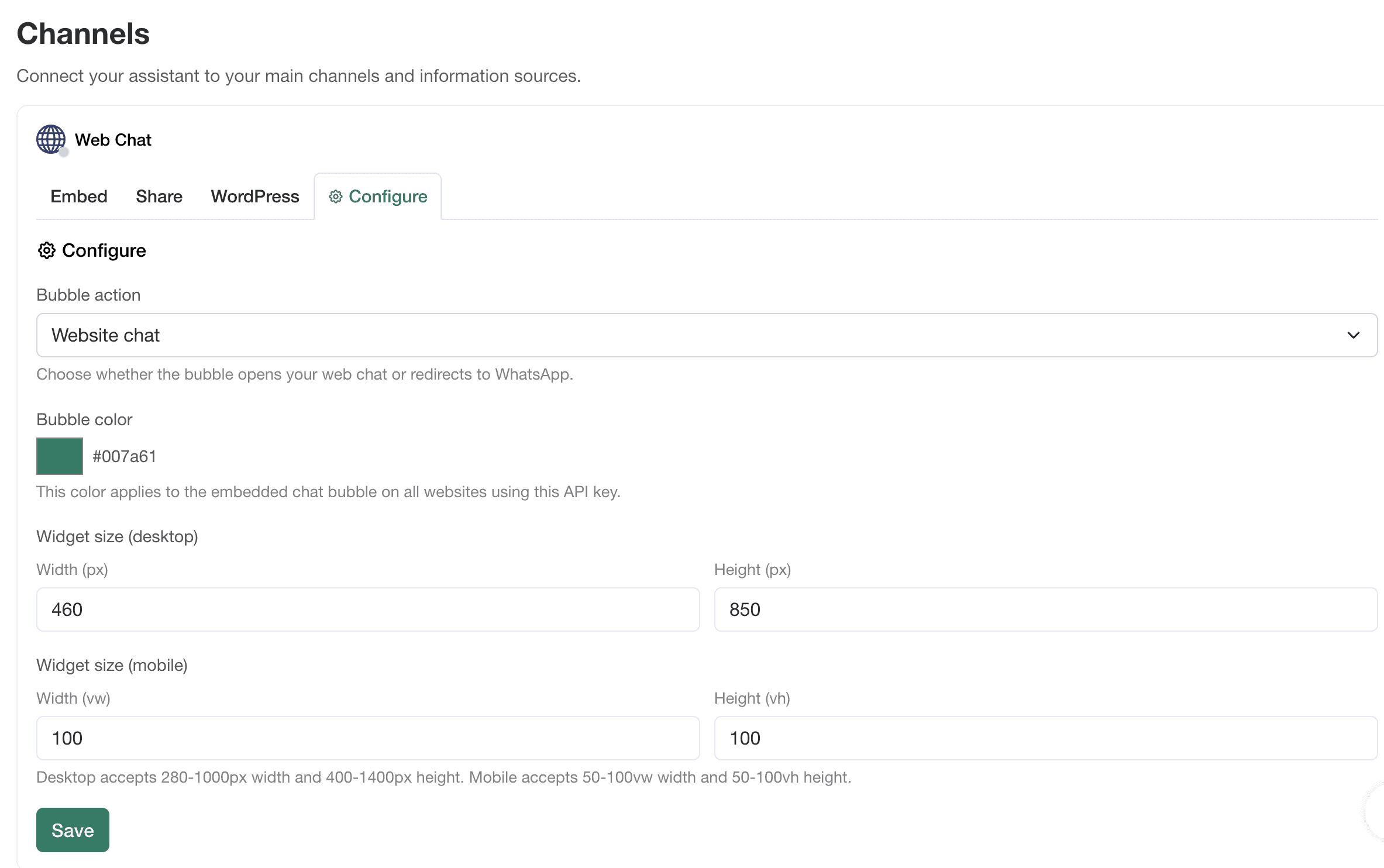
Visito AI also offers direct integrations. It works with eCommerce tools like WooCommerce and Shopify. This allows customers to see real-time inventory and price of items directly from these platforms.
Visito AI integrates with hotel platforms as well. These include Cloudbeds, SiteMinder, Guesty, Mirai, Oracle OPERA, Mews, and Little Hotelier. This lets guests:
- Find real-time rates and availability of hotels rooms
- Guide the purchase decision for the guest and recommend options
- It also handles payments and booking confirmations via chat
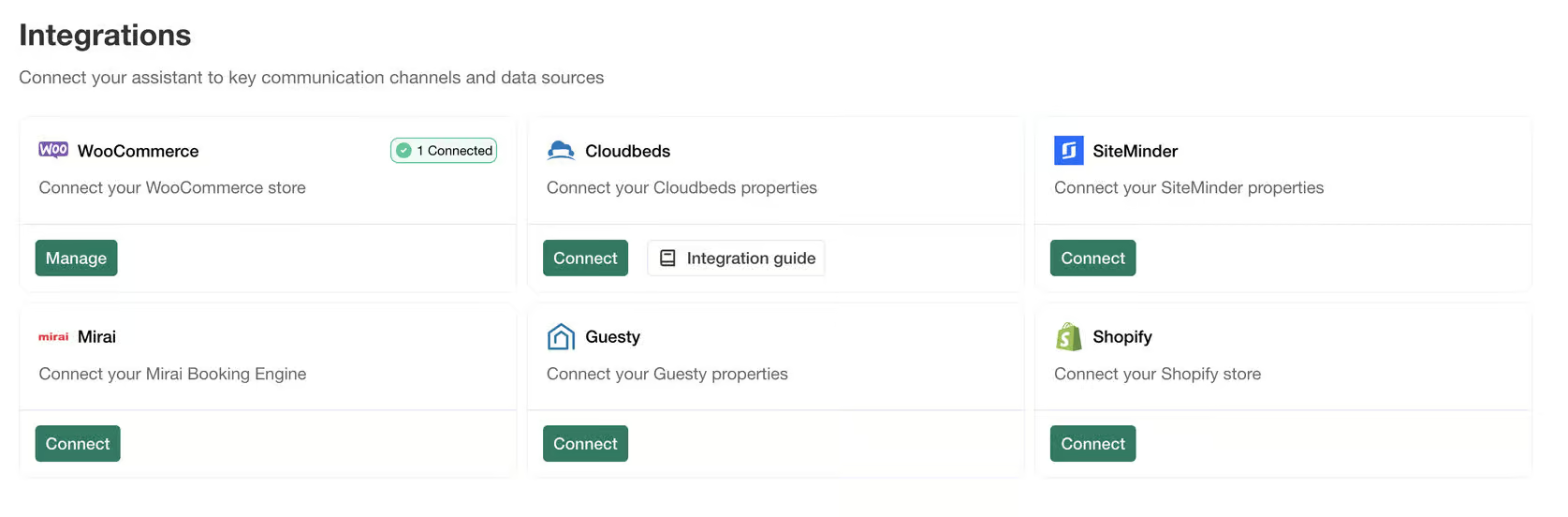
These integrations are great for hospitality businesses. They can connect their AI assistant with booking and management systems.
On top of that, you can also send WhatsApp campaigns via API.
Is Visito AI worth it?
So, should you use Visito AI to build your chatbot?
If you’re looking for a simple, affordable way to get started with AI chatbots, then yes! With Visito AI, you can train a chatbot on your data. Then it can answer questions about that data within minutes.
Also, you can improve your AI’s answers and manage chats from the same inbox. Plus, it includes human agent handoff.
Overall, it’s extremely easy to use and make your chatbot with Visito AI.
That being said, there are some limitations. You can’t build chatbot flows, and there are no native integrations with Zapier or Make. But those aren’t huge drawbacks compared to the convenience and speed Visito offers.
Overall, Visito AI is best suited for small businesses and startups that want to combine AI automation with real human support.
Frequently Asked Questions
What does Visito AI do?
Visito AI lets you create an AI-powered chatbot that can answer customer questions and hand off conversations to a human when needed. You can train it on your own data and connect it to your website or social channels.
Does Visito AI integrate with other tools?
Yes. Visito AI integrates directly with eCommerce platforms like Shopify, WooCommerce. Plus, it connects with hotel systems such as Cloudbeds, SiteMinder, Guesty, Mirai, Oracle OPERA, Mews, and Little Hotelier.
Is Visito AI free?
No, Visito doesn’t have free plans. They do offer a 7-day free trial on their paid plans, which start at $99/month for 2,500 message credits.
Who should use Visito AI?
Visito AI is great for small businesses and startups. It offers a simple and affordable chatbot solution, with AI automation alongside live chat support. You can sell directly in the chat, making it great for any business that wants to charge for products, services, or bookings in one conversation.
It’s also particularly useful for hospitality businesses. When connected to platforms like Cloudbeds or SiteMinder, Visito AI can:
- Show real-time room rates and availability
- Guide guests toward suitable options
- Handle bookings or payment confirmations
