


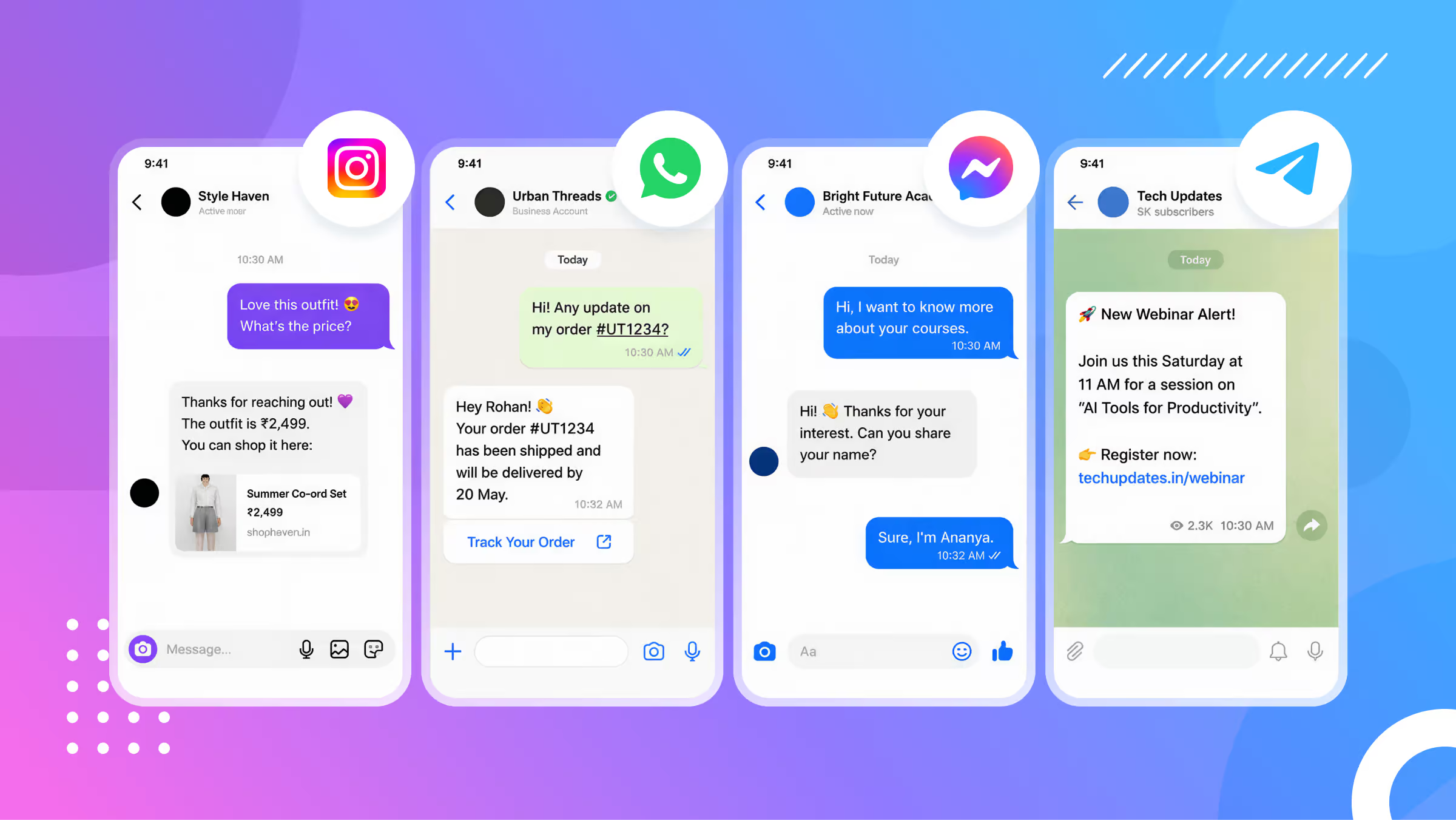
Every day, billions of people scroll Instagram, Facebook, WhatsApp and Telegram. And most businesses are still replying to every comment and DM by hand.
That’s a problem.
While you’re busy or asleep, potential customers are messaging you. And they’re not getting any responses.
A social media chatbot fixes that. It replies to comments and messages automatically, the moment they come in. And it does it on platforms your audience already uses every day.
I’ve been building social media chatbots for 7 years, for hundreds of clients. A recent one, Claire, collected over 2,600 emails from a single Instagram funnel, at a 77% conversion rate.
In this guide, I’ll show you how social media chatbots work and the different types you can build. Then I’ll cover the main benefits, the most useful use cases, and the 5 best platforms in 2026.
Let’s get started!
What Is a Social Media Chatbot?
Simply put, a social media chatbot is a program that automatically replies to comments and messages on social platforms. That includes apps like Instagram, Facebook, and WhatsApp.
When someone messages you or leaves a comment, the chatbot automation sends a response on its own. No human needed.
This is different from a chatbot on your website.
- A website chatbot only works when someone visits your site
- A social media chatbot lives inside the apps your audience already opens dozens of times a day
And that’s exactly why they convert so well. People don’t have to leave their feed, click a link, or go to a new page.
The whole conversation happens right where they already are. There’s no friction.
Types of Social Media Chatbots and How They Work
Not all chatbots work the same way. To pick the right one, it helps to understand how chatbots work under the hood. There are three main types, and each one fits a different job.
Rule-Based Chatbots
Let’s start with the simplest type. A rule-based chatbot follows flows you build in advance. It reacts to specific keywords, button clicks, or comments.
The bot only does what you’ve told it to do. If someone types something off script, it can’t reply. There’s no real understanding here, it’s just matching to predetermined triggers.
That’s limiting in a way, but it’s perfect for predictable, repetitive tasks. The typical, common ones are:
- FAQ answers
- Comment-to-DM lead funnels
- Order status replies
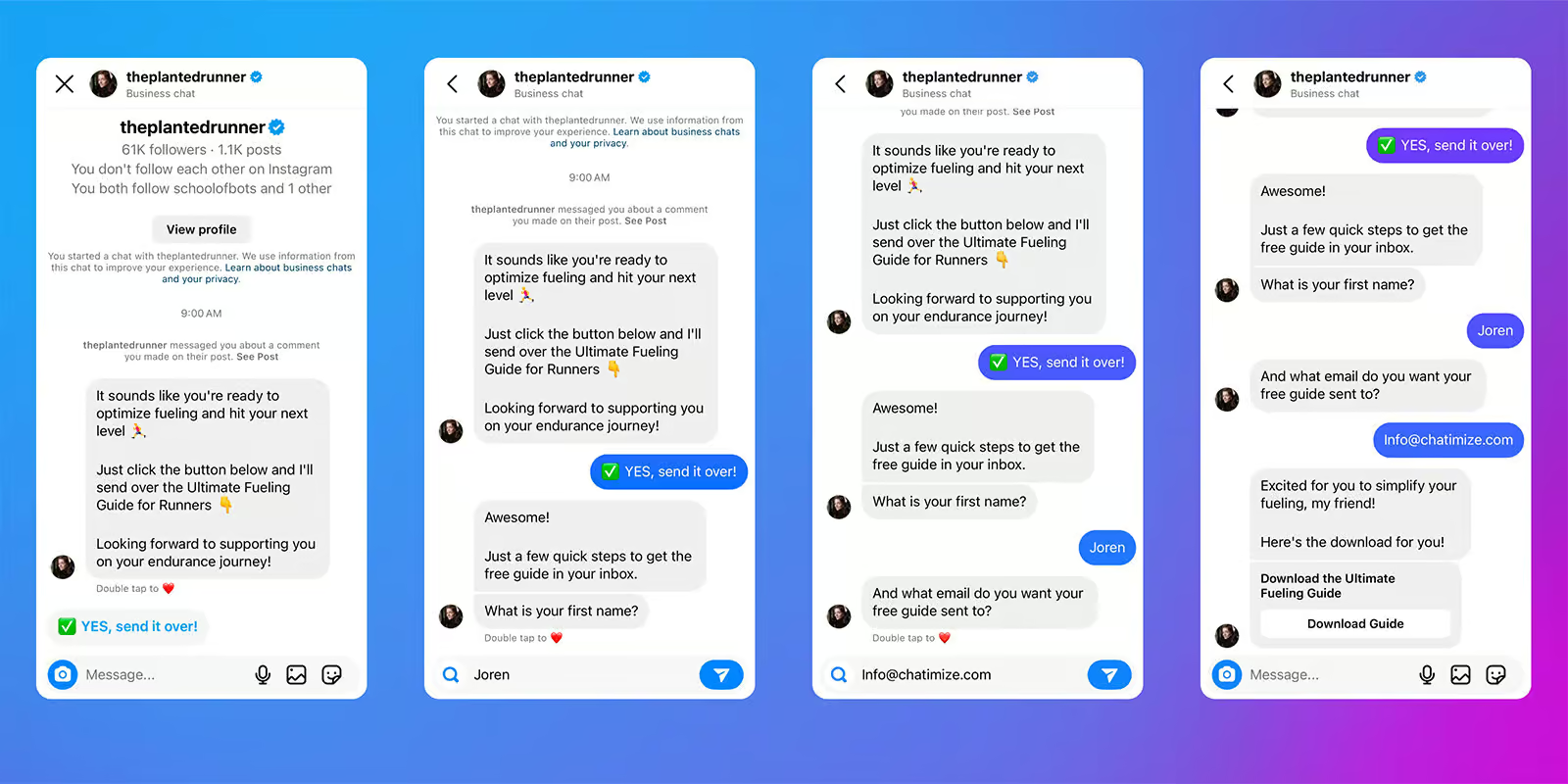
For example, my client Claire Bartholic (@plantedrunner) posts on Instagram and asks people to comment a keyword like “GUIDE.” When they do, the bot sends them a DM and collects their email. With this automation, Claire collected over 2,600 emails.
AI Chatbots (LLM)
An AI chatbot works very differently. Instead of following fixed flows, it’s trained on your own data:
- Your website
- Your documents
- FAQs
Then it generates its own answers based on what someone actually asks.
It doesn’t need an exact keyword to respond. Someone can phrase a question in their own words, and the bot still understands. So it’s great for:
- Customer support
- Product questions
- Open-ended conversations.
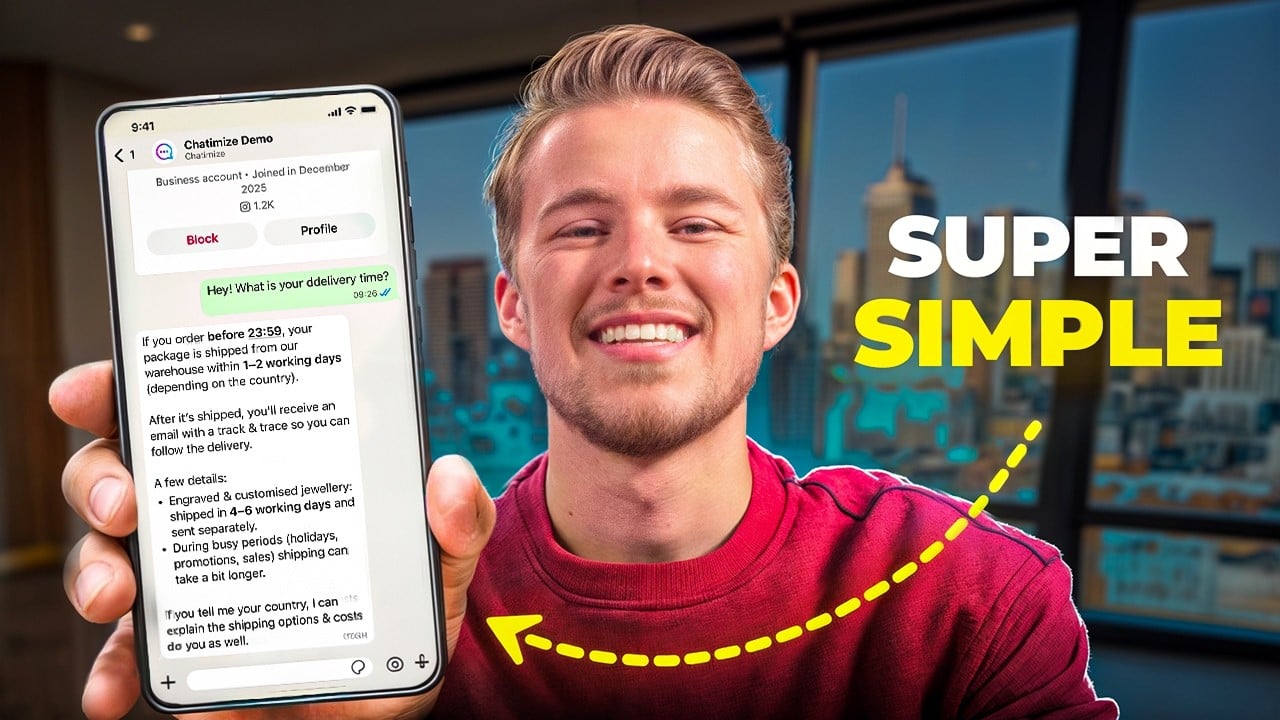
Chatbase is a great example. You feed it your data, and then it can answer questions about that data across your social channels. And it only takes a few minutes.
AI Agents
AI agents go a step further. Instead of simply answering questions (like LLM AI chatbots), AI agents can take actions. They can do things.
A single AI agent can:
- Qualify a lead
- Book an appointment
- Update your CRM
- Trigger workflows in other tools
And it does all of this without a real person stepping in.
So they work best for sales automation and high-volume lead qualification. The bot handles the work that used to need a human on your team.
A good example is the Instagram AI Setter we built for clients. It:
- Talks to new leads
- Figures out if they’re a good fit
- Books a call straight into the calendar
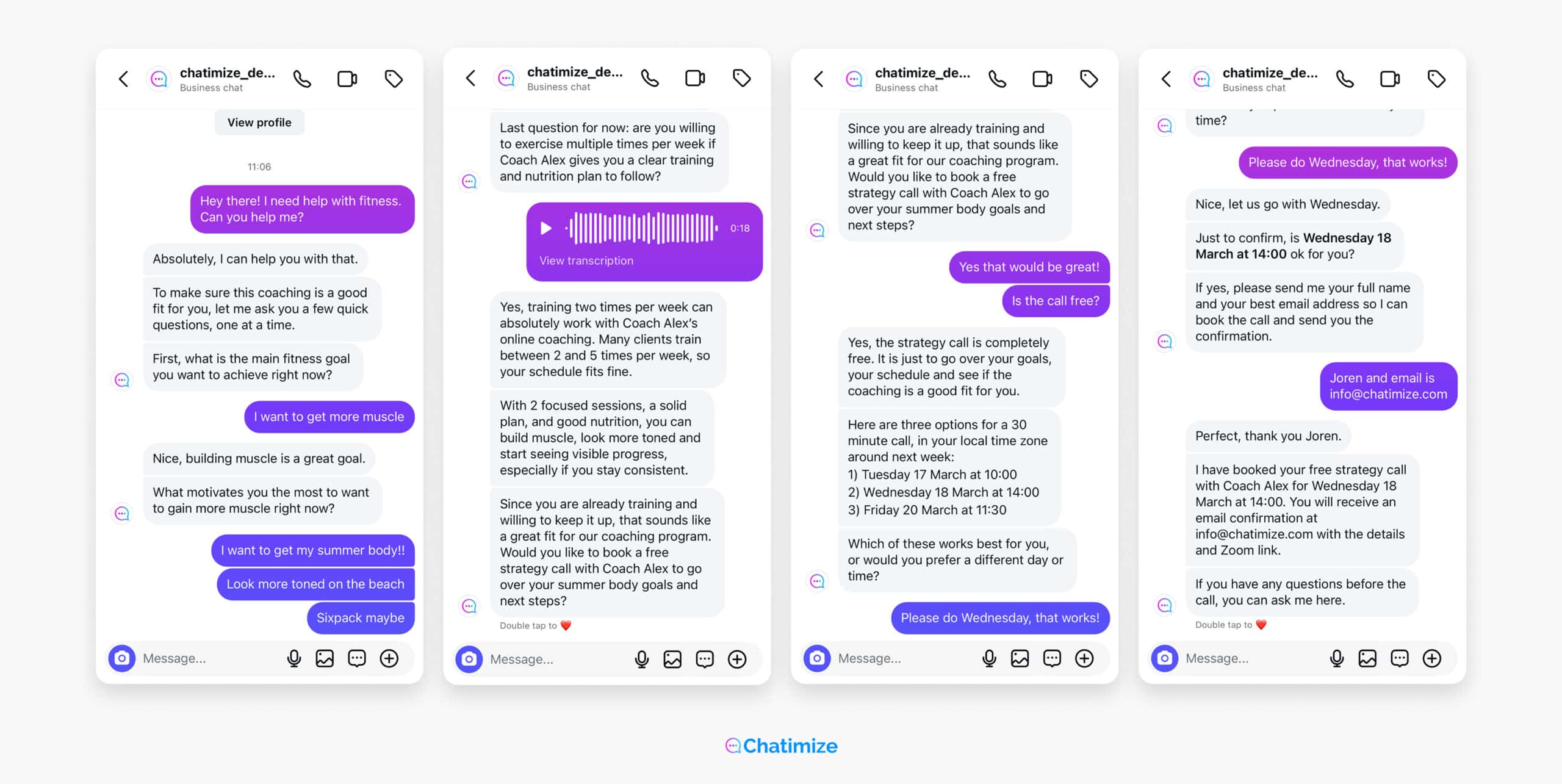
Here’s a full walkthrough of how it works:
Read more: FAQ Chatbot
Benefits of Chatbots for Social Media
So what do you gain by using chatbots?
Here are the four biggest benefits I’ve seen over my years of working with clients across various industries.
They Work 24/7, On Every Channel
Your audience doesn’t only message you during office hours. They comment at night, on weekends, and while you’re on holiday.
A chatbot replies instantly, consistently, at all times. And it does this across every channel at once.
They Convert Better and Capture Leads Instantly
Since the whole conversation happens inside the app, conversion rates are much higher than a normal landing page.
With my clients, we consistently see conversion rates above 50%:
- Claire’s funnel hit a 77% conversion rate
- Shruti Pangtey got a 58% conversion rate
- Tom from Gymtogether had a 75% conversion rate
On top of that, leads get captured the second someone replies. No waiting, no lost interest. You can see more of these results in my Instagram chatbot examples.
They Reduce Manual Work
Answering the same questions manually takes hours every week. A chatbot takes that off your plate.
It handles the repetitive replies automatically. That frees up your social media team for the conversations that actually need a human.
They Keep Your Brand Voice Consistent
When five different people reply to customers, you get five different tones. A chatbot fixes that.
It says the right thing the same way every time, on all channels. It’s consistent.
Of course, while the benefits are big, chatbots aren’t perfect. And as with anything, there are chatbot pros and cons worth acknowledging.
Main Use Cases
Now that we’ve seen practical examples, let’s go over how they’re used.
Most social media chatbot use cases fall into one of five main areas:
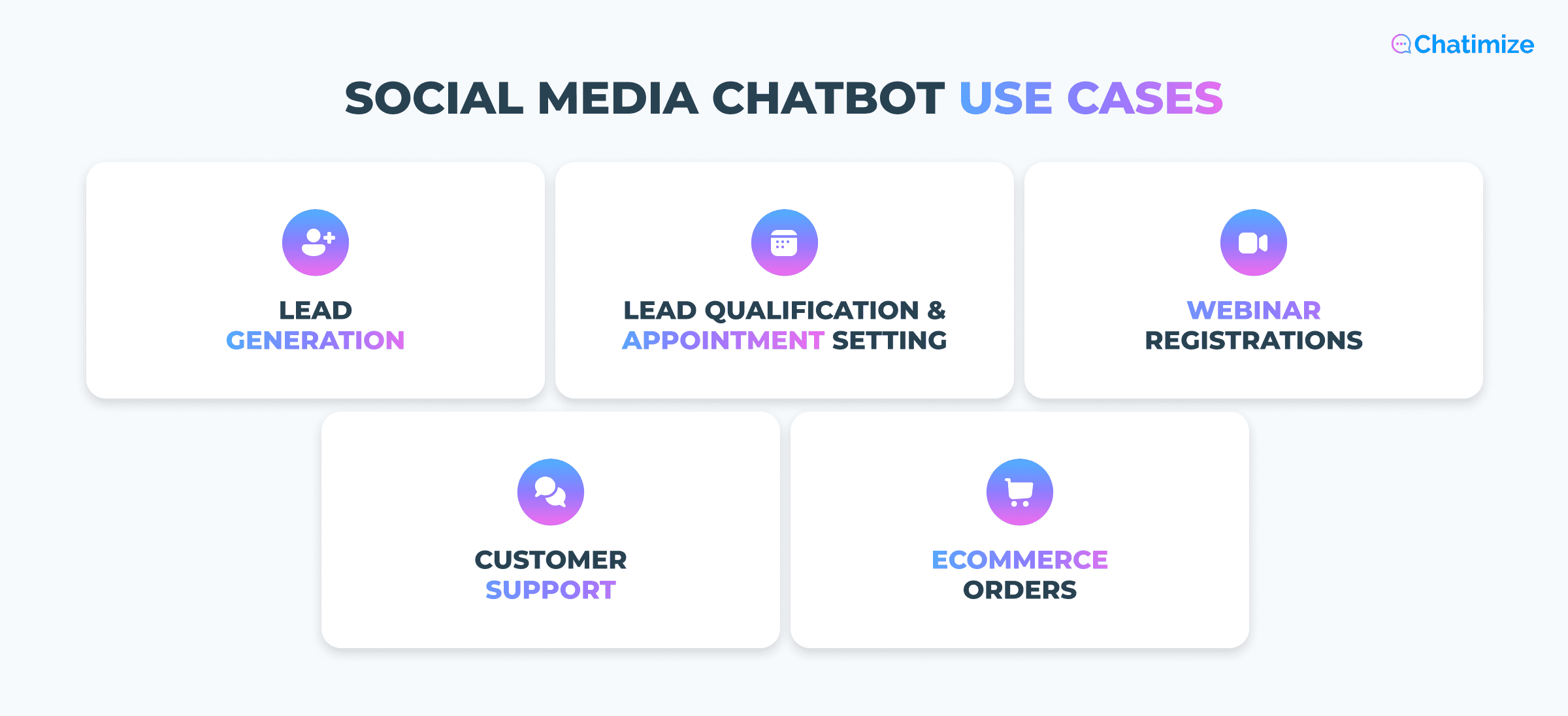
I’ll go over them one by one.
Lead Generation and Email List Building
This is the most popular use case by far. You post content, ask people to comment a keyword, and the bot DMs everyone who does to collect their email.
It turns a single post into a constant stream of leads that runs on its own.
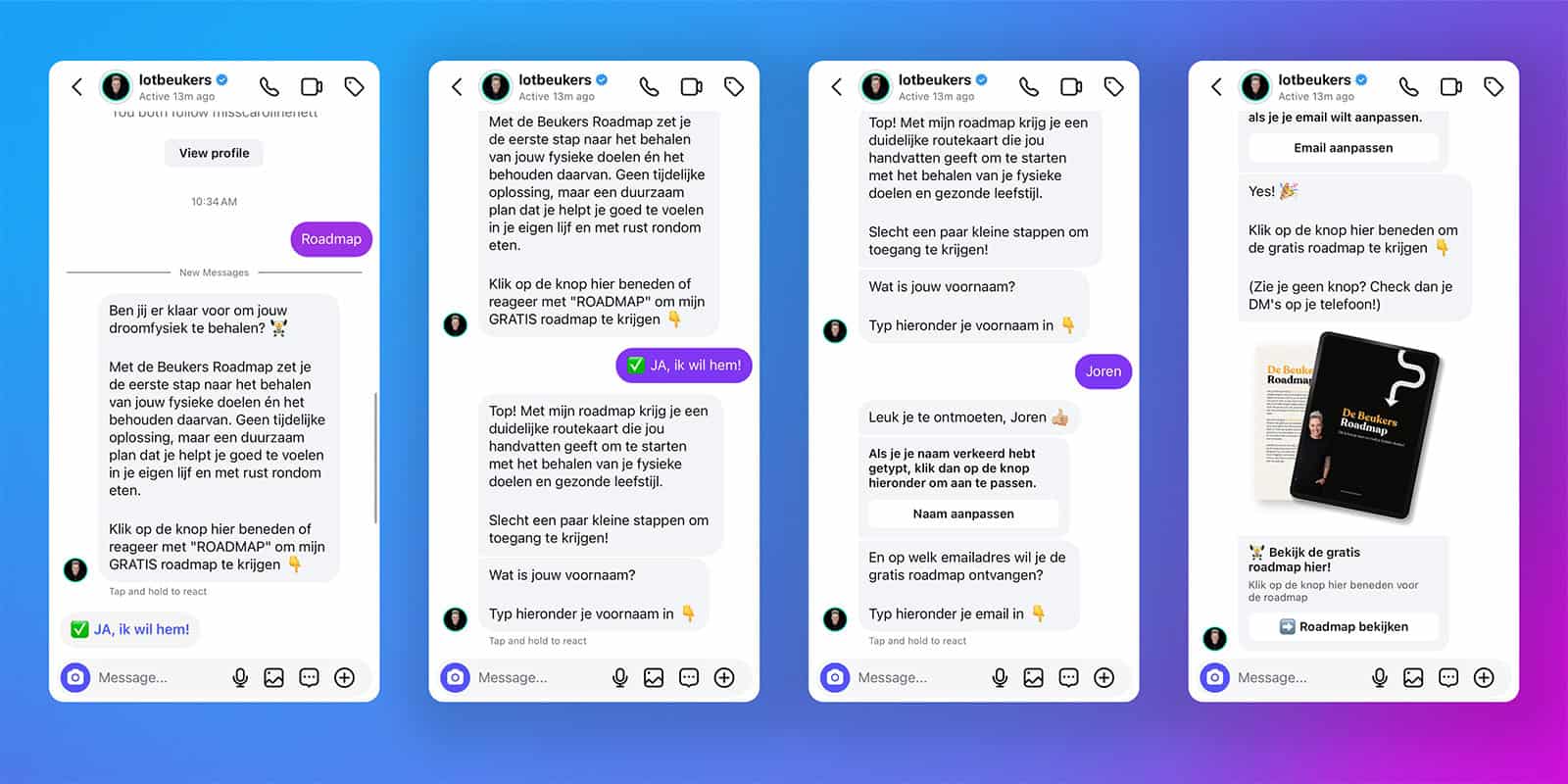
For example, this is a lead generation funnel we built for Lot Beukers that collected 2,840 leads. Every time someone commented “Roadmap” on her post, the automation would start:
Lead Qualification and Appointment Setting
After capturing a lead, the next step is to qualify it. An AI agent can:
- Ask the right questions
- Figure out if someone’s a good fit
- Book a call automatically
For example, this AI Setter automatically qualifies leads and books appointments without a human:
Webinar Registrations, Follow-Ups, and Reminders
Chatbots are also great for filling up a webinar. They:
- Sign people up
- Confirm their spot
- Send reminders so the no-shows are reduced
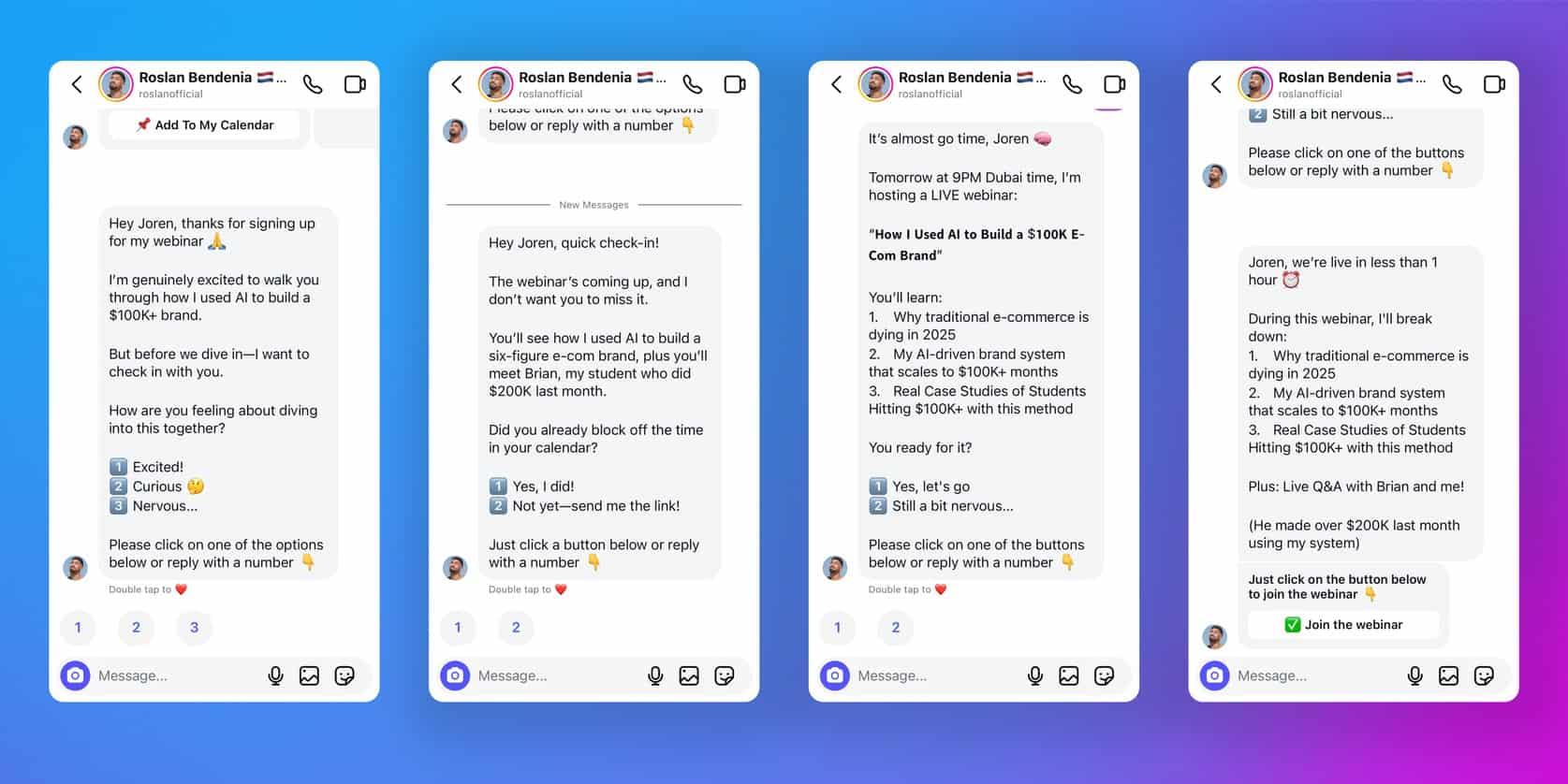
For example, we built a webinar registration funnel for my client Roslan Bendenia. The funnel collected 525 webinar signups with 45% show-up rate:
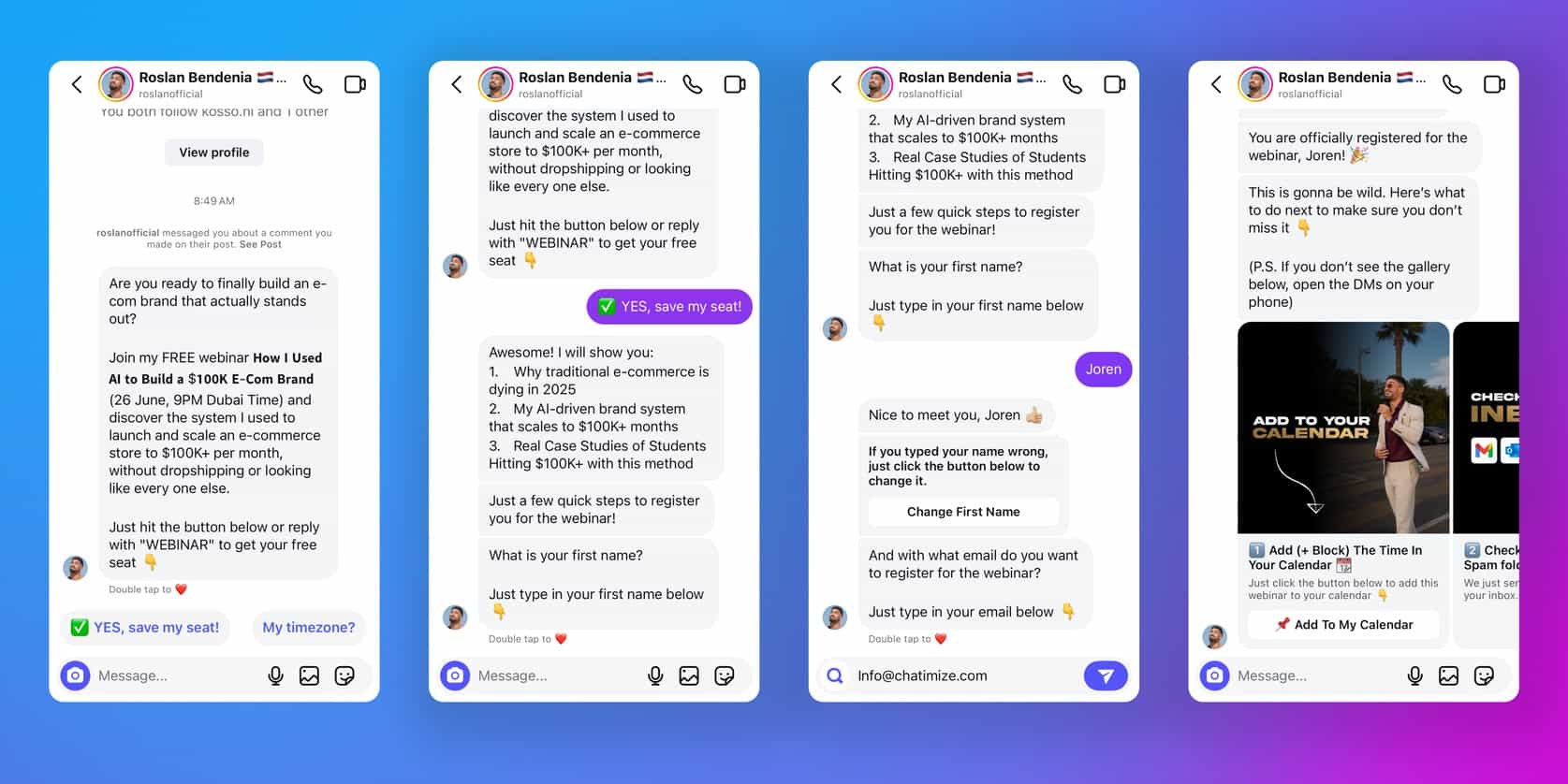
To increase the show-up rate, we sent reminders after the signup, a day before the webinar and an hour before the webinar:
Customer Support Automation
Most support questions are the same few things asked over and over. A chatbot answers them instantly on WhatsApp, Instagram DMs, and Messenger.
Customers get a reply in seconds instead of waiting hours. And your team only steps in for the questions that really need a person.
eCommerce Order Management and Product Recommendations
For online stores, a chatbot handles the everyday shopping questions. It can:
- Check order status
- Suggests products
- Help customers find what they need
For example, here’s how my client Burker uses a chatbot to handle order management on Instagram. When a customer asks about their order status, the chatbot gets their order number, and gives the answer: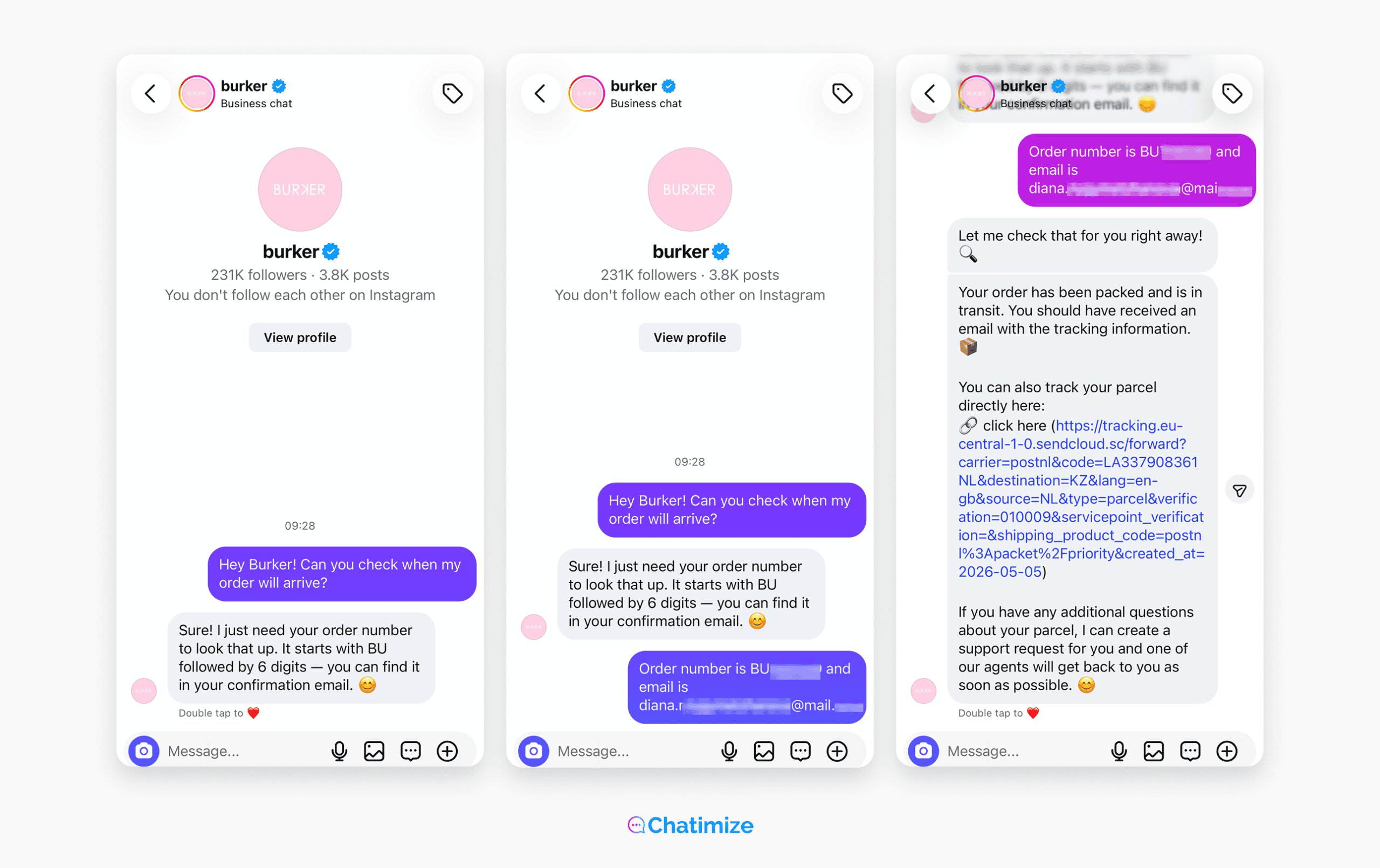
Best Social Media Chatbot Platforms
There’s no one best social media chatbot platform for everyone.
Some platforms are better for marketing automation. Others focus more on eCommerce, or offer great benefits for big support teams.
After testing more than 200 chatbot platforms over the last 7+ years, these are the five best social media chatbot platforms I’d pick in 2026.
Each one is the best at a different thing, so the right pick depends on what you’re trying to do.
5 Best Social Media Chatbot Platforms: Quick Overview
| Name | Rating | Pricing | Best For |
|---|---|---|---|
 Manychat Manychat | 4.5/5 ★ | Free plan; paid plans start at $17/month | Marketing automation on Instagram, WhatsApp, and Facebook |
 UChat UChat | 4.6/5 ★ | Free plan; paid plans start at $15/month | Omnichannel social media bots across 13 channels |
 Chatbase Chatbase | 4.5/5 ★ | Free plan; paid plans start at $40/month | AI-powered support on social channels without building flows |
 Tidio Tidio | 4.3/5 ★ | Free plan; paid plans start at $29/month | eCommerce brands that need AI-powered customer support on social channels |
 Freshdesk Freshdesk | 4.5/5 ★ | Starts at $35 per agent/month; 14-day free trial | Large support teams managing social media conversations at scale |
1. Manychat
Best for: Marketing automation on Instagram, WhatsApp, and Facebook
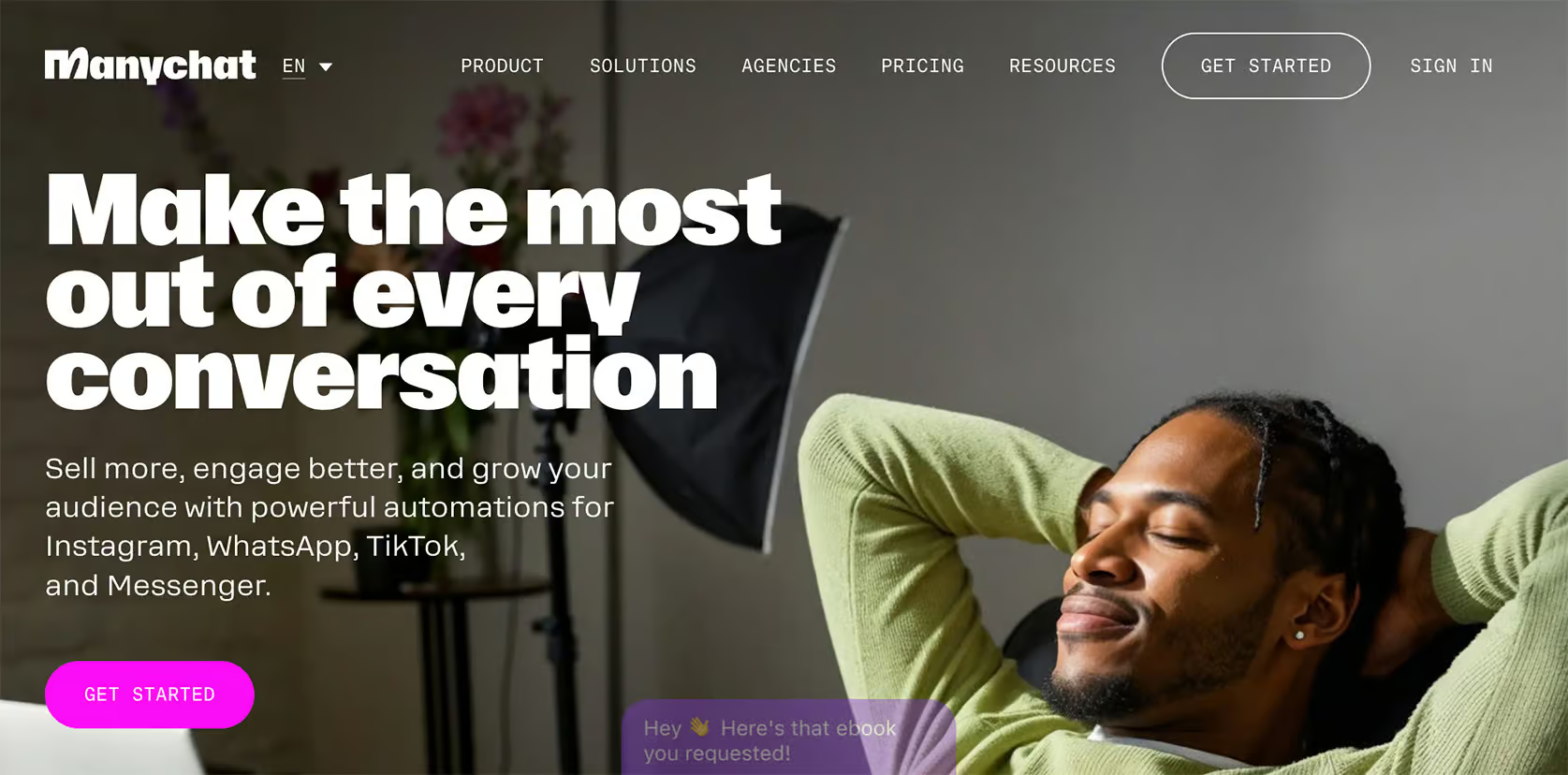
Manychat is great if you want to turn social media engagement into leads. Its comment-to-DM funnels and broadcast tools are super useful this.
We built a webinar funnel for my client Brian that pulled in 2,055 registrants. And Claire’s lead funnel, mentioned earlier, ran entirely on Manychat.
Key strength: Generating leads on social media
Limitation: AI Features are a bit limited
Pricing: Free plan up to 25 contacts, Paid plans start at $17/month
If you want to get started with Manychat, click the button below to get my 100% discount code:
2. UChat
Best for: Omnichannel social media bots across 13 channels

UChat is built for businesses that live on many platforms. You build a single chatbot and publish it across 13 channels at the same time.
You set it up once and run it everywhere, instead of building separately for each platform.
Key strength: Create one chatbot and publish it across 13 channels
Limitation: Beginners can feel overwhelmed because of too many features
If you want to get started with UChat, click the button below to get my 100% discount code:
3. Chatbase
Best for: AI-powered support on social channels without building flows
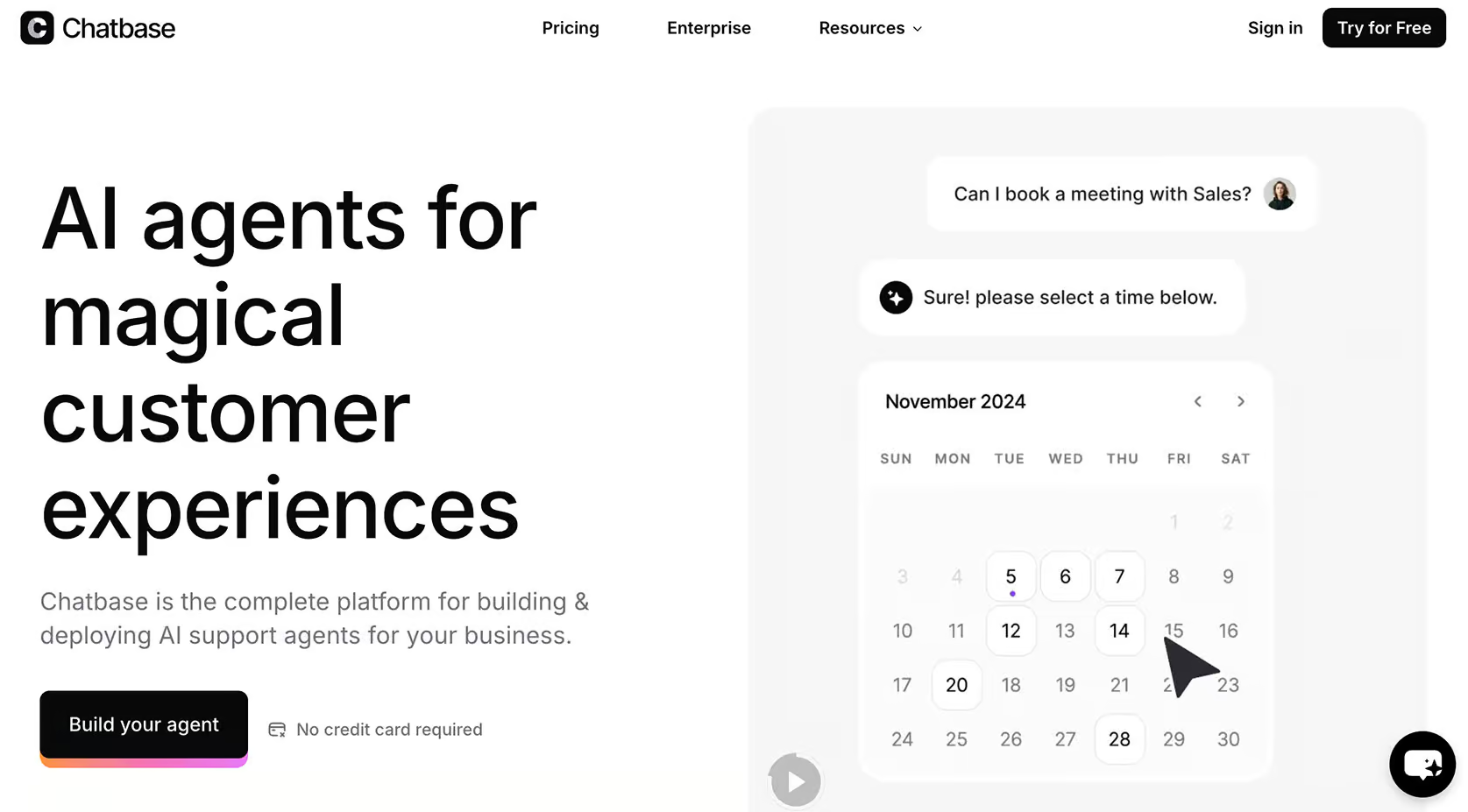
Chatbase is the easiest way to get an AI chatbot live quickly. You feed it your data, and it answers customer questions automatically on Instagram, WhatsApp, and Facebook.
There are no flows to build and no keywords to map.
Key strength: Super beginner-friendly, you can set up AI Agent in less than 10 minutes
Limitation: No marketing automation and built-in live chat
4. Tidio
Best for: eCommerce brands that need AI-powered customer support on social channels
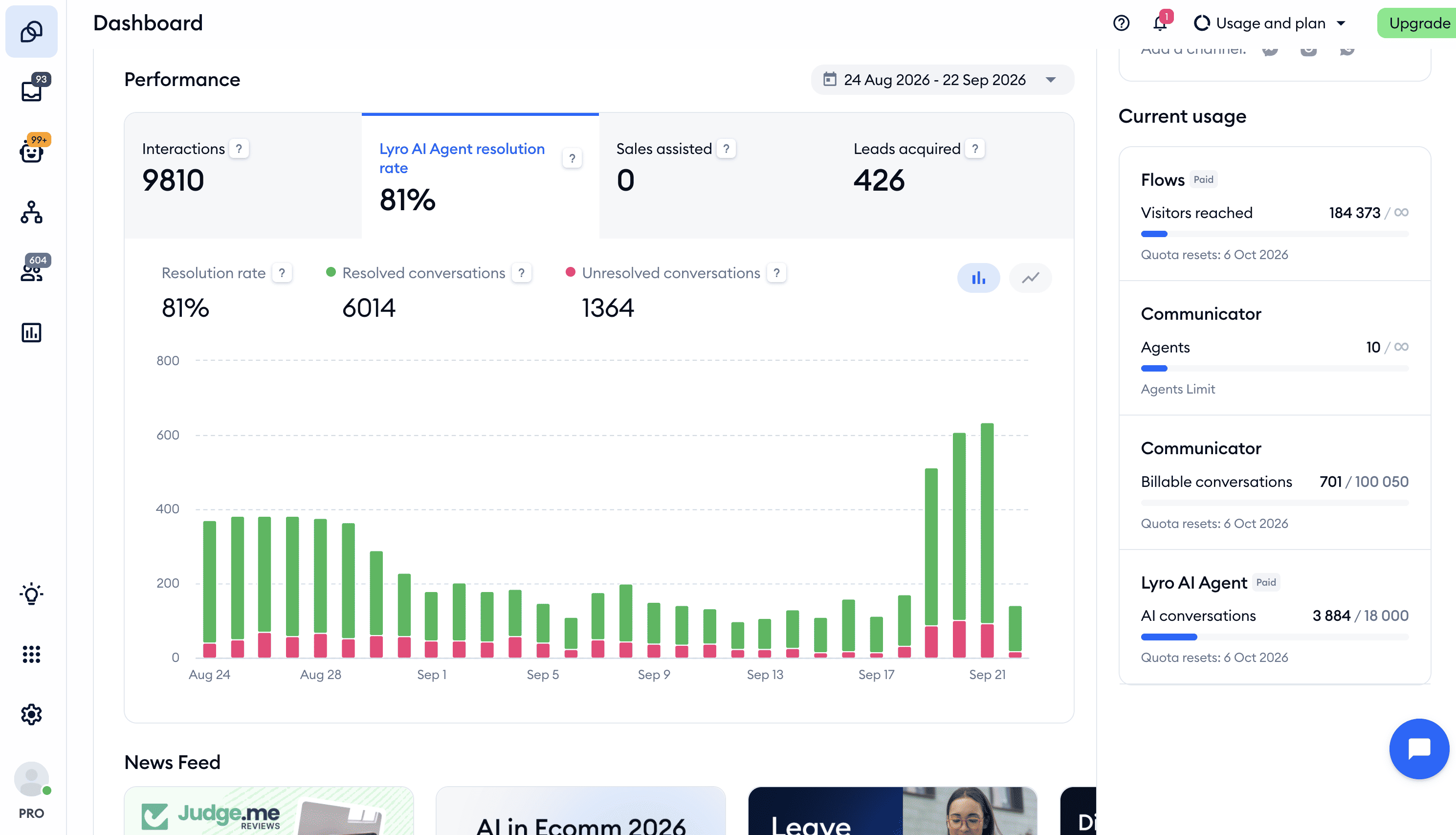
Tidio is great for online stores that need AI-powered customer support on social channels. Its AI agent, Lyro, learns from your website and your store’s products, and answers customers on Instagram, Facebook Messenger and WhatsApp as well as on your website. That makes it good at product questions, order status and questions about your return policy.
Key strength: AI-powered customer support for eCommerce brands
Limitation: No automatic replies to Facebook or Instagram comments, and no WhatsApp broadcasts
Click the button below to get 20% off on all Tidio plans:
5. Freshdesk
Best for: Large support teams managing social media conversations at scale
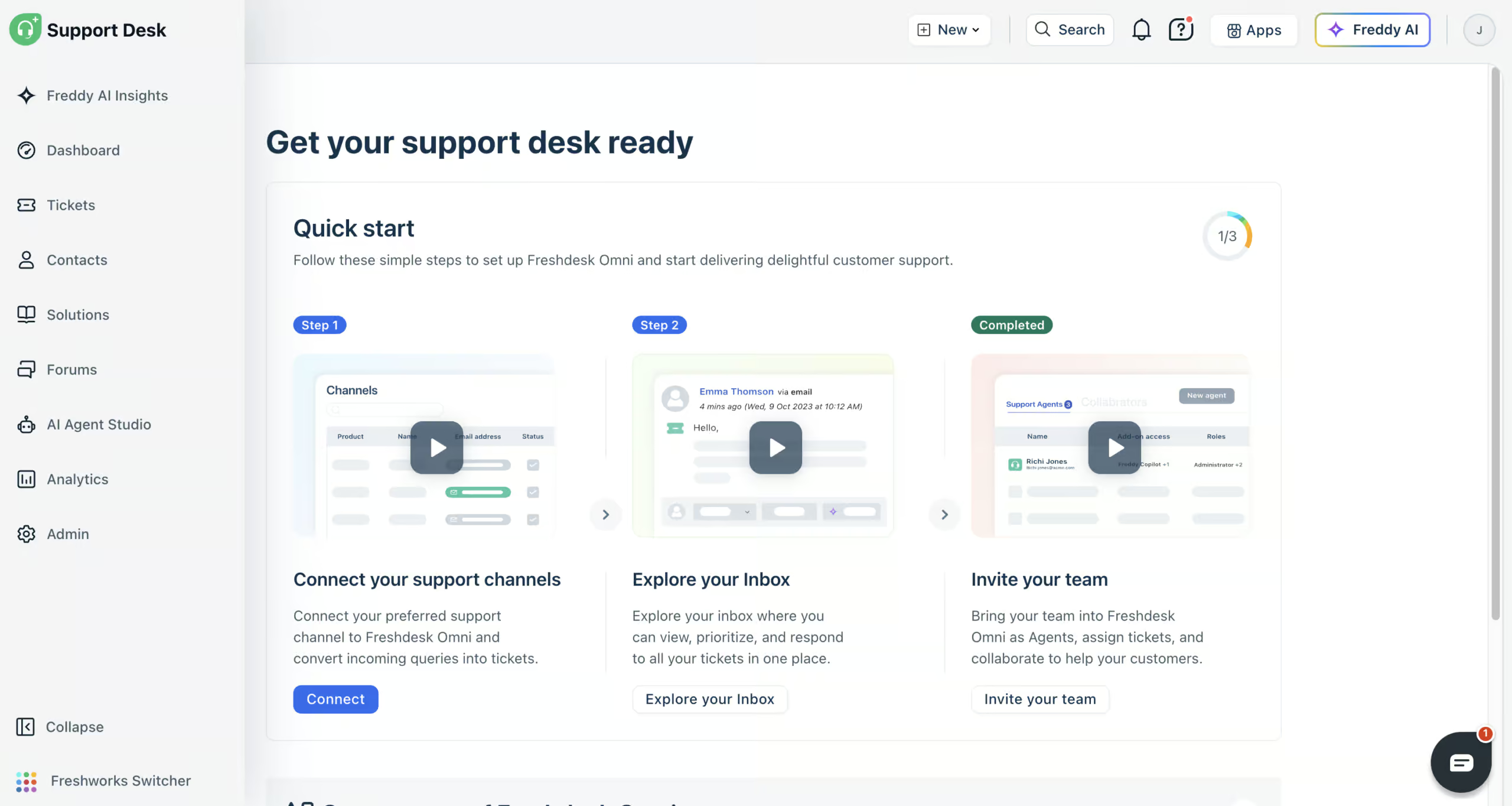
Freshdesk (formerly Freshchat) is the most enterprise-ready option here. Its Freddy AI agents answer questions on WhatsApp, Instagram and Facebook, and hand anything they can’t solve to your team.
If you have a big support team and lots of messages, Freshdesk’s built-in help desk keeps every social conversation in one inbox, routed to the right person.
Key strength: Managing social media conversations with large customer support teams
Limitation: No marketing automation
Which One Is Best for You?
With five solid options, the right choice comes down to what you actually want your chatbot to do. I’s not as simple as just looking up best chatbot platforms and picking the most advanced one.
Here’s how I’d point you, based on the kind of business you run.
Are you a creator or DTC brand on Instagram, Facebook, or WhatsApp? If you want to turn engagement into leads, go with Manychat or UChat. Manychat is the better pick if you’re focused on one or two channels. UChat makes more sense if you want one bot running across many channels at once.
If you mainly need AI support that answers questions on its own, look at Chatbase or Freshdesk. Chatbase is the fastest way to get a simple AI chatbot live, especially for beginners. Freshdesk is better once you’ve got a large support team handling a high volume of social conversations.
If you run an eCommerce store and want AI-powered customer support, go with Tidio. Its Lyro AI handles product questions, order status, and returns without pulling your team in.
Start Building Your First Social Media Chatbot
And that’s it!
The best way to get started is to keep it simple.
Start with one clear use case on one channel. For example, lead generation on Instagram. Then launch the chatbot on that one channel with that one use case.
Once the chatbot performs well, you can expand into more workflows, integrations, and channels over time.
Here’s how to build your first chatbot, step by step, on each platform:
- How to Create an Instagram Chatbot for Free
- How to Create a WhatsApp Chatbot for Free
- How to Create a Facebook Chatbot for Free
- How to Create a Telegram Chatbot for Free
Frequently Asked Questions
What is the difference between a social media chatbot and a website chatbot?
A website chatbot only works when someone is on your site. A social media chatbot works inside the apps your audience already uses, like Instagram, WhatsApp, and Facebook.
Social media chatbots usually convert better, because people don’t have to leave the app,
Which social media platform is best for chatbots?
It depends on where your audience is. Instagram is the most popular for lead generation and creators. WhatsApp is great for customer support and direct sales. Facebook is solid for both.
The best platform is simply the one your customers already use most.
Can I use one chatbot across Instagram, WhatsApp, and Facebook?
Yes. Some platforms let you build one bot and run it across several channels at once. UChat, for example, supports 13 channels from a single setup.
So that way, you don’t have to rebuild the same bot for each platform.
Do social media chatbots work for small businesses?
Yes. In fact, they’re one of the best tools for small teams. A chatbot handles replies around the clock, so you capture leads and answer questions even without staff on hand.
Are social media chatbots allowed by Meta’s policies?
Yes, as long as you follow the rules. Meta allows automation through its official APIs, which is what tools like Manychat and UChat use.
The main thing is to respect the messaging windows and avoid spam. Sticking with an approved platform keeps you compliant.
