


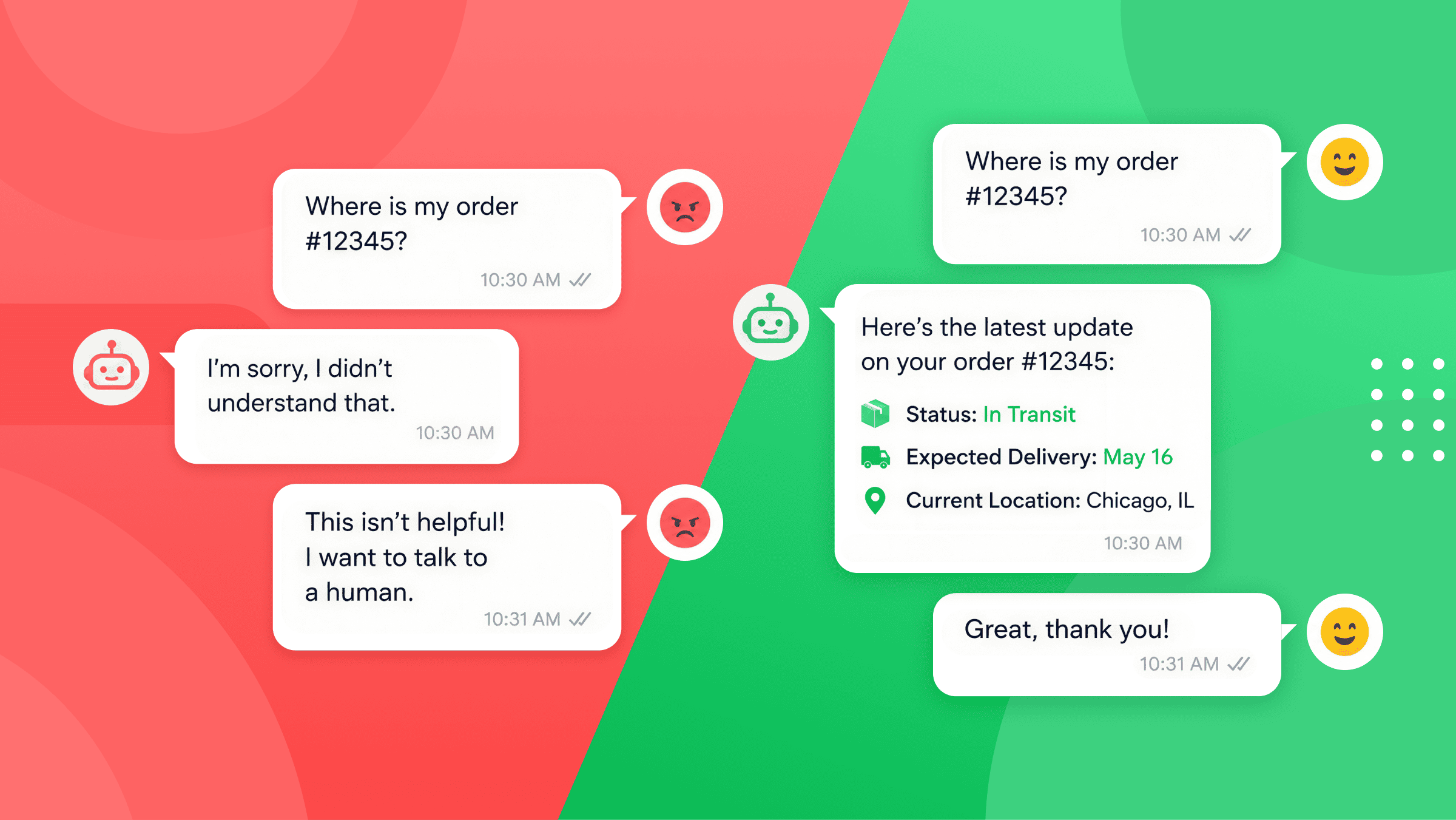
80% of people who use a customer service chatbot end up more frustrated, not less.
These businesses spent real time and money on their bots. But the result still pushed customers away.
So what went wrong? It’s almost never the tech. It’s usually the setup, the launch, and the upkeep.
I’ve built chatbots for hundreds of clients over the past 7 years. And the same chatbot mistakes come up again and again.
In this guide I’ll cover the 10 most common ones, as well as how to fix them.
Let’s dive in!
1. Creating a Chatbot When You Don’t Have Traffic
Over the years, a lot of people have come to me wanting a chatbot. My first question is always the same.
“How many messages do you get a month?”
The answer is often, “Zero. But we want a chatbot just in case.”
Here’s why that doesn’t make sense – you should only build a chatbot when both of these are true:
- You already have traffic
- You don’t have time to reply to it all
The whole point of a chatbot is ROI. You should get more out than you put in, like any other business investment. So before you commit to it, it’s worth weighing the chatbot pros and cons.
No traffic coming in means that you don’t get a return on your investment. So you’ll never earn back the time you sink into building it.
Here’s the golden rule:
Get the traffic first. Don’t spend time automating something that isn’t there yet.
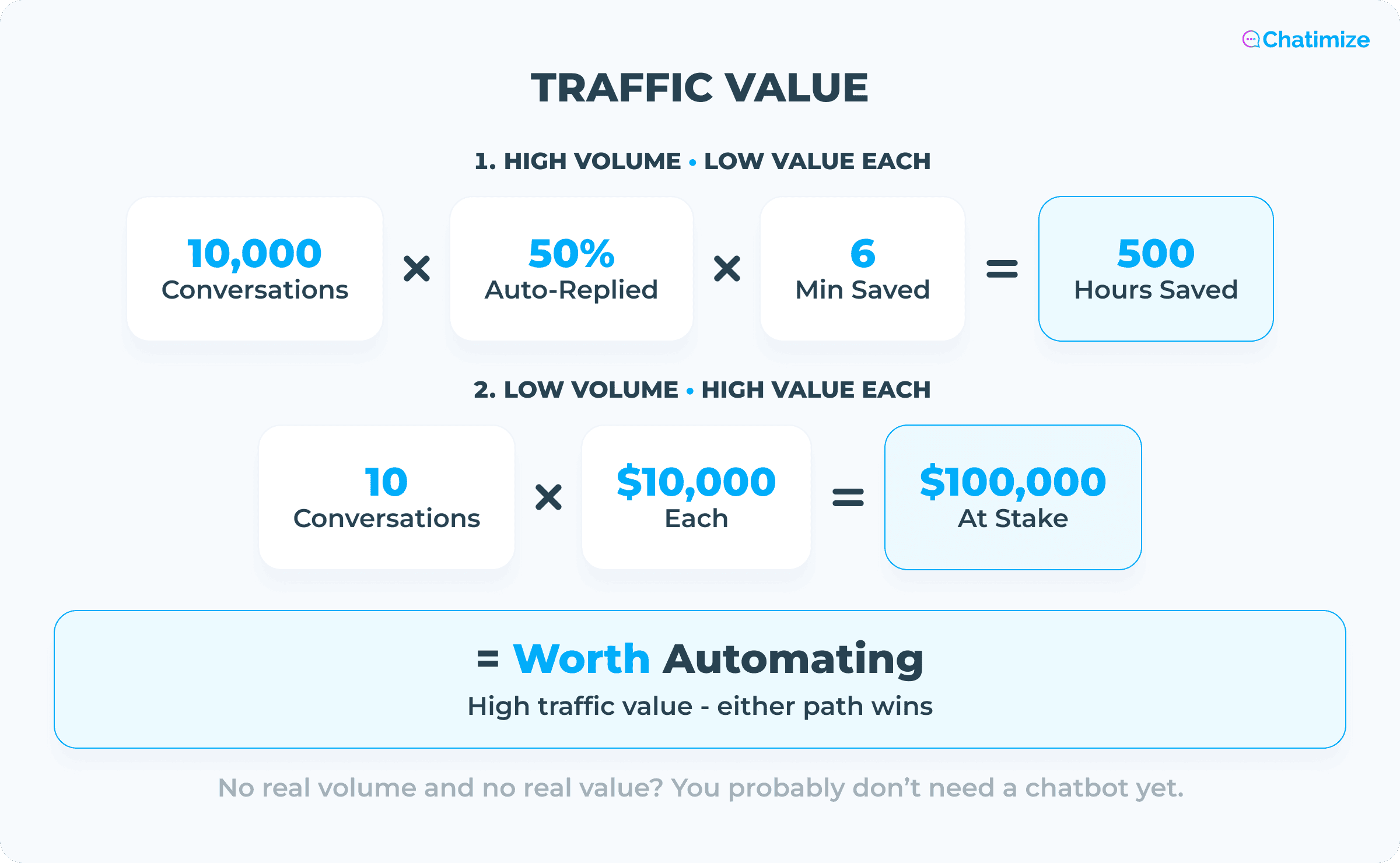
So what counts as enough? I look at something called traffic value. It comes in two forms.
The first is a high number of messages with a low value per conversation. A good example is a customer service team at an eCommerce store. One chat isn’t worth much on its own. But there are thousands of them every month, and they add up.
The second is a low number of messages with a high value per conversation. Think of a lawyer’s office. They might get only a handful of messages a week. But every new client can be worth thousands or even more.
If you have either one of these, a chatbot can pay for itself. If you have neither, it can’t.
2. Automating Too Many Things at Once
This is one of the most common chatbot mistakes. A lot of businesses try to make their chatbot do everything from day one. Answer every question. Handle every request. Cover every edge case.
So building the chatbot drags on for months. Which is exactly what you don’t want.
In my experience, the best approach to chatbot automation is to go live fast, and then improve from there.
Before you launch, you have some idea of what people will ask. But you don’t really know for sure until you’re live.
A few weeks after one launch, the client sent me this:
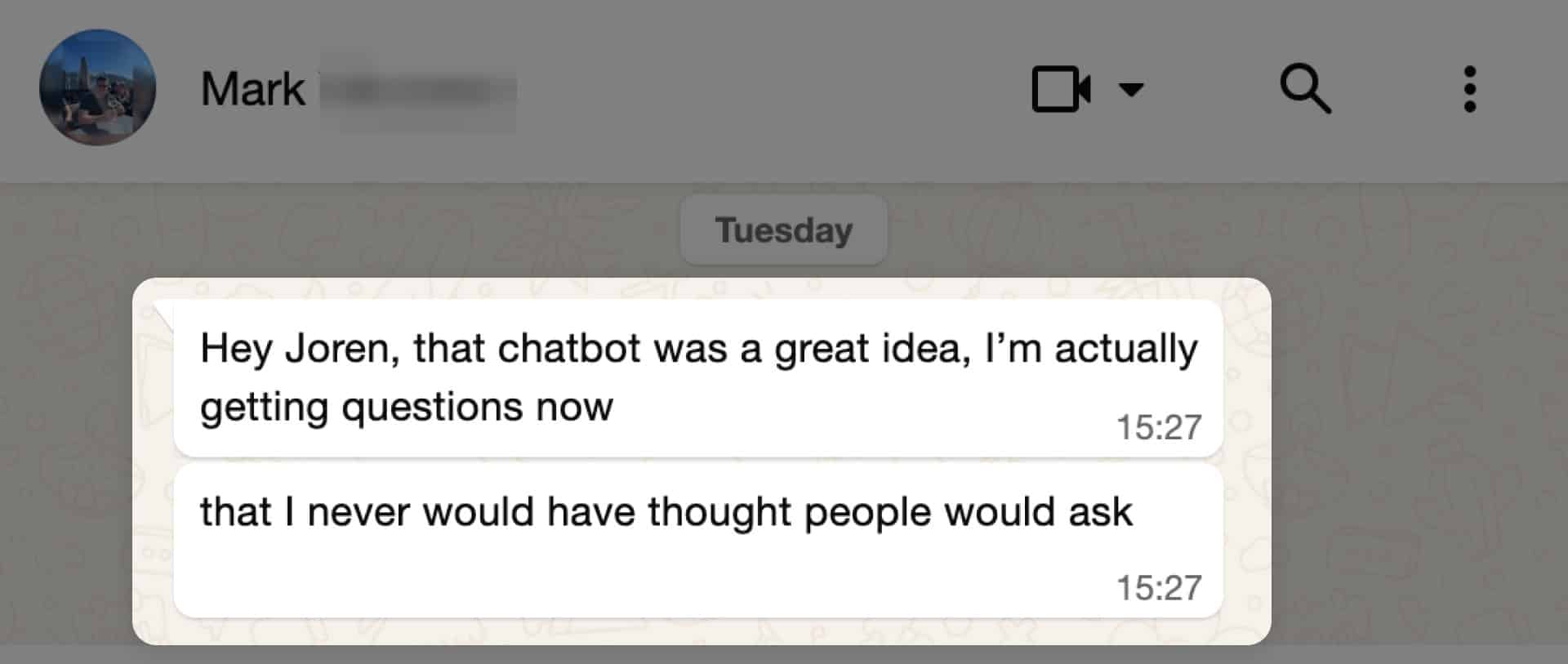
That’s the point. Once it’s live, the chatbot shows you exactly what to build next. That’s why you should go live quickly, even if it isn’t perfect from the start.
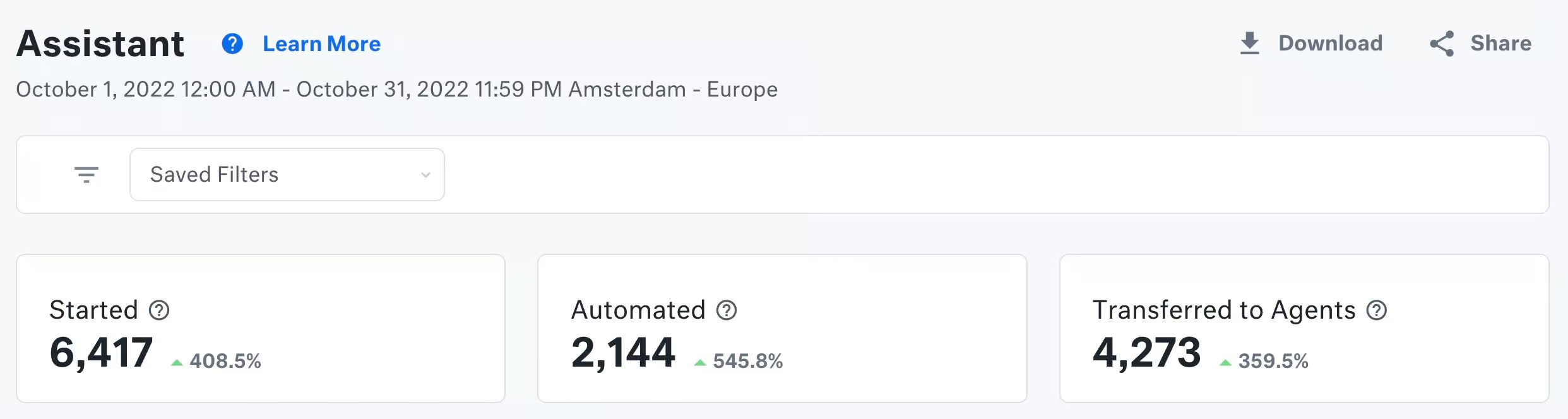
And you don’t need to automate everything to see real results. For one client, we built a chatbot that did just two things:
- It answered FAQ questions
- It handled order status by collecting the customer’s details and passing them to a human
That alone took care of around 30% of all conversations in the first month.
The bottom line is – start with the handful of things people ask the most. You can always add more later.
3. Choosing the Wrong Platform
Chatbot platforms tend to specialize at different things. Some are built for marketing automation. Others are built for customer support. Some are great for certain channels, but don’t support others.
But there isn’t a platform that’s best for everything.
So before you pick one, think about everything you need it to do. Both now and later.
I once worked with a company where the customer service team chose the chatbot platform. They picked it based on their own needs. And that made sense at the time.
Five months later, the marketing team wanted to send WhatsApp broadcasts. But the platform that the customer service team picked couldn’t do it.
So they ended up running two platforms instead of one.
Now they had to connect and integrate them. That meant:
- Extra setup
- Extra cost
- More things that could break and go wrong
If they had thought it through at the start, they could have picked the platform that can do both.
So it’s not as simple as searching for the best chatbot platforms, and then picking the most advanced one.
You should map out your needs first. The ones you have now, and the ones you might have in five years. Then pick a platform that can handle all those needs.
4. No Escalation to a Human
You’ve probably run into this before as a customer.
- You ask a chatbot a question
- It doesn’t know the answer
- It asks you to rephrase
- You rephrase
- You get the exact same reply
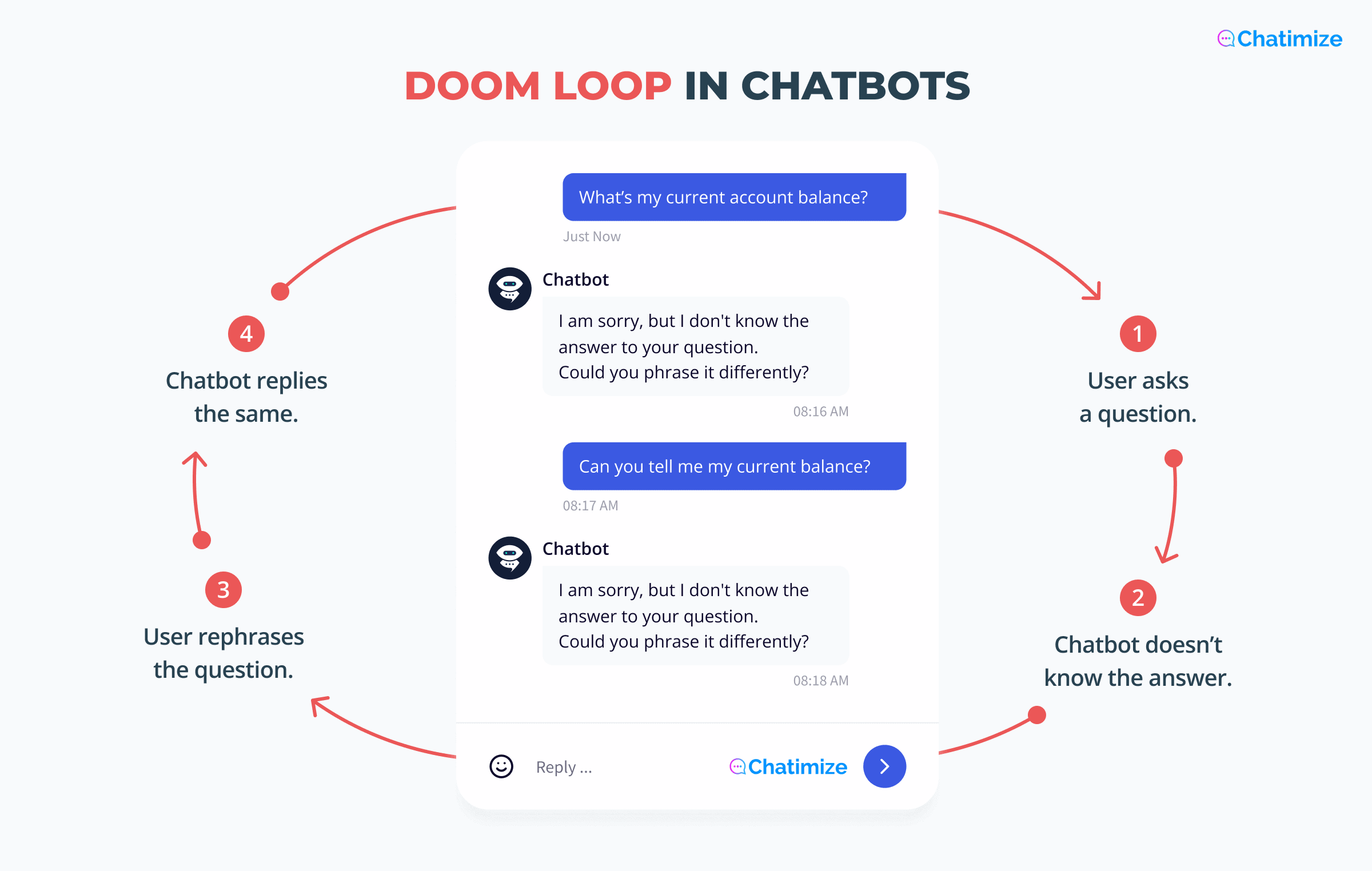
It’s one of the most frustrating things a customer can run into. And it happens because there’s no handover to a human.
I often see companies launch a chatbot and immediately fire half of their customer support team. That’s a huge mistake.
The bot answers the easy questions very well. But when it gets stuck, no one is there to take over. So the customer doesn’t get the help they need.
You should always have an escalation to a human agent.
And when you escalate, collect everything the human needs first:
- The question
- The order number
- Any relevant details
That way they can start solving the problem right away. And the customer doesn’t need to repeat everything.
Pro tip: you don’t need a live chat to do this. You can collect the information and send it straight to an email.
That’s exactly what we did with one of my clients, Burker. The chatbot gathers the details, then the team follows up by email.
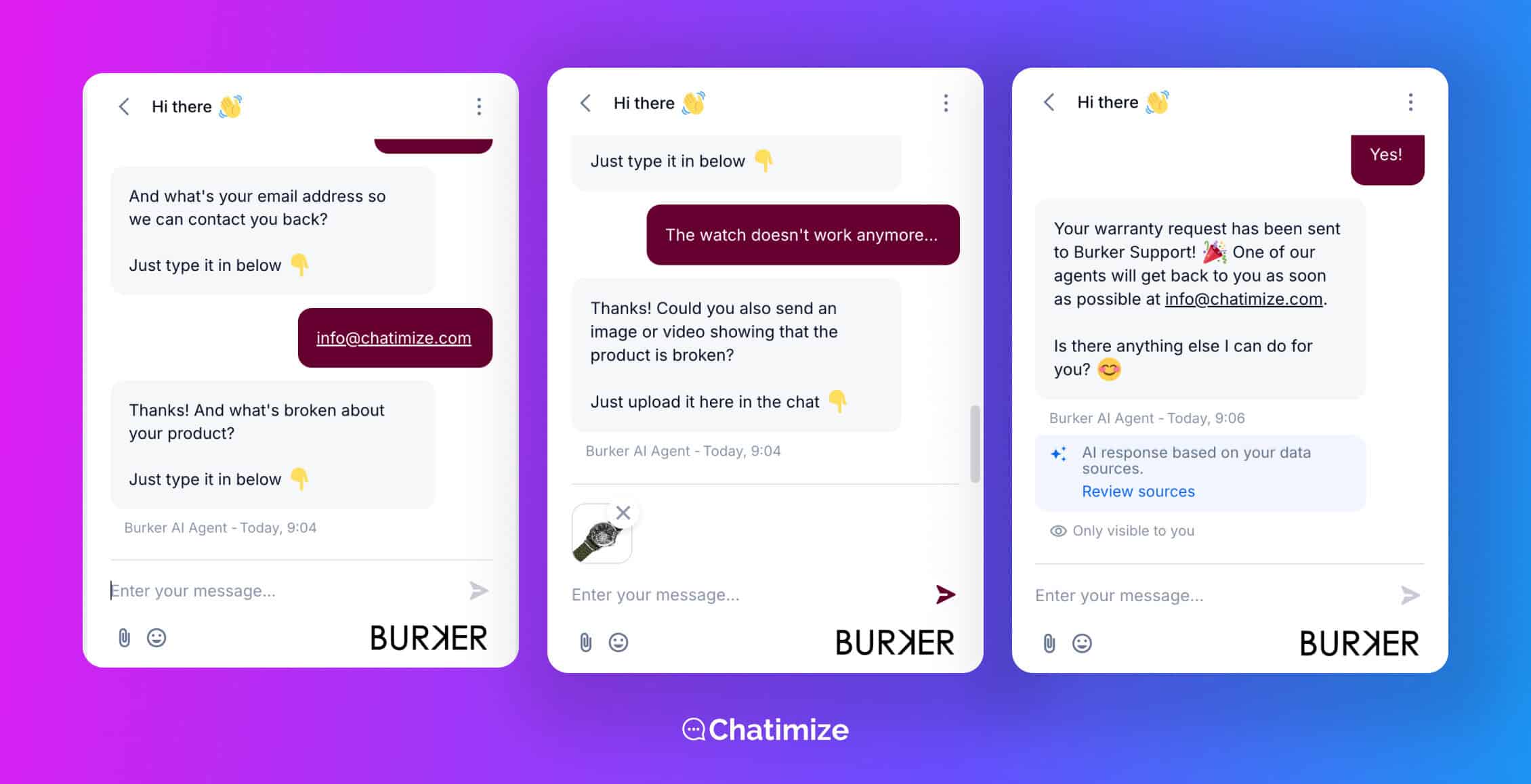
It works because people mainly want to feel helped. If they get a real answer within a day, that’s good enough.
5. Not Setting the Right Expectations
If you don’t tell people they’re talking to a bot, they’ll assume they’re talking to a human.
Then they find out it’s a bot. And maybe it can’t do what they wanted. So now they’re annoyed because they expected something you couldn’t deliver.
It’s a pretty easy one to fix, and it doesn’t cost you anything. Just set the right expectations in the very first message.
Tell people:
- It’s a bot
- What it can do
- What happens if it gets stuck
Here’s an easy opening message to use for customer support:
Hi there, I’m the digital assistant of [your business name] 👋
I’ll try to answer your question. If I can’t answer it, I can always send it over to a team member.
What’s your question? Just type it in below.
That one message does a lot. People know it’s a bot. They know it might hand off to a human. And they know exactly what to do next.
6. Not Telling People Exactly What to Do
With a chatbot, people don’t want to think.
Assume your most distracted user is on the other end. A parent juggling three kids, with no second to spare. The moment they have to stop, think, and figure something out, you’ve lost them.
So tell them exactly what to do, at every step.
- If they need to click a button, tell them to click the button
- If they need to enter their email, tell them to type their email
- If you want it in their calendar, tell them to add it to their calendar
It sounds almost too obvious, and it might seem like overexplaining. But do it anyway. It’s what carries people all the way to the end of the conversation, instead of abandoning it halfway.
I saw this exact thing play out with my client Roslan Bedenia. We built him a webinar funnel that turned his Instagram audience into webinar attendees.
At every step, the bot spelled it out. Asked for their email. Told them to add the webinar to their calendar. One clear instruction at a time, so nobody had to guess what came next.
And since every step was that clear, people actually completed them.
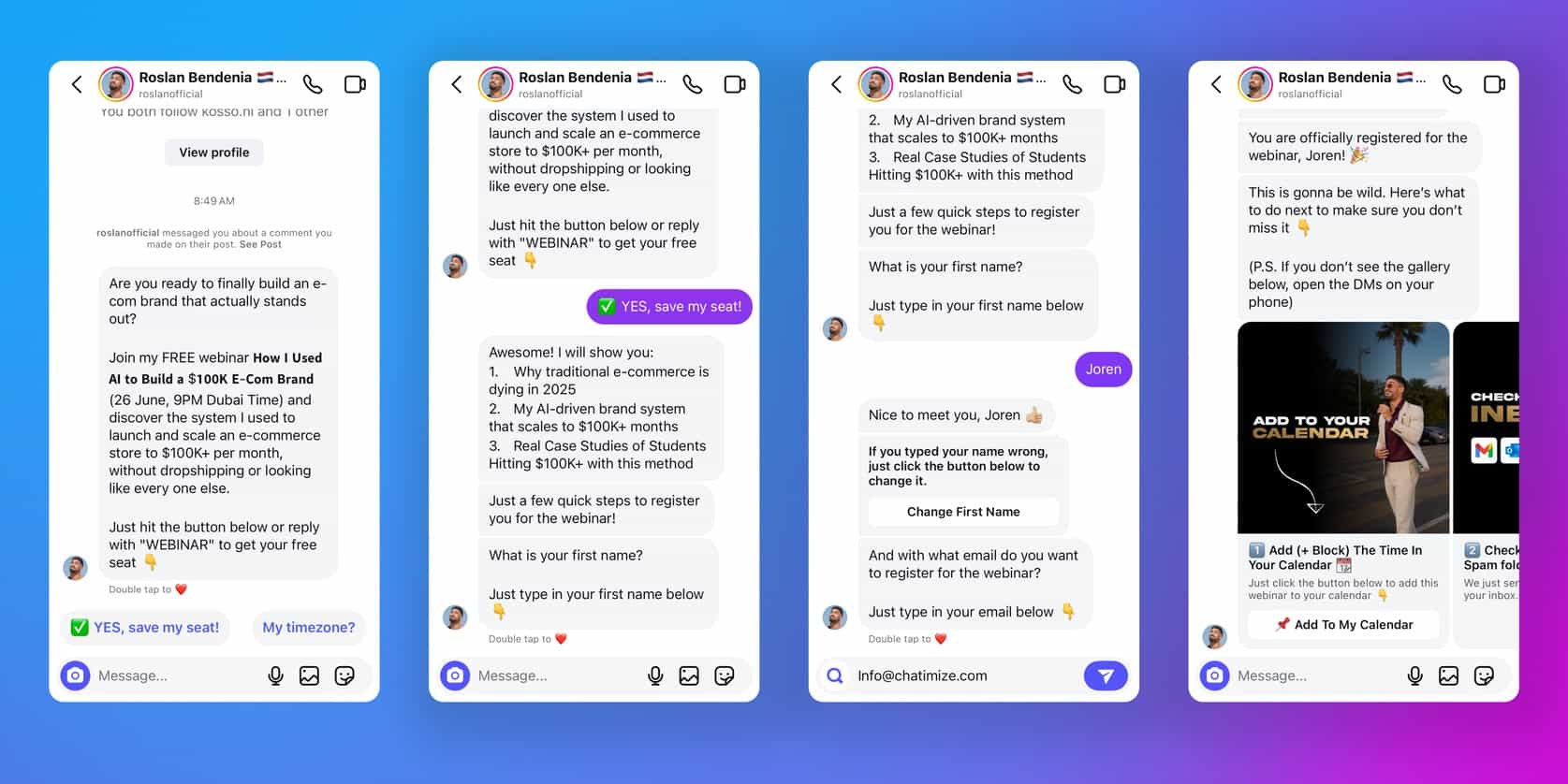
He had 525 webinar registrations (with 67% conversion rate), and a 45% show-up rate. That was his best show-up rate ever.
When you remove the thinking, you remove the drop-off.
7. The Goal of the Chatbot Isn’t a Business Outcome
A lot of businesses build a chatbot without a clear reason for it. They want one, so they get one. But nobody stops to ask what it’s for.
I often see it in the very first conversation. Someone says, “I want a chatbot.”
So I ask, “What do you want it to do?”
“I want to automate it.”
“Automate what?”
And that’s usually where it goes quiet.
That silence is the problem. “Automate” says nothing about what success looks like, and it does give real, tangible goals.
A chatbot should always be tied to a real business outcome, such as:
- More leads
- More sales
- Reduced costs
- Less time
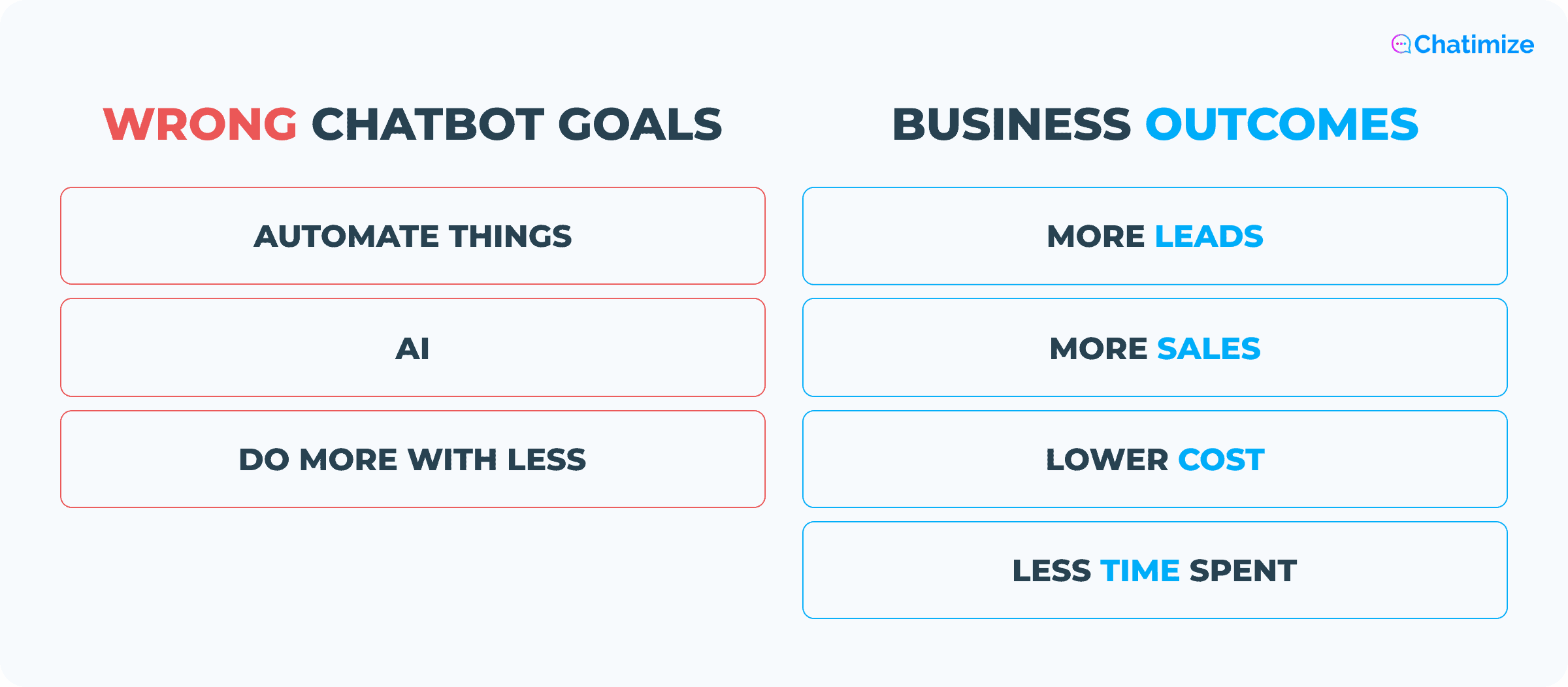
So get clear on a specific business outcome before you build. If you can’t name one, you have your answer. Don’t build the chatbot yet.
8. Giving Wrong or Outdated Information
This one is sneaky. The bot works well on launch day. Then it slowly goes out of date.
Most businesses build a chatbot, launch it, and then forget about it.
Policies change. Prices change. Products come and go. But the bot keeps giving the same answers it launched with, sometimes for months.
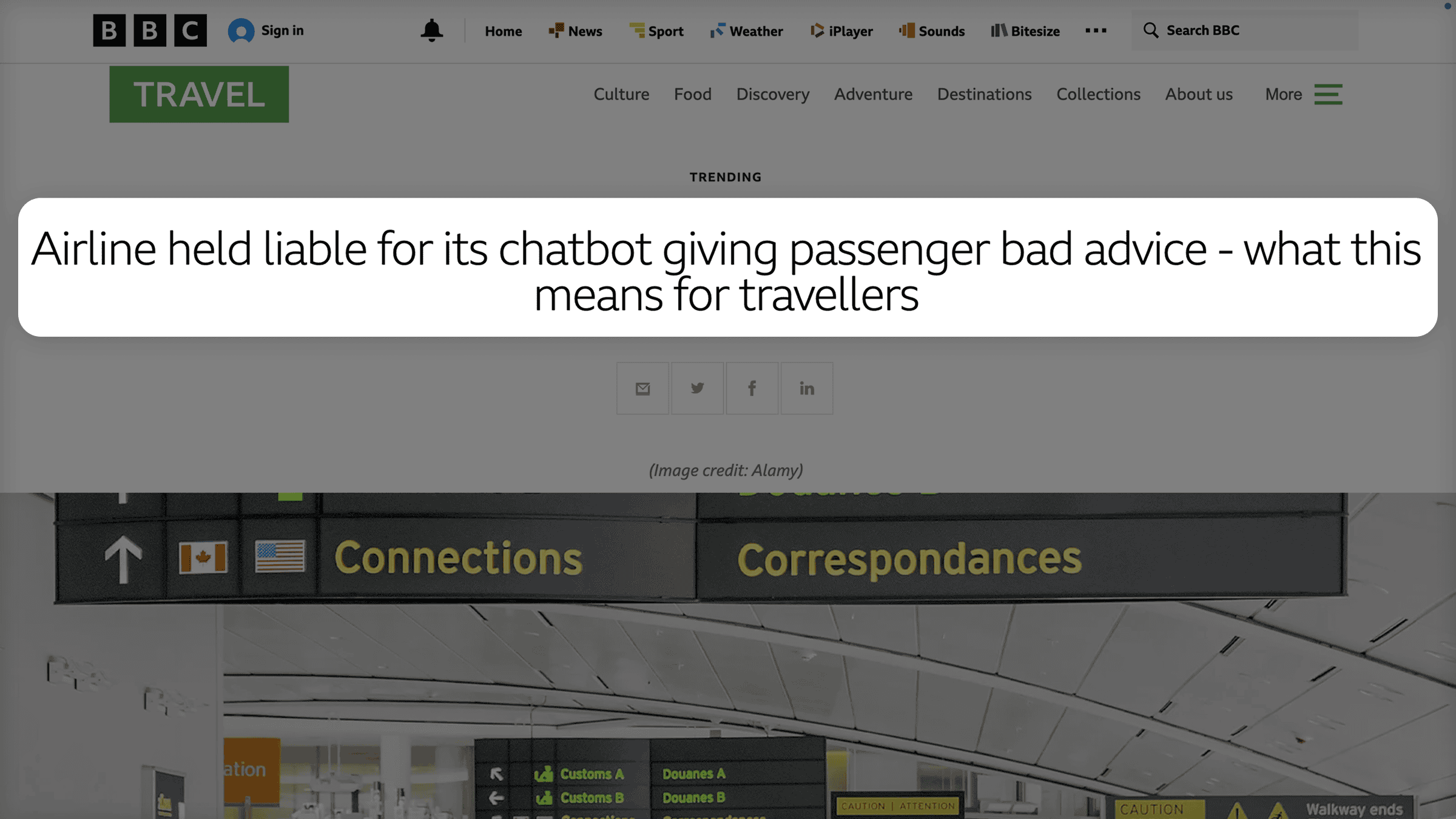
And outdated answers can end up costing you a lot. That’s exactly what happened to Air Canada.
After his grandmother died, a grieving passenger asked their website chatbot about bereavement fares. The bot told him he could book at full price and claim the discount within 90 days. So he did.
But that policy didn’t exist. Air Canada’s real rule was the opposite – you had to request the fare before you flew.
When he asked for his money back, the airline refused. So he sued them.
Air Canada’s defense was that the chatbot was a separate entity, responsible for its own answers. The court didn’t buy it. The airline was responsible for everything on its site, chatbot included. It lost the case.
It’s pretty simple to prevent this from happening to you. Treat your chatbot like a living product that needs regular upkeep.
Put a monthly review on the calendar. Go through its answers. Check them against your current policies and prices. Update anything that’s drifted. And do it right away whenever something changes on your end.
People act on what your bot tells them. You need to make sure it’s telling them the truth.
9. Not Testing Edge Cases (and the Real Channel)
Most people test their chatbot the way they expect it to be used. They ask the obvious questions, get the right answers, and call it done.
Real users are messier than that. They’ll ask things you never planned for.
Some will try to haggle for a discount. Others will throw a political question out of nowhere. A few will try to place an order in the middle of a support chat.
If you only tested the questions you expected, you have no idea how your bot handles the rest. And “the rest” is where problems usually happen.
The other half of this is the channel itself.
What works in the preview window can break the moment it goes live on the channel you’re using, whether it’s WhatsApp, Instagram, or Facebook.
Each one has its own rules:
- Character limits chop your messages short
- Buttons render differently (or don’t appear at all)
- Message timing shifts
- API restrictions block things that worked fine earlier
So before you call it done, run through this on the live channel:
- Walk the whole flow end to end, on the actual channel your customers will use
- Throw unexpected inputs at it: discount requests, off-topic questions, the things you’d never think to ask
- Test the handoff to a human from start to finish, and confirm it actually reaches someone
Find the messy cases yourself, in testing. Otherwise your customers will find them for you.
10. Treating Launch as the Finish Line
For most businesses, launch day is the finish line. The chatbot goes live, everyone moves on, and nobody opens it again.
That’s a mistake.
Behind the scenes, things keep shifting. Customers start asking new questions. Your products change. Small bugs creep in and sit there unnoticed. The bot quietly gets worse while everyone assumes it’s fine.
So give it a regular check-up. Once a month, read through real conversations to see what’s working and what isn’t. Once a quarter, audit your flows from top to bottom. And the moment a product or policy changes, update the bot that day.
To know whether it’s actually improving, watch these:
- Resolution rate: How often the bot fully answers a question on its own (you want this to climb)
- Handoff rate: How often it passes people to a human (a little is healthy, a lot means it’s missing too much)
- Unmatched-input rate: How often it gets a question it has no answer for (each one is something to add)
Some of the best chatbot platforms make this easy.
Tidio, for example, has a “Suggestions” view that lists every question your chatbot couldn’t answer.
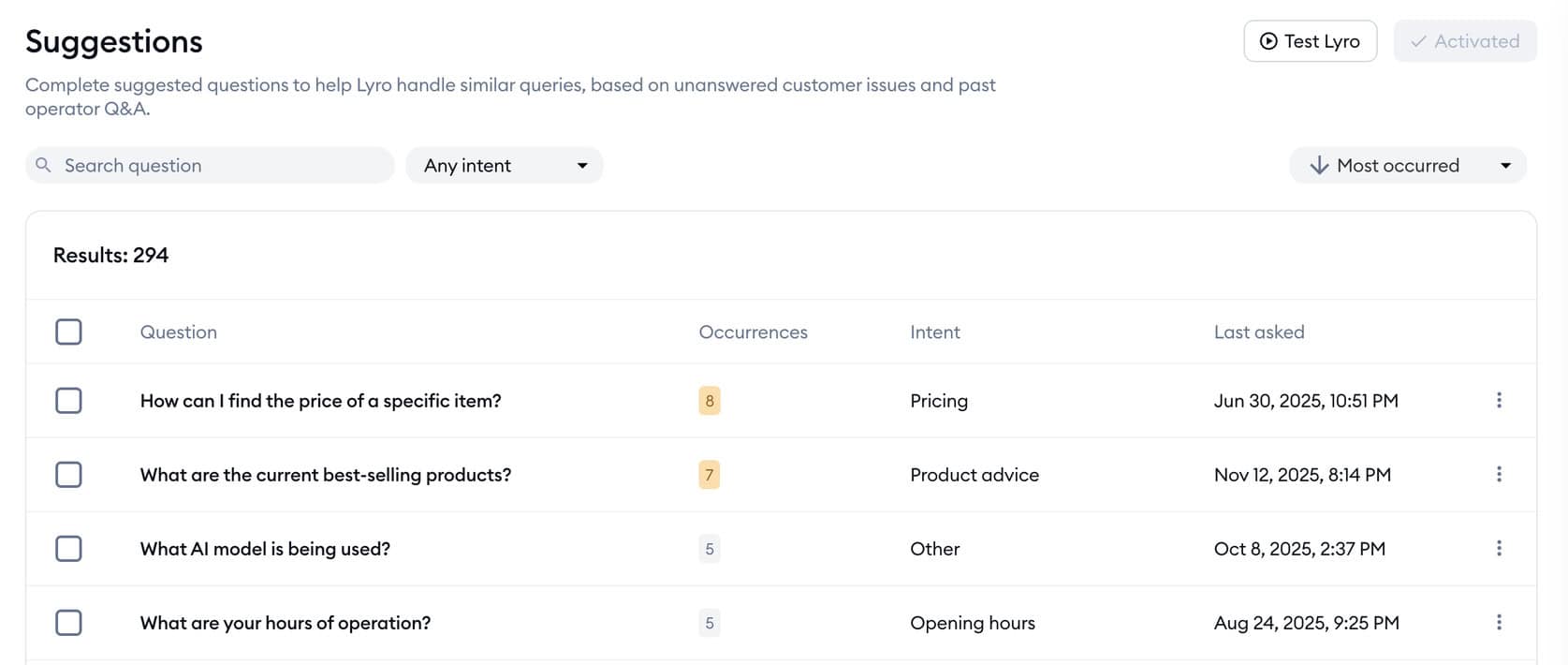
That list is great. It’s a ready-made to-do list for what to teach your bot next.
The best chatbots keep getting a little better every month.
Your Next Step and Avoiding Chatbot Mistakes
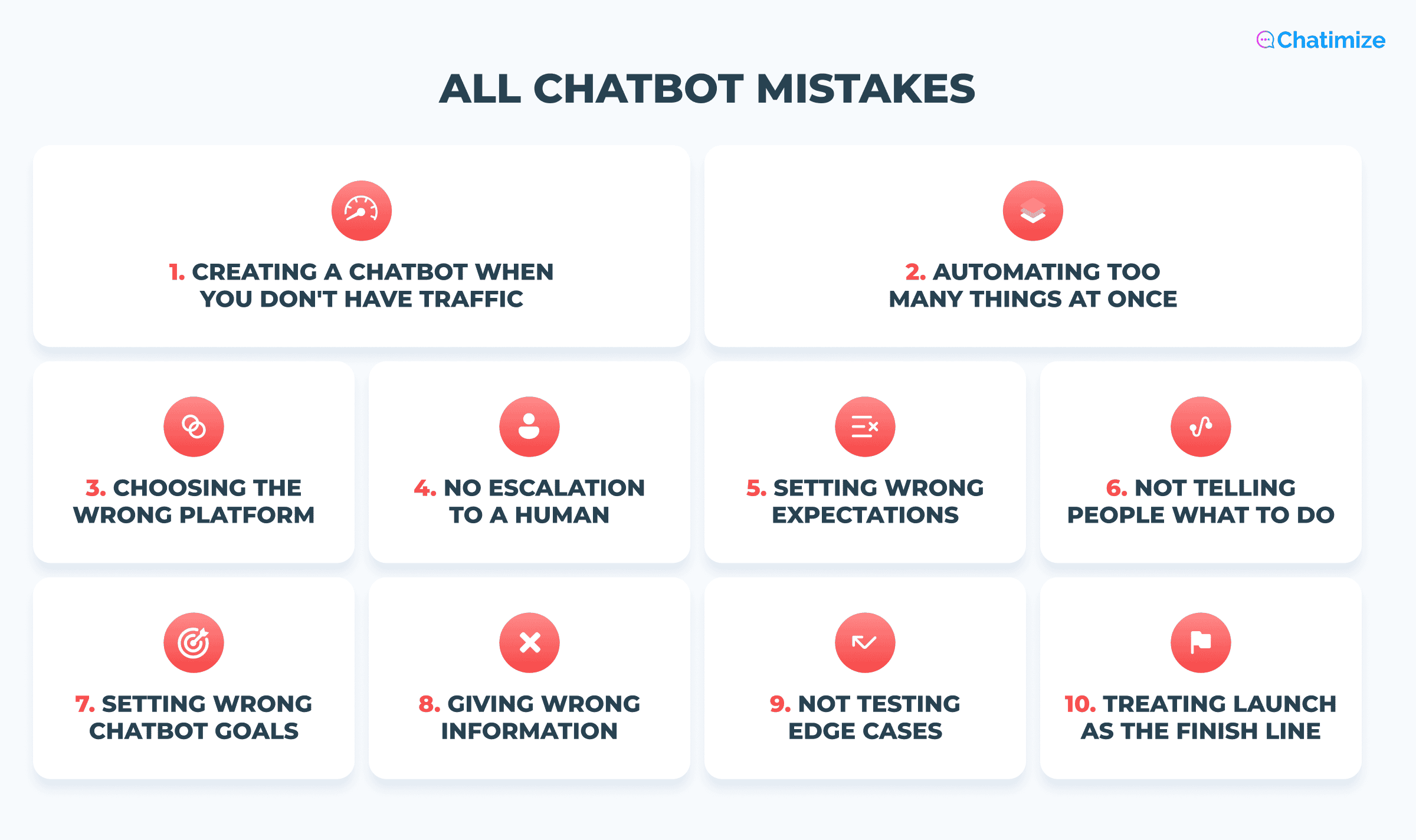
And those are the 10 most common chatbot mistakes to avoid!
If you take one thing from this guide, take this. The best chatbot is usually a simple one. It does a single job well and hands off to a human when it’s stuck.
That beats a complicated bot trying to do everything.
The next step is to build your own chatbot. To learn how, you can watch my simple step-by step tutorial:
How to Create AI Chatbot in Less Than 10 Minutes
Frequently Asked Questions
When should a business not use a chatbot at all?
Skip the chatbot if you don’t have the traffic to justify it, or if you can’t name a clear goal for it.
A chatbot pays off when two things are true:
- You have enough conversations to automate
- You have a real outcome in mind, like more leads, more sales, or lower costs
If either one of these is not true, you shouldn’t use a chatbot.
Does a chatbot with more channels always perform better?
No. Every extra channel is another thing to build, test, and keep updated.
It’s better to do one channel really well, where your customers already are, than running a mediocre bot across five. Add channels only once the first one is working well.
If customers aren’t complaining about the chatbot, does that mean it’s working?
Not necessarily. Most people who have a bad experience with a chatbot never complain. They just leave, and you never hear about it.
Silence doesn’t tell you anything. A much better way to track your chatbot’s performance is to look at the numbers:
- How often the bot resolves a question on its own
- How often it hands off a conversation to a human
- How often it gets a question it can’t answer
Can the same mistake that breaks a website chatbot also break a WhatsApp or Instagram bot?
Mostly, yes. The biggest mistakes in this guide are about planning, setup, and upkeep. Those apply no matter where the bot lives. A missing human handoff or outdated information are a problem on any channel.
But WhatsApp, Instagram, and Facebook add their own constraints on top, like character limits and button rendering. So you have to test each one live.
