

Looking for an easy way to build a chatbot trained on your content, without touching code?
In this hands-on Botsonic review, you’ll learn:
- How it works
- How much it costs
- Whether it’s the right AI chatbot builder for your website or business
I tested Botsonic with real data sources (including spreadsheets and PDFs) to see how well it performs.
Here’s what I found.
Our Verdict
Our Verdict
Botsonic is a fast, affordable way to build an AI chatbot without technical skills. You can train it on your own data, connect it to your systems, and deploy it on your website in minutes.
At $16/month, it’s one of the cheapest AI chatbot platforms available. Still, it supports multiple data sources, spreadsheet training, and custom API actions.
It’s great for small teams, creators, or startups that want a capable and affordable chatbot trained on their own content.
Pros
- Set up your chatbot in 10 minutes
- Train an AI on multiple sources, including spreadsheets
- Connect with other tools using AI Actions
- Publish chatbot on website, Facebook, WhatsApp & Telegram
Cons
- No pre-built AI actions (custom setup required)
- WhatsApp and Messenger setup is technical
- Advanced integrations only on higher plans


What is Botsonic?
Botsonic is a no-code AI chatbot builder that you can train on your own content.
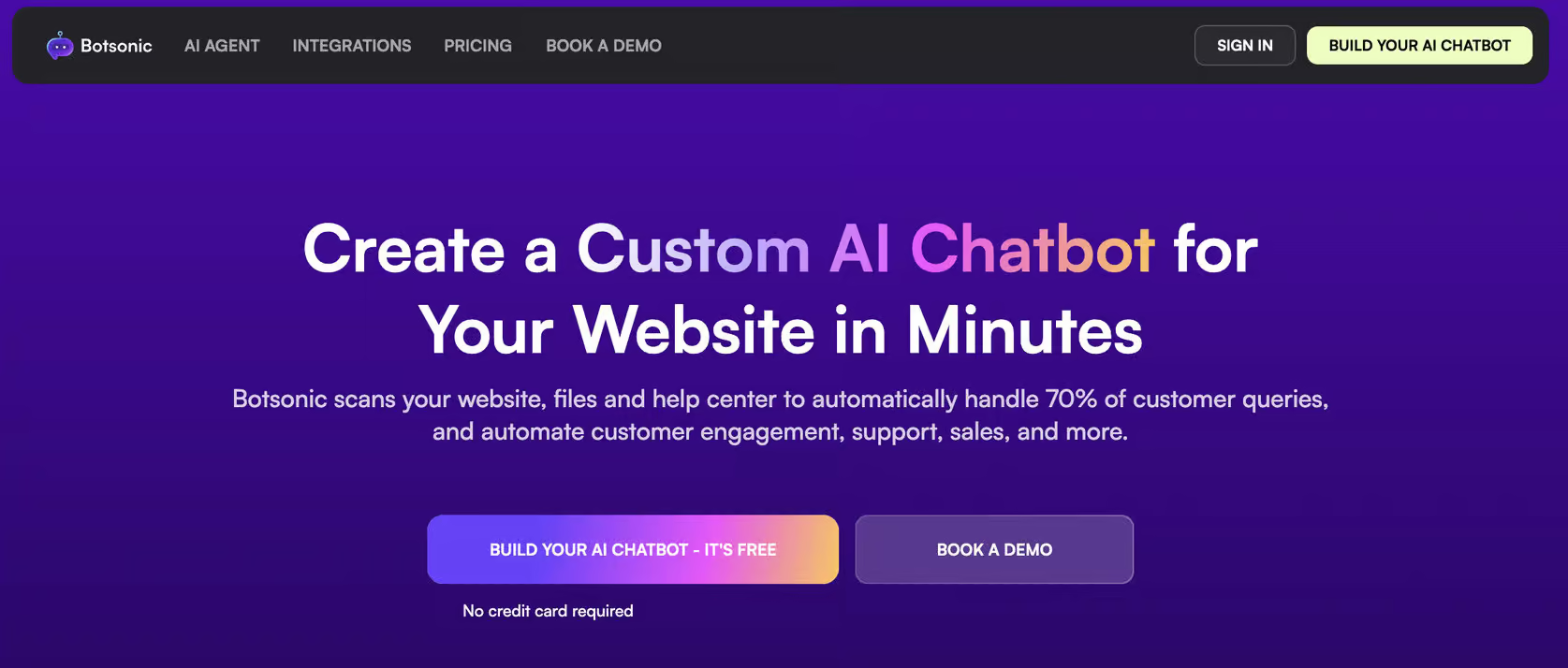
You can train it on your data, including website, PDFs, FAQs and spreadsheets.
Once trained, the bot answers questions automatically using that knowledge base.
Additionally, you can set up AI Actions so that your chatbot does actions on your behalf. This can include looking op order status, booking appointments, etc.
How does Botsonic work?
When you log into Botsonic for the first time, you train it on your data. The setup starts with adding your data sources:
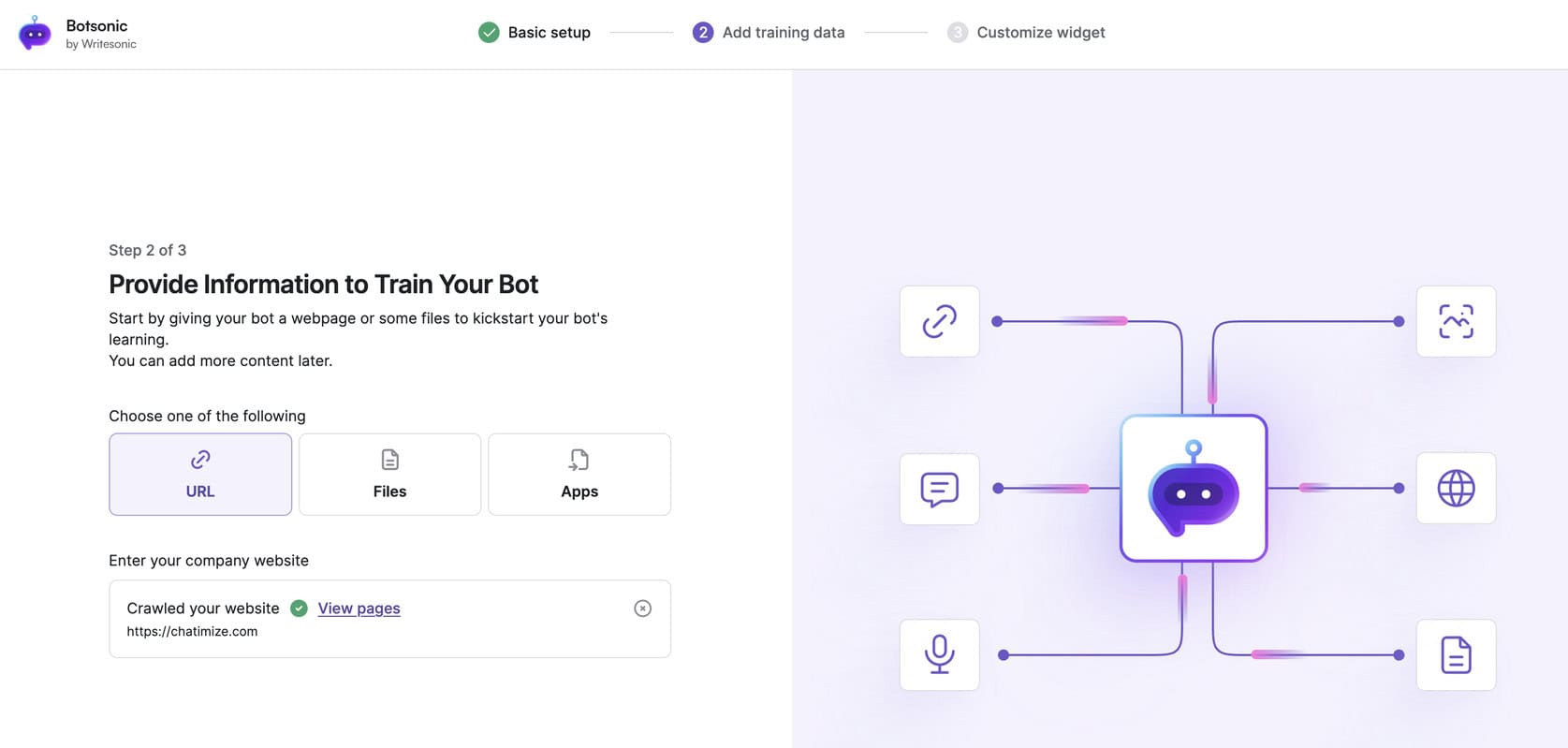
These represent the different types of data you can use to teach your chatbot.
Once you’ve uploaded your data, click Upload and Train. Botsonic will process everything automatically.
After the training completes, you can customize your chatbot’s appearance to match your brand:
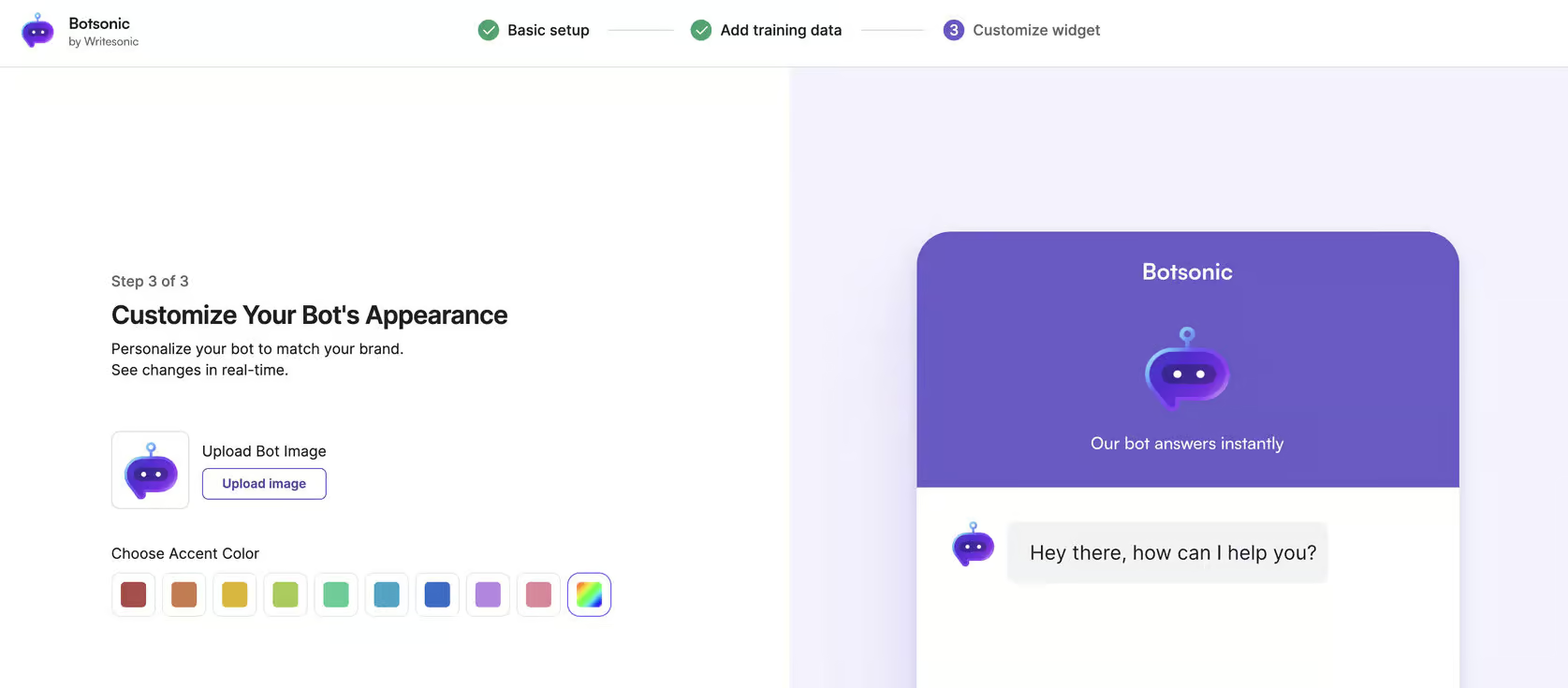
Once your bot is ready, you can test it directly in the interface using the Test Bot button:
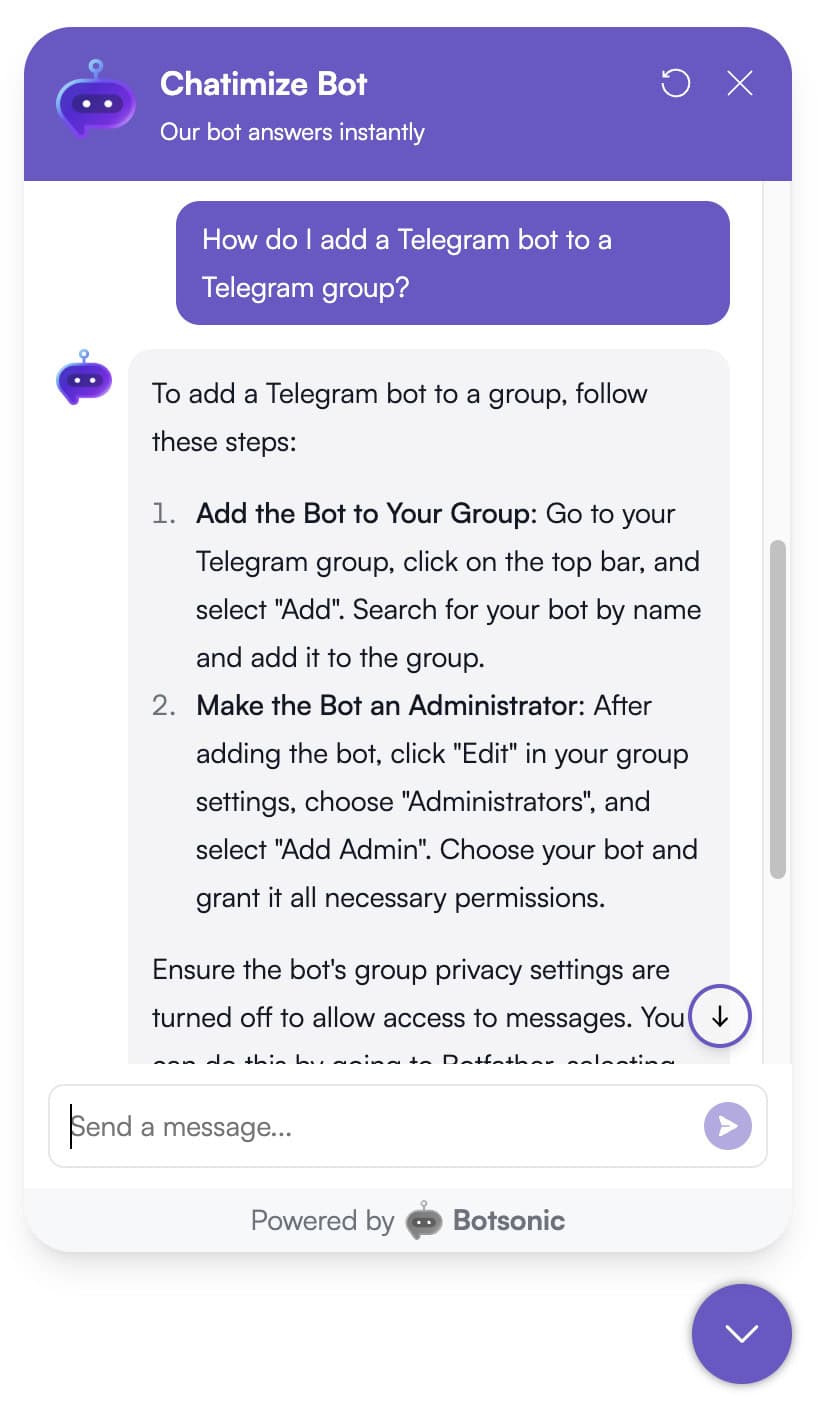
Once it’s been trained and ready, you get access to the full dashboard:
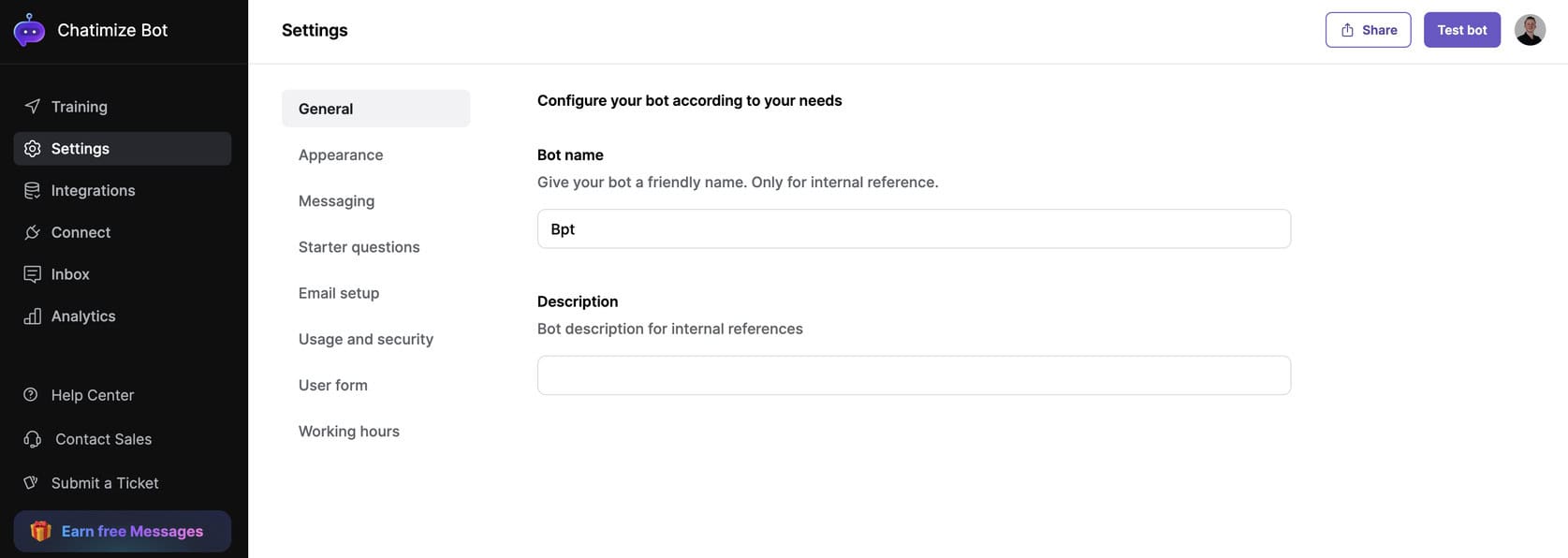
This is where you can give it access to AI Actions and AI Workflows. Actions let you connect the chatbot to your own APIs, so it can perform tasks like checking an order status or submitting a form:
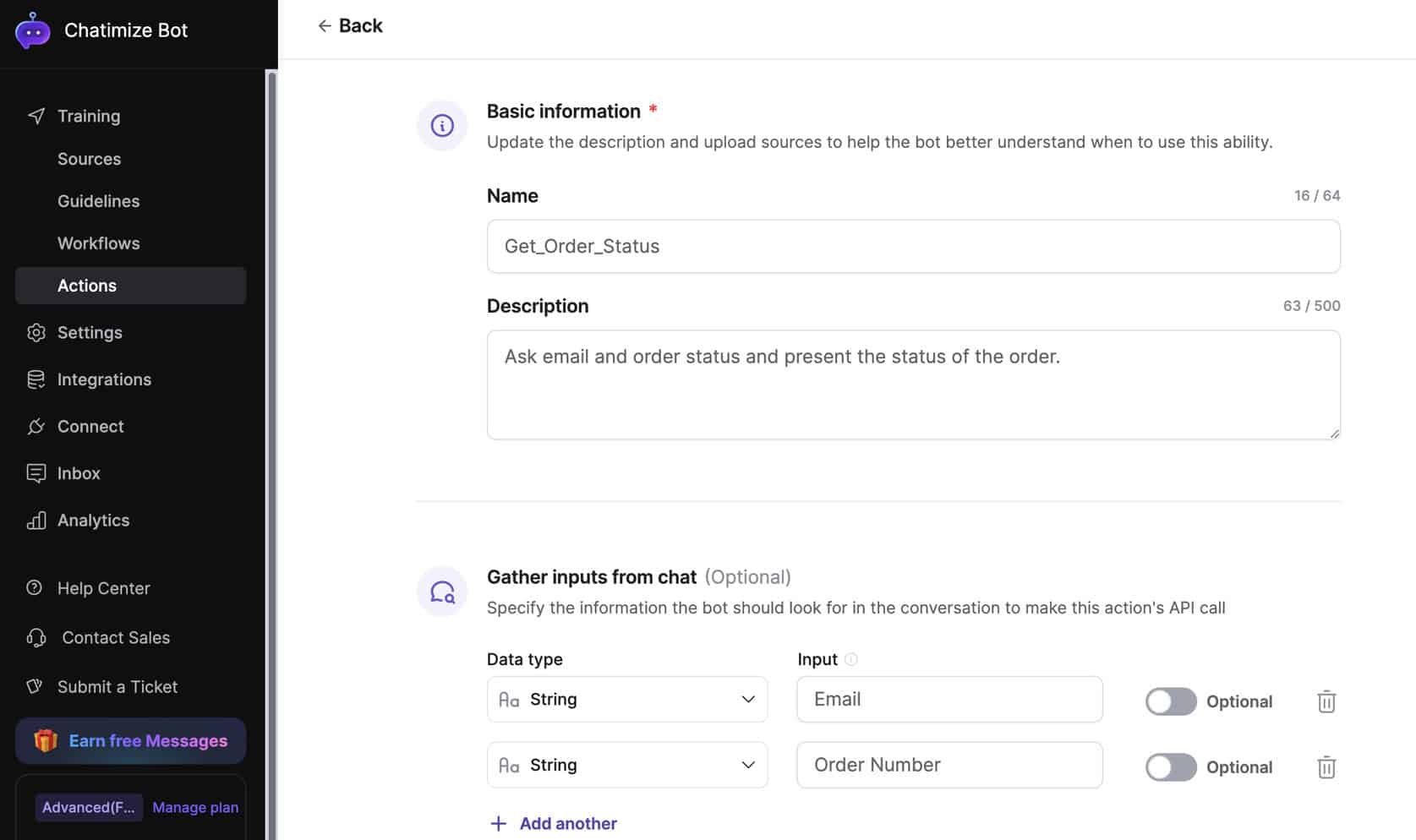
Workflows define when these actions should trigger. For example, when a user asks about an order, the workflow can automatically call your “Order Status” action. These features need some technical setup, but they’re great for making custom automations.
Overall, Botsonic’s interface is refreshingly simple. Everything you need happens on a single screen. You can go from signup to a fully trained chatbot in just a few minutes. It’s one of the most beginner-friendly chatbot builders available.
Flow Builder Create chatbot dialogs with a visual flow builder. Create chatbot dialogs with a visual flow builder. | |
| Ease of useHow easy is it to use the platform? On a scale of 1 to 5. | 4.5 |
| Ease of setupHow easy is it to set up your chatbot? On a scale of 1 to 5. | 4.5 |
| Test chatbotIs it possible to test the chatbot before putting your new flows or changes live? |
Botsonic Pricing
Botsonic’s pricing is one of its biggest advantages. The Starter plan costs $16/month. It includes up to 1,000 messages, three custom actions, and support for up to 10 million uploaded characters. That’s enough for small projects or a single website chatbot.
Despite being the entry-level plan, it already gives you access to training sources like links, files, FAQs, and apps. Plus, you can test and deploy your chatbot instantly.
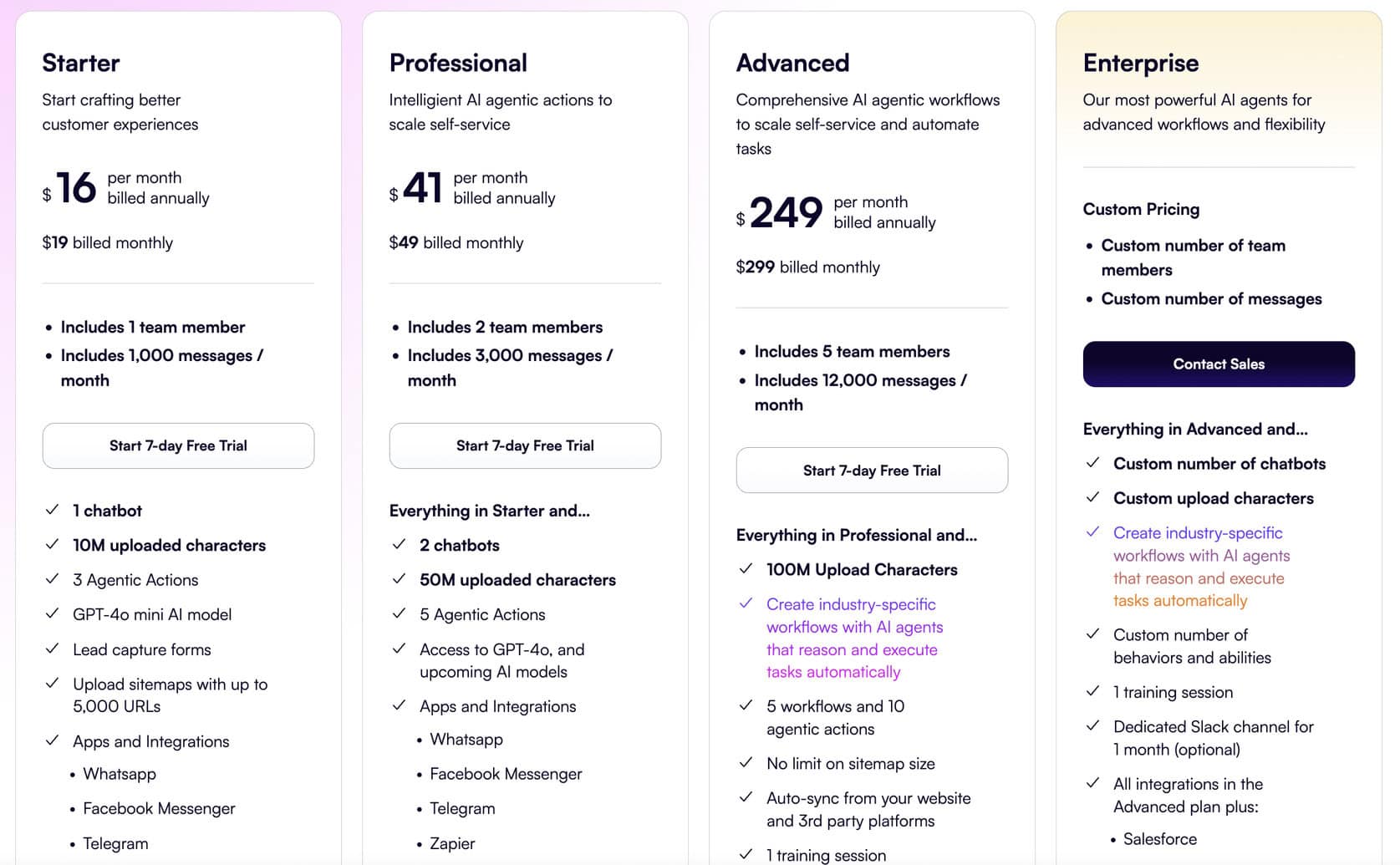
As you scale, you can move up to the Advanced plan. It increases message limits and unlocks API access for more technical customization. This plan works well for small teams.
It helps connect Botsonic with external systems. It also allows for automating actions using custom endpoints.
Finally, there’s the Enterprise plan. It includes advanced features like live agent handoff. It also integrates with tools like Freshdesk, Zendesk, and Salesforce for ticketing.
These features suit larger businesses. They already have support workflows and need AI-powered automation added.
I should mention, there’s a 7-day free trial on all plans.
Botsonic also offers add-ons that let you expand your plan without upgrading completely. You can purchase extra message capacity or character limits as needed, which helps keep costs predictable.
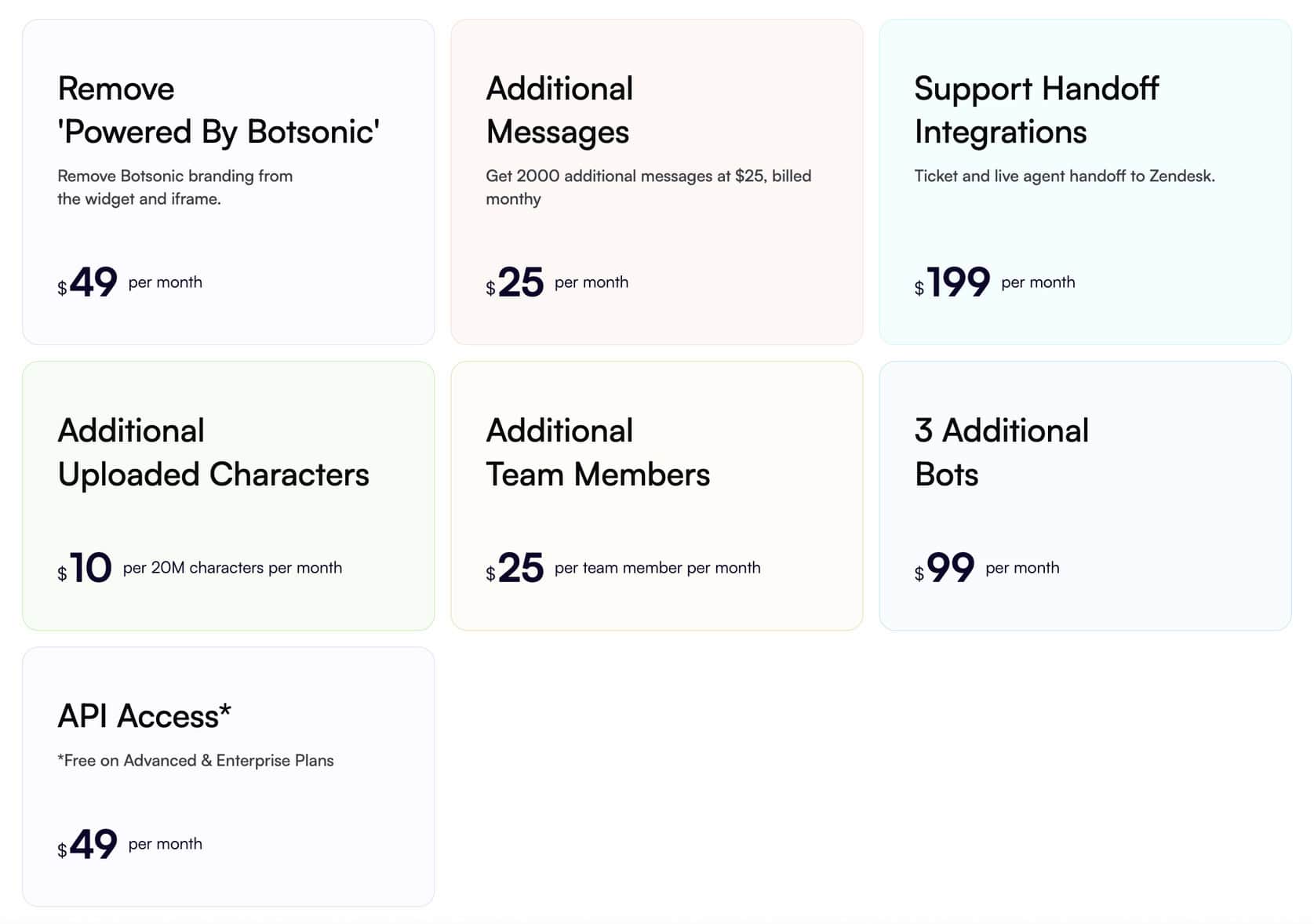
Compared to Chatbase’s $40 per month plan (for roughly 2,000 messages), Botsonic offers a cheaper entry point. And you get enough flexibility for most small and mid-sized use cases.
Considering what you get, the value is excellent for:
- Startups
- Freelancers
- Small businesses experimenting with AI chatbots
| Free trialDoes the chatbot platform provide a free trial? | |
| Free planDoes the chatbot platform provide a free plan? | |
| Price per monthWhat is the lowest price per month to create a chatbot with this platform? In US Dollars. | $16 |
| Monthly pricing available?Is it possible to pay monthly? | |
| Money back guaranteeIs there a money-back guarantee in case you are not satisfied with the platform? |
Botsonic AI Features
Botsonic’s AI system is built around three core components:
- AI Sources: what your bot learns from
- AI Actions: what your bot can do
- AI Workflows: when to perform AI actions
Together, they let you train your chatbot, automate tasks, and control how the bot responds to questions.
Many basic chatbot builders only handle scripted conversations. But Botsonic combines natural-language understanding with flexible data sources and API connections.
This means it can answer questions from your content. Also, it can perform real actions, such as retrieving order details or submitting data.
AI Sources
AI Sources are the foundation of Botsonic. They define where your bot learns from.
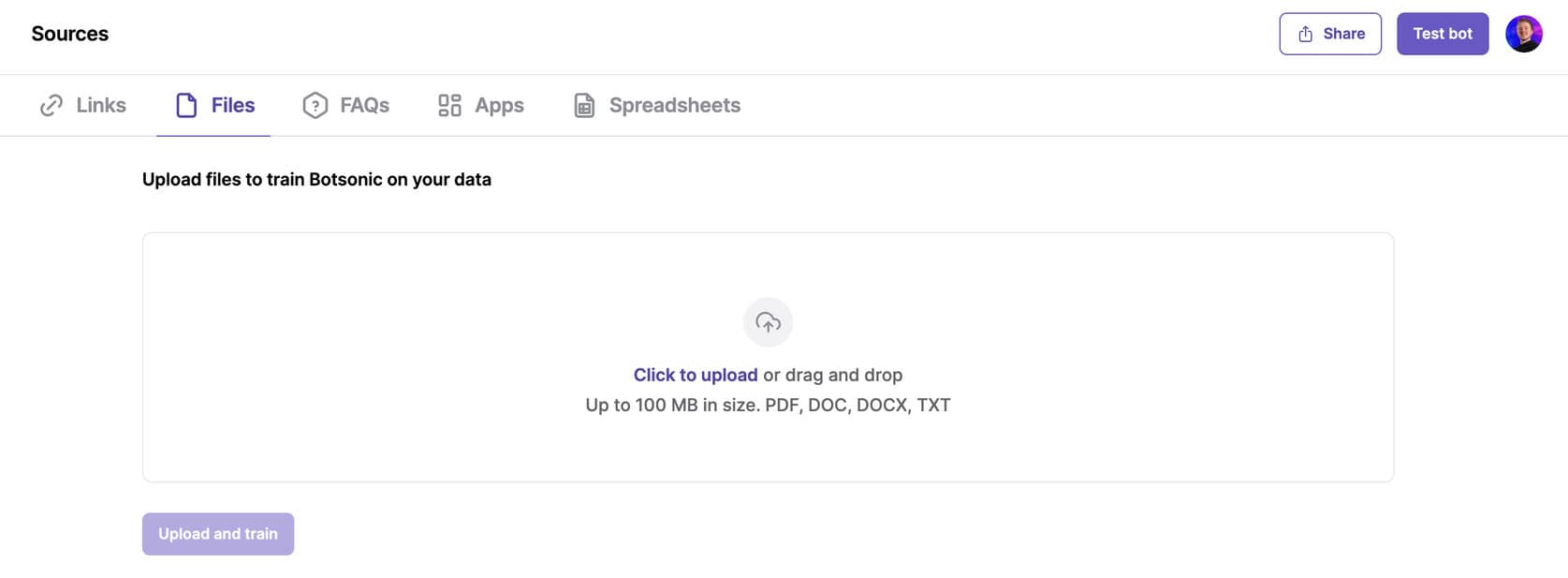
You can train it on:
- Links: Add website URLs, and Botsonic automatically crawls and indexes your content
- Files: Upload PDFs, documents, or FAQ sheets to build a richer knowledge base
- Apps: Connect popular tools like Google Drive, Notion, OneDrive, Salesforce, and Confluence
- FAQs: Enter question-answer pairs manually for precise control
- Spreadsheets (beta): Upload structured data in Excel or CSV format (great for product data, inventory lists, or service catalogs). This feature is unique to Botsonic.
Once the sources are uploaded, Botsonic processes them into a searchable AI knowledge base. When users ask a question, the bot pulls the most relevant answer from this data in real time.
The spreadsheet feature is very interesting. No other chatbot platforms can use tabular data for training. But I should mention it’s still in beta.
AI Actions
AI Actions extend the chatbot’s abilities beyond answering questions. They allow the bot to perform real operations through your own APIs.
For example, you can create an action that:
- Looks up order information
- Retrieves delivery status
- Checks appointment availability
Each action specifies which inputs to collect (e.g. email address or order number) and where to send that data. Once connected, the bot can make live API calls and return results directly in the chat.
You currently have to create your own custom actions, as Botsonic doesn’t yet provide prebuilt ones. But the setup is straightforward and flexible for developers or tech-savvy users.
AI Workflows
AI Workflows determine when your bot should trigger certain actions. You can define specific phrases or intents, such as “Where is my order?” or “Book an appointment”. Then you can map those to the corresponding AI Action.
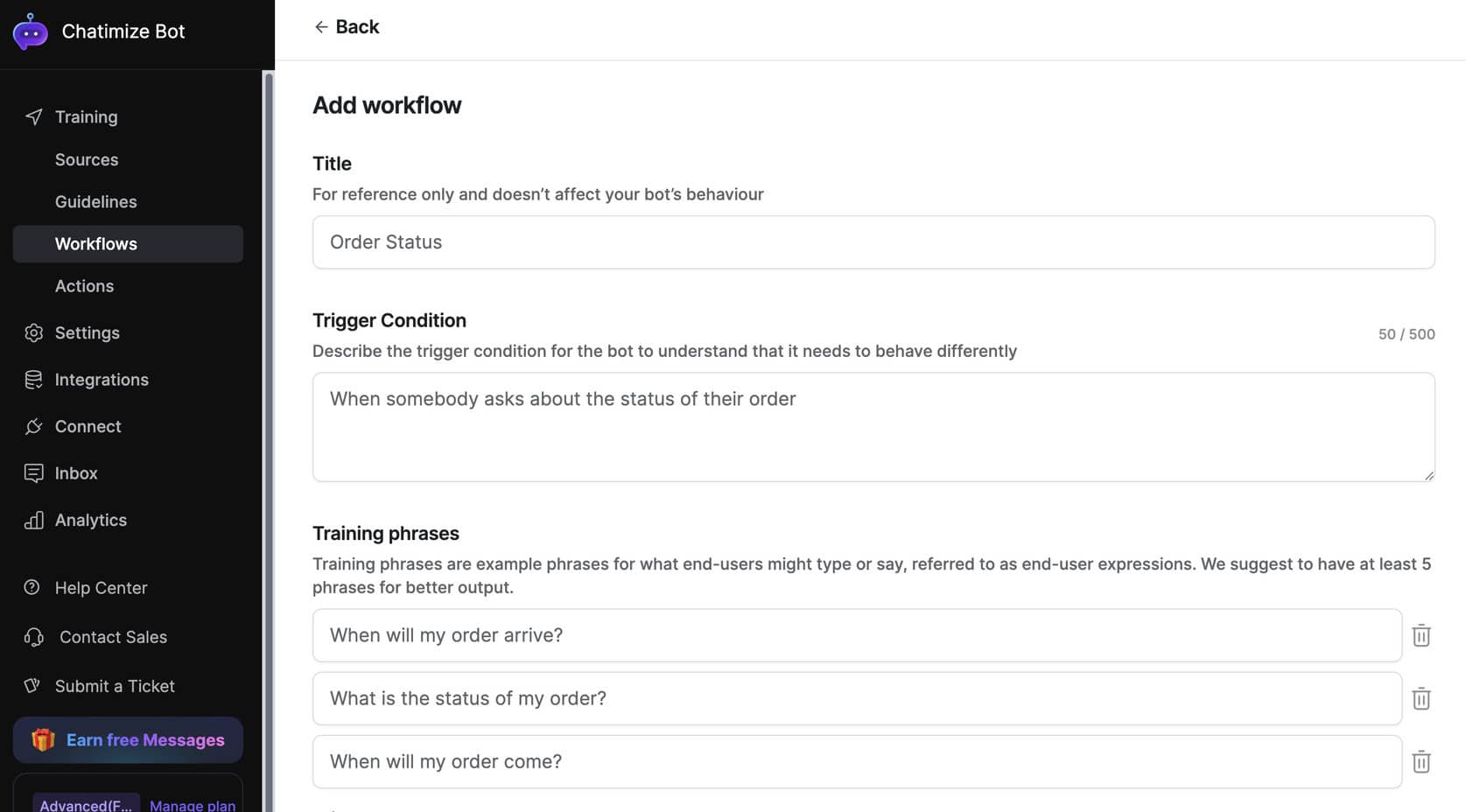
For example, if a user asks about an order, Botsonic:
- Detects that intent
- Triggers the “Order Status” workflow
- Collects the needed details (like email and order ID)
- Runs the connected API call
- Returns the live data to the user
You can chain multiple actions within a single workflow. It gives you room for more advanced automations.
Botsonic is powerful for its price point. Even though it’s a lightweight tool, it offers enough flexibility to build AI chatbots. These can answer questions accurately and take useful actions. It’s something many low-cost alternatives can’t match.
Botsonic Channels & Integrations
Botsonic supports several channels, including website, Telegram and WhatsApp. It also has some direct integrations with other platforms:
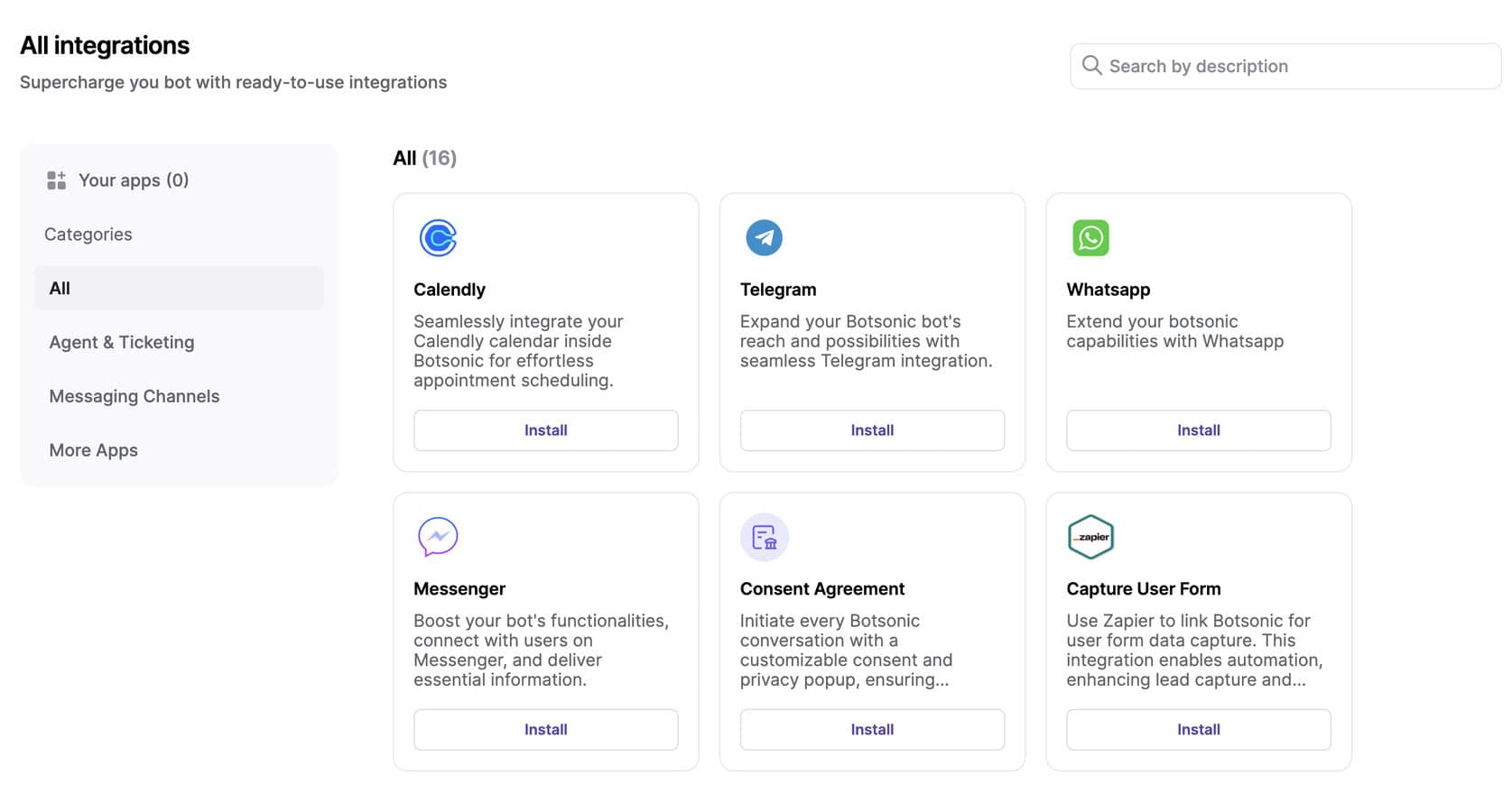
The built-in website widget is the easiest and most reliable option. Most users will start there:
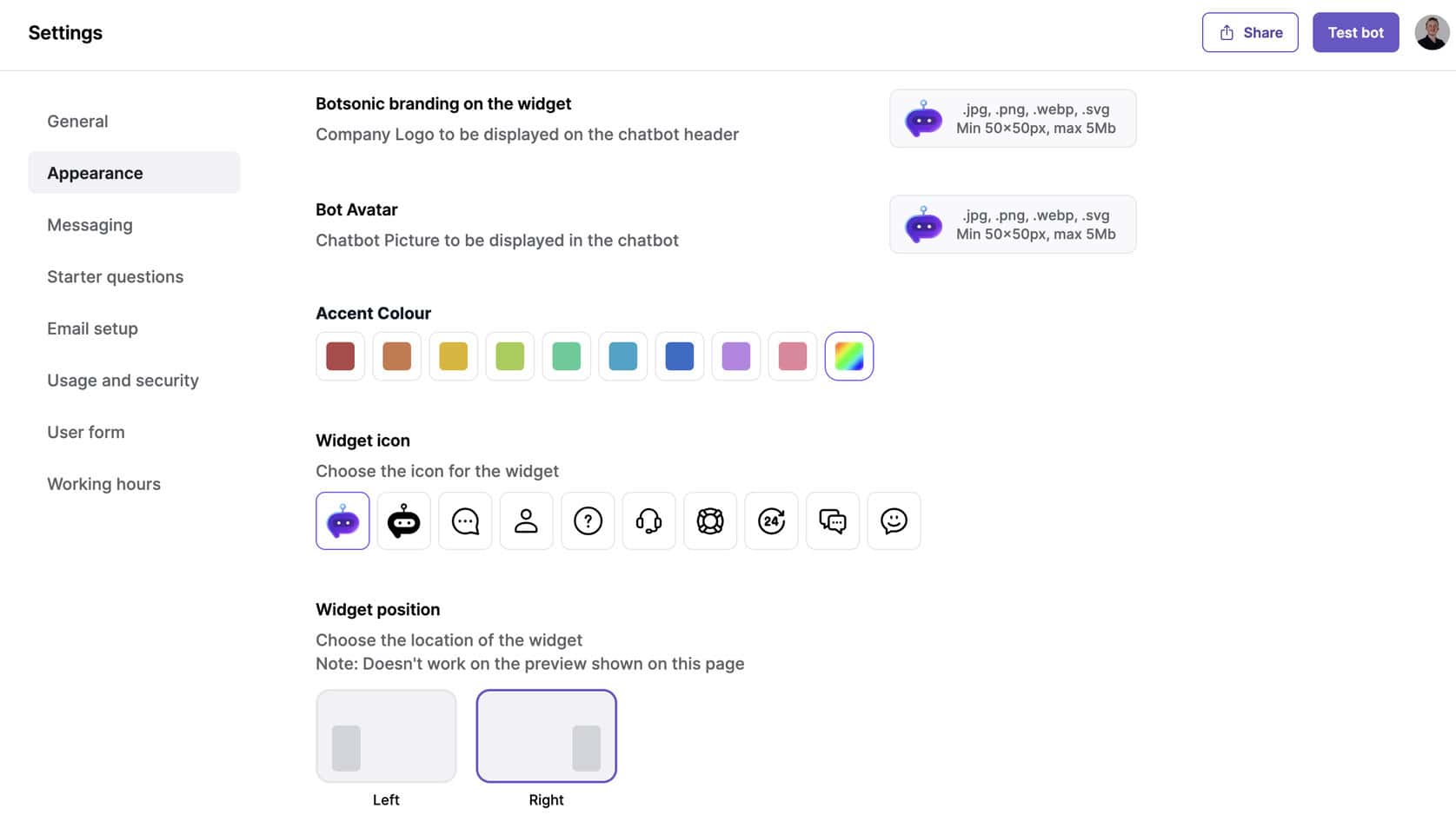
The website widget lets you embed the chatbot on your site with a simple script. You can customize its:
- Color
- Position
- Welcome message
Beyond websites, Botsonic also supports:
- Telegram
- Facebook Messenger
Telegram integration is straightforward and works well once configured.
However, WhatsApp and Messenger require creating a Meta developer app. It’s a more advanced setup process that involves API keys and Meta approval.
This is a bit too technical for most beginners. Because of that, Botsonic’s website and Telegram channels are the most practical choices for most users.
In terms of integrations, Botsonic connects with several third-party systems. But you need to be on one of its higher-tier plans.
On the Enterprise plan, you can enable live agent handoff and ticketing integrations with tools such as:
- Freshdesk
- Zendesk
- Salesforce
These allow you to pass conversations or unresolved queries to a human support agent. It’s a useful option if your business already relies on those helpdesk platforms.
If you’re on a smaller plan, Botsonic doesn’t yet offer a large app marketplace like some competitors. But you can still create custom integrations via API calls and webhooks through its AI Actions feature.
This lets tech-savvy users easily connect the chatbot to CRMs, order systems, or internal databases.
Overall, Botsonic’s integration list is shorter than some enterprise tools. But the essentials are there.
The website widget works out of the box. Telegram is easy to add. And developers can still extend functionality through custom API actions. For most small teams, that’s enough.
Is Botsonic worth it?
So, should you use Botsonic to build your chatbot?
Yes! Especially if you want a quick, affordable way to build an AI chatbot trained on your own data.
Botsonic is very simple to use. You log in, add your sources, and have a working chatbot in minutes. It supports links, files, FAQs, apps, and even spreadsheets.
At around $16 per month, it’s cheaper than alternatives while still covering the essentials.
To get started with Botsonic, click the button below:
It’s not perfect. WhatsApp and Messenger setup can be technical, and advanced integrations like Zendesk or Salesforce are locked behind the Enterprise plan. But for small teams and beginners, those limits are minor.
If you want a no-nonsense chatbot that’s easy to train, customizable, and budget-friendly, Botsonic is worth it.
Frequently Asked Questions
What does Botsonic do?
Botsonic is a no-code AI chatbot builder that lets you train a bot on your own data. You can use websites, documents, FAQs, and spreadsheets. Then, it can answer questions automatically.
Is Botsonic free?
No, Botsonic isn’t free. But it has a 7-day free trial on every plan. Paid plans start at $16 per month for 1,000 messages and core AI features.
Does Botsonic integrate with other tools?
Yes. It connects with Google Drive, Notion, Salesforce, and more. On higher plans, it supports live-agent handoff via Zendesk or Freshdesk.
Can Botsonic connect to WhatsApp or Messenger?
Yes, but setup requires a Meta developer app, which is more technical. The website widget and Telegram are simpler options.
What are Botsonic alternatives?
There are two main alternatives to Botsonic:
- Chatbase: It’s also easy to make chatbots with, and it has more features than Botsonic. But, it’s more expensive.
- Botpress: Very advanced AI, but it’s technical with a high learning curve.
Does Botsonic support spreadsheets?
Yes. You can train the bot on spreadsheet data (beta). It’s great for structured info like product lists or pricing tables.
Who should use Botsonic?
Small teams, startups, or creators who want an affordable chatbot that’s quick to set up and trained on their own data.
