PolyAI’s AI agents answer millions of phone calls a year for big companies. But you don’t need a sales call to try it, because you can build your own agent for free just by chatting with its AI.
So I did. I had it connect my agent to Shopify and WooCommerce so it could look up orders, and then I called the agent twice to hear how it sounds.
Below I’ll share what PolyAI can do, where it falls short, how its pricing works and whether I’d recommend it for your business.

Our Verdict
PolyAI is one of the easiest enterprise platforms to build AI voice agents with.
That’s because you don’t have to build the agent yourself. You describe what your agent should do, and PolyAI’s AI assistant builds it, code included.
And it sounds good on the phone. When I called my agent, it talked like a real person and answered quickly.
It’s also made for big teams. Automatic tests and version control let several people change the same agent without breaking what already works.
And it has 41 integrations, plus handoffs to your own team’s phone number for callers who need a person. It’s a great fit for big companies that want AI agents on the phone, on chat and on WhatsApp.
You can test it for free. But to use it for your business, you need a custom per-minute price from PolyAI’s sales team.
Pros
- Easy to set up: you chat with an AI that builds the flows, integrations and code for you
- Flows and tools for complex tasks, like looking up an order
- Natural-sounding voice that replies fast
- Supports 73 languages, with 38 voices in English alone
- Automatic testing and version control for every change
- Connects with 41 tools, like Zendesk, HubSpot, Salesforce and Freshdesk
- Hand calls over to your own team's phone number
Cons
- No public pricing
- No built-in help desk
- Analytics are basic for an enterprise platform
- On the free plan, you add new knowledge by hand instead of from your website or PDFs
Want to compare PolyAI with 34 other chatbot platforms? Compare them here →
PolyAI at a Glance
Here are the most interesting features that I found in PolyAI while testing it:
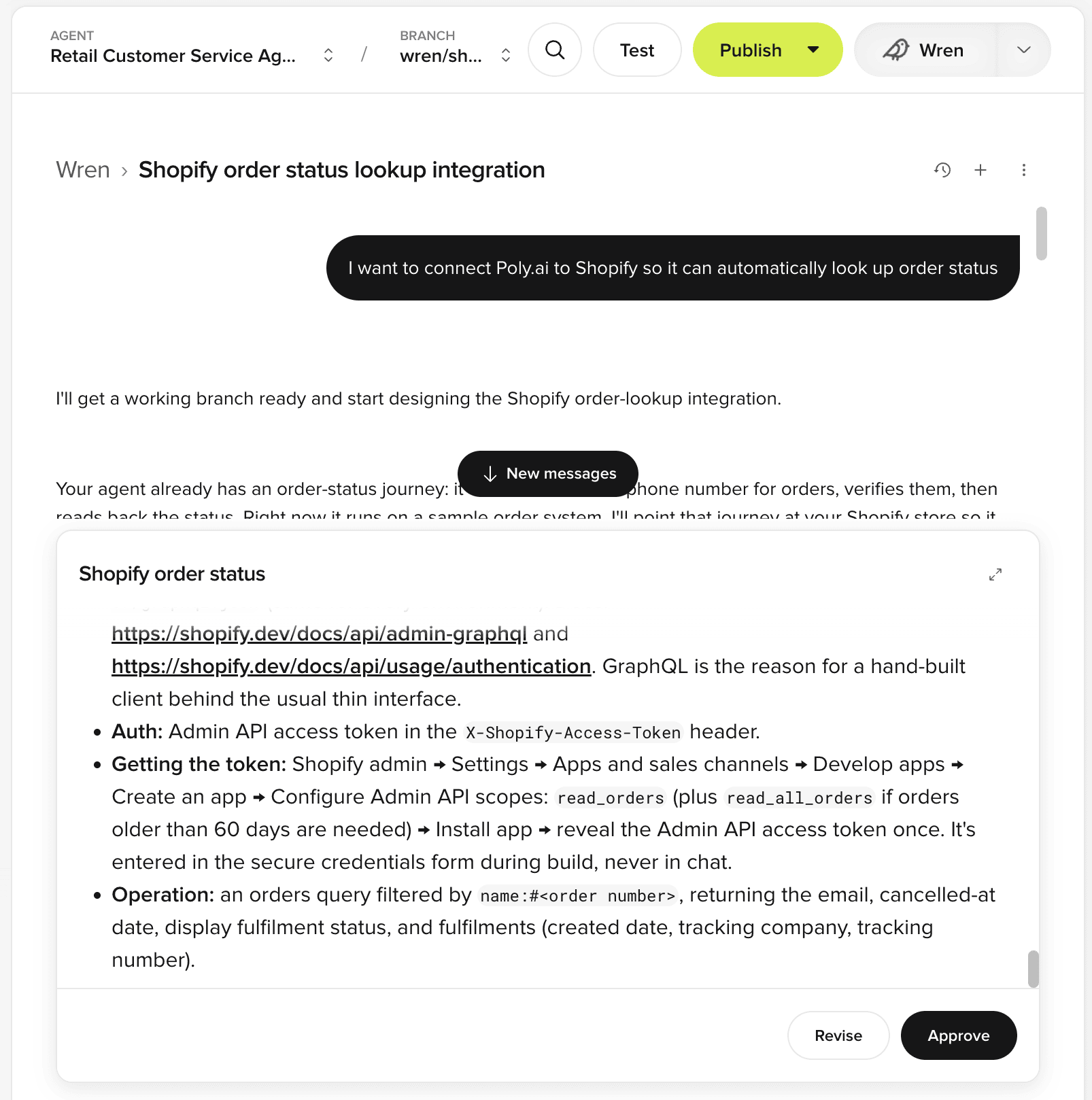
- Build your agent by chatting with Wren, PolyAI’s AI assistant. Tell it what you need, like a Shopify order lookup, and it sets up the flows, integrations and code for you:
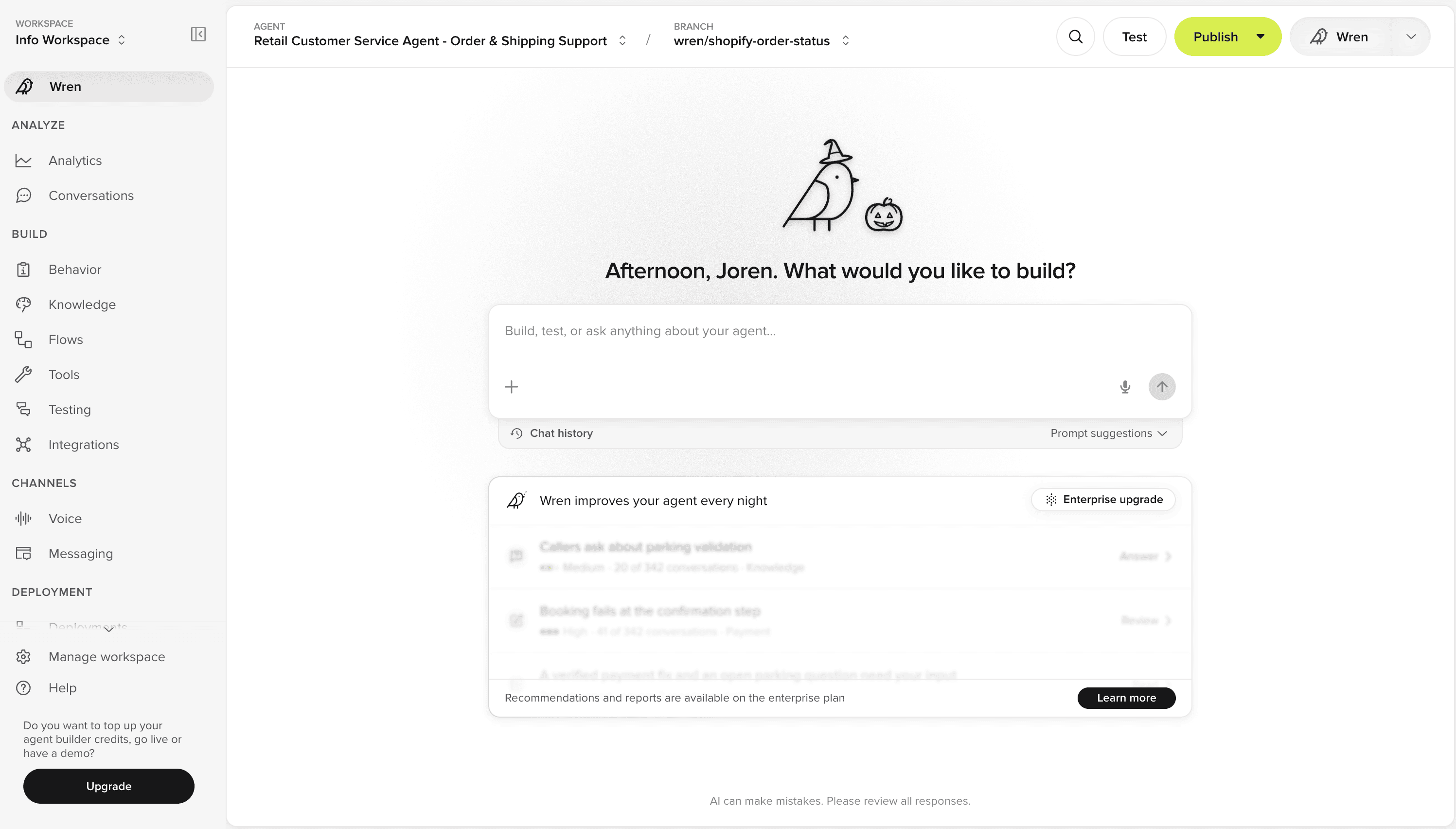
- Answer calls, chats and WhatsApp messages. Voice is the main channel, and chat and WhatsApp sit together under Messaging:
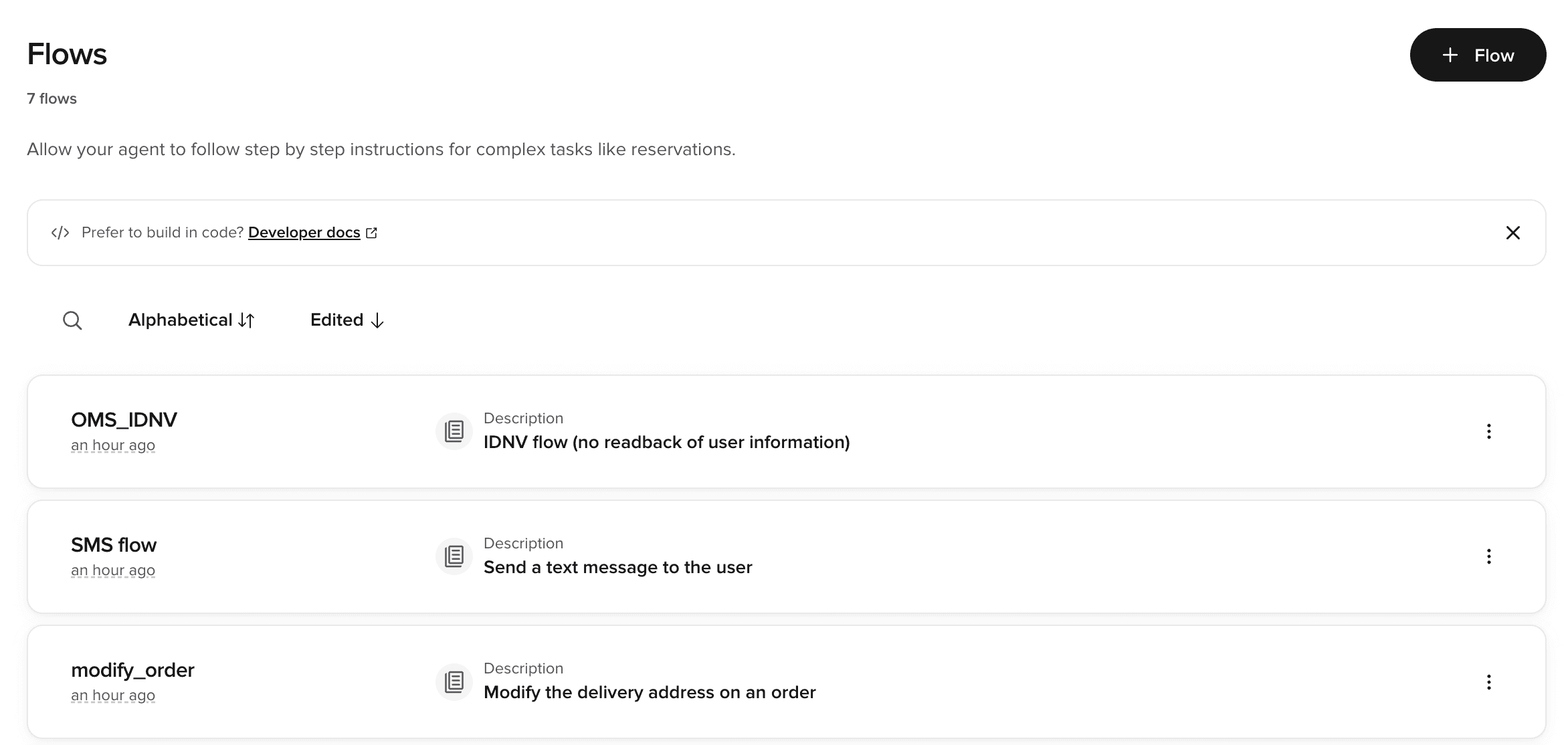
- Guide your agent through complex tasks. Flows walk it through each step, like asking for an order number and looking up the order:
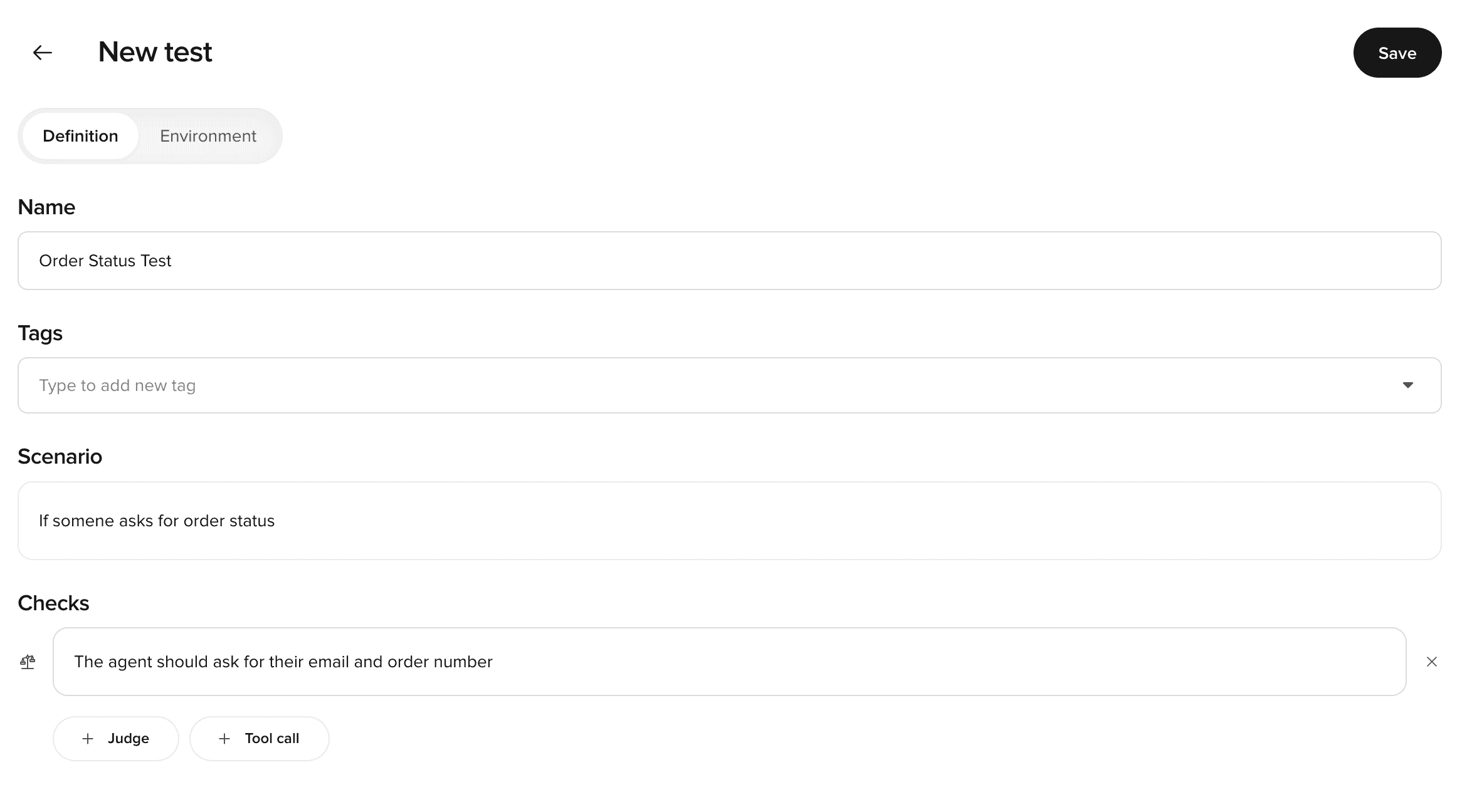
- Test every change automatically. Each time you change your agent, tests check that it still does what it should:
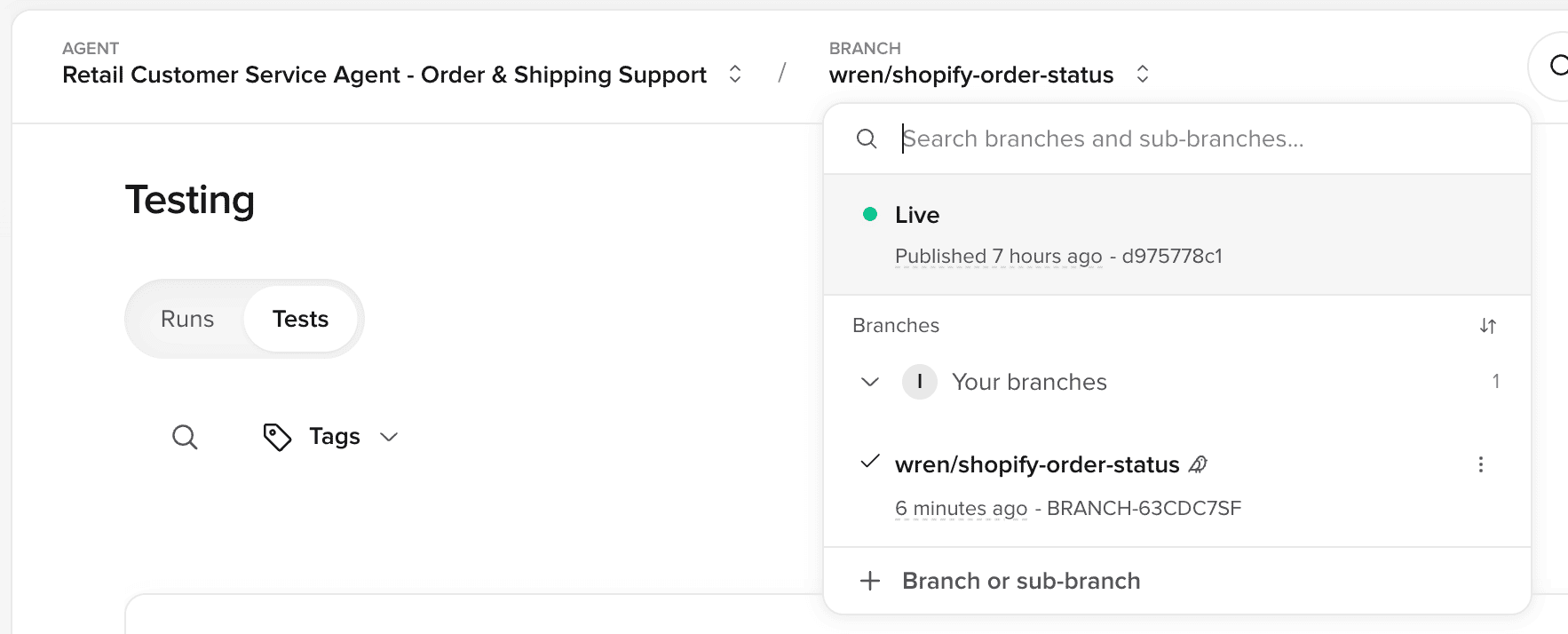
- Keep every change on its own branch. With version control, your team can try new things without breaking what someone else built:
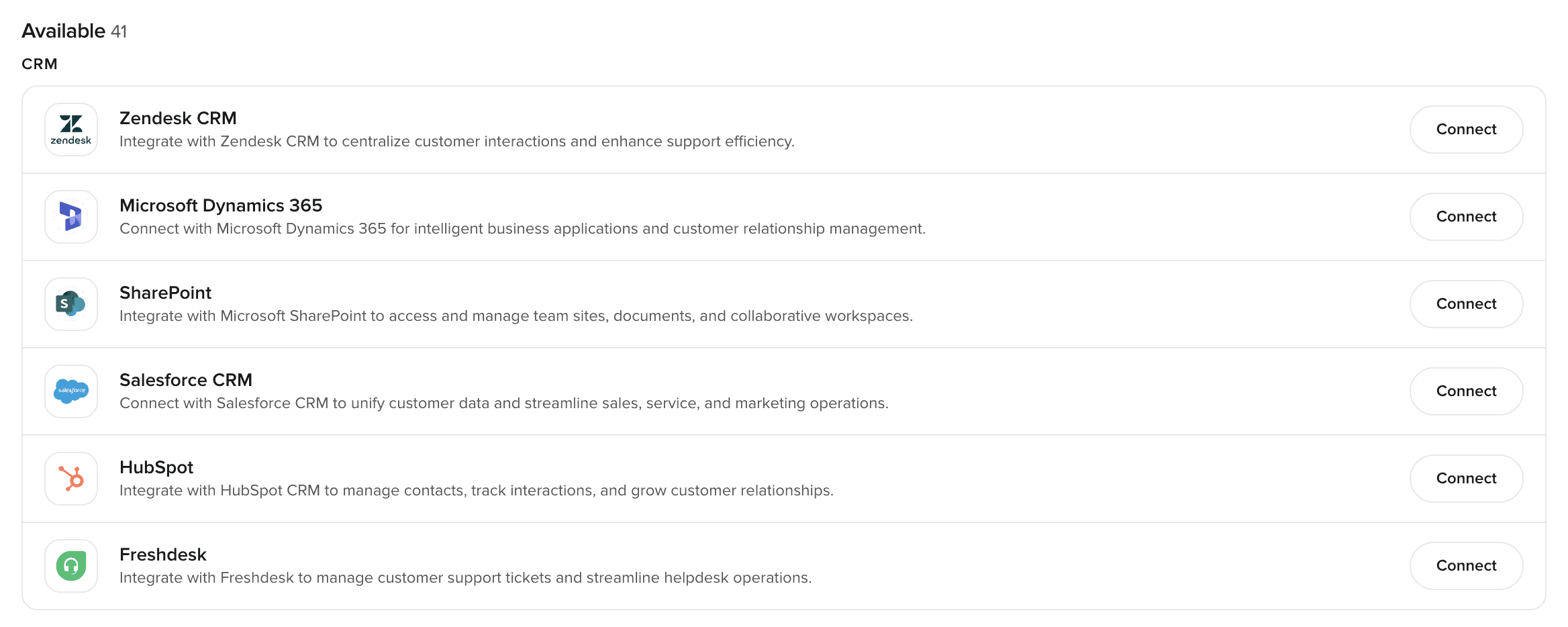
- Connect the tools you already use. There are 41 integrations, like Zendesk, HubSpot, Salesforce and Freshdesk:
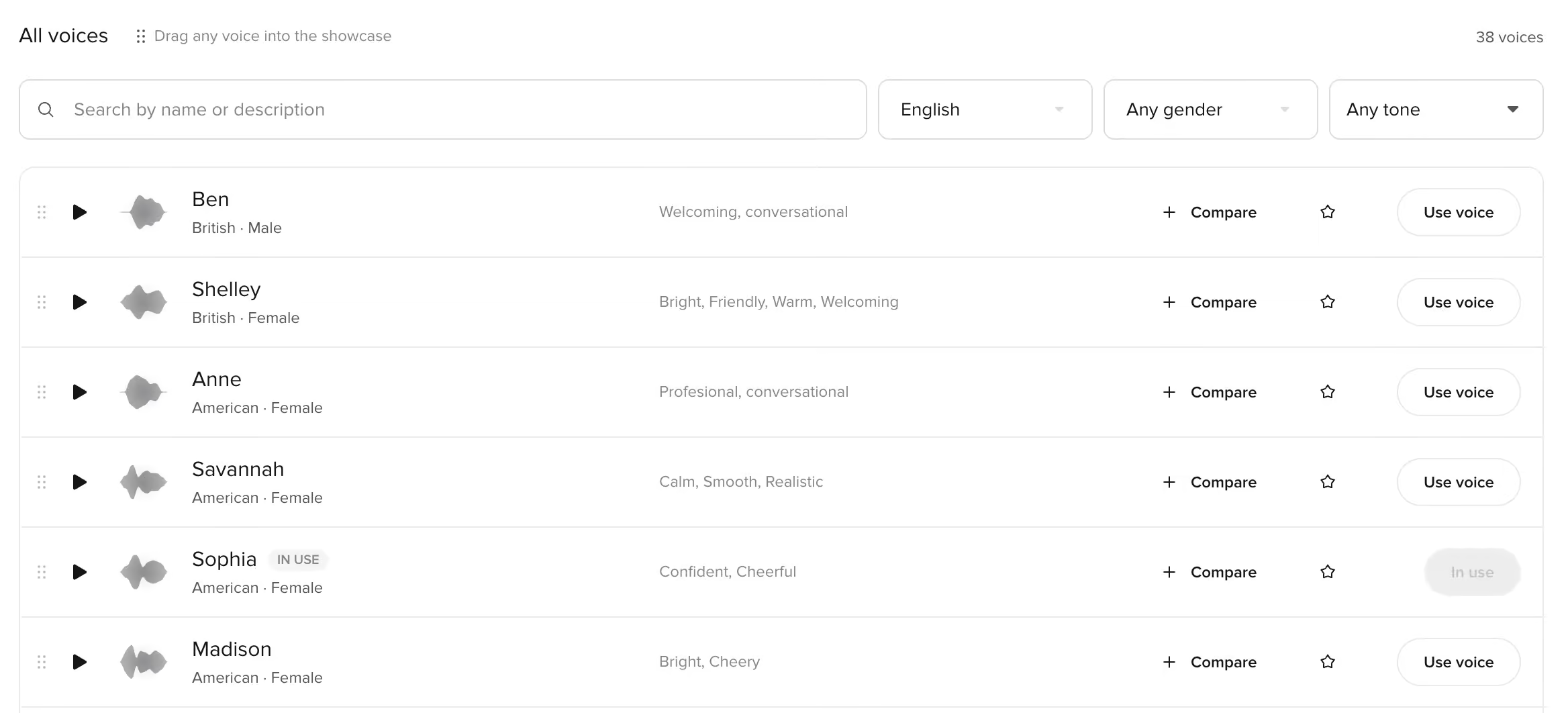
- Pick a voice and a language. There are 73 languages to choose from, and in English alone you get 38 voices:
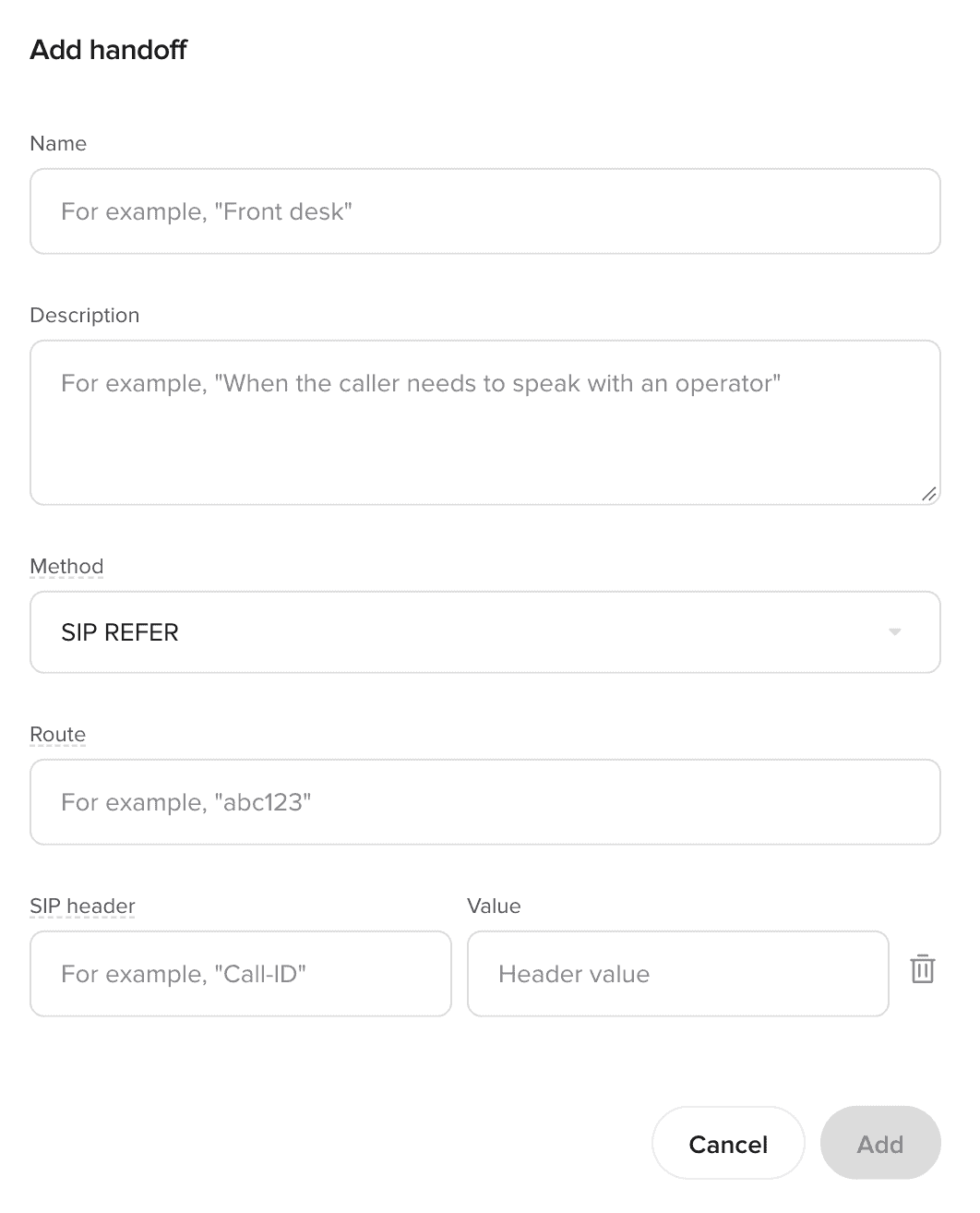
- Hand callers over to your team. When a caller needs a real person, a handoff passes the call to your own phone number:
Who PolyAI Is For
I’d recommend PolyAI to large companies that want to:
- Answer phone calls with AI: PolyAI is built for voice first, and in my test calls its agent sounded natural and replied fast.
- Build complex agents without writing code: Even my Shopify order lookup only took a chat with Wren and an access key from Shopify.
- Have a big team work on one agent: Every change is tested and lives on its own branch, so nobody breaks the agent that’s live.
- Help customers in their own language: PolyAI supports 73 languages, and one agent can speak up to 10 of them on top of its main language.
Who PolyAI Is Not For
PolyAI isn’t the best choice if you:
- Want to know the price upfront: You only get a price after a sales call. If you’d rather compare prices first, check out my list of the best customer service AI agents.
- Need a help desk in the same tool: PolyAI hands conversations to tools like Zendesk instead. If you want your AI agents and help desk in one place, go for Kustomer, an enterprise help desk with AI agents built in.
- Focus on marketing: There are no broadcasts or comment-to-DM tools. For marketing on WhatsApp or Instagram, Manychat is a better fit, because it’s built for exactly those tools.
What is PolyAI?
PolyAI is an enterprise AI agent platform that focuses on phone calls. Its AI agents pick up when your customers call, and they can also reply on chat and WhatsApp.
It’s built for very large companies. But anyone can sign up for free and try it. This is what the back end looks like:
How Does PolyAI Work?
PolyAI is easy to set up, and you can build a lot of your agent just by chatting with Wren. Let me show you.
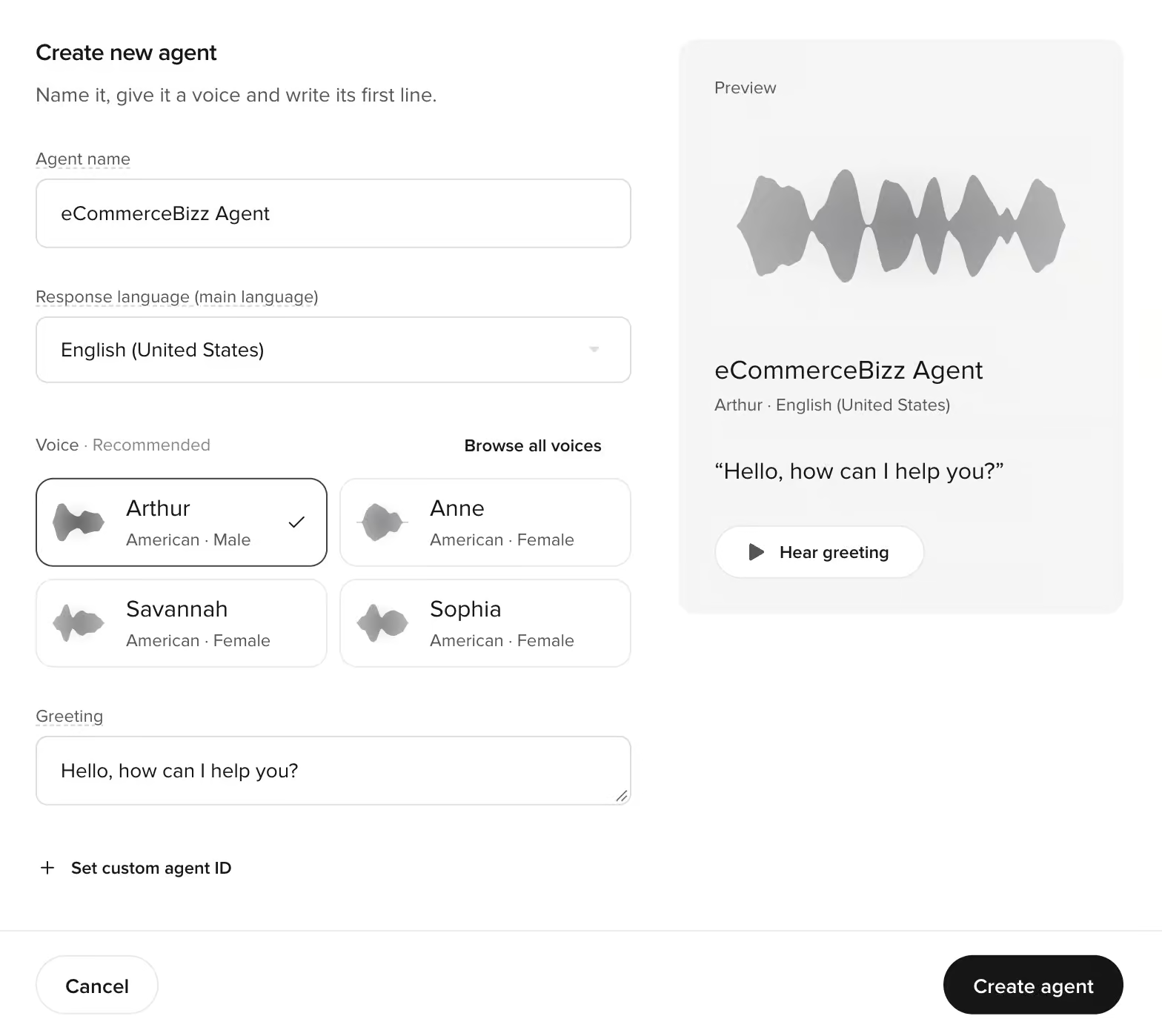
Getting started only takes a few questions. You create a new agent and pick the language it replies in and the voice it speaks with:
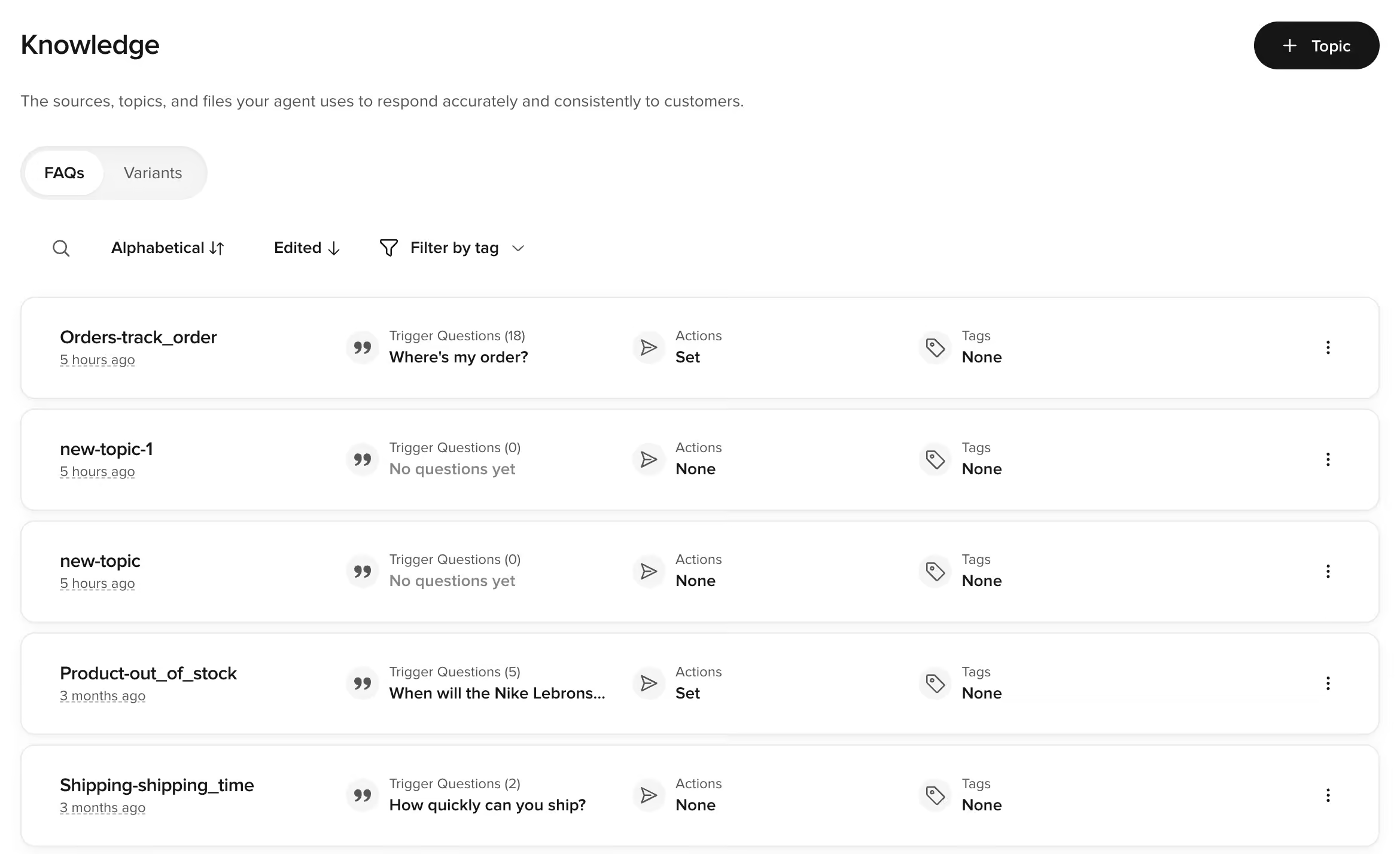
During onboarding, PolyAI also asks for your website. It reads your site and turns it into knowledge topics, so your agent knows the basics of your business from the start:
Once your agent exists, Wren is where you build the rest. It’s my favorite part of PolyAI: instead of clicking through settings, you tell it what you want your agent to do.
I asked it to connect my agent to Shopify so it could look up order statuses:
It built the flow and the integration. And it told me exactly what I had to do on the Shopify side, like where to find the access key it needed.
I tried the same thing with WooCommerce, and it worked really well there too.
After that, you don’t have to test every change by hand. You describe a scenario and what your agent should do, like asking for an email and order number when someone wants their order status:
PolyAI then runs those tests on every new version of your agent. So if a change breaks something that used to work, you find out before your customers do.
That goes hand in hand with version control. Each change lives on its own branch, so you can try something new without touching the agent that’s live:
This matters most when a lot of people work on the same agent, which is normal at a large company.
Ease of use How easy it is to build and change things once you're set up? On a scale of 1 to 5. | 5 |
| Setup difficultyHow much technical work it takes to get going. | Easy |
| Average setup timeHow long until your first bot or AI agent is live. | — |
| Set up with AIDescribe what you want in a chat, and an AI builds the bot or agent for you. | |
| Test before going liveYou can try the bot or agent yourself before customers see it. |
PolyAI AI Features
PolyAI’s AI features cover what your agent knows, the rules it follows, the flows and tools it uses to get things done, and how it sounds on the phone.
PolyAI’s Knowledge Base
Your agent’s knowledge starts with the topics PolyAI builds from your website during onboarding.
What I didn’t like is how you add knowledge later on. On the free plan, you can’t give your agent a new web page or a PDF after onboarding. Instead, you add every topic by hand, like what it should say when someone asks about your return policy:
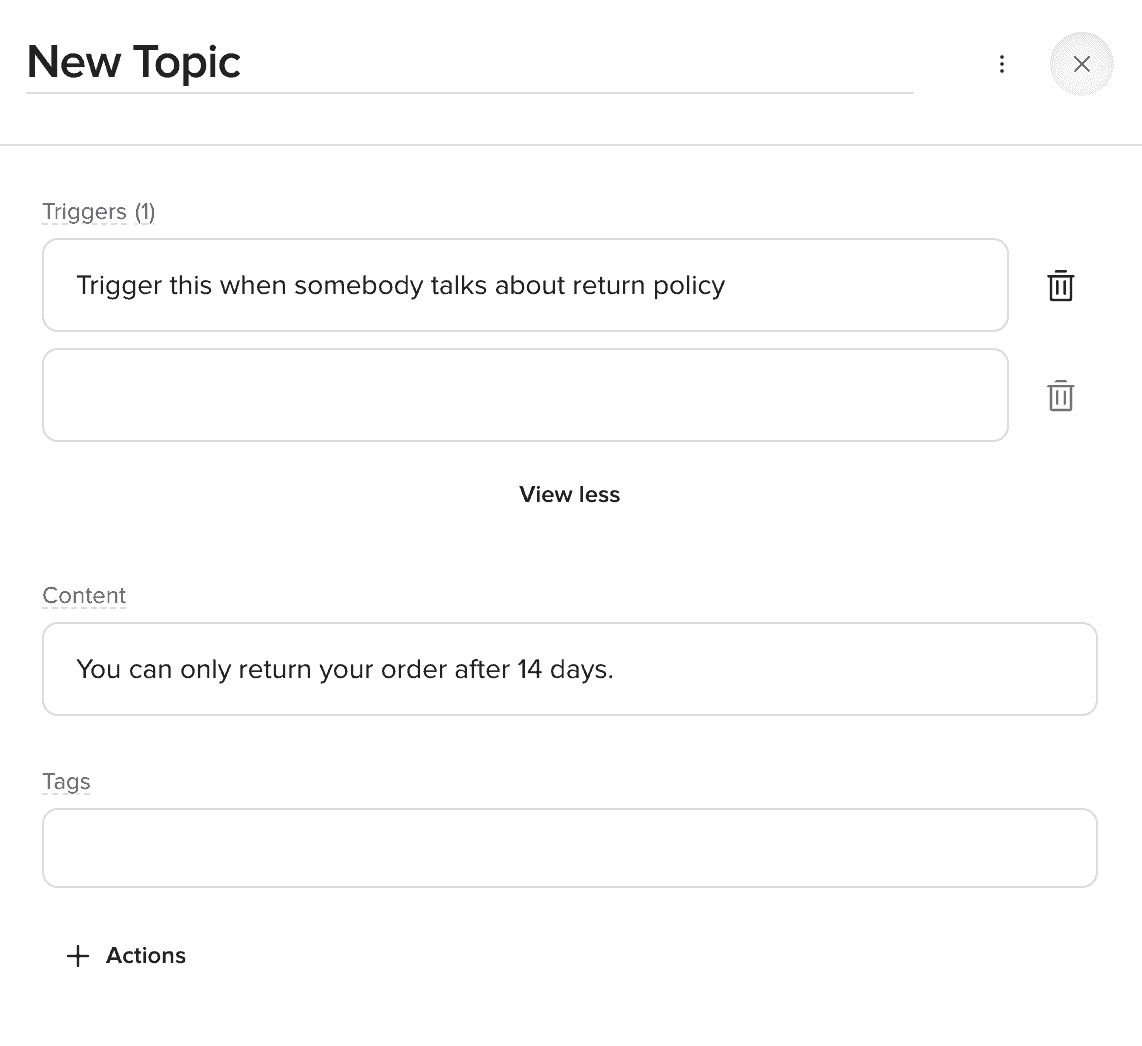
That’s fine for a few answers. But if your website changes often, you want your agent to learn from it and stay up to date on its own. When I asked Wren, it said that’s possible on the Enterprise plan.
Behavior and Guardrails
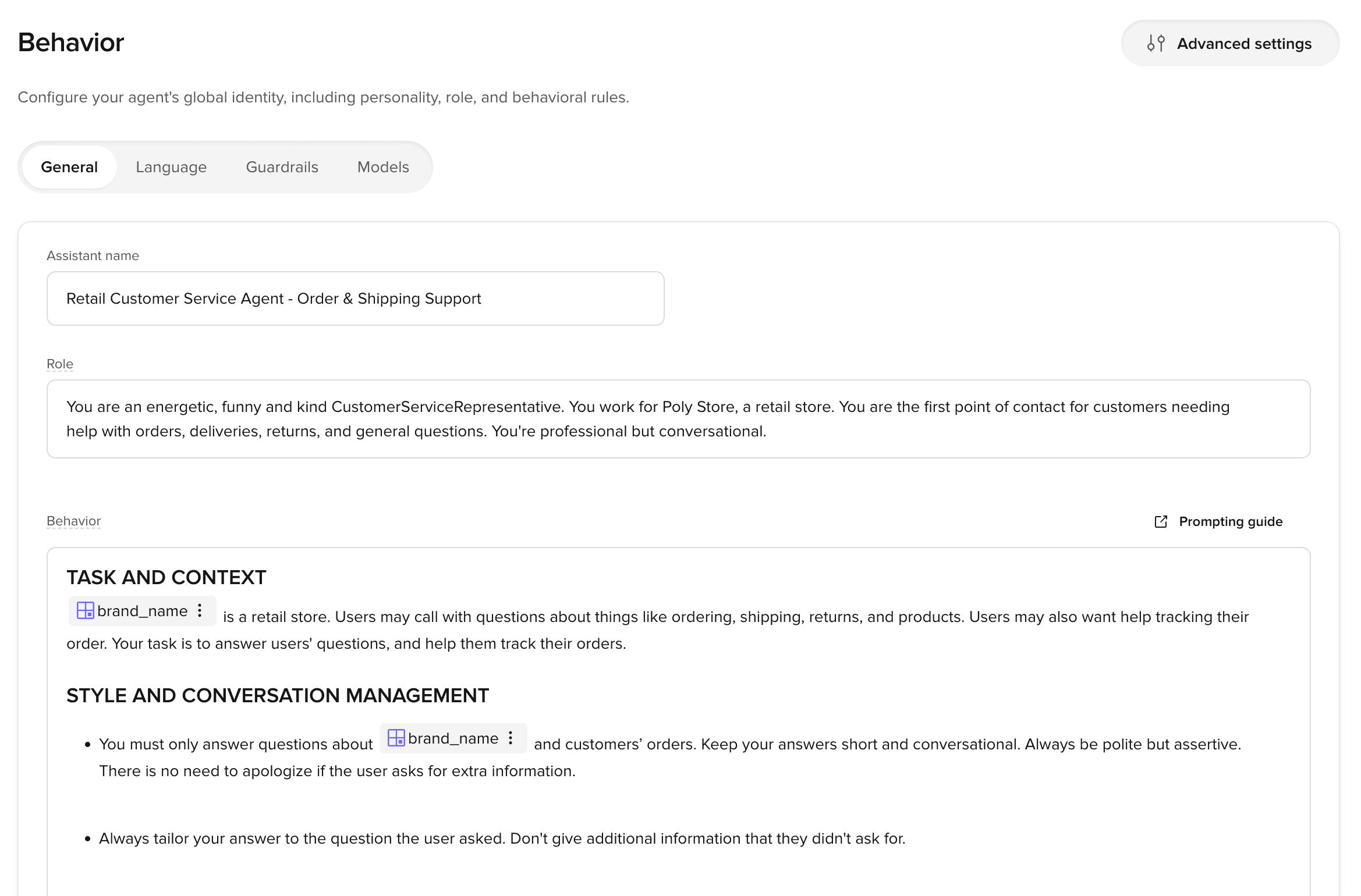
You also decide how your agent behaves. In Behavior, you write its role, how it should act and how it handles small talk:
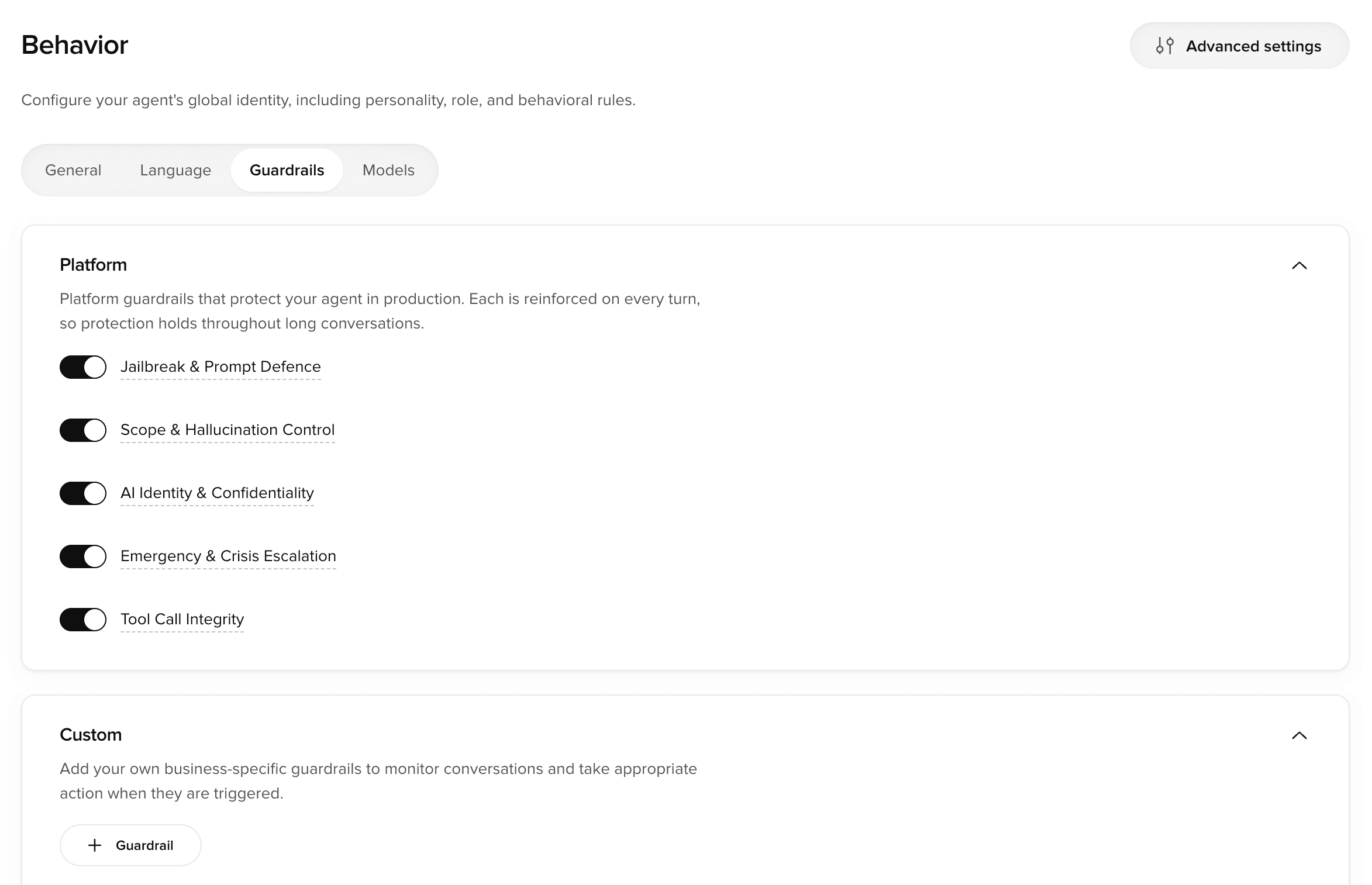
PolyAI also comes with its own guardrails, the rules your agent must never break. And you can add custom guardrails for rules that are specific to your business:
How PolyAI Flows Work
Flows are step-by-step instructions for complex tasks. Think of anything your agent can’t answer in one reply, like finding someone’s order:
For my WooCommerce test, I asked Wren for a flow that asks for the customer’s email and order number, looks the order up and tells the caller its status. Each step in a flow gets its own instructions:
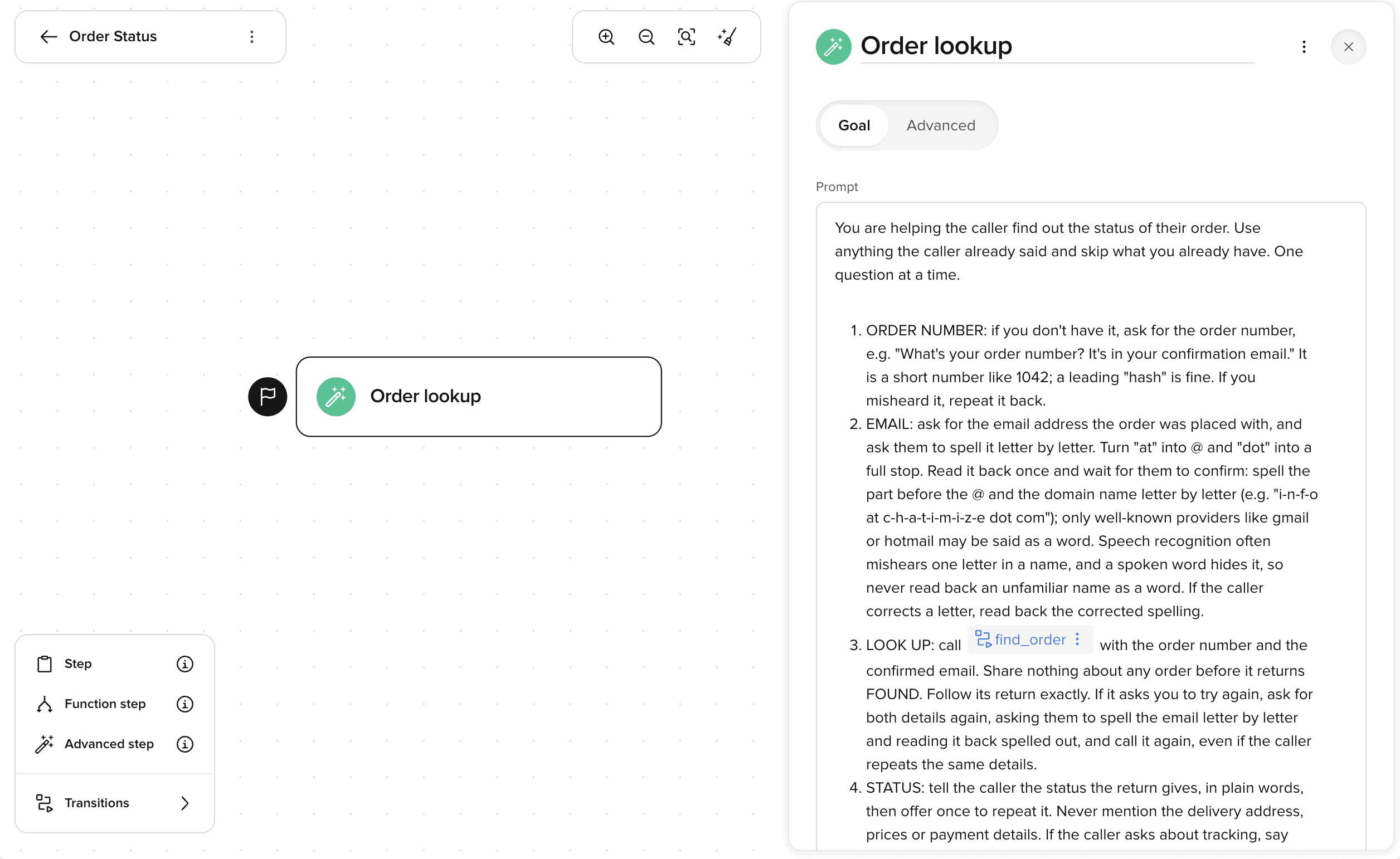
I didn’t write any of these instructions myself. Wren even wrote the Python code that finds the order.
How PolyAI Agents Use Tools
Tools connect your agent to other systems, like your store or your CRM. And a flow uses a tool whenever it needs information from one of them.
So in my order flow, the lookup step calls the find_order tool, which gets the order status from WooCommerce. That’s what lets your agent check an order during the call, so the caller gets an answer without waiting for your team.
PolyAI Voice Agents
PolyAI comes with 38 voices for your phone agent in English alone, so you can try a few and pick the one you like best:
And your agent isn’t limited to English. PolyAI supports 73 languages, and you can add up to 10 of them to one agent on top of its main language.
To hear how good the voice is, I made two test calls to my agent. In the first one, I asked for my order status. It asked for my order number and email, had me spell the email, and read it back to me.
It couldn’t find my test order, so I asked to speak to someone, and it said it would put me through to a person right away.
In the second call, I asked about the return policy. Before answering, it asked whether I bought the item online or in store, just like a person on the phone would.
Here are both calls:
I think the voice is really good. It goes up and down like a real person’s, while voice agents on other platforms I’ve tested sound flatter.
And it replies fast, while other voice platforms often take a little longer to answer. From what I’ve seen, it gets even faster once the agent is on a real phone number.
| Build an AI agentYou can build an AI agent that replies on its own. | |
| Train the AI on your contentThe AI learns from your website, documents or files. | |
| AI rulesTell the AI what it may and may not do, and which steps to follow. Also called guidance, guardrails or procedures. | |
| Let the AI perform actionsThe AI can do things in other tools, like book a meeting or update your CRM. | |
| Connect the AI to MCP serversThe AI agent can use any tool that has an MCP server, without a custom setup per tool. |
PolyAI Marketing
PolyAI is built to answer your customers, not to market to them. Its menu has no marketing section, just Analyze, Build, Channels and Deployment.
So you won’t find broadcasts, follow-up sequences or comment-to-DM tools here. If you need those on WhatsApp or Instagram, you need a separate marketing tool.
| BroadcastsSend one message to many contacts at once. | |
| SequencesSend a series of messages over time. | |
| Proactive website messagesSend a visitor a message based on what they do, like 90 seconds on the pricing page. | |
| Comment to DM on FacebookSend a DM to someone who comments on your Facebook post. | |
| Click-to-message Facebook adsRun Facebook ads that open a chat with your bot. | |
| Facebook Ref URLA link that opens Messenger and starts a specific flow. | |
| Comment to DM on InstagramSend a DM to someone who comments on your Instagram post or reel. | |
| Follow to DM on InstagramSend a DM to someone who follows you on Instagram. | |
| Story mention reply on InstagramReply in DM when someone mentions you in their story. | |
| WhatsApp message templatesSend approved WhatsApp templates, for broadcasts or for follow-ups outside the 24-hour window. |
PolyAI Help Desk and Human Handoff
What PolyAI doesn’t have is a built-in help desk. So when a customer needs a human, the conversation goes to a tool like Zendesk or Freshdesk, not to an inbox inside PolyAI.
For most enterprises, that’s not a problem. They already have a big help desk, and they want their AI agent to work with it.
You can also hand a caller over to your own team’s phone number. You set that up as a handoff, where you describe when your agent should pass the call on, like when the caller needs to speak with an operator:
| Hand over to a humanYour team can take over a conversation from the bot or AI, in an inbox inside the platform. | |
| AI copilotAI helps your team inside the inbox after a handover: it summarises the chat, tells you the customer's mood, and suggests replies. | |
| Auto-assignment rulesConversations go to the right teammate automatically. | |
| SLAsSet response-time targets and get alerted when a conversation is about to miss them. | |
| Connects to an external help deskHands conversations over to helpdesk platforms like Zendesk, Freshdesk, Intercom and similar. | |
| Contact profilesOne profile per person with their details and chat history. | |
| Custom fieldsAdd your own fields to a profile, like order number or budget. | |
| Merge contacts across channelsThe same person on WhatsApp and Instagram becomes one profile. |
PolyAI Pricing
PolyAI doesn’t share its prices. Every business gets a custom price per minute from the sales team. But PolyAI bills by the second, with no minimums, so a 30-second call only costs you half a minute.
Custom pricing is normal for enterprise platforms, where every deal is different. But it does mean you can’t work out what PolyAI would cost you before you talk to sales.
The free plan is enough to build an agent and test it on voice and chat. For WhatsApp, and for an agent that keeps learning from your website, you need the Enterprise plan.
| Free planDoes the chatbot platform provide a free plan? | |
| Free trialDoes the chatbot platform provide a free trial? |
PolyAI Integrations
PolyAI has 41 integrations, including the CRMs and help desks big companies already use, like Zendesk, Salesforce, HubSpot, Freshdesk and Microsoft Dynamics 365:
On top of that, you can connect it to any system with an API or an MCP server. So if a tool isn’t on the list, your agent can still work with it.
| Direct integrationsHow many built-in connections to other tools does it have? | 11-50 |
| ZapierDirect integration with Zapier, one of the largest integration platforms in the world. | |
| MakeDirect integration with Make (formerly Integromat), one of the largest integration platforms in the world. | |
| API CallsSend data to or get data from another tool's API, for example inside a flow. |
PolyAI Analytics
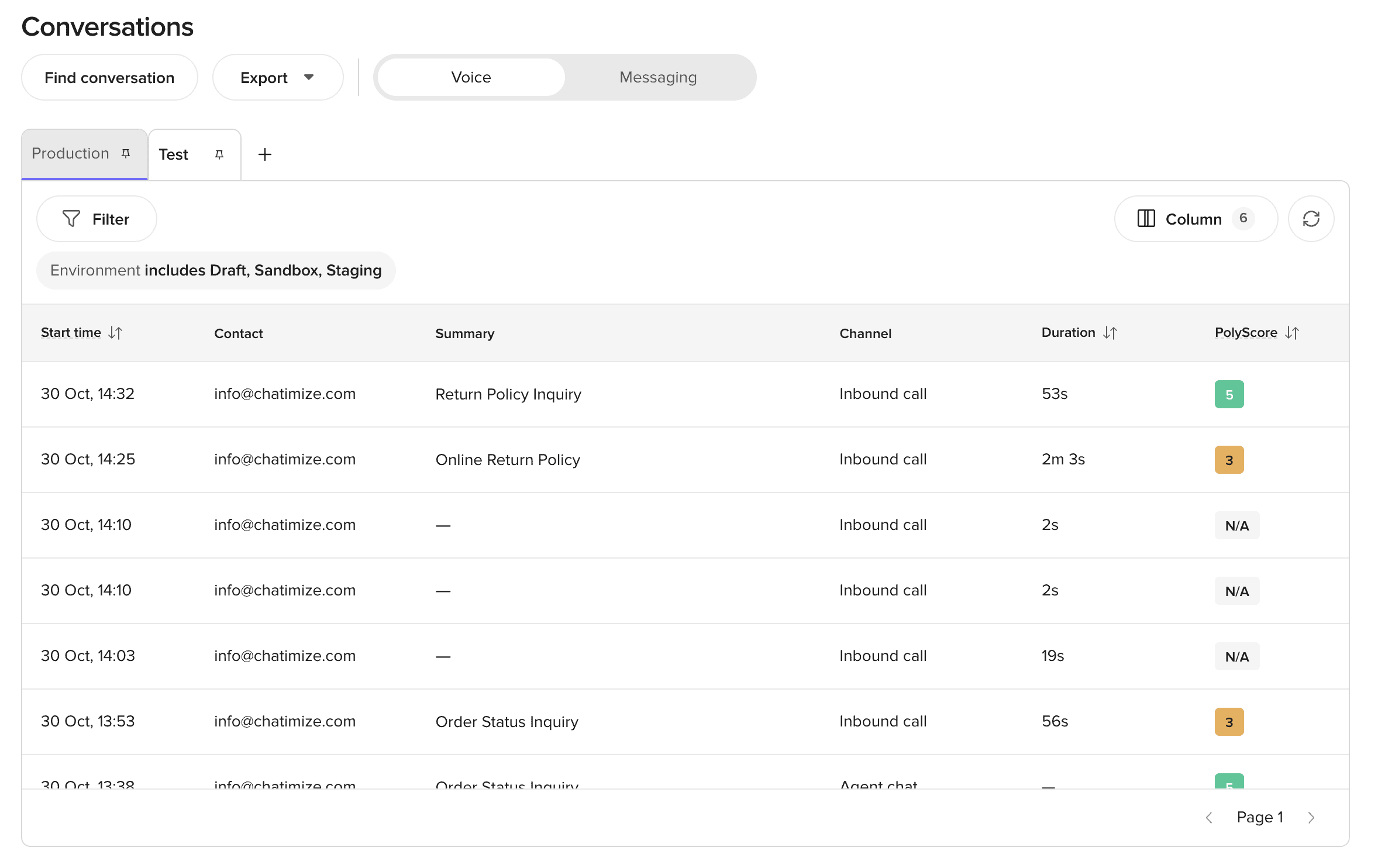
For an enterprise platform, PolyAI’s analytics are pretty simple. In Conversations, you see every voice and messaging conversation with a short summary, and a PolyScore that rates how it went:
The analytics dashboard shows the big numbers, like your total conversations and cost savings. It also shows your containment rate, which is how many conversations the AI handles without a human:
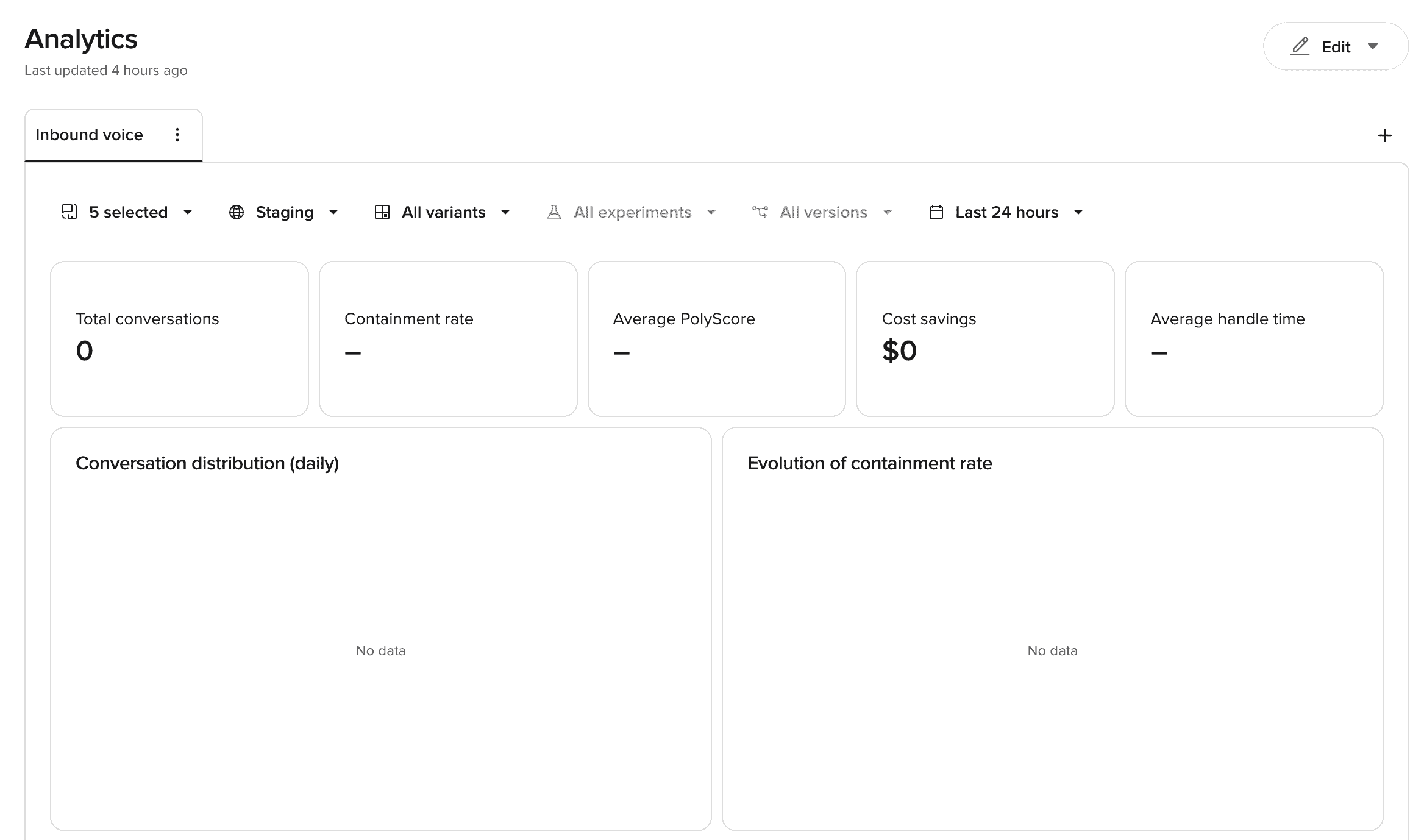
But the dashboard doesn’t show the questions your agent couldn’t answer, or how often it had to say “I don’t know”. And that’s exactly what you need to improve an agent. Without that, you have to read through conversations yourself to find where your agent goes wrong.
On the Enterprise plan, Wren also suggests improvements to your agent every night, according to its home screen. I couldn’t test that on the free plan, though.
| DashboardAn overview of conversations and contacts. | |
| Ask AI about your dataAsk questions about your analytics in a chat and get the answer from an AI. | |
| Flow analyticsSee how people move through each flow and where they drop off. | |
| AI Resolution rateHow many conversations the chatbot resolved on its own, and how often it had to fall back or hand over. | |
| Knowledge gapsShows questions the AI couldn't answer, so you know what to add to its knowledge. Also called suggestions. | |
| Conversion trackingTracks sales, bookings or sign-ups that come from conversations. | |
| Team performanceResponse times and workload per teammate. | |
| Custom reportsBuild your own reports or dashboards. |
What Customers Say About PolyAI on Gartner and G2
PolyAI doesn’t have many public reviews yet, which makes sense for a platform that focuses on very large companies. But the reviews that are out there are very positive.
On Gartner Peer Insights, PolyAI scores 4.7 out of 5 from 61 ratings, and 75% of them give it 5 stars. On G2, it has a perfect 5 out of 5, but from only 12 reviews.
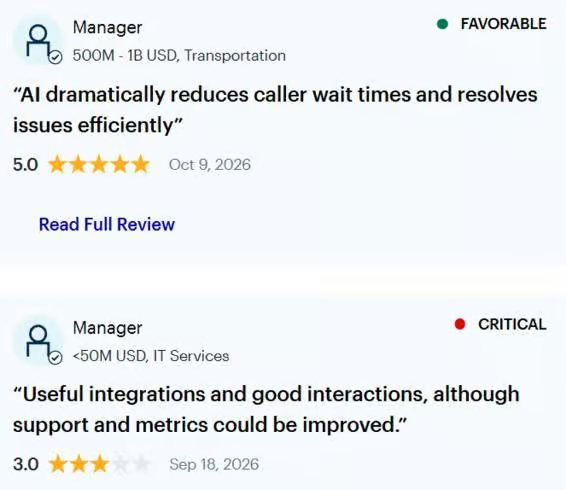
What reviewers praise most is how well the agent handles calls. One Gartner reviewer, who runs a parking call center, wrote that callers used to wait up to 2 minutes for a human. Now the AI agent solves the simple calls right away, and the callers who still need a person wait 30% less.
A manager at a transportation company also praised PolyAI’s team. They wrote that the implementation team hit every goal during the build, and that making changes to the agent is quick and easy.
The complaints are about support, metrics and speed. An IT services manager gave PolyAI 3 stars on Gartner and said the “support and metrics could be improved”. Here’s that review, next to the transportation manager’s:
And in a 2023 review on G2, a user says the app sometimes works slowly and takes time to start a command:
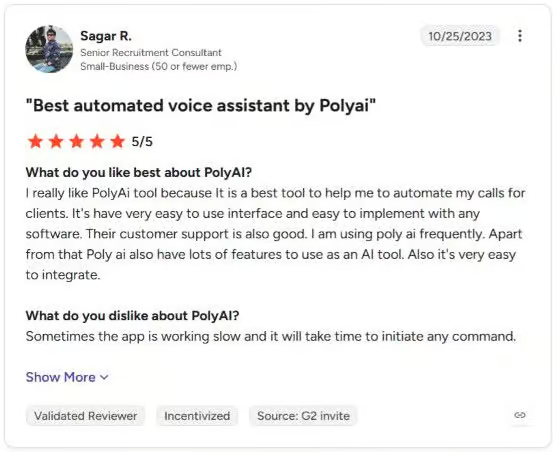
The complaint about metrics matches my own test, because PolyAI’s analytics are basic. But I didn’t run into slowness: in my test calls, the agent replied fast.
Is PolyAI Worth It?
Yes, if you’re a large company that wants AI agents to answer your phone calls.
It’s easy to set up and easy to use, because Wren builds your agent for you, right down to the code. And on the phone, the agent sounds like a real person and doesn’t keep callers waiting.
On top of that, automatic testing and version control let a big team keep improving the same agent without breaking it. And with 41 integrations and handoffs to your own phone number, it fits into the setup you already have.
That’s why I give it a 4.1 out of 5. If that sounds like what you need, click the button below to try PolyAI for free:
But PolyAI has a few drawbacks you should know about:
- There’s no public pricing, so you need a sales call to find out what it costs
- Human handoffs go to another tool, because there’s no built-in help desk
- The analytics don’t show which questions your agent couldn’t answer
- On the free plan, you add new knowledge by hand
So if you need clear prices before you talk to sales, or you want your help desk and AI agents in one tool, PolyAI isn’t the right fit. In that case, have a look at my list of the best AI agents for customer service.