


Most customer service teams spend the majority of their day answering the same handful of questions. Where’s my order? What’s your return policy? How much does this cost? How do I log in?
AI agents for customer service now handle these conversations automatically, without a script or human involved. They read what the customer is asking, find the answer, and reply on their own.
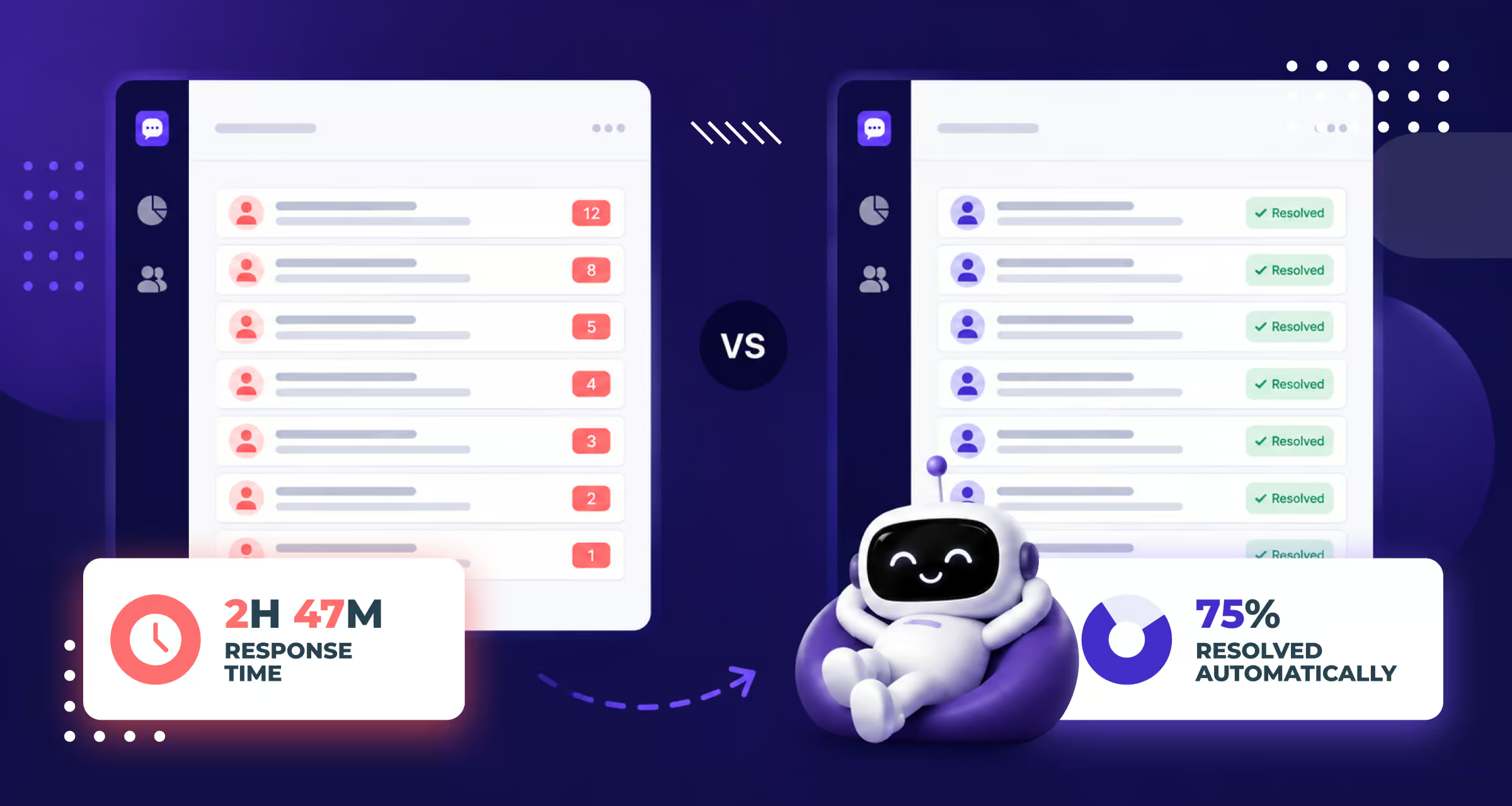
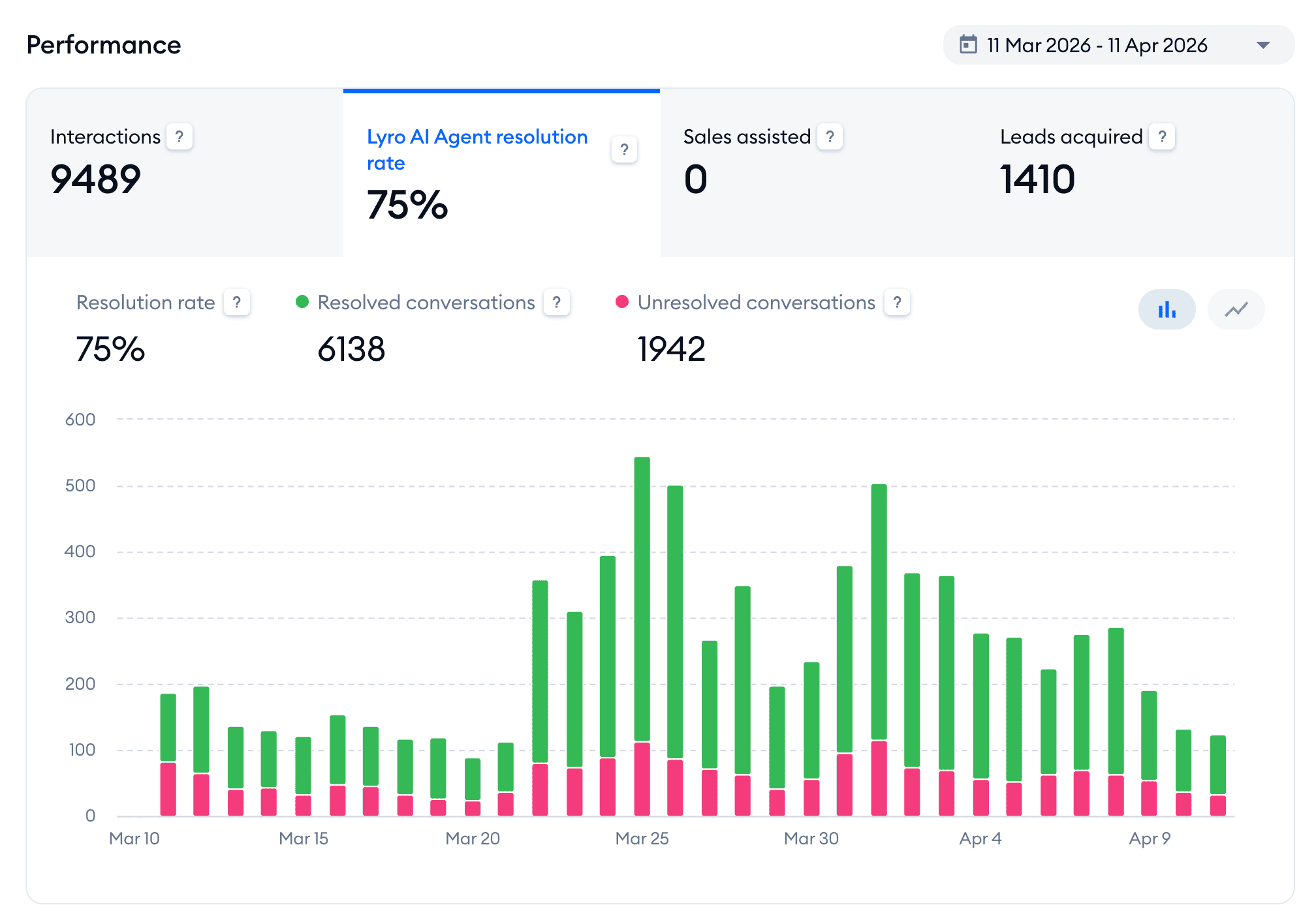
One of my eCommerce clients, Burker, automated 75% of their customer conversations in the first month using Tidio’s Lyro AI agent.
This guide is based on 7 years of building chatbots and AI agents for real clients across many industries.
To be clear: we’re not an AI agent platform, and we’re not here to sell you our own tool. We’re an independent party, and I tested every platform on this list myself.
Below, I’ll break down the 6 best AI agents for customer service, what each one is best for, and which I’d pick for your situation.
Let’s dive in!
What Is an AI Agent for Customer Service?
An AI agent for customer service is a software program that handles customer conversations on its own. It understands what the customer is asking, finds the right answer from your knowledge base or connected systems, and replies on its own.
This is where it’s different from a basic chatbot, which follows fixed rules. It only reacts to specific keywords or button clicks, so the customer has to phrase things the “right” way or pick from a menu.
It gets stuck when a customer asks something it’s not prepared for.
An AI agent works differently. It understands natural language, so it adapts to whatever the customer actually types. And it can take real actions, such as:
- Checking an order status
- Processing a return
- Booking an appointment
That’s way more than just handing back a pre-written reply.
If you want to go deeper, I’ve covered customer service chatbots in a separate guide.
So what makes a good AI customer service agent? There are three most important things:
- Resolution rate: This is the percentage of conversations the agent handles completely on its own, without passing them to a human. It tells a lot about whether the agent is actually doing a good job.
- Knowledge quality: An AI agent is only as good as the data it’s trained on. If it learns from your real product pages, help docs, and policies, its answers are accurate. If it’s trained on thin or outdated information, it gives wrong or incomplete answers.
- Escalation quality: A good agent knows when it can’t help and hands the conversation to a human smoothly. It also passes along the full context so the customer never has to repeat themselves.
That’s the foundation for the kind of chatbot automation that actually saves your team time.
How I Evaluated Each Platform
I looked at what’s most important when an AI agent has to handle customer conversations day after day. There are 5 things:
- Knowledge training: A customer service agent depends on what it actually knows. So I checked whether each platform can train itself on your website, your documents, and your product data automatically.
- Human handoff: No AI agent resolves everything, and the ones that pretend frustrate customers. So I looked at how well each platform escalates to a real person when the agent hits its limits.
- Channel coverage: Your customers don’t only message you on your website. They’re on WhatsApp, Instagram, and Facebook too. I checked which channels each platform actually supports.
- Integrations: An AI agent is far more useful when it can reach the tools you already run your business on, such as Shopify, your CRM, or your help desk. So I looked at how easily each platform connects to other apps.
- Ease of setup: Most teams don’t have a developer on standby. I paid close attention to whether a non-technical person could get the agent live on their own. If you’d get stuck waiting on someone technical to make it work, that’s not ideal.
Best AI Agents for Customer Service: Quick Overview
| Name | Rating | Pricing | Best For |
|---|---|---|---|
 Chatbase Chatbase | 4.5/5 ★ | Free plan; paid plans start at $40/month | Businesses that want an AI support agent trained on their own data, fast |
 Tidio Tidio | 4.3/5 ★ | Free plan; paid plans start at $29/month | eCommerce stores that want AI-powered customer support automation |
 Freshdesk Freshdesk | 4.5/5 ★ | Starts at $35 per agent/month; 14-day free trial on every plan | Large customer support teams with high conversation volume |
 Intercom Intercom | 4.5/5 ★ | Starts at $29 per seat/month + $0.99 per AI outcome; 14-day free trial on every plan | SaaS and enterprise companies that want AI, support, and proactive messaging |
 Botpress Botpress | 4.1/5 ★ | Free plan with pay-as-you-go model | Technical teams that want maximum control over AI and flows |
 UChat UChat | 4.6/5 ★ | Free plan; paid plans start at $15/month | Businesses that want one AI agent running across 13 channels |
1. Chatbase
Best for: Businesses that want an AI support agent trained on their own data, fast
Rating: 4.5/5 ★
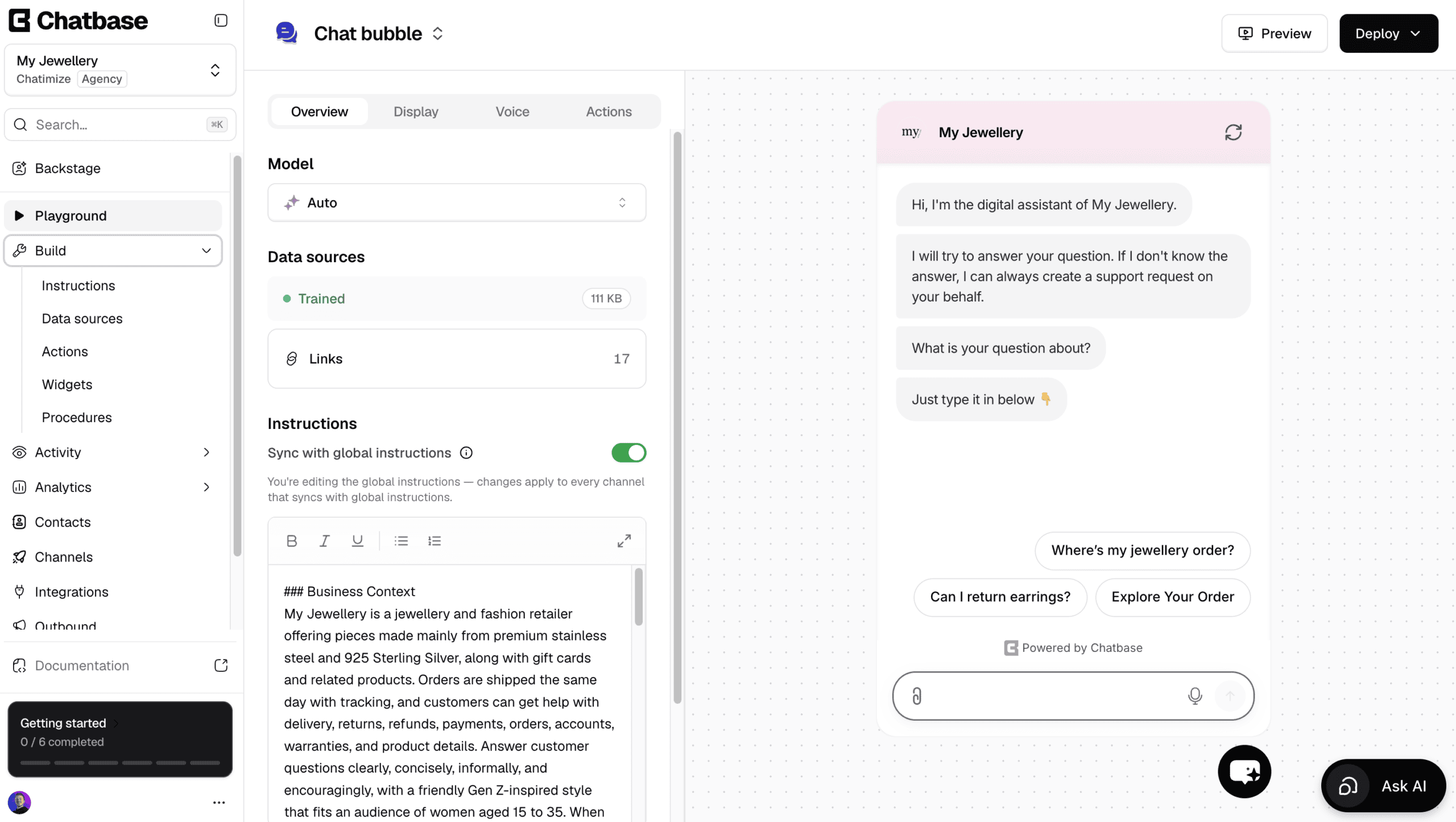
Chatbase is the easiest platform to create AI support agents with.
You give it your website or documents, and it trains on them. When it’s finished training, it answers your customers’ questions about your business.
Other than answering questions, it can also do stuff with AI actions. For example, it can look up an order status in Shopify, find invoice details in Stripe, or book a call in Calendly.
You can even build your own custom AI actions for tasks that are specific to your business.
Any changes go through Backstage, an AI assistant that updates your agent while you describe what you need.
Want it to send refund questions to your team, or reply in a friendlier tone? You describe it, and Backstage makes the change and shows you the result to approve.
On top of that, there’s a built-in help desk, so a human can take over by live chat. Alternatively, a ticket is created automatically when the AI can’t answer.
However, it’s not a great pick if you want to script conversation flows yourself, or reach out to website visitors with proactive messages.
Pros
- Trains on your website, documents and Q&As in under 10 minutes
- Talk to an AI to build and improve your agent
- AI actions to get order status, cancel orders and book calls
- Create your own custom AI actions
- Built-in live chat and help desk
- Livechat integrations with Zendesk, Salesforce, HubSpot, Zoho Desk & Freshdesk
Cons
- Cannot create chatbot flows
- No marketing possibilities on Facebook and Instagram
- Cannot send proactive messages on your website
Pricing
- Free plan: 50 message credits and train your AI agent on 1 MB of content
- Hobby plan ($40/month): 700 message credits and train your AI agent on 10 MB
2. Tidio (Lyro)
Best for: eCommerce stores that want AI-powered customer support automation
Rating: 4.3/5 ★
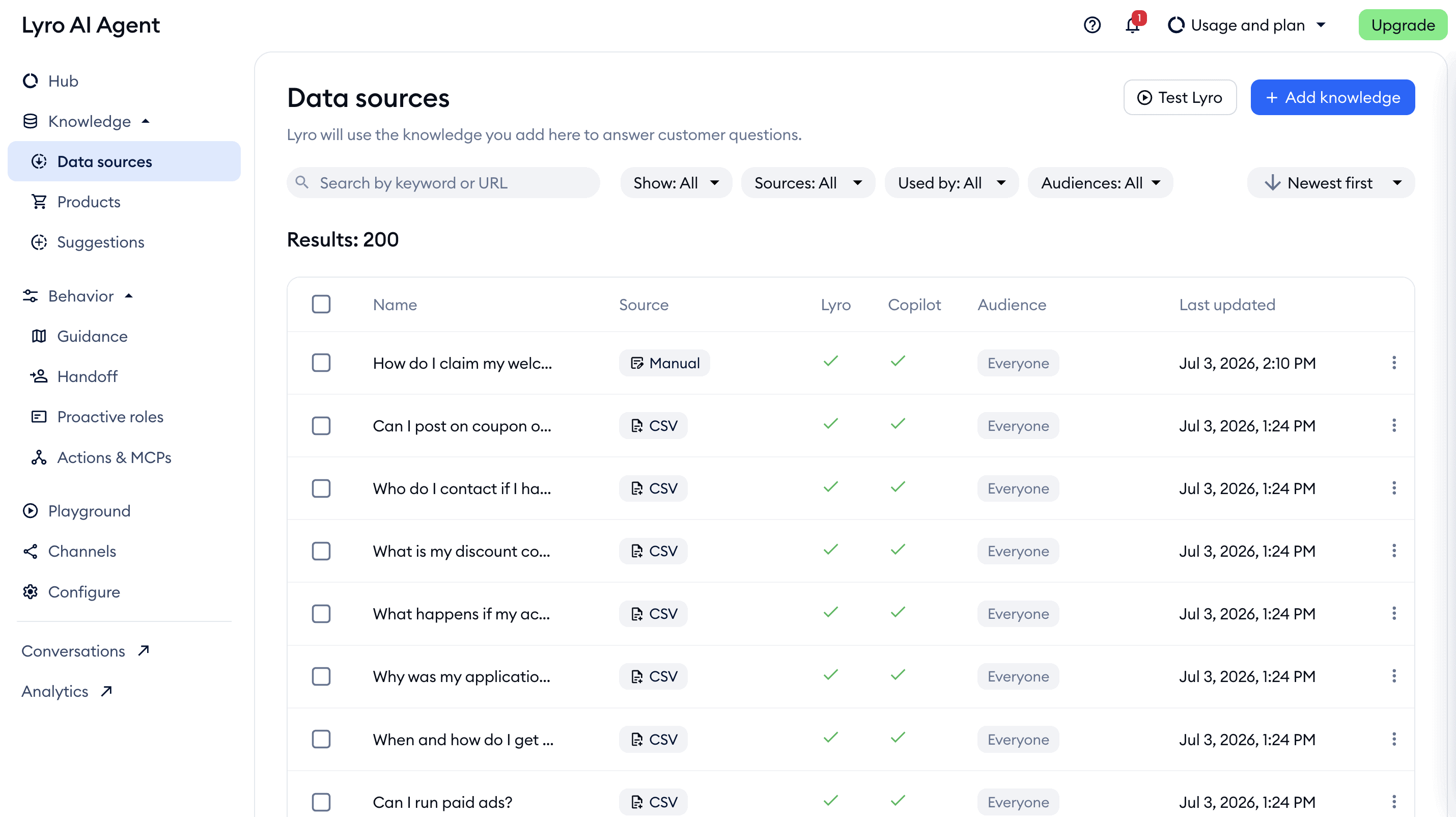
Tidio is a great pick for online stores, and it’s the platform behind the Burker result I mentioned earlier. Its AI agent Lyro can handle customer support conversations on its own.
In their first month, Burker automated 75% of all their customer conversations, across roughly 9,500 interactions:
Lyro is great for eCommerce because it trains directly on your product catalog. On Shopify or WooCommerce it pulls in your products automatically. So it answers real questions about what you sell instead of pointing customers back to your website.
The Suggestions feature then shows you exactly which answers to improve. That way you can close gaps each week and push the resolution rate higher.
It also goes beyond answering questions. With AI Actions, Lyro can check an order status or start a return on its own by pulling live data from your store.
The main limitation is scope. Tidio is a support tool first, so it isn’t built for marketing automation, and there are no WhatsApp broadcasts or promotional campaigns.
But if support automation is your focus, Tidio is excellent.
Pros
- Lyro trains automatically on your Shopify or WooCommerce product catalog
- Suggestions feature shows exactly which answers to improve
- AI Actions handle order status and returns without a human
- Built-in live chat for seamless customer support
- Easy to set up without a developer
- Works on your website, Facebook, Instagram, WhatsApp and email
Cons
- No marketing automation on social channels
- Ready-made AI actions, like Shopify order status, only come with the Plus plan at $300/month
Pricing
- Free plan: 50 billable conversations a month, 50 Lyro conversations (one-off) and 100 visitors reached with flows
- Paid plans: Start at $29/month for 100 billable conversations a month
- Lyro AI agent: From $39/month for 50 Lyro conversations a month
Click the button below to get 20% off on all Tidio plans:
3. Freshdesk
Best for: Large customer support teams with high conversation volume
Rating: 4.5/5 ★
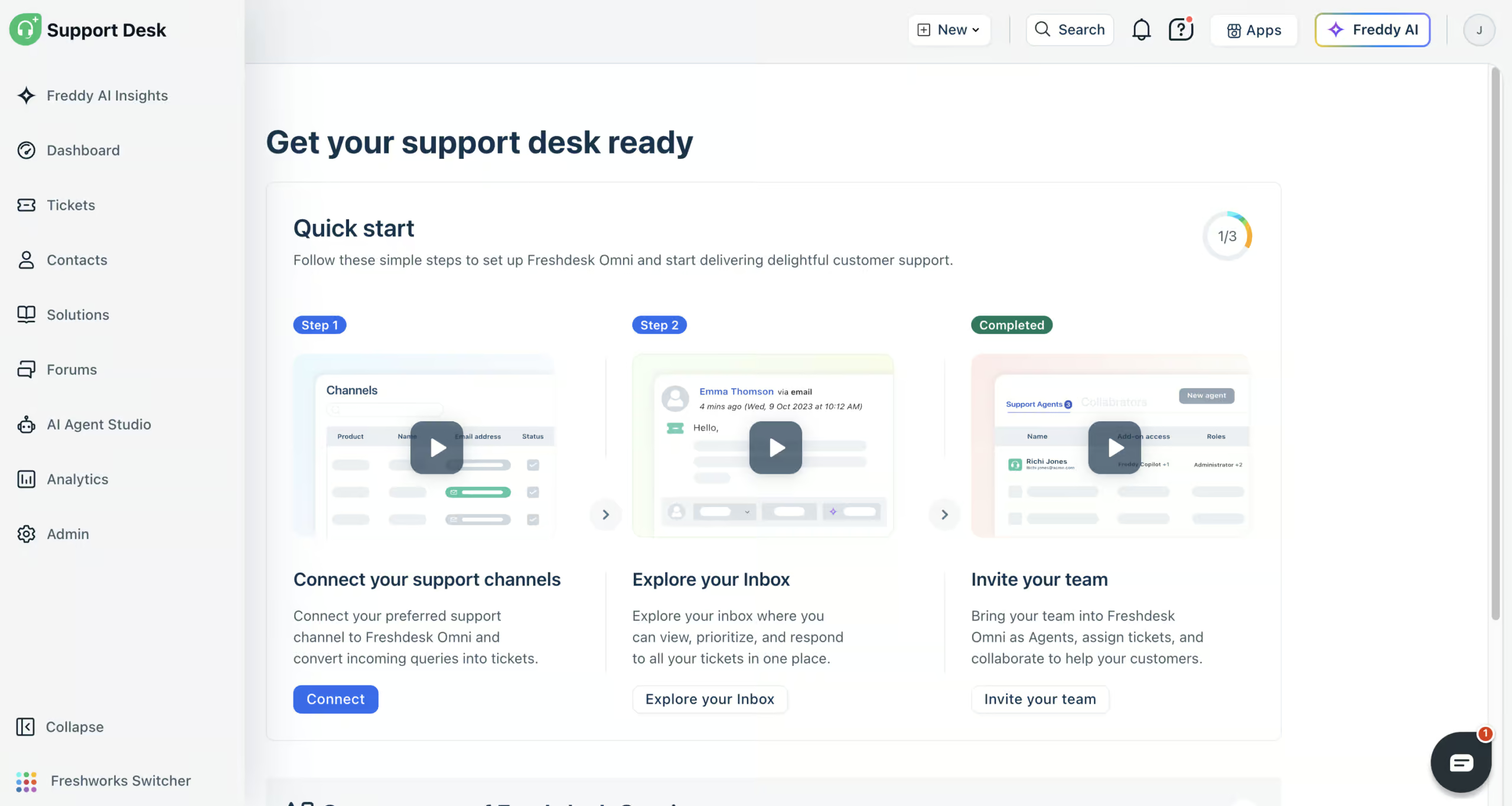
Freshdesk (formerly Freshchat) is great for scale. If you’re running a busy support team with conversations coming in on several channels at once, this is the platform for you.
Its Freddy AI agents learn from your website, files, help articles and Q&As, and answer most customer questions on their own. AI workflows let them take action too, like checking the status of an order in Shopify.
Anything the AI agent can’t solve goes to your team in the built-in help desk, with every channel in one inbox. And because you can set up skills, shifts and SLA targets, each ticket reaches the right person in time.
The analytics go deep, and with Freddy AI Insights you just ask a question about your support data. On top of that, Freddy AI Copilot summarizes tickets and drafts replies, so your team answers faster.
The pricing is good too. Freshdesk charges per agent, starting at $35 per month, and every plan includes 500 AI agent sessions. That stays affordable as you grow.
There are two tradeoffs. Connecting your tools takes longer than it looks: my Shopify workflow didn’t work right away, and you’ll likely need their support team to fix that. And email needs its own AI agent, so you maintain two agents that do the same job.
Pros
- Freddy AI agents answer most questions automatically
- AI workflows that take action in your tools
- Connects to website chat, email, WhatsApp, Instagram, Facebook Messenger, SMS and phone
- Built-in help desk with skills, shifts and SLAs
- Deep analytics plus Freddy AI Insights
- Freddy AI Copilot helps your team reply faster
- Affordable per-agent pricing
Cons
- Connecting tools can need help from their support team
- Email needs a separate AI agent
Pricing
- Paid plans start at $35/agent/month (comes with 500 AI agent sessions)
- 14-day free trial, but no free plan
- Extra AI agent sessions: $49 per 100
4. Intercom (Fin)
Best for: SaaS and enterprise companies that want AI, support, and proactive messaging
Rating: 4.5/5 ★
Intercom is probably the most complete platform on this list. In one place, you get:
- AI agent
- Full support suite
- Proactive messaging
That’s why it’s a great SaaS and enterprise chatbot if you want everything in one platform.
Its AI agent Fin resolves a high percentage of conversations on its own, and it’s very good at understanding what customers are asking. Plus, Intercom gives you product tours to onboard new users and proactive messaging to reach customers before they hit a problem.
It also connects to the rest of your stack through 450+ apps in its App Store. And its analytics are strong enough to satisfy a team that reports on support performance closely.
Setting it up is easy, because the Operator, Intercom’s AI assistant, builds the setup for you. But connecting Fin to your own tools doesn’t always work, and you may need their support team to get it running.
The other catch is cost. Intercom gets expensive at scale, and Fin costs $0.99 per AI outcome, so every conversation the AI handles adds to your bill.
That model is fine at low volume. But the more successful your AI agent is, the faster your costs go up.
Pros
- Fin AI agent trains on your data and delivers strong resolution rates
- The Operator sets up Intercom for you
- Product tours for user onboarding
- Advanced website widget with proactive messaging and marketing features
- 450+ integrations
- Strong analytics and reporting
- Works on 8 channels, including WhatsApp, Instagram, Facebook and Telegram
Cons
- Expensive at scale, per-outcome AI pricing adds up quickly
- Connecting your own tools can need help from their support team
- No marketing possibilities for Facebook or Instagram
Pricing
- Starts at $29 per seat/month
- Fin AI Agent: $0.99 per AI outcome
- 14 day Free Trial on every plan
5. Botpress
Best for: Technical teams that want maximum control over AI and flows
Rating: 4.1/5 ★
Botpress has the most advanced AI features on this list, and is also the most demanding platform. It’s great if you have a technical team that wants to control exactly how the AI agent behaves.
You get:
- Knowledge base training
- Personality rewriting to choose how the agent sounds
- Image understanding so it can interpret what customers send
- Automatic translation to handle customers in their own language
It also runs across 10+ channels, so one agent can cover both your website and your messaging apps.
The trade-off is the learning curve. Botpress isn’t a platform a non-technical team can pick up in an afternoon. It takes time and some technical expertise to get the most out of it.
Live chat is also gated behind the $89/month plan, so human handoff isn’t available on the cheaper tiers.
Pros:
- The most advanced AI features on this list
- Website widget in own branding
- Knowledge base training, personality rewriting, and image understanding
- Automatic translation for multilingual support
- 10+ channel support from one agent
Cons:
- High learning curve
- Live chat only on the $89/month plan
Pricing
- Free Plan: Includes up to 500 messages
- Pay-as-You-Go Plan: Starts at $5/month
6. UChat
Best for: Businesses that want one AI agent running across 13 channels
Rating: 4.6/5 ★
UChat is great if you use many messaging channels. It supports 13 channels, including your website, WhatsApp, Facebook, Instagram, and Telegram. You can use one AI agent across all of them.
Its AI runs on a ChatGPT integration to understand and answer customer questions. And unlike the support-only tools, UChat pairs that with full marketing automation. So, the same platform handling your support can also run promotional campaigns and broadcasts.
Plus, it connects with 50+ tools, including Zapier and Make, so it’s very easy to integrate with your existing software.
With all those features, UChat takes time to learn, and that can be a limiting factor.
Pros
- One AI agent across 13 channels simultaneously
- Covers website, WhatsApp, Facebook, Instagram, and Telegram
- ChatGPT integration for understanding customer questions
- Full marketing automation alongside support
- Built-in Live Chat
- Over 50 direct integrations (including Zapier and Make)
Cons
- Higher learning curve
- Basic analytics
Pricing
- Free Plan: Available with basic features
- Paid Plans: Start at $15/month
To get started with UChat for free, click the button below to get my 100% discount code:
AI Agent Customer Service Use Cases
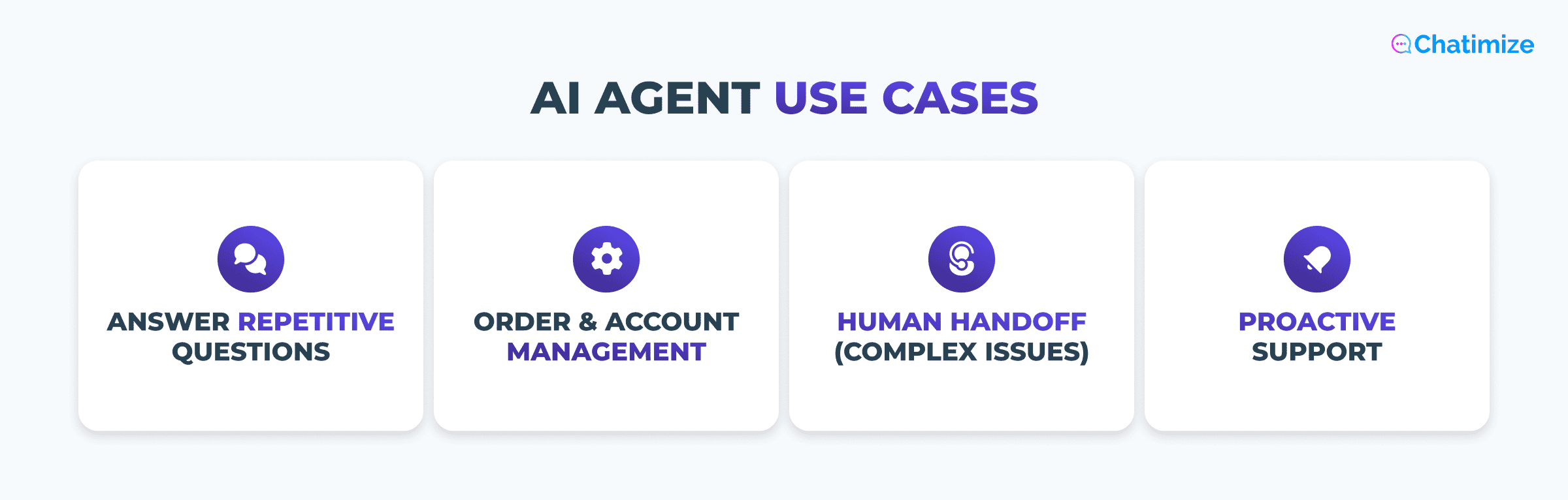
Here are the four main use cases I see give the most value, with a real example for each.
Answering repetitive support questions
This is the biggest one. Order status, return policy, pricing, account help. Those are the same questions your team answers over and over again. That’s exactly what an AI agent handles best.
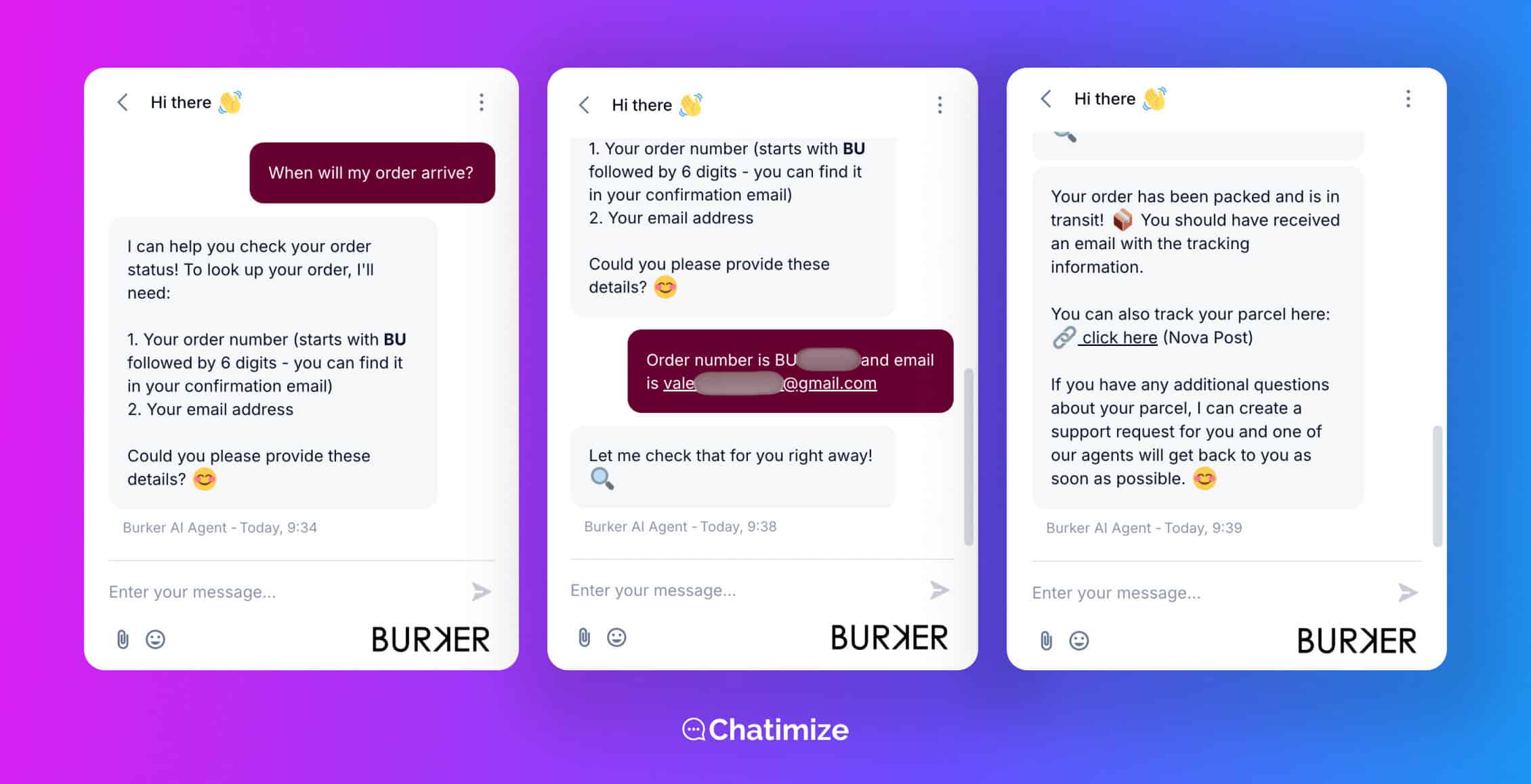
With Burker, Lyro took on the majority of their pre-sale and post-sale questions automatically. That’s how it automated 75% of their conversations in the first month.
That’s the bulk of a support workload lifted off the team straight away.
Order and account management
A good AI agent can also take action, not just talk. Connected to your store or CRM, it can:
- Check a live order status
- Update account details
- Process returns without a human needed
This is what Burker set up with AI Actions. Instead of replying “let me check on that,” Lyro pulls the real order data and answers on the spot.
Human handoff for complex issues
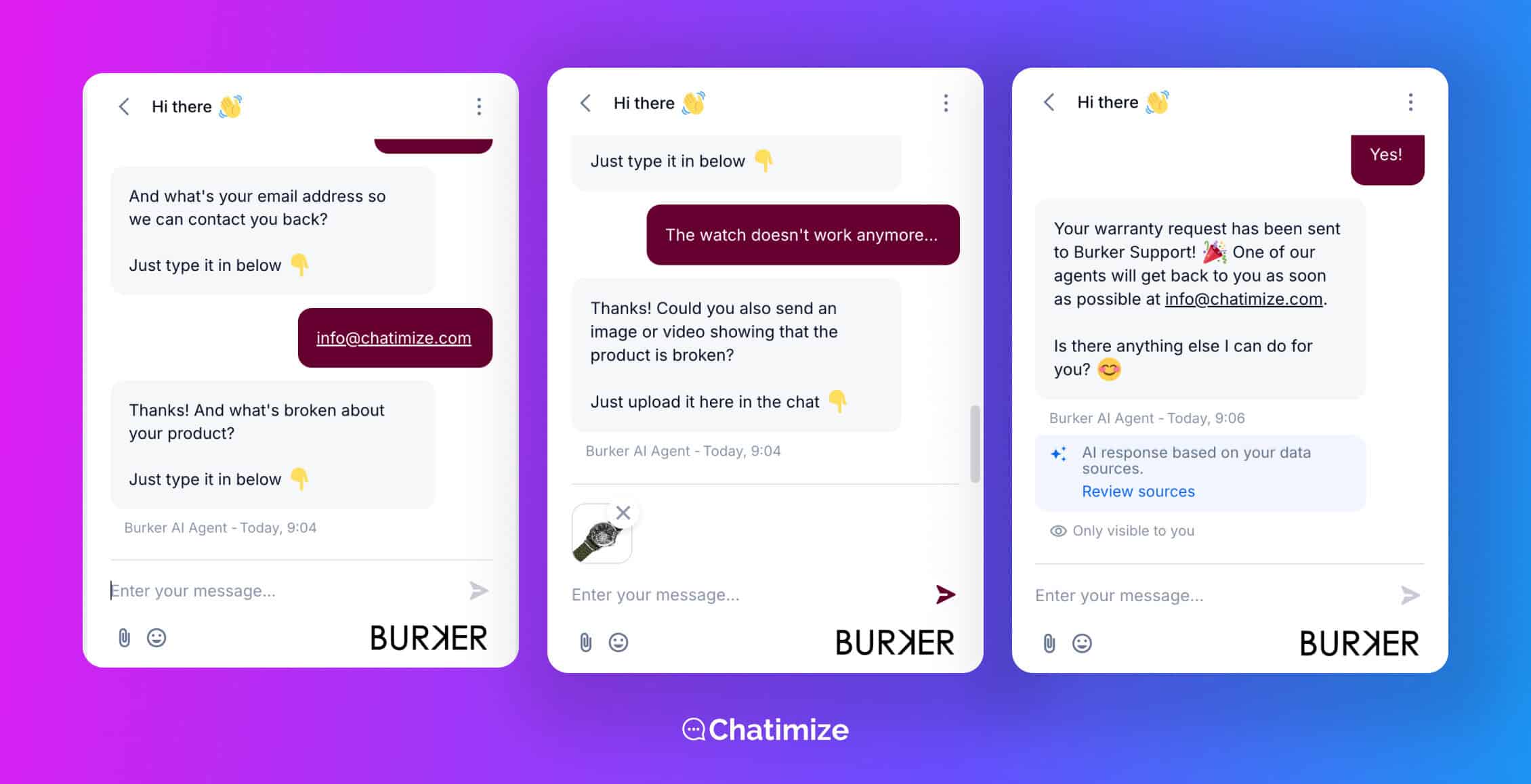
The best agents know their limits. When a conversation is too complex or sensitive to handle well, the agent should recognize that and escalate immediately. It should also give full context so the customer never repeats themselves.
Burker handles this with an email handoff. When Lyro can’t resolve something, it passes the conversation to a human with all the relevant information.
Proactive support
AI agents don’t have to wait to be asked. They can start a conversation based on what a customer is doing. That can prevent a problem before it becomes a support ticket.
For example, if someone has been sitting on your returns page for 30 seconds, the agent can reach out and ask if they need help starting a return. That turns a moment of friction into a resolved question.
These are just four of the most common examples. If you want to see how far this goes, I’ve put together a wider and more detailed list of chatbot use cases.
Which AI Customer Service Agent Is Right for You?
All six of these are strong platforms. But the right one comes down to your business, your team, and where your customers reach you.
Here’s how I’d choose.
If you want an AI support agent trained on your own data, fast, pick Chatbase. You give it your website and documents, and you have a working agent live in under 10 minutes. And with AI actions, it can also get order statuses and book calls.
If you run an eCommerce store on Shopify or WooCommerce and want AI to handle most of your support automatically, go with Tidio. Lyro trains straight on your product catalog and, as Burker showed, can take on the bulk of your conversations from month one.
If you’re a large support team managing high volume across multiple channels, choose Freshdesk. Its auto-assignment rules and per-agent pricing are great to scale with a busy team. And the costs won’t run away from you.
If you’re a SaaS or enterprise company that wants AI, onboarding, and proactive messaging in one platform, go with Intercom. Fin resolves a high share of conversations, and product tours plus proactive messaging let you support customers before they hit a problem.
If you have a technical team that wants full control over how the agent behaves, use Botpress. It offers the deepest AI features on this list, and it’s great if you can get past the steep learning curve.
If you need one AI agent running across your website and all your social channels, go with UChat. A single agent covers 13 channels at once, so you don’t need a separate tool for each.
Still not sure? Check out my full guide on the best chatbot platforms.
Your Next Step
And that’s it! Those are the best AI agents for customer service.
Any of these will get you further than answering the same questions by hand every day. The best way to start is to pick one platform based on your team size and the main channel your customers use.
To go deeper before you decide, take a look at my full guide to customer service chatbots.
Frequently Asked Questions
What is the biggest challenge when deploying AI agents for customer support?
The knowledge base. An AI agent is only as good as what you train it on, and this is where most businesses fail. Teams point the agent at a thin or outdated set of content and then wonder why the answers are wrong.
It’s very important to get your product data, help docs, and policies into good shape.
What resolution rate should I expect from an AI customer service agent?
It depends on how far you take it. If you only use the agent to auto-reply to FAQ questions, expect around 20% of conversations handled automatically. If you connect it to your other apps, like Shopify, so it can pull a live order status on its own, you can expect closer to 50%.
The more real actions the agent can take, the higher the rate goes.
Can an AI agent handle customer complaints and emotional situations?
Yes, if it’s trained properly. A well-trained agent can handle a frustrated customer and de-escalate a complaint.
But if it isn’t trained properly for those situations, the best thing it can do is recognize that and hand the conversation straight to a human.
Do I need a developer to set up an AI customer service agent?
For most of the platforms on this list, no. Tools like Tidio, Chatbase, and UChat are built for non-technical teams. You train the agent on your own content and get it live without writing code.
The exception is Botpress, which gives you far more control but needs some technical comfort to get the most out of it.
Which AI agent works best on WhatsApp and Instagram as well as my website?
UChat. It’s built to run one AI agent across your website, WhatsApp, Instagram, Facebook, and more at the same time. So the same agent answers customers wherever they message you.
If your focus is covering every channel from a single tool, it’s the strongest option on this list.
