


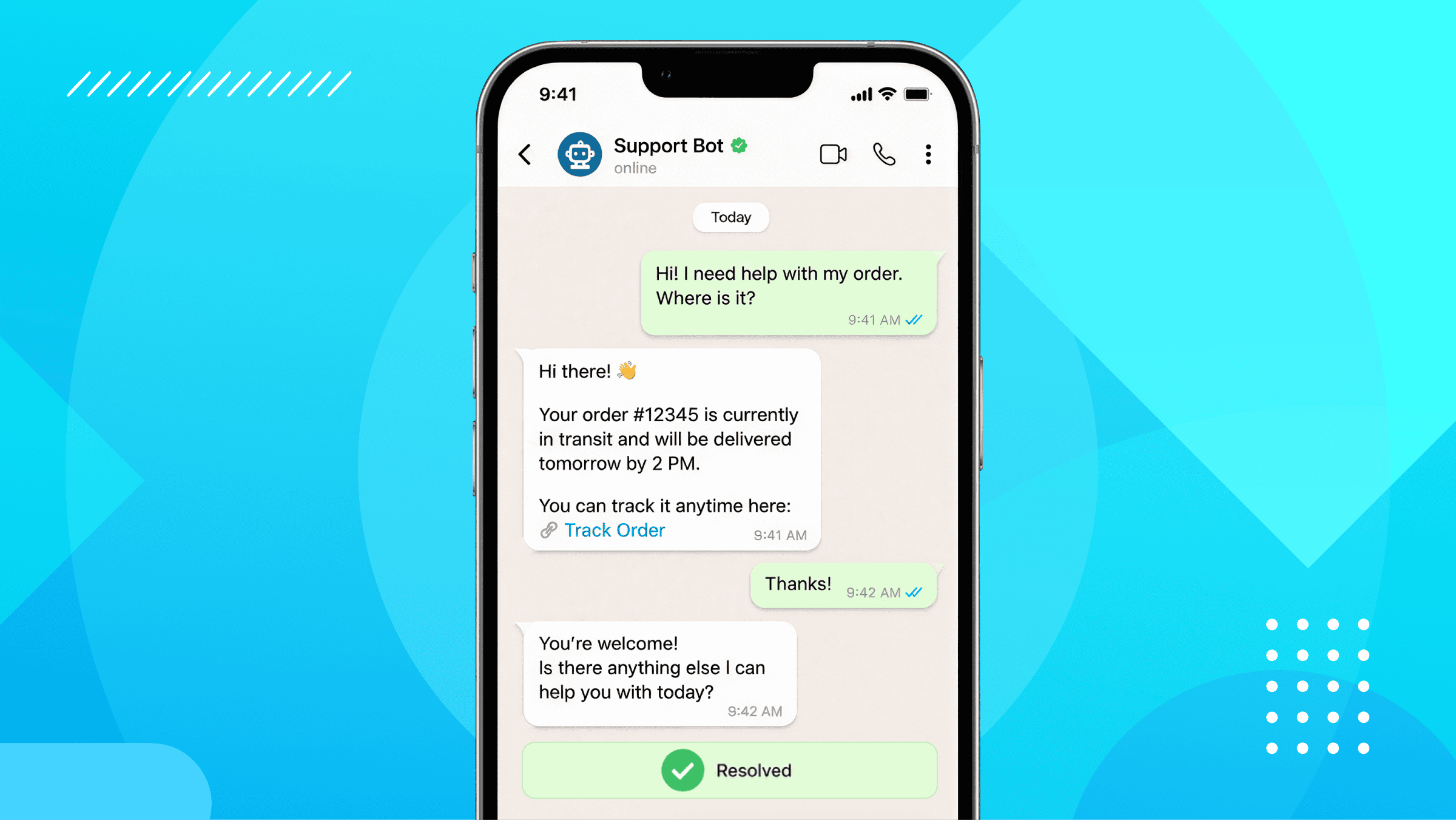
Customer service volume is growing faster than most teams can hire. More customers, more questions, more channels to cover, but the same number of agents trying to keep up.
Chatbots fix that. They answer the repetitive questions instantly, around the clock, so your team isn’t drowning. But if you pick the wrong one, you get frustrated customers, money wasted and hours of setup time spent on a tool that didn’t deliver.
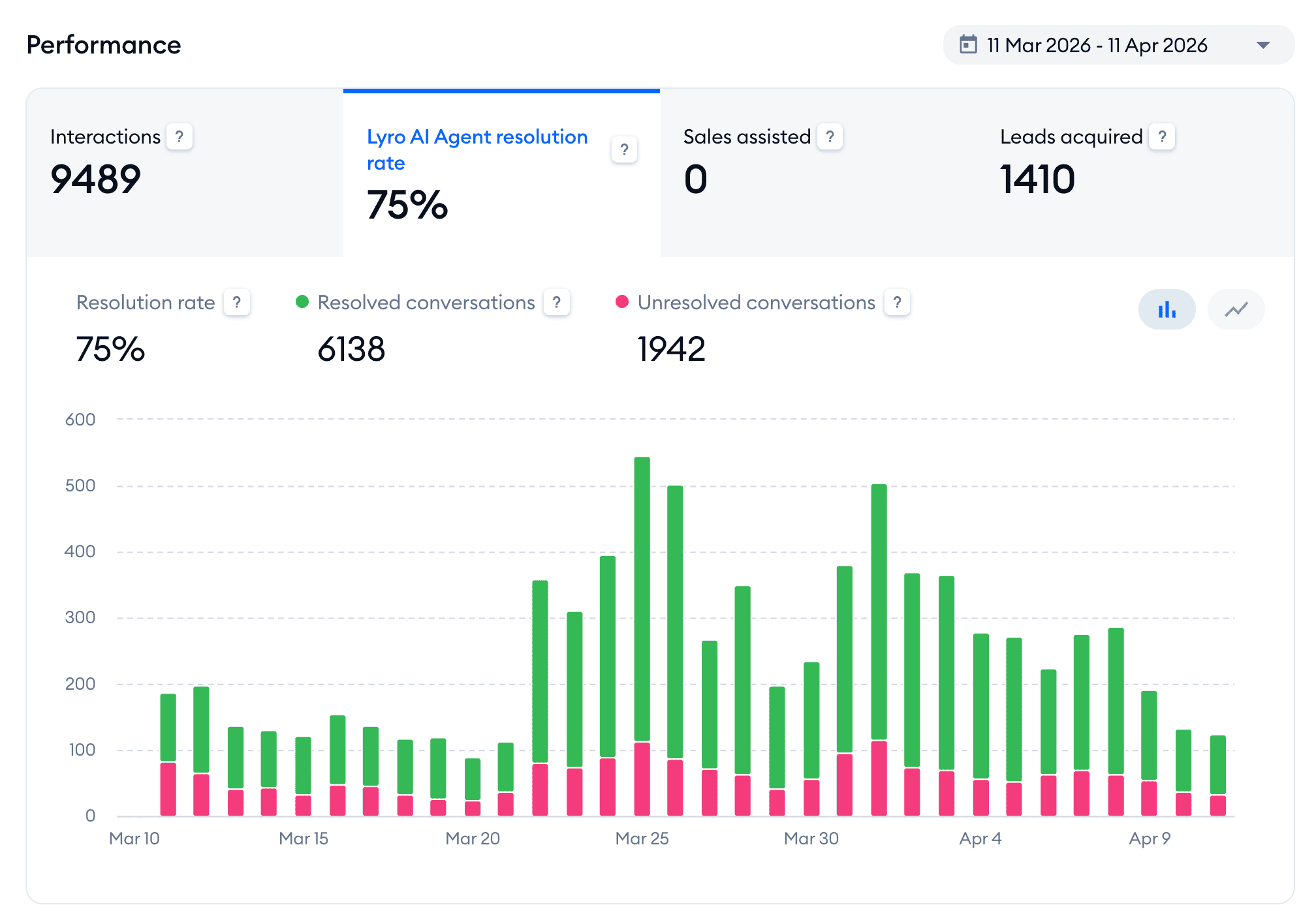
I know the difference a good customer service chatbot makes because I’ve seen it. One of my eCommerce clients automated 75% of all their customer conversations in the first month after we set up their bot. Three out of every four messages are handled without a human lifting a finger.
Over the years, I’ve tested 200+ chatbot platforms and built customer service bots for clients across many channels. In this guide, I’ll go over what makes a good customer service chatbot, and the 6 best platforms in 2026.
Let’s get into it!
What Makes a Good Customer Service Chatbot?
Not every chatbot is built for customer service.
I’ve created bots for clients in many different industries. And I’ve learned what helps resolve tickets effectively and what frustrates users.
Here are the five things I look for.
It trains on your own data. A generic chatbot gives generic answers. The platforms worth using let you train the AI on your own website, help documents, and product catalog. So the answers are specific to your business instead of guesses the customer could have found on Google.
It hands off to a human properly. No bot resolves everything. So when it hits a question it can’t answer, it should pass the conversation to a human agent with the full chat history attached.
It covers the channels your customers use. A chatbot that only works on your website is useless if your customers are messaging you on WhatsApp or Instagram. Before you pick a platform, look at where your conversations already happen, and make sure the bot lives there.
It tracks your resolution rate. The resolution rate is the percentage of conversations the bot closes on its own, without a human stepping in. Platforms that hide this number make it impossible to improve. If you can’t see which questions the bot is failing, you can’t fix them.
It’s easy to set up and maintain. Some platforms need a developer to get anything running, while others can be set up by a beginner in under an hour. This is great for small and mid-size businesses, where a bot that’s too complex to maintain just stops getting used.
I judged every platform on this list against these five criteria. Here are my picks.
Best Chatbots for Customer Service: Quick Overview
| Name | Rating | Pricing | Best For |
|---|---|---|---|
 Chatbase Chatbase | 4.5/5 ★ | Free plan; paid plans start at $40/month | Getting started quickly with AI customer service chatbots |
 Tidio Tidio | 4.3/5 ★ | Free plan; paid plans start at $29/month | All-In Support for eCommerce brands |
 Freshdesk Freshdesk | 4.5/5 ★ | Starts at $35 per agent/month; 14-day free trial on every plan | AI Agents with Large Support Teams |
 Intercom Intercom | 4.5/5 ★ | Starts at $29 per seat/month + $0.99 per AI outcome; 14-day free trial on every plan | Support for Enterprise companies |
 Manychat Manychat | 4.5/5 ★ | Free plan; paid plans start at $17/month | Generating leads and customer support in 1 tool |
 UChat UChat | 4.6/5 ★ | Free plan; paid plans start at $15/month | Omnichannel customer support (across 13 channels) |
1. Chatbase
Best for: Getting started quickly with AI customer service chatbots
Rating: 4.5/5 ★
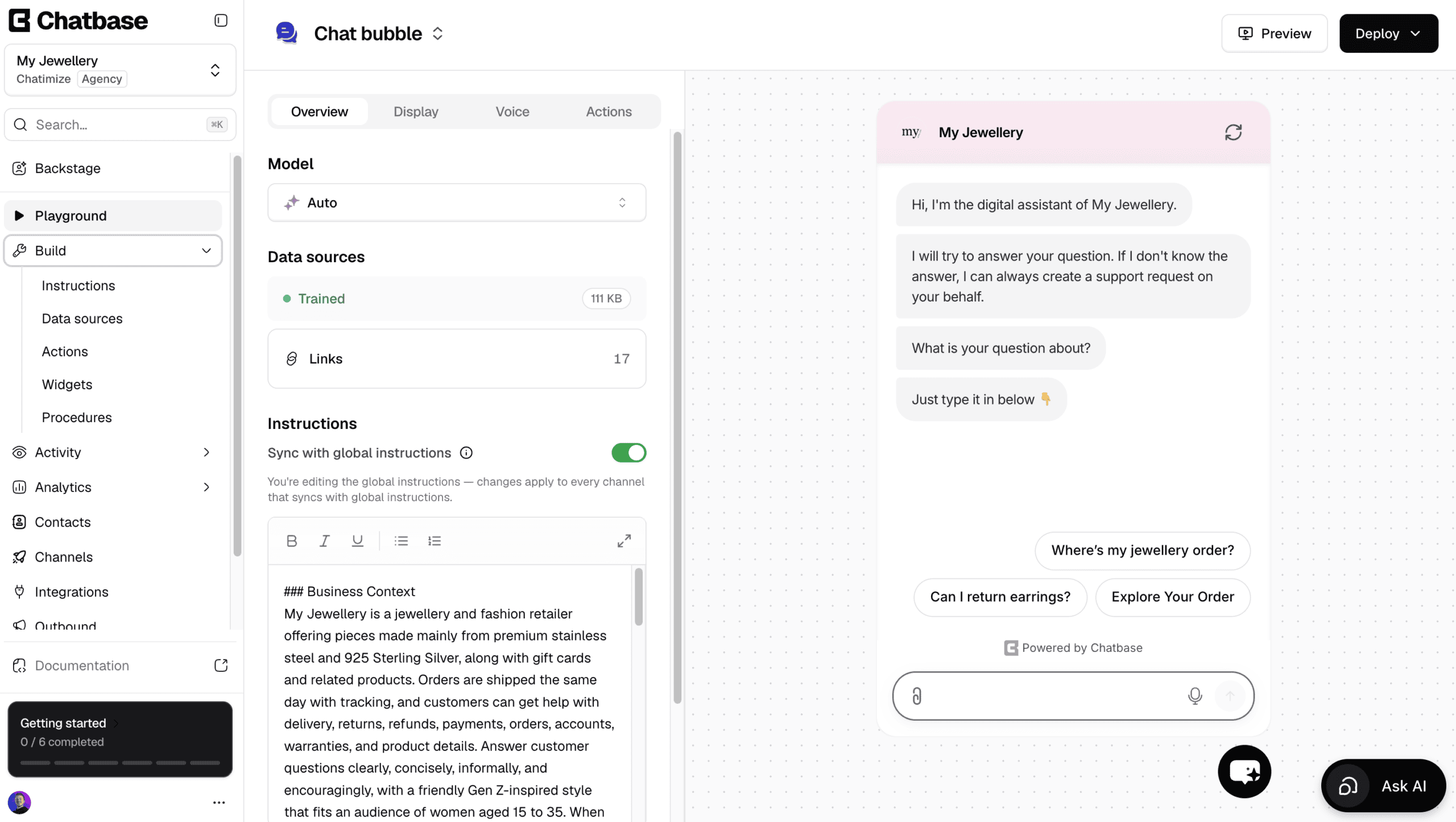
Chatbase is one of the easiest platforms to create AI agents with, which makes it a great first customer service chatbot.
You add your website URLs or upload your documents, and it trains on them. Then it answers your customers’ questions about your business.
Apart from answering questions, it can also do things with AI actions. For example, it can check an order in Shopify, change a customer’s billing details, or book a meeting in Cal.com.
And for anything more specific, you can set up your own custom AI actions.
For any changes, you use Backstage. It’s an AI assistant inside Chatbase that adjusts your agent through a chat.
Ask it for a new instruction or shorter answers, and it does the work and shows you the result to approve.
Plus, there’s a built-in help desk, so a human can take over by live chat. Or, a ticket is created automatically when the AI doesn’t know the answer.
However, it’s not a great pick if you want to build conversation flows yourself, or run marketing on Facebook and Instagram.
Pros
- Talk to an AI to build and improve your agent
- Trains on files, website URLs, Q&As, Notion and more
- AI actions to look up orders and book calls
- Create your own custom AI actions
- Built-in live chat and help desk
- Livechat integrations with Zendesk, Salesforce, HubSpot, Zoho Desk & Freshdesk
Cons
- Cannot create chatbot flows
- No marketing possibilities on Facebook and Instagram
- Cannot send proactive messages on your website
Pricing
- Free plan: 50 message credits and train your AI agent on 1 MB of content
- Hobby plan ($40/month): 700 message credits and train your AI agent on 10 MB
2. Tidio
Best for: All-In Support for eCommerce brands
Rating: 4.3/5 ★
Tidio is great when an eCommerce brand wants proper customer support on its website, its social channels and email. It combines a chatbot, built-in live chat, and an AI agent in one tool. And you don’t need a developer to set any of it up.
I have to mention Lyro, Tidio’s AI agent. You train it on your own website, help docs, and product details, and it answers customer questions on its own.
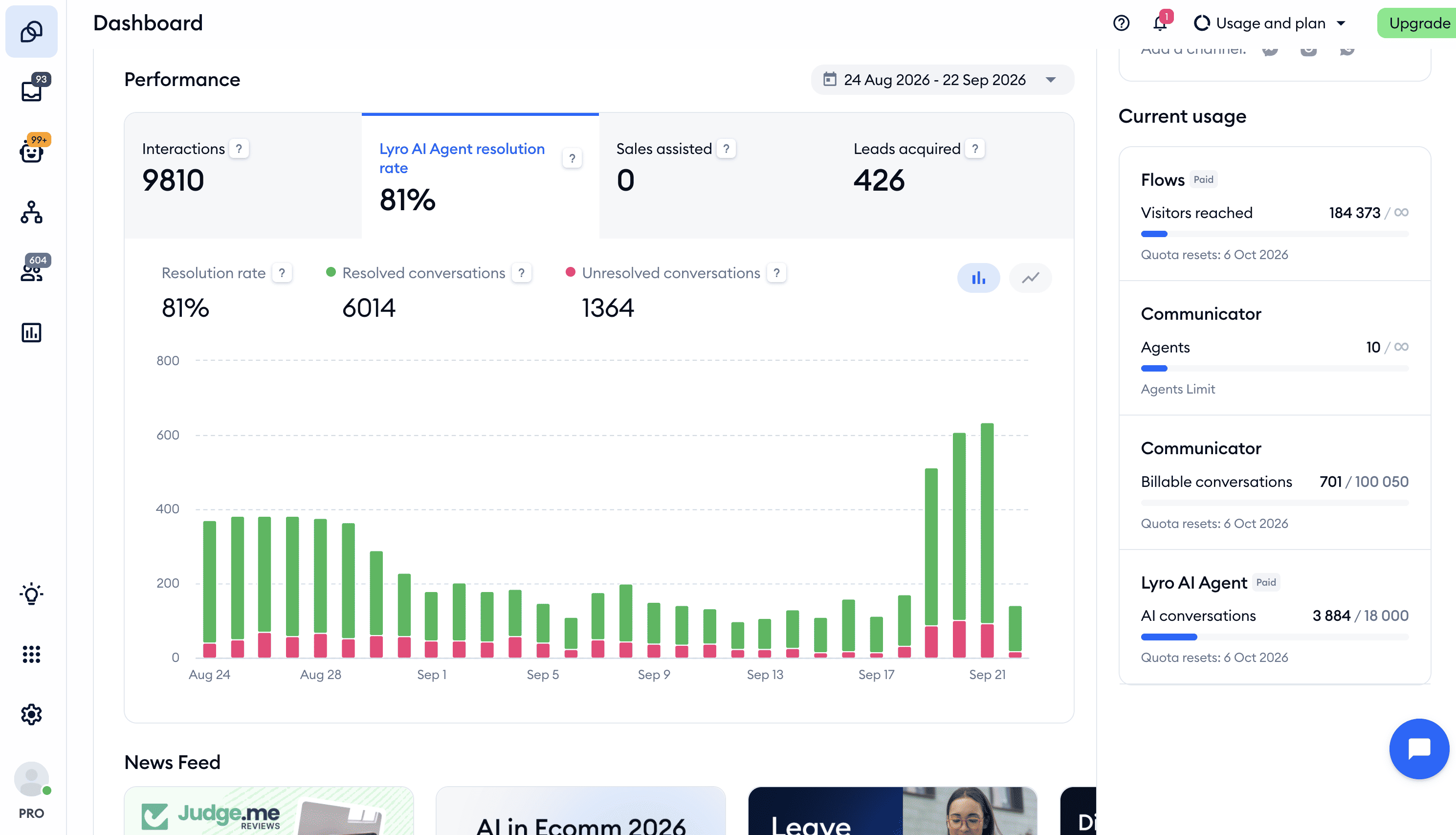
This is exactly where the 75% automation result came from for my eCommerce client. Three out of four conversations were handled by Lyro in the first month, without a human touching them.
A big reason why Tidio’s so good for eCommerce chatbots is the Shopify integration. The bot can pull live product and order details. So when a customer asks where their package is, it answers from real data instead of a canned reply.
When the bot does reach its limit, it hands off to a human agent with the full chat history attached. So the customer never needs to repeat themselves.
Tidio also gives you proper analytics. You can see how many conversations Lyro is resolving on its own. And this is the one number that tells you whether the bot is actually pulling its weight.
The main limitation is social media. Tidio covers your website, Facebook, Instagram, WhatsApp and email, which is plenty for most stores.
But it can’t reply to Facebook or Instagram comments automatically, and it has no marketing automation on social channels. So if most of your support happens in comments, this isn’t the tool for that job.
Pros
- Easy-to-use flow builder
- Lyro AI agent that you can train on your own data
- Suggestions show the questions Lyro couldn’t answer, so you know what to add
- Built-in live chat with a clean human handoff
- AI actions let Lyro look up orders and update details in your other tools
- Strong Shopify integration for live product and order data
Cons
- No marketing capabilities on Facebook, Instagram, and WhatsApp
- Lyro costs extra on top of your plan, from $39/month for 50 conversations a month
Pricing
- Free plan: 50 billable conversations a month, 50 Lyro conversations (one-off) and 100 visitors reached with flows
- Paid Plan: Starts at $29/month
Bonus: Click the button below to get 20% off on all Tidio plans 👇
3. Freshdesk
Best for: AI Agents with Large Support Teams
Rating: 4.5/5 ★
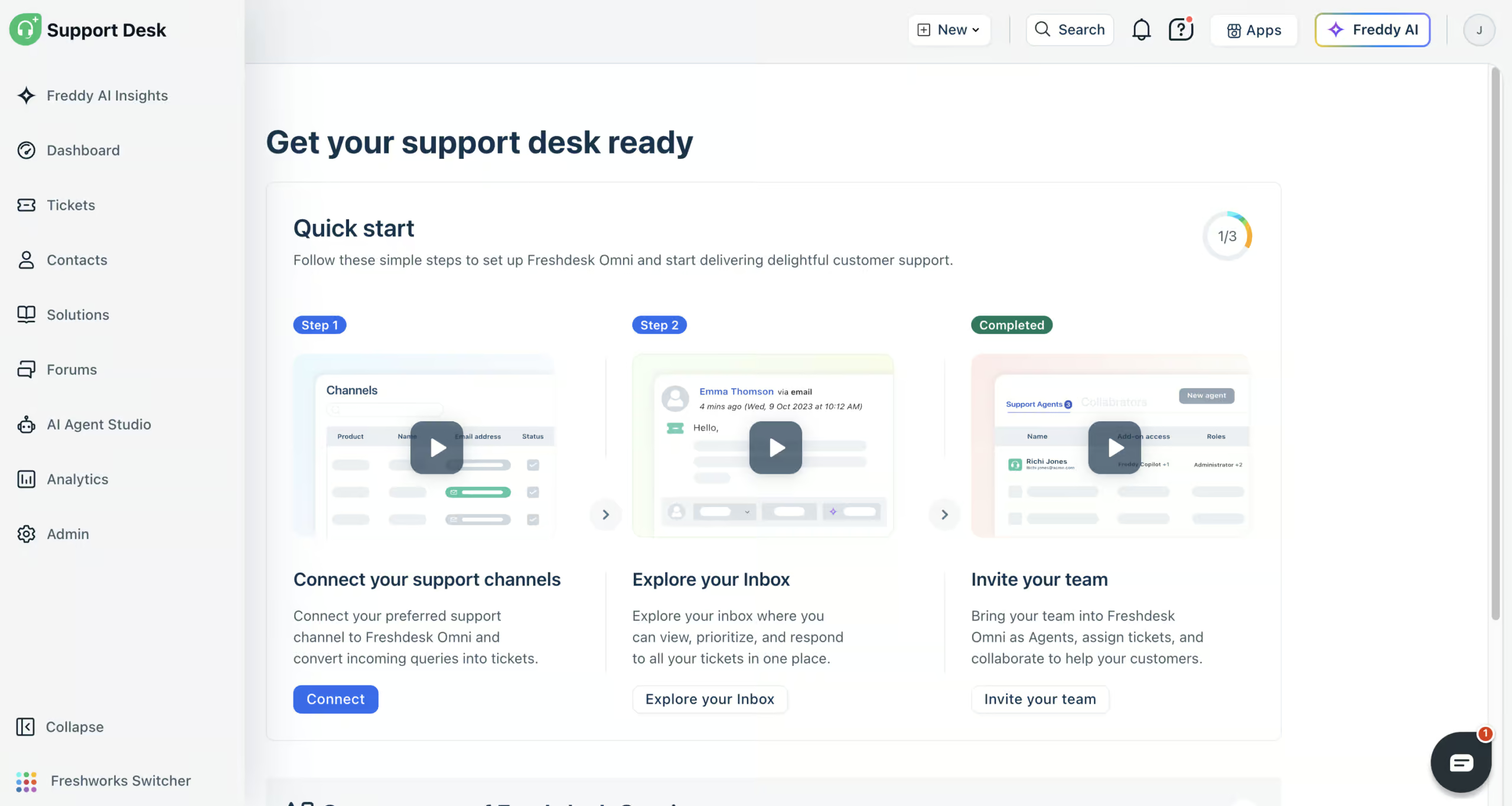
Freshdesk (formerly Freshchat) is the platform I’d recommend for a large support team. It’s great if you have a real team handling high volume across multiple channels, with AI agents doing the work underneath.
The core of it is the Freddy AI agent. You train it on your own knowledge, like:
- Website URLs
- Files
- Solution articles
- Q&As
Then it answers customer questions automatically. With AI workflows, it can also do things for your customers in your other tools, like looking up the status of their order in Shopify.
When the AI agent can’t answer something, your team takes over in the built-in help desk. Email, website chat, WhatsApp, Instagram, Facebook Messenger, SMS and phone all land in one inbox, with routing rules, SLA policies and agent shifts on top. That’s the kind of setup a five-person support team needs and a solo store owner doesn’t.
To keep improving, you get a long list of built-in reports, your own custom reports, and Freddy AI Insights, which answers questions about your support data. And Freddy AI Copilot summarizes tickets and writes replies for your team.
The honest drawback is the setup time. Connecting your tools takes longer than it looks: my Shopify workflow didn’t work right away, and it looks like you need their support team to fix that.
It’s worth it for a team that will use the depth, but it’s overkill if you just want a quick bot on your site.
Pros
- AI agents you train on your own knowledge
- AI workflows for real support actions like order lookups
- Connects to website chat, email, WhatsApp, Instagram, Facebook Messenger, SMS and phone
- Built-in help desk with routing, SLAs and shifts
- Built-in and custom reports, plus Freddy AI Insights
- Freddy AI Copilot summarizes tickets and writes replies
- 800+ integrations
Cons
- Connecting tools can need help from their support team
- Email needs its own AI agent, without workflows
- Built for support teams, not marketing
Pricing:
- Paid plans start at $35/agent/month (comes with 500 AI agent sessions)
- 14-day free trial, but no free plan
- Extra AI agent sessions: $49 per 100
4. Intercom
Best for: Support for Enterprise Companies
Rating: 4.5/5 ★
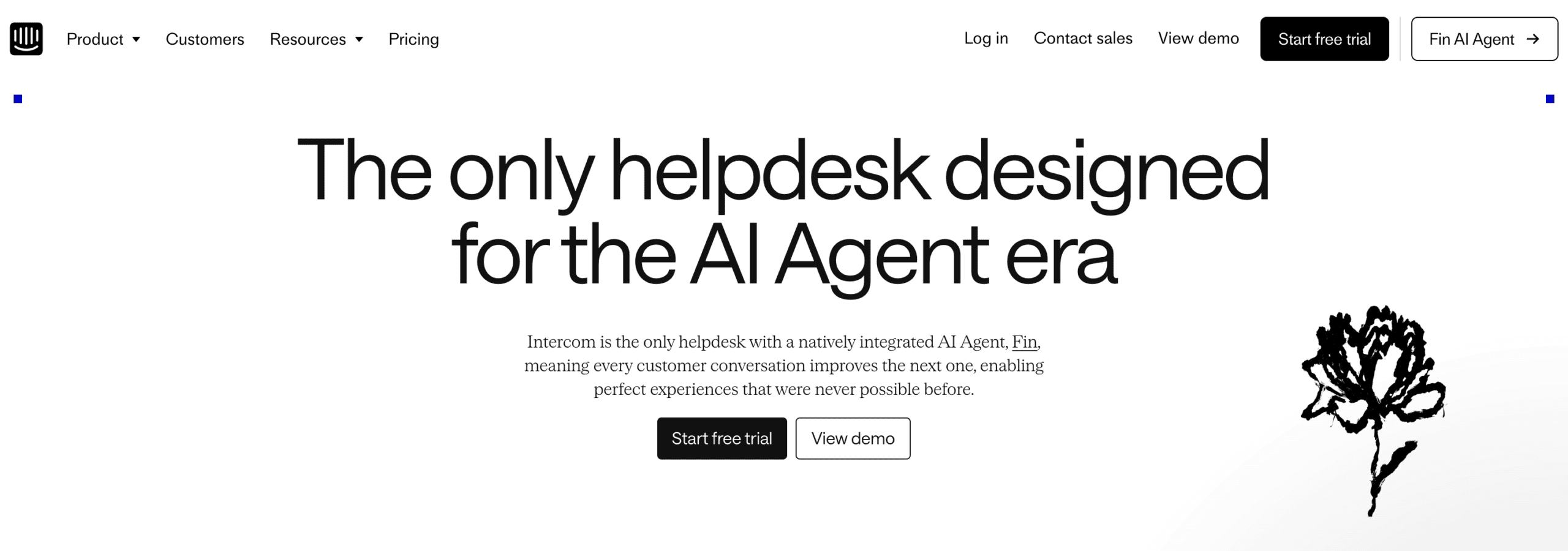
Intercom is a full customer engagement platform, so support is just one piece of what it does.
For customer service specifically, there’s Fin, Intercom’s AI agent. You train it on your own data, like website URLs, PDFs, and snippets, and it answers customer questions automatically. It has a clean handover to a human agent when it hits its limit.
If you don’t want every question going to the AI, you can also build your own workflows for specific cases. And the Operator, Intercom’s AI assistant, sets most of this up for you when you explain what you want.
What you’re really paying for is everything around the bot. Intercom bundles in:
- Help centers
- Product tours
- Onboarding flows
- Banners
- Advanced website automations
So it covers the full customer journey rather than just the support inbox. That makes it especially strong for enterprise chatbots.
It also has 450+ integrations through its App Store. And because any developer can add to it, you can build connections that aren’t there out of the box.
The catch is cost. Intercom starts at $29 per seat/month, but Fin charges $0.99 per AI outcome on top of that. And connecting Fin to your own tools can need help from their support team.
For an enterprise that will use the full platform, the price makes sense. For a small store that just wants a support bot, it’s overkill.
Pros
- The Operator sets up Intercom for you
- Advanced website widget with proactive messaging and marketing features
- Fin AI agent trained on your own data
- Full customer engagement platform: help centers, product tours, onboarding
- Excellent fit for SaaS companies across the whole customer journey
- Built-in live chat with seamless human handover
- 450+ integrations, plus a developer App Store for custom ones
- Advanced analytics and custom reports
Cons
- Expensive for small and medium businesses
- Connecting your own tools can need help from their support team
- No marketing possibilities for Facebook or Instagram
Pricing
- Starts at $29 per seat/month
- Fin AI Agent: $0.99 per AI outcome
- 14 day Free Trial on every plan
5. Manychat
Best for: Generating leads and customer support in one tool
Rating: 4.5/5 ★
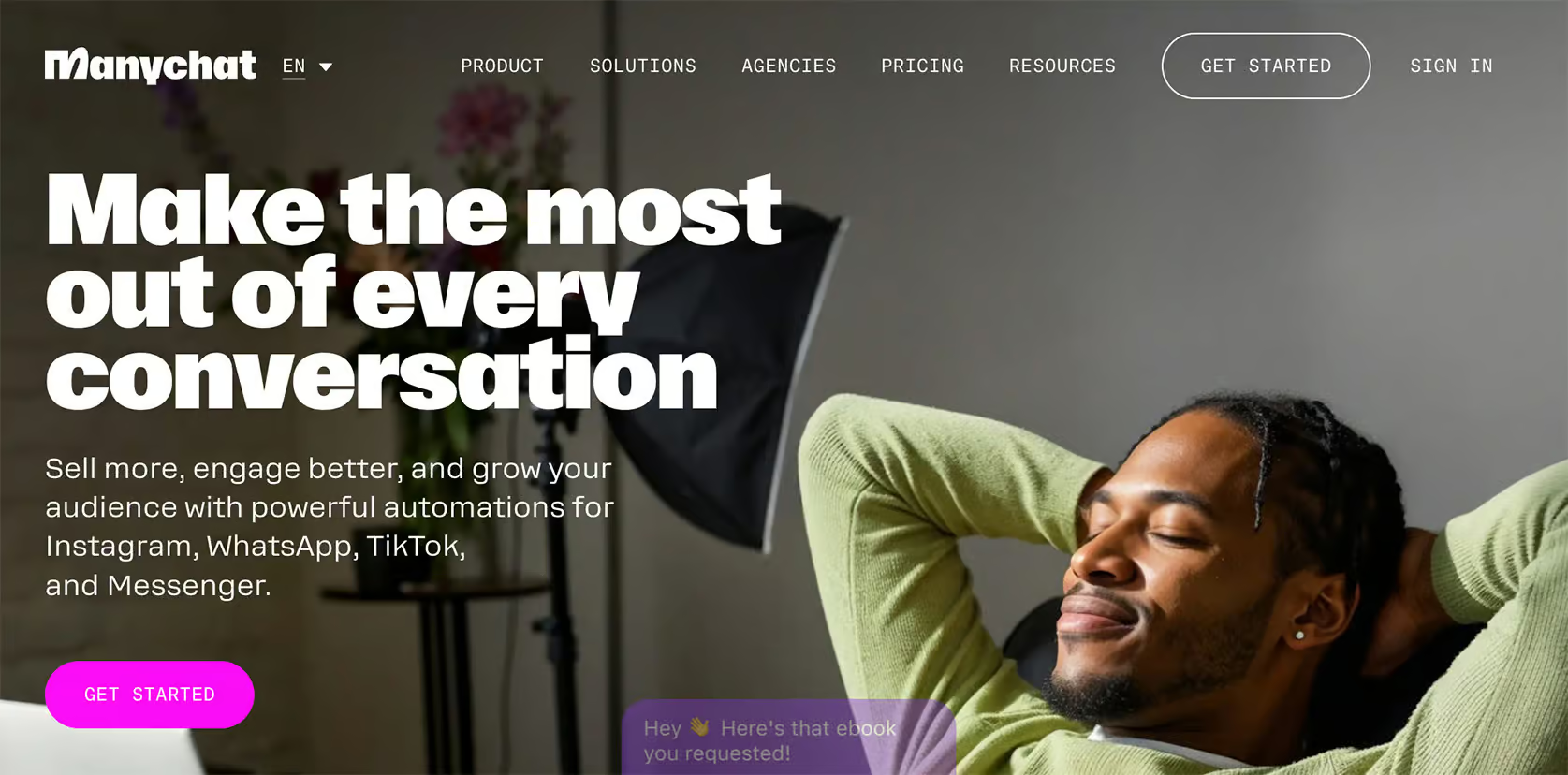
Manychat is great for when your customers are on social media, such as Instagram, WhatsApp, or Facebook, rather than your website. It’s also super easy to use.
For customer support, the key feature is the built-in live chat. When an automated conversation needs a human, you can hand it straight to a support agent. That way,customers aren’t stuck talking to a bot.
On top of that, Manychat has AI tools, including intent recognition and an AI Flow Builder Assistant. They make the automated replies smarter and help you build flows faster.
Manychat combines support with marketing in one tool. The same platform that answers a customer’s question can also capture the lead.
You can:
- Automatically DM people who comment on your posts
- Send broadcasts
- Build sequences and rules
For a business active on social, that’s two jobs handled by one tool.
It’s also very beginner-friendly. The interface and flow builder are very easy to learn. So a non-technical team member can get a working flow live pretty quickly.
The main limitation for support is that Manychat isn’t a website-first tool. Its strength is social, so if most of your support happens through a website widget, the platforms above are a better fit.
You also need to build separate workflows for each channel, which adds work if you’re running support across several at once.
Pros
- Great for social channels: Instagram, WhatsApp, and Facebook
- Combines customer support and lead generation in one tool
- Built-in live chat for an easy handoff to a human agent
- Easy-to-use Flow Builder and beginner-friendly interface
- Built-in AI: intents, AI Steps, and AI Flow Builder Assistant
- Marketing tools: broadcasts, sequences, rules, and A/B testing
- Direct Integrations + Zapier/Make Integrations
Cons
- Weaker for website-only support
- You need separate workflows for each channel
- Translating your chatbot into other languages is hard
Pricing
- Free Plan: Gives basic features for up to 25 contacts
- Paid Plans: Start at $17/month
Bonus: Click the button below to get 1 month of Manychat Pro for free (discount code appears) 👇
6. UChat
Best for: Omnichannel customer support (across 13 channels)
Rating: 4.6/5 ★
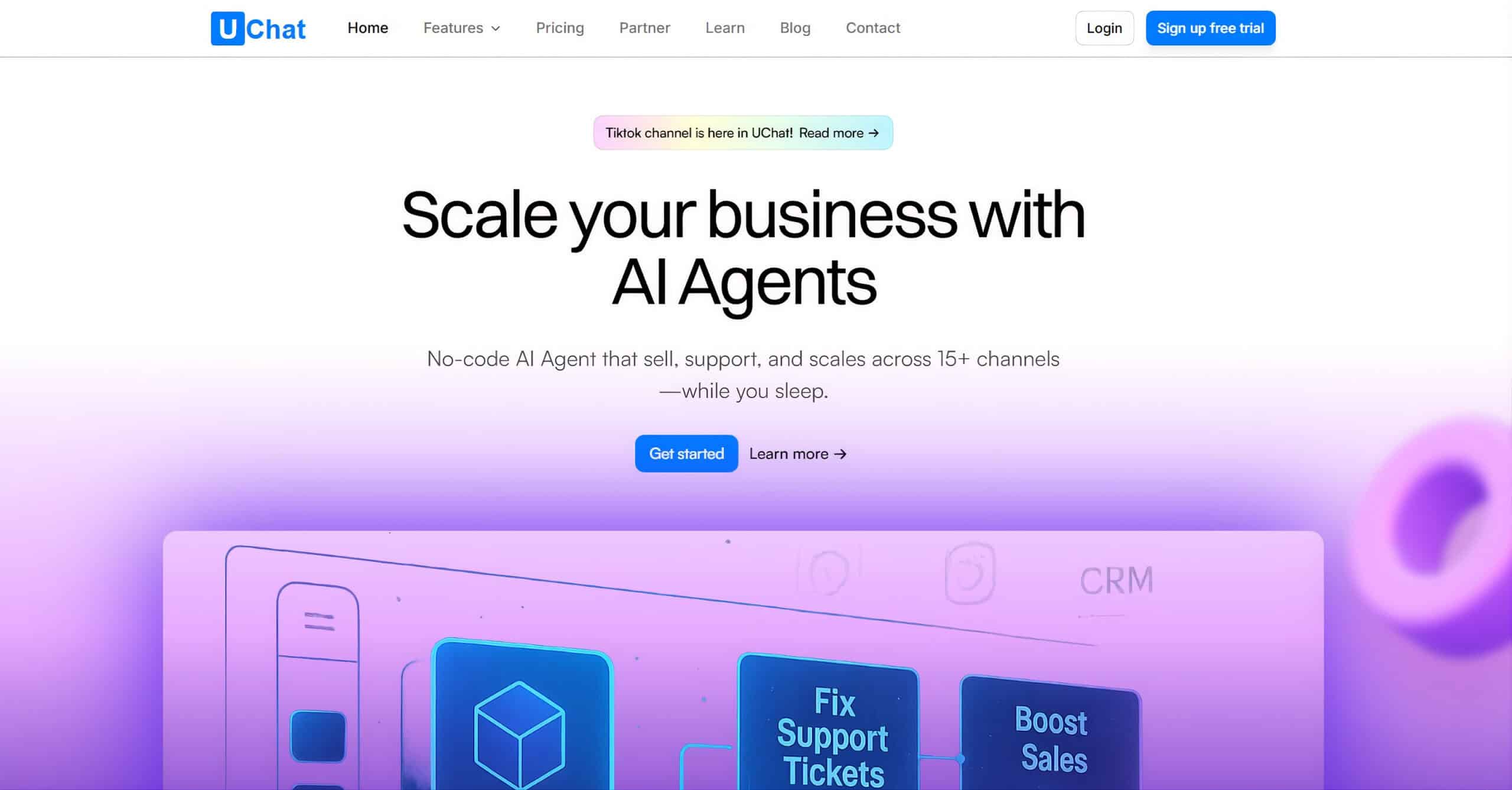
UChat is perfect if your customers are spread across a lot of channels and you want one bot to cover all of them.
It supports over 13 channels, including WhatsApp, Facebook, Instagram, and Telegram. And you can build one chatbot and publish it everywhere with a single click.
It’s got built-in live chat for customer support. When an automated conversation needs a person, you can hand it to a human agent. So customers on any of those channels get a clean handoff.
UChat also has keyword recognition and intent detection, and it integrates directly with ChatGPT. That means the automated answers can be smarter than a basic rule-based bot.
Like Manychat, it combines support and marketing in one tool. You get broadcasts, sequences, and rules for lead generation alongside the support chatbot automation. That makes it suitable for a small or mid-size business that doesn’t want a separate stack for each job.
It also connects with 50+ tools, including Zapier and Make, so it fits into your existing software easily.
UChat is feature-rich, but that depth comes at a cost. It can be a little overwhelming for new users. The analytics are also fairly basic, so if deep reporting matters to you, it’s worth knowing that going in.
Pros
- Easy to use Flow Builder
- Build one chatbot and publish it across 13+ channels with one click
- Combines customer support and marketing in one platform
- Built-in live chat for a clean handoff to a human agent
- Keyword recognition and intent detection
- Direct ChatGPT integration for smarter automation
- 50+ direct integrations, including Zapier and Make
Cons
- Steeper learning curve for beginners, can feel overwhelming
- Basic analytics
Pricing
- Free Plan: Available with basic features and up to 200 contacts
- Paid Plan: Starts at $15/month
To get started with UChat, click the button below to get my 100% discount code:
Benefits of Customer Service Chatbots
Now you know the platforms, but let’s go over why it matters at all.
Here are the biggest benefits I’ve seen customer service chatbots deliver for clients, beyond just “answering questions.”
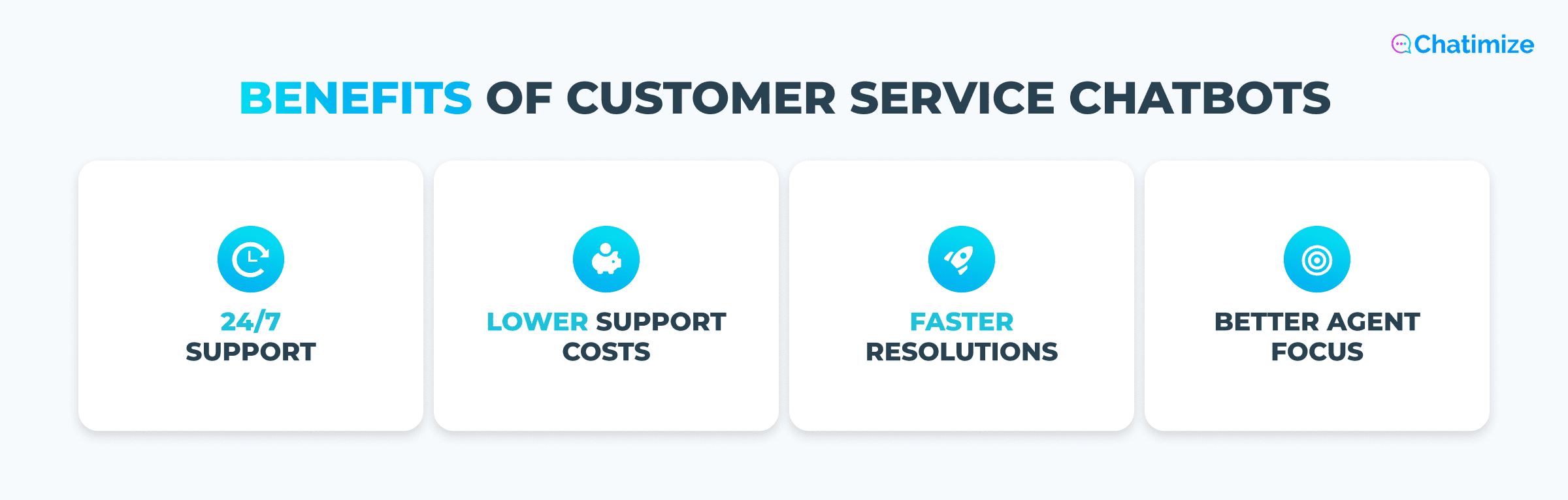
24/7 support without hiring more staff: Your customers don’t only have questions during business hours. A chatbot handles them at 2am on a Sunday just as well as it does at midday on a Tuesday.
So you’re covering the off-hours without adding a night shift or growing your team.
Faster resolution for common questions: A huge share of support volume is the same handful of question, such as:
- Where’s my order?
- What’s your return policy?
- How long does shipping take?
A bot answers those instantly. This is exactly where my eCommerce client saw 75% of their conversations automated in the first month using Tidio’s Lyro AI.
Most of those conversations were the same repeatable questions.
Lower support costs at scale: When your volume doubles, your support costs don’t have to. A chatbot absorbs those spikes without a matching jump in staffing.
Research shows businesses can save up to 30% on customer support costs. The bot handles the volume increase, your team stays the same size.
Better focus for your human agents: When the bot handles the routine questions, your team isn’t buried in “where’s my order” tickets all day. They’re free to focus on the complex, high-value conversations that actually need human judgment and empathy.
With all that said, chatbots aren’t magic of course. And they come with trade-offs worth understanding before you commit.
I cover both sides in detail in my guide to chatbot pros and cons.
Which Customer Service Chatbot Is Right for You?
Six platforms is a lot to weigh, so here’s how I’d narrow it down. The right pick for you depends on where your customers are and how much you need the tool to do.
If you want to get started quickly with an AI customer service chatbot, I’d recommend Chatbase. You can train it on your data and have it answering questions in minutes, as long as you don’t need custom flows.
If you run an eCommerce store and want AI-powered customer support on your website and WhatsApp, go with Tidio. Its Lyro AI agent and strong Shopify integration make it the best all-in-one fit for online stores.
If you’re a large support team managing high volume across multiple channels, pick Freshdesk or Intercom. Both are built for scale, with AI agents, proper routing, and the team infrastructure a bigger operation needs.
Freshdesk is the more affordable of the two, while Intercom is the more complete platform if you have the budget.
And if your customers are on Instagram, WhatsApp, or Facebook, and you need social media chatbots, go with Manychat or UChat.
Manychat is the easier starting point and pairs support with strong marketing tools. UChat is better if you need to cover a wider spread of channels from one bot.
Your Next Step
Now you know the best AI chatbots for customer service!
Don’t try to build the perfect setup on day one. Pick the one platform that matches your primary channel, and build a single flow first.
The next logical step is to build your own chatbot. You can learn to do that from my step-by-step tutorial:
How To Create AI Chatbot in Less Than 10 Minutes
Frequently Asked Questions
What is the difference between a customer service chatbot and an AI agent?
A traditional chatbot typically follows a set script. It only gives answers you’ve built in advance, so it gets stuck the moment someone asks something you didn’t plan for.
An AI agent is different. You train it on your own data, and then it can understand and answer questions, even the ones it hasn’t seen before.
Most platforms on this list are AI agents, because they resolve far more conversations on their own.
Can a customer service chatbot handle complaints and emotional situations?
Partly, and it’s important to know the limits. A good bot can calm a frustrated customer and start the resolution, like looking up an order.
But for genuinely emotional situations, it’s usually better to hand off the conversation to a human agent.
Do customer service chatbots work on WhatsApp and Instagram or only on websites?
They work on both, but it depends on the platform.
Tools like Tidio and Chatbase are website-first, though most still cover WhatsApp and Instagram too.
Others, like Manychat and UChat, focus on social channels first. Before you pick a platform, check that it covers the channels where your customers actually message you.
How long does it take to set up a customer service chatbot?
It depends on the platform and how complex you want the bot to be. With an AI-first tool like Chatbase you can have a bot answering questions in under 10 minutes. But an advanced setup on Freshdesk can take a few days, and on Intercom it can take about a month once you connect your own tools.
Will a chatbot replace my customer support team?
No, and that shouldn’t be the goal. A chatbot handles the repetitive questions, so your agents can focus on the complex and sensitive ones.
In practice, it makes your existing team more effective. But even the best chatbots for customer service don’t fully replace your team.
