


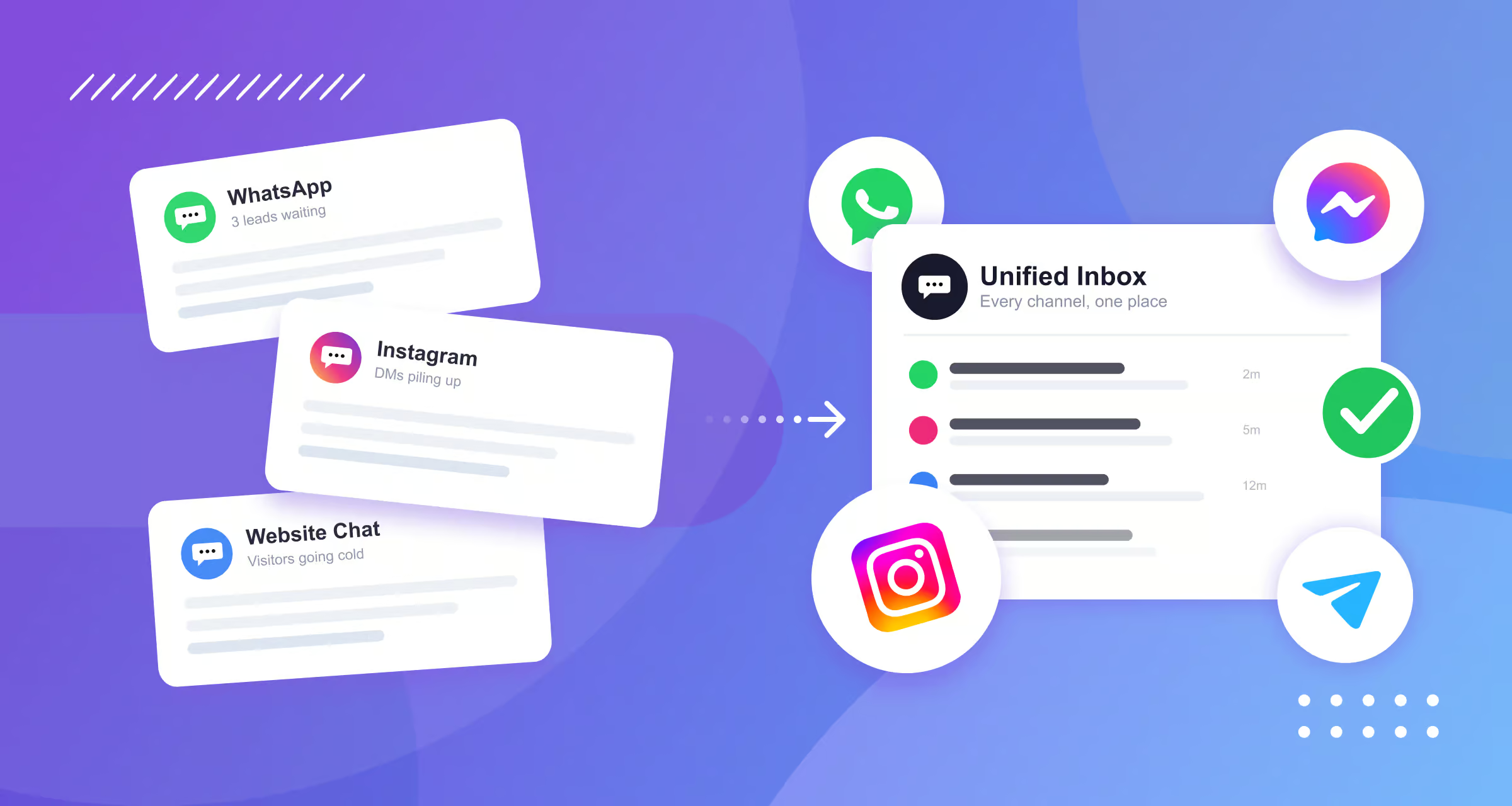
Most businesses start with a chatbot on their website. It works. It answers some questions, and everyone’s happy.
Then a customer messages you on WhatsApp. A week later, someone asks about the same product in your Instagram DMs. Then Facebook.
Soon you have three separate bots. Three separate inboxes. Three separate conversations with the same customer. And every time they switch channels, they have to explain themselves all over again.
That’s the exact problem an omnichannel chatbot solves.
I’ve spent the last 7 years building chatbots across channels for hundreds of clients. Some were small shops running their first WhatsApp flow. Others were bigger brands juggling five channels at once.
In this guide, I’ll cover:
- What an omnichannel chatbot is
- How it works
- The biggest benefits
- The mistakes I see most often
- Best practices with omnichannel bots
Let’s get into it!
What Is an Omnichannel Chatbot?
An omnichannel chatbot is a single system for customer conversations. It works across all your channels at once, including:
- Website
- Telegram
But being on many channels isn’t the real point. Plenty of businesses are. What makes a chatbot omnichannel is that it shares context across every channel.
The customer never has to repeat themselves. Your team never has to piece a conversation together from scattered screenshots.
This is where two words get confused: omnichannel and multichannel chatbot. They sound the same, but they’re not.
- Multichannel means you’re on several channels, but each one works on its own. Your WhatsApp bot doesn’t know what your website bot said. Every channel keeps its own separate history, and your team jumps between platforms to keep up
- Omnichannel means every channel is connected. There’s one conversation history per customer. Context follows the customer when they switch channels. Your team works from a single inbox
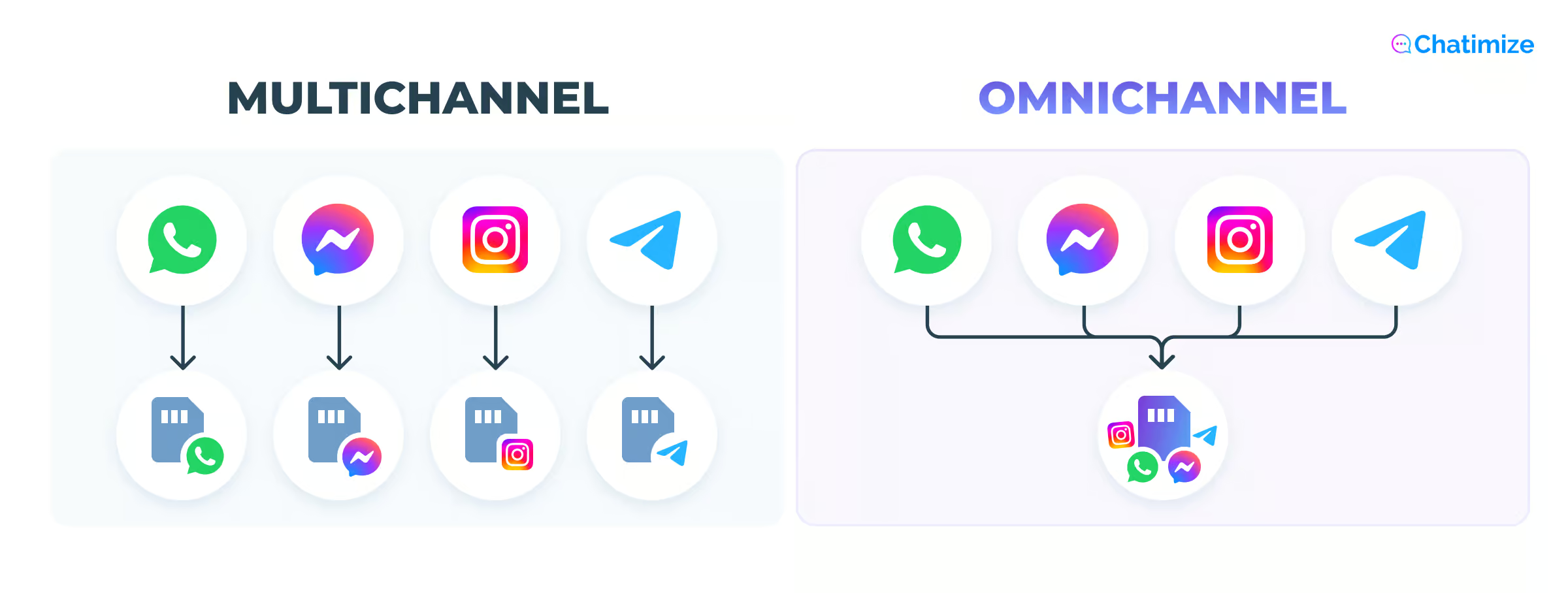
Here’s an example: A customer messages your Facebook chatbot on Monday to ask about a product. On Wednesday, they visit your website and open the chat widget.
A multichannel bot treats them as a brand-new visitor. No memory. It asks how it can help, as if Monday never happened.
An omnichannel bot already knows who they are and what they asked. It picks up right where they left off and welcomes them back to the same conversation.
Same customer. Two very different experiences. One feels cold. The other feels like a business that actually knows you.
Want to see how omnichannel fits alongside every other kind of bot? I break it all down in my guide to the types of chatbots.
How Does an Omnichannel Chatbot Work?
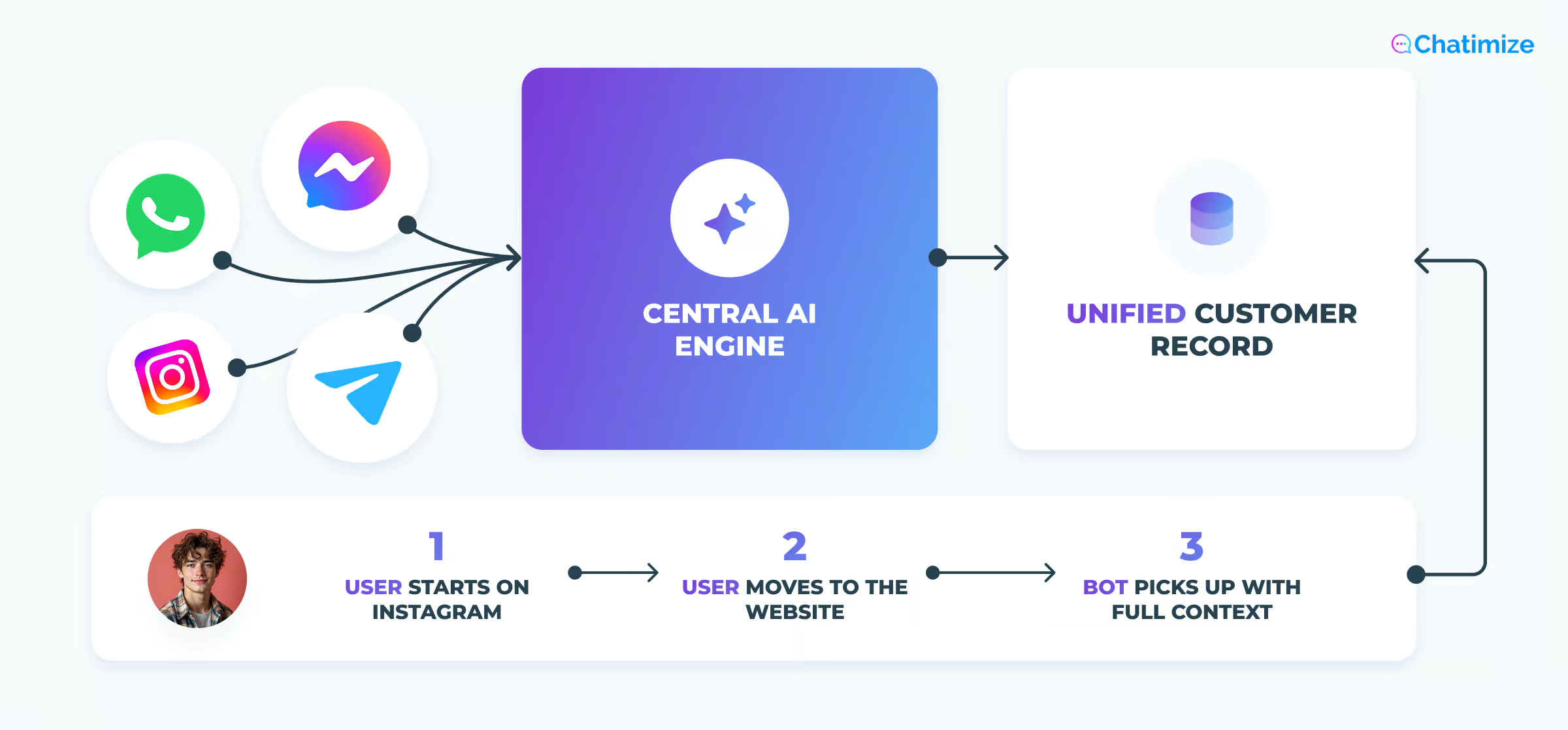
Fundamentally, an omnichannel chatbot has three layers:
- The front-end channel interfaces
- The central AI engine
- The unified data layer
Once you see how they fit together, it all makes sense.
Let’s look at each layer in more detail.
Layer 1: The front-end channel interfaces
This is what the customer actually sees. On each channel, the chatbot shows up in that channel’s native format.
On WhatsApp, it looks and feels like a normal WhatsApp message. On your website, it’s a chat widget in the corner. On Instagram, it’s a DM.
The customer isn’t aware of any system behind it. They’re just messaging a business the way they already message their friends.
Layer 2: The central AI engine
Every message from every channel routes through one single brain. This is the engine that does the main work.
It understands what the customer is asking. It holds your knowledge base, which is your FAQs, policies, and product info. And it generates the response. This is the core of how chatbot automation actually works under the hood.
The key thing is that one engine serves all channels at the same time. You build the logic once, and every channel draws from it. That’s why an omnichannel chatbot stays consistent. There’s one source of truth.
Layer 3: The unified data layer
This is the layer that makes omnichannel actually omnichannel (and not multichannel). Every interaction updates a single shared customer record, no matter which channel it came from.
When a customer switches channels, the bot checks that shared record and picks up exactly where the last conversation left off. That’s the mechanism behind “the customer never repeats themselves.”
It’s not magic. It’s just one record that every channel reads from and writes to, instead of five disconnected ones. This is the core difference between omnichannel and multichannel.
Putting it together: a real example
Let me walk you through what actually happens step by step, with an example.
- A customer sends a question through your Instagram DMs
- That message routes to the central engine
- The engine checks the customer record to see if this person has contacted you before, and checks the knowledge base to find the right answer
- It generates a response and delivers it back through Instagram
- Then the customer record updates with this new interaction
- Two days later, that same customer opens the chat widget on your website
- The bot checks the shared record, recognizes them, and continues the conversation with full context. No starting over. No re-explaining
That loop of route, check, respond, update, that’s the main engine of an omnichannel chatbot. Everything else is just customizing and fine-tuning.
The 3 Levels of Omnichannel Chatbots
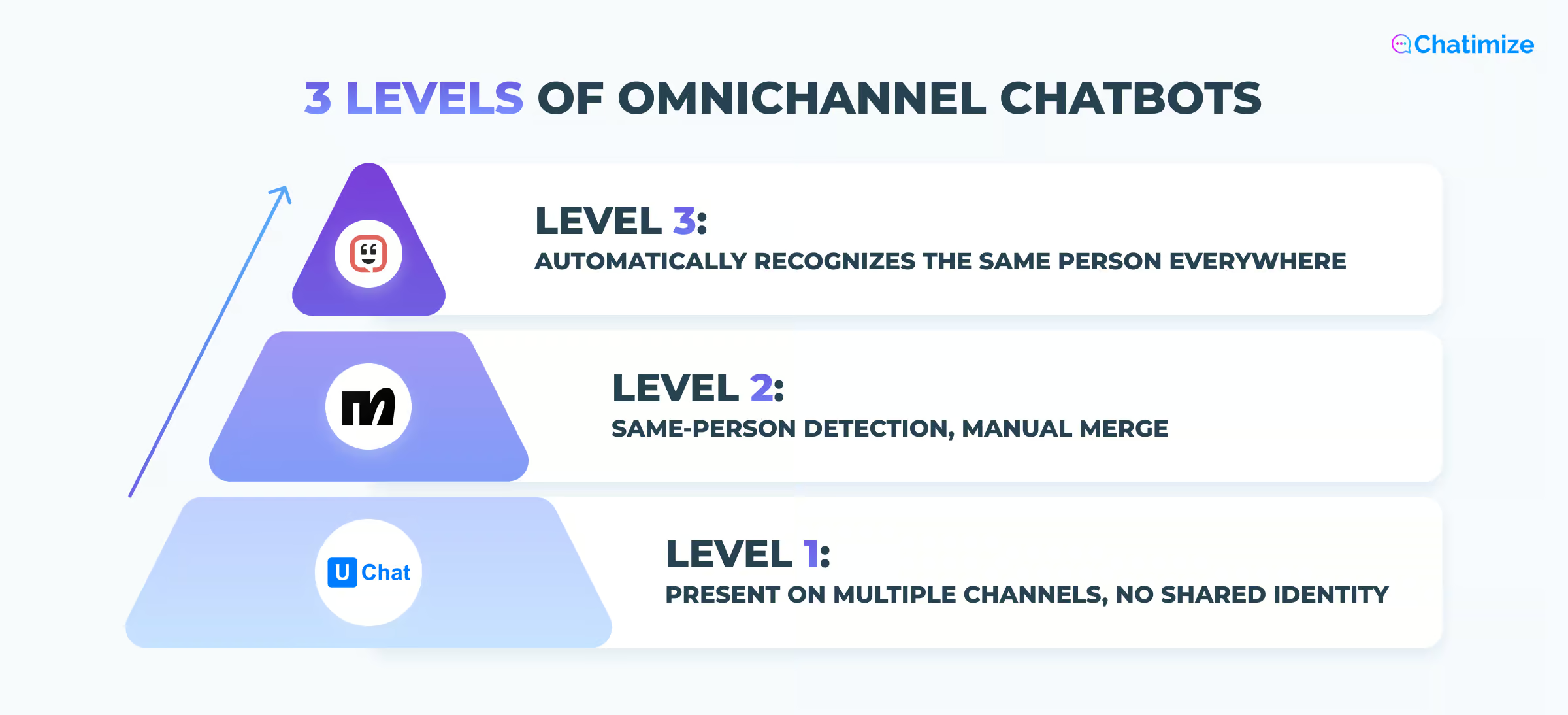
Not all omnichannel chatbots are the same. There are three different levels, and the one you pick decides how much of the “no repeated conversations” promise you’ll actually get.
Let’s take a closer look.
Level 1: Present on multiple channels, but no shared identity
At this level, the chatbot runs on WhatsApp, Instagram, Facebook, and your website. But it can’t tell that the person messaging on WhatsApp is the same person who messaged on Instagram. Each channel is functionally its own bot with its own conversation history. That’s how chatbots work usually.
UChat is an example of a platform at this level. You can deploy one bot across 13 channels, but it doesn’t detect that the same person is contacting you from two different channels. You’re on every channel, but the channels aren’t truly connected.
Level 2: Same-person detection, manual merge
Here the platform can recognize that the same person contacted you on two channels. This is usually done by matching an email address or phone number they gave in both conversations. But merging those two profiles into one still takes a manual step.
Manychat works this way. If someone shares their email on WhatsApp and later shares that same email on Instagram, Manychat flags it. Then it asks whether you want to merge the contacts. It doesn’t happen automatically.
You get the detection, but you still have to approve the merge yourself.
Level 3: Automatically recognizes the same person everywhere
This is genuine omnichannel personalization. The platform spots when the same person messages on different channels. It matches them by email, phone number, or other details. Then it merges them into a single customer profile without you doing anything.
Every future conversation, on any channel, pulls from that unified profile.
Kustomer is an example of a platform built this way. The identity resolution happens in the background, so the customer is recognized everywhere from the start.
What this means for choosing a platform
Most businesses assume any “omnichannel” chatbot automatically personalizes across channels. It doesn’t. The three levels behave very differently.
Before you commit to a platform, check which of these three levels it actually operates at. It directly affects how much of the “no repeated conversations” benefit you’ll see in practice. And that’s probably the main reason you’re going omnichannel in the first place.
What Are the Main Benefits of an Omnichannel Chatbot?
There are plenty of benefits (and a few trade-offs worth checking out in my full chatbot pros and cons breakdown).
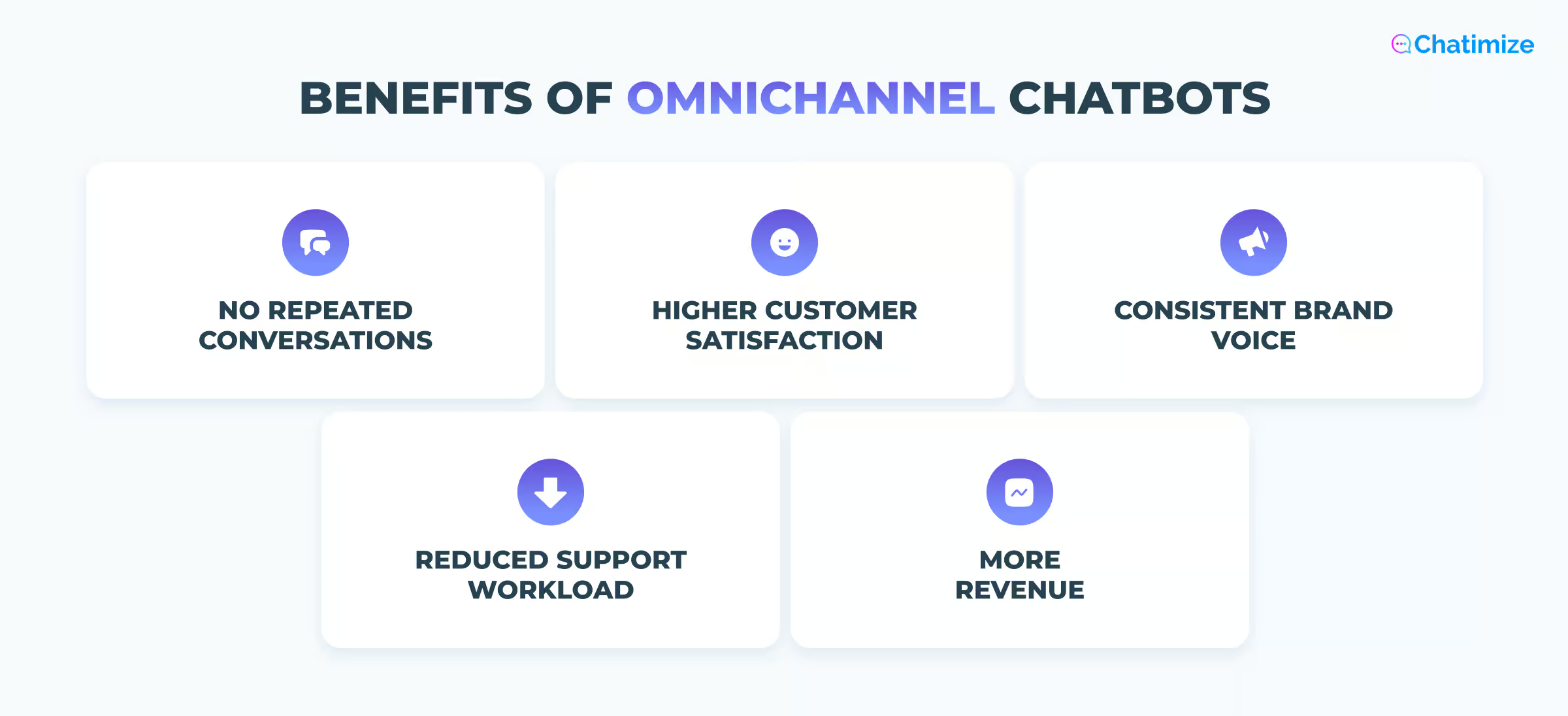
But the five main benefits are:
- Customers don’t need to repeat themselves
- Higher customer satisfaction
- Consistent brand voice across different channels
- Reduced support workload
- More revenue
Let’s look at each one more closely.
Customers never have to repeat themselves
Around 70% of customers expect anyone they deal with to have the full context of their situation. And many find it frustrating to repeat their story to different agents.
An omnichannel chatbot delivers that context automatically, on every channel. The customer asks once, and the system remembers. A shopper who started on Instagram can pick the conversation up on WhatsApp without re-explaining a thing.
That same shared record also powers personalization.
My Jewellery is a good example. Their WhatsApp chatbot handles the whole order-status question in one chat. A shopper asks about their order, the bot helps them find the order number, then sends back a live tracking update.

Every shopper gets an answer built around their own order, automatically, no matter how many people message at once.
Higher customer satisfaction
Customer satisfaction goes up when you:
- Remove the friction of repeating yourself
- Add instant replies
- Get rid of the dead ends where customers get stuck
It’s not complicated. According to research, using an omnichannel approach raises customer satisfaction by 15-20%.
Speed is a big part of this. The bot replies instantly on every channel, so a customer on WhatsApp at midnight gets the same speed as one on your website at noon.
That’s important because people make buying decisions in minutes, not hours. A reply that comes two hours late often means the sale is already gone.
Consistent brand voice across all channels
Whether a customer reaches you on WhatsApp, Instagram, or your website, they get the:
- Same tone
- Same policies
- Same quality and style of of answer
That’s more important that you might think. When your WhatsApp bot says one thing and your website bot says another, trust goes down.
And since an omnichannel chatbot runs on one engine with one knowledge base, consistency is automatically built in.
Reduced support workload
One bot handles volume across every channel at the same time. Your team works from a single inbox instead of switching between platforms and losing track of who said what where.
IBM has reported that chatbots can handle up to 80% of routine questions and cut customer support costs by around 30%.
When routine questions are handled automatically, your team is freed up for the conversations that actually need a human.
More revenue
Companies with strong omnichannel engagement see annual revenue grow 9.5% year over year. For companies with weak omnichannel engagement, it’s just 3.4%.
A better customer experience leads to higher retention, and retained customers come back and buy again. Omnichannel cuts costs, but it also increases growth.
Best Practices to Implement a Successful Omnichannel Chatbot
I’ve watched a lot of omnichannel rollouts succeed and a lot of them fail. Here’s how to make sure you’re in the successful category.
Start with two channels, not five
The most common mistake I see is a business getting excited and launching on every channel at once. This usually results in a mediocre experience everywhere instead of a great experience somewhere.
Start with your website and your customers’ most-used messaging channel. This is usually WhatsApp or Instagram, though it can also be something else, depending on your audience.
Get those two genuinely right, with good flows, accurate answers, and clean handoffs. And then expand. Two channels done well is much better than five channels done poorly.
Build one flow, adapt for each channel
Design your core conversation logic once. That’s the whole efficiency of omnichannel. But don’t just copy and paste it everywhere, because each channel has its own constraints. For example:
- WhatsApp message rules give you a 24-hour messaging window that governs when you can send certain messages
- Instagram limits how many button choices you can show
- Facebook has its own template approval rules
So build the logic once, then adapt the formatting, button counts, and timing to fit each channel.
Always have a human handoff path
This is non-negotiable. When the bot can’t help and there’s no way to reach a human, the customer hits a dead end. And a dead end is where trust dies.
Every channel needs a clear escalation path to a human agent, and that agent needs the full conversation context when they take over.
My client Burker had a setup like this, where unresolved questions were handed off over email. It wasn’t instant, but the customer still felt genuinely helped:
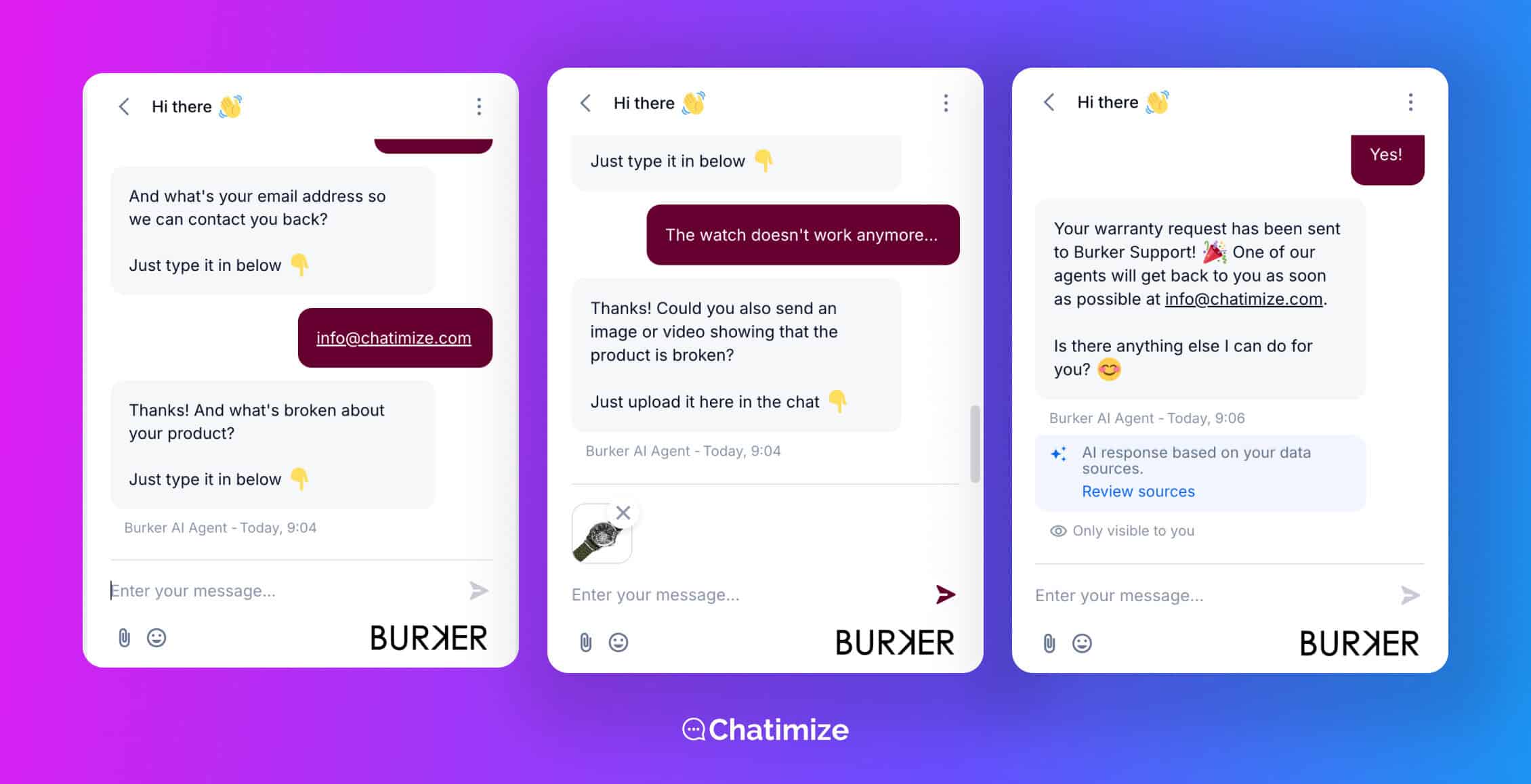
Customers just want to feel taken care of, even if the actual resolution takes a day. What they can’t stand is feeling stuck with nowhere to go.
Test on the real channel, not just the platform preview
The preview inside your chatbot builder is not the same as the live channel. Character limits, button rendering, and message timing all behave differently in the live channel. What works in the builder can break inside WhatsApp or Instagram.
I’ve seen flows that looked perfect in the builder fall apart in the real interface. Buttons get wrapped strangely, and messages can get split up. Always test end to end on the actual channel before you go live.
Monitor and improve regularly
An omnichannel chatbot is not a set-and-forget tool. Your products change, your policies change, and customers ask things you never anticipated.
Review your conversation logs across all channels at least once a month. Tools like Tidio and Chatbase have a Suggestions feature that shows knowledge gaps automatically. It shows you the questions the bot fumbled so you can fix them.
Treat your chatbot as a living system, not a finished project.
If you want to go deeper on what to avoid, check out my guide to common chatbot mistakes.
The Future of Omnichannel Chatbots
Clients often ask me where this is all heading. Here are the three developments that I’m most confident about.
AI agents that take real actions across channels
Up to now, chatbots have mostly answered questions. The next wave is chatbots that complete tasks.
Picture an AI agent that can check a customer’s order status, process a return, and send a confirmation. And it all happens inside a single WhatsApp conversation, with zero human involvement.
This isn’t hypothetical. It’s already happening with platforms like Tidio’s Lyro and Chatbase’s AI Actions.
You can see more in my comprehensive guide to best AI agents for customer service.
Unified customer identity across channels
Here’s the honest current limitation, and it’s the same one behind the three levels earlier. Most platforms today recognize customers per channel, not truly across channels.
The bot might know you on WhatsApp and know you on the website, but it doesn’t always know that WhatsApp you and website you are the same person.
The near-term improvement is persistent customer identity: the system knowing who you are no matter how you reach out. When that matures across more platforms, the “never repeat yourself” goes from mostly here to fully here.
Proactive omnichannel outreach
Right now, chatbots wait for the customer to start the conversation. The future is proactive.
A customer abandons a cart on your website and automatically gets a friendly WhatsApp nudge. Someone asks a question on Instagram that you couldn’t answer in the moment, and they get an automatic follow-up when the answer is ready.
Tools like Manychat and UChat already do versions of this, but I expect it to become standard across every platform. The bot stops being something customers have to find. It becomes something that reaches out at exactly the right moment.
Your Next Step
If there’s one thing you take from this guide, it’s that omnichannel isn’t a massive, months-long project. First, pick one platform that supports all the channels you need. And get one flow live on two channels this week.
But which platform to choose? I’ve compared the leading options in my rundown of the best chatbot platforms. So start there, pick one, and get your first flow live.
Frequently Asked Questions
How do I know if an omnichannel chatbot is right for my business?
The simplest test is whether your customers already contact you on more than one channel. If people reach you on your website and WhatsApp, or Instagram and Facebook, you’re already feeling the pain omnichannel solves.
If you’re only on one channel and customers are happy, you may not need it yet.
Can I build an omnichannel chatbot without coding?
Yes. Most omnichannel chatbots today run on no-code platforms. You build them visually, by dragging and dropping. So no programming is required.
You design the logic visually, connect your channels, and manage everything from one dashboard. Coding only comes up for advanced custom integrations, and even then most businesses never need it.
How much does an omnichannel chatbot cost?
It varies with your volume and features, but most chatbots for small businesses land between free and a few hundred dollars a month. Entry plans run roughly $15 to $45 per month, and mid-tier plans with full AI sit closer to $80 to $180.
If you use WhatsApp, budget an extra $50 to $200 on top, since Meta charges per conversation.
Can I upgrade from a Level 1 or Level 2 platform to a Level 3 platform later without starting over?
Partly. Your contacts and conversation history usually export as a CSV and import into the new platform. So you keep your customer data. But your flows don’t transfer between platforms, so you’ll need to rebuild those.
For a simple setup that’s quick. Complex flows take longer. A switch is also a good moment to clean up your flows rather than copy them as-is.
Can you integrate generative AI into an omnichannel chatbot?
Yes, and it’s getting more common. Most platforms let you plug generative AI into the engine. That way, the bot understands questions phrased in many ways and answers naturally.
You need to train it on your own knowledge base, so responses stay accurate and on-brand instead of the AI making things up.
