


By Joren Wouters • Updated on
| Name | Rating | Pricing | Best For |
|---|---|---|---|
| Juphy | 4.0/5 ⭐ | Starts at $19/month for up to 50k visitors | Cheapest AI chatbot with product sync and order status |
 Chatbase Chatbase | 4.5/5 ★ | Free plan; paid plans start at $40/month | AI Shopify Chatbot with custom AI Actions |
 Tidio Tidio | 4.1/5 ★ | Free plan; paid plans start at $29/month | All-in-one platform for sales and support |
 Manychat Manychat | 4.5/5 ★ | Free plan; paid plans start at $17/month | Social media campaigns |
 UChat UChat | 4.6/5 ★ | Free plan; paid plans start at $15/month | Omnichannel Shopify bots |
Best for: Cheapest AI chatbot with product sync and order status
Rating: 4.0/5 ⭐
Juphy is one of the easiest ways to add an AI chatbot to your Shopify store, and it’s also one of the cheapest.
Juphy has a direct integration with Shopify. As soon as you connect it, the chatbot automatically learns from your Shopify store. That includes your product titles, descriptions, variants, attributes, stock levels, and your website content.
Because of this, Juphy can immediately answer customer questions. It can:
- Recommend products
- Answer detailed product questions
- Check stock availability
- Look up order status
Juphy is very easy to set up and works on your Shopify website and Instagram.
And you don’t need to build flows or set up complex rules.
You can also improve the answers manually. When you edit a response, the AI learns from it and improves over time.
That said, Juphy does have some clear limitations.
It does not have a built-in live chat, and you cannot create custom flows. So if you want advanced sales funnels or rule-based automations, Juphy will feel limited.
However, it does offer live chat integrations. For example, when the chatbot doesn’t know an answer, you can connect it to tools like Zendesk to automatically create a support ticket or send an email.
Overall, Juphy is built to be simple. It’s not the most powerful platform on this list, but it’s a super easy, cheap and fast way to add an AI chatbot to your Shopify store.
Pros
- Very easy to set up
- Direct Shopify integration
- Automatically learns from your products and website
- Recommends products and answers detailed product questions
- Can check stock and order status
- Works on website and Instagram
- Very affordable pricing
Cons
- No built-in live chat
- No custom flows or marketing automations
- Limited channels compared to more advanced tools
Pricing
- Starts at $19/month for up to 50k visitors
- Higher plans available for larger stores
If you want to get started with Juphy, click the button below to get my discount code (10% off on monthly, 30% on yearly plans)
Best for: AI Shopify chatbot with custom AI Actions
Rating: 4.5/5 ★
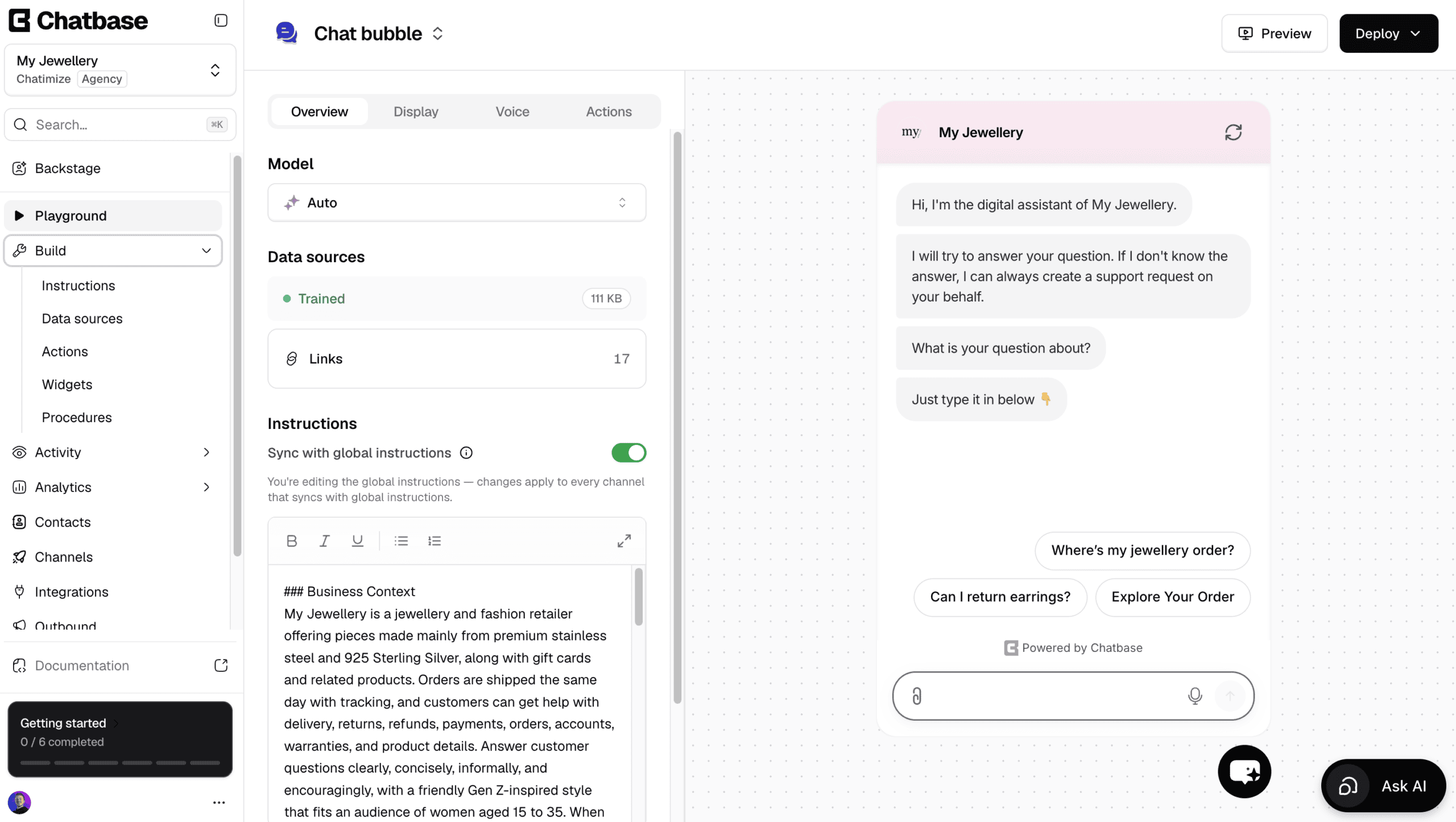
Chatbase is one of the easiest platforms to create AI agents with, and it plugs straight into Shopify.
You connect your store and add your website or documents, and it trains on them. Once it’s trained, it answers customer questions about your products and policies.
Apart from answering questions, it can also do stuff with AI actions. For example, it can:
- Look up an order status in Shopify
- Find invoice details in Stripe
- Update a customer’s shipping address
- Alert your team in Slack when an order needs attention
And if a task isn’t built in, you can create your own custom AI action.
To change anything later, Chatbase has Backstage, an AI assistant that edits your agent through a simple chat.
Ask it to handle order questions differently, and it makes the change and shows you the result to approve.
There is also a built-in help desk, so a human can take over by live chat. Or, you can automatically create a ticket when the AI doesn’t know the answer.
However, it’s not a great pick if you want to build conversation flows yourself, or run marketing on Facebook and Instagram.
Pros
- Direct Shopify integration
- Talk to an AI to create and improve your AI agent
- AI Actions let your agent do real tasks, like looking up an order
- Very easy to get started
- Built-in live chat and help desk
- Supports website, WhatsApp, Instagram, Facebook, Email and Slack
- Livechat integrations with Zendesk, Salesforce, HubSpot, Zoho Desk & Freshdesk
Cons
- Cannot create chatbot flows
- No marketing possibilities on Facebook and Instagram
- Cannot send proactive messages on your website
Pricing
- Free plan: 50 message credits and train your AI agent on 1 MB of content
- Hobby plan ($40/month): 700 message credits and train your AI agent on 10 MB
Best for: Best all-in-one platform for sales and support
Rating: 4.1/5 ★
Tidio is the best choice if you want everything in one Shopify chatbot platform.
It has a direct integration with Shopify and is trained on your Shopify products. Once connected, it understands your product catalog and your website content.
Tidio combines three things in one tool:
- AI answers (via Lyro, Tidio’s AI agent)
- Custom chatbot flows
- Built-in live chat for human support
You can train Lyro on your Shopify products, your website pages, and even CSV files. It can answer product questions, shipping questions, and support requests automatically.
On top of that, unlike Juphy and Chatbase, Tidio lets you create custom flows. This means you can build sales flows, pre-sale question flows, cart recovery flows, and more.
Tidio also supports AI actions. For example, the chatbot can check order status, change order information, or help with refunds.
And when the chatbot isn’t enough, your team can jump in using the built-in live chat, all inside the same interface.
The main downside of Tidio is pricing.
While it has a free plan, Tidio can become expensive for small Shopify stores, especially as usage grows. For stores on a tight budget, this can be a dealbreaker.
Another limitation is that Tidio is mostly focused on your website. It does not offer marketing automations for channels like WhatsApp, Instagram, or Facebook.
Pros
- Direct integration with Shopify
- Combines AI, custom flows, and live chat in one platform
- Easy-to-use Flow Builder
- Built-in Lyro AI Agent trained on your products and site content
- Great website widget and UX for visitors
Cons
- No marketing possibilities on Facebook, Instagram, or WhatsApp
- Can get expensive for small stores on a budget
Pricing
- Free plan (up to 100 reached visitors)
- Paid plans start around $29/month (varies by usage and add-ons)
Click the button below to get 20% off on all Tidio plans:
Best for: Social media campaigns

Rating: 4.5/5 ★
Manychat is one of the best chatbots for Instagram, Facebook and WhatsApp. It’s great if your Shopify store gets a lot of traffic from social media.
Manychat focuses on turning likes, comments, and story replies into conversations – and then into sales.
For example, you can:
- Automatically send a DM when someone comments on a post
- Turn Instagram Story replies into automated DM flows
- Run giveaways, product launches, and lead magnets through DMs
- Follow up with people automatically to promote products
This is very powerful if you’re already active on social media and want to send that attention to your Shopify store.
Manychat is also very beginner-friendly. It has a visual drag-and-drop flow builder, and it’s easy to start with simple automations and expand later.
Manychat doesn’t have a direct Shopify integration. But you can connect it to Shopify using tools like Zapier or Make. This lets you sync customer data, trigger actions, and send people to the right products.
It also includes built-in live chat, so your team can jump in and reply manually when needed.
On top of all that, Manychat is very affordable. It has a free plan, and paid plans start at only $15/month.
The main limitation is that Manychat is not an AI-first platform. Its AI features are limited compared to other tools on this list.
You also need to create separate flows for each channel.
Pros
- Best chatbot for Instagram, Facebook, and WhatsApp
- Great for lead generation, social media campaigns and promotions
- Easy-to-use visual flow builder
- Supports broadcasts, sequences, and follow-ups
- Built-in live chat
- Very affordable pricing
Cons
- No direct Shopify integration
- Limited AI capabilities
- Separate flows needed for each channel
Pricing
- Free plan: up to 25 contacts with basic features
- Pro plan from $17/month
If you want to get started with Manychat, just click the button below to get my 100% discount code:
Best for: Omnichannel Shopify bots

Rating: 4.6/5 ★
UChat is the best choice if you want one Shopify chatbot that works across many channels.
It lets you build a single chatbot and publish it on 13 channels, including:
- Your Shopify website
- Facebook Messenger
- Telegram
UChat has a direct Shopify integration. With it, you can lookup order statuses, get abandoned carts and create discount codes.
UChat includes a flow builder, AI agents, ChatGPT integration, and built-in live chat. This means you can combine structured flows with AI answers, and let a human take over when needed.
UChat also support marketing automations. For example, it lets you auto-reply to comments.
The main downside is the learning curve.
UChat has a lot of features, and that can feel overwhelming at first – especially for beginners. It takes more time to set up compared to simpler tools.
But if you’re willing to invest the time, UChat becomes one of the most powerful Shopify chatbot platforms available.
Pros
- Easy-to-use Flow Builder
- Deploy one bot on 13 channels
- Direct Shopify integration with product syncing
- Sell products inside channels such as WhatsApp
- Intent detection & keyword recognition
- Direct ChatGPT integration
- Built-in Live Chat
Cons
- Steeper learning curve, can feel overwhelming for beginners
Pricing
- Free plan (with up to 200 contacts)
- Paid plans start at $15/month (with up to 1000 contacts)
If you want to get started with UChat, click the button below to get my 100% discount code:
Which Shopify Chatbot Is Right for You?
All five platforms on this list are strong choices. The right one for you comes down to what your store actually needs.
So here’s how I’d pick.
If you’re a small business on a tight budget and just want fast AI support without building any flows, go with Juphy. It connects to your store, learns from your products automatically, and starts answering questions almost right away.
Chatbase is better if you want AI quickly that can do more than talk. Its AI Actions let the bot look up live orders, check a customer’s cart, and update their details. Plus, it’s super fast and easy to set up.
If you want AI, custom flows, and live chat all in one place, Tidio is the most complete platform on this list. You can automate answers with its Lyro AI, build sales and cart-recovery flows, and let your team jump in through the same inbox.
If your store gets most traffic from social media, go with Manychat. It turns comments, story replies, and DMs on Instagram, Facebook, and WhatsApp into conversations and sales.
And if you want a single bot running across your website and every social channel at once, UChat is great. One chatbot can go live on 13 channels, with flows, AI, and live chat all included.
These are the 5 best Shopify chatbots! Each one has their own strengths and weaknesses.
And which one you should choose depends on what you need.
The next step is to make your own chatbot for your website. You can click on this tutorial to learn how:

