


When your support team manages thousands of conversations each week, relying only on human agents can be costly.
And 90% of customers expect instant answers, whether they message you on your website, Instagram, Facebook, or email.
That’s hard enough on a normal day. During a peak like Black Friday, thousands of customers and leads message you at once. No support team can answer them all in time.
That’s why more companies are using enterprise chatbots.
After testing 200+ chatbot platforms and building chatbots for clients for 7+ years, I’ve seen how useful they can be. They’re great for scaling support, sales, and internal operations.
So in this guide, I’ll cover the following questions
- What are enterprise chatbots?
- How do enterprise chatbots work?
- What are their real-world use cases?
- What are the best enterprise chatbot platforms in 2026?
Let’s get started!
What Is an Enterprise Chatbot?
An enterprise chatbot can automatically reply to customers, and is specifically designed for large businesses and organizations. It helps automate conversations across customer support, sales, HR, IT, and other business functions.
Enterprise chatbots are different from standard ones. They’re designed to manage larger conversation volumes, unlike chatbots for small businesses. Also, they typically have more complex workflows. They can connect with business tools like CRMs, helpdesks, databases, and internal systems.
Most enterprise chatbots also support multiple teams, channels, and user permissions. Plus, they usually include stronger security and compliance controls.
Here are the main differences between enterprise chatbots and standard chatbots:
- Higher conversation volume handling
- Integrations with CRMs, helpdesks, and business software
- They work on multiple channels (website, WhatsApp, Slack, apps, etc.)
- Team collaboration and access controls
- Advanced security, compliance, and permissions
- Automation across multiple departments
- They can understand and talk in multiple languages
How Do Chatbots for Enterprise Work?
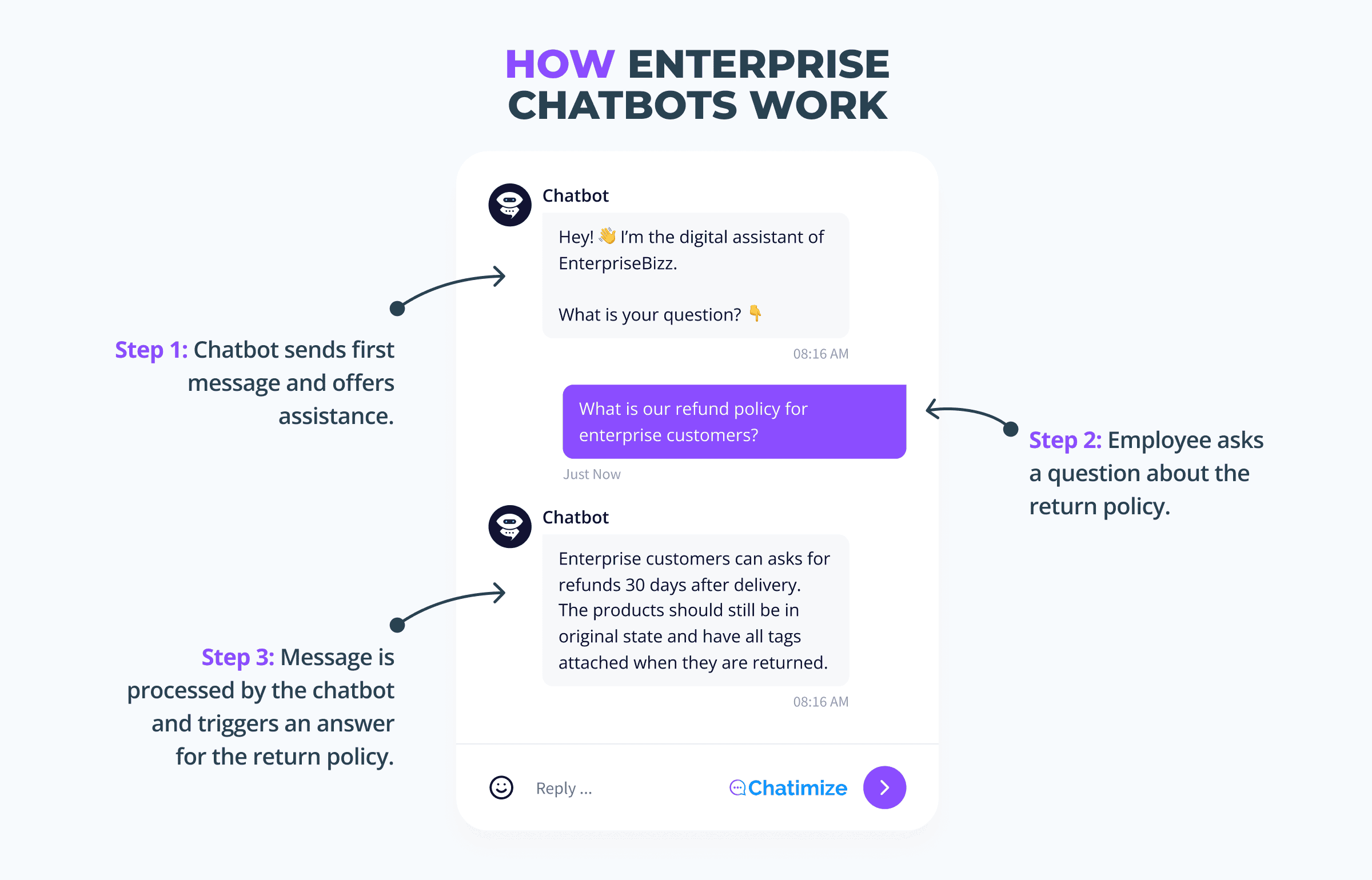
At their core, chatbots for enterprise automatically respond when someone sends a message.
What happens between the question and the reply depends on the setup. But most enterprise chatbots follow a similar process.
It usually looks like this:
- A customer or employee sends a message
- The chatbot understands what they need
- The chatbot searches for information or triggers an action
- The chatbot responds or routes the conversation to a human
Let’s make that more practical.
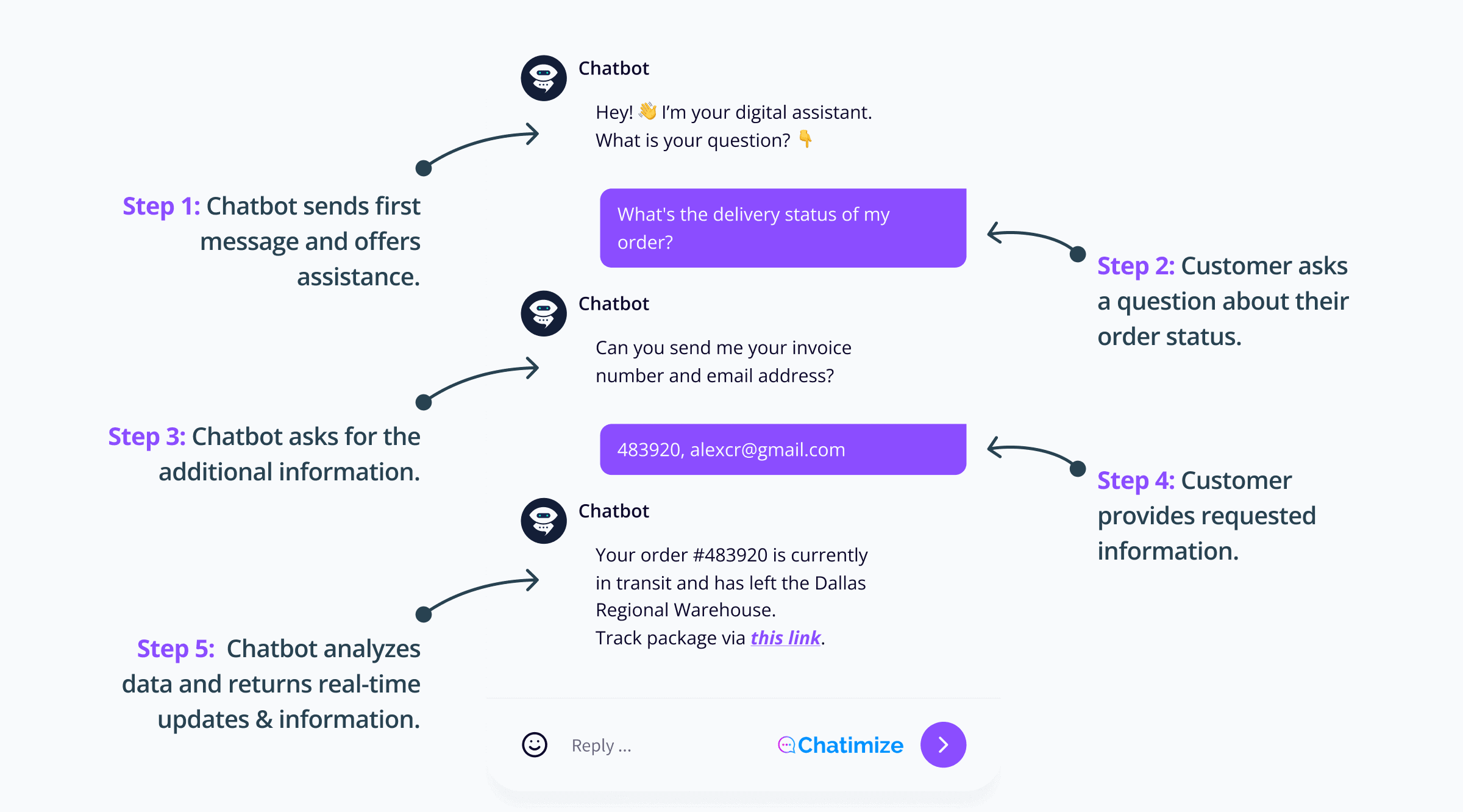
Imagine a customer asks: “What’s the delivery status of my order?”
The chatbot first recognizes the intent behind the message. In this case, the customer wants order information.
Then, the chatbot asks for the customer’s invoice number and email. After the customer gives it, the chatbot connects with the company’s systems, like a CRM or order database, to get the tracking details.
Finally, the chatbot sends the update instantly inside the conversation.
If the request is simple, the chatbot handles everything automatically.
But sometimes the issue is more complex, like a billing dispute or technical problem. If that’s the case, the chatbot can hand the conversation off to a human agent with all the context included.
That’s what makes enterprise chatbots useful. They automate repetitive conversations first, while still allowing human teams to step in when needed.
Why Enterprise Chatbots Matter in 2026
Customer support volume keeps growing. But most teams can’t keep hiring support agents at the same pace.
At the same time, customer expectations have changed. Research shows that about 70% of consumers prefer chatbots when they want an immediate response.
That’s one of the biggest reasons that chatbots for enterprise have become so important in 2026.
Modern enterprise AI chatbots have also improved significantly. They aren’t limited to simple button-based flows anymore. They can now:
- Understand questions better
- Search company knowledge bases
- Connect with business systems
- Automate much larger parts of customer support and internal operations
- Understand and use multiple languages
The business impact can be substantial too. Research shows chatbot automation can cut your costs by 30%.
And the companies that delay automation often face problems. These include rising support costs, slower response times, and overloaded teams.
That’s why more enterprises are investing in scalable chatbot automation. They’re not relying entirely on manual support processes.
Benefits of Implementing Enterprise Chatbots
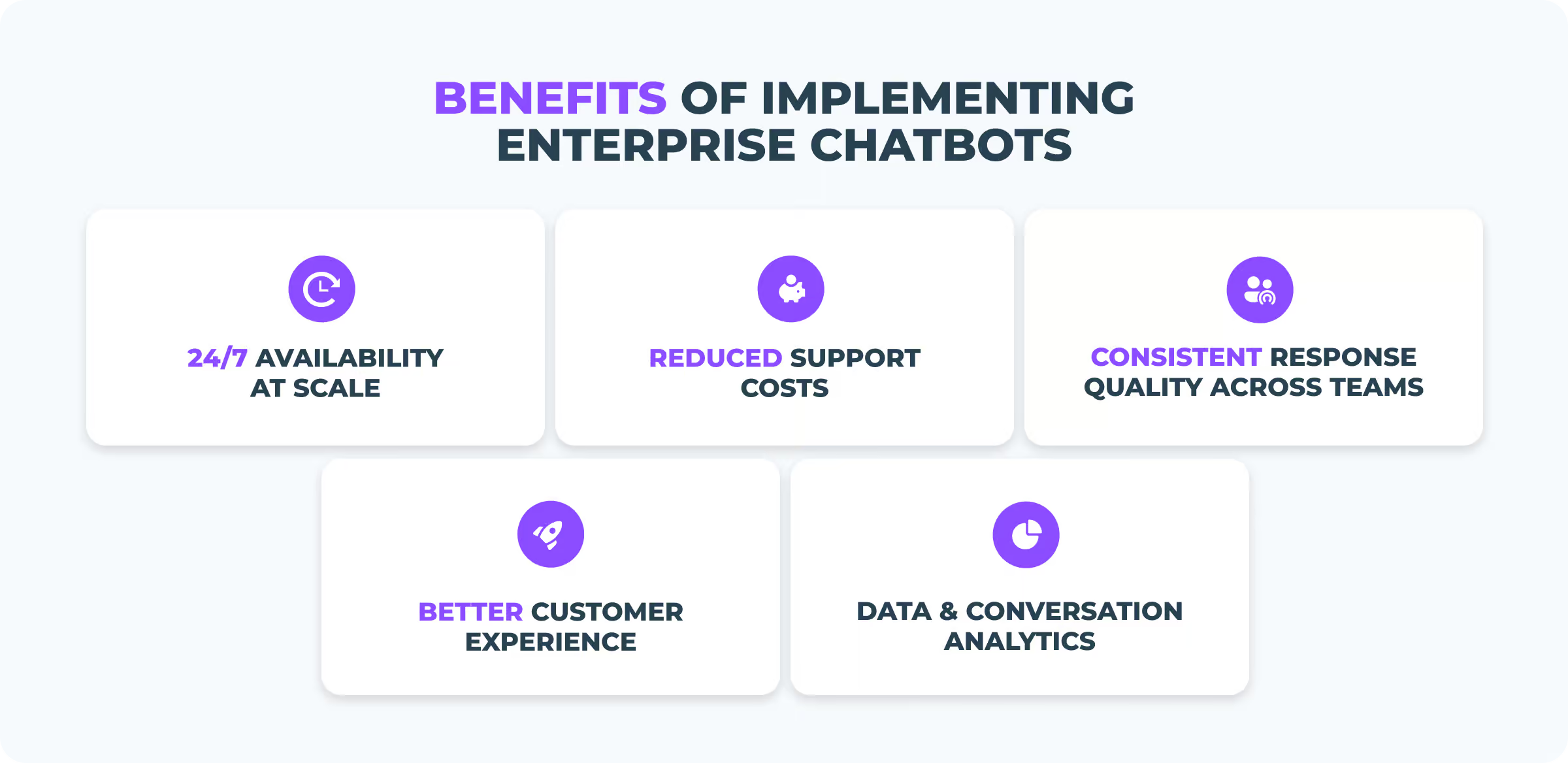
Enterprise chatbots help businesses automate conversations at scale. The biggest value usually comes from these benefits:
- 24/7 availability
- Reduced costs
- More consistent responses
- Faster employee onboarding
- Better data and conversation insights
Let’s take a look at each one.
24/7 Availability at Scale
Enterprise chatbots are always available. Not usually, and not almost always.
Always.
They can respond to customers and employees during evenings, weekends, holidays, and outside business hours. And unlike human teams, they can handle thousands of conversations at the same time.
This means users get faster answers without waiting in long support queues.
Reduced Support Costs
Many enterprise teams spend a large part of their time answering repetitive questions.
Enterprise chatbots reduce that workload by automating common requests like:
- Order tracking
- Password resets
- Account questions
- Policy information
That way, support teams can focus on more complex conversations. And of course, your costs get reduced.
Consistent Responses Across Teams and Channels
Large companies often support customers across multiple channels and departments.
Without automation, response quality can vary. It can depend on the agent, team, or platform. Enterprise chatbots help standardize communication. They are providing the same answers and workflows everywhere.
That consistency becomes especially important for larger organizations with global teams.
Faster Employee Onboarding and Internal Knowledge Access
Enterprise chatbots are not only useful for customer support.
Many companies use them internally to help employees find information faster. For example, HR teams can automate policy questions. And IT teams can help employees troubleshoot common issues.
This reduces internal support workload. It helps new employees get answers without searching through documentation manually.
Better Data and Conversation Insights
Enterprise chatbots also generate valuable data.
Businesses can see:
- Which questions customers ask most often
- Where conversations often fail
- Which processes create friction
That makes it easier to improve support workflows. You can update documentation and identify automation opportunities over time.
Of course, these benefits also come with trade-offs. Enterprise chatbots work best when they’re implemented carefully.
Note: For a balanced look at the upsides and downsides, read my full guide on the pros and cons of chatbots.
Enterprise Chatbot Use Cases
Enterprise teams apply chatbots across a wider range of chatbot use cases than most people expect.
But in most cases, the biggest focus is customer support at scale. Especially across multiple channels like websites, WhatsApp, email, Facebook and Instagram.
These are the most common enterprise chatbot use cases:
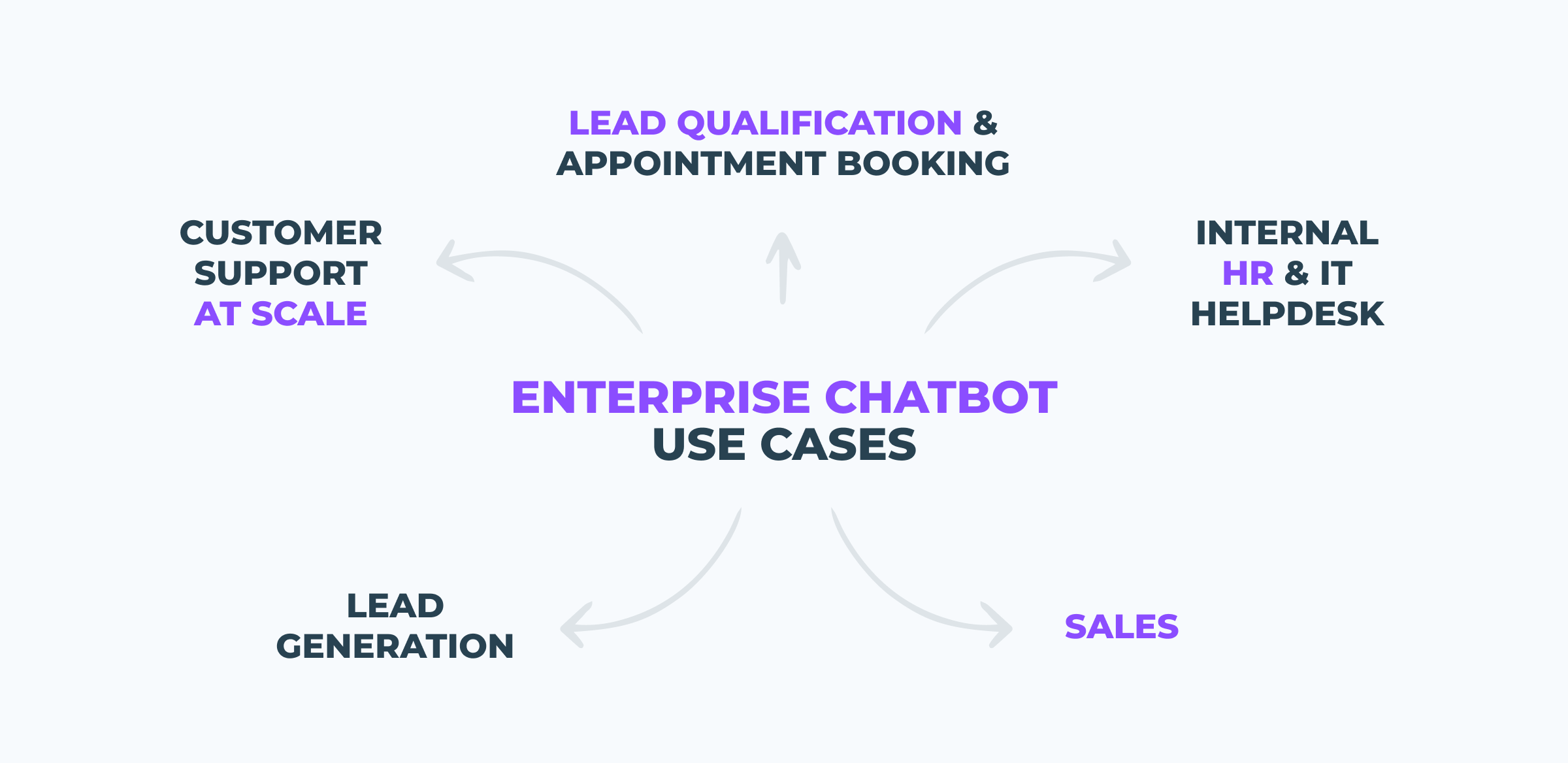
Let’s look at them more closely.
Customer Support at Scale
Customer support is the biggest enterprise chatbot use case by far.
Large companies often handle tens of thousands of repetitive questions every week. Things like:
- Order tracking
- Account access
- Billing questions
- Refunds
- Password resets
- Policy information
An enterprise chatbot can automate many of these conversations instantly. But, they still escalate more complex issues to human agents when needed.
This helps support teams reduce workload without slowing down the response time.
Internal HR and IT Helpdesk
Many enterprises also use chatbots internally.
HR teams use them to answer questions about policies, onboarding, vacation days, and benefits. IT teams use them to help employees with password resets, software access, and troubleshooting.
This reduces internal support tickets and helps employees find information faster.
Lead Generation
Enterprise chatbots can help businesses get leads from websites, landing pages, and social media. If this is your main goal, it’s worth looking at platforms built specifically as lead generation chatbots.
For example, a chatbot can:
- Greet visitors
- Ask a few questions
- Collect contact details automatically
This helps businesses capture more leads without requiring a sales rep to respond immediately.
Lead Qualification and Appointment Booking
Many enterprises also use chatbots to qualify leads before sending them to sales teams.
The chatbot can ask questions about company size, budget, goals, or product interest. Then, if the lead matches the right criteria, the chatbot can automatically book a meeting or route the conversation to the correct sales rep.
This saves sales teams time and helps them focus on higher-quality opportunities.
Sales Chatbots
Some enterprises also use chatbots internally for sales support.
For example, large sales teams may use an internal chatbot to quickly access:
- Pricing information
- Product details
- Sales materials
- Approved offers during conversations with clients
This helps sales teams work faster and keeps information consistent across the organization.
Top 5 Enterprise Chatbot Platforms
There’s no single “best” enterprise chatbot platform for every business.
Some platforms are better for customer support at scale. Others focus more on AI automation or omnichannel messaging.
After testing more than 200 chatbot platforms over the last 7+ years, these are the best enterprise chatbot platforms I’d pick in 2026.
Best 5 Enterprise Platforms: Quick Overview
| Name | Rating | Pricing | Best For |
|---|---|---|---|
| Freshchat | 4.5/5 ⭐ | Starts at $19/agent/month (comes with 500 AI agent sessions) | Enterprises managing customer support across multiple channels + AI agents |
| Intercom | 4.5/5 ⭐ | Starts at $39 per seat/month, you get the shared inbox, Fin AI agent and basic automations | Enterprises that want one centralized platform for customer support and AI automation |
| Crisp Chat | 4.2/5 ⭐ | Starts at $45/month, you get 4 seats, $5 in included AI credits and shared inbox | Enterprise support teams that want AI, workflows, and live chat in one platform |
| Botpress | 4.1/5 ⭐ | Pay-as-you-go pricing, starting at $1 | Enterprises building advanced AI chatbots and automation flows |
| Voiceflow | 4.2/5 ⭐ | Starts at $60/month, you get 3k knowledge base sources/agent, 20 agents and 10k AI tokens/month | Enterprises building advanced AI chatbot flows and voice experiences |
Freshchat
Best for: Enterprises managing customer support across multiple channels + AI agents

Rating: 4.5/5 ⭐
Freshchat is an omnichannel messaging platform built for large customer support teams. It lets teams build and use AI Agents, and it’s very easy to use.
Key strength: Strong omnichannel support across website chat, WhatsApp, Instagram, Facebook Messenger, and apps
Limitation: AI automation is less advanced than platforms focused heavily on AI workflows
Pricing: Starts at $19/agent/month (comes with 500 AI agent sessions)
Intercom
Best for: Enterprises that want one centralized platform for customer support and AI automation
Rating: 4.5/5 ⭐
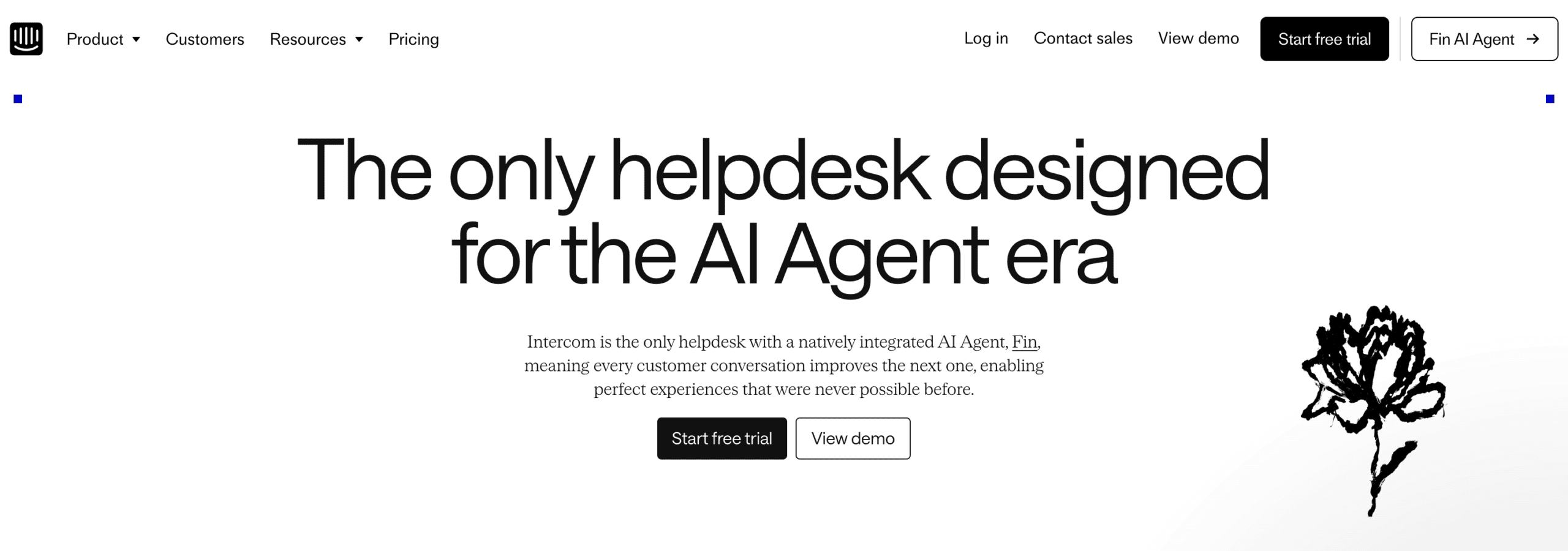
Intercom is a customer support platform with built-in AI chatbots and live chat. You can also create marketing flows. So, you can create chatbot flows, AI and live chat in one tool. Then you can use it for both customer support, marketing and sales.
Key strength: Strong combination of AI automation, live chat, and enterprise integrations in a single platform
Limitation: Expensive at scale
Pricing: Starts at $39 per seat/month, you get the shared inbox, Fin AI agent and basic automations
Crisp Chat
Best for: Enterprise support teams that want AI, workflows, and live chat in one platform
Rating: 4.2/5 ⭐
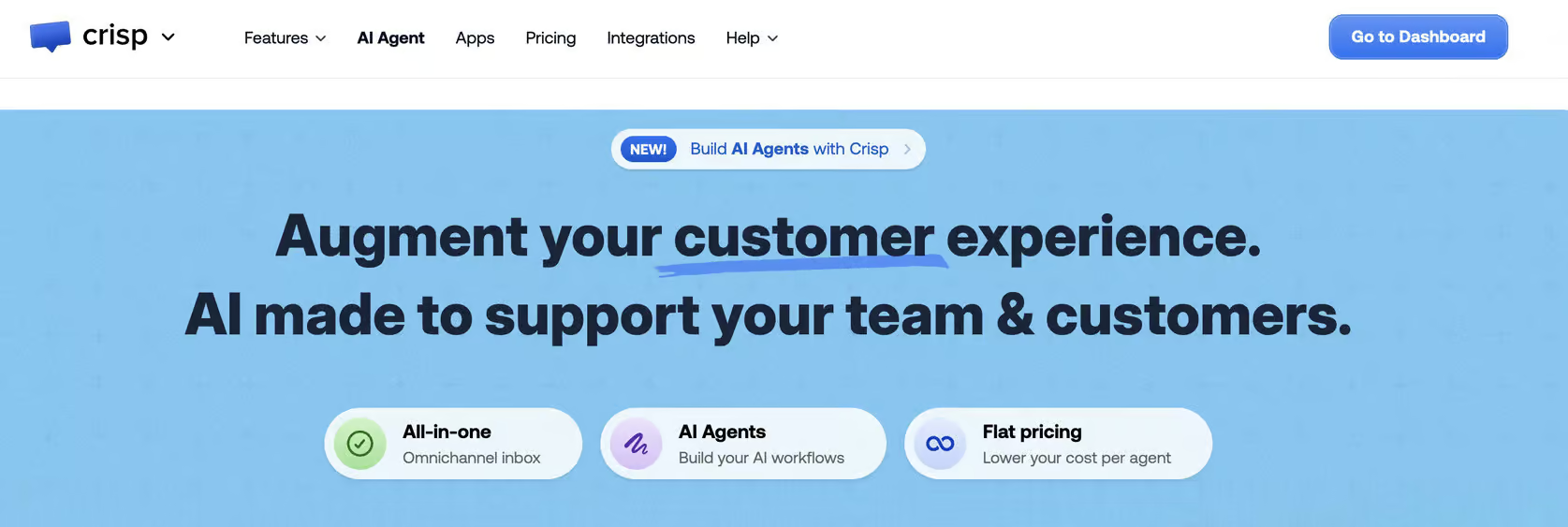
Crisp Chat is an omnichannel customer support-focused platform with AI chatbots, workflows, and live chat.
Key strength: Flexible setup with AI agents, workflows, human handoff, and support across 20+ channels
Limitation: Limited marketing automation features for Instagram, Facebook, and WhatsApp
Pricing: Starts at $45/month, you get 4 seats, $5 in included AI credits and shared inbox
Read my full Crisp Chat review
Botpress
Best for: Enterprises building advanced AI chatbots and automation flows
Rating: 4.1/5 ⭐
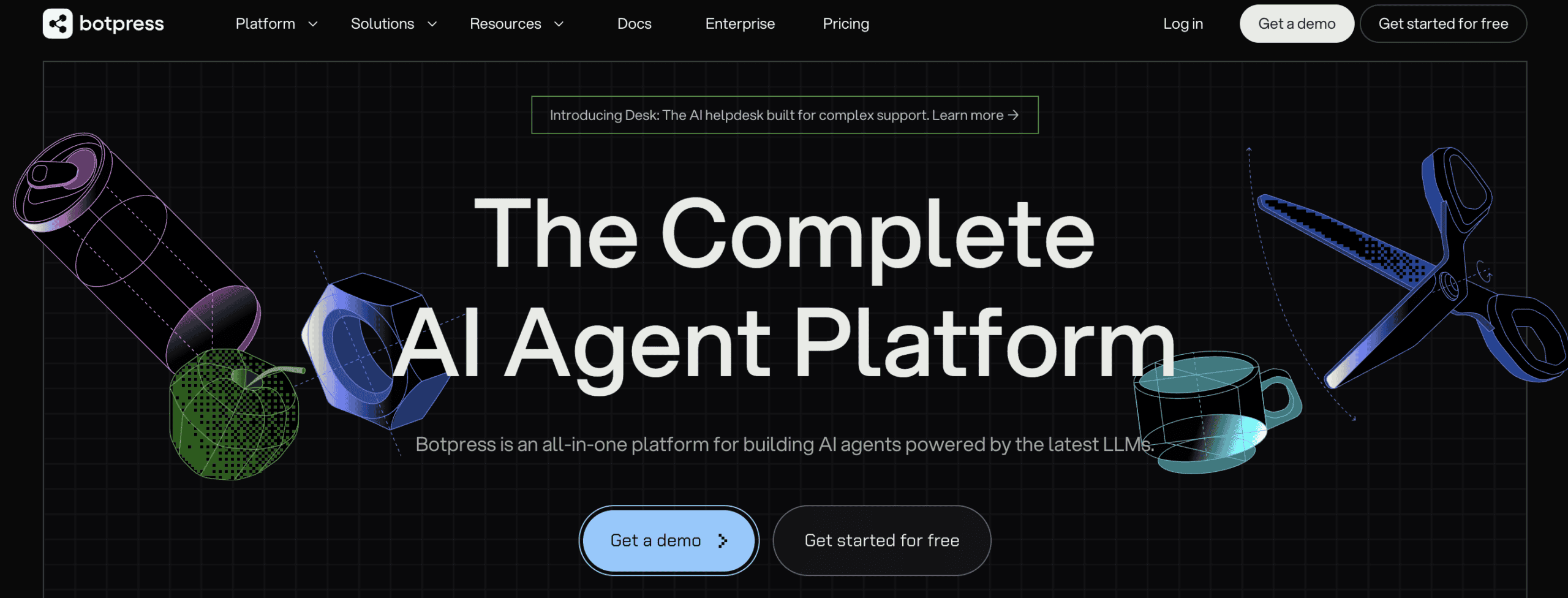
Botpress is an enterprise AI chatbot platform focused on advanced workflows and automation.
Key strength: Powerful AI workflows with a high level of customization and control
Limitation: Live chat features are weaker than dedicated customer support platforms, plus it’s a very technical platform
Pricing: Pay-as-you-go pricing, starting at $1
Voiceflow
Best for: Enterprises building advanced AI chatbot flows and voice experiences
Rating: 4.2/5 ⭐
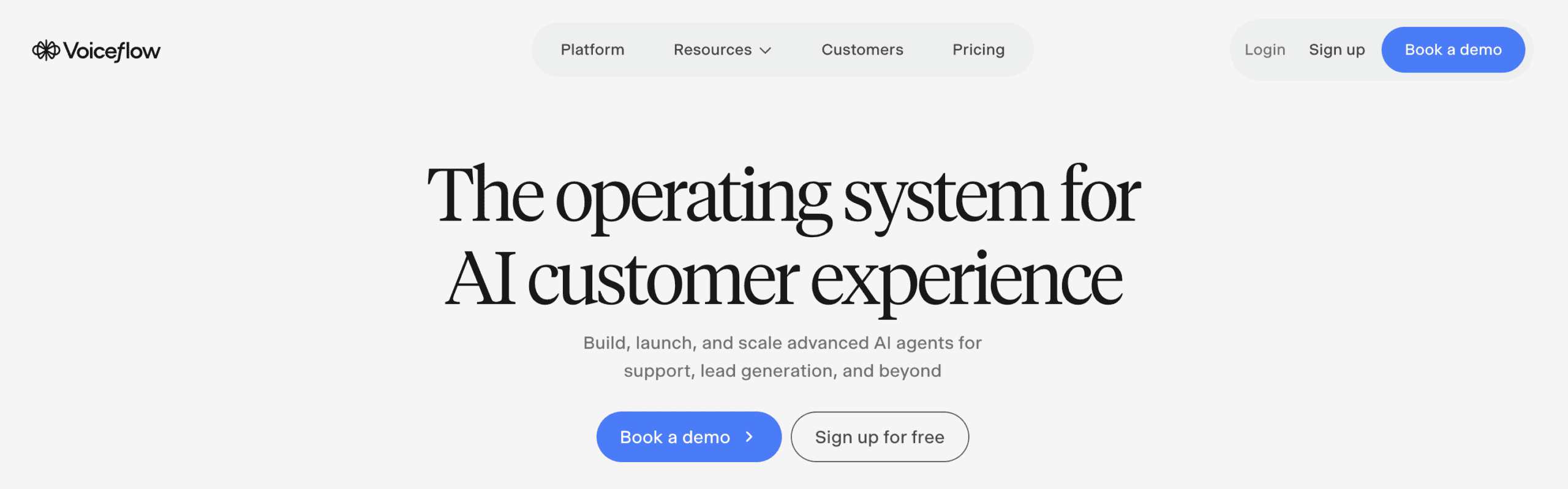
Voiceflow is a chatbot platform for building AI chatbots for websites and telephony without coding.
Key strength: Powerful flow builder with advanced AI features and flexible integrations
Limitation: No built-in live chat and limited to website and phone only, plus it’s a very technical platform
Pricing: Starts at $60/month, you get 3k knowledge base sources/agent, 20 agents and 10k AI tokens/month
If you want to get started with Voice, just click the button below to get 100% discount for the first month:
How to Choose the Right Enterprise Chatbot for Your Business
Choosing the right enterprise chatbot doesn’t mean just looking up best chatbot platforms. It’s also not about just picking the most advanced one. It’s more about finding the right fit for your business.
Here’s how to do that.
Start With Your Primary Use Case
The first thing to look at is your primary use case.
Some enterprise chatbot platforms are built mainly for customer support. Others focus more on lead generation, sales automation, or internal workflows.
For example, one company may need to handle thousands of support conversations. Another may focus on generating leads from Instagram or automating internal HR support. Those companies have very different needs.
Your primary use case will immediately narrow down which platforms make sense for your business.
Look at the Channels You Need
Channels are one of the biggest factors when choosing an enterprise chatbot platform.
Some platforms only support website chat. Others support:
- Mobile apps
- Voice
And more.
In many cases, choosing your channels already eliminates a big percentage of chatbot platforms.
And don’t just think about the channels you need today. Think about where your business may be in three to five years as well.
Check the Integrations You Need
Enterprise chatbots work best when they connect with the tools your business already uses.
That can include:
- CRMs
- Helpdesks
- eCommerce platforms
- Databases
- Internal systems
- Marketing tools
If a chatbot platform doesn’t integrate well with your existing systems, you may need expensive custom development later on.
Consider Security and Compliance Requirements
Security is a major factor for enterprise businesses.
Many companies need to follow compliance standards like GDPR or internal data security policies. Some industries may also require stricter controls around customer data, permissions, and AI usage.
Make sure the platform supports the security and compliance requirements your business needs both now and in the future.
Think About AI Features and Languages
Not every enterprise chatbot platform offers the same AI capabilities.
Some platforms focus mainly on simple automations. Others support advanced AI agents, multilingual conversations, knowledge bases, and AI workflows.
If your business supports customers globally, multilingual support can be especially important as you scale.
Look Beyond Your Current Needs
A mistake enterprises often make is only choosing a platform for their current use case. It’s one of the most common chatbot mistakes I see businesses run into.
But chatbot needs often expand over time.
For example, a company may start with customer support automation. Then later, they may want WhatsApp marketing campaigns, multilingual support, or AI sales workflows.
That’s why it’s important to think several years ahead before committing to a platform.
Understand the Total Cost at Your Message Volume
Enterprise chatbot pricing often scales based on:
- Message volume
- AI usage
- Seats
- Channels
- Integrations
A platform that looks affordable at first can quickly become expensive at enterprise scale.
Make sure to compare multiple chatbot platforms before making a final decision.
Your Next Step
And that’s it!
Remember: the best way to get started with an enterprise chatbot is to keep it simple.
Start with one clear use case, like customer support or lead qualification. Then launch it on a single channel first. And once the chatbot performs well, you can expand into more workflows, integrations, and channels over time.
If you want to build your first chatbot step by step, here’s my full guide:
How To Create AI Chatbot in Less Than 10 Minutes
Frequently Asked Questions
How much does an enterprise chatbot cost?
Most enterprise chatbots cost at least $1000/month. But it can go as high as $50,000/month or even more. Pricing usually depends on factors like:
- Message volume
- AI usage
- Channels
- Integrations
- Number of support agents
Can enterprise chatbots integrate with existing CRM and helpdesk tools?
Yes. Most enterprise chatbot platforms support integrations with various tools. These tools include Salesforce, HubSpot, Slack, and other business systems.
These integrations allow the chatbot to:
- Access customer data
- Create tickets
- Update records
- Automate workflows across different tools
How long does it take to implement an enterprise chatbot?
A basic FAQ or support chatbot can be launched within a day. But if you want a chatbot with custom integrations, AI workflows, and multiple channels, it can take several weeks or even months.
Do enterprise chatbots work for internal teams or only customer-facing use cases?
Both, but some platforms are better suited for internal use than others.
If your main goal is an internal knowledge base or employee helpdesk, Botpress and Voiceflow are the strongest picks on this list. Both let you build advanced AI workflows and connect large knowledge bases, which is exactly what internal tools need.
Platforms like Freshchat, Intercom, and Crisp Chat lean more toward customer-facing support. They can still handle internal use, but they’re best at managing customer conversations across channels.
Is an enterprise chatbot the same as an AI agent?
Not exactly.
An enterprise chatbot focuses mainly on conversations and support automation. An AI agent goes further by taking actions inside connected systems.
For example, an AI agent may update customer information or process refunds automatically. It does way more than just answer questions.
