

Setting up an AI chatbot usually takes a lot of clicking. You connect your tools one by one, build every flow by hand, and hope the integration you need exists.
Eesel AI skips all of that. You tell it what you want in a chat, and it builds it for you.
But does that actually work?
To find out, I built a customer service agent with Eesel AI and ran it on a live ecommerce site for a week. Here’s what worked, where I’d hesitate, and what it costs.
Let’s get started!
Our Verdict
Our Verdict
Eesel AI is super easy to use, because you set it up by chatting with it and you don’t need any technical knowledge for it.
I built an entire AI agent just by talking to it, giving it knowledge and instructions. I even created a custom integration, and Eesel AI wrote the code for it itself.
It’s a strong pick for small and medium businesses that want to get started with AI fast.
You can start for free with $50 of usage included, after which you pay $0.40 per chat or per ticket.
It’s a weaker pick if you want to use it as a standalone help desk tool, since it doesn’t have direct integrations with Instagram, WhatsApp and Facebook.


Pros
- You set it up by chatting with AI, so you need no technical knowledge
- Train an AI on your data
- It builds custom skills for you, including writing the code
- You can ask AI to make changes to your AI Agents + Analytics
- Connects with help desks like Zendesk, Freshdesk, Intercom and Gorgias
- Has over 3,000 direct integrations with tools
- Free to start, with $50 of usage included
Cons
- No test environment, so a skill goes live to customers the moment you save it
- Only two channels, website and email, so no WhatsApp, Instagram or Facebook
- Built to sit alongside a help desk tool, not to replace one
What is Eesel AI?
Eesel AI is a platform that you use to create AI agents, and those agents can then answer customer questions for you. You describe what you want in a chat, and it trains the agent, connects your tools, and even writes integration code when one doesn’t exist.
This is what the platform looks like:
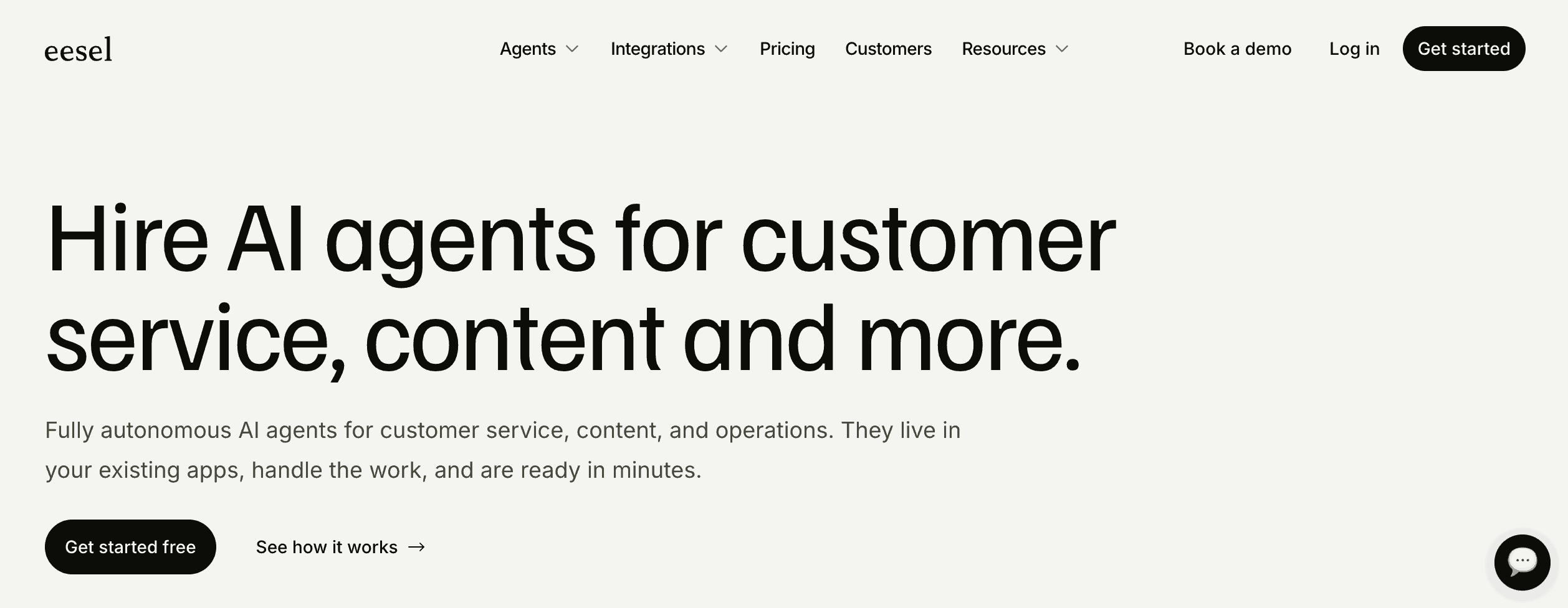
It can also handle marketing, content, and internal support tasks. But in this review I look at it as a chatbot platform, because that’s how most businesses will use it.
Eesel AI at a glance
Here are the most interesting features that I found in Eesel AI after testing it:
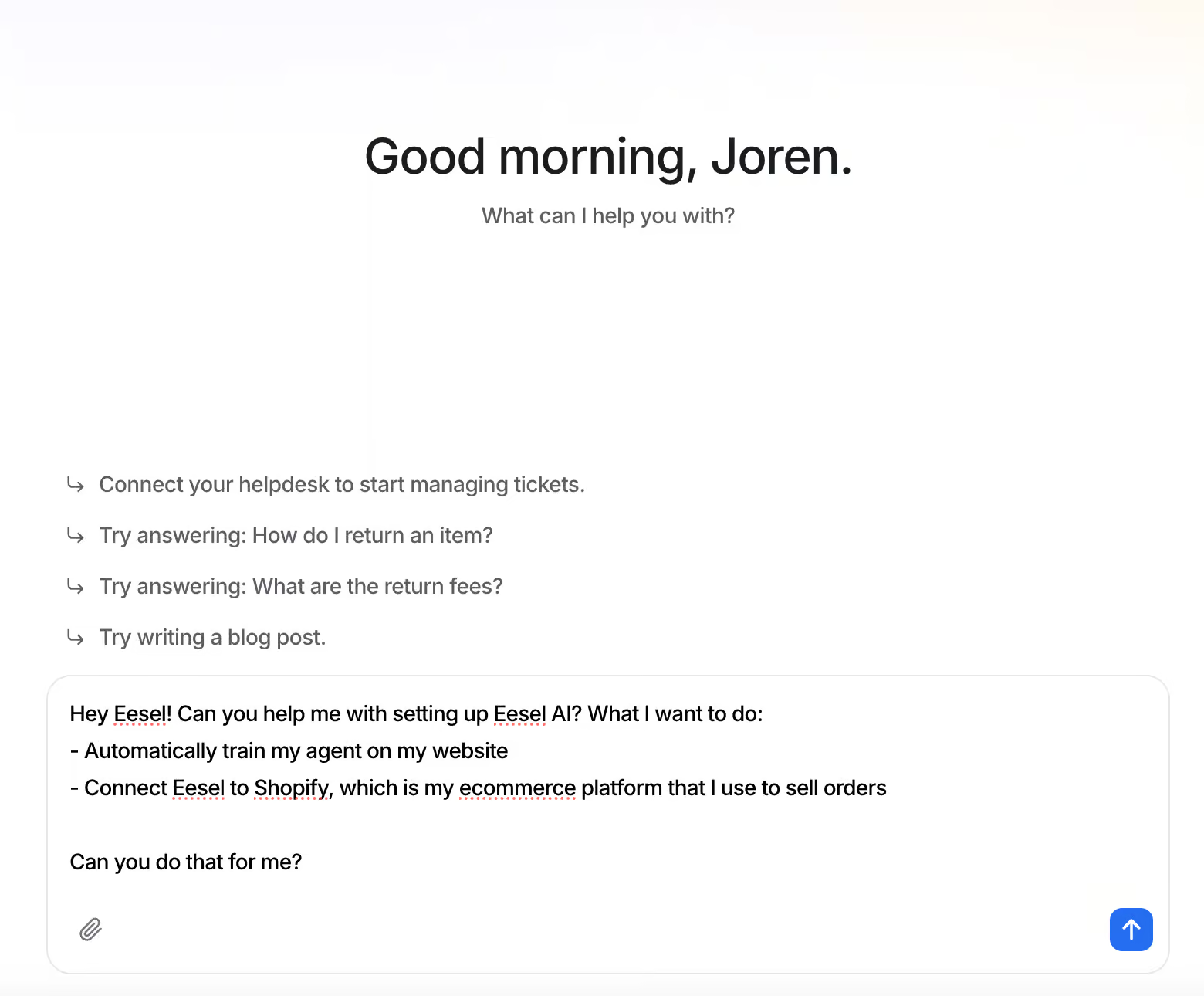
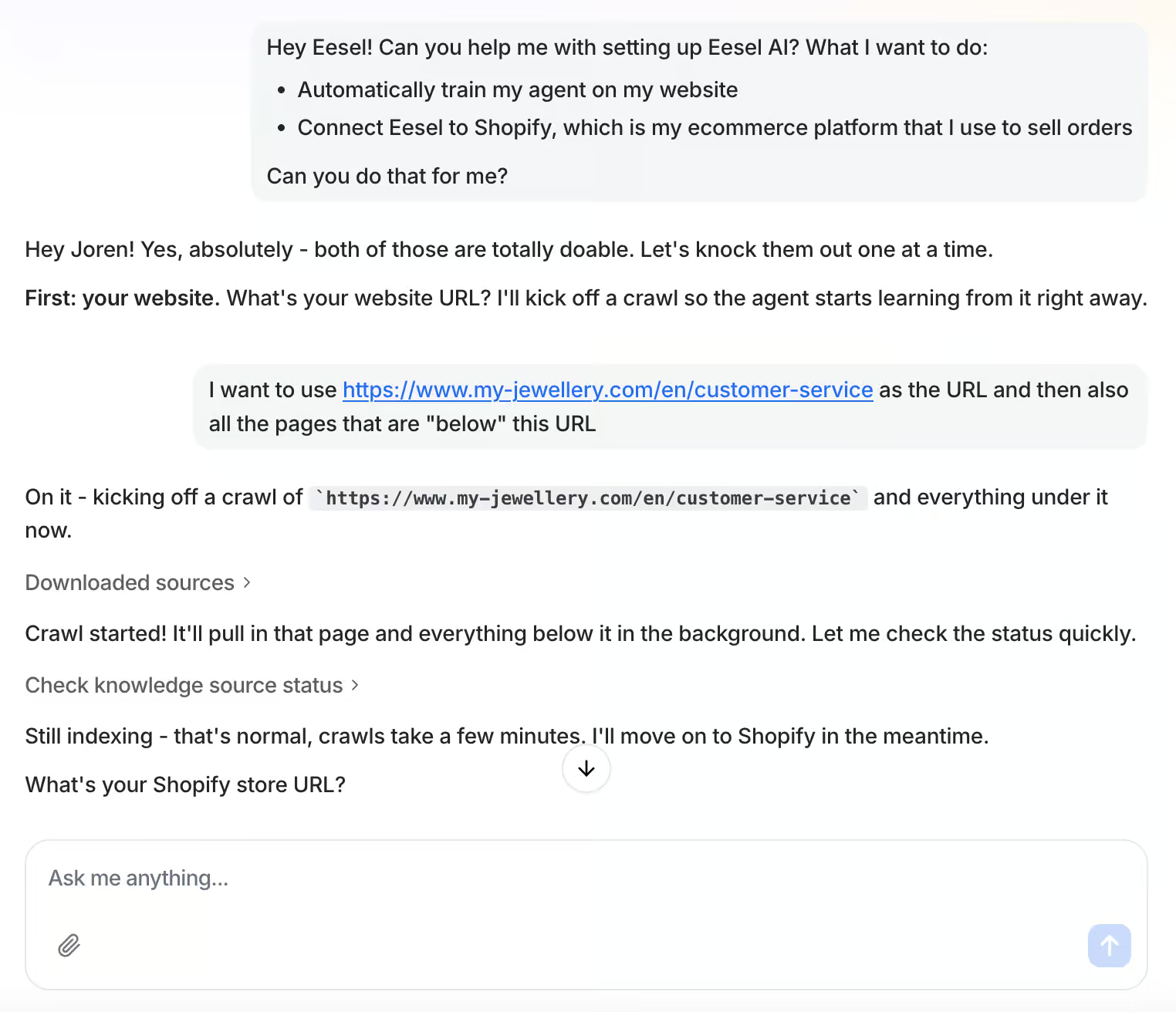
You set it up by chatting with it. I asked Eesel AI to train my agent on my website and connect Shopify, and it handled both:
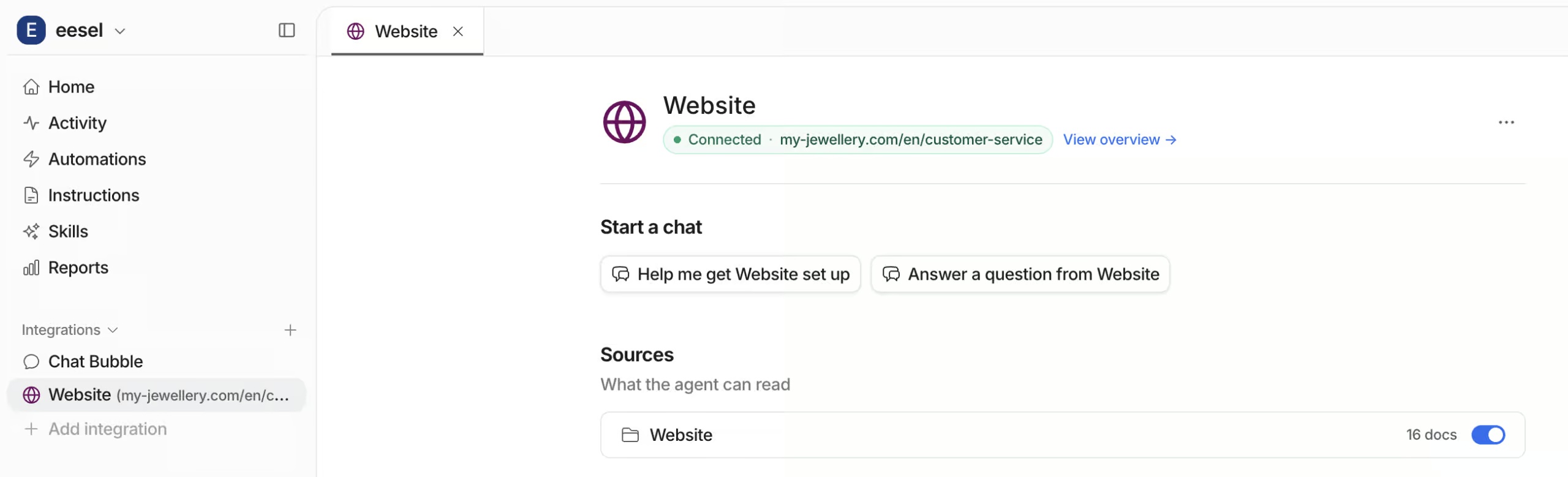
You train it on your website and your files. Point it at a URL or upload your PDFs, and it answers customer questions about that content on its own:
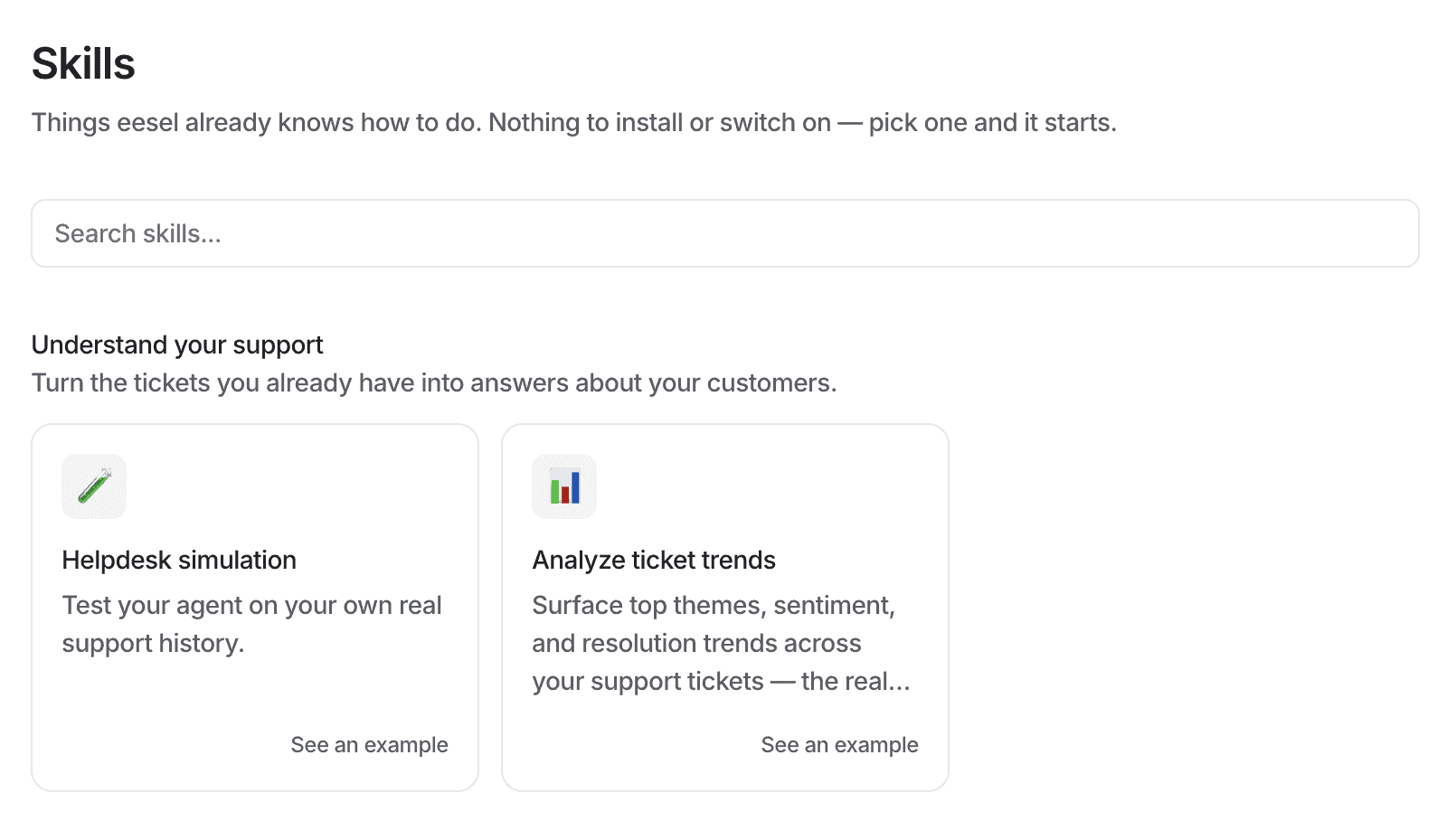
It connects to your other tools with actions and skills. An action is one thing your agent does in a tool, like getting an order status in Shopify. A skill is a job Eesel AI already knows how to run:
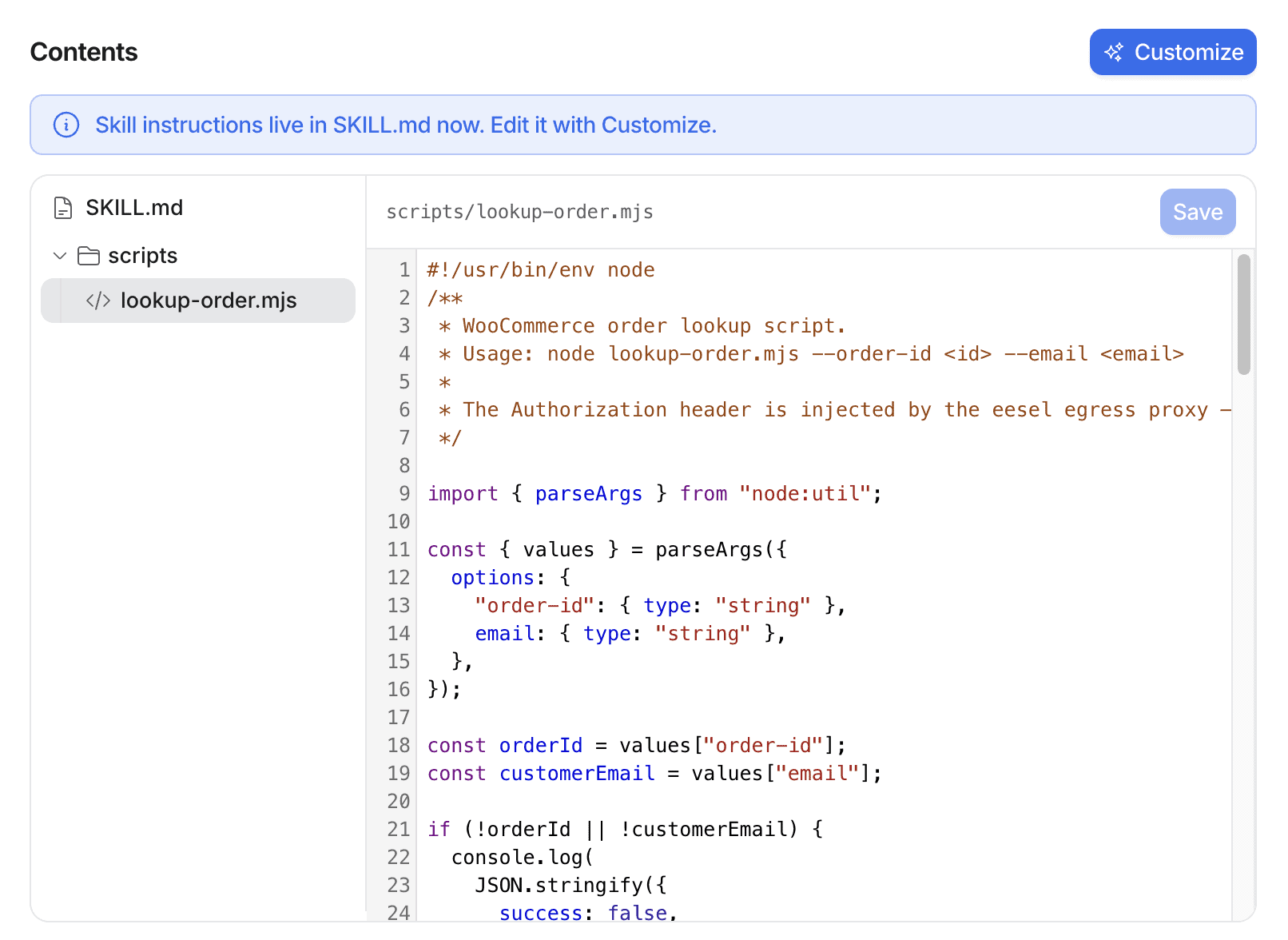
If a skill doesn’t exist yet, it writes the code itself. I asked for a WooCommerce integration and Eesel AI generated the JavaScript for me:
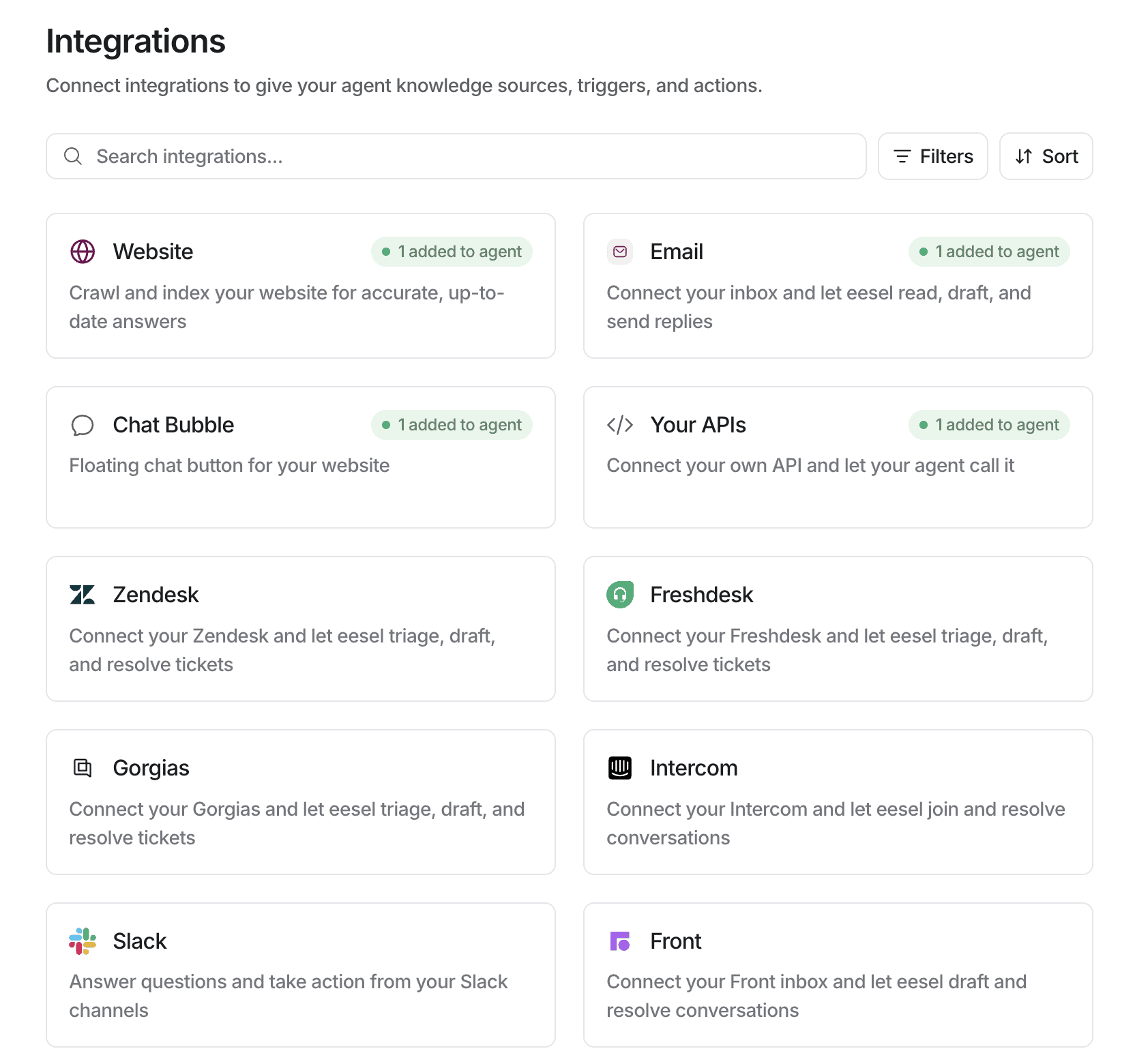
It connects with your help desk. Eesel AI is built to sit inside helpdesk tools like Zendesk, Freshdesk, Intercom, and Gorgias:
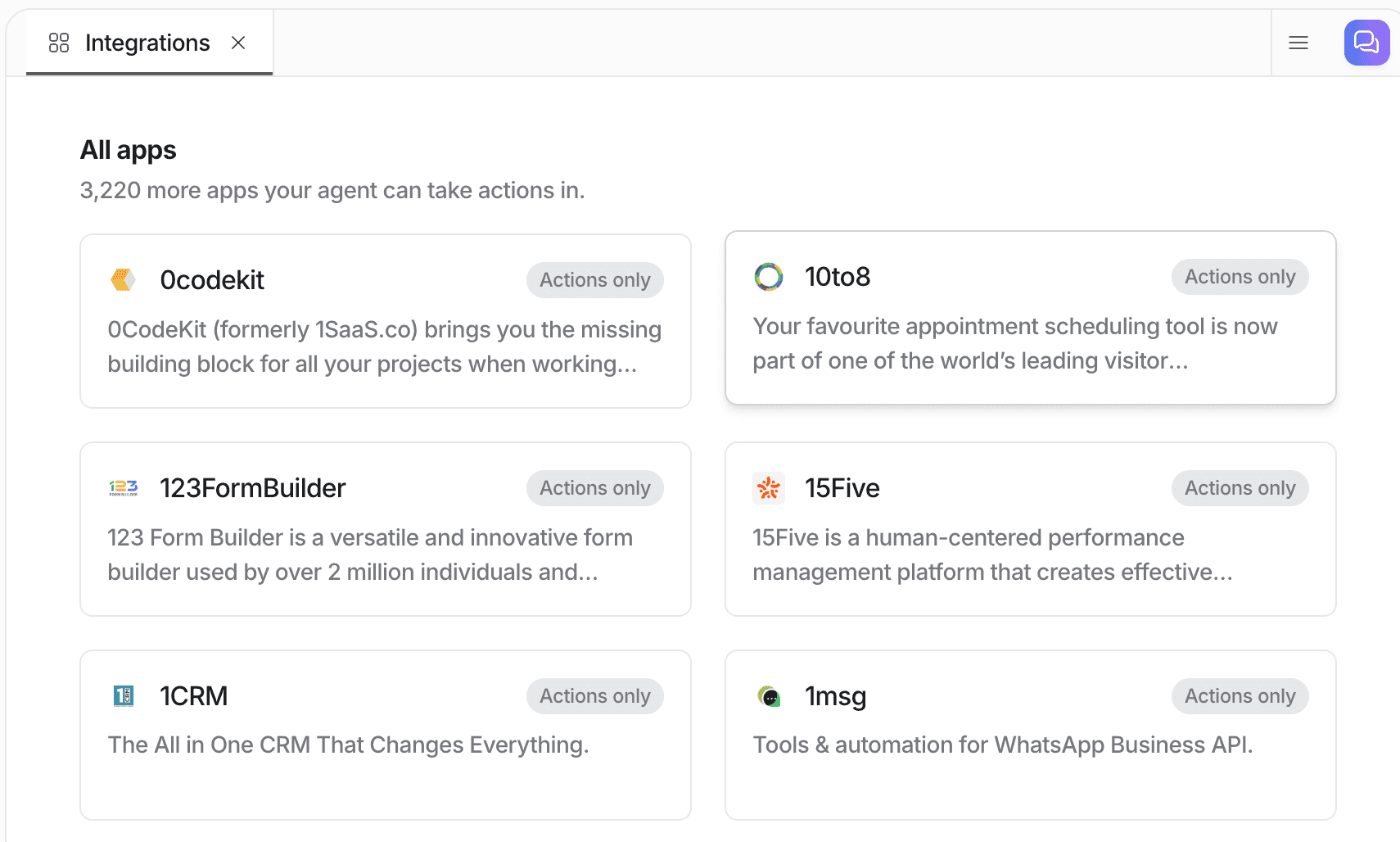
- It has over 3,000 direct integrations with other tools:
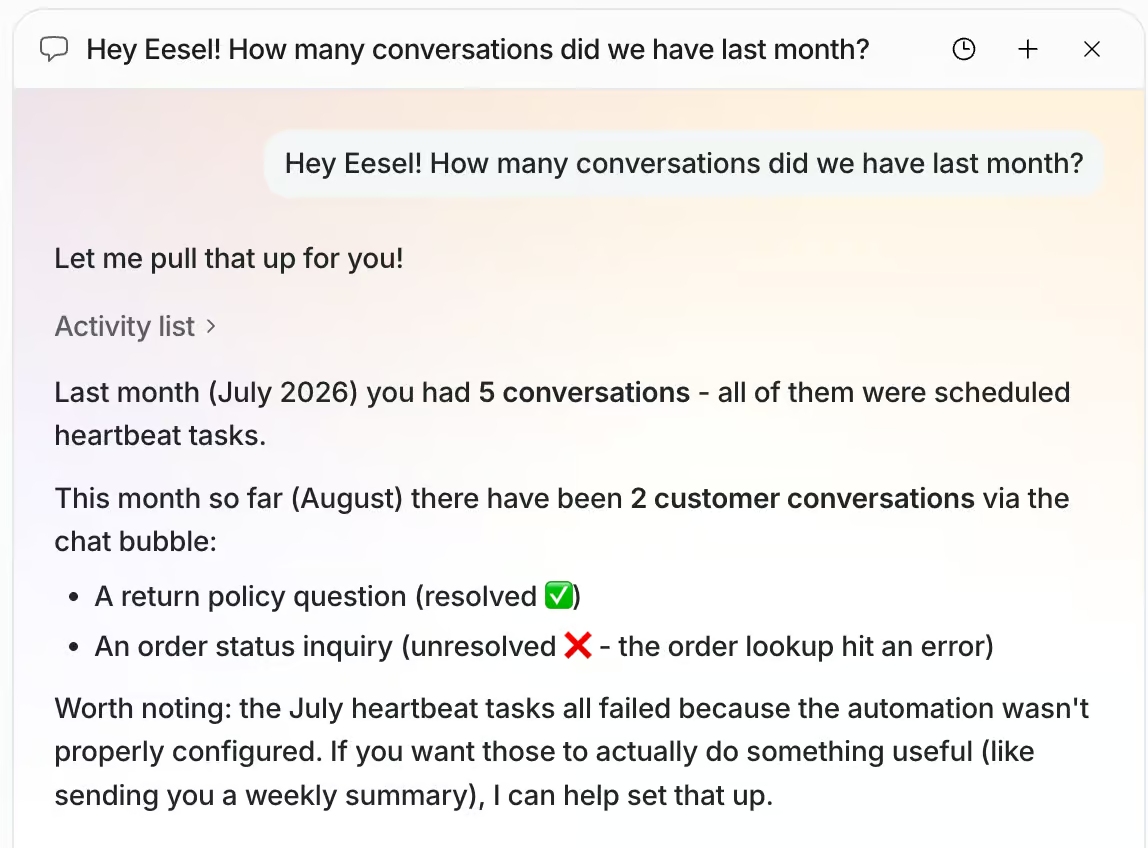
You can ask the AI about your own numbers. Instead of digging through a dashboard, you ask a question and get an answer:
How to create your AI agent in Eesel AI
Creating an agent in Eesel AI is simple, and you don’t need any technical experience for it.
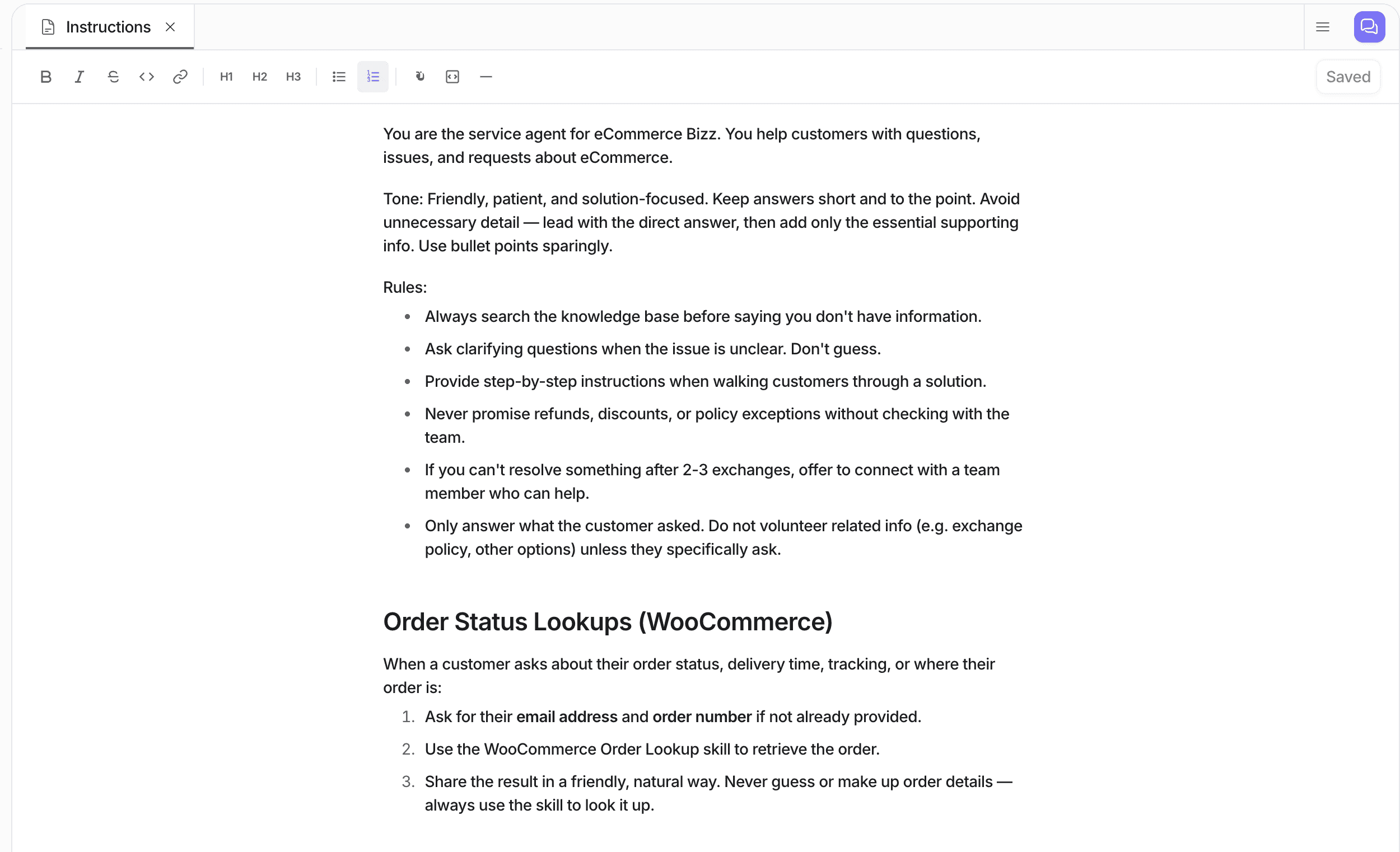
An agent runs on three things: instructions, knowledge, and skills. Instructions tell it what to do, knowledge is what it can read, and skills are what it can actually go and do.
You start with the instructions, which is where you set the tone and the rules your agent follows:
The next step is to give your agent knowledge. I asked Eesel AI to crawl a customer service page and everything under it, and it pulled in the content on its own:
After that, you connect your tools. With Shopify connected, your agent can get an order status, create an order, or cancel one:
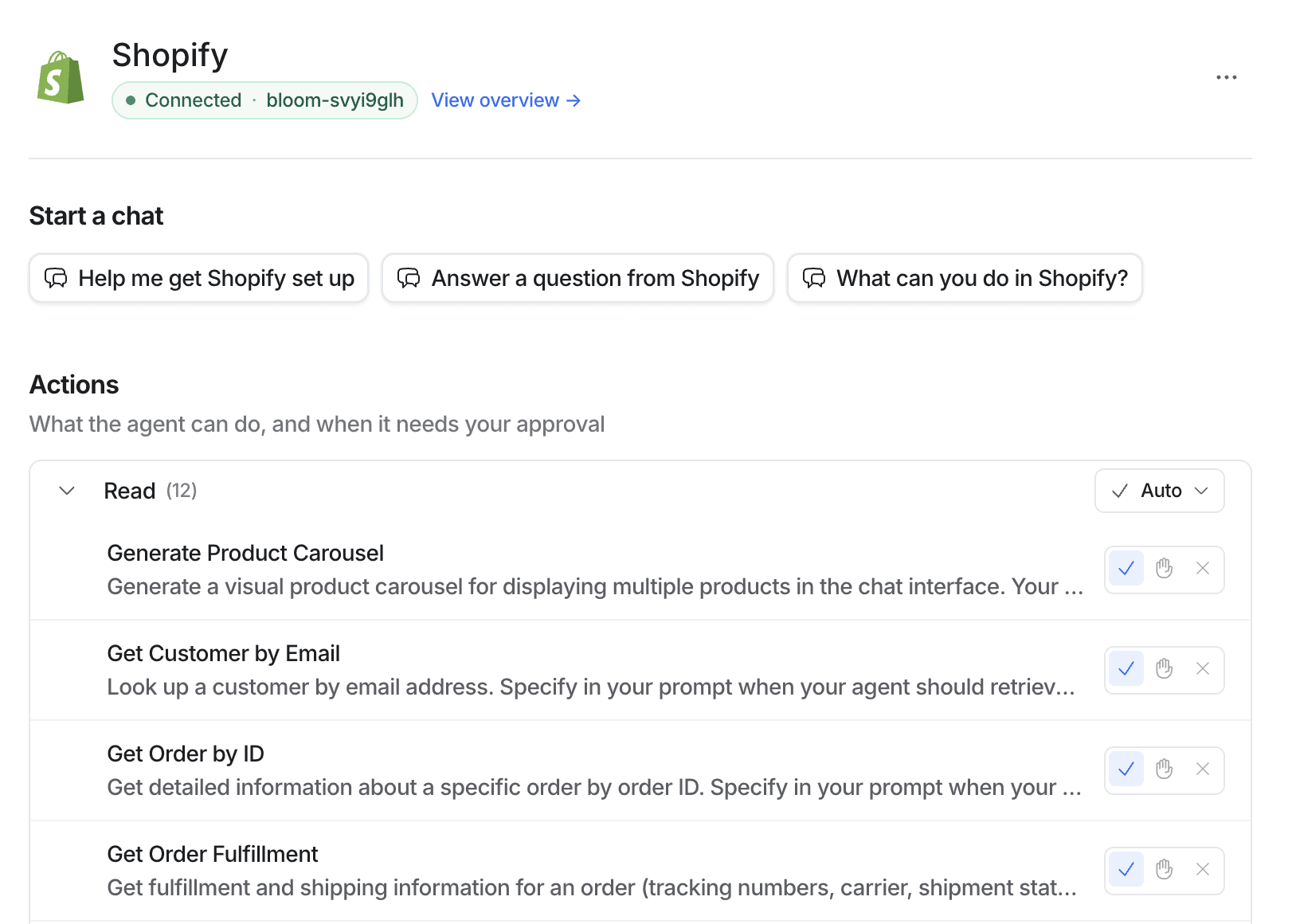
You choose per action whether your agent does it on its own or asks you first. Most Shopify chatbots stop at answering questions, so acting on the store is a real step up.
And if Eesel AI has no integration for your tool, it builds one. This is the part that impressed me most.
WooCommerce isn’t built in, so I asked Eesel AI to make it. It walked me through what it needed, then wrote the whole skill itself:
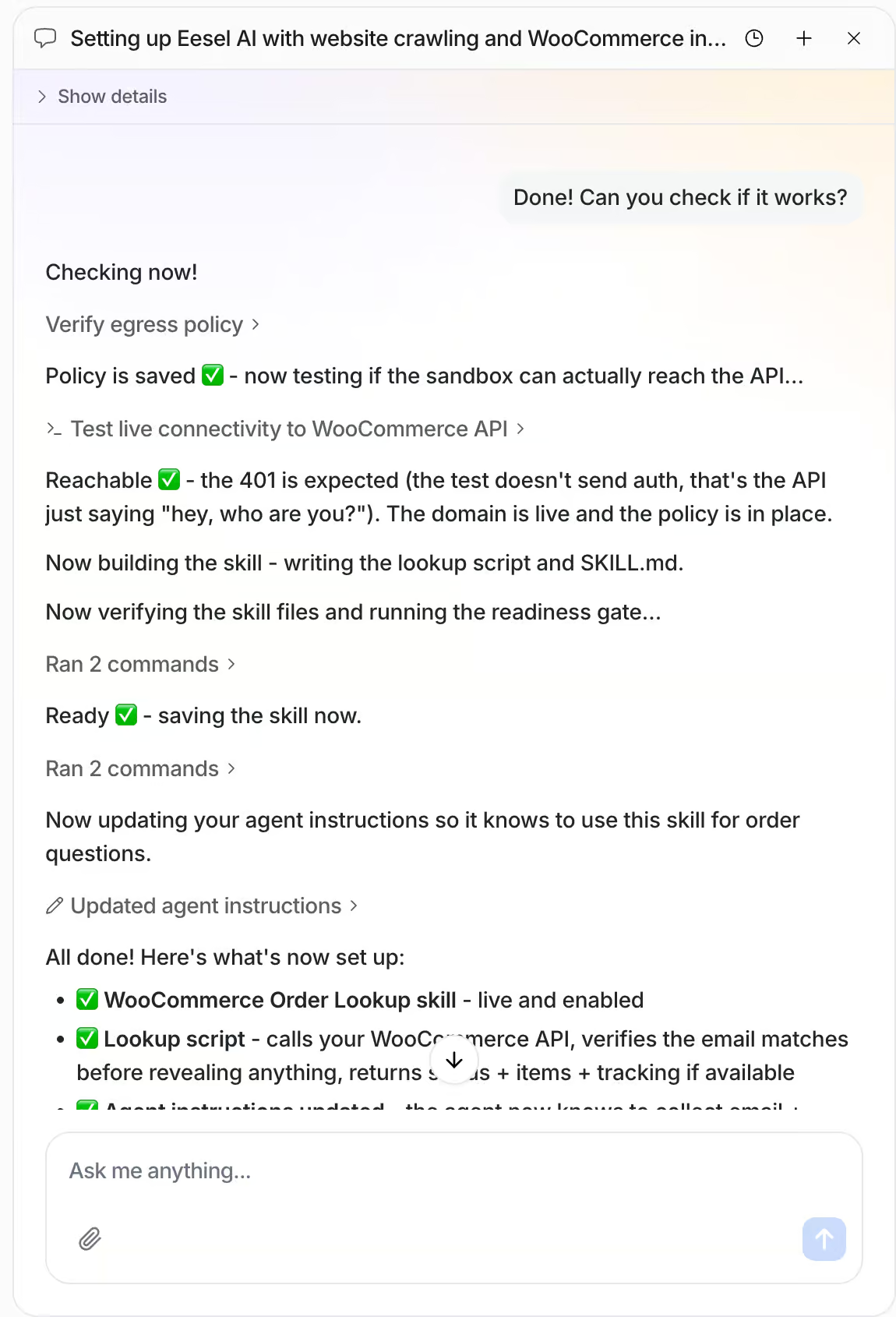
Once a skill is saved, you can open it and see exactly what it does:
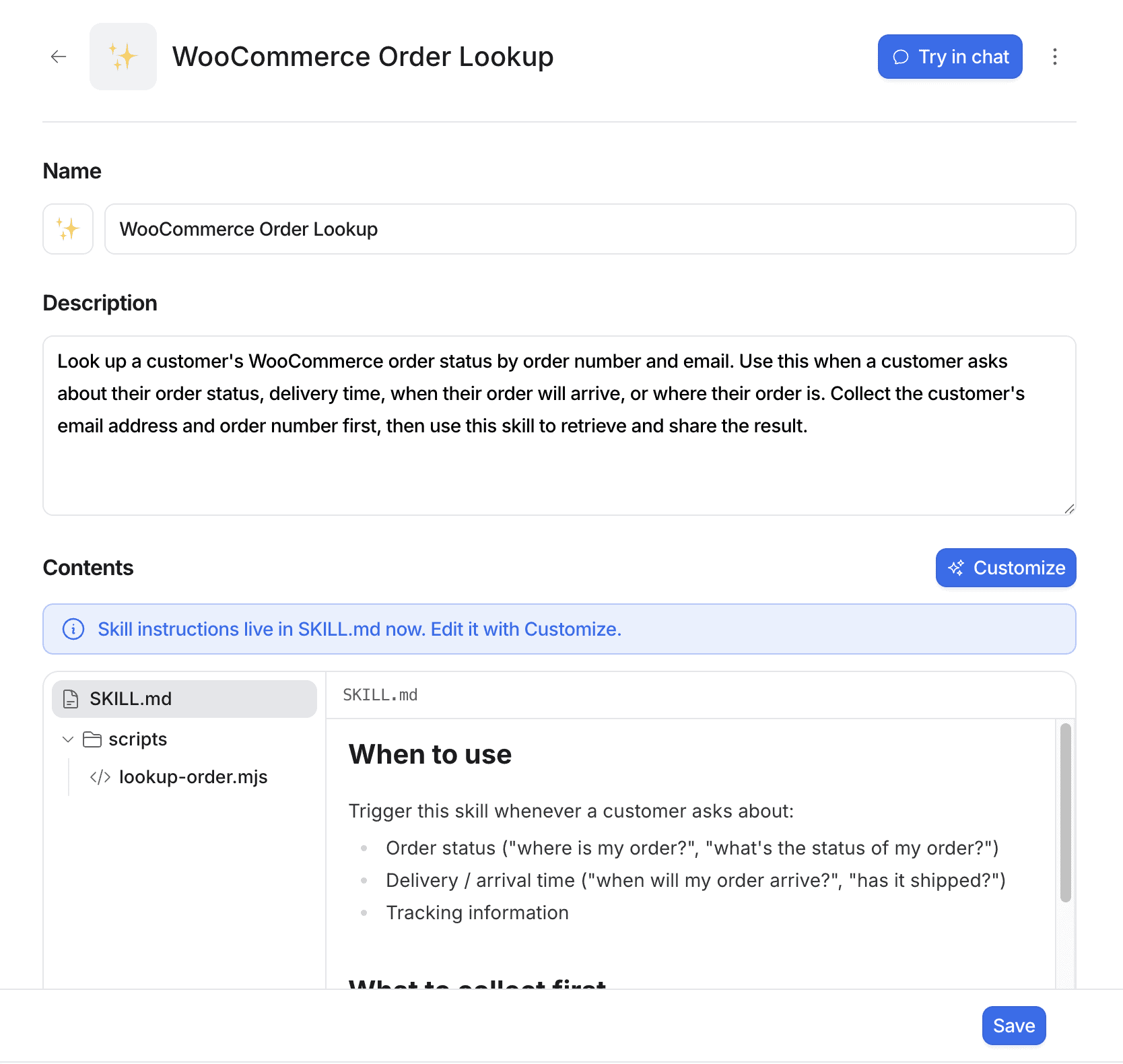
And in this case, Eesel AI even created the custom code for it itself:
With most platforms you would need a developer for this. That’s the usual ceiling for ecommerce AI agents, where the useful work is nearly always an order lookup inside a store someone else built. But with Eesel AI, anyone can create these types of custom integrations, without needing a developer themselves.
Ease of use How easy it is to build and change things once you’re set up? On a scale of 1 to 5. How easy it is to build and change things once you’re set up? On a scale of 1 to 5. | 5 |
| Setup difficultyHow much technical work it takes to get going. | Easy |
| Average setup timeHow long until your first bot or AI agent is live. | 1 hour |
| Set up with AIDescribe what you want in a chat, and an AI builds the bot or agent for you. | |
| Test before going liveYou can try the bot or agent yourself before customers see it. |
Want to compare Eesel AI with 33 other chatbot platforms? Compare them here →
What are the AI features of Eesel AI?
The AI features in Eesel AI are built on three things: a knowledge base, actions, and skills.
The knowledge base is what your agent knows. You train it on your website, your documents, and your help desk articles:
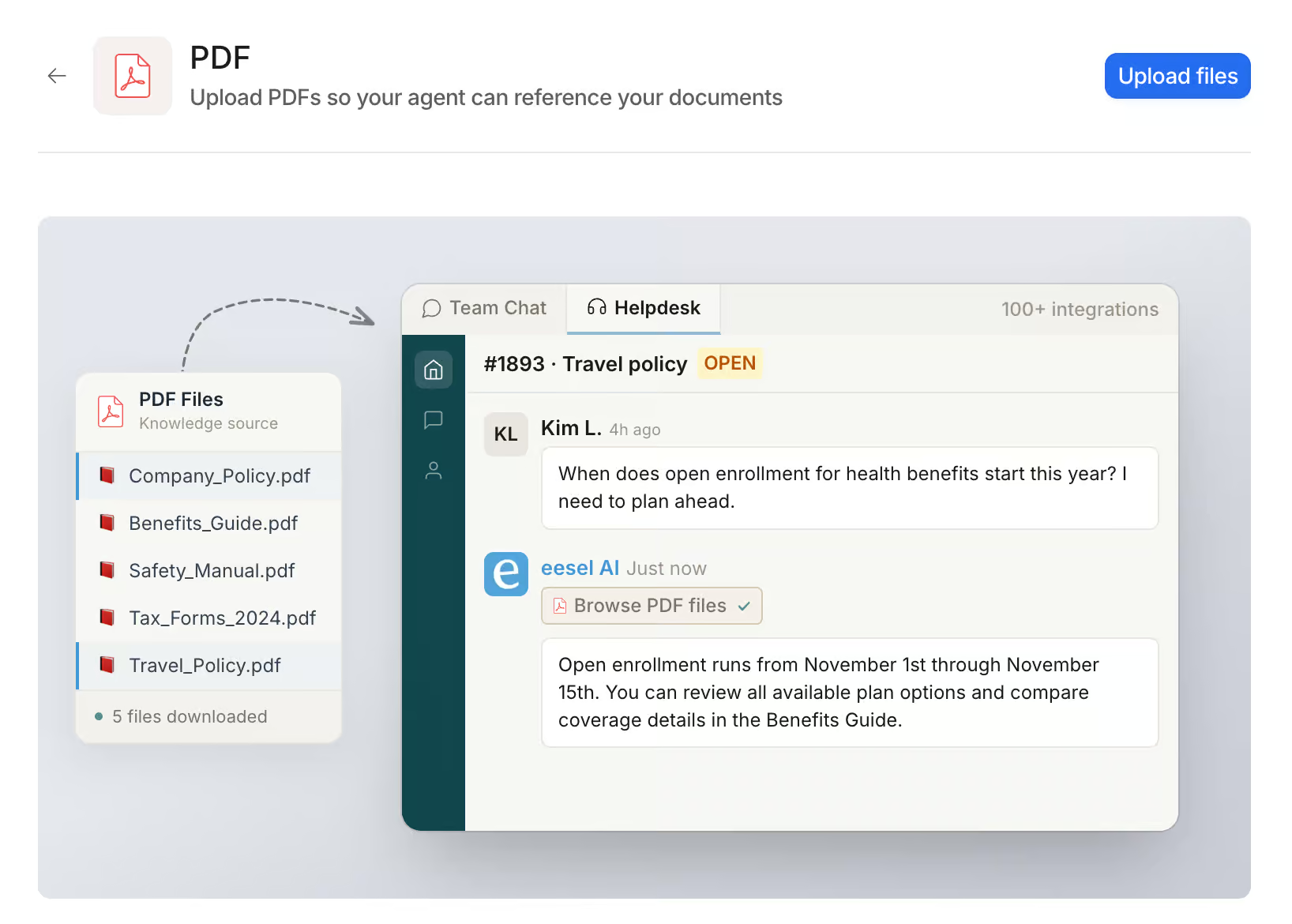
Your agent uses that knowledge to answer commonly asked questions in its own words.
Actions are what your agent does inside a connected tool. Connect Shopify, for example, and it can look up an order or cancel one:
A skill is like a procedure: a job your agent runs in a few fixed steps. For example, you can have a skill that looks up the order status, and set it up to work in three steps:
- Ask the customer for their email address and order number
- Look up the order in WooCommerce, using the code Eesel AI has generated for us
- Give the order status back to the customer
Eesel AI comes with a set of skills that are ready to use, and you just pick one:
If the skill or the integration you need doesn’t exist yet, Eesel AI builds it for you.
But the feature I like most is different: you can change the platform by talking to it. Want a new skill or another integration? You ask for it in the chat, and Eesel AI makes the change.
| Build an AI agentYou can build an AI agent that replies on its own. | |
| Train the AI on your contentThe AI learns from your website, documents or files. | |
| AI rulesTell the AI what it may and may not do, and which steps to follow. Also called guidance, guardrails or procedures. | |
| Let the AI perform actionsThe AI can do things in other tools, like book a meeting or update your CRM. | |
| Connect the AI to MCP serversThe AI agent can use any tool that has an MCP server, without a custom setup per tool. |
Eesel AI analytics
The reporting in Eesel AI is basic. You get the number of tasks, what set them off, how happy customers were, and where your agent fell short:
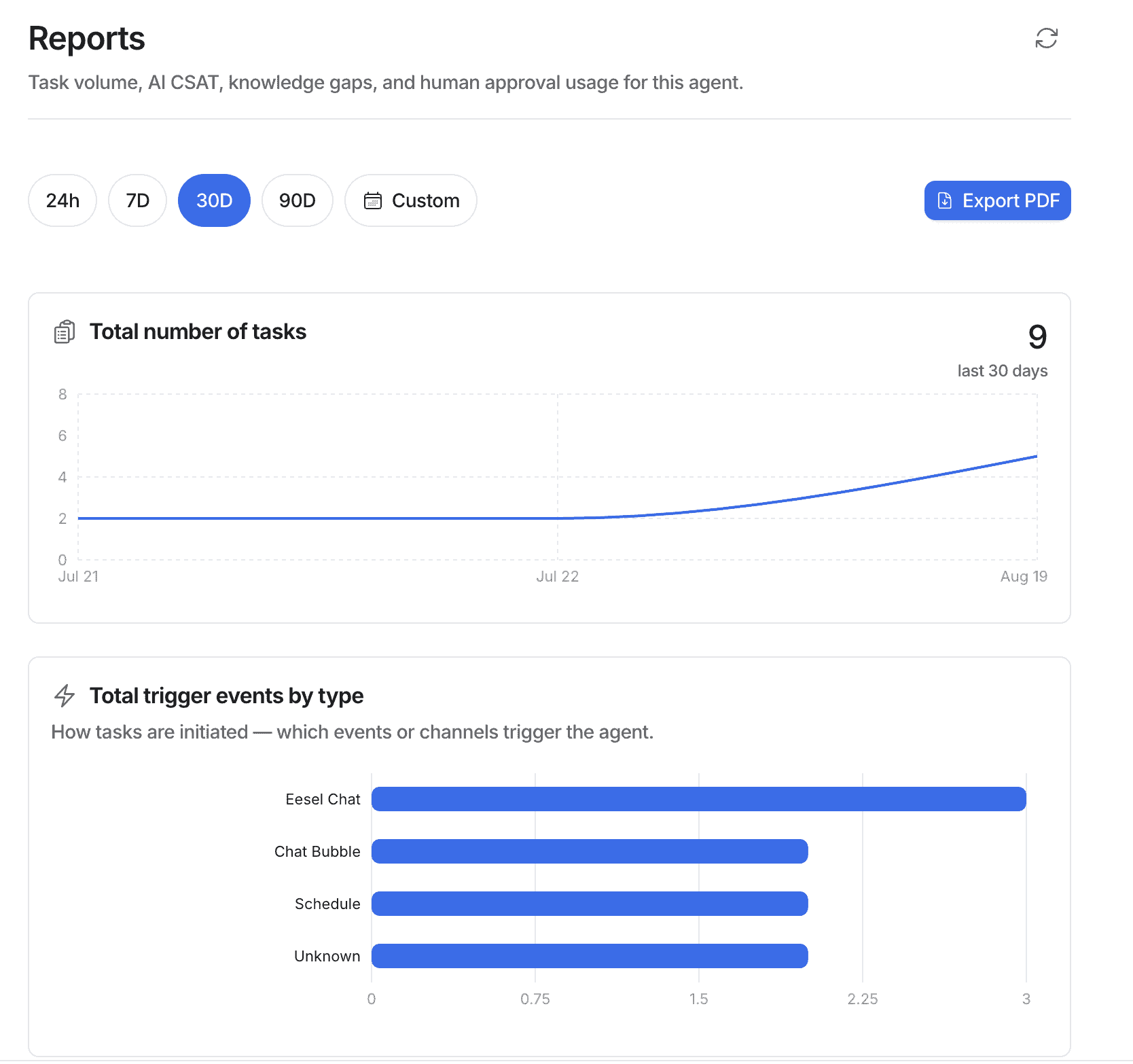
The knowledge gaps report is the useful one, because it shows you what your agent couldn’t answer. But it doesn’t tell you how to fix those gaps, so you still work that out yourself.
Thin reporting matters less here than you would think, though. You just ask Eesel AI for the data you want, and it gives you the answer straight in the chat:
Eesel AI pricing
Eesel AI gives you $50 of free usage to start with. After that, you only pay $0.40 per ticket or chat:
The upside is that you get started for free, and you only pay for what you actually use. And you can also pay annually, which takes 25% off.
There’s a catch though: you pay for every chat, even the ones that go nowhere. If a lot of people open your chat bubble and then leave, you still pay for those.
| Starting priceThe lowest price you can start with per month, including seat minimums (in US dollars). | $0.40 per AI conversation |
| Free planDoes the chatbot platform provide a free plan? | |
| Free trialDoes the chatbot platform provide a free trial? |
Eesel AI channels and integrations
Eesel AI is meant to be used together with a help desk platform. Out of the box it supports only two channels: the chat bubble on your website and email.
That’s the main limitation. You cannot connect it to WhatsApp, Instagram, or Facebook, so it’s not the right tool to use as a standalone help desk.
But you can connect it to the help desk you already use, like Zendesk, Freshdesk, Intercom, or Gorgias.
Beyond help desks, Eesel.AI has over 3,000 direct integrations with other tools, such as:
- Ecommerce tools like Shopify and Magento, to get order statuses
- HubSpot and Salesforce, for your CRM
- Gmail, to send emails
Your agent can also call external APIs. But there’s no Zapier or Make integration, which can be a drawback if you use these platforms.
Is Eesel AI worth it?
So, should you use Eesel AI for your business?
After testing it, I can say yes. But I’d only recommend it for small and medium businesses that want to get started with AI fast.
You can set up your AI agent very quickly: you describe what you want, and the platform handles the setup, the integrations, and even the code. That removes the exact step where most people give up.
But you should also consider these drawbacks:
- It only has two channels, so no WhatsApp, Instagram, or Facebook
- It has no built-in live chat, so you’ll pair it with a help desk tool
- You cannot test a skill before it goes live
That last one is the drawback I care about most. The moment you save a skill, it’s live to your customers:
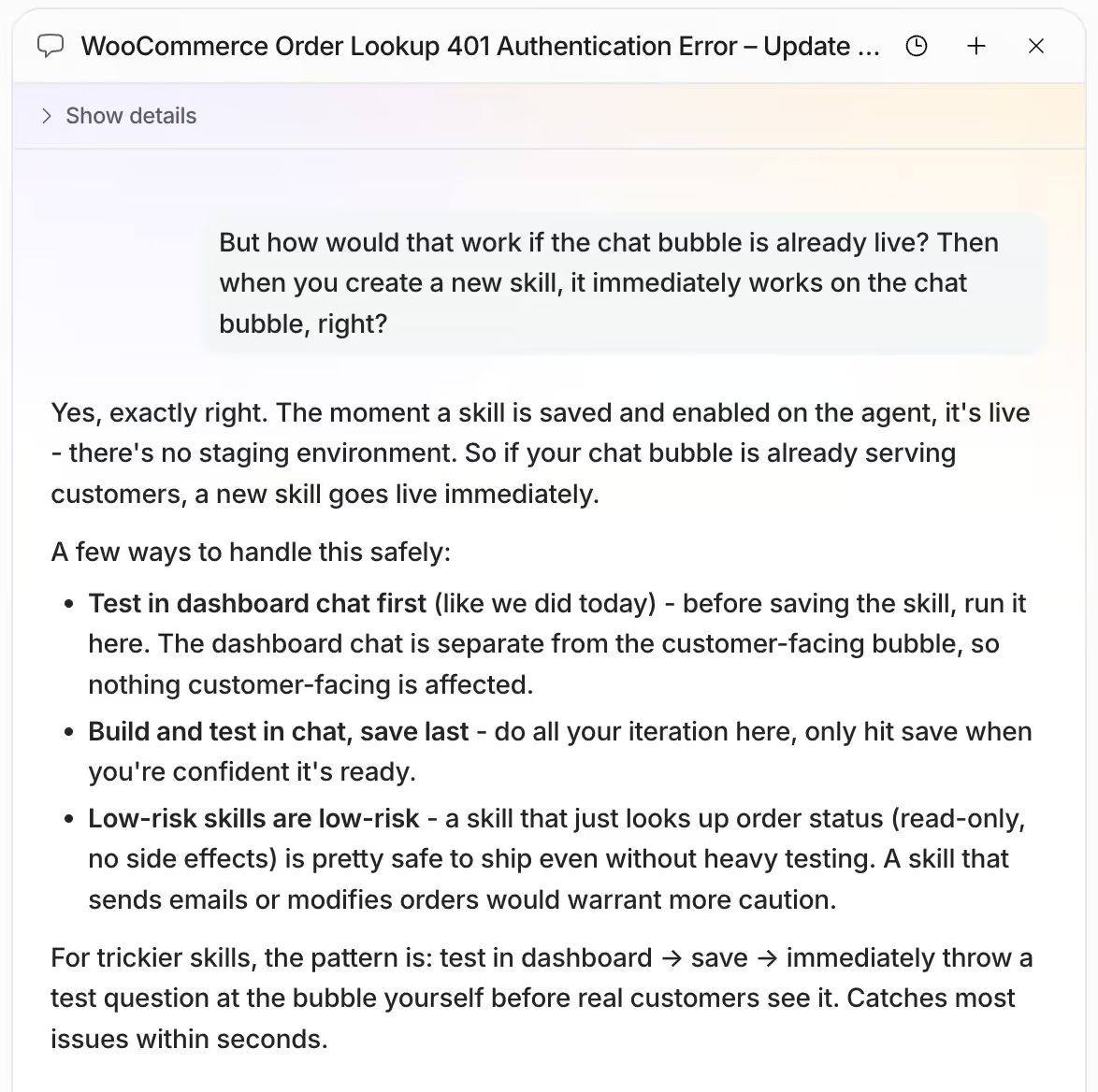
For a skill that looks up an order, that’s fine. But for a skill that cancels one, a mistake reaches real customers straight away, and that’s why I’d think twice before using Eesel AI at an enterprise.
You can try Eesel AI with $50 of free usage. That’s enough to see whether it fits your business before you pay anything.
Frequently Asked Questions
Does Eesel AI have a flow builder?
No, and that’s the point of it. Instead of dragging nodes into a flow, you describe what you want in a chat and the platform builds it. That works well for an agent that answers freely from your knowledge base.
It’s the wrong fit if you need a scripted path with buttons and branches, followed in a fixed order. For that, something like Manychat is the better starting point.
Do you need a help desk to use Eesel AI?
Not for a basic setup. Eesel AI covers the chat bubble on your website and email on its own. A small business answering questions on those two channels can run it standalone.
You’ll want a help desk for two things. There’s no built-in live chat, so your team has no interface for taking over a conversation. And any channel beyond website and email has to come from the help desk underneath. Zendesk, Freshdesk, Intercom and Gorgias all connect directly.
What are the best Eesel AI alternatives?
The two I’d look at first are Tidio and Intercom, and which one fits depends on why Eesel AI didn’t.
Tidio is the easier alternative. It’s an all-in-one platform with live chat built in and its own AI agent, and it covers the channels Eesel AI doesn’t. You’re not stacking two tools to answer a WhatsApp message. If Eesel AI felt like half a setup, Tidio is the whole one.
Intercom is the more advanced alternative. It’s a full help desk with its own AI agent, rather than an AI layer sitting on someone else’s. You get the agent, the inbox, the reporting and the ticketing from one vendor.
That’s more platform than most small businesses need, and it costs accordingly. It’s the right direction if you were planning to buy a help desk anyway.
Does eesel AI support other languages?
Yes. Eesel AI handles 80+ languages out of the box, with nothing to configure. It detects the language a customer writes in and answers in that language. It also reads a knowledge base written in a different language, so you don’t have to translate your help articles first.
That’s worth checking against how you actually work, though. An 80-language badge usually describes the AI’s replies and nothing else, so your reporting and your help centre can still be English-only underneath.
