


| Name | Rating | Pricing | Best For |
|---|---|---|---|
 Chatbase Chatbase | 4.5/5 ★ | Free plan; paid plans start at $40/month | Getting started with AI Agents |
 ChatBot.com ChatBot.com | 4.2/5 ★ | Starts at $65/month; 14-day free trial on every plan | Best alternative for chatbot flows + AI on websites |
 Freshdesk Freshdesk | 4.5/5 ★ | Starts at $35 per agent/month; 14-day free trial | AI Agents for Large Customer Support Teams |
 Manychat Manychat | 4.5/5 ★ | Free plan; paid plans start at $17/month | Marketing automation on Instagram, WhatsApp and Facebook |
 UChat UChat | 4.6/5 ★ | Free plan; paid plans start at $15/month | Best alternative for omnichannel chatbots |
 Intercom Intercom | 4.5/5 ★ | Starts at $29 per seat/month + $0.99 per AI outcome; 14-day free trial on every plan | Best alternative for enterprise |
Best for: Getting started with AI agents
Rating: 4.5/5 ★
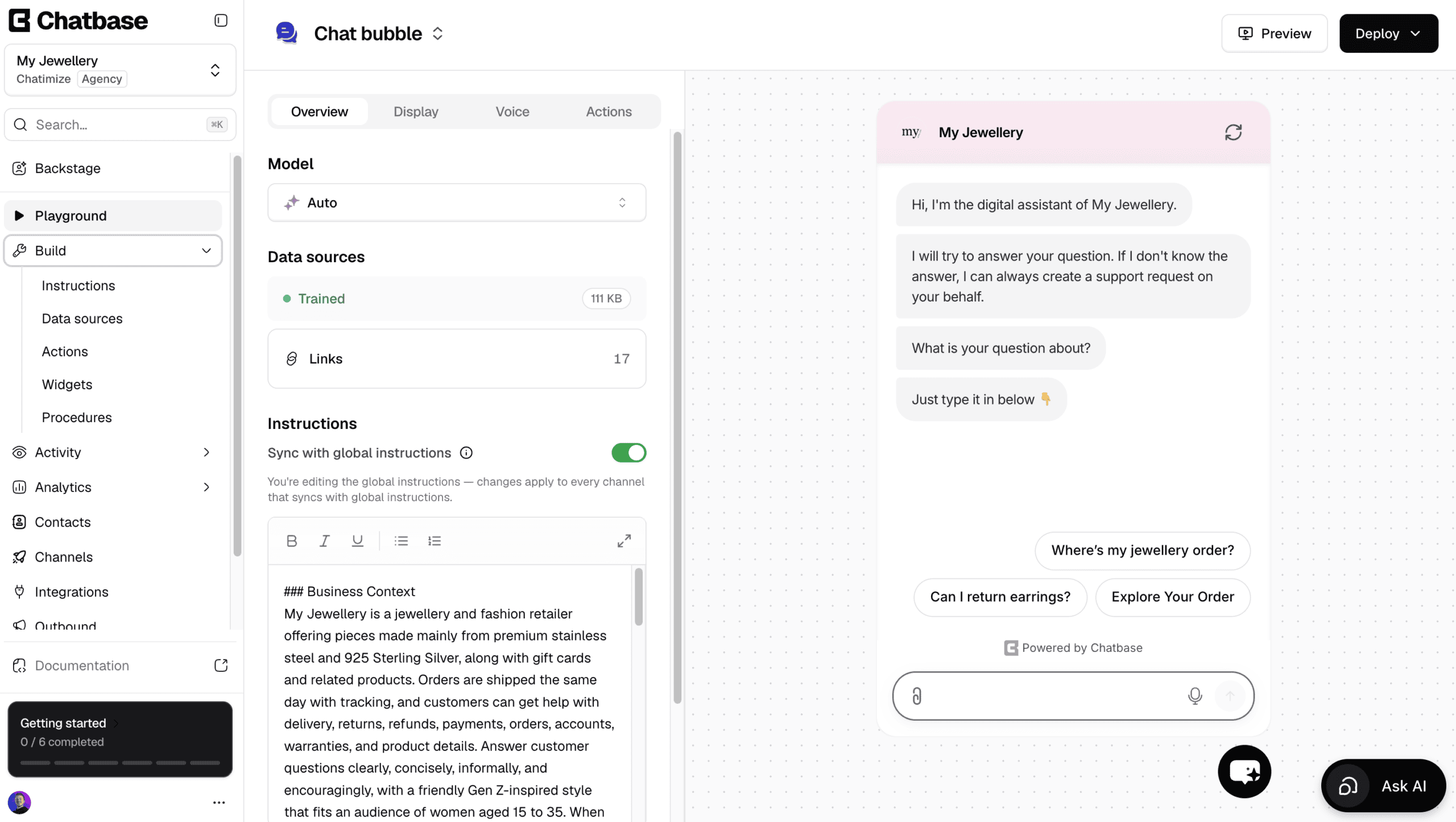
Chatbase is a great Tidio alternative if you’re starting with AI agents. It also connects straight to Shopify, which makes it one of the best Shopify chatbots for product and order questions.
Like Tidio’s Lyro, you give it your website or documents and it trains on them. Then it answers customer questions about that content.
Apart from answering questions, it also has AI actions. That means it can do stuff, such as look up invoice details in Stripe or update a customer’s information.
You can also create your own custom AI actions, so the agent works with the tools you already use.
And when your agent needs an update, Chatbase has Backstage, an AI you simply talk to.
You describe what should change, it makes the edit, and then you approve it.
There is also a built-in help desk, so a human can take over by live chat. Or, a ticket is created automatically when the AI doesn’t know the answer.
Compared to Tidio, there are two real differences. First, Tidio has a flow builder, and Chatbase doesn’t.
Second, Tidio can send proactive messages that are specific to each page. For example, if someone spends 90 seconds on a product page, Tidio can send them a message about that product.
Chatbase can send one proactive message too, but it can’t tailor it to each page.
Pros
- Train an agent on your website or documents in minutes
- Talk to an AI to build and improve your agent
- AI Actions let your agent perform real tasks
- Built-in live chat and help desk
- Direct Shopify integration
- Works on Website, WhatsApp, Instagram, Facebook, Slack and Email
- Livechat integrations with Zendesk, Salesforce, HubSpot, Zoho Desk & Freshdesk
Cons
- Cannot create chatbot flows
- No marketing possibilities on Facebook and Instagram
- Cannot send proactive messages on your website
Pricing
- Free plan: 50 message credits and train your AI agent on 1 MB of content
- Hobby plan ($40/month): 700 message credits and train your AI agent on 10 MB
Best for: Chatbot Flows + AI on Websites

Rating: 4.2/5 ★
ChatBot.com is a great Tidio alternative if you’re looking to launch a chatbot on your website that combines chatbot flows and AI.
It has an easy-to-use Flow Builder that lets you:
- Create multi-step conversations
- Collect user data
- Apply conditions for personalization
Then you combine those flows with AI. Train the AI on your documents or your website, and it instantly answers customer questions.
Once your bot is ready, it goes live in a chat widget that you customize to match your website. The widget greets visitors with a proactive message before they’ve even typed anything. And live chat, a shared inbox and ticketing are included in every plan.
On top of your website, ChatBot.com also supports in-app chat, a standalone chat page, Messenger, WhatsApp, SMS through Twilio, and Shopify. WhatsApp is included in every plan, with no extra Meta fees for the service conversations your customers start.
It handles conversations on all of those channels, but it has no marketing automation for them. So there are no comment auto-replies or broadcasts on social.
Overall, ChatBot.com is pretty close to how Tidio actually works. So it’s an easy switch if you like Tidio’s setup and just want better pricing. It shares a lot of the same strengths and weaknesses.
Pros
- Easy to use Flow Builder
- Collect and store custom user data with fields and tags
- Built-in AI: Intents, Entities, Knowledge Base
- Customizable website widget with proactive messaging
- Live chat, shared inbox and ticketing included in every plan
- Useful “Training” feature to improve answers over time
- Integrates with Shopify, Zendesk, Freshdesk, Zapier, Make, and more
Cons
- No marketing features for Facebook or Instagram
- No single overview of all chatbot flows
Pricing
- Essential starts at $25/user/month
- Growth is $99 per user/month, with custom Enterprise pricing
- AI resolutions are capped at 10 per month on Essential and 200 on Growth, with extra packs at $49.50 per 50
- 14-day free trial available
Best for: AI Agents for Large Customer Support Teams
Rating: 4.5/5 ★
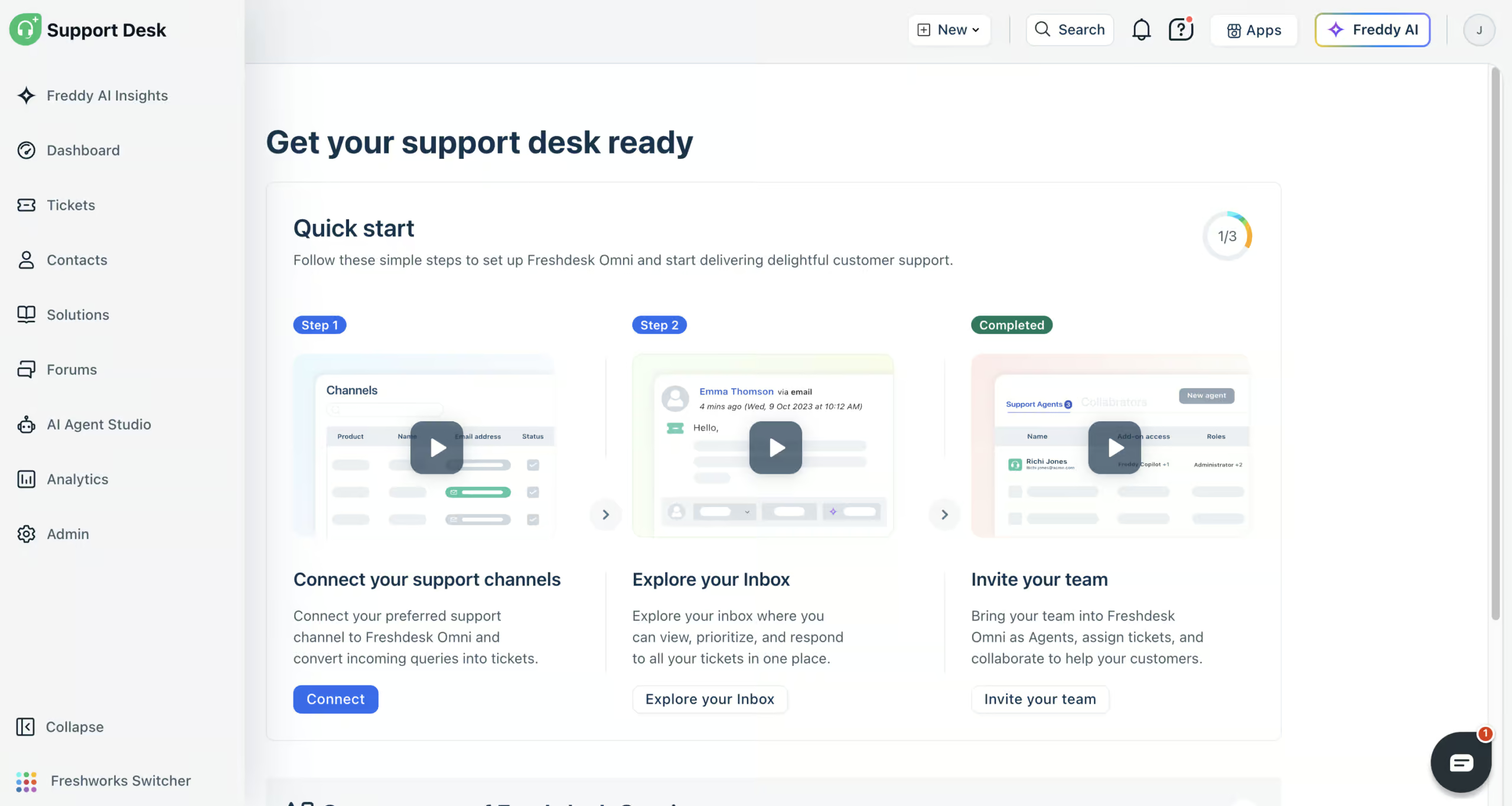
Freshdesk (formerly Freshchat) is a good choice for teams that run AI agents in a large customer support operation.
Tidio caps its self-serve plans at 10 agents. Freshdesk is built for the point past that, with skills, shifts, routing rules and SLAs for teams handling real volume.
Its Freddy AI agent learns from your website, files, help articles and Q&As, so it answers customer questions for you. And with AI workflows, it can do things like checking the status of an order in Shopify.
When the AI agent can’t help, your team takes over in the built-in help desk, where email, website chat, WhatsApp, Instagram, Facebook Messenger, SMS and phone share one inbox.
To improve over time, you get detailed reports and Freddy AI Insights. And Freddy AI Copilot summarizes tickets and writes replies for your team.
Freshdesk is great at automating support at scale. But if you like Tidio’s proactive website messages, you’ll miss them here, because Freshdesk’s website widget can’t send them.
Pros
- Built for large support teams
- AI agents trained on your own knowledge
- AI workflows that act in tools like Shopify
- Connects to website chat, email, WhatsApp, Instagram, Facebook Messenger, SMS and phone
- Freddy AI Insights and Freddy AI Copilot
- 800+ integrations
Cons
- Website widget can’t send proactive messages
- Connecting tools can need help from their support team
Pricing
- Paid plans start at $35/agent/month (comes with 500 AI agent sessions)
- 14-day free trial, but no free plan
- Extra AI agent sessions: $49 per 100
Best for: Marketing automation on Instagram, WhatsApp and Facebook

Rating: 4.5/5 ★
Manychat is your best option if you want a Tidio alternative for Instagram, WhatsApp and Facebook. Tidio focuses mostly on website chat, but Manychat is built around automation on social platforms.
If you’re weighing them up directly, I break it down in my Tidio vs Manychat comparison.
Manychat’s Flow Builder is great and very easy to use. So you can build a complete automation without any technical experience.
And Manychat’s main strenght is its marketing automation. On Instagram and Facebook, it supports all the major features, such as:
- Broadcasts
- Sequences
- Rules
- Auto-replies to comments
For WhatsApp, it supports message templates, so it’s a great pick for both marketing and customer support. It’s also one of the easiest ways to set up WhatsApp automation. On top of those three channels, it supports Telegram, SMS and Email.
But Manychat has a few limitations. First, it doesn’t support website chat, so if your website is your main focus, Tidio is still the better fit.
You also have to create separate messages for each channel. A flow you build for Instagram doesn’t carry over to WhatsApp, so you write those messages again.
Pros
- Full marketing automation for Instagram, Facebook & WhatsApp
- Easy-to-use Flow Builder
- Built-in Live Chat + Integrations with Zapier and Make
- Integrates seamlessly with Instagram, Facebook, WhatsApp, SMS & Telegram
- Meta-approved partner for all supported platforms
Cons
- No website chat
- Separate messages must be created for each channel
- Hard to translate your chatbot into multiple languages
- Limited AI features
Pricing
- Free plan up to 25 contacts. You get basic features of the platform
- Essential plan – starts at $17/month for 250 contacts, without AI
- Pro plan – starts at $39/month for 2,500 contacts, including Manychat AI
To get started with Manychat, click the button below:
Best for: Omnichannel chatbots

Rating: 4.6/5 ★
UChat is one of the most flexible chatbot platforms.
Tidio gives you one channel done well. UChat gives you 13 channels from a single flow, with the broadcasts and sequences Tidio can’t run on social.
It’s incredible for multi-channel bots and online stores. It supports virtually any channel, including Instagram, Facebook, WhatsApp, website, Telegram, and more.
UChat lets you build powerful chatbot flows with a drag-and-drop interface and then deploy them across 13+ channels from one place.
It supports all the essential marketing automation features, like:
- Broadcasts
- Sequences
- Rules
It also includes built-in live chat and supports both marketing and customer support use cases.
On the AI side, UChat offers AI agents, ChatGPT integration, and other intelligent features. You can train your bot on your own documents, but not on your website content like you can with Chatbase.
The main drawback is that UChat has so many features that it can feel overwhelming. This is especially true if you’re a beginner. But for users comfortable with a more advanced platform, it offers incredible flexibility and value.
Pros
- Publish one chatbot across 13+ channels
- Drag-and-drop Flow Builder
- Built-in live chat + customer support tools
- Full marketing automation: broadcasts, sequences, rules
- ChatGPT integration and AI agents
- Affordable pricing and generous free plan
- 50+ integrations (Zapier, Make, and more)
Cons
- Steep learning curve due to feature overload
- No AI knowledge base for training on your own data
Pricing
- Free plan: 1 bot, 200 bot users (the people who talk to your bot)
- Paid plans start at $15/month: 1 bot, 1,000 bot users and 5 team members, with access to all features
- Extra bot users cost $5/month per 1,000
If you want to get started with UChat, click the button below to get my 100% discount code:
Best for: Enterprise
Rating: 4.5/5 ★
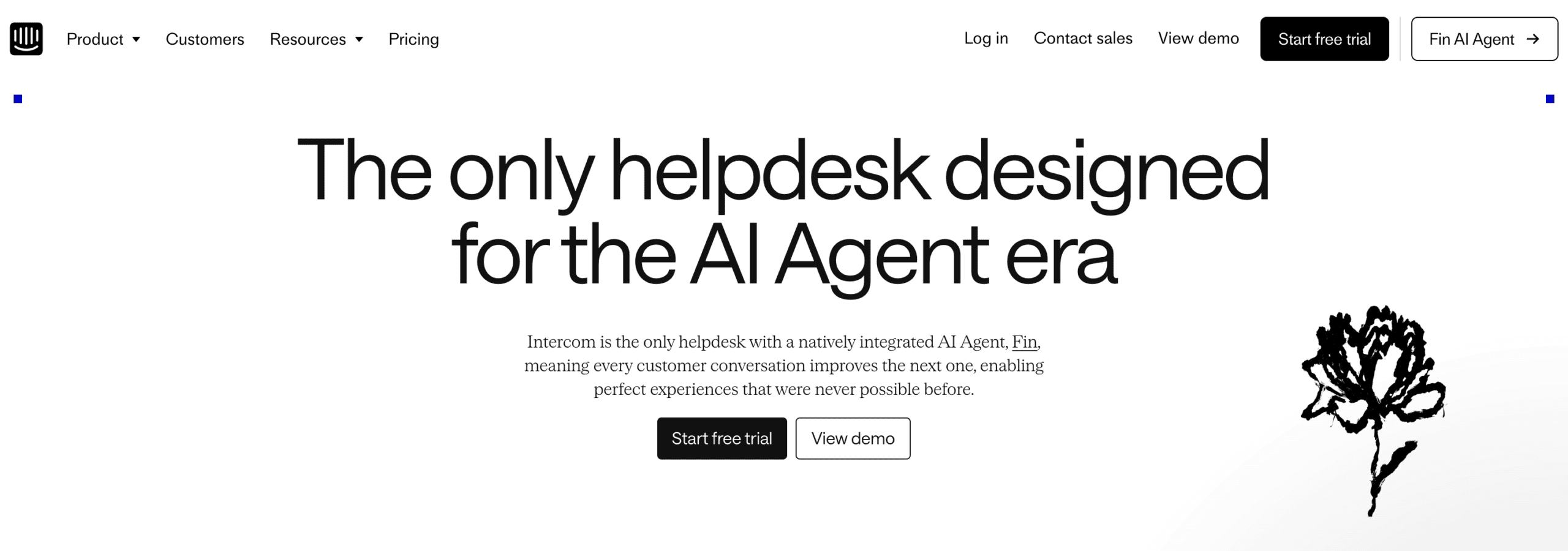
If you’re a big business that needs powerful automation, AI, and marketing features, Intercom is the best Tidio alternative. For a side-by-side look, see my Tidio vs Intercom comparison.
Intercom offers:
- Fin, an AI agent you train on your own knowledge, which answers questions automatically
- The Operator, an AI assistant that sets up Intercom for you
- Workflows to build your own flows around Fin
Intercom has an impressive website marketing stack. You can use it to launch proactive messages, posts, product tours and banners.
Plus, it supports WhatsApp broadcasts and connects to 450+ apps through its App Store.
However, Intercom isn’t great for smaller teams. Pricing is on the higher side, because Fin and the most useful features cost extra. And connecting your own tools can need help from their support team.
Pros
- The Operator sets up Intercom for you
- One of the best website widgets
- Train your AI agent on your own knowledge
- Advanced marketing features: proactive messages, posts, product tours and banners
- Seamless live chat with routing and automation
- WhatsApp broadcast support
- 450+ integrations through its App Store
- Great for scale and flexibility
Cons
- Expensive for small businesses
- Connecting your own tools can need help from their support team
Pricing
- Starts at $29 per seat/month
- Fin AI Agent: $0.99 per AI outcome
- 14-day free trial on every plan
Which Tidio Alternative Is Right for You?
The right alternative comes down to why Tidio isn’t working for you. Here’s how I’d choose.
If you want a fast AI support bot trained on your own data with almost no setup, Chatbase is the easiest option. You upload your website or documents, and within minutes the bot can answer customer questions on its own.
For website chatbots with flows and AI that work a lot like Tidio, pick ChatBot.com. It shares most of Tidio’s strengths. The main difference is the pricing model: ChatBot.com bills per seat with metered AI resolutions, where Tidio bills per conversation.
Large support teams handling high volume across several channels should look at Freshdesk. It’s the more affordable pick for that kind of team, with strong AI agents and routing.
If you’re looking to generate leads on Instagram, WhatsApp, or Facebook, go with Manychat. It’s great for social automation, with broadcasts, sequences, and comment auto-replies that Tidio can’t match on those channels.
And when you need one bot running across many channels with full marketing automation, go with UChat. You can build a single chatbot and deploy it to 13+ channels, with all the broadcasts, sequences, and rules you’d want.
Finally, if you’re an enterprise that wants a top-tier website widget and deeper marketing tools, Intercom is built for that scale.
If you’re still unsure, I compare even more tools in my guide to the best chatbot platforms. It looks beyond Tidio alternatives too.
These are the 6 best Tidio alternatives. Each one has their own strengths and drawbacks.
And your pick depends on what exactly you’re looking for.
The next step is to create your own chatbot. Click on these tutorials to learn how to make chatbots for your website, and various social platforms:


