


Most businesses know they should automate customer support. But they don’t know where to start, so they automate nothing or try to do everything at once.
And the guides out there don’t help. They explain what support automation is, not what to do first.
I’ve built chatbots for clients for over 6 years, and I use the same three-step process every time. It gets most businesses to a 70 to 90% resolution rate.
In this guide, I’ll teach you those three steps, so you can get started today.
Let’s get started!
Why Most Customer Support Automation Fails
Most support automation doesn’t fail because of chatbot mistakes. It fails because things get built in the wrong order.
The most common mistake is trying to automate everything at once. Every question and every process goes on the list, so the project takes months and nothing goes live.
And many businesses launch without a way to reach a human. So when the bot doesn’t know an answer, the customer gets stuck instead of being passed to your team.
There’s a very simple fix – do things in order. You automate in three steps, and each step is live and working before you start the next one.
I always tell my clients to go live fast, then improve from there. Once real customers use your bot, their conversations show you exactly what to fix next.
The 3-Step Process to Automate Customer Support
Automating customer support is simpler than most guides make it look. You can do it in three steps, in this order:
- Automate your FAQs: The questions that get the same answer every time, like your shipping costs or return window.
- Automate your processes: The questions where the bot has to look something up in your systems, like the status of an order.
- Add proactive support: The bot reaches out to customers before they ask, like offering help on your pricing page.
Each step raises your resolution rate. That’s the share of conversations your chatbot solves on its own, without passing them to a human.
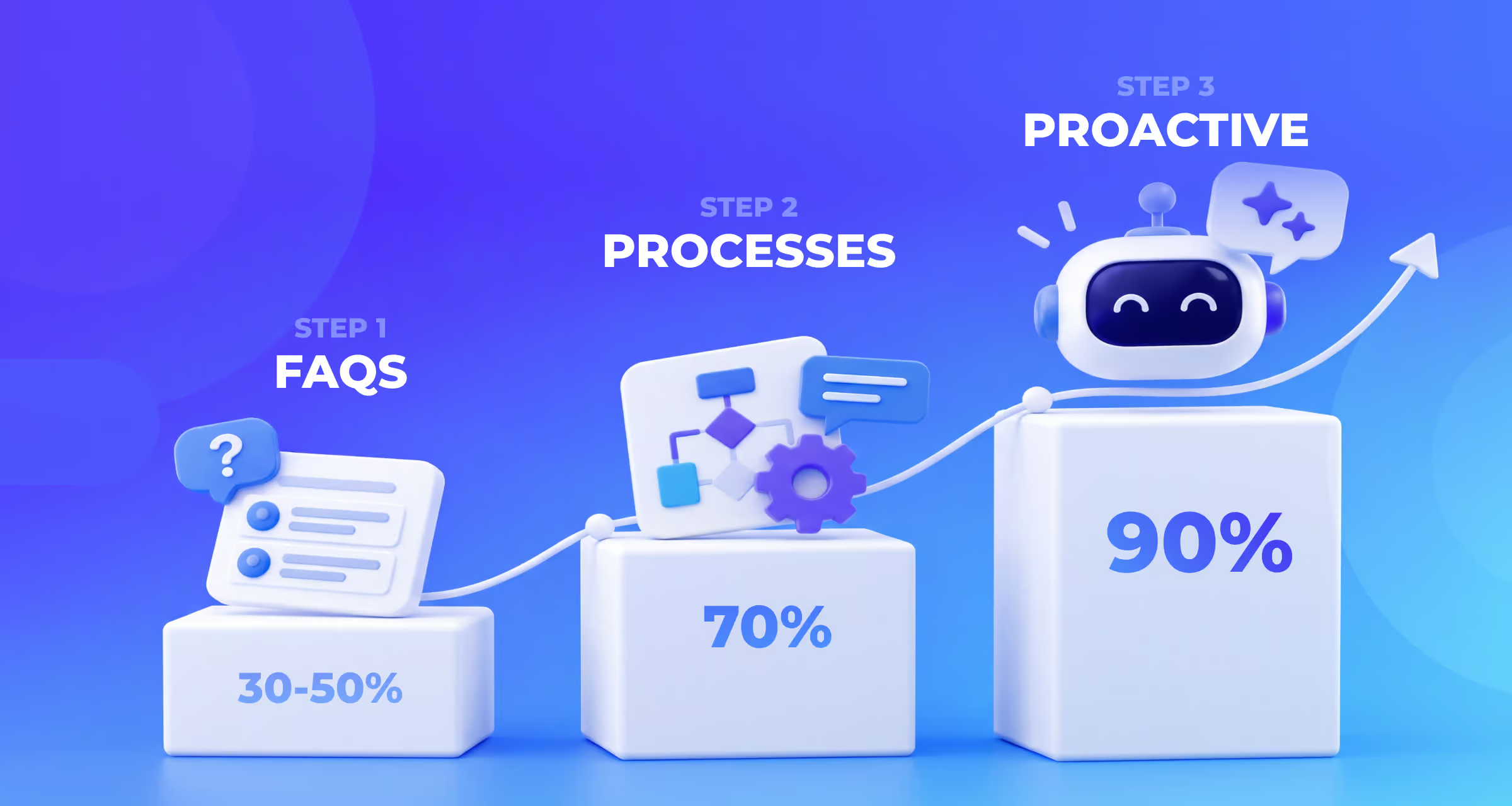
Step one alone usually gets you to 30 to 50%. Adding step two takes most businesses to 50 to 70%, and step three pushes it to 70 to 90%:
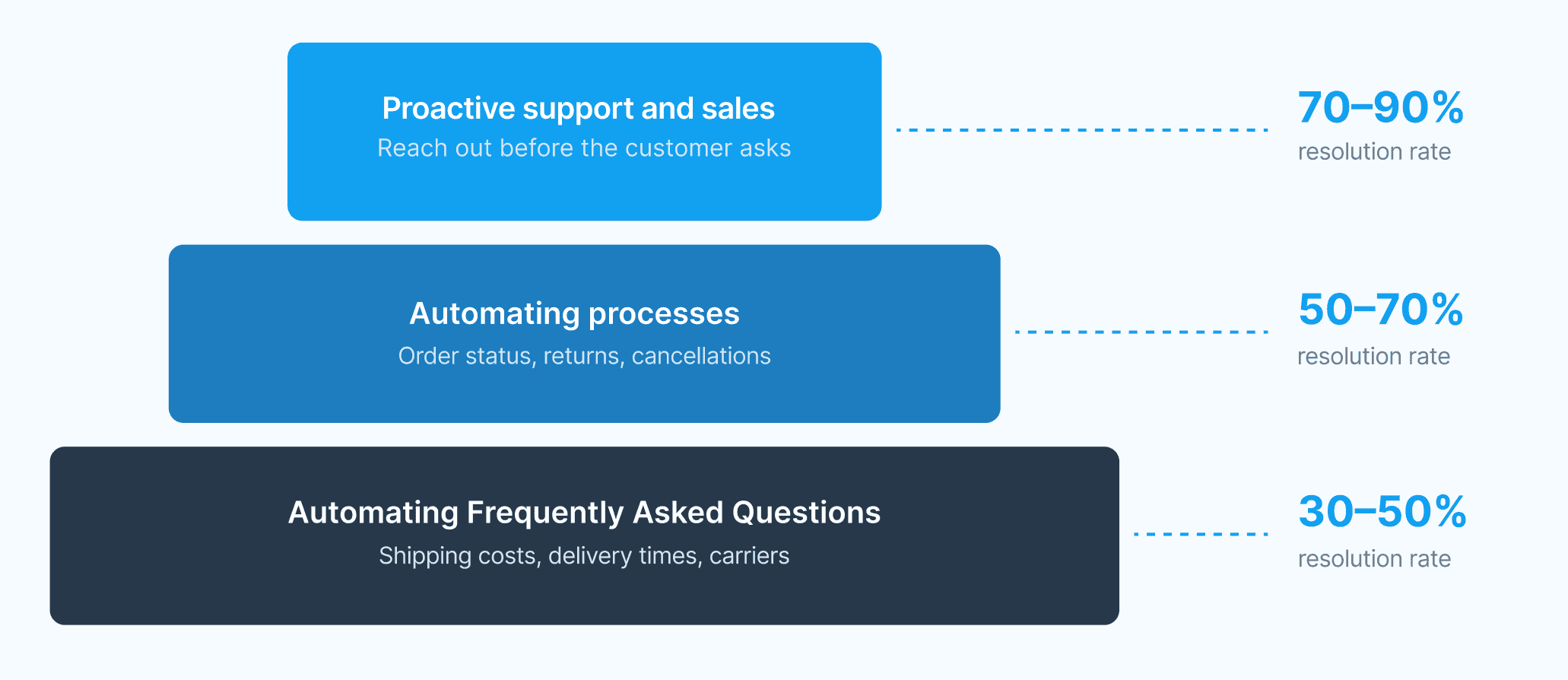
So you don’t need all three steps to see results. Step one alone can take a third to half of all conversations off your team’s plate.
Step 1: Automate Your Frequently Asked Questions
Most of your support messages are the same handful of questions, asked over and over. And every one of them has a fixed answer that doesn’t change.
That makes them the easiest place to start with chatbot automation. Here’s what these questions look like for different businesses:
- eCommerce store: Shipping costs, delivery times, which carriers you use, your return window, whether you ship internationally and sizing
- SaaS business: Your pricing plans, what’s included in each plan, whether there’s a free trial and how to reset a password
- Local service business: Opening hours, the area you serve, whether you take walk-ins and where to park
To find yours, open your inbox or live chat history from the last month. Write down every question that came up more than five times, and that list is your step one.
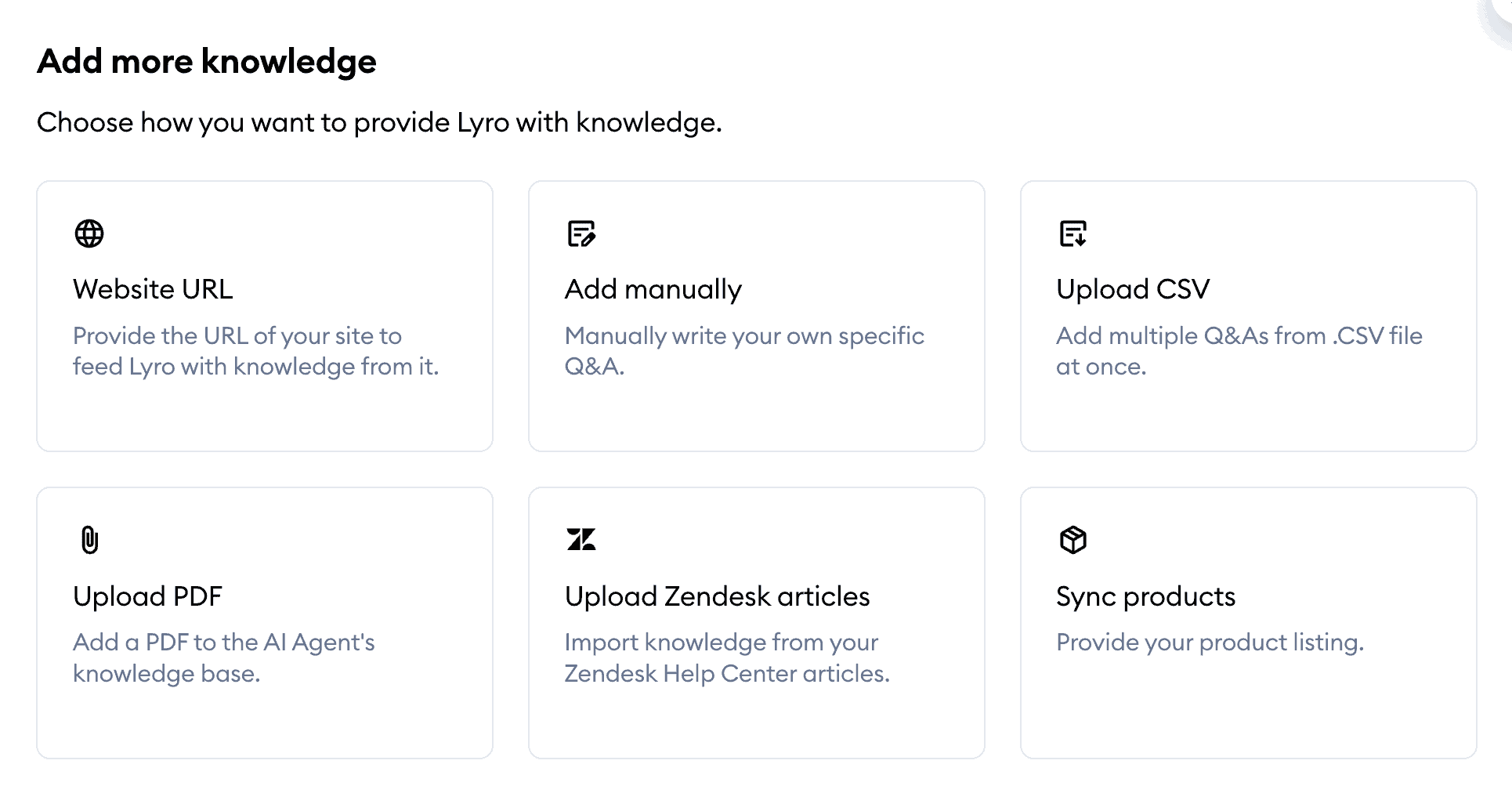
Next, give your chatbot the answers. Most chatbot platforms give you three ways to do that.
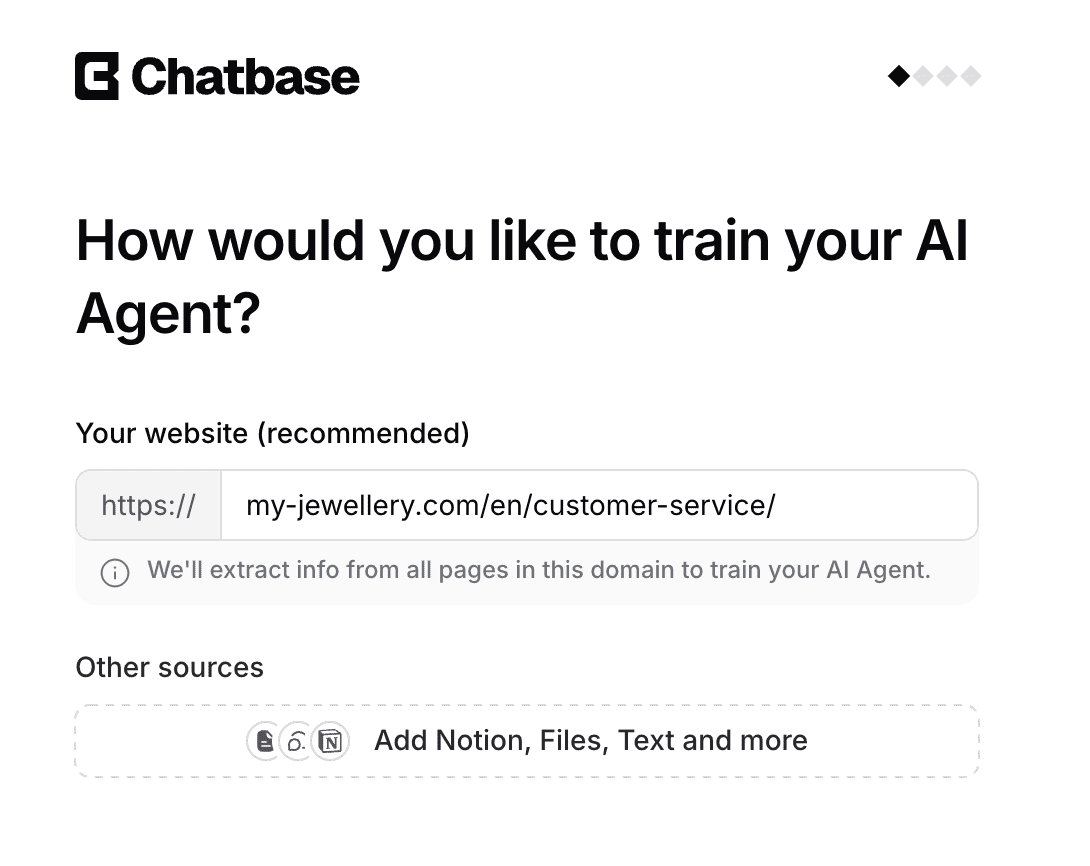
The fastest way is to let your chatbot train itself on your website. In a tool like Chatbase, you just fill in your website URL, and it reads your pages and learns the answers from them:
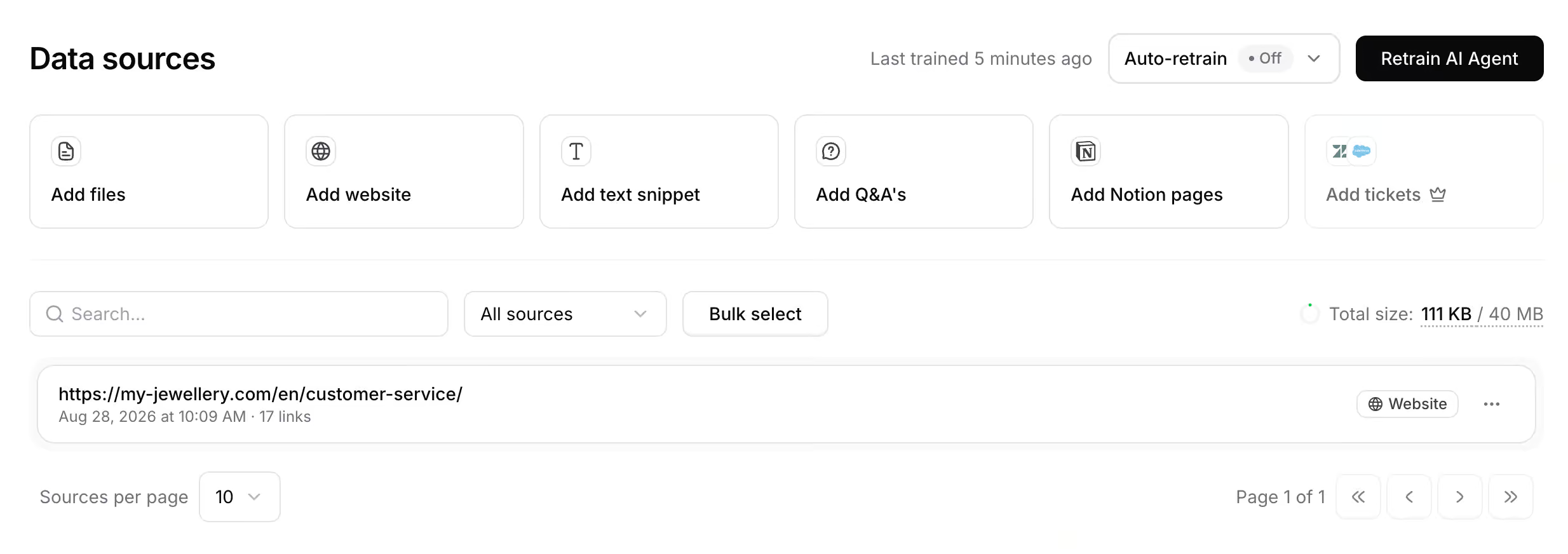
You can also upload your own documents. If your shipping and return policies already live in a PDF or a help article, most platforms let you add those files directly, like Chatbase does:
And you can write the questions and answers yourself. In a tool like Tidio, you add them one by one. It takes more time, but it’s the best option when an answer has to be worded exactly right:
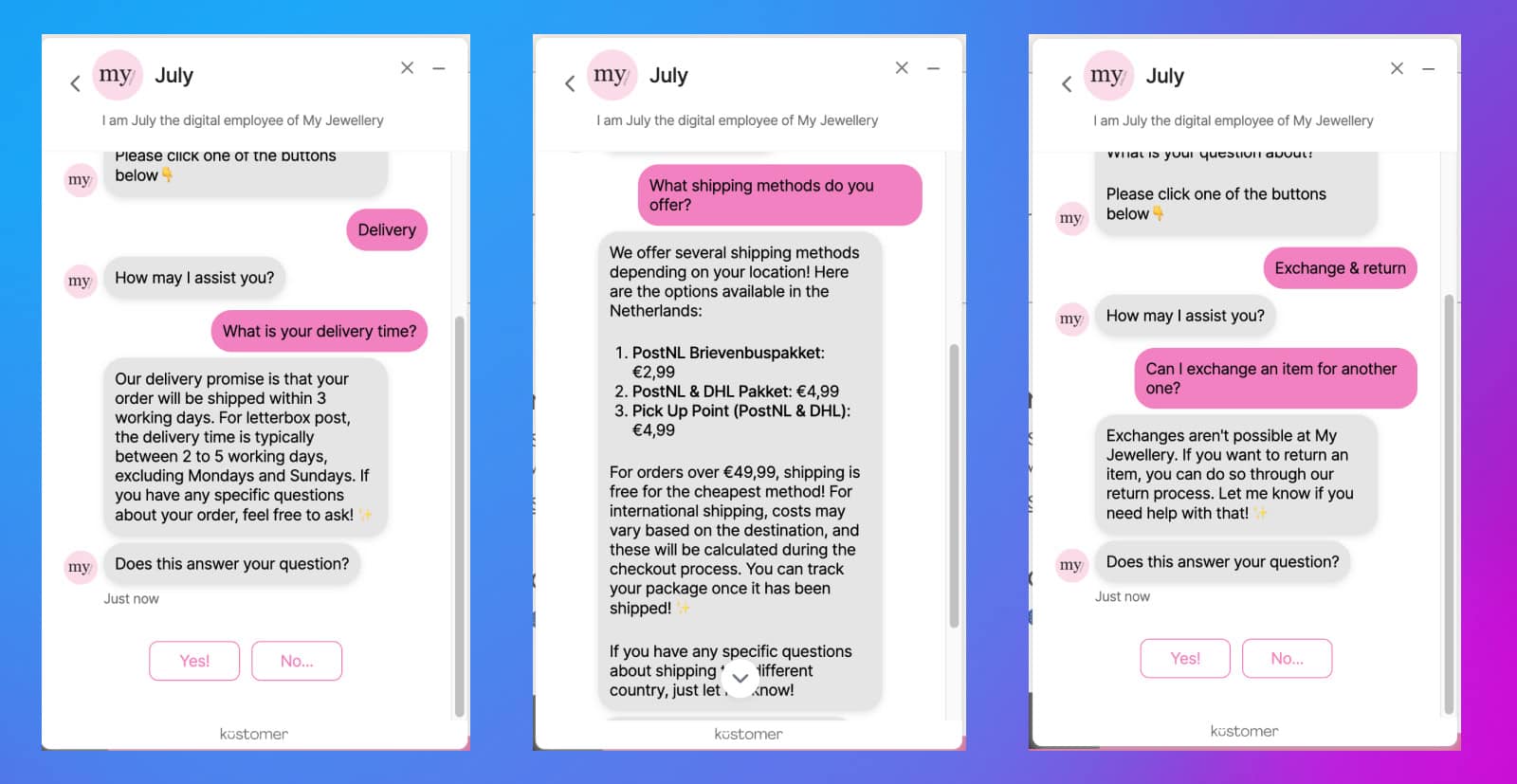
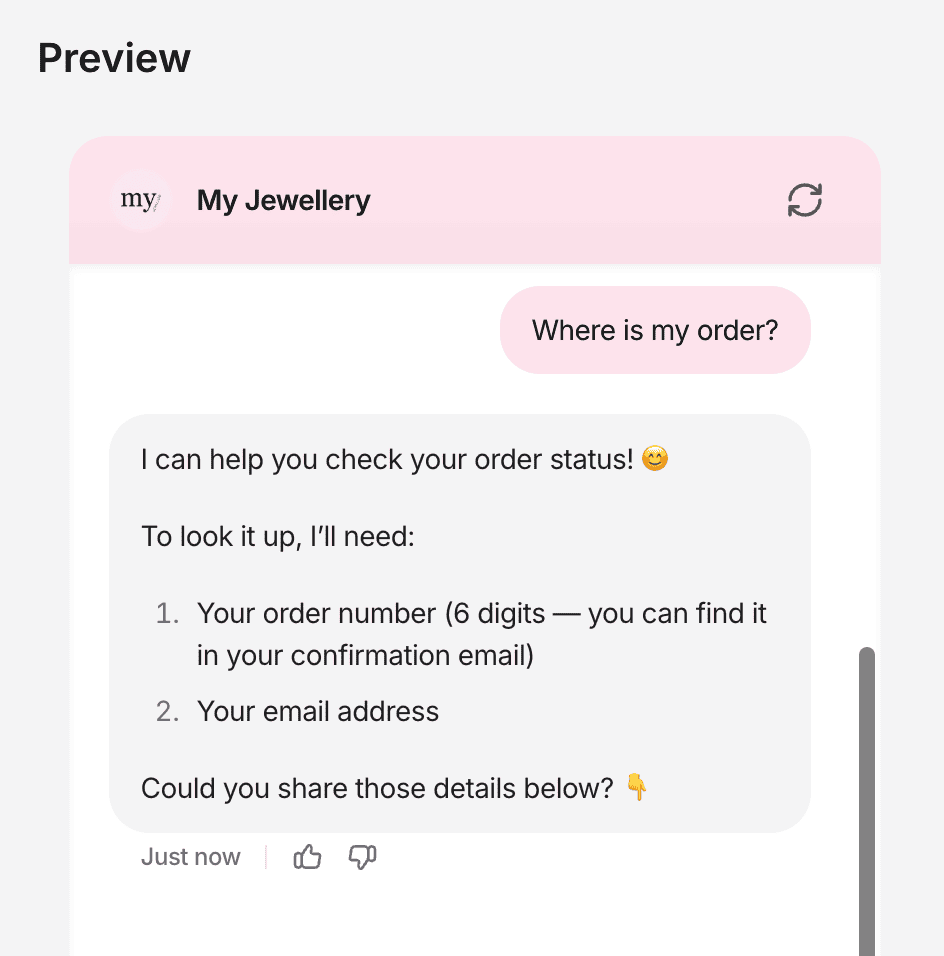
Once it’s trained, your chatbot answers these questions instantly, at any hour. For example, this is how the chatbot of My Jewellery answers questions about delivery times and shipping methods:
Before you move on, test it. Ask your chatbot the ten most common questions from your list. And use the words a real customer would use, not the words you trained it with. If it answers all ten correctly, step one is done.
This step alone usually takes care of 30 to 50% of your conversations. If you want to go deeper on it, read my guide to FAQ chatbots.
Step 2: Automate Your Processes
Step one answers questions where the answer is the same for everyone. Step two answers questions where the answer is different for every customer. That’s because it depends on their order, their account or their subscription.
Here’s what that looks like:
- eCommerce store: Where’s my order? Has my return been processed? When do I get my refund? Can I cancel my order, or change my delivery address?
- SaaS business: What plan am I on? When does my subscription renew? How do I upgrade? Why was I charged this amount?
- Local service business: Confirming, moving or canceling a booking.
For an online store, the biggest win is “Where’s my order?”. It’s usually the question you get most, and it’s also the one that least needs a human. The customer just wants to know when their package arrives.
To answer questions like these, your chatbot needs a connection to the system that holds the answer. For example, it needs to connect to your online store or your customer database. Then it works like this:
- The chatbot asks for the one thing it needs to find the customer’s record, usually an order number or an email address
- It looks up that record in your store or customer database
- It gives the customer the real answer, right in the chat
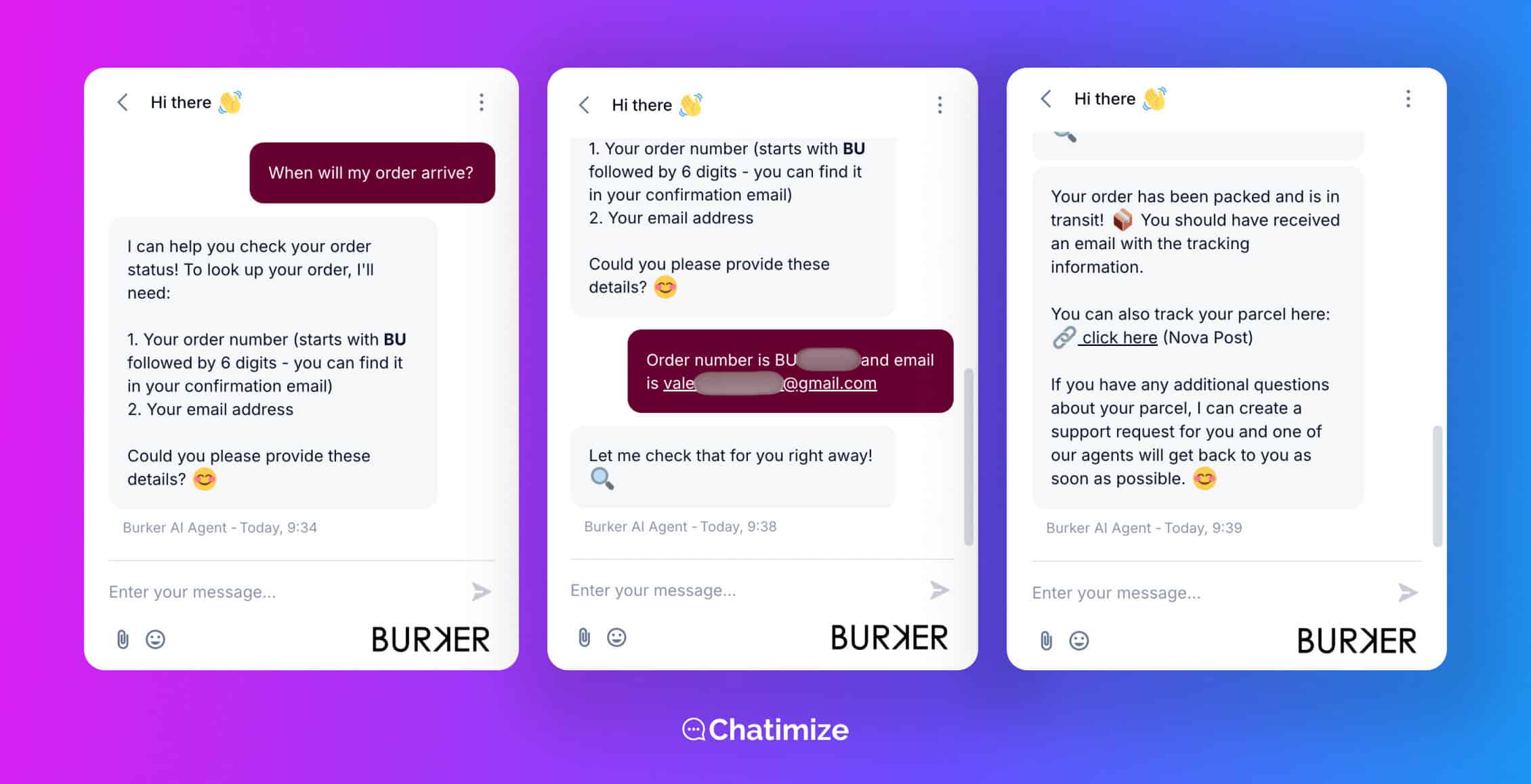
That’s exactly what we built for Burker, an eCommerce brand that sells watches and jewelry across Europe and Asia. When a customer asks where their order is, the chatbot asks for the order number and email address. Then, it checks the status in Shopify:
We built it with Tidio. You connect Tidio to your Shopify store and turn on an action that gets the order status, so the chatbot can look up any order by itself:
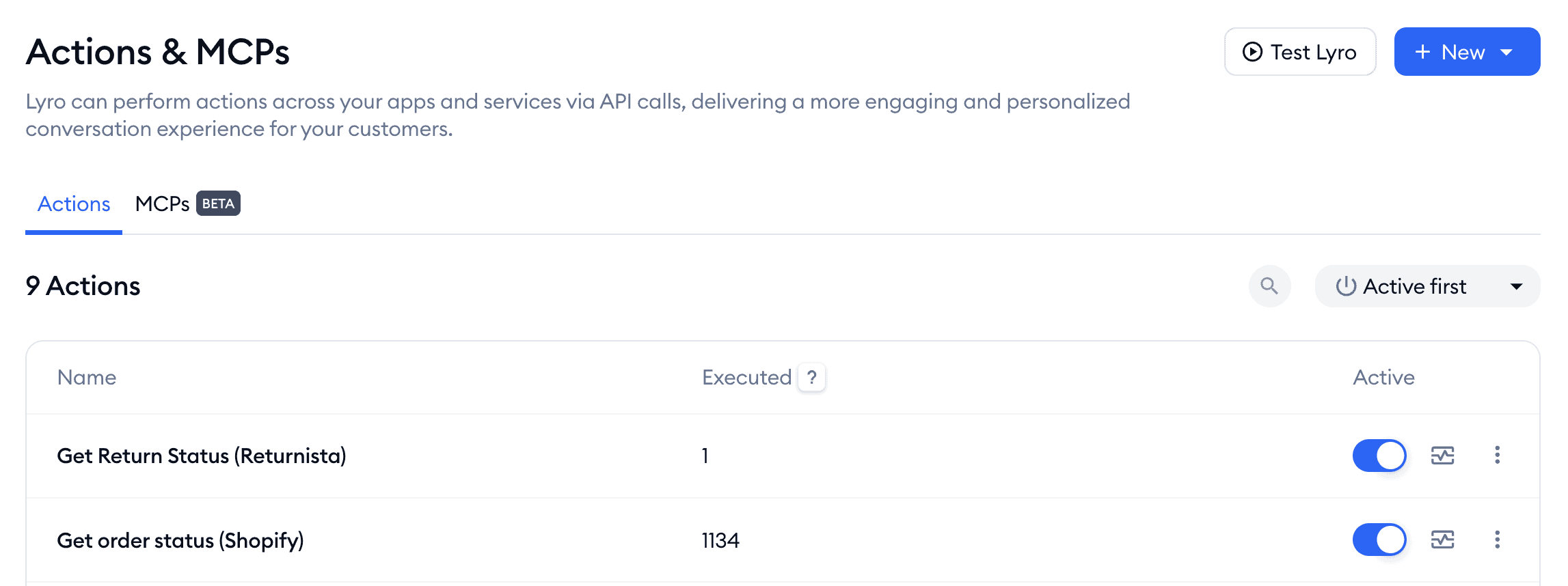
Other platforms work in a similar way. In a tool like Chatbase, you set up an action that checks your order system and gives the result back in the chat:
And this step makes a big difference. Burker used to pay an outsourced support team €2.50 per conversation, which came to €25,000 in a busy month.
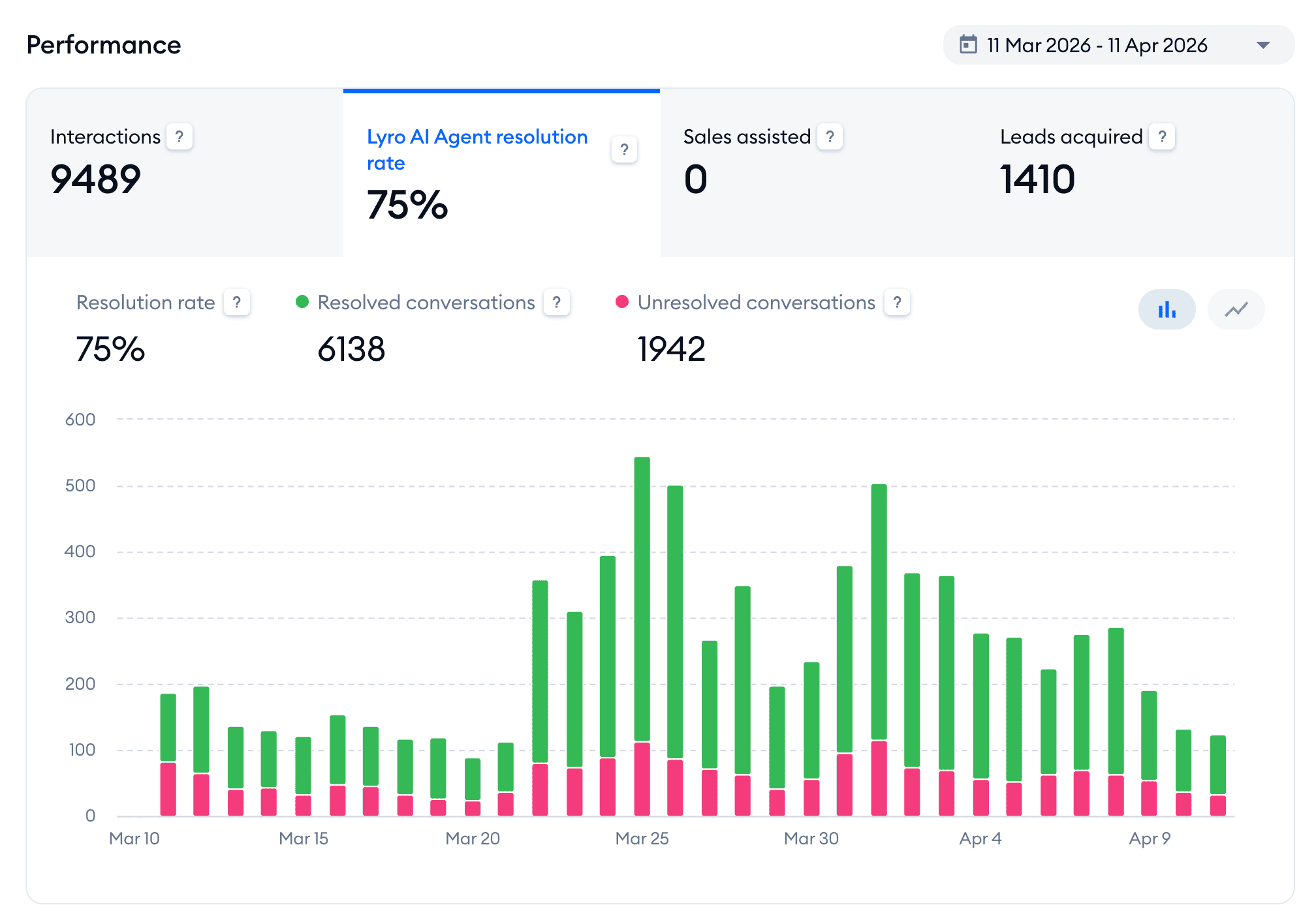
In its first month, the chatbot already resolved 75% of all conversations. And this is with only the frequently asked questions and the order status automated. That’s on the high end of what I usually see:
Today, the outsourced team is gone. One person in-house now handles the conversations the chatbot can’t.
Notice that we automated just one process, not all of them. That’s on purpose. Start with the process customers ask about most, go live, and add the next one once you see how real customers use it.
Important: Always build a way to reach a human in this step. Questions about a missing refund or a broken product have real stakes, so the customer needs a clear path to your team. And your team needs to see the full conversation, so the customer doesn’t have to repeat everything.
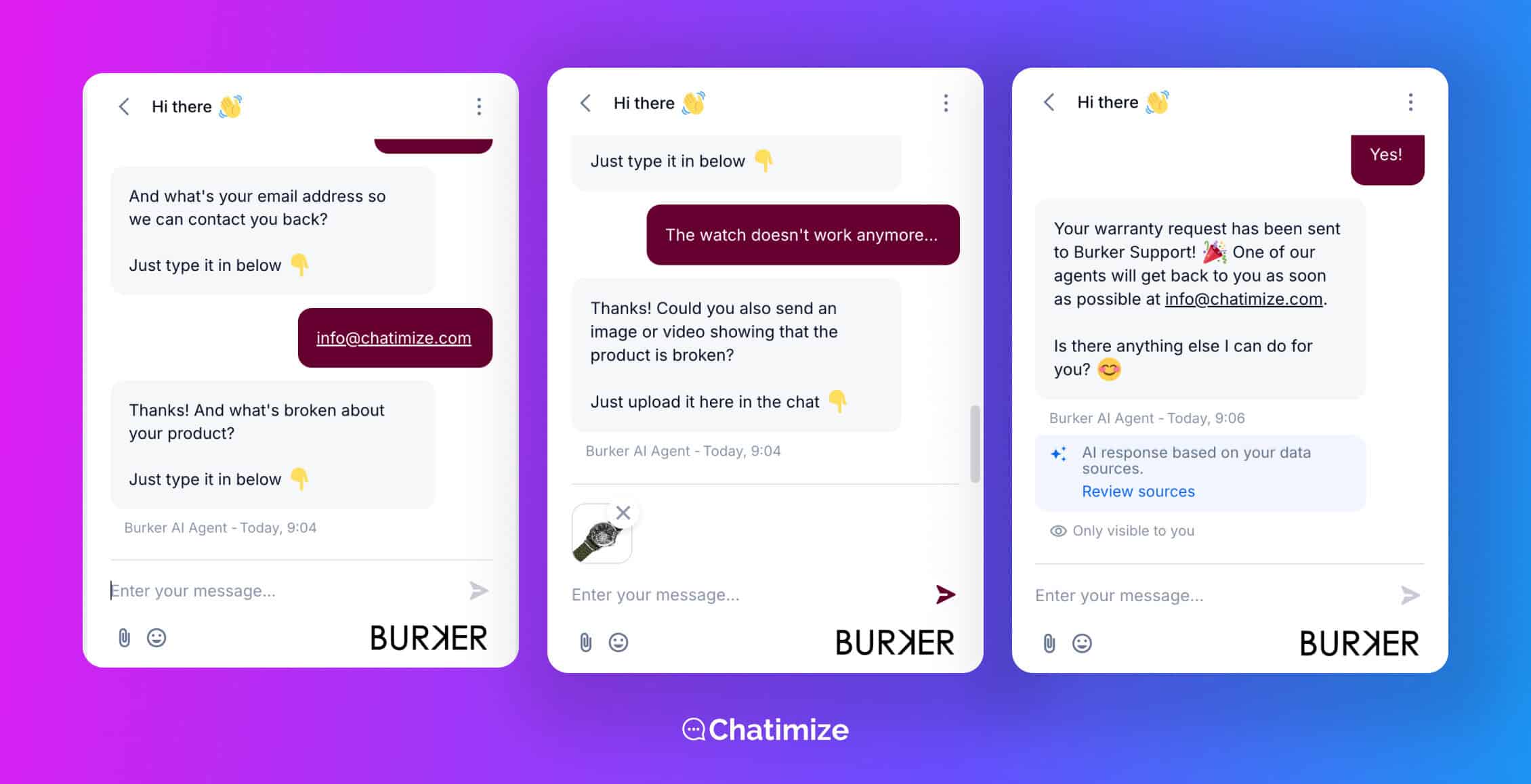
Burker’s chatbot does this for warranty requests. It collects the customer’s email address, what’s broken and a photo of the product, then sends everything to the support team:
Once step two is live, most businesses reach a 50 to 70% resolution rate. For more ideas on which processes to automate, check out these chatbot use cases.
Step 3: Add Proactive Support
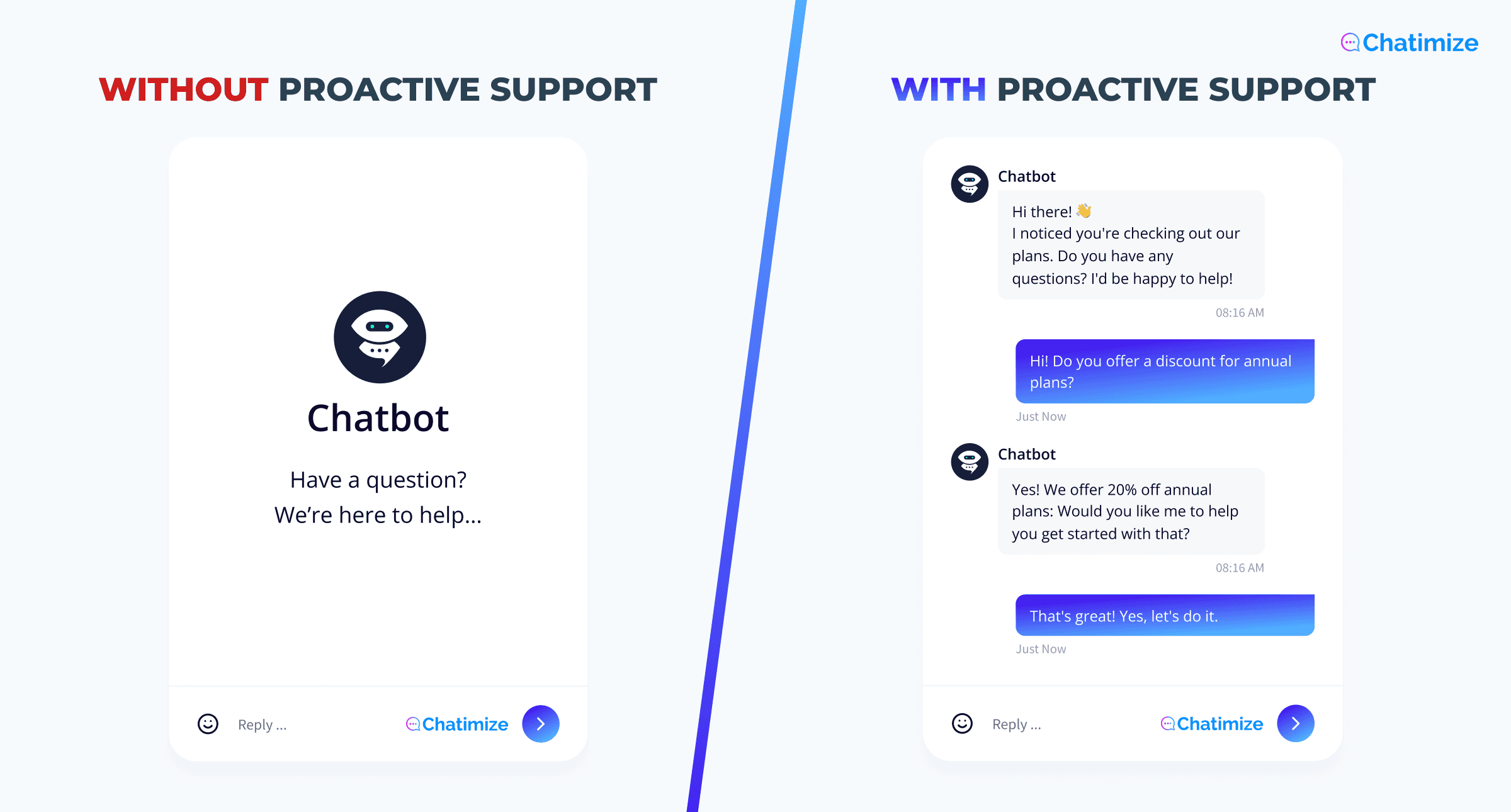
Steps one and two both wait for the customer to start the conversation. In step three, your chatbot reaches out first.
That makes proactive support possible. It’s a sales tactic that happens to cut your support volume, because the customer ends up never asking their question.
Here’s the difference between waiting for a question and reaching out first:
You can reach out at a lot of moments. These work especially well:
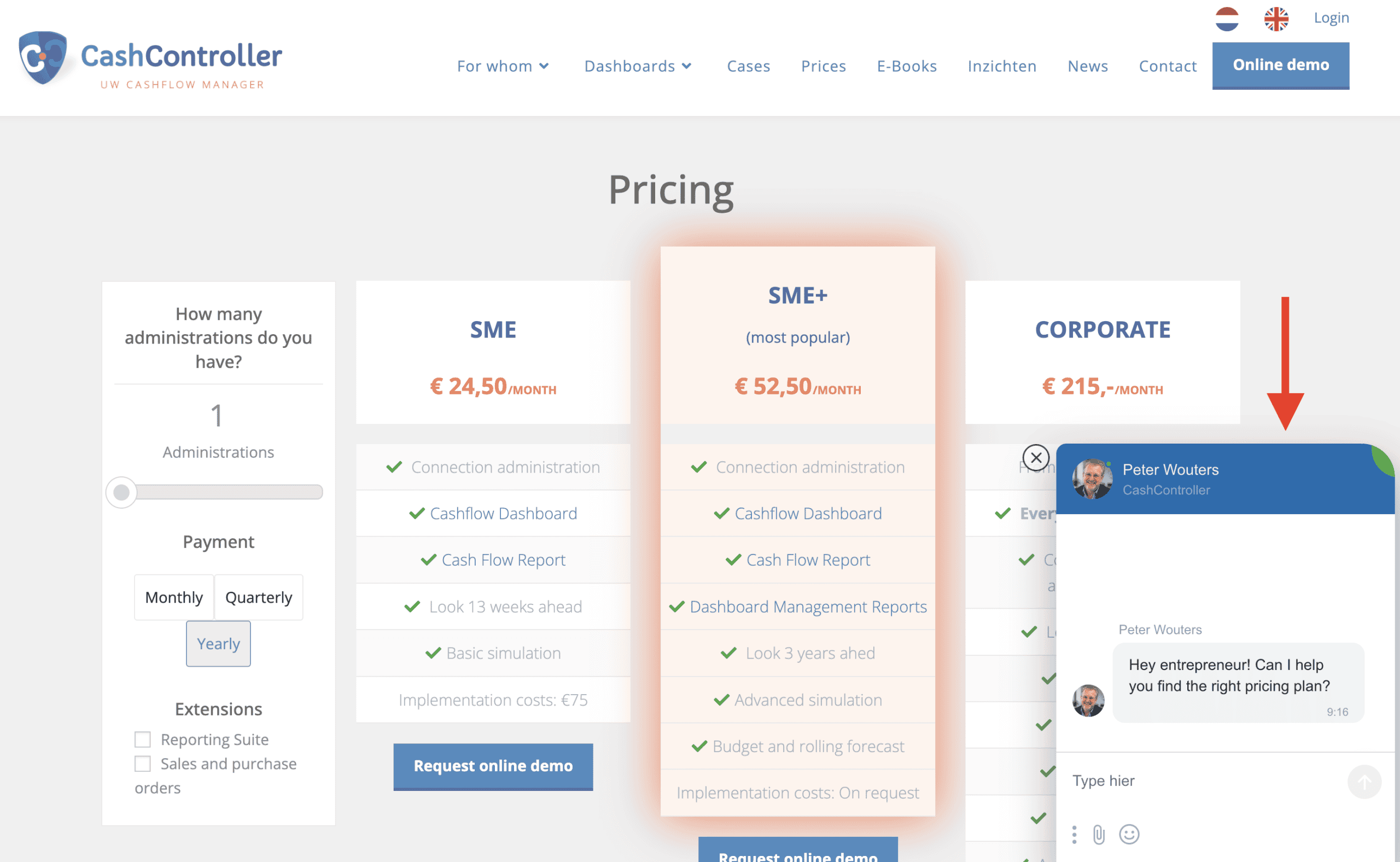
- Someone has been on your pricing page for 30 seconds. Your chatbot asks if they want help choosing a plan, like CashController does on its pricing page:
- Someone has spent 90 seconds on a product page. Your chatbot offers to help them find the right size
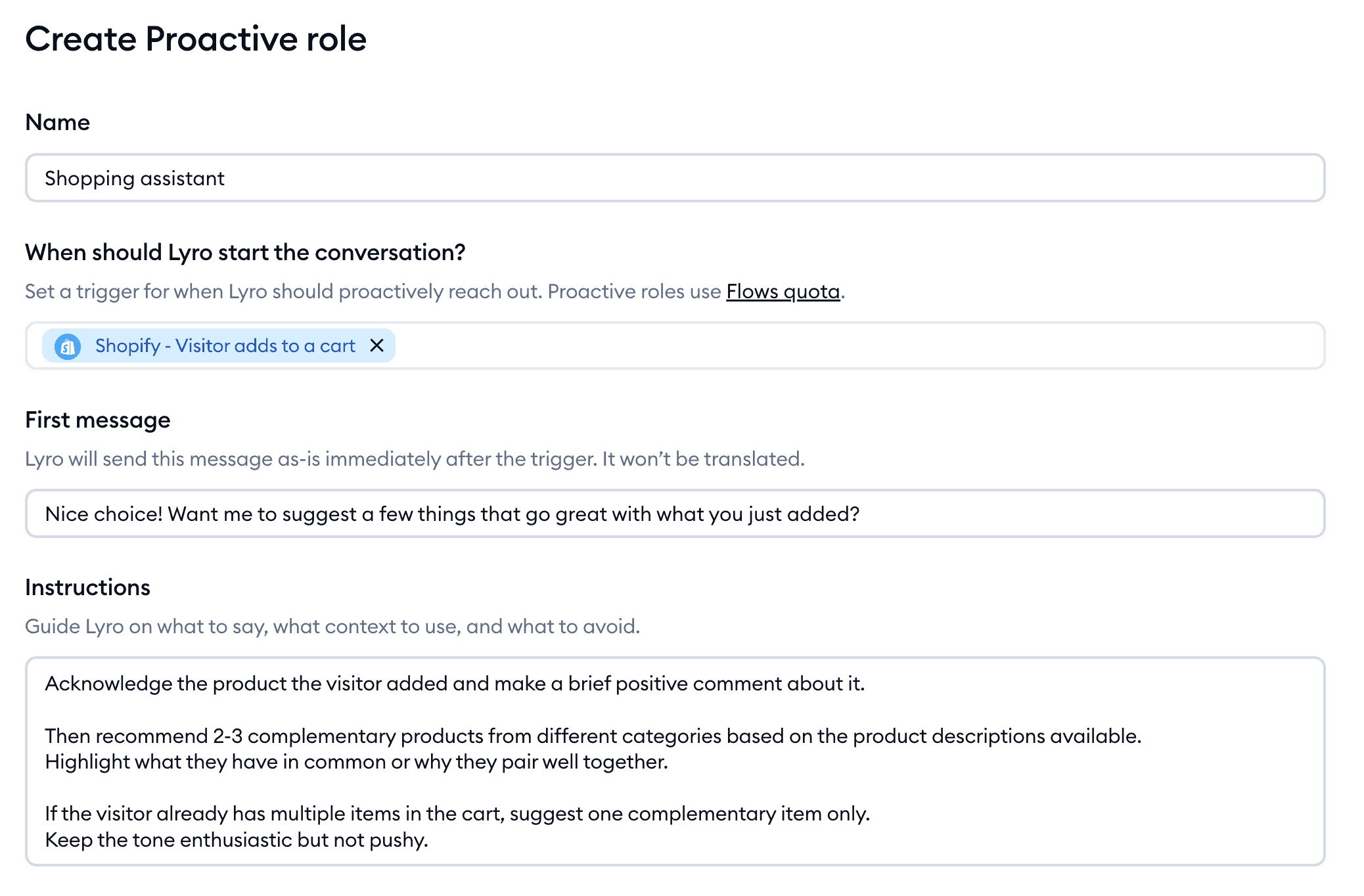
- Someone added a product to their cart. Your chatbot suggests a few products that go well with it, or asks if anything is stopping them from checking out
- Your orders are shipping late, for example during a sale. You message the customers who are affected before they message you
That last one comes from Burker. In their second month, they ran a sale and the warehouse couldn’t keep up. Customers asked where their order was, and the chatbot could only tell them it was still being processed.
So many of them asked for a human, and the resolution rate dropped from 75% to 65%.
The chatbot wasn’t the problem, though. A short message right after ordering, saying delivery can take a bit longer during the sale, would have answered the question before anyone asked it.
Setting up proactive messages is easier than it sounds. For example, with Crisp Chat you can open the chatbot and send a message on leave intent or on specific pages:
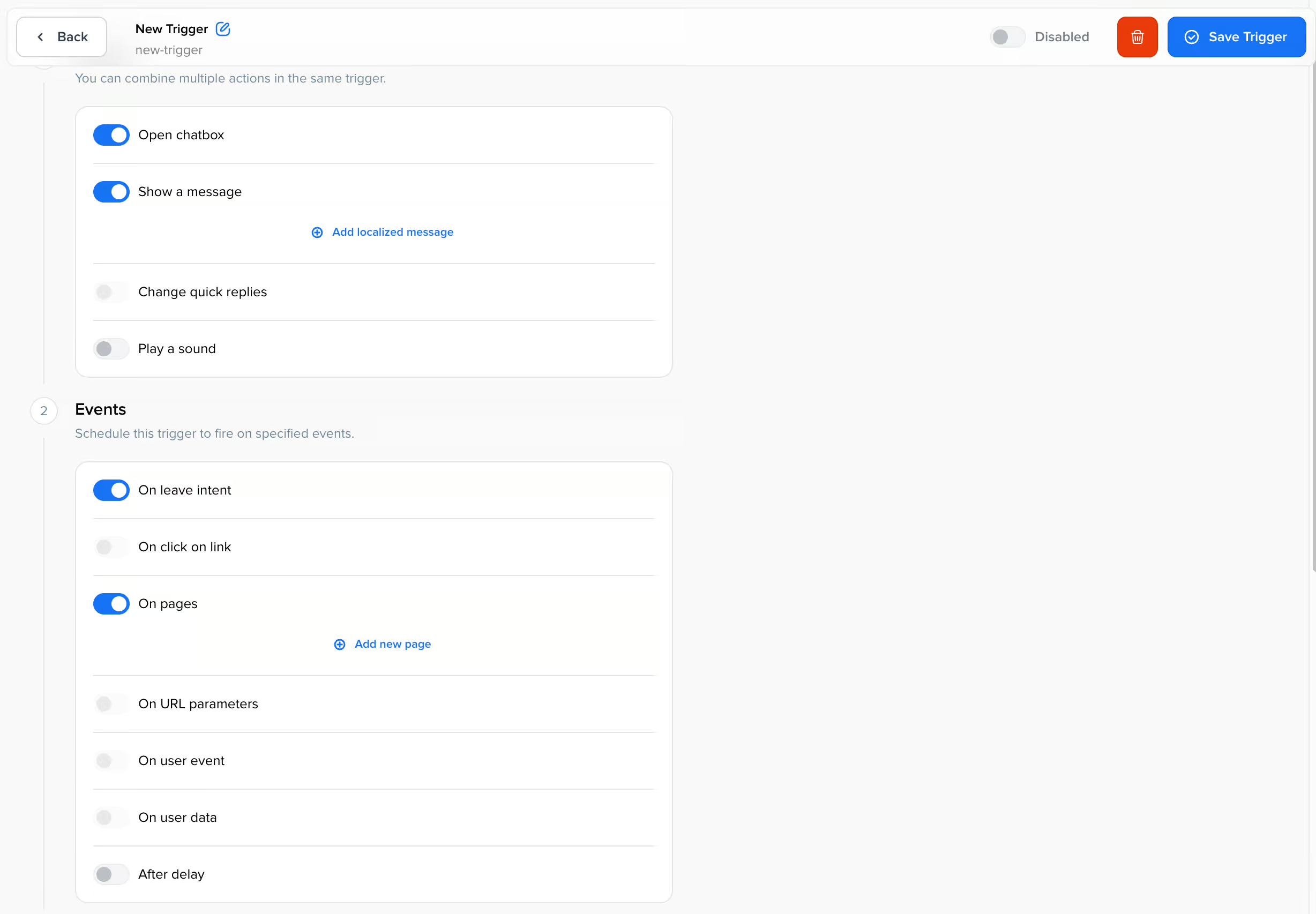
Most platforms let you send a message based on:
- Which page someone is on
- How long they’ve been on it
- Whether they’ve visited before
- What’s in their cart
You pick the trigger, write the first message, and the chatbot takes over from there. For a message like CashController’s, you’d pick your pricing page as the trigger and wait 30 seconds before the message shows.
Cart triggers work the same way. In Tidio, for example, you can let the chatbot start a conversation when someone adds a product to their cart, and suggest products that go well with it:
One rule keeps all of this from getting annoying: trigger on behavior that shows hesitation, not on arrival.
A message the moment someone lands on your homepage is a, annoying pop-up. A message after they’ve compared two plans for a minute is help.
This step takes you the last stretch, to a 70 to 90% resolution rate. And because your chatbot catches people right before they leave, it also brings in sales you’d otherwise lose without noticing. That’s why proactive messages are at the heart of most lead generation chatbots.
How to Improve It Over Time
Launching your chatbot isn’t the finish line. The chatbots that work best are the ones someone keeps improving after they go live.
Once a month, look at the questions your chatbot couldn’t answer. That list is your next batch of training data, and it comes from real customers.
You don’t have to dig through every chat to find them, because most platforms collect them for you. Tidio, for example, has a suggestions page that lists the questions its AI couldn’t answer, sorted by how often they were asked:
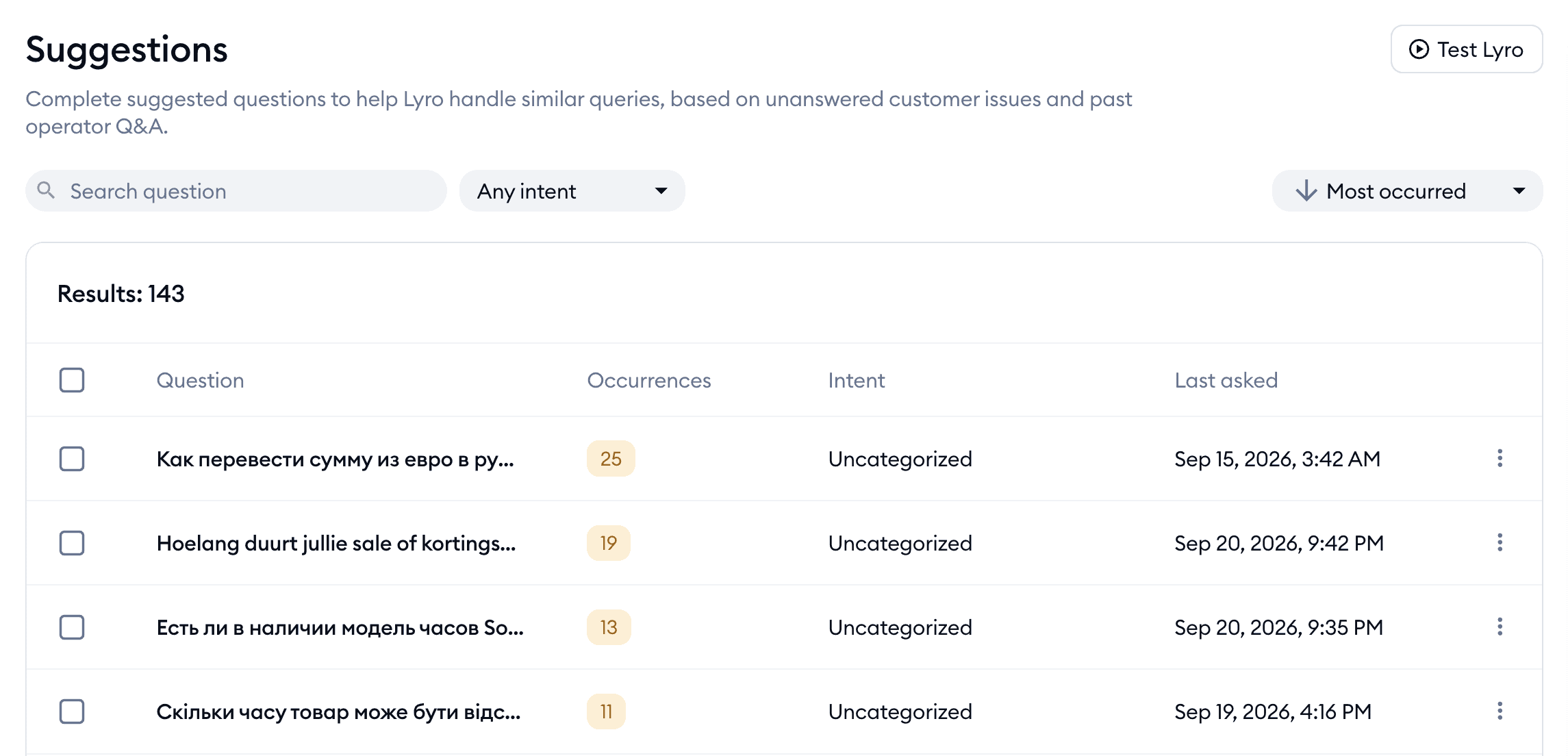
So improving your chatbot comes down to working through that list, starting at the top.
Next, track the share of conversations that end without a human. That’s your resolution rate, and it shows you right away whether your changes are working:
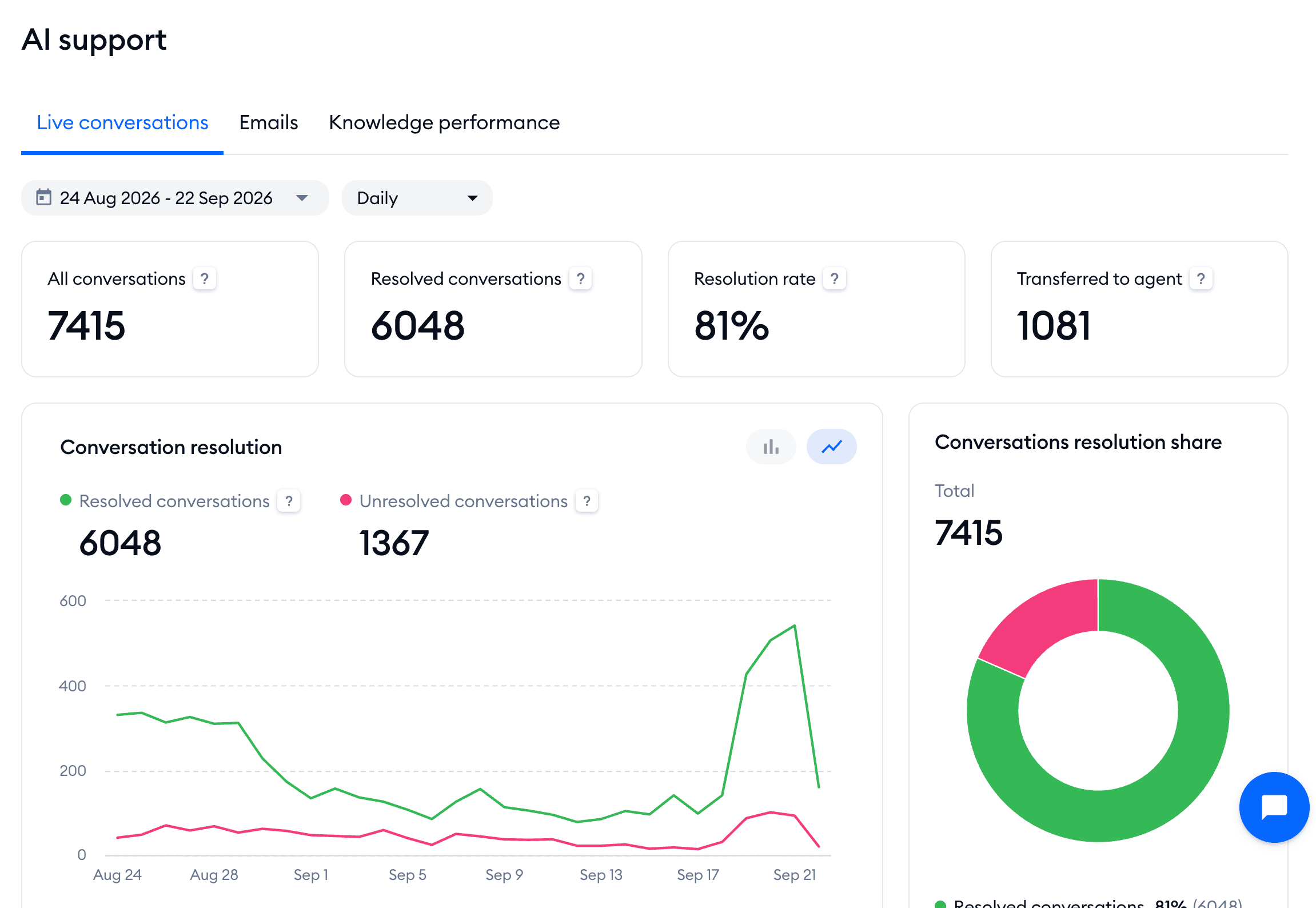
And update your chatbot every time a policy changes. A chatbot that quotes last season’s return window is worse than no chatbot at all.
Your Next Step
That’s it! You now know the three steps to automate customer support, and what each one gets you.
Your next step is to start with step one this week. Pull the ten most repeated questions from last month’s inbox and get those answered automatically. Leave steps two and three until that’s working.
If you need a platform, start with my list of the best customer service chatbots.
And once you’ve picked one, this guide shows you how to build your first chatbot:
How to Create an AI Chatbot in Less Than 10 Minutes.
Frequently Asked Questions
How long does it take to automate customer support?
It depends on the step. Step one is usually live within a day or two.
Step two depends on whether your chatbot platform connects directly to your store or customer database, or needs a custom connection. And step three is quick to set up once the first two are running.
Do I still need a support team after automating?
Yes. Complaints, anything where money went the wrong way and questions your chatbot hasn’t seen before still need a human.
But you usually need a smaller team that spends its time on the harder problems. Not no team at all.
Can I set this up without a developer?
For steps one and three, yes. Every major chatbot platform lets you do those without writing code.
Step two depends on your platform. If it connects directly to your store or customer database, you don’t need a developer. If it doesn’t, you need a tool like Zapier or Make, or someone technical.
What if most of my support comes through email or phone instead of chat?
The same three steps apply. But step one becomes automatic email replies and a help center instead of a chat widget.
And in step two, your chatbot often sends each request to the right person instead of answering it in the same channel.
How much support volume do I need before this is worth doing?
If you only get a handful of messages a week, building this takes longer than the time it saves. Just answer those by hand.
A good rule of thumb: once you catch yourself copying and pasting the same answer over and over, it’s time to automate.
