Zendesk does a lot right. But four things push teams toward Zendesk competitors:
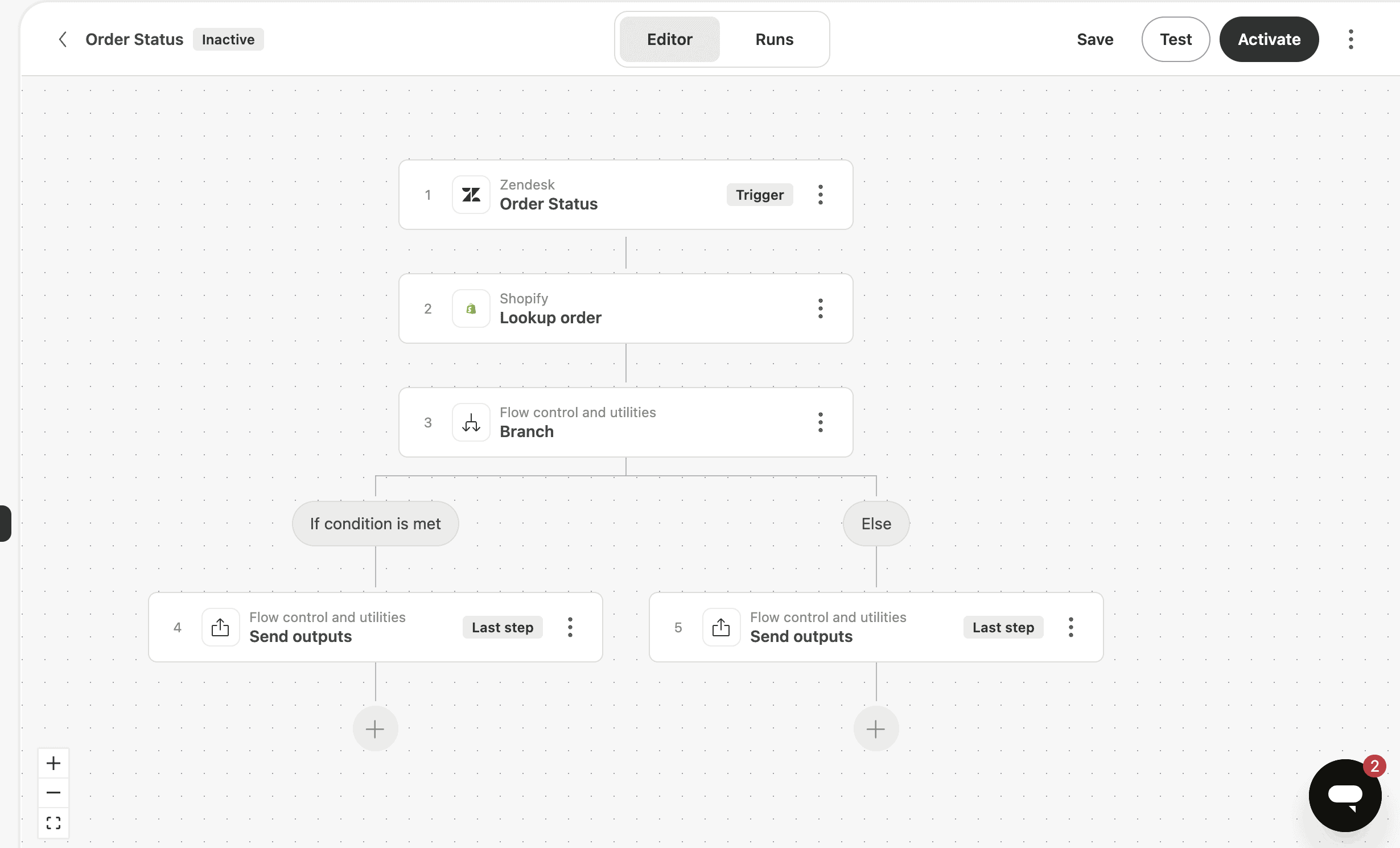
Hard to set up: The settings are spread across different parts of Zendesk, and it’s hard to connect it to your other tools. It took me an hour to build this one action that looks up a Shopify order, and the average setup takes 3 months:
Steep learning curve: On G2, the learning curve (179 reviews) and complexity (137 reviews) are among the top complaints about Zendesk. Reviewers say that having so many settings can feel overwhelming.
High price: You pay per agent, and an AI agent that chats with your customers needs the Suite Team plan at $69/agent/month. On top of that, you pay $2 for every AI resolution after the 5 included per agent each month (10 on Suite Professional).
Unpredictable bill: Since AI resolutions come on top of your seats, the total is hard to predict. Say your AI agent solves 500 more conversations in a busy month. That’s $1,000 extra, for the same team.
If any of these sounds familiar, one of the 8 platforms below will fit you better.
| Name | Rating | Pricing | Best For |
|---|---|---|---|
 Freshdesk | 4.5/5 ★ | Starts at $35 per agent/month; 14-day free trial | Best overall, especially for large support teams that want AI and a help desk |
 Kustomer | 4.2/5 ★ | Starts at $89 per agent/month, with a $10,000 per year minimum | Enterprise teams that want AI and the best help desk on the market |
 Intercom | 4.5/5 ★ | Starts at $29 per seat/month + $0.99 per AI outcome; 14-day free trial on every plan | AI support and website marketing in one tool |
 Tidio | 4.3/5 ★ | Free plan; paid plans start at $29/month | Small and medium online stores that want AI for support and sales |
 Respond.io | 4.3/5 ★ | Starts at $99/month; 7-day free trial, no credit card needed | Sales teams that want an AI agent that qualifies leads on many channels |
 Crisp | 4.2/5 ★ | Free plan; paid plans start at $45/month | Support teams that want AI at the lowest price for many seats |
 Chatbase | 4.5/5 ★ | Starts at $150/month; 7-day free trial | Going live with an AI agent in minutes |
 Eesel AI | 4.2/5 ★ | Starts at $299/month; free trial with 100 credits | Adding AI to your Zendesk for less money |
Best for: Best overall, especially for large support teams that want AI and a help desk
Rating: 4.5/5 ★
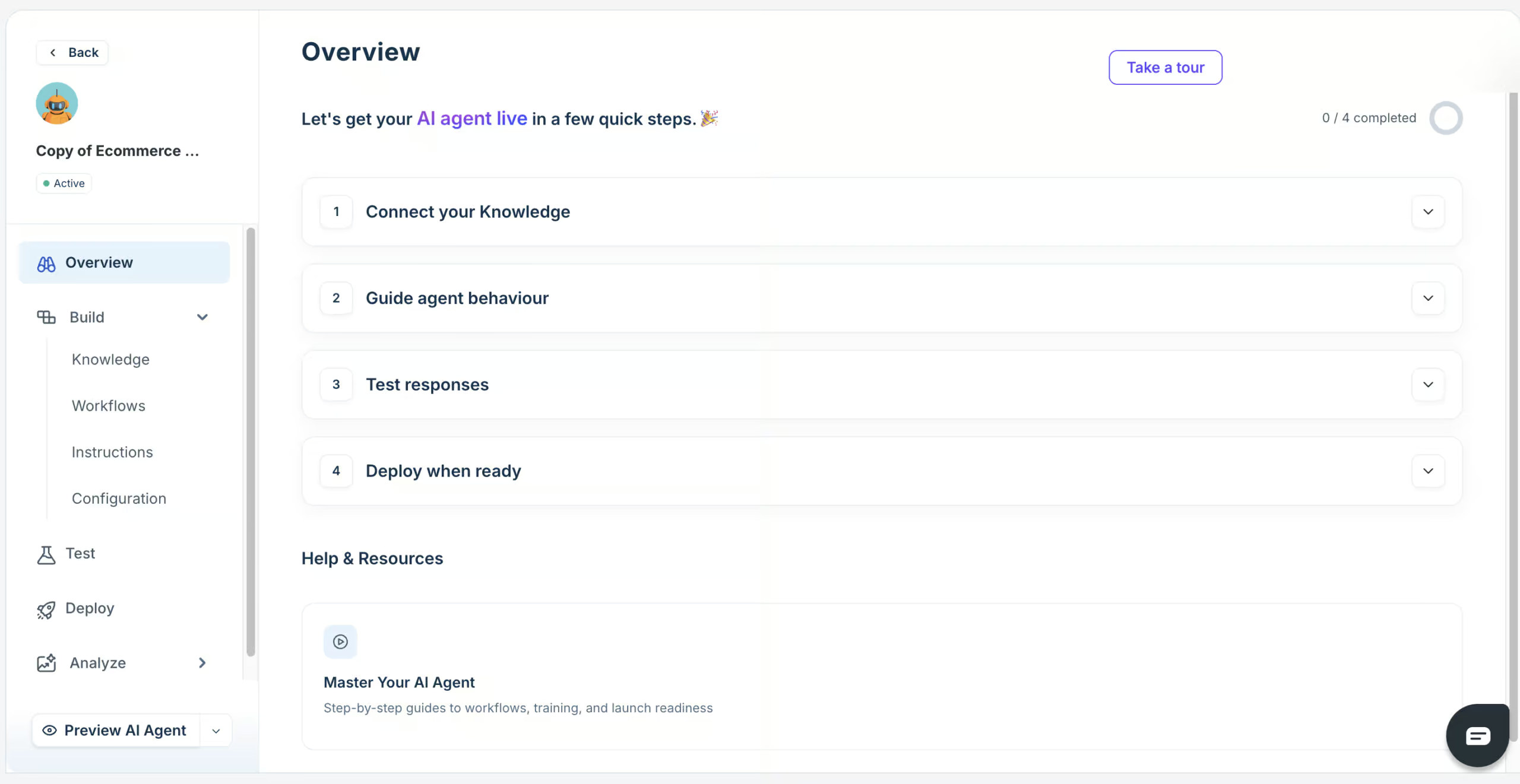
Freshdesk is the closest thing to Zendesk on this list, but it’s a lot easier to set up. I had my AI agent running in about 2 hours, not months.
You still get the help desk tools a big support team needs, like tickets, roles, shifts and SLAs (the reply times your team promises customers). And with 800+ integrations, it connects to most of the tools you already use.
Its AI agent trains on your website, files, help articles and Q&As, and then answers customer questions for you. With AI workflows, it can also take action in your other tools, like checking an order’s status in Shopify.
When the AI agent can’t help, the conversation lands in one inbox with every channel, from email and website chat to WhatsApp and Instagram.
And Freddy AI Copilot helps your team reply faster by summarizing tickets and writing replies. It costs $35/agent/month extra, and you need the $95/agent/month plan or higher.
The AI is also a lot cheaper. Your first 500 AI agent sessions are free, and after that, you pay $49 per 100 sessions. So if you’re weighing Zendesk vs Freshdesk, that’s the biggest difference: $0.49 per AI session, against $2 per AI resolution.
But the setup isn’t completely smooth. Even after I connected my Shopify store, the order workflow wouldn’t run, so count on Freshdesk’s support team to help you get it working. Email also needs its own AI agent, so you end up maintaining two.
Pros
- Tickets, roles, shifts and SLAs, like Zendesk
- Set up in about 2 hours
- AI agent trained on your website, files, help articles and Q&As
- AI workflows that take action in tools like Shopify
- One inbox for email, website chat, WhatsApp, Instagram, Facebook, SMS and phone
- 800+ integrations
Cons
- Connecting tools can need help from their support team
- Email needs its own AI agent
- No marketing features, like proactive website messages
Pricing
- No free plan, but a 14-day free trial
- Paid plans start at $35/agent/month
- Your first 500 AI agent sessions are free (once per account), then $49 per 100 sessions
Best for: Enterprise teams that want AI and the best help desk on the market
Rating: 4.2/5 ★
Kustomer is the best help desk I’ve ever seen. If you run an enterprise support team and don’t want to give up anything Zendesk can do, this is where I’d look first.
What makes it stand out is the customer timeline. Every WhatsApp message, email, phone call and order from one customer sits in a single timeline. So whoever picks up a conversation already knows the whole story.
Around that timeline, you get every tool a big support team needs, like routing rules, queues and SLAs. And Copilot sits next to each conversation to summarize the customer or draft a reply for your agents.
Its AI agents learn from your website and your help center. With tools, which is what Kustomer calls its AI actions, they can also do things for your customers, like checking where an order is.
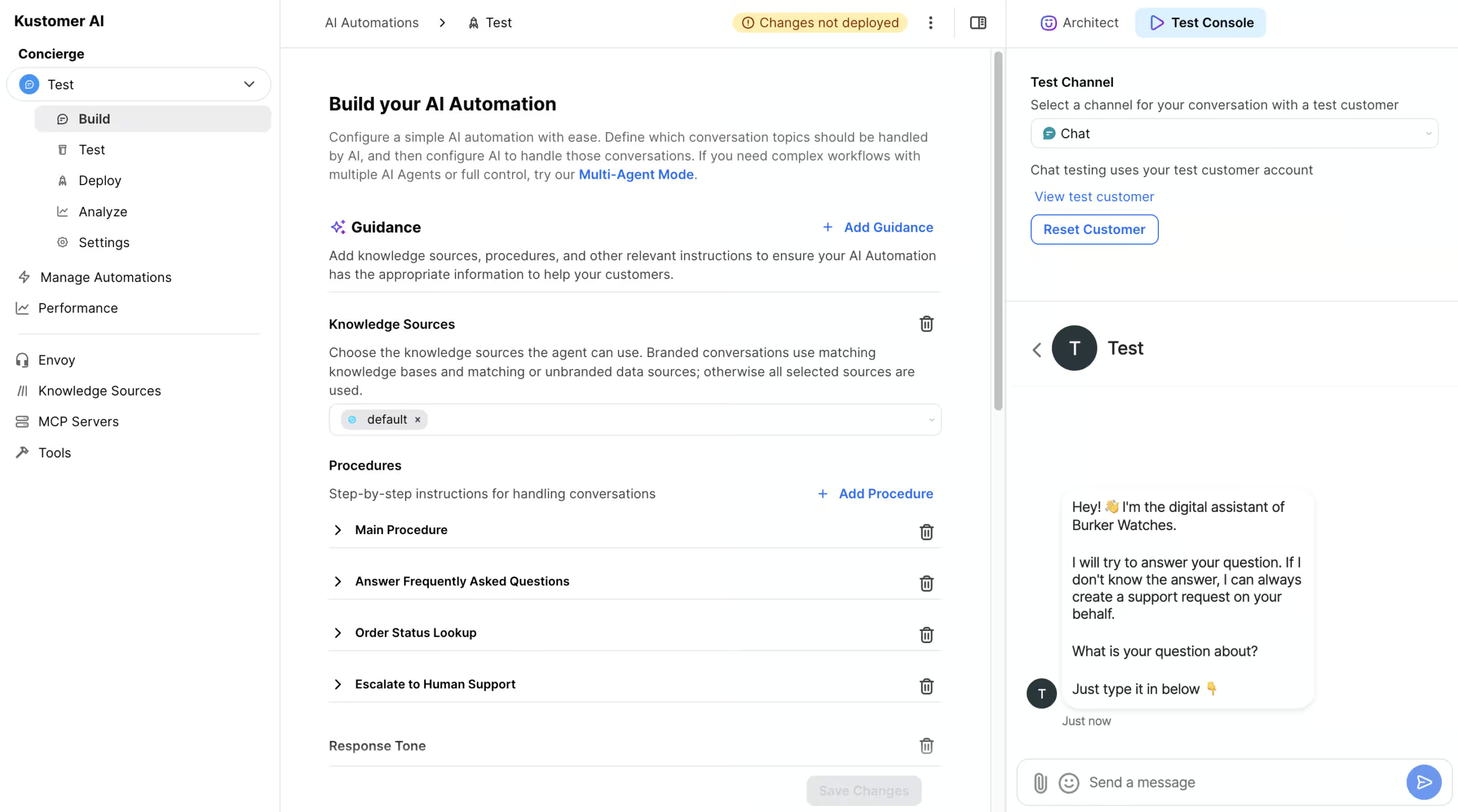
But the best part is the AI Architect. You tell it what you want your AI to do, and it builds the whole setup for you.
That makes Kustomer much easier to set up than Zendesk. It’s still an enterprise platform, though, so expect the setup to take about 2 months.
The hard part is connecting your other tools. For anything without a ready-made integration, you need Kustomer’s support team or a developer. And you can’t train the AI on your documents, which matters if your company keeps its knowledge in files.
Pros
- Customer timeline across chat, email, WhatsApp and phone
- AI agents that take action in your other tools
- The AI Architect sets up your AI for you
- Copilot helps your agents reply faster
- Routing rules, queues and SLAs for big teams
- Data Explorer, where you ask questions about your support data
Cons
- Setup takes about 2 months
- You need Kustomer’s support or a developer to connect other tools
- You can’t train the AI on documents
- Minimum spend of $10,000 a year, with at least 4 seats
Pricing
- Starts at $89/agent/month, but with at least 4 seats and a $10,000 yearly minimum, you really start at about $830/month
- AI agents: $0.60 per conversation
- Copilot: $40/user/month
Best for: AI support and website marketing in one tool
Rating: 4.5/5 ★
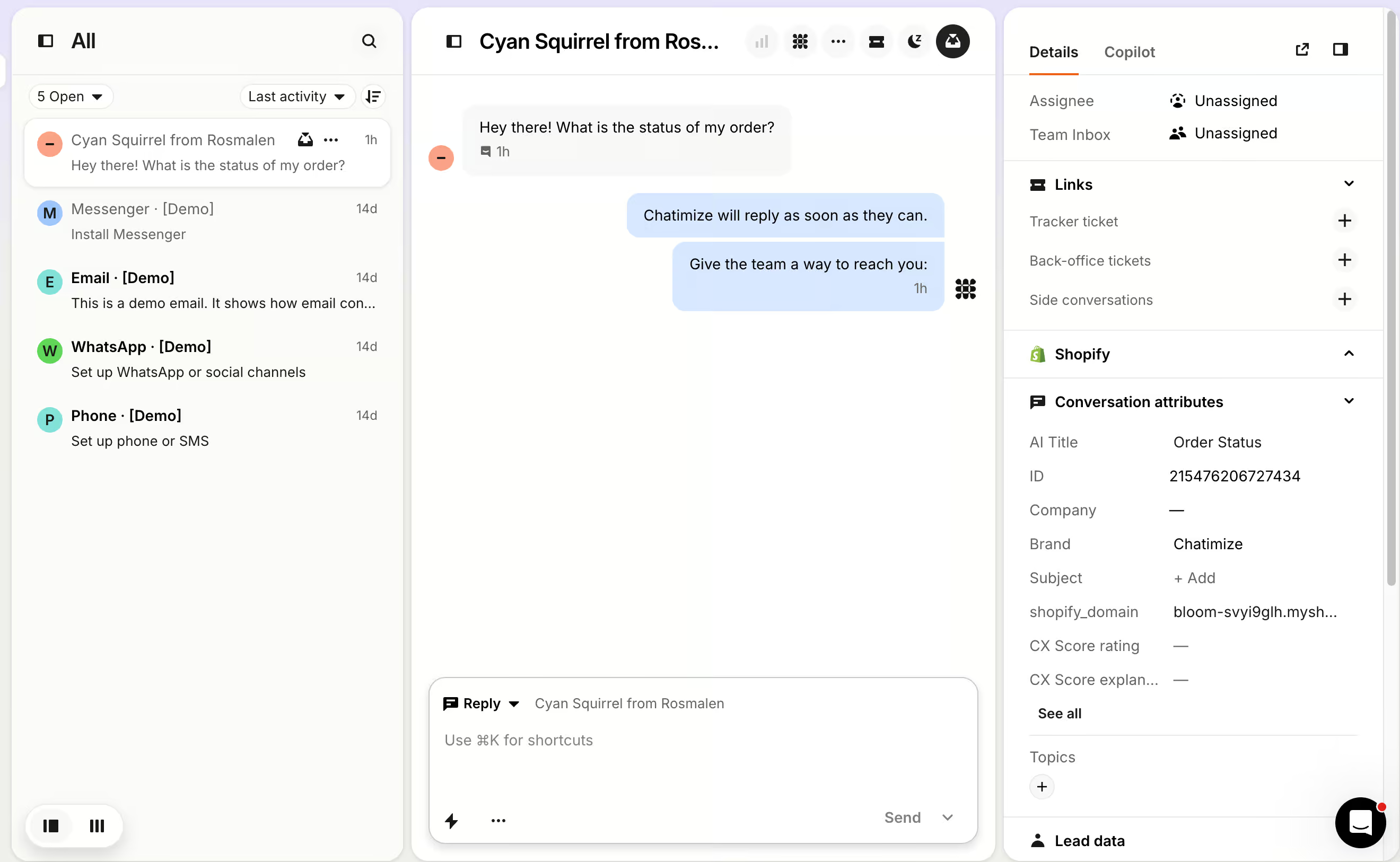
Intercom is the alternative for teams that want more than support. Besides a strong AI agent, it gives you marketing tools for your website that Zendesk doesn’t have, like product tours and banners.
Its AI agent, Fin, trains on your website, your help articles and content from tools like Notion. You can even import your Zendesk help center, so you don’t have to copy everything over by hand.
With procedures and data connectors, Fin can also take action for your customers, like checking where their order is in Shopify. And when Fin can’t help, your team takes over in the Inbox, with routing, tickets and SLAs.
Where Intercom really stands out is Outbound. You can reach visitors before they ask anything, with proactive messages, product tours and banners. For example, anyone who spends 90 seconds on your pricing page can get a message from you before they’ve asked anything.
Setting it up takes about a week, because the Operator, Intercom’s AI assistant, plans and builds most of it for you. But connecting your own tools can take about a month. I couldn’t get the built-in Shopify connection to work, and even their support team couldn’t fix it.
Fin costs $0.99 per outcome, which is a conversation it resolves or hands over to your team. So in a Zendesk vs Intercom comparison, the AI costs about half as much.
But Intercom is too expensive for most small businesses once you add the extras. Copilot costs $35 per teammate a month, the Operator needs the $100/month Pro add-on, and product tours need another add-on at $99/month.
Pros
- Fin AI agent trained on your own knowledge, including your Zendesk help center
- Proactive messages, product tours and banners
- One of the best chat widgets on the market
- The Operator sets up Intercom for you
- Inbox with routing, tickets and SLAs
- Works on 8 channels and connects to 450+ apps
Cons
- Connecting your own tools can take about a month
- Expensive for small businesses, because key features are paid add-ons
- The marketing features only work on your website
Pricing
- Starts at $29/seat/month, with a 14-day free trial
- Fin AI agent: $0.99 per outcome
- Copilot: $35/teammate/month
- Pro (for the Operator): $100/month
- Proactive Support Plus (for product tours): $99/month
Best for: Small and medium online stores that want AI for support and sales
Rating: 4.3/5 ★
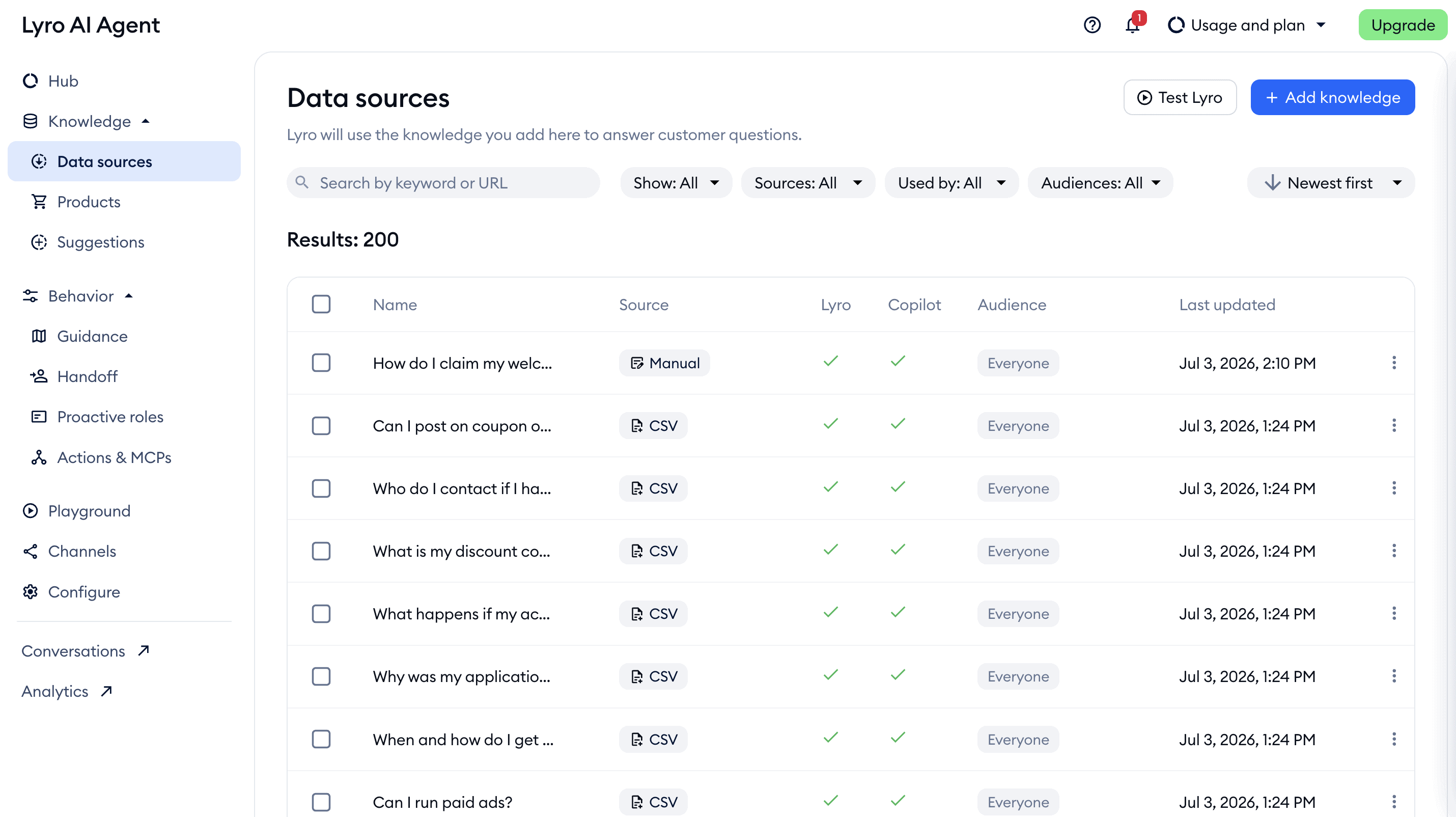
Tidio is my pick for small and medium online stores. Its AI agent, Lyro, answers questions, checks orders and recommends products, so it helps you sell too.
For our client Burker, an online store, Lyro handled 75% of all customer conversations on its own within the first month.
You train Lyro on your website, documents and products. And with AI actions, it can do things for your customers, like checking the status of a return in your returns tool.
The Shopify integration is very good. Lyro syncs all your products and keeps them up to date, so it recommends the right one in its answers.
It syncs WooCommerce products the same way. On any other store platform, you add your products with a product feed. And Lyro looks up orders there through AI actions.
When Lyro can’t help, your team takes over in the built-in help desk, with live chat, tickets and email in one inbox. You can have all of that running in about 2 hours.
There’s also a free plan to start with. But Lyro itself is a paid add-on: once your first 50 free conversations are used, it starts at $39/month for 50 conversations a month. So the more questions Lyro answers, the bigger that part of your bill gets.
Pros
- Lyro answers questions, checks orders and recommends products
- Very good Shopify integration
- Built-in help desk with live chat, tickets and email
- Free plan
- Set up in about 2 hours
- AI actions to connect other tools
Cons
- Lyro is a paid add-on
- No marketing on Facebook, Instagram and WhatsApp, like comment replies or broadcasts
Pricing
- Free plan with 50 conversations a month that your team replies to, plus 50 Lyro conversations (one-off)
- Paid plans start at $29/month
- Lyro AI agent: from $39/month for 50 conversations a month
Click the button below to get 20% off all Tidio plans:
Best for: Sales teams that want an AI agent that qualifies leads on many channels
Rating: 4.3/5 ★
Respond.io is the only platform on this list that’s built for sales, not support. So pick it if your team uses Zendesk to talk to leads, rather than to answer support tickets.
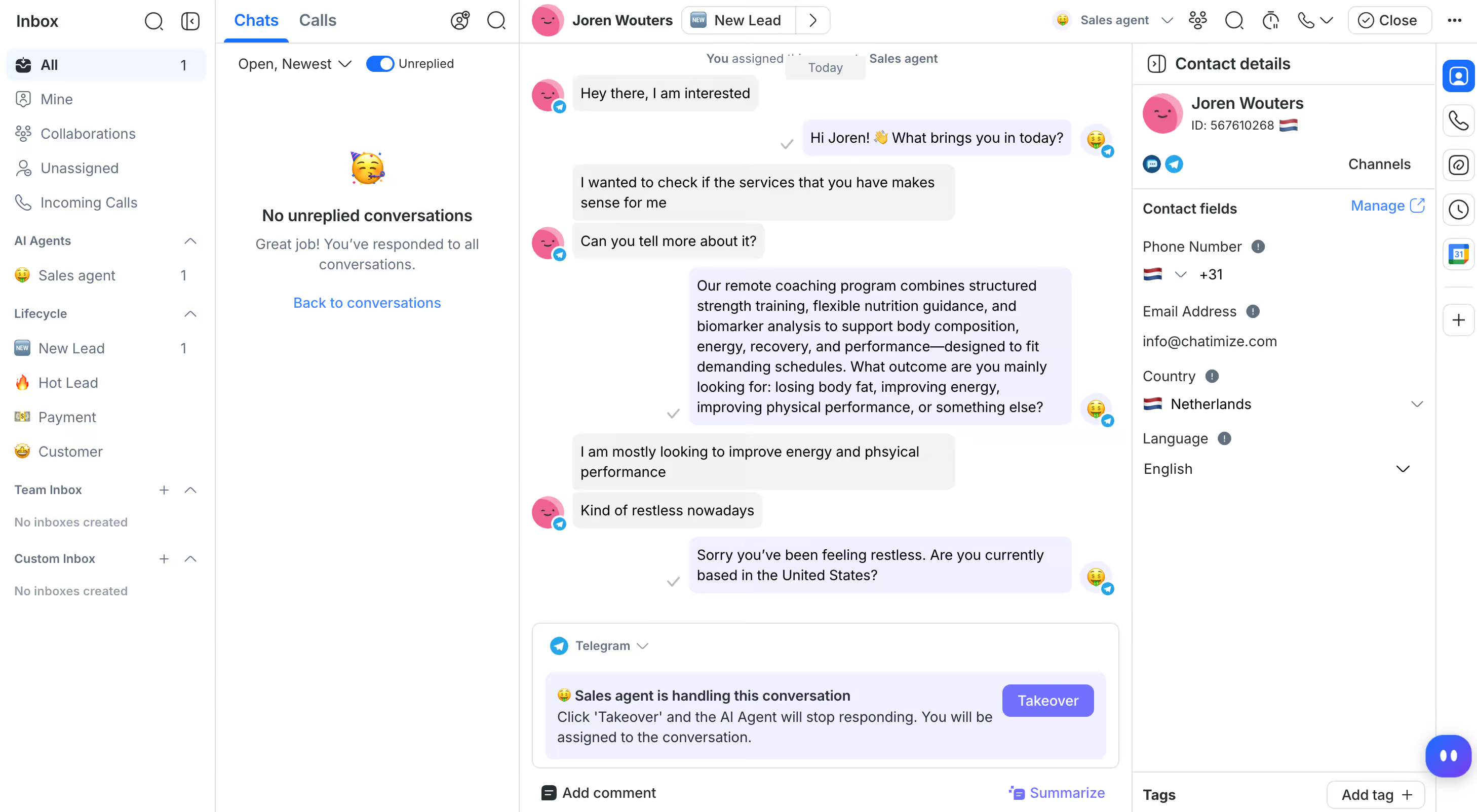
Your leads can reach you on WhatsApp, Instagram, TikTok, your website or even by phone, and your team answers all of it from one inbox. And instead of tickets, it shows you which stage each lead is in, from new lead to paying customer.
Its AI agents qualify those leads for you. You train an agent on your website and files, and with skills, it can do things on its own, like updating a lead’s details or moving them to the next stage. So your salespeople only talk to the leads that are ready for them.
Setting it up takes about 2 hours, because its AI Copilot builds the agent for you when you describe what you want.
But watch the plans. The $99/month plan is only a shared inbox, and AI agents start at $199/month. And if your team mainly handles support tickets, Freshdesk or Kustomer will fit you better.
Pros
- One inbox for more than a dozen channels, including WhatsApp, TikTok and phone calls
- Lifecycle stages show where each lead is
- AI agents that qualify leads and move them to the next stage
- Set up the platform by chatting with AI
- Broadcasts on WhatsApp, SMS, email and Telegram
Cons
- Built for sales, not support
- The $99/month plan is only a shared inbox
- The AI agent can only connect to other tools through APIs
Pricing
- No free plan, but a 7-day free trial without a credit card
- Starts at $99/month for a shared inbox with 5 users
- AI agents start at $199/month, with 10,000 AI credits included
- Extra AI credits: $15 per 1,000
Best for: Support teams that want AI at the lowest price for many seats
Rating: 4.2/5 ★
Crisp is the cheapest way to give a whole support team AI. Zendesk charges per agent, but Crisp has flat plans, and $95/month gets you 10 seats.
That makes it a much cheaper alternative to Zendesk once your team grows. On Zendesk’s Suite Team, those same 10 agents cost $690/month before you pay for a single AI resolution.
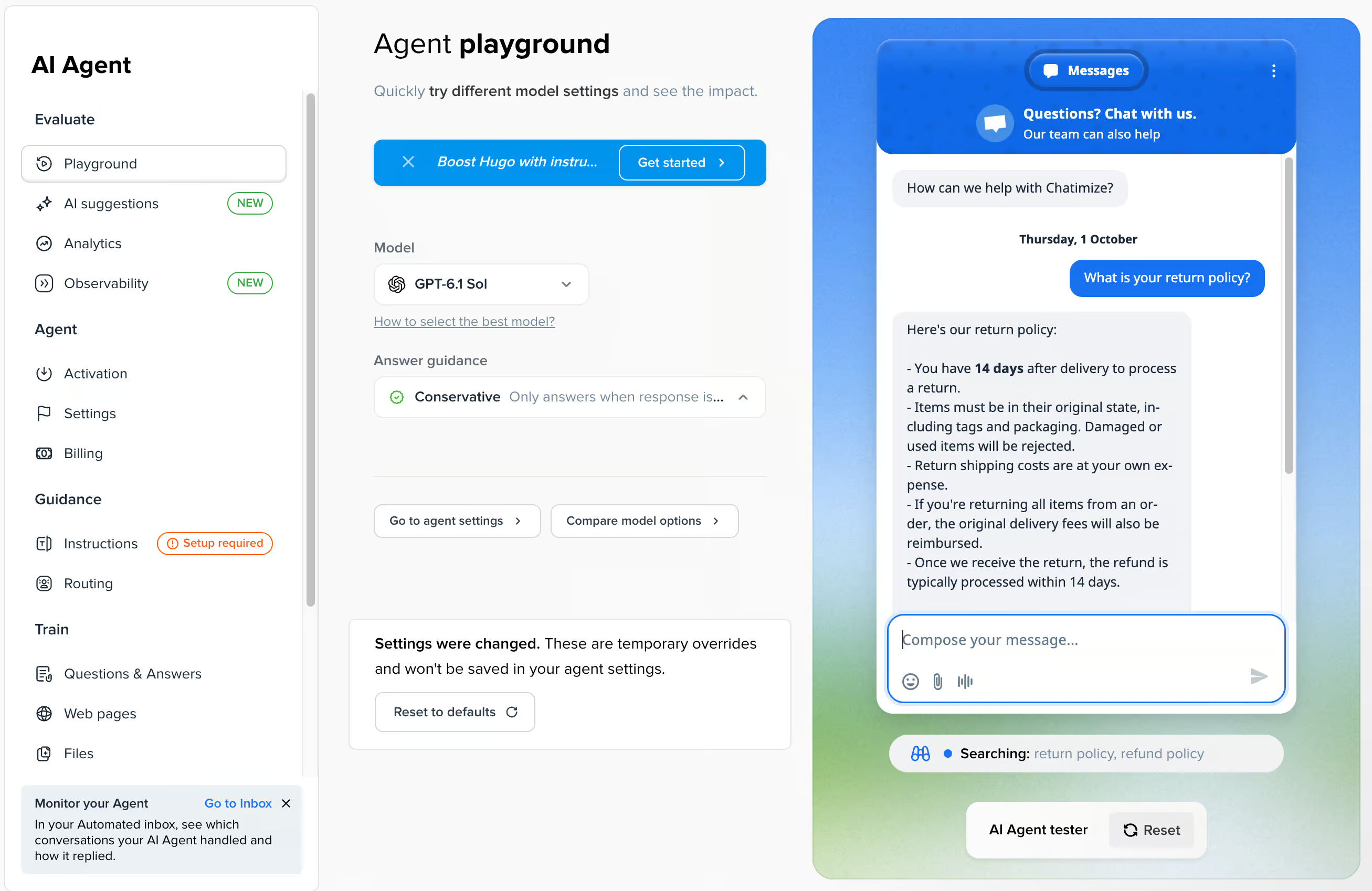
Hugo, Crisp’s AI agent, learns from your website, files and Q&As. And it connects to Shopify, WooCommerce, PrestaShop and Stripe in one click, so it can do things like update a customer’s shipping address.
You can also build workflows to give conversations more structure. For example, you can send refund requests through a form with buttons.
When Hugo can’t help, the conversation goes to your team, in one inbox for 11 channels, including WhatsApp, Instagram and Messenger.
It’s also one of the fastest to set up. I had Hugo answering questions in about an hour.
The AI runs on credits, and a conversation costs between $0.05 and $0.50, depending on how long and complex it is. You can also set a cap, so your AI bill never goes past a limit you choose.
The downside is that Crisp has fewer integrations than Freshdesk. And both the workflow builder and channels like WhatsApp and Instagram only come with the $95/month plan.
Pros
- Flat pricing: 10 seats for $95/month
- AI agent trained on your website, files and Q&As
- One-click integrations with Shopify, WooCommerce, PrestaShop and Stripe
- Workflow builder to structure conversations
- One inbox for 11 channels
- Set up in about an hour
- A cap on what you spend on AI
Cons
- Fewer integrations than Freshdesk
- The workflow builder and channels like WhatsApp and Instagram need the $95/month plan
- Limited marketing features on Facebook, Instagram and WhatsApp
Pricing
- Free plan for 2 seats, without AI
- Mini: $45/month for 4 seats, with the Hugo AI agent
- Essentials: $95/month for 10 seats, with the workflow builder and all your channels in one inbox
- AI conversations cost between $0.05 and $0.50 each
Best for: Going live with an AI agent in minutes
Rating: 4.5/5 ★
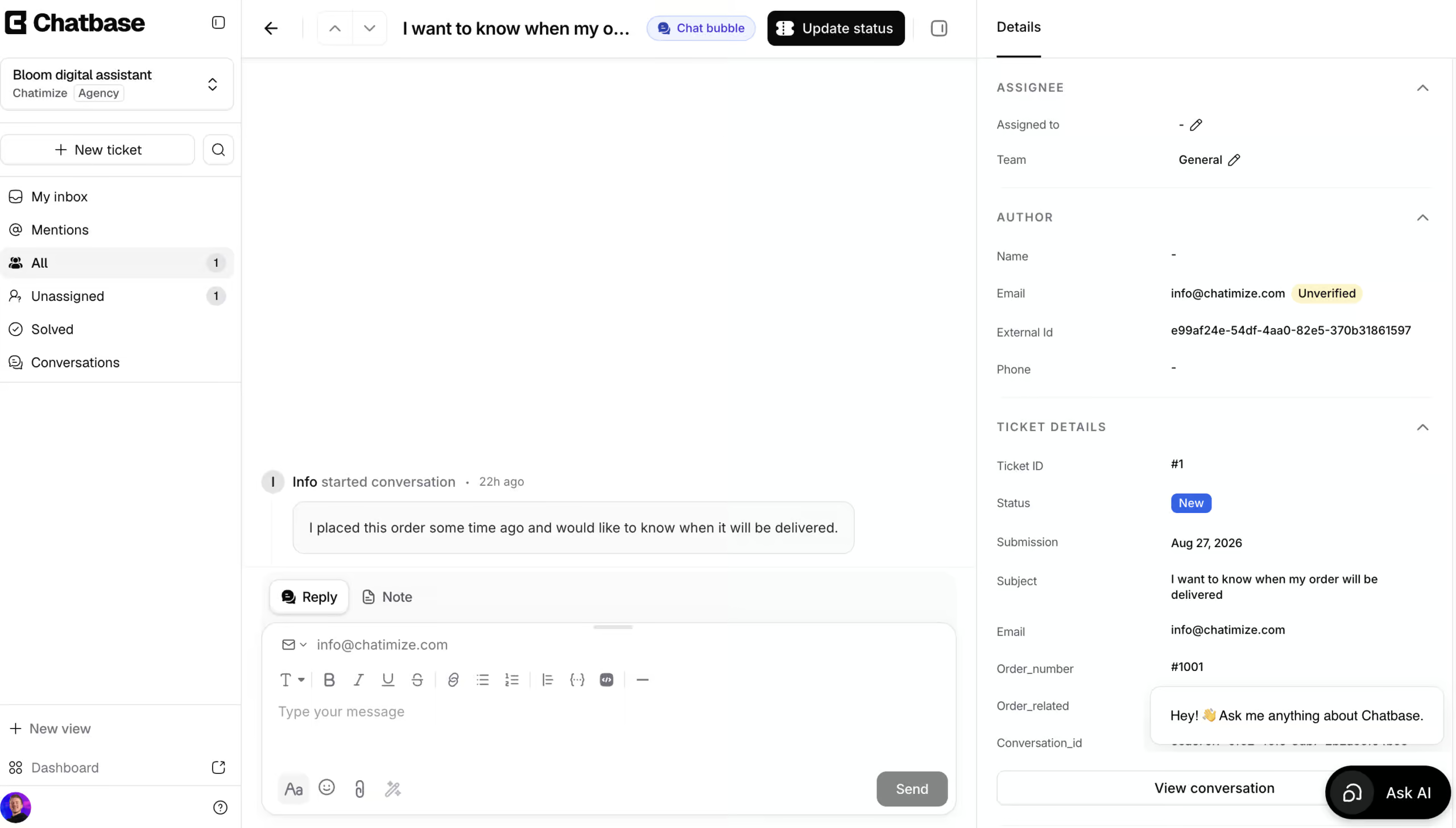
Chatbase is the fastest way to go live with an AI agent. You give it your website or documents, it trains on them, and within 10 minutes it answers your customers’ questions.
Its AI actions let it book a call in Calendly for a customer, or collect a lead’s details in the middle of a chat. And when you want to change something, you tell Backstage, its built-in AI, what you want. It shows you the change, and you approve it.
Plans start at $150/month, and every plan includes the help desk.
When a human needs to take over, there’s a built-in help desk with live chat and tickets. It’s not as deep as Zendesk’s, though, so it suits a small team better than a big support department.
And if you’d rather keep Zendesk, Chatbase works there too: it answers your Zendesk tickets on its own, and hands a ticket to your team when it can’t help.
Pros
- AI agent live within 10 minutes
- Change your agent by talking to Backstage
- Train it on your website, files and Notion
- AI actions to connect with other apps
- Built-in live chat and help desk
- Answers Zendesk tickets, and hands conversations over to Zendesk, Freshdesk and Intercom
Cons
- The help desk isn’t as deep as Zendesk’s
Pricing
- No free plan, but a 7-day free trial
- Paid plans start at $150/month, help desk included
Best for: Adding AI to your Zendesk for less money
Rating: 4.2/5 ★
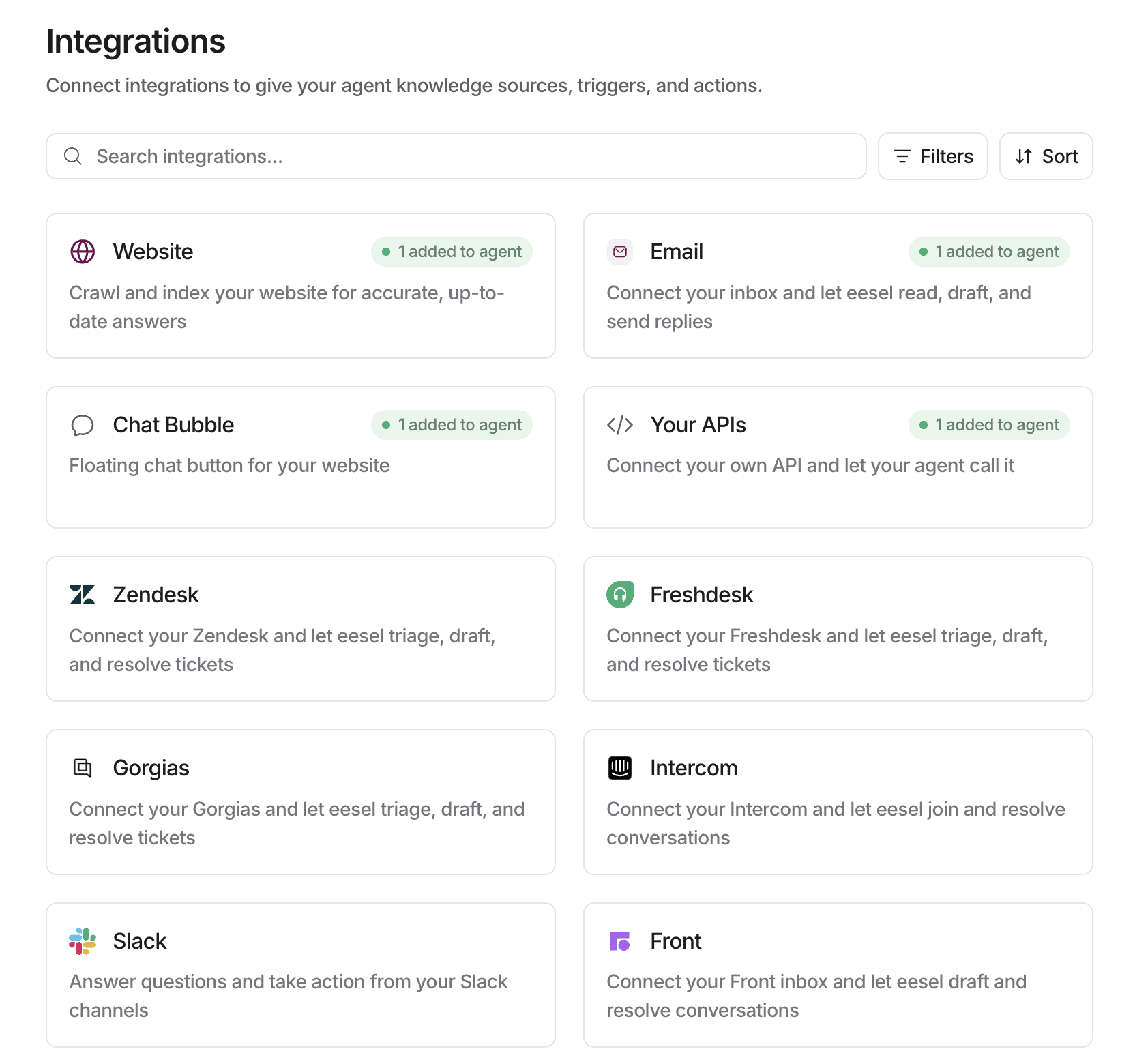
Maybe Zendesk’s help desk works fine for your team, and the AI bill is the only problem. Then you don’t need to switch at all. Eesel AI plugs straight into Zendesk and answers your tickets there.
You set it up by chatting with it. Ask it to train on your website and files and to connect Shopify, and it does all of that for you. And if it has no integration for one of your tools, it writes the code for one itself.
I had my agent running in about an hour.
It’s also a cheaper alternative to Zendesk’s own AI. You pay $299/month for 500 conversations, which comes down to about $0.60 per conversation, against Zendesk’s $2 per AI resolution.
There’s one catch: Eesel AI charges for every conversation, solved or not, while Zendesk only charges for resolutions. But even if Eesel AI solves only half your conversations, you pay about $1.20 per solved one, which still beats $2.
Keep in mind that you stay on a Zendesk plan, so you still pay for your seats. And Eesel AI isn’t a help desk on its own. Without Zendesk or another help desk next to it, your team has nowhere to take over a conversation.
Pros
- Plugs straight into Zendesk and answers tickets there
- Set it up by chatting with it
- Writes the code for integrations it doesn’t have yet
- About $0.60 per conversation
- Also works with Freshdesk, Intercom and Gorgias
- No per-seat fees
Cons
- You still pay for your Zendesk seats
- It charges for every conversation, solved or not
- Not a help desk on its own
- No test environment, so anything it builds for you goes live the moment you save it
Pricing
- Free trial with 100 credits for 7 days
- Starts at $299/month for 500 conversations
- Extra conversations: $0.80 each